brake Lexus IS F 2008 Do-It-Yourself Maintenance /
[x] Cancel search | Manufacturer: LEXUS, Model Year: 2008, Model line: IS F, Model: Lexus IS F 2008Pages: 452, PDF Size: 6.49 MB
Page 112 of 452

112
2-1. Driving procedures
NOTICE
■When driving the vehicle
Do not use the accelerator pedal or depress accelerator and brake pedals together
to hold the vehicle on a hill.
■Avoiding damage to vehicle parts
●Do not turn the steering wheel fully in either direction and hold it there for a long
time.
Doing so may damage the power steering motor.
●When driving over bumps in the road, drive as slowly as possible to avoid damag-
ing the wheels, underside of the vehicle, etc.
■If you hear a squealing or scraping no ise (brake pad wear limit indicators)
Have your Lexus dealer check and replac e the brake pads as soon as possible.
The rotor damage can result if the pads are not replaced when needed.
Moderate levels of the brake pad and di sc wear allow enhanced front braking
power. As a result, the discs may wear more quickly than conventional brake discs.
Therefore, when replacing the brake pads, Lexus recommends that you also have
the thickness of the discs measured.
It is dangerous to drive the vehicle when the wear limits of the brake pads and/or
that of the brake discs are exceeded.
■If you get a flat tire while driving
A flat or damaged tire may cause the following situations. Hold the steering wheel
firmly and gradually press the brak e pedal to slow down the vehicle.
●It may be difficult to control your vehicle.
●The vehicle will make abnormal sounds.
●The vehicle will behave abnormally.
Replace a flat tire with a new one. ( P. 3 76 )
Page 113 of 452

113
2-1. Driving procedures
2
When driving
NOTICE
■When encountering flooded roads
Do not drive on a road that has flooded after heavy rain etc. Doing so may cause the
following serious damage to the vehicle.
●Engine stalling
●Short in electrical components
●Engine damage caused by water immersion
In the event that you drive on a flooded road and the vehicle is flooded, be sure to
have your Lexus dealer check the following.
●Brake function
●Changes in quantity and quality of oil an d fluid used for the engine, transmission,
differential, etc.
●Lubricant condition for the propeller shaft, bearings and suspension joints (where
possible) and the function of all joints, bearings, etc.
Page 114 of 452

114
2-1. Driving procedures
Engine (ignition) switch
Modes can be switched by pressing the “ENGINE START STOP” switch
when carrying the electronic key on your person. (The engine can be
started in any mode by operating the switch at the same time as depressing
the brake pedal.)
■Starting the engine
Check that the parking brake is set.
Check that the shift lever is set in P.
Sit in the driver’s seat and firmly depress the brake pedal.
The “ENGINE START STOP” switch indicator turns green.
Press the “ENGINE START
STOP” switch.
STEP1
STEP2
STEP3
STEP4
Page 118 of 452

118
2-1. Driving procedures
Automatic transmission
Select a shift position appropriate for the driving conditions.
■Shifting the shift lever and selecting a shift position
While the “ENGINE
START STOP” switch is
in IGNITION ON
mode, depress the brake
pedal and move the shift
lever.
*: To improve fuel efficiency andreduce noises, set the shift lever
in the D position for normal driv-
ing.
Shift
positionFunction
PParking the vehicle/ starting the engine
RReversing
NNeutral
DNormal driving*
MM mode driving ( P. 122)
Page 127 of 452

127
2-1. Driving procedures
2
When driving
Parking brake
NOTICE
■Before driving
Fully release the parking brake.
Driving the vehicle with the parking brake set will lead to brake components over-
heating, which may affect braking performance and increase brake wear.
Sets the parking brake*
(Depressing the pedal again
releases the parking brake.)
*: Fully depress the parking brake pedal with your left
foot while depressing the
brake pedal with your right
foot.
CANADAU.S.A.
Page 140 of 452
140
2-3. Operating the lights and windshield wipers
AFS (Adaptive Front—lighting System)AFS (Adaptive Front—lighting System) improves visibility at intersections
and on curves by automatically adjusting the level of the headlights
according to vehicle speed and the degree of the tire angle that are con-
trolled by steering input.
Operates at speeds of 6 mph (10 km/h) or higher.
■ Deactivating AFS
How to switch: P. 2 3 6
turns on when the AFS is deactivated.
■Daytime running light system
To make your vehicle more visible to other drivers, the headlights turn on automati-
cally (at a reduced intensity) whenever the engine is started and the parking brake
is released. Daytime running lights are not designed for use at night.
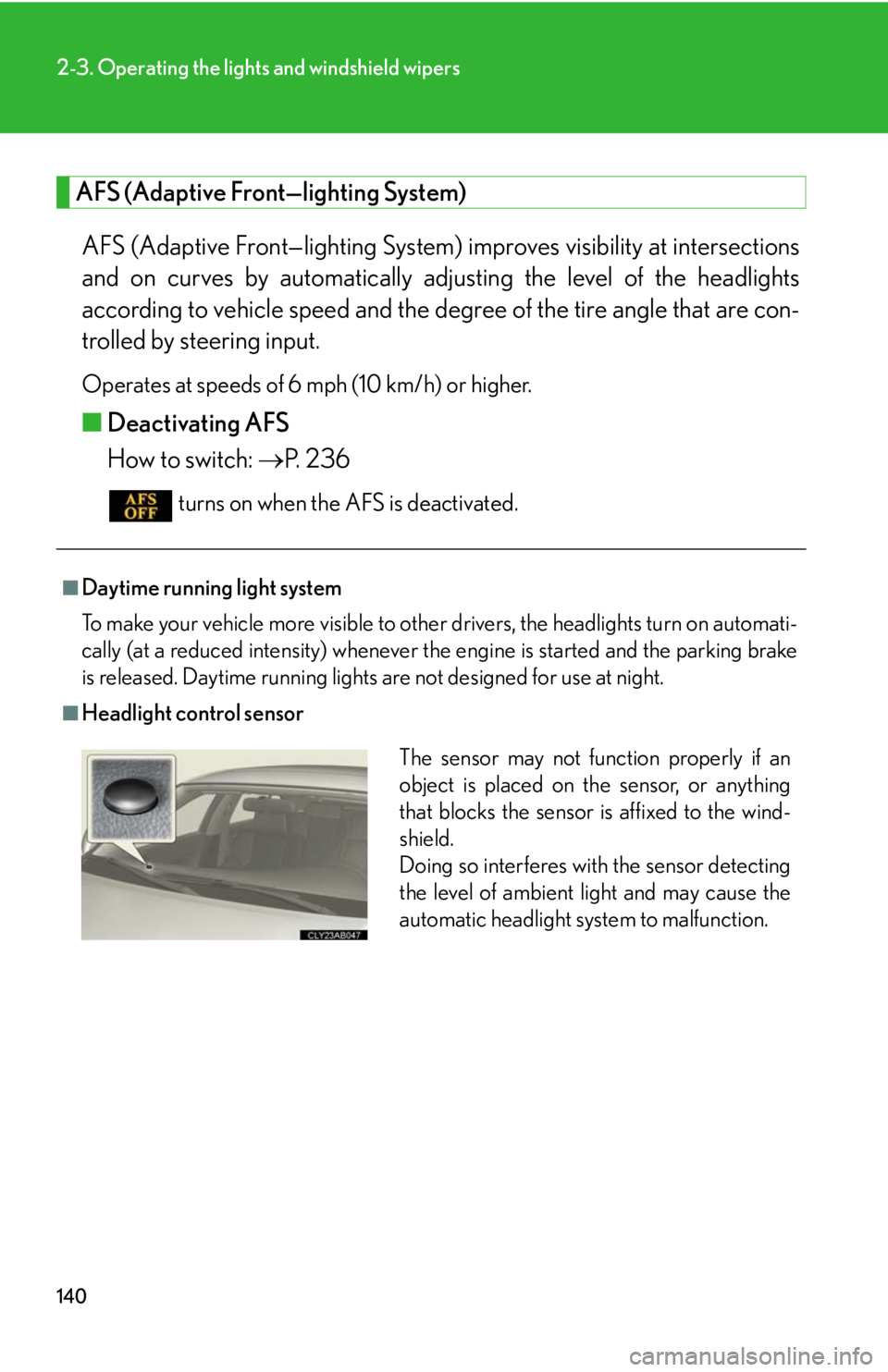
■Headlight control sensor
The sensor may not function properly if an
object is placed on the sensor, or anything
that blocks the sensor is affixed to the wind-
shield.
Doing so interferes with the sensor detecting
the level of ambient light and may cause the
automatic headlight system to malfunction.
Page 148 of 452

148
2-4. Using other driving systems
■Cruise control can be set when
●The shift lever is in the D position. However, it cannot be set if any of the ranges 1
through 3 has been selected using the paddle shift switches.
●Vehicle speed is between approximately 25 mph (40 km/h) and 125 mph
(200 km/h).
■Adjusting the speed setting
Increase speed
Decrease speed
Hold the lever until the desired
speed setting is obtained.
Fine adjustment of the set
speed (approximately 1.0 mph
[1.6 km/h]) can be made by
lightly pressing the lever up or
down and releasing it.
■Canceling and resuming regular acceleration
Cancel
Push the lever towards you to
cancel cruise control.
The speed setting is also can-
celed when the brakes are
applied.
Resume
To resume cruise control and
return to the set speed, push the
lever up.
Page 152 of 452

152
2-4. Using other driving systems
■Adjusting the speed setting
Increase speed
Decrease speed
To change the set speed, oper-
ate the lever until the desired set
speed is displayed.
Fine Adjustment (1mph incre-
ments) Momentarily move the
lever in the desired direction
and release.
Course Adjustment (5mph
increments) HOLD the lever in
the desired direction. Coarse
adjustment will continute to
change the set speed approxi-
mately 5mph per second until
the lever is released.
■ Canceling and resuming the speed setting
Cancel
Push the lever towards you to
cancel cruise control.
The setting is also canceled
when the brakes are applied.
Resume
To resume cruise control and
Page 154 of 452

154
2-4. Using other driving systems
Driving in vehicle-to-vehicle distance control mode This mode employs a radar sensor to detect the presence of vehicles
within 328 ft. (100 m) ahead and to judge the distance between your
vehicle and those vehicles.
Note that vehicle-to-vehicle distance will close when trave ling on long down-
hill slopes.
Example of constant speed cruising (when there are no vehicles
ahead): When set to 62 mph (100 km/h)
The vehicle travels at the speed set by the driver. The desired vehicle-to-vehi-
cle distance can also be set by oper ating the vehicle-to-vehicle distance
switch.
Example of deceleration cruising (when the vehicle ahead is driving
slower than the set speed): When fixed speed cruising is set at 62 mph
(100 km/h) and the vehicle ahead is driving at 50 mph (80 km/h)
When a vehicle is detected running ahead of you, in the same lane, the sys-
tem automatically decelerates your vehicle. When a greater reduction in
vehicle speed is necessary, the system applies the brakes. A warning tone
warns you when the system cannot decelerate sufficiently to prevent your
vehicle from closing on the vehicle ahead.
Page 158 of 452

158
2-4. Using other driving systems
CAUTION
■Before using dynamic radar cruise control
Do not overly rely on vehicle-to-vehicle distance control.
Be aware of the set vehicle speed. If au tomatic deceleration/acceleration is not
appropriate, adjust the vehicle speed, as well as the distance between your vehicle
and vehicles ahead by applying the brakes, etc.
■To avoid inadvertent dynamic radar cruise control activation
Keep the “ON-OFF” button off when not in use.
■Situations unsuitable for dynamic radar cruise control
Do not use dynamic radar cruise contro l in any of the following situations.
Doing so may result in inappropriate co ntrol of speed and could cause serious or
fatal accident.
●In heavy traffic
●On roads with sharp bends
●On winding roads
●On slippery roads, such as thos e covered with rain, ice or snow
●Where there are sudden changes between sharp up and down gradients
●At entrances to expressways
●When weather conditions are bad enough that they may prevent the sensors
from functioning correctly (heavy rain, fog, snow, sandstorm, etc.)
●Where buzzer can be heard often
■When the radar sensor may not be correctly detecting the vehicle ahead
Apply the brakes as necessary when any of the following types of vehicles are in
front of you.
As the sensor may not be able to correctly detect these types of vehicles, the prox-
imity alarm ( P. 360) will not be activated, and an accident may result.
●Vehicles that cut in suddenly
●Vehicles traveling at low speeds
●Vehicles that are not moving
●Vehicles with small rear ends (tra ilers with no load on board etc.)
●Motorcycles traveling in the same lane