phone Lexus IS F 2012 Specifications / LEXUS 2012 IS F (OM53A41U) Owner's Guide
[x] Cancel search | Manufacturer: LEXUS, Model Year: 2012, Model line: IS F, Model: Lexus IS F 2012Pages: 576, PDF Size: 5.9 MB
Page 318 of 576
318
3-4. Using the hands-free phone system (for mobile phones)
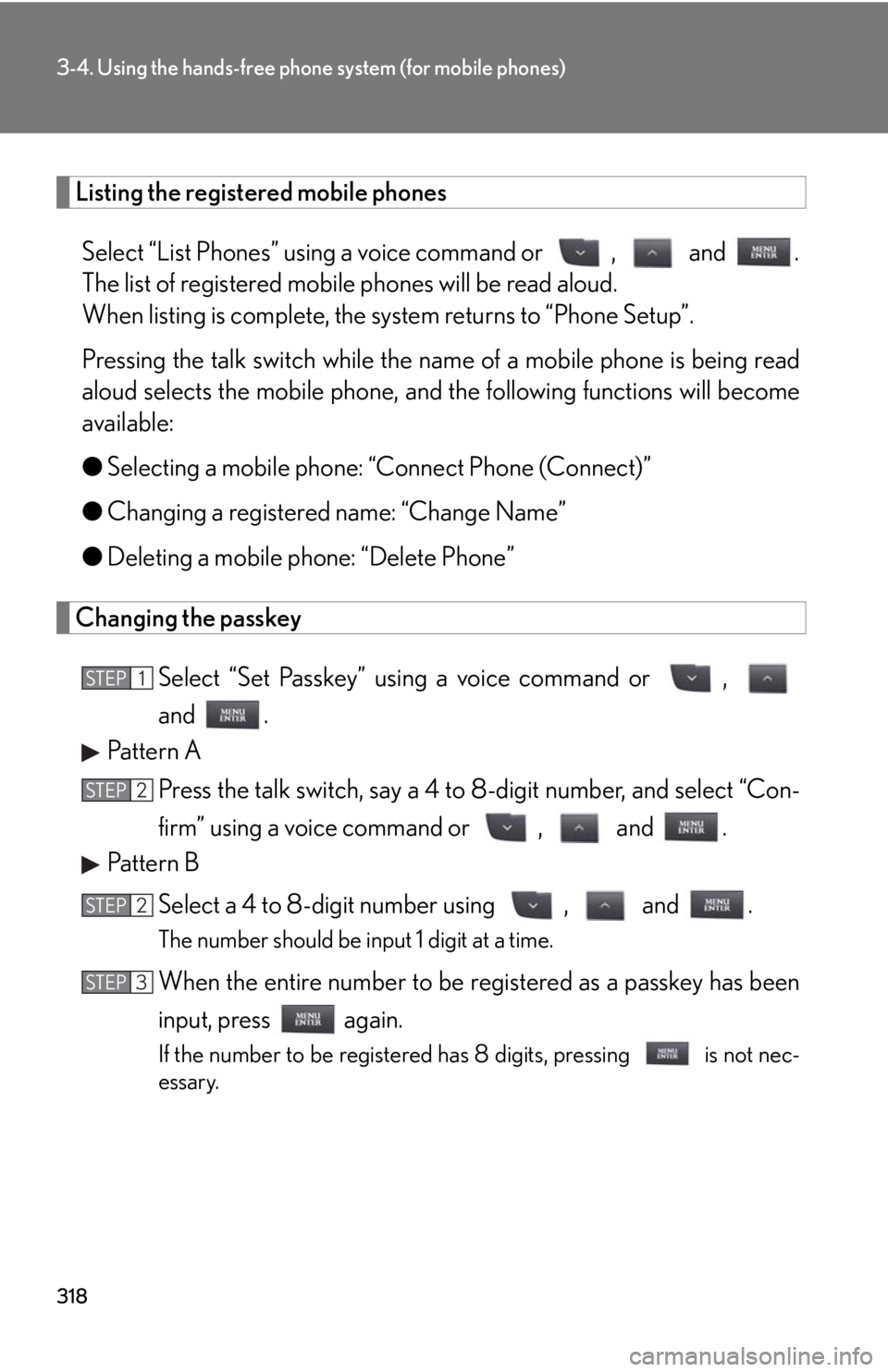
Listing the registered mobile phonesSelect “List Phones” using a voice command or , and .
The list of registered mobile phones will be read aloud.
When listing is complete, the sy stem returns to “Phone Setup”.
Pressing the talk switch while the name of a mobile phone is being read
aloud selects the mobile phone, and the following functions will become
available:
● Selecting a mobile phone: “Connect Phone (Connect)”
● Changing a registered name: “Change Name”
● Deleting a mobile phone: “Delete Phone”
Changing the passkey
Select “Set Passkey” using a voice command or ,
and .
Pattern A
Press the talk switch, say a 4 to 8-digit number, and select “Con-
firm” using a voice command or , and .
Pattern B
Select a 4 to 8-digit number using , and .
The number should be input 1 digit at a time.
When the entire number to be re gistered as a passkey has been
input, press again.
If the number to be registered has 8 digits, pressing is not nec-
essary.
STEP1
STEP2
STEP2
STEP3
Page 319 of 576

319
3-4. Using the hands-free phone system (for mobile phones)
3
Interior features
Deleting a registered mobile phone
Select “Delete Phone” using a voice command or ,
and .
Pattern A
Select the mobile phone to be deleted by either of the following
methods and select “Confirm” using a voice command or ,
and :
a. Press the talk switch and say the name of the desired mobile phone.
b. Press the talk switch and say “List Phones”. When the name of
the desired mobile phone is read aloud, press the talk switch.
Pattern B
Select the desired mobile phone to be deleted using , and .
If the mobile phone to be de leted is paired as a Bluetooth
® audio player,
the registration of the audio player can be deleted at the same time. A
voice guidance instruction to delete a Bluetooth
® audio player is heard.
Select “Yes” or “No” using a voice command or ,
and . (Bluetooth
® audio player P. 2 8 1 )
■The number of mobile phones that can be registered
Up to 6 mobile phones can be registered in the system.
STEP1
STEP2
STEP2
STEP3
Page 320 of 576

320
3-4. Using the hands-free phone system (for mobile phones)
Security and system setup
■Security setting items and operation procedures
To enter the menu for each function , follow the steps below using a
voice command or , and :
●Setting or changing the PIN (Personal Identification Number)
1. “Setup” 2. “Security” 3. “Set PIN”
● Locking the phone book
1. “Setup” 2. “Security” 3. “Phonebook Lock (Phbk Lock)”
● Unlocking the phone book
1. “Setup” 2. “Security” 3. “Phonebook Unlock (Phbk
Unlock)”
■ System setup items and operation procedures
To enter the menu for each function, follow the steps below using
, and :
● Setting voice guidance volume
1. “Setup” 2. “System Setup” 3. “Guidance Vol”
● Displaying the Bluetooth
® device address and name
1. “Setup” 2. “System Setup” 3. “Device Name”
● Initializing the system
1. “Setup” 2. “System Setup” 3. “Initialize”
Page 321 of 576

321
3-4. Using the hands-free phone system (for mobile phones)
3
Interior features
Setting or changing the PIN
■ Setting a PIN
Select “Set PIN” using a voice command or , and
.
Enter a PIN using a voice command or , and .
When using , and , input the code 1 digit at a time.
■ Changing the PIN
Select “Set PIN” using a voice command or , and
.
Enter the registered PIN using a voice command or , and .
Enter a new PIN using a voice command or , and .
When using , and , input the code 1 digit at a time.
Locking or unlocking the phone book
Select “Phonebook Lock (Phbk Lock)” or “Phonebook Unlock
(Phbk Unlock)” using a vo ice command or , and
.
Input the PIN by either of the fo llowing methods and select “Con-
firm” using a voice command or , and :
a. Press the talk switch and say the registered PIN.
b. Input a new PIN using , and .
STEP1
STEP2
STEP1
STEP2
STEP3
STEP1
STEP2
Page 322 of 576

322
3-4. Using the hands-free phone system (for mobile phones)
Setting voice guidance volumeSelect “Guidance Vol” using , and .
Change the voice guidance volume using , and.
Displaying the Bluetooth® device address and name
Select “Device Name” using , and .
Press or to display the Bluetooth
® device address
and name.
Select “Go Back” using , and to return to
“System Setup”.
Initializing the system
Select “Initialize” and then “Confirm” using , and.
Select “Confirm” again using , and .
STEP1
STEP2
STEP1
STEP2
STEP3
STEP1
STEP2
Page 323 of 576

323
3-4. Using the hands-free phone system (for mobile phones)
3
Interior features
■Initialization
●The following data in the system can be initialized:
•Phone book
• Outgoing and incoming call history
•Speed dials
• Registered mobile phone data
•Security code
• Registered Bluetooth
® enabled portable player data
• Passkey for the mobile phones
• Passkey for the Bluetooth
® audio players
•Guidance volume
• Receiver volume
• Ring tone volume
●Once the initialization has been complete d, the data cannot be restored to its
original state.
■When the phone book is locked
The following functions cannot be used:
●Dialing by inputting a name
●Speed dialing
●Dialing a number stored in the call history memory
●Using the phone book
Page 324 of 576

324
3-4. Using the hands-free phone system (for mobile phones)
Using the phone book
Adding a new phone number
The following methods can be used to add a new phone number:
● Inputting a phone number using a voice command
● Transferring data from the mobile phone
● Inputting a phone number using , and
● Selecting a phone number from ou tgoing or incoming call history
To enter the menu for each function , follow the steps below using a
voice command or , and :
●Adding a new phone number
1. “Phonebook” 2. “Add Entry”
● Changing the registered name in the phone book
1. “Phonebook” 2. “Change Name”
● Listing the registered data
1. “Phonebook” 2. “List Names”
● Setting speed dials
1. “Phonebook” 2. “Set Speed Dial (Speed Dial)”
● Deleting the registered data
1. “Phonebook” 2. “Delete Entry”
● Deleting speed dials
1. “Phonebook” 2. “Delete Speed Dial (Del Spd Dial)”
Page 325 of 576

325
3-4. Using the hands-free phone system (for mobile phones)
3
Interior features
■Adding procedure
Select “Add Entry” using a voice command or , and .
Use one of the following methods to input a telephone number:
Inputting a telephone number using a voice command:
STEP2-1 Select “By Voice” using a voice command or , and .
STEP2-2 Press the talk switch , say the desired number, and
select “Confirm” using a voice command.
Transferring data from the mobile phone: STEP2-1 Select “By Phone” and then “Confirm” using a voice
command or , and .
STEP2-2 Transfer the data from the mobile phone.
Refer to the manual that comes with the mobile phone for
details on transferring data.
STEP2-3 Select the data to be registered by either of the follow- ing methods:
a. Say “Previous” or “Next” until the desired data is dis-played, and select “Co nfirm” using a voice com-
mand.
b. Select the desired data using , and .
STEP1
STEP2
Page 326 of 576

326
3-4. Using the hands-free phone system (for mobile phones)
Inputting a phone number using , and :STEP2-1 Select “Manual In put” using , and .
STEP2-2 Input a phone number using , and , and press again.
Input the phone number 1 digit at a time.
Selecting a phone number from the outgoing or incoming call history: STEP2-1 Select “Call History” using a voice command or ,
and .
STEP2-2 Select “Outgoing” or “Incoming” using a voice com-
mand or , and .
STEP2-3 Select the data to be registered by either of the follow- ing methods:
a. Say “Previous” or “Go back ” until the desired data is
displayed, and select “Confirm” using a voice com-
mand.
b. Select the desired data using , and .
Select the name to be registered by either of the following meth-
ods, and select “Confirm” using a voice command or ,
and :
a. Press the talk switch and say the desired name.
b. Select “Record Name” using , and , and say the desired name.
Select “Confirm” using a voice command or , and .
In , selecting “Set Speed Dial (Speed Dial)” instead of “Con-
firm” registers the newly added phone number as a speed dial.
STEP3
STEP4
STEP4
Page 327 of 576

327
3-4. Using the hands-free phone system (for mobile phones)
3
Interior features
Changing the registered name in the phone book
Select “Change Name” using a voice command or ,
and .
Pattern A
Select the name to be changed by either of the following meth-
ods, and select “Confirm” using a voice command or ,
and :
a. Press the talk switch and say the desired name.
b. Press the talk switch and say “List Names”. When the desired name is read aloud, press the talk switch.
Pattern B
Select the desired name to be changed using , and .
Press the talk switch or se lect “Record Name” using ,
and , and say the new name.
Select “Confirm” using a voice command or , and .
Listing the registered data
Select “List Names” using a voice command or , and .
The list of the registered data will be read aloud.
When listing is complete, the sy stem returns to the “Phonebook”.
Pressing the talk switch while the desired data is being read aloud selects
the data, and the following fu nction will become available:
● Dialing: “Dial”
● Changing a registered name: “Change Name”
● Deleting an entry: “Delete Entry”
● Setting a speed dial: “Set Speed Dial (Speed Dial)”
STEP1
STEP2
STEP2
STEP3
STEP4