audio Lexus IS200d 2011 s User Guide
[x] Cancel search | Manufacturer: LEXUS, Model Year: 2011, Model line: IS200d, Model: Lexus IS200d 2011Pages: 609, PDF Size: 14.63 MB
Page 167 of 609
158
2-1. Driving procedures
IS250/220d/200d_EE
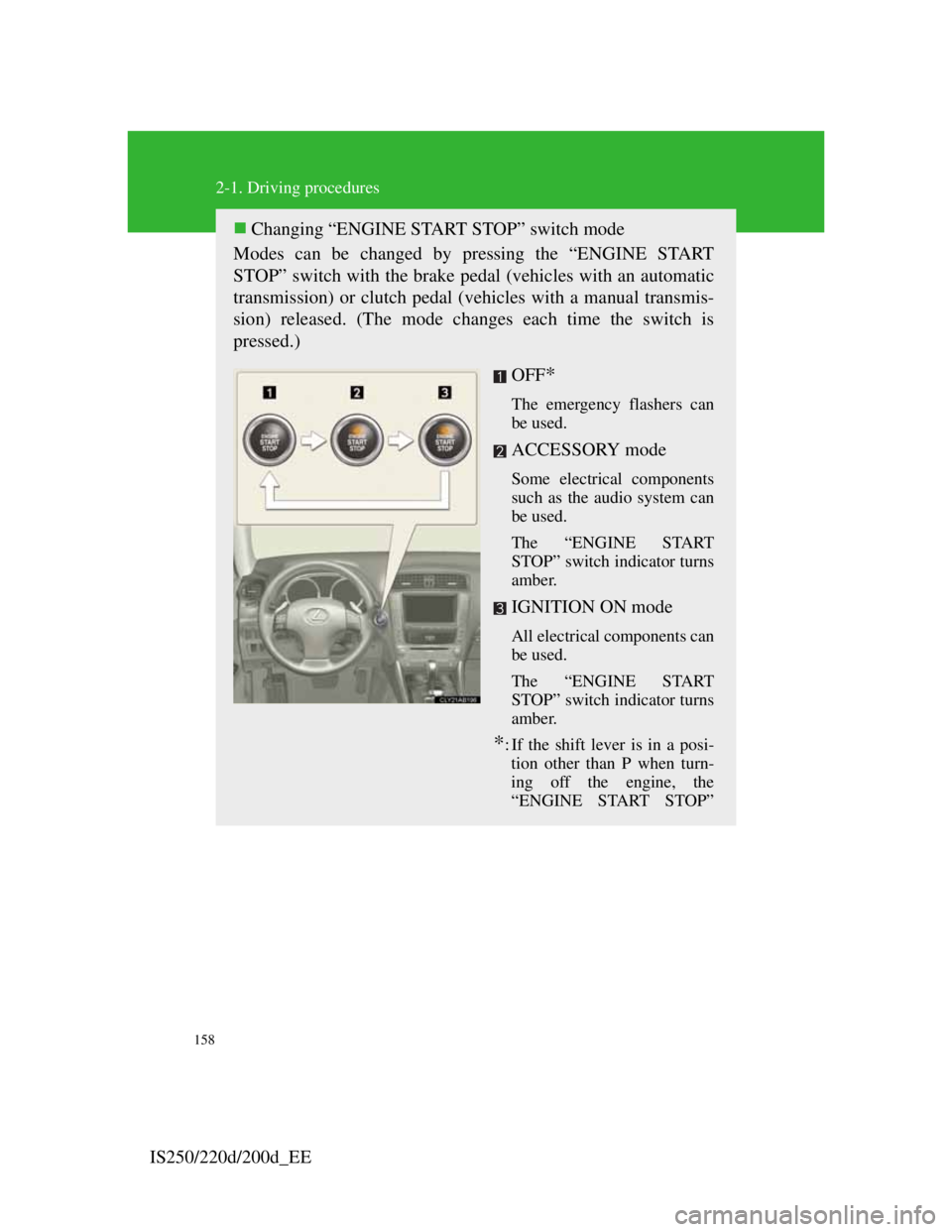
Changing “ENGINE START STOP” switch mode
Modes can be changed by pressing the “ENGINE START
STOP” switch with the brake pedal (vehicles with an automatic
transmission) or clutch pedal (vehicles with a manual transmis-
sion) released. (The mode changes each time the switch is
pressed.)
OFF
*
The emergency flashers can
be used.
ACCESSORY mode
Some electrical components
such as the audio system can
be used.
The “ENGINE START
STOP” switch indicator turns
amber.
IGNITION ON mode
All electrical components can
be used.
The “ENGINE START
STOP” switch indicator turns
amber.
*: If the shift lever is in a posi-
tion other than P when turn-
ing off the engine, the
“ENGINE START STOP”
Page 266 of 609

252
3-1. Using the air conditioning sys-
tem and defogger
Automatic air
conditioning system ....... 254
Power heater .................... 262
Rear window and outside
rear view mirror
defoggers ....................... 264
Windshield wiper de-icer . 265
3-2. Using the audio system
Audio system types.......... 266
Using the radio................. 269
Using the CD player ........ 273
Playing back MP3 and
WMA discs .................... 280
Operating an iPod ............ 287
Operating a USB
memory .......................... 294
Optimal use of the audio
system ............................ 302
Using the AUX port......... 304
Using the steering
wheel audio switches ..... 305
Page 267 of 609

3Interior features
253
3-3. Using the Bluetooth®
audio system
Bluetooth
® audio system . 308
Using the Bluetooth®
audio system .................. 313
Operating a Bluetooth
®
enabled portable player .. 316
Setting up a Bluetooth
®
enabled portable
player ............................. 319
Bluetooth
® audio system
setup ............................... 322
3-4. Using the hands-free
phone system
(for mobile phones)
Hands-free system for
mobile phones ................ 323
Using the hands-free
system
(for mobile phones)........ 330
Making a phone call ......... 336
Setting a mobile phone .... 340
Security and system
setup ............................... 343
Using the phone book ...... 3473-5. Using the interior lights
Interior lights list ............. 351
• Interior lights ................. 353
• Personal lights ............... 354
3-6. Using the storage features
List of storage features .... 355
• Glove box ...................... 356
• Console boxes................ 356
• Overhead console .......... 358
• Cup holders.................... 359
• Bottle holders/door
pockets ........................... 360
• Auxiliary box ................. 361
3-7. Other interior features
Sun visors ........................ 362
Vanity mirrors .................. 363
Clock................................ 364
Satellite switches ............. 365
Ashtrays ........................... 368
Cigarette lighter ............... 369
Power outlet ..................... 370
Seat heaters ...................... 371
Seat heaters and
ventilators ...................... 374
Armrest ............................ 377
Rear sunshade .................. 378
Trunk storage extension... 380
Coat hooks ....................... 381
Floor mat.......................... 382
Trunk features .................. 383
Page 281 of 609

266
IS250/220d/200d_EE
3-2. Using the audio system
Audio system types
With navigation system
Owners of models equipped with a navigation system should
refer to the “Navigation System Owner's Manual”.
Without navigation system
CD player with changer and AM/FM radio
The illustration below is for left-hand drive vehicles.
The button positions and shapes may differ slightly for right-
hand drive vehicles.
Page 282 of 609

267
3-2. Using the audio system
3
Interior features
IS250/220d/200d_EE
Using cellular phones
Interference may be heard through the audio system's speakers if a cellular
phone is being used inside or close to the vehicle while the audio system is
operating.
TitlePage
Using the radioP. 2 6 9
Using the CD playerP. 2 7 3
Playing back MP3 and WMA discsP. 2 8 0
Operating an iPodP. 2 8 8
Operating a USB memoryP. 2 9 6
Optimal use of the audio systemP. 3 0 4
Using the AUX portP. 3 0 6
Using the steering wheel audio switchesP. 3 0 7
Page 283 of 609

268
3-2. Using the audio system
IS250/220d/200d_EE
CAUTION
Certification for the radio (for Italy)
IL PRODUTTORE PIONEER CORPORATION 4-1, Meguro 1-Chome,
Meguro-Ku, Tokyo, Japan DI QUESTO APPARECCHIO MODELLO
86120-53B00 (radio-CD player) DICHIARA CHE ESSO E’ CONFORME
AL D.M.28.08.1995 No.548, OTTEMPERANDO ALLE PRESCRIZIONI
DI CUI AL D.M.25.6.1985 (PARAGRAFO 3,ALL.A) ED AL
D.M.27.8.1987 (PARAGRAFO 3,ALL.I).
Certification for the disc player with a changer
This product is a class 1 laser product.
A laser beam leak may result in hazardous radiation exposure.
Do not open the cover of the player or attempt to repair the unit yourself.
Refer servicing to qualified personnel.
Laser power: No hazardous
NOTICE
To prevent battery discharge
Do not leave the audio system on longer than necessary with the engine off.
To avoid damaging the audio system
Take care not to spill drinks or other fluids over the audio system.
Page 284 of 609
269
3-2. Using the audio system
3
Interior features
IS250/220d/200d_EE
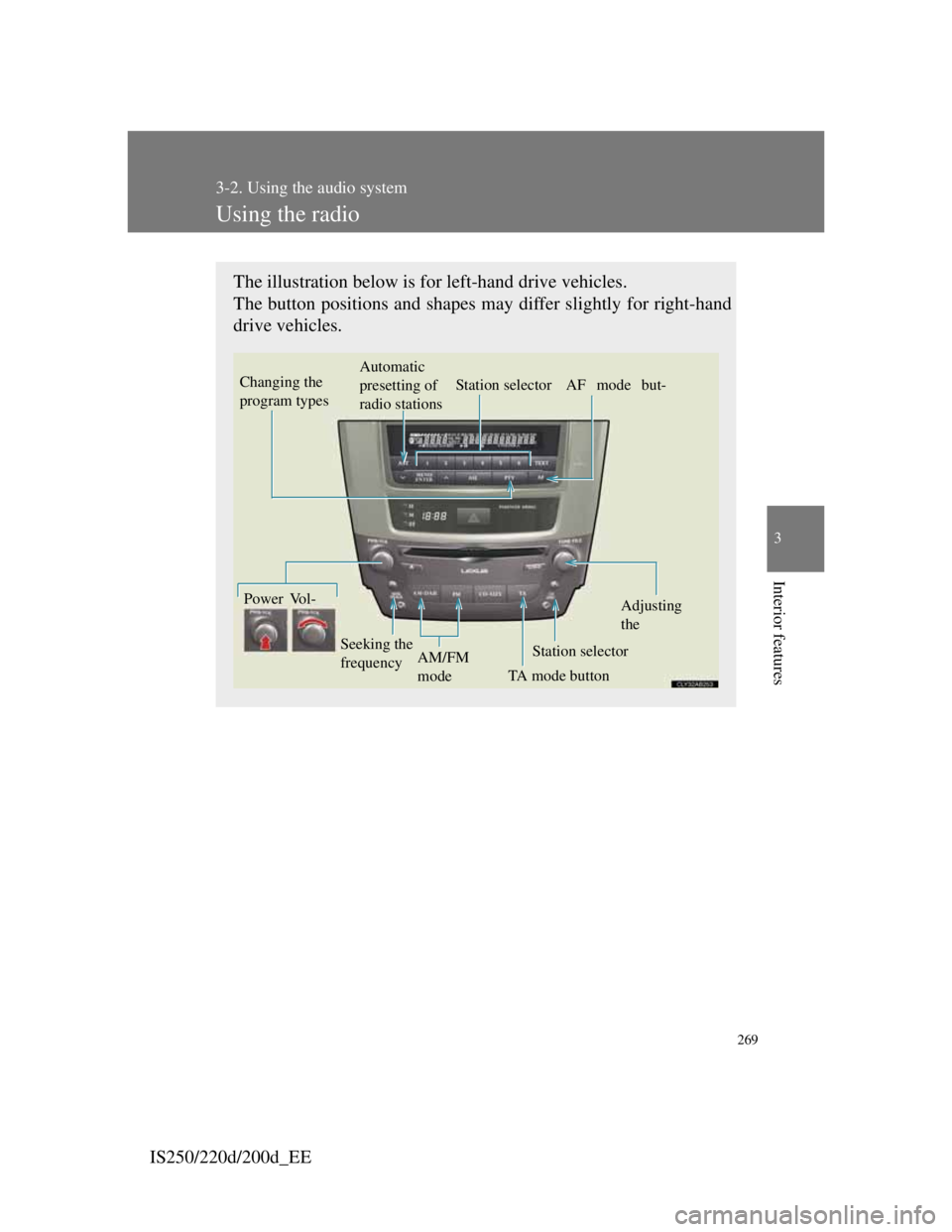
Using the radio
The illustration below is for left-hand drive vehicles.
The button positions and shapes may differ slightly for right-hand
drive vehicles.
Vo l -Automatic
presetting of
radio stationsStation selector AF mode but-Power
TA mode button Seeking the
frequencyStation selectorAdjusting
the
AM/FM
mode
Changing the
program types
Page 285 of 609
270
3-2. Using the audio system
IS250/220d/200d_EE
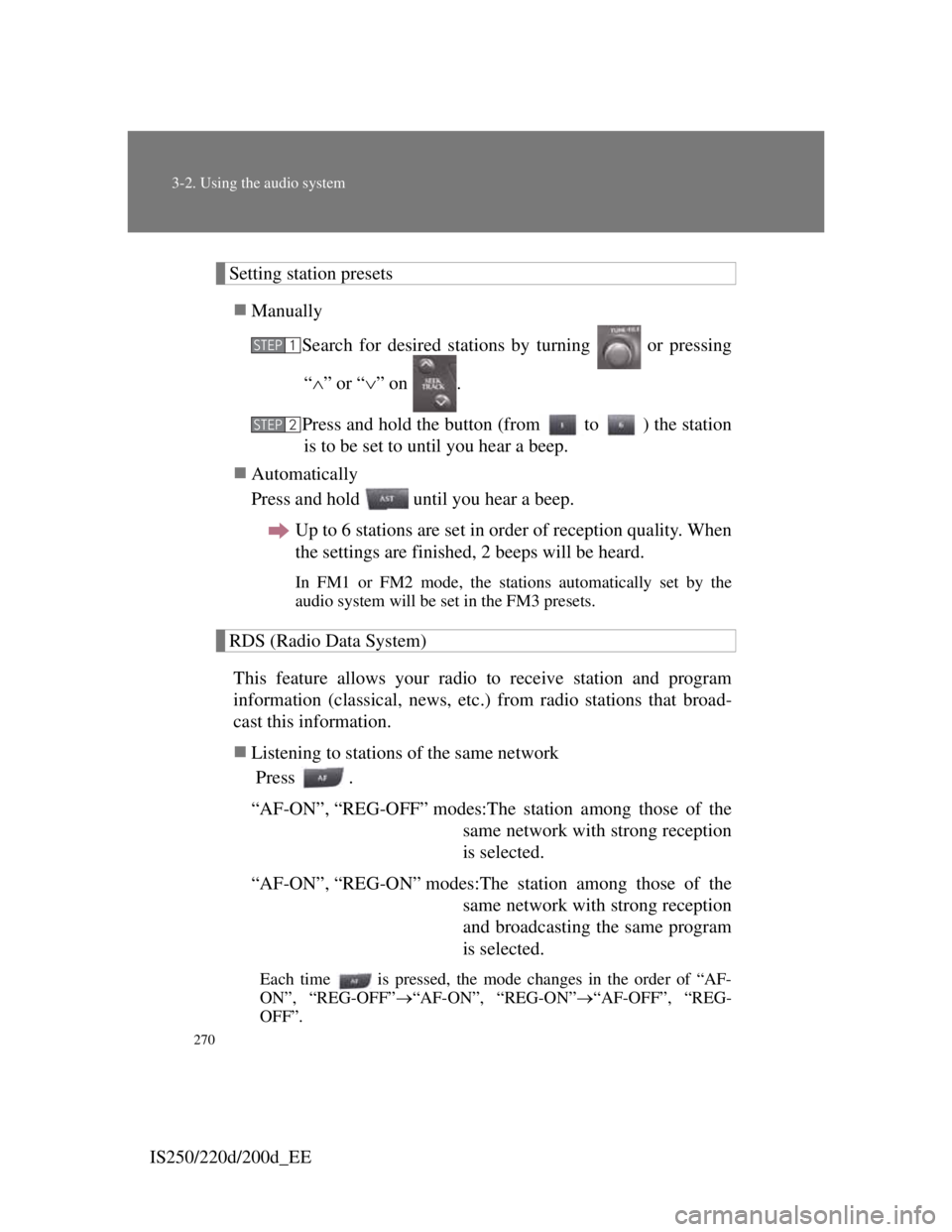
Setting station presets
Manually
Search for desired stations by turning or pressing
“” or “” on .
Press and hold the button (from to ) the station
is to be set to until you hear a beep.
Automatically
Press and hold until you hear a beep.
Up to 6 stations are set in order of reception quality. When
the settings are finished, 2 beeps will be heard.
In FM1 or FM2 mode, the stations automatically set by the
audio system will be set in the FM3 presets.
RDS (Radio Data System)
This feature allows your radio to receive station and program
information (classical, news, etc.) from radio stations that broad-
cast this information.
Listening to stations of the same network
Press .
“AF-ON”, “REG-OFF” modes:The station among those of the
same network with strong reception
is selected.
“AF-ON”, “REG-ON” modes:The station among those of the
same network with strong reception
and broadcasting the same program
is selected.
Each time is pressed, the mode changes in the order of “AF-
ON”, “REG-OFF”“AF-ON”, “REG-ON”“AF-OFF”, “REG-
OFF”.
STEP1
STEP2
Page 286 of 609
271
3-2. Using the audio system
3
Interior features
IS250/220d/200d_EESpecifying program type
Press
.
Each time is pressed, the program type changes in the order of
“NEWS”“SPORTS”“TALK”“POP”“CLASSICS”.
Traffic information
Press .
TP mode: The system automatically switches to traffic informa-
tion when a broadcast with a traffic information signal
is received.
The station returns to the previous one when the traffic
information ends.
TA mode: Traffic information can be heard only when a signal is
received. The system switches to the mute mode when
a signal is not received. In the CD or MP3/WMA
mode, the system automatically switches to traffic
information when a signal is received.
The audio system returns to mute, CD or MP3/WMA
mode when the traffic information ends.
The audio system mode changes as follows each time is
pressed.
FM modes: “TP”“TA”off
Modes other than the radio modes: “TA”off
Emergency broadcast reception mode
“ALARM” appears in the display in the event that an emergency
broadcast is received, and the emergency broadcast is aired.
Page 287 of 609

272
3-2. Using the audio system
IS250/220d/200d_EE
EON (Enhanced Other Network) system (for traffic announcement func-
tion)
If the RDS station (with EON data) you are listening to is not broadcasting a
traffic information program and the audio system is in the TA (traffic
announcement) mode, the radio will be switched automatically to a station
broadcasting a traffic information program in the EON AF list when traffic
information begins.
When the battery is disconnected
Station presets are erased.
Reception sensitivity
Maintaining perfect radio reception at all times is difficult due to the
continually changing position of the antenna, differences in signal
strength and surrounding objects, such as trains, transmitters, etc.
When is used, automatic station selection and automatic register-
ing of stations may not be possible.
The radio antenna is mounted inside the rear window. To maintain clear
radio reception, do not attach metallic window tinting or other metallic
objects to the antenna wire mounted inside the rear window.
Digital Audio Broadcast (DAB) radio
The optional radio antenna and tuner are necessary for the use of Digital
Audio Broadcast (DAB) radio.