instrument cluster Lexus IS200d 2011 s User Guide
[x] Cancel search | Manufacturer: LEXUS, Model Year: 2011, Model line: IS200d, Model: Lexus IS200d 2011Pages: 609, PDF Size: 14.63 MB
Page 191 of 609

179
2-2. Instrument cluster
2
When driving
IS250/220d/200d_EE
*1:These lights turn on when the “ENGINE START STOP” switch is
turned to IGNITION ON mode to indicate that a system check is
being performed. They will turn off after the engine is started, or
after a few seconds. There may be a malfunction in a system if a
light does not come on, or if the lights do not turn off. Have the
vehicle inspected by any authorized Lexus dealer or repairer, or
another duly qualified and equipped professional, for details.
*2:The light flashes to indicate that the system is operating
(if
equipped)
Daytime running light
system off indicator
(P. 188)SRS airbag on-off indi-
cator (P. 140)
(vehicles
with a man-
ual trans-
mission)Engine preheating indi-
cator (P. 156)
*1
Page 192 of 609

180
2-2. Instrument cluster
IS250/220d/200d_EE
CAUTION
If a safety system warning light does not come on
Should a safety system light such as the ABS and SRS warning light not
come on when you start the engine, this could mean that these systems are
not available to help protect you in an accident, which could result in death
or serious injury. Have the vehicle inspected by any authorized Lexus dealer
or repairer, or another duly qualified and equipped professional, immedi-
ately if this occurs.
Warning lights
Warning lights inform the driver of malfunctions in any of the
vehicle’s systems. (P. 467)
*:These lights turn on when the “ENGINE START STOP” switch is
turned to IGNITION ON mode to indicate that a system check is
being performed. They will turn off after the engine is started, or
after a few seconds. There may be a malfunction in a system if a
light does not come on, or if the lights do not turn off. Have the
vehicle inspected by any authorized Lexus dealer or repairer, or
(vehicles
with a
manual
transmis-
sion)
(if equipped)(for
driver)(for front
passen-
ger)
*****
*****
Page 193 of 609
181
2-2. Instrument cluster
2
When driving
IS250/220d/200d_EE
Multi-information display
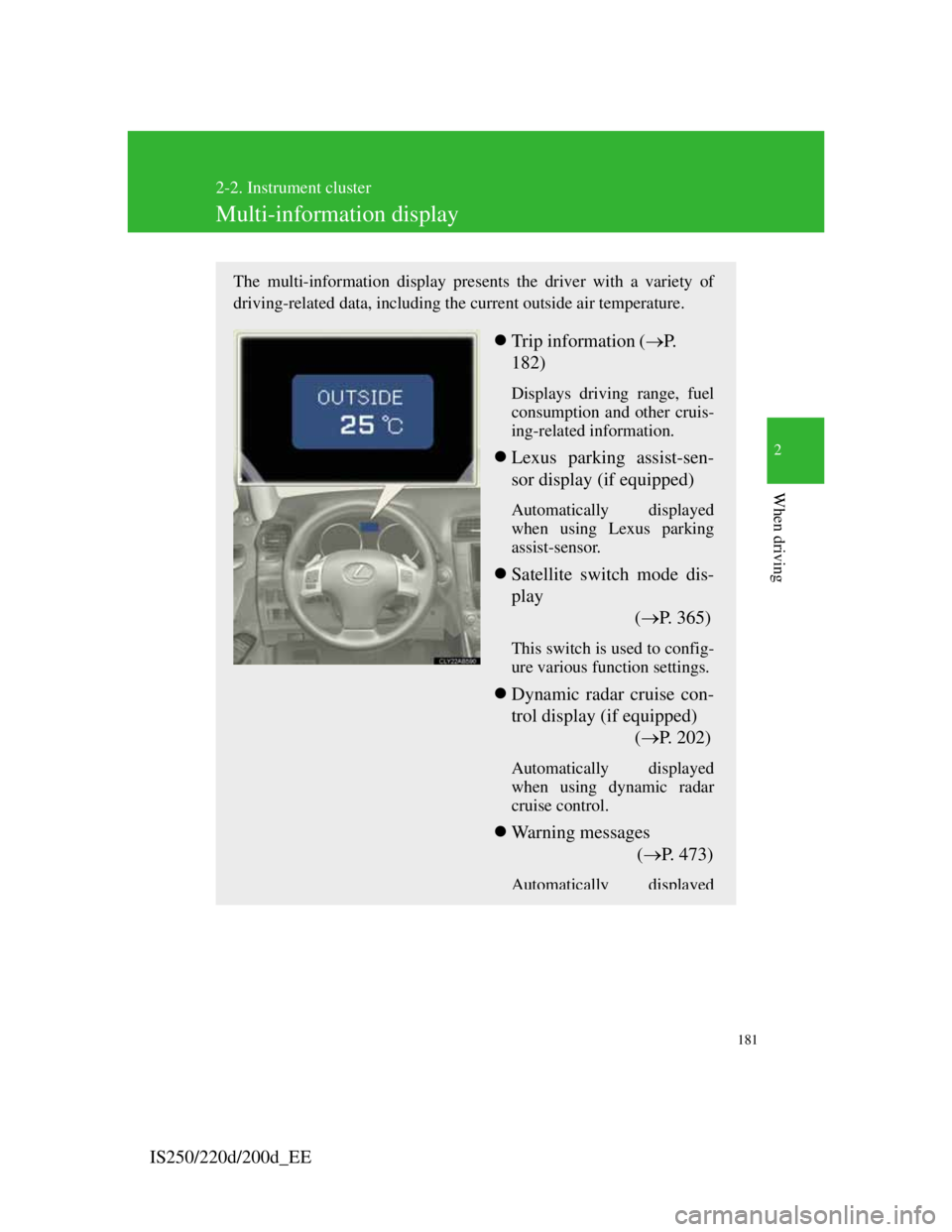
The multi-information display presents the driver with a variety of
driving-related data, including the current outside air temperature.
Trip information (P.
182)
Displays driving range, fuel
consumption and other cruis-
ing-related information.
Lexus parking assist-sen-
sor display (if equipped)
Automatically displayed
when using Lexus parking
assist-sensor.
Satellite switch mode dis-
play
(P. 365)
This switch is used to config-
ure various function settings.
Dynamic radar cruise con-
trol display (if equipped)
(P. 202)
Automatically displayed
when using dynamic radar
cruise control.
Warning messages
(P. 4 7 3 )
Automatically displayed
Page 194 of 609
182
2-2. Instrument cluster
IS250/220d/200d_EE
Trip information
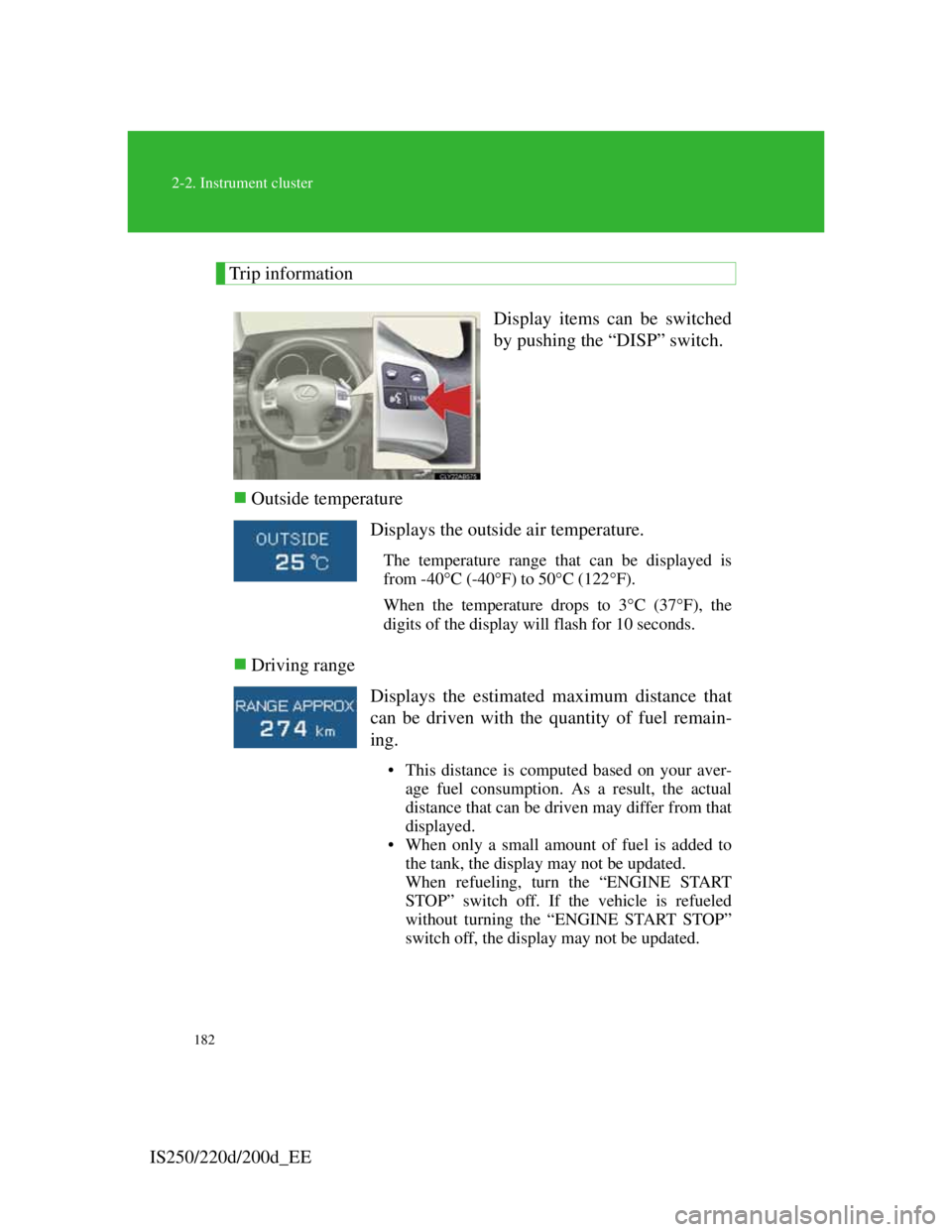
Display items can be switched
by pushing the “DISP” switch.
Outside temperature
Driving range
Displays the outside air temperature.
The temperature range that can be displayed is
from -40C (-40F) to 50C (122F).
When the temperature drops to 3C (37F), the
digits of the display will flash for 10 seconds.
Displays the estimated maximum distance that
can be driven with the quantity of fuel remain-
ing.
• This distance is computed based on your aver-
age fuel consumption. As a result, the actual
distance that can be driven may differ from that
displayed.
• When only a small amount of fuel is added to
the tank, the display may not be updated.
When refueling, turn the “ENGINE START
STOP” switch off. If the vehicle is refueled
without turning the “ENGINE START STOP”
switch off, the display may not be updated.
Page 195 of 609
183
2-2. Instrument cluster
2
When driving
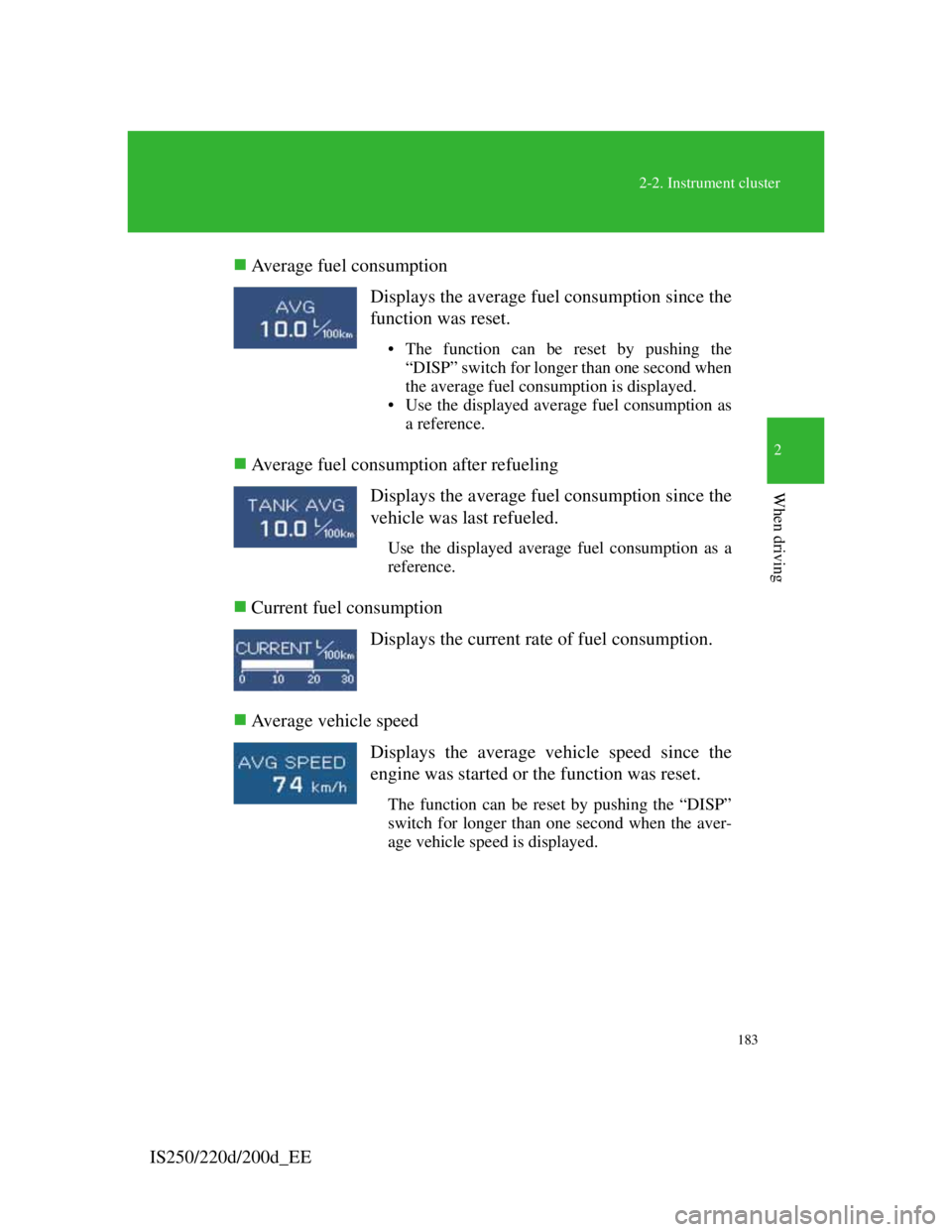
IS250/220d/200d_EEAverage fuel consumption
Average fuel consumption after refueling
Current fuel consumption
Average vehicle speedDisplays the average fuel consumption since the
function was reset.
• The function can be reset by pushing the
“DISP” switch for longer than one second when
the average fuel consumption is displayed.
• Use the displayed average fuel consumption as
a reference.
Displays the average fuel consumption since the
vehicle was last refueled.
Use the displayed average fuel consumption as a
reference.
Displays the current rate of fuel consumption.
Displays the average vehicle speed since the
engine was started or the function was reset.
The function can be reset by pushing the “DISP”
switch for longer than one second when the aver-
age vehicle speed is displayed.
Page 196 of 609

184
2-2. Instrument cluster
IS250/220d/200d_EEGear position display
(vehicles with an automatic transmission only)
Indicates the current gear, and the range of gears
that is available when the shift lever is in the D
or S position. The gear range is shown by the
number of dots () and the current gear is shown
as a number. The transmission automatically
selects the gears within the driver selected gear
range.
In the illustration to the left, a range of 6 available
gears (1 through 6) has been selected by the driver.
(The shift lever is in the D or S position with 6
ranges enabled.) It is possible for the transmission
to automatically select between all 6 of the gears.
In this case, the transmission has selected third
gear.
System check display
After switching the “ENGINE START STOP” switch to IGNITION ON
mode, “CHECK” is displayed while system operation is checked. When the
system check is complete, “COMPLETED” is displayed before returning to
the normal screen.
Outside temperature display
In the following situations, the correct outside temperature may not be dis-
played, or the display may take longer than normal to change.
When stopped, or driving at low speeds (less than 20 km/h [12 mph])
When the outside temperature has changed suddenly (at the entrance/exit
of a garage, tunnel, etc.)
Page 197 of 609

185
2-2. Instrument cluster
2
When driving
IS250/220d/200d_EE
CAUTION
When the temperature of the display is extremely low
Allow the interior of the vehicle to warm up before using the liquid crystal
information display. At extremely low temperatures, the information display
monitor may respond slowly, and display changes may be delayed.
For example, there is a lag between the driver’s downshifting and the new
gear number appearing on the display. In this case, wait until the display
changes and take care not to downshift again, causing rapid and excessive
engine braking and possibly an accident resulting in death or serious injury.
Page 496 of 609
470
5-2. Steps to take in an emergency
IS250/220d/200d_EE
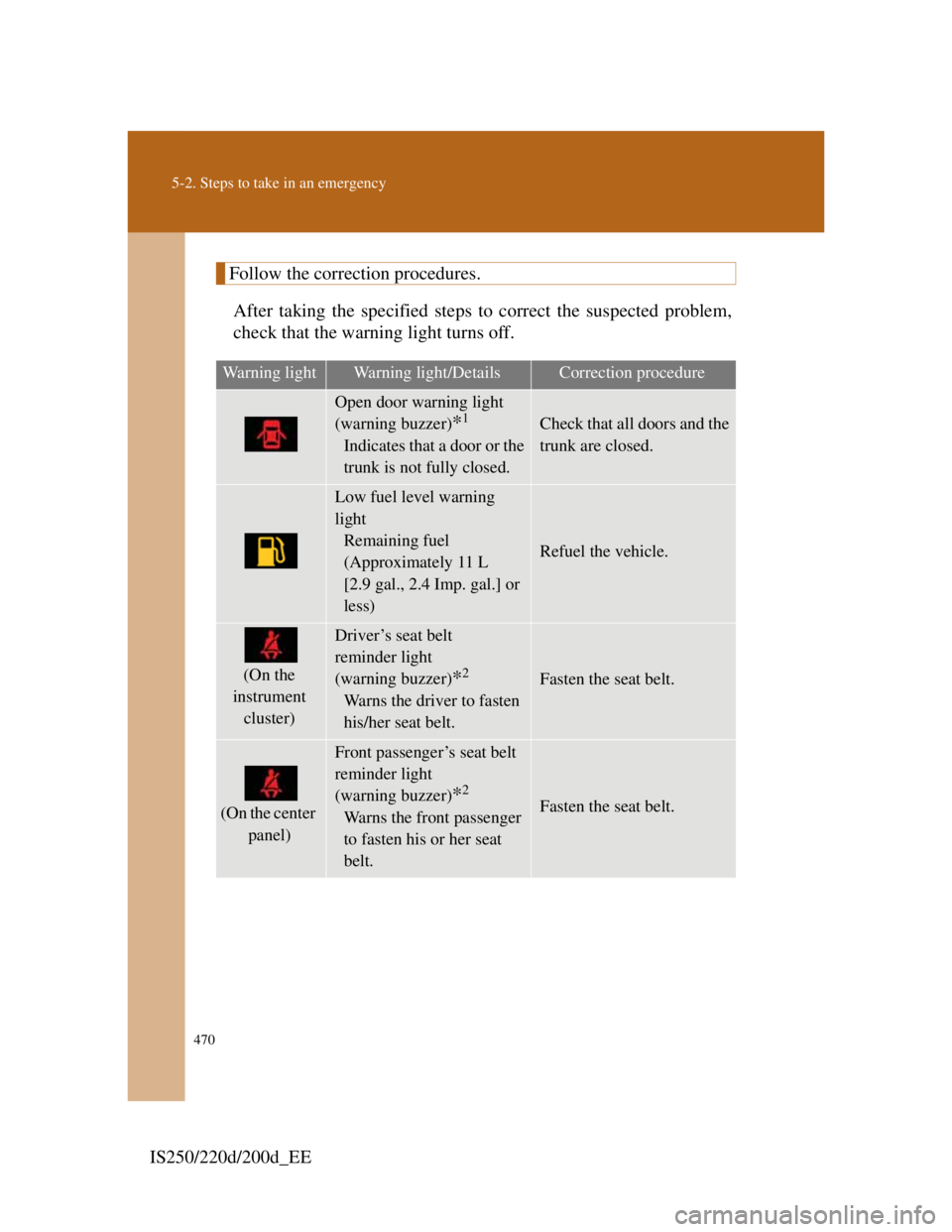
Follow the correction procedures.
After taking the specified steps to correct the suspected problem,
check that the warning light turns off.
Warning lightWarning light/DetailsCorrection procedure
Open door warning light
(warning buzzer)
*1
Indicates that a door or the
trunk is not fully closed.
Check that all doors and the
trunk are closed.
Low fuel level warning
light
Remaining fuel
(Approximately 11 L
[2.9 gal., 2.4 Imp. gal.] or
less)
Refuel the vehicle.
(On the
instrument
cluster)
Driver’s seat belt
reminder light
(warning buzzer)
*2
Warns the driver to fasten
his/her seat belt.
Fasten the seat belt.
(On the center
panel)
Front passenger’s seat belt
reminder light
(warning buzzer)
*2
Warns the front passenger
to fasten his or her seat
belt.Fasten the seat belt.
Page 554 of 609

528
5-2. Steps to take in an emergency
IS250/220d/200d_EE
If your vehicle overheats
If your engine overheats:
Stop the vehicle in a safe place and turn off the automatic
air conditioning system.
Check to see if steam is coming out from under the hood.
If you see steam:
Stop the engine. Carefully lift the hood after the steam
subsides and then restart the engine.
If you do not see steam:
Leave the engine running and carefully lift the hood.
Check to see if the cooling fans are operating.
If the fans are operating:
Wait until the temperature of the engine (shown on the
instrument cluster) begins to fall and then stop the
engine.
If the fans are not operating:
Stop the engine and call any authorized Lexus dealer
or repairer, or another duly qualified and equipped pro-
fessional.
After the engine has cooled
down sufficiently, check the
engine coolant level and
inspect the radiator core
(radiator) for any leaks.
If the engine compartment
cover needs to be removed:
STEP1
STEP2
STEP3
STEP4