lock Lexus IS250 2008 Repair Manual
[x] Cancel search | Manufacturer: LEXUS, Model Year: 2008, Model line: IS250, Model: Lexus IS250 2008Pages: 462, PDF Size: 25.52 MB
Page 171 of 462
170
2-4. Using other driving systems
08_IS350/250_U_(L/O_0708)
Driving assist systems
To help enhance driving safety and performance, the following systems
operate automatically in response to various driving situations. Be aware,
however, that these systems are supplementary and should not be relied
upon too heavily when operating the vehicle.
■ ABS (Anti-lock Brake System)
Restrains the vehicle from slipping when driving on slick road surfaces or
in the event of sudden braking.
■Brake assist
Generates an increased level of braking force after the brake pedal is
depressed, when the system detects a panic stop situation.
■VSC (Vehicle Stability Control)
Helps the driver to control skidding when swerving suddenly or turning on
slippery road surfaces.
■TRAC (Traction Control)
Maintains drive power and prevents the rear wheels (2WD models) or all
wheels (AWD models) from spinning wh en starting the vehicle or acceler-
ating on slippery roads.
■ Hill-start assist control (vehicles with an automatic transmission)
Prevents the vehicle from rolling backwards when starting on an incline or
slippery slope.
■EPS (Electric Power Steering)
Employs an electric motor to reduce the amount of effort needed to turn
the steering wheel.
Page 178 of 462

177
2-4. Using other driving systems
2
When driving
08_IS350/250_U_(L/O_0708)
■The pre-collision system is operational when
●Seat belt (linked to the radar sensor)
• Vehicle speed is above 3 mph (5 km/h).
• The speed at which your vehicle is approaching the obstacle or oncomingvehicle exceeds 18 to 24 mph (30 to 40 km/h).
• The front occupants are wearing a seat belt.
●Seat belts (linked to brake operation)
• Vehicle speed exceeds 9 mph (15 km/h).
• The system detects sudden braking or skidding.
• The front occupants are wearing a seat belt.
●Brake Assist
• Vehicle speed is above 18 mph (30 km/h).
• The speed at which your vehicle is approaching the obstacle or the vehicle is greater than 18 to 24 mph (30 to 40 km/h).
• The brake pedal is depressed.
■Conditions that may trigger the system even if there is no danger of collision
●When there is an object by the roadside at the entrance to a curve
●When passing an oncoming vehicle on a curve
●When driving over a narrow iron bridge
●When there is a metal object on the road surface
●When driving on an uneven road surface
●When passing an oncoming vehicle on a left-turn
●When your vehicle rapidly closes on the vehicle in front
When the system is activated in the situations described above there is also a possi-
bility that the seat belts will retract quickly and the brakes will be applied with a force
greater than normal. When the seat belt is locked in the retracted position, stop the
vehicle in a safe place, release the seat belt and refasten.
■When there is a malfunction in the system
Warning lights and/or warning messages will turn on or flash. (
→P. 360, 369)
Page 191 of 462
190
2-5. Driving information
08_IS350/250_U_(L/O_0708)
NOTICE
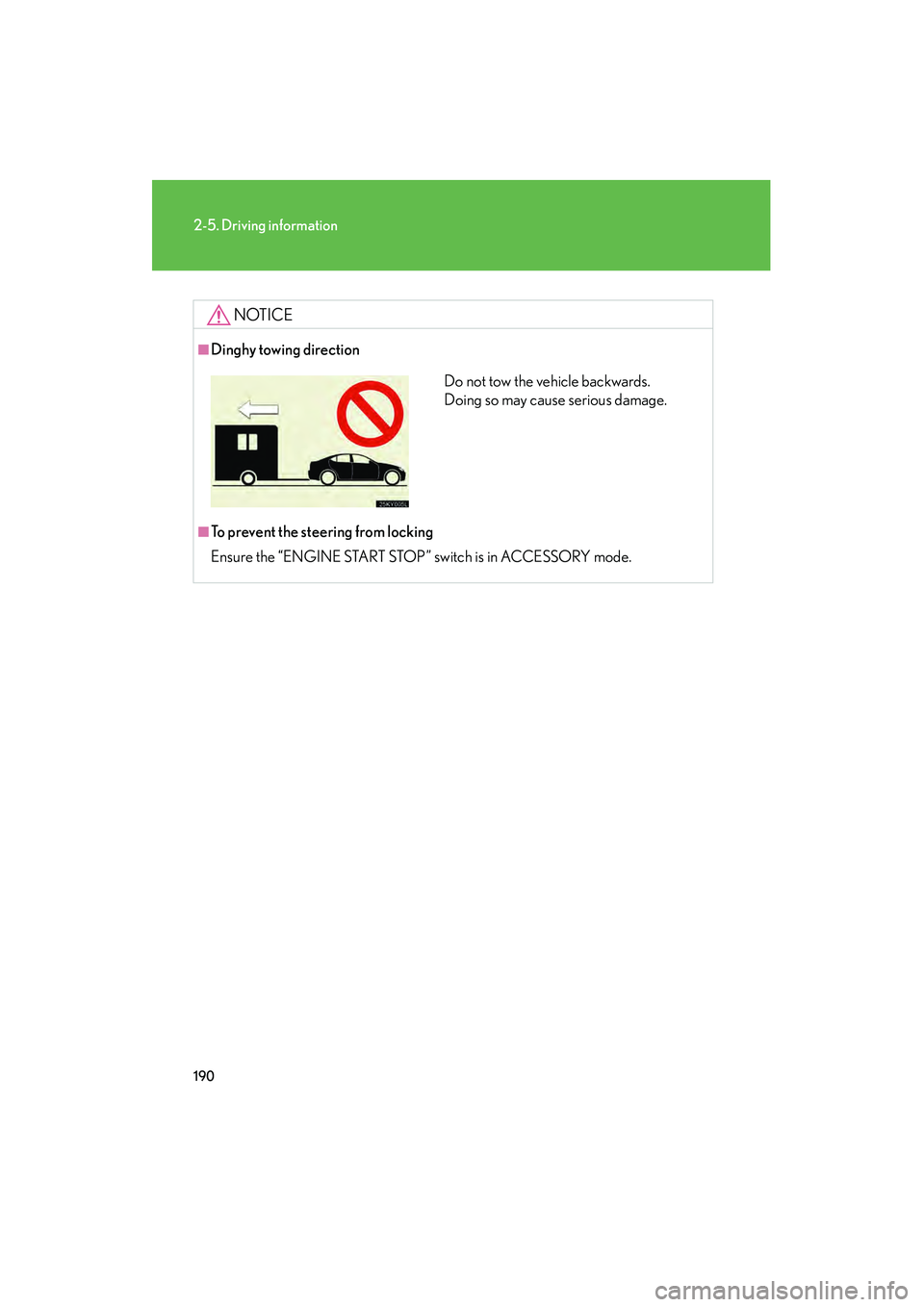
■Dinghy towing direction
■To prevent the steering from locking
Ensure the “ENGINE START STOP” switch is in ACCESSORY mode.
Do not tow the vehicle backwards.
Doing so may cause serious damage.
Page 192 of 462
Interior features3
191
08_IS350/250_U_(L/O_0708)
3-1. Using the air conditioning system
and defogger ................ 192
Automatic air conditioning system ...................................... 192
Rear window and outside rear view mirror
defoggers ............................. 200
3-2. Using the audio system ........................... 201
Audio system type................... 201
Using the radio....................... 204
Using the CD player ............... 211
Playing back MP3 and WMA discs............................. 217
Optimal use of the audio
system ..................................... 225
Using the AUX adapter ...... 228
Using the steering wheel audio switches ...................... 229
3-3. Using the interior lights .............................. 231
Interior lights list ...................... 231
• Interior lights ........................ 234
• Personal lights ...................... 234 3-4. Using the storage
features ........................ 236
List of storage features......... 236
• Glove box .............................. 236
• Console boxes ..................... 237
• Overhead console.............. 238
• Cup holders .......................... 239
• Bottle holders/ door pockets ......................... 241
3-5. Other interior features ........................ 242
Sun visors ................................. 242
Vanity mirror ........................... 243
Clock ......................................... 244
Satellite switches ................... 245
Ashtrays.................................... 248
Cigarette lighter .................... 249
Power outlet ............................ 250
Seat heaters ............................. 251
Seat heaters and ventilators ............................. 253
Armrest .................................... 255
Rear sunshade ........................ 256
Trunk storage extension ...... 258
Coat hooks .............................. 259
Floor mat .................................. 260
Trunk features ........................... 261
Garage door opener ............ 264
Compass................................... 269
Page 200 of 462
199
3-1. Using the air conditioning system and defogger
3
Interior features
08_IS350/250_U_(L/O_0708)
CAUTION
■To prevent the windshield from fogging up
Do not use during cool air operation in extremely humid weather. The dif-
ference between the temperature of the outside air and that of the windshield can
cause the outer surface of the windshield to fog up, blocking your vision.
NOTICE
■To prevent battery discharge
Do not leave the automatic air conditioning system on longer than necessary when
the engine is stopped.
Page 232 of 462

231
3
Interior features
08_IS350/250_U_(L/O_0708)
3-3. Using the interior lights
Interior lights list
Your Lexus is equipped with the illuminated entry system to assist in enter-
ing the vehicle. Owing to the function of the system, the lights shown in the
following illustration automatically turn on/off according to the presence of
the electronic key, whether the door s are locked/unlocked, whether the
doors are opened/closed, and the “ENGINE START STOP” switch mode.
Front personal lights (→P. 2 3 4 )
Front interior light ( →P. 2 3 4 )
Front overhead courtesy light
Rear personal lights ( →P. 2 3 4 )
Rear interior light
Rear overhead courtesy light
Shift lever lighting (when “ENGINE START STOP” switch is in
ACCESSORY or IGNITION ON mode)
Front foot well lighting
Page 234 of 462

233
3-3. Using the interior lights
3
Interior features
08_IS350/250_U_(L/O_0708)
■Illuminated entry system
The following interior lights come on automatically when you approach the vehicle
with the electronic key on your person. Note that the illuminated entry system oper-
ates only when the interior light switch (door position on/off) is on.
●Front overhead courtesy light
●Rear overhead courtesy light
●Outer foot light
The following lights turn on when any of the doors is unlocked or opened.
●Front interior light
●Rear interior lights
●Front foot well lighting
●Front door courtesy lighting
●Front scuff lighting
The following lights turn on for approximately 15 seconds when the “ENGINE
START STOP” switch is turned to OFF from the IGNITION ON or ACCESSORY
mode. (The lights turn off immediately if the doors are locked or the “ENGINE
START STOP” switch is set to ACCESSORY or IGNITION ON mode.)
●Front overhead courtesy light
●Rear overhead courtesy light
■To prevent the battery from being discharged
If the overhead courtesy lights and interior lights remain on when the door is not
fully closed and the interior light switch (door position on/off) is on, the lights will go
off automatically after 20 minutes.
■Customization that can be configured at Lexus dealer
Setting (e.g. The time elapsed before lights turn off) can be changed.
(Customizable features
→P. 4 3 6 )
Page 237 of 462

236
08_IS350/250_U_(L/O_0708)
3-4. Using the storage features
List of storage features
Glove boxOpen (push button)
Lock with the mechanical key
Unlock with the mechanical key
Glove box
Console boxes
Cup holders
Bottle holders/door pockets
Overhead console
Glove box
Page 238 of 462

237
3-4. Using the storage features
3
Interior features
08_IS350/250_U_(L/O_0708)
Console boxesFront Pull up the knob to release the
lock.
Slide armrest.
Pull up the knob to release the
lock.
Lift the armrest to open.
Rear (if equipped) Press the button to release the
lock.
Lift the armrest to open.
■Glove box light
The glove box light turns on when the “ENGINE START STOP” switch is in IGNI-
TION ON mode.
■Trunk opener main switch
The trunk opener main switch located in the glove box. (
→ P. 4 1 )
CAUTION
■Caution while driving
Keep the glove box closed.
Injuries may result in the event of an accident or sudden braking.
Glove box and console boxes
Page 240 of 462
239
3-4. Using the storage features
3
Interior features
08_IS350/250_U_(L/O_0708)
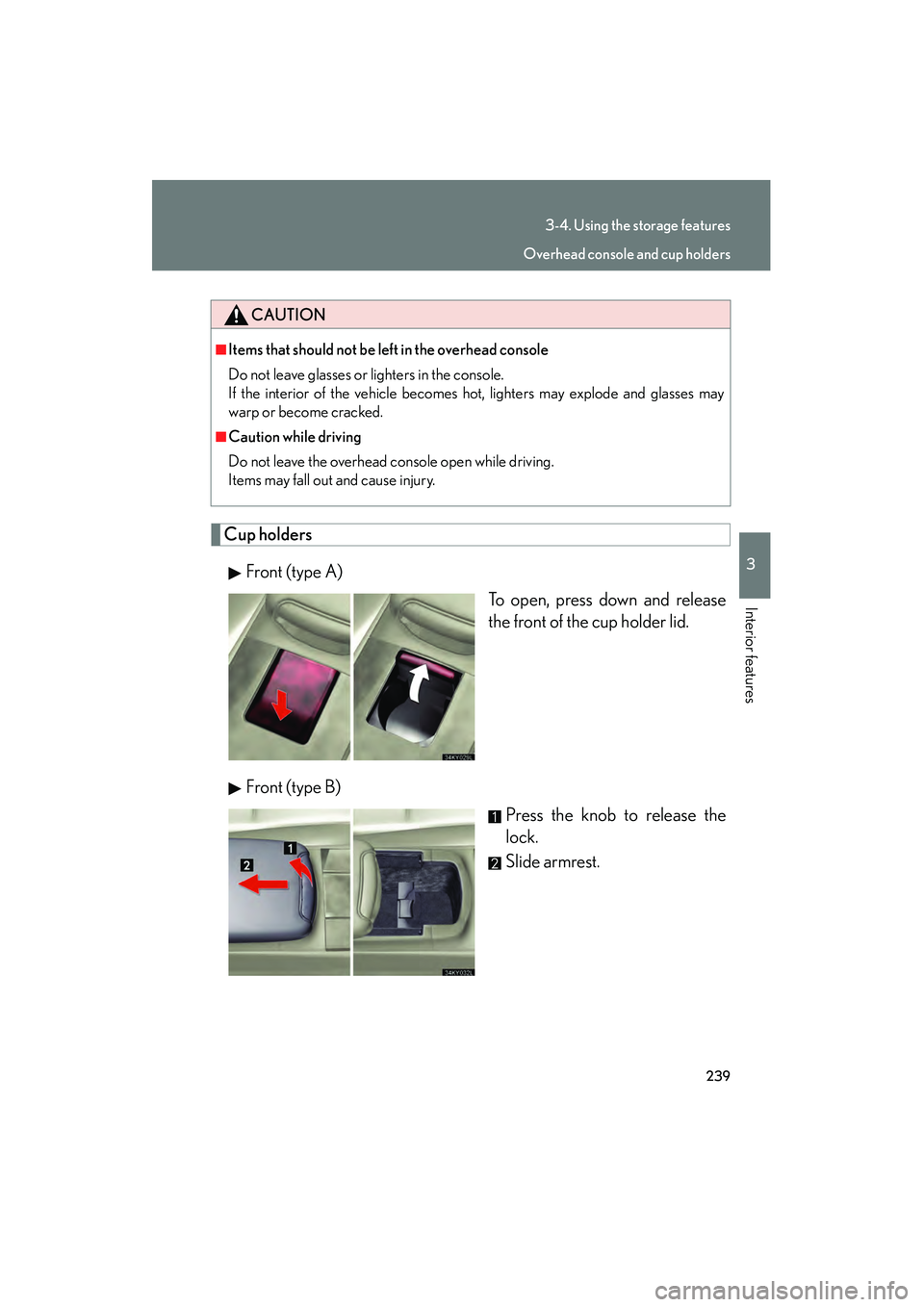
Cup holdersFront (type A) To open, press down and release
the front of the cup holder lid.
Front (type B) Press the knob to release the
lock.
Slide armrest.
CAUTION
■Items that should not be left in the overhead console
Do not leave glasses or lighters in the console.
If the interior of the vehicle becomes hot, lighters may explode and glasses may
warp or become cracked.
■Caution while driving
Do not leave the overhead console open while driving.
Items may fall out and cause injury.
Overhead console and cup holders