CD player Lexus IS250 2010 User Guide
[x] Cancel search | Manufacturer: LEXUS, Model Year: 2010, Model line: IS250, Model: Lexus IS250 2010Pages: 578, PDF Size: 30.78 MB
Page 248 of 578
247
3-2. Using the audio system
3
Interior features
IS350/250_U
NOTICE
■CD player precautions
Failure to follow the precautions below may result in serious damage to the CDs or
the player itself.
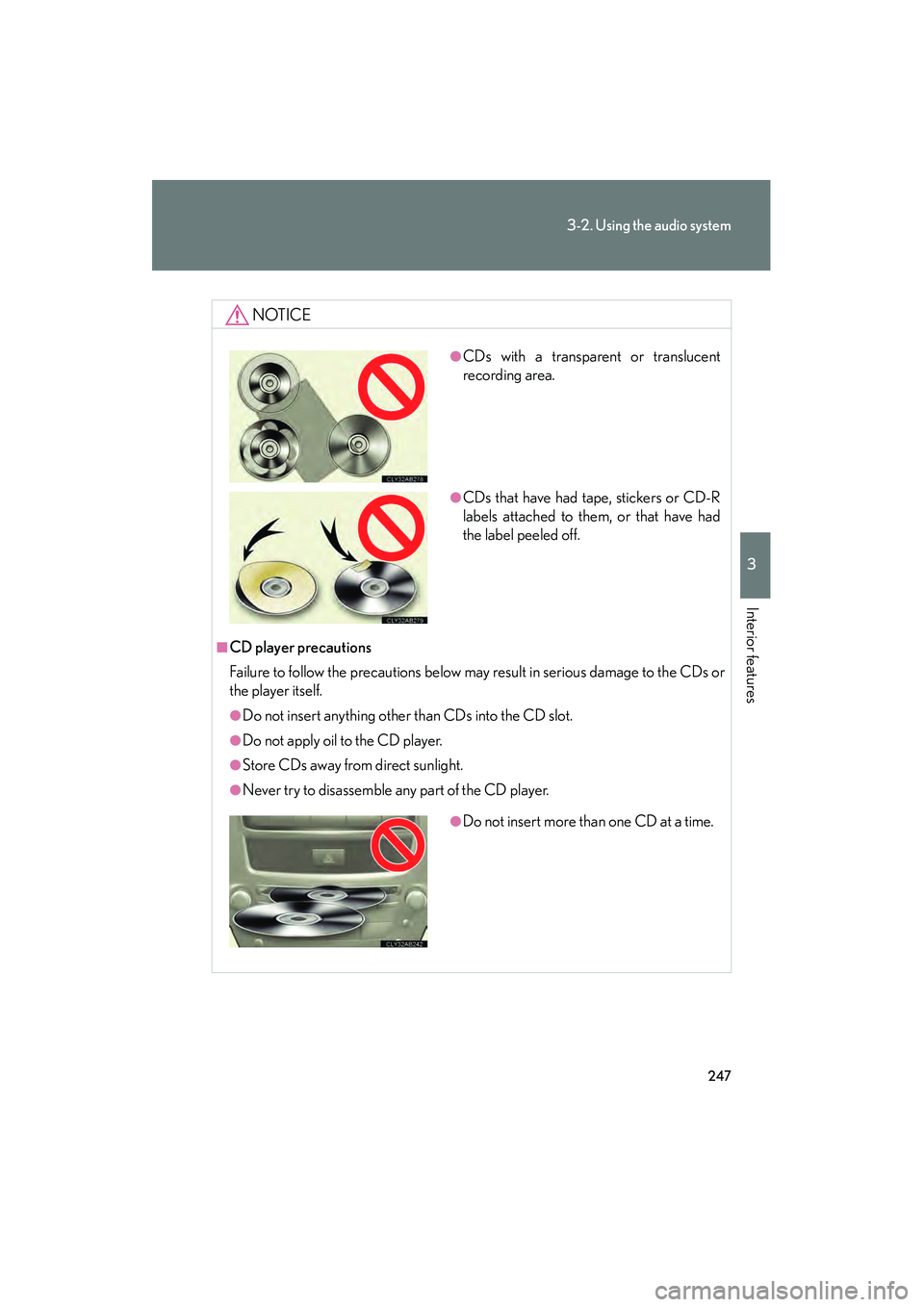
●Do not insert anything other than CDs into the CD slot.
●Do not apply oil to the CD player.
●Store CDs away from direct sunlight.
●Never try to disassemble any part of the CD player.
●CDs with a transparent or translucent
recording area.
●CDs that have had tape, stickers or CD-R
labels attached to them, or that have had
the label peeled off.
●Do not insert more than one CD at a time.
Page 252 of 578

251
3-2. Using the audio system
3
Interior features
IS350/250_U
Switching the displayPress .
Each time is pressed, the display changes in the order of Folder no./
File no./Elapsed time → Folder name → File name → Album title (MP3
only) → Tr a c k t i t l e → Artist name.
■Display
Up to 12 characters can be displayed at a time.
If there are 13 characters or more, pressing and holding until you hear a
beep will display the remaining characters.
A maximum of 24 characters can be displayed.
If is pressed until you hear a beep again or has not been pressed for 6 sec-
onds or more, the display will return to the first 12 characters.
Depending on the contents recorded, the characters may not be displayed prop-
erly or may not be displayed at all.
■Canceling random, repeat and scan playback
Press (RAND), (RPT), again.
■When “LOAD”, “ERROR”, “WAIT” or “NO MUSIC” is shown on the display
“LOAD”: This indicates that the CD player has completed loading the CD.
“ERROR”: This indicates a trouble either in the CD or inside the player. The CD
may be dirty, damaged, or inserted up-side down.
“WAIT”: Operation is stopped due to a high temperature inside the player. Wait for a while and then press or . Contact your Lexus dealer if
the CD still cannot be played back.
“NO MUSIC”: This indicates that the MP3/WMA file is not included in the CD.
Page 253 of 578

252
3-2. Using the audio system
IS350/250_U
■Discs that can be used
Discs with the marks shown below can be used.
Playback may not be possible depending on recording format or disc features, or
due to scratches, dirt or deterioration.
■CD player protection feature
To protect the internal components, playback is automatically stopped when a
problem is detected while the CD player is being used.
■If CDs are left inside the CD player or in the ejected position for extended peri-
ods
CDs may be damaged and may not play properly.
■Lens cleaners
Do not use lens cleaners. Doing so may damage the CD player.
■MP3 and WMA files
MP3 (MPEG Audio LAYER 3) is a standard audio compression format.
Files can be compressed to approximately 1 /10 of their original size by using MP3
compression.
WMA (Windows Media
TM Audio) is a Microsoft audio compression format.
This format compresses audio data to a size smaller than that of the MP3 format.
There is a limit to the MP3 and WMA file standards and to the media/formats
recorded by them that can be used.
●MP3 file compatibility
• Compatible standards MP3 (MPEG1 LAYER3, MPEG2 LSF LAYER3)
• Compatible sampling frequencies
MPEG1 LAYER3: 32, 44.1, 48 (kHz)
MPEG2 LSF LAYER3: 16, 22.05, 24 (kHz)
• Compatible bit rates (compatible with VBR) MPEG1 LAYER3: 64, 80, 96, 112, 128, 160, 192, 224, 256, 320 (kbps)
MPEG2 LSF LAYER3: 64, 80, 96, 112, 128, 144, 160 (kbps)
• Compatible channel modes: stereo, joint stereo, dual channel and monaural
Page 256 of 578
255
3-2. Using the audio system
3
Interior features
IS350/250_U
NOTICE
■CDs and adapters that cannot be used
→P. 2 4 6
■CD player precautions
→P. 2 4 7
Page 264 of 578
263
3-2. Using the audio system
3
Interior features
IS350/250_U
CAUTION
■Caution while driving
Do not connect iPod
® or operate the controls.
NOTICE
■To prevent damage to iPod®
●Do not leave iPod® in the vehicle. The temperature inside the vehicle may
become high, resulting in damage to the player.
●Do not push down on or apply unnecessary pressure to the iPod® while it is con-
nected as this may damage the iPod® or its terminal.
●Do not insert foreign objects into the port as this may damage the iPod® or its
terminal.
Page 273 of 578
272
3-2. Using the audio system
IS350/250_U
NOTICE
■To prevent damage to USB memory
●Do not leave USB memory in the vehicle. The temperature inside the vehicle may
become high, resulting in damage to the player.
●Do not push down on or apply unnecessary pressure to the USB memory while it
is connected as this may damage the USB memory or its terminal.
●Do not insert foreign objects into the port as this may damage the USB memory
or its terminal.
Page 279 of 578

278
3-2. Using the audio system
IS350/250_U
Changing the audio sourcePress when the audio system is turned on. The audio source
changes as follows each time is pressed. If no discs are inserted in
the player, or if the external device is not connected, that mode will be
skipped. Type A:
FM1 →FM2 →SAT1 →SAT2 →SAT3 →CD player →
Bluetooth
® audio →AUX →iPod® or USB memory→
AM
Type B:
FM1 →FM2 →CD player →AUX →
iPod
® or USB memory→ AM
Adjusting the volume
Press “+” on to increase the volume and “-” to decrease the vol-
ume.
Hold down to continue increasing or decreasing the volume.
Selecting a radio station
Press to select radio mode.
Press “∧” or “ ∨” on to select a radio station.
To scan for receivable stations, press and hold until you hear a
beep.
Selecting a track/file or song
Press to select CD, Bluetooth
® audio, iPod® or USB
memory mode.
Press “ ∧” or “ ∨” on to select the desired track/file or song.
STEP1
STEP2
STEP1
STEP2
Page 280 of 578

279
3-2. Using the audio system
3
Interior features
IS350/250_U
Selecting an albumPress to select Bluetooth
® audio mode.
Press and hold “ ∧” or “ ∨” on until you hear a beep.
Selecting a folder
Press to select USB memory mode.
Press and hold “ ∧” or “ ∨” on until you hear a beep.
Selecting a disc in the CD player
Press to select CD mode.
Press and hold “ ∧” or “ ∨” on until you hear a beep.
CAUTION
■To reduce the risk of an accident
Exercise care when operating the audio switches on the steering wheel.
STEP1
STEP2
STEP1
STEP2
STEP1
STEP2
Page 281 of 578
280
IS350/250_U
3-3. Using the Bluetooth® audio system
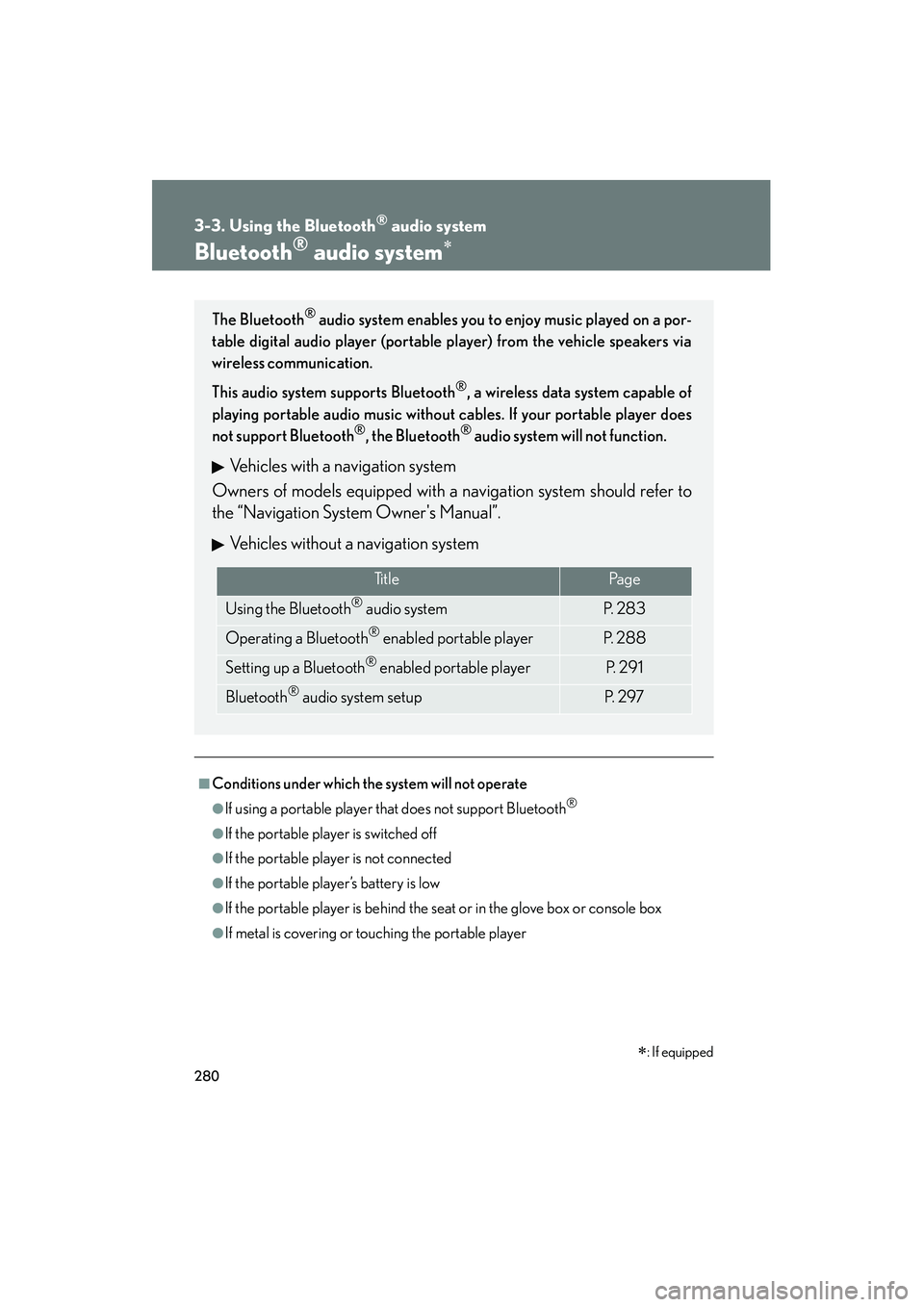
Bluetooth® audio system∗
■Conditions under which the system will not operate
●If using a portable player that does not support Bluetooth®
●If the portable player is switched off
●If the portable player is not connected
●If the portable player’s battery is low
●If the portable player is behind the seat or in the glove box or console box
●If metal is covering or touching the portable player
The Bluetooth® audio system enables you to enjoy music played on a por-
table digital audio player (portable player) from the vehicle speakers via
wireless communication.
This audio system supports Bluetooth
®, a wireless data system capable of
playing portable audio music without cables. If your portable player does
not support Bluetooth
®, the Bluetooth® audio system will not function.
Vehicles with a navigation system
Owners of models equipped with a navigation system should refer to
the “Navigation System Owner's Manual”.
Vehicles without a navigation system
Ti t l ePa g e
Using the Bluetooth® audio systemP. 2 8 3
Operating a Bluetooth® enabled portable playerP. 2 8 8
Setting up a Bluetooth® enabled portable playerP. 2 9 1
Bluetooth® audio system setupP. 2 9 7
∗: If equipped
Page 282 of 578
281
3-3. Using the Bluetooth® audio system
3
Interior features
IS350/250_U
■When transferring ownership of the vehicle
Be sure to initialize the system to prevent personal data from being improperly
accessed. (→P. 3 2 1 )
■About Bluetooth®
■Compatible models
●Bluetooth® specifications:
Ver. 1.1 or higher (Recomme nded: Ver. 1.2 or higher)
●Following profiles:
• A2DP (Advanced Audio Distribution Profile) Ver. 1.0, or higher (Conformed:
Ve r. 1 . 2 )
• AVRCP (Audio/Video Remote Control Profile) Ver. 1.0 or higher (Con- formed: Ver. 1.3)
Portable players must correspond to the above specifications in order to be con-
nected to the Bluetooth
® audio system. However, please note that some functions
may be limited depending on the type of portable player.
■Certification for the Bluetooth® audio system
FCC ID: AJDK018
IC ID: 775E-K018
MADE IN JAPAN
This device complies with Part 15 of the FCC Rules and RSS-Gen and RSS-210 of
IC Rules. Operation is subject to the follo wing two conditions: (1) This device may
not cause harmful interference, and (2) This device must accept any interference
received, including interference that may cause undesired operation. Bluetooth is a registered trademark of
Bluetooth SIG. Inc.