warning light Lexus IS250 2010 User Guide
[x] Cancel search | Manufacturer: LEXUS, Model Year: 2010, Model line: IS250, Model: Lexus IS250 2010Pages: 578, PDF Size: 30.78 MB
Page 124 of 578
When driving2
123
IS350/250_U
2-1. Driving proceduresDriving the vehicle.................. 124
Engine (ignition) switch ......... 134
Automatic transmission ........ 139
Manual transmission .............. 145
Turn signal lever ....................... 147
Parking brake ........................... 148
Horn ............................................ 150
2-2. Instrument cluster Gauges and meters ................. 151
Indicators and warning lights ......................................... 157
Multi-information display ..... 160
2-3. Operating the lights and windshield wipers
Headlight switch...................... 165
Fog light switch ........................ 168
Windshield wipers and washer ..................................... 169
Headlight cleaner switch....... 174 2-4. Using other driving
systems
Cruise control........................... 175
Dynamic radar cruise control ...................................... 179
Intuitive parking assist ........... 190
Driving assist systems ............ 196
PCS (Pre-Collision System) ...... 202
2-5. Driving information Cargo and luggage ............... 206
Vehicle load limits .................. 209
Winter driving tips .................. 210
Trailer towing ........................... 214
Dinghy towing (vehicles with an
automatic transmission)..... 215
Dinghy towing (vehicles with a
manual transmission) .......... 216
Page 158 of 578
157
2-2. Instrument cluster
2
When driving
IS350/250_U
Indicators and warning lights
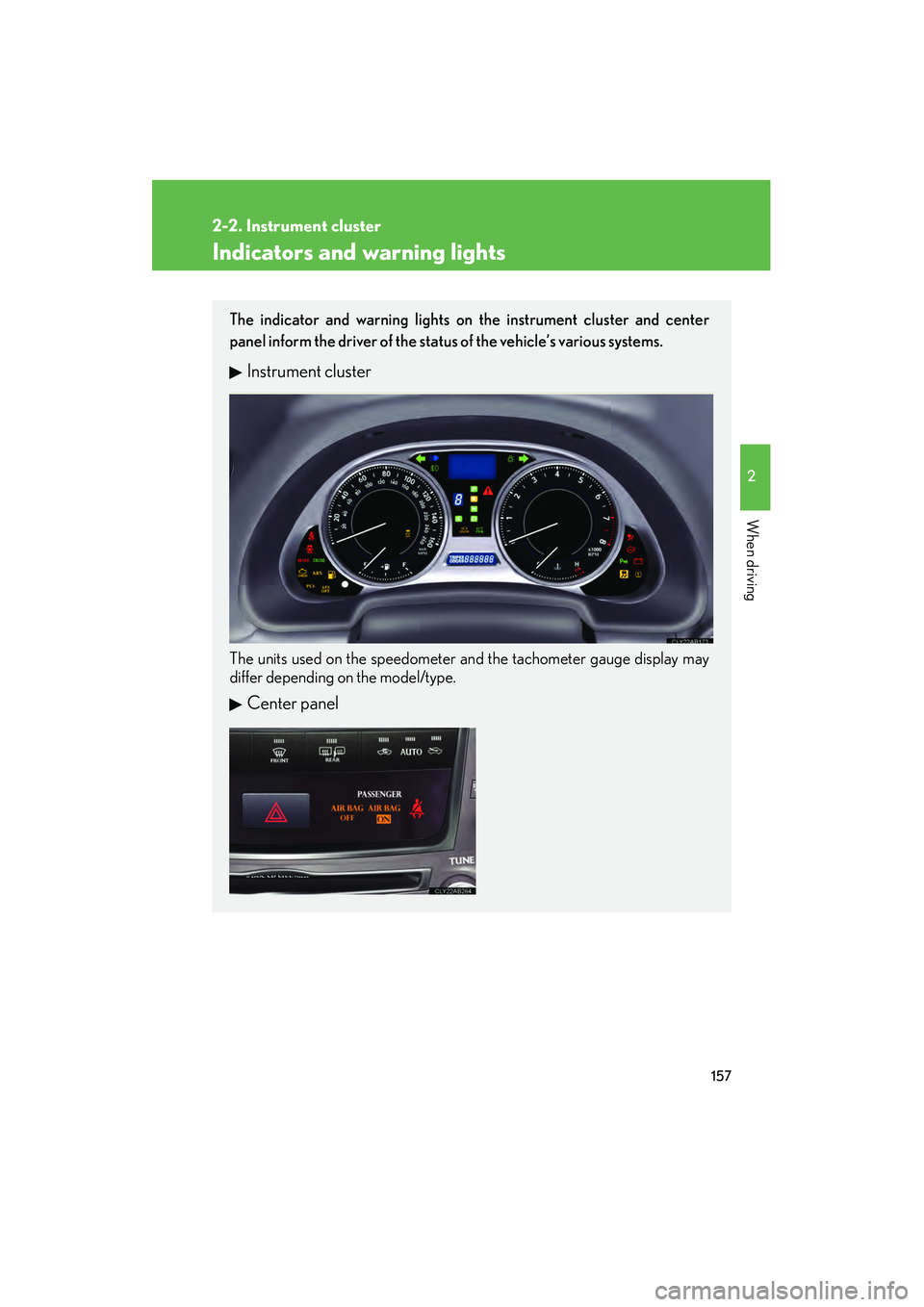
The indicator and warning lights on the instrument cluster and center
panel inform the driver of the status of the vehicle’s various systems.
Instrument cluster
The units used on the speedometer and the tachometer gauge display may
differ depending on the model/type.
Center panel
Page 160 of 578
159
2-2. Instrument cluster
2
When driving
IS350/250_U
CAUTION
■If a safety system warning light does not come on
Should a safety system light such as the ABS and SRS warning light not come on
when you start the engine, this could mean that these systems are not available to
help protect you in an accident, which could result in death or serious injury. Have
the vehicle inspected by your Lexus dealer immediately if this occurs.
*: These lights turn on when the “ENGINE START STOP” switch is turnedto IGNITION ON mode to indicate that a system check is being per-
formed. They will turn off after the engine is started, or after a few sec-
onds. There may be a malfunction in a system if a light does not come on,
or if the lights do not turn off. Have the vehicle inspected by your Lexus
dealer.
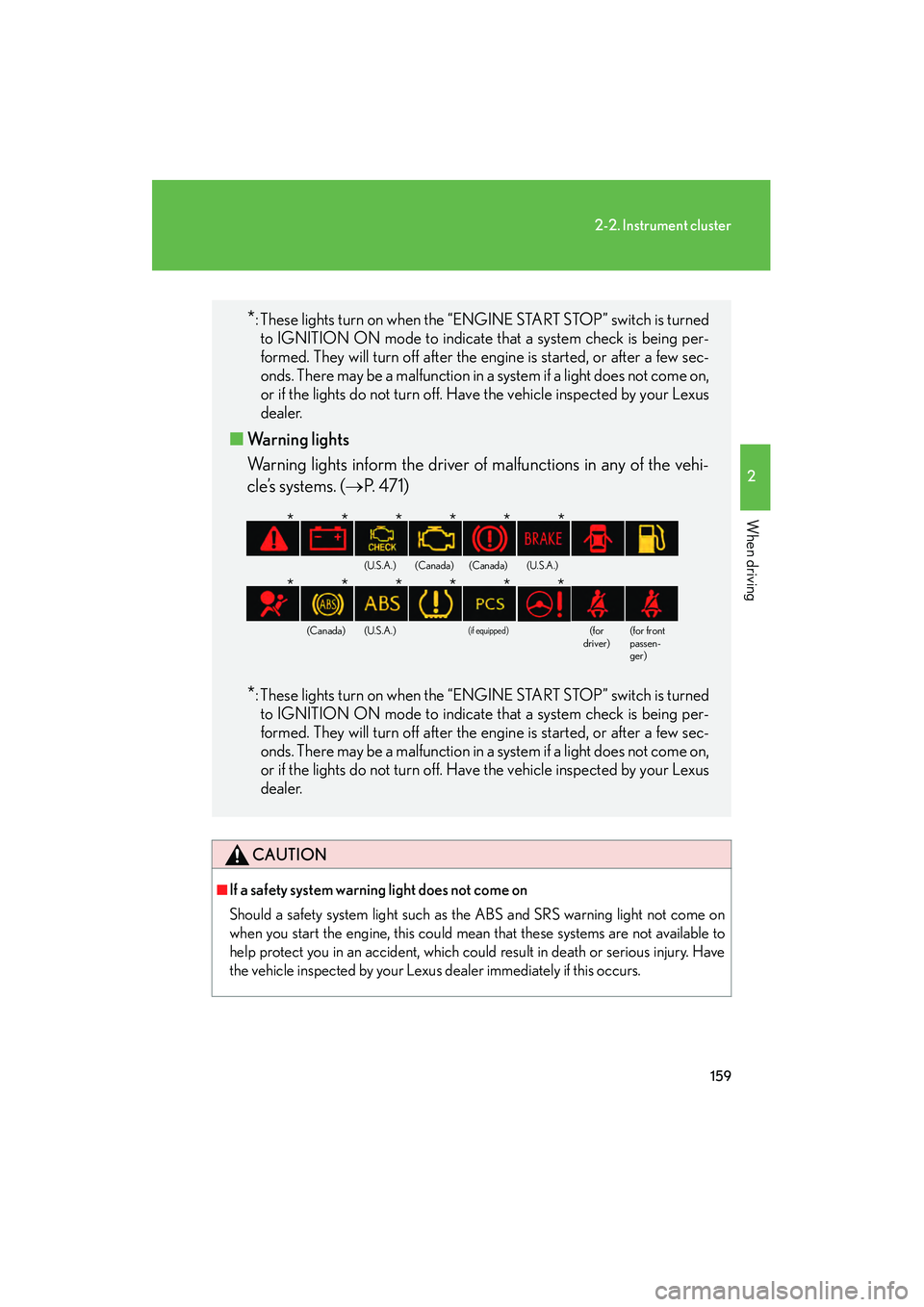
■ Warning lights
Warning lights inform the driver of malfunctions in any of the vehi-
cle’s systems. (→ P. 4 7 1 )
*: These lights turn on when the “ENGINE START STOP” switch is turned
to IGNITION ON mode to indicate that a system check is being per-
formed. They will turn off after the engine is started, or after a few sec-
onds. There may be a malfunction in a system if a light does not come on,
or if the lights do not turn off. Have the vehicle inspected by your Lexus
dealer.
(U.S.A.)(Canada)(Canada)(U.S.A.)
(Canada)(U.S.A.)(if equipped)(for
driver)(for front
passen-
ger)
******
******
Page 185 of 578
184
2-4. Using other driving systems
IS350/250_U
The system continues follow-up cruising while adjusting for changes in the
speed of the vehicle ahead in order to maintain the vehicle-to-vehicle dis-
tance set by the driver.
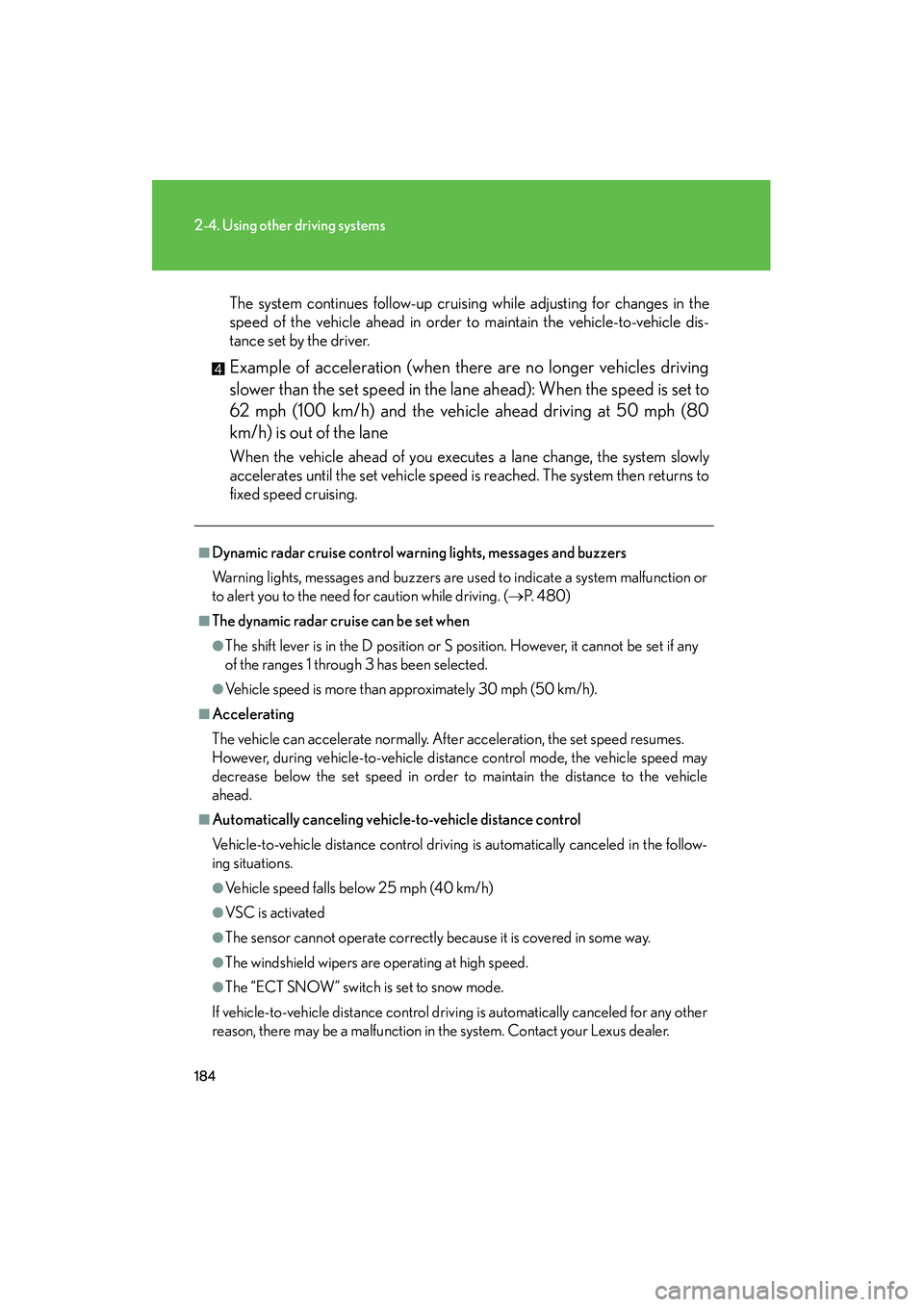
Example of acceleration (when there are no longer vehicles driving
slower than the set speed in the lane ahead): When the speed is set to
62 mph (100 km/h) and the vehicle ahead driving at 50 mph (80
km/h) is out of the lane
When the vehicle ahead of you executes a lane change, the system slowly
accelerates until the set vehicle speed is reached. The system then returns to
fixed speed cruising.
■Dynamic radar cruise control warning lights, messages and buzzers
Warning lights, messages and buzzers are used to indicate a system malfunction or
to alert you to the need for caution while driving. ( →P. 4 8 0 )
■The dynamic radar cruise can be set when
●The shift lever is in the D position or S position. However, it cannot be set if any
of the ranges 1 through 3 has been selected.
●Vehicle speed is more than approximately 30 mph (50 km/h).
■Accelerating
The vehicle can accelerate normally. After acceleration, the set speed resumes.
However, during vehicle-to-vehicle distance control mode, the vehicle speed may
decrease below the set speed in order to maintain the distance to the vehicle
ahead.
■Automatically canceling vehicle-to-vehicle distance control
Vehicle-to-vehicle distance control driving is automatically canceled in the follow-
ing situations.
●Vehicle speed falls below 25 mph (40 km/h)
●VSC is activated
●The sensor cannot operate correctly because it is covered in some way.
●The windshield wipers are operating at high speed.
●The “ECT SNOW” switch is set to snow mode.
If vehicle-to-vehicle distance control driving is automatically canceled for any other
reason, there may be a malfunction in the system. Contact your Lexus dealer.
Page 202 of 578
201
2-4. Using other driving systems
2
When driving
IS350/250_U
CAUTION
■TRAC may not operate effectively when
Directional control and power may not be achievable while driving on slippery road
surfaces, even if the TRAC system is operating.
Do not drive the vehicle in conditions where stability and power may be lost.
■If hill-start assist control does not operate effectively
(vehicles with an automatic transmission)
Do not overly rely on the hill-start assist control. The hill-start assist control may not
operate effectively on steep inclines and roads covered in ice.
■When the VSC is activated
The slip indicator light flashes and a warning buzzer sounds. Always drive carefully.
Reckless driving may cause an accident. Exercise particular care when the indica-
tor light flashes and a buzzer sounds.
■When TRAC and VSC are off
Be especially careful and drive at a speed appropriate to the road conditions. As
these are systems to ensure vehicle stability and driving force, do not turn off TRAC
and VSC unless necessary.
■Replacing tires
Make sure that all tires are of the specified size, brand, tread pattern and total load
capacity. In addition, make sure that the tires are inflated to the recommended tire
pressure level.
The ABS and VSC systems will not function correctly if different tires are fitted on
the vehicle.
Contact your Lexus dealer for further information when replacing tires or wheels.
■Handling of tires and suspension
Using tires with any kind of problem or modifying the suspension will affect the driv-
ing assist systems, and may cause the system to malfunction.
Page 204 of 578
203
2-4. Using other driving systems
2
When driving
IS350/250_U
■The pre-collision system is operational when
●Pre-collision seat belt (linked to the radar sensor):
• Vehicle speed is above 3 mph (5 km/h).
• The speed at which your vehicle is approaching the obstacle or oncomingvehicle exceeds 18 to 24 mph (30 to 40 km/h).
• The front occupants are wearing a seat belt.
●Pre-collision seat belts (linked to brake operation):
• Vehicle speed exceeds 18 mph (30 km/h).
• The system detects sudden braking or skidding.
• The front occupants are wearing a seat belt.
●Pre-collision brake assist:
• Vehicle speed is above 18 mph (30 km/h).
• The speed at which your vehicle is approaching the obstacle or the vehicle is greater than 18 to 24 mph (30 to 40 km/h).
• The brake pedal is depressed.
■Conditions that may trigger the system even if there is no danger of collision
●When there is an object by the roadside at the entrance to a curve
●When passing an oncoming vehicle on a curve
●When driving over a narrow iron bridge
●When there is a metal object on the road surface
●When driving on an uneven road surface
●When passing an oncoming vehicle on a left-turn
●When your vehicle rapidly closes on the vehicle in front
When the system is activated in the situations described above there is also a possi-
bility that the seat belts will retract quickly and the brakes will be applied with a force
greater than normal. When the seat belt is locked in the retracted position, stop the
vehicle in a safe place, release the seat belt and refasten.
■When there is a malfunction in the system
Warning lights and/or warning messages will turn on or flash. ( →P. 4 7 1 , 4 8 0 )
Page 344 of 578
343
3-7. Other interior features
3
Interior features
IS350/250_U
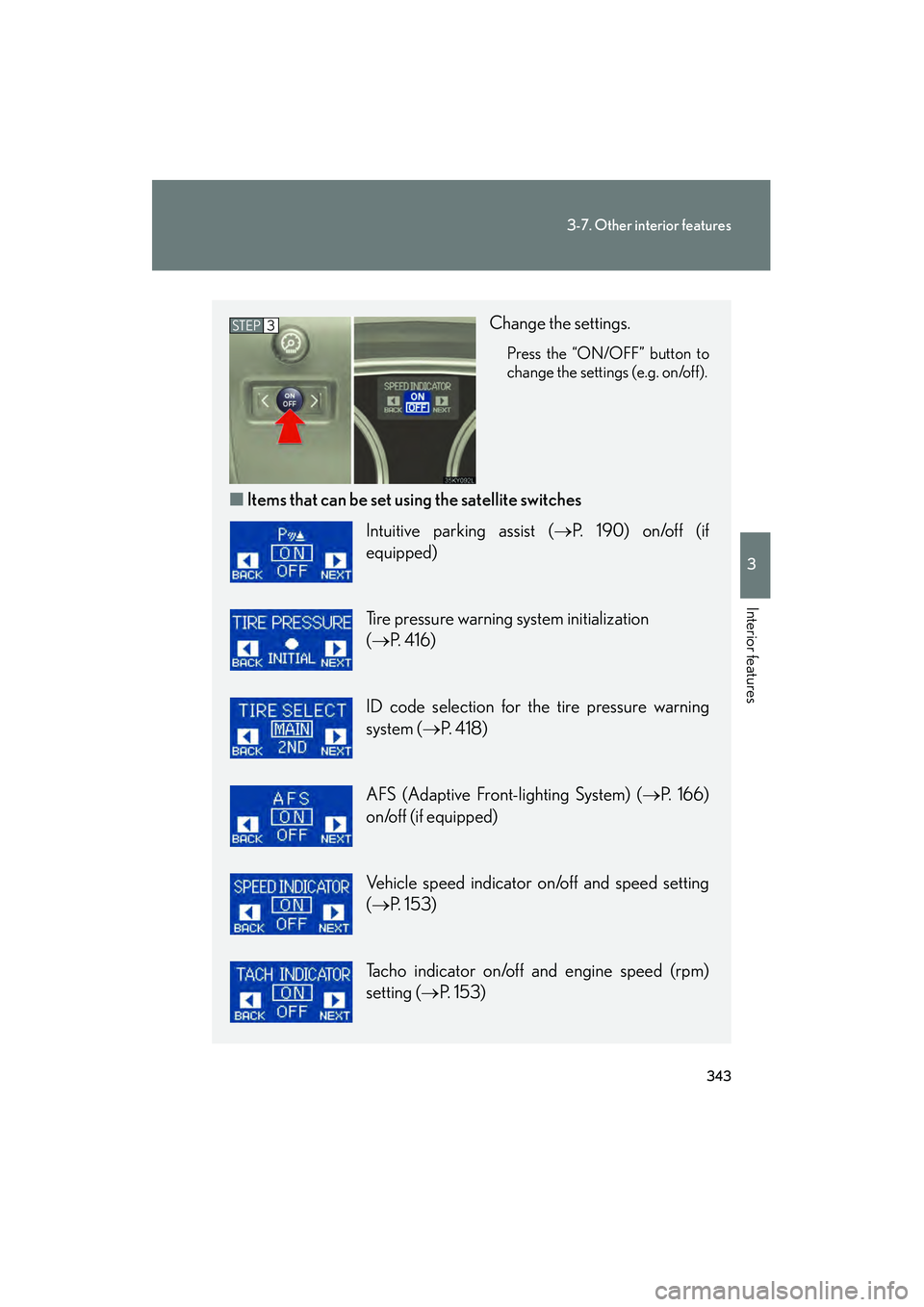
Change the settings.
Press the “ON/OFF” button to
change the settings (e.g. on/off).
■Items that can be set us ing the satellite switches
STEP3
Intuitive parking assist ( →P. 190) on/off (if
equipped)
Tire pressure warning system initialization
(→ P. 4 1 6 )
ID code selection for the tire pressure warning
system ( →P. 4 1 8 )
AFS (Adaptive Front-lighting System) ( →P. 166)
on/off (if equipped)
Vehicle speed indicator on/off and speed setting
(→ P. 153)
Tacho indicator on/off and engine speed (rpm)
setting ( →P. 153)
Page 368 of 578
367
3-7. Other interior features
3
Interior features
IS350/250_U
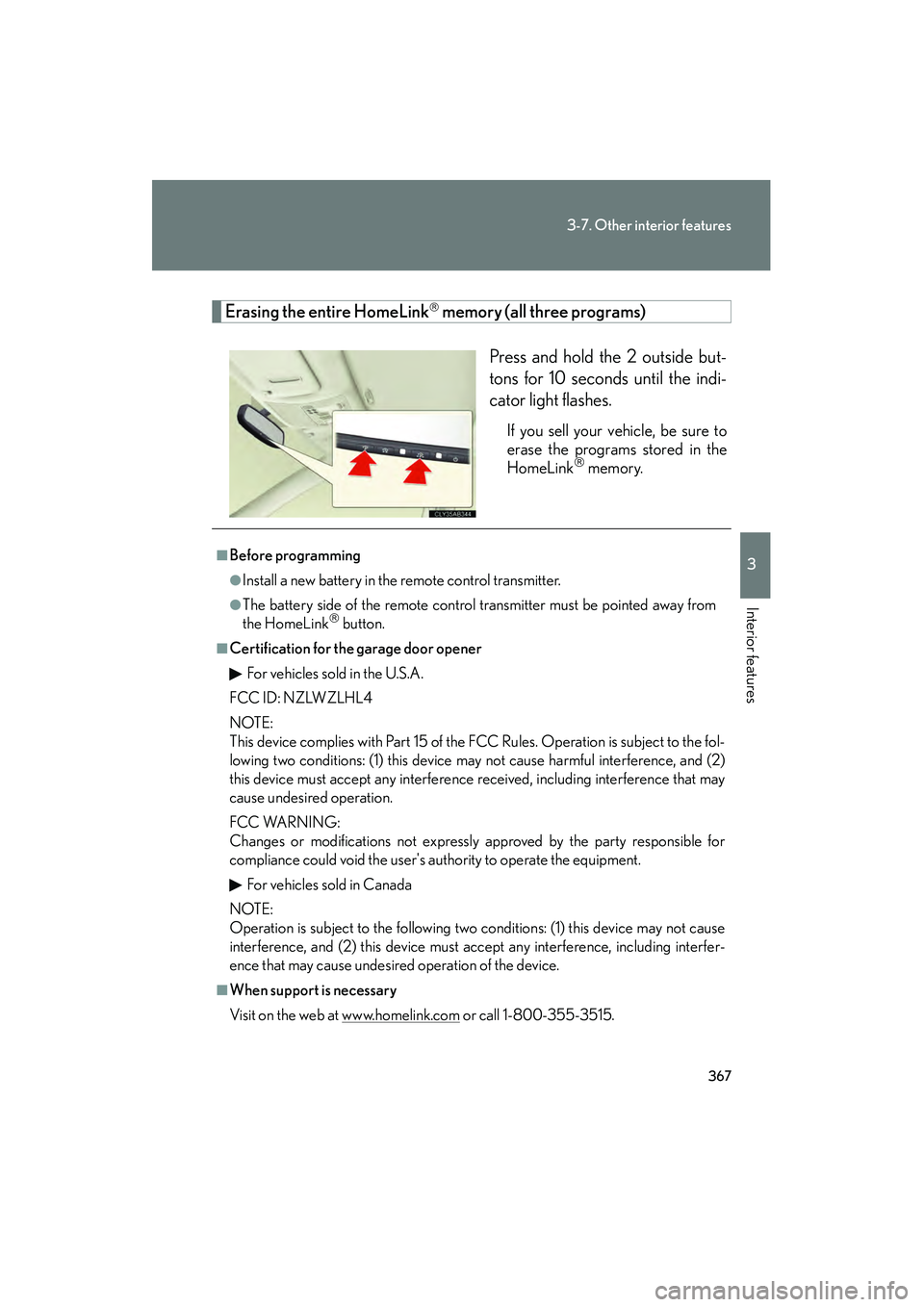
Erasing the entire HomeLink memory (all three programs)Press and hold the 2 outside but-
tons for 10 seconds until the indi-
cator light flashes.
If you sell your vehicle, be sure to
erase the programs stored in the
HomeLink
memory.
■Before programming
●Install a new battery in the remote control transmitter.
●The battery side of the remote control transmitter must be pointed away from
the HomeLink button.
■Certification for the garage door openerFor vehicles sold in the U.S.A.
FCC ID: NZLWZLHL4
NOTE:
This device complies with Part 15 of the FCC Rules. Operation is subject to the fol-
lowing two conditions: (1) this device may not cause harmful interference, and (2)
this device must accept any interference received, including interference that may
cause undesired operation.
FCC WARNING:
Changes or modifications not expressly approved by the party responsible for
compliance could void the user's authority to operate the equipment.
For vehicles sold in Canada
NOTE:
Operation is subject to the following two conditions: (1) this device may not cause
interference, and (2) this device must accept any interference, including interfer-
ence that may cause undesired operation of the device.
■When support is necessary
Visit on the web at www.homelink.com
or call 1-800-355-3515.
Page 418 of 578
417
4-3. Do-it-yourself maintenance
4
Maintenance and care
IS350/250_U■
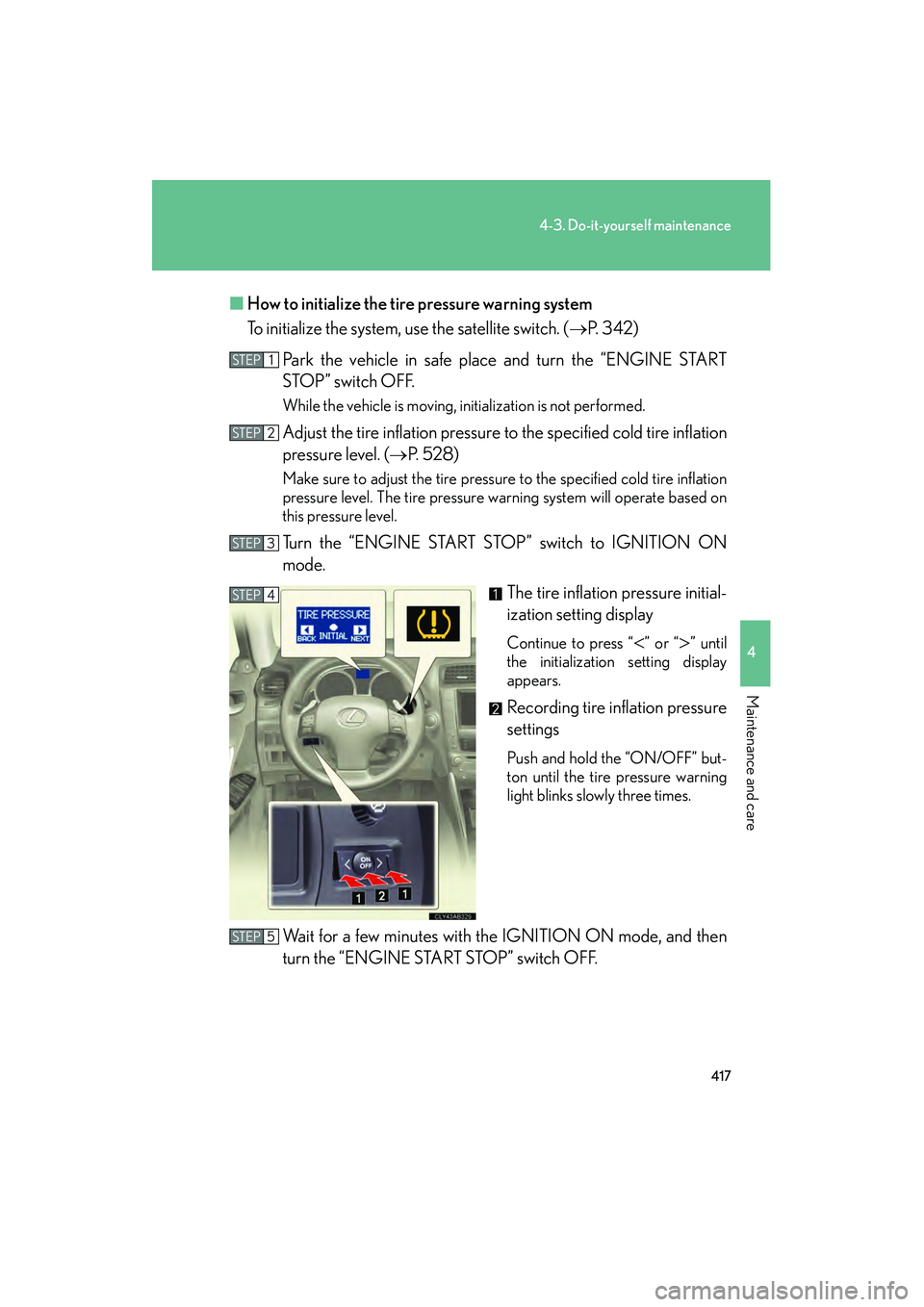
How to initialize the tire pressure warning system
To initialize the system, use the satellite switch. ( →P. 3 4 2 )
Park the vehicle in safe place and turn the “ENGINE START
STOP” switch OFF.
While the vehicle is moving, initialization is not performed.
Adjust the tire inflation pressure to the specified cold tire inflation
pressure level. (→ P. 5 2 8 )
Make sure to adjust the tire pressure to the specified cold tire inflation
pressure level. The tire pressure warning system will operate based on
this pressure level.
Turn the “ENGINE START STOP” switch to IGNITION ON
mode.
The tire inflation pressure initial-
ization setting display
Continue to press “<” or “>” until
the initialization setting display
appears.
Recording tire inflation pressure
settings
Push and hold the “ON/OFF” but-
ton until the tire pressure warning
light blinks slowly three times.
Wait for a few minutes with the IGNITION ON mode, and then
turn the “ENGINE START STOP” switch OFF.
STEP1
STEP2
STEP3
STEP4
STEP5
Page 420 of 578

419
4-3. Do-it-yourself maintenance
4
Maintenance and care
IS350/250_U■
Selecting ID codes
When replacing tires, make sure to select the ID code set that matches
the new tire set. If the tire pressure select switch is set to the wrong tire
setting, the tire pressure warning system will not operate properly.
After driving for about 20 minutes, the tire pressure warning light
comes on after blinking for 1 minute to indicate a system malfunction.
Tire pressure warning valve and
transmitter ID code settings dis-
play
Press “<” or “>” repeatedly until
the setting display appears.
Switching ID codes
Press the “ON/OFF” button to
switch between “MAIN” and
“2ND” ID codes.