Disp Lexus IS250 2010 Service Manual
[x] Cancel search | Manufacturer: LEXUS, Model Year: 2010, Model line: IS250, Model: Lexus IS250 2010Pages: 578, PDF Size: 30.78 MB
Page 223 of 578
222
3-1. Using the air conditioning system and defogger
IS350/250_U■
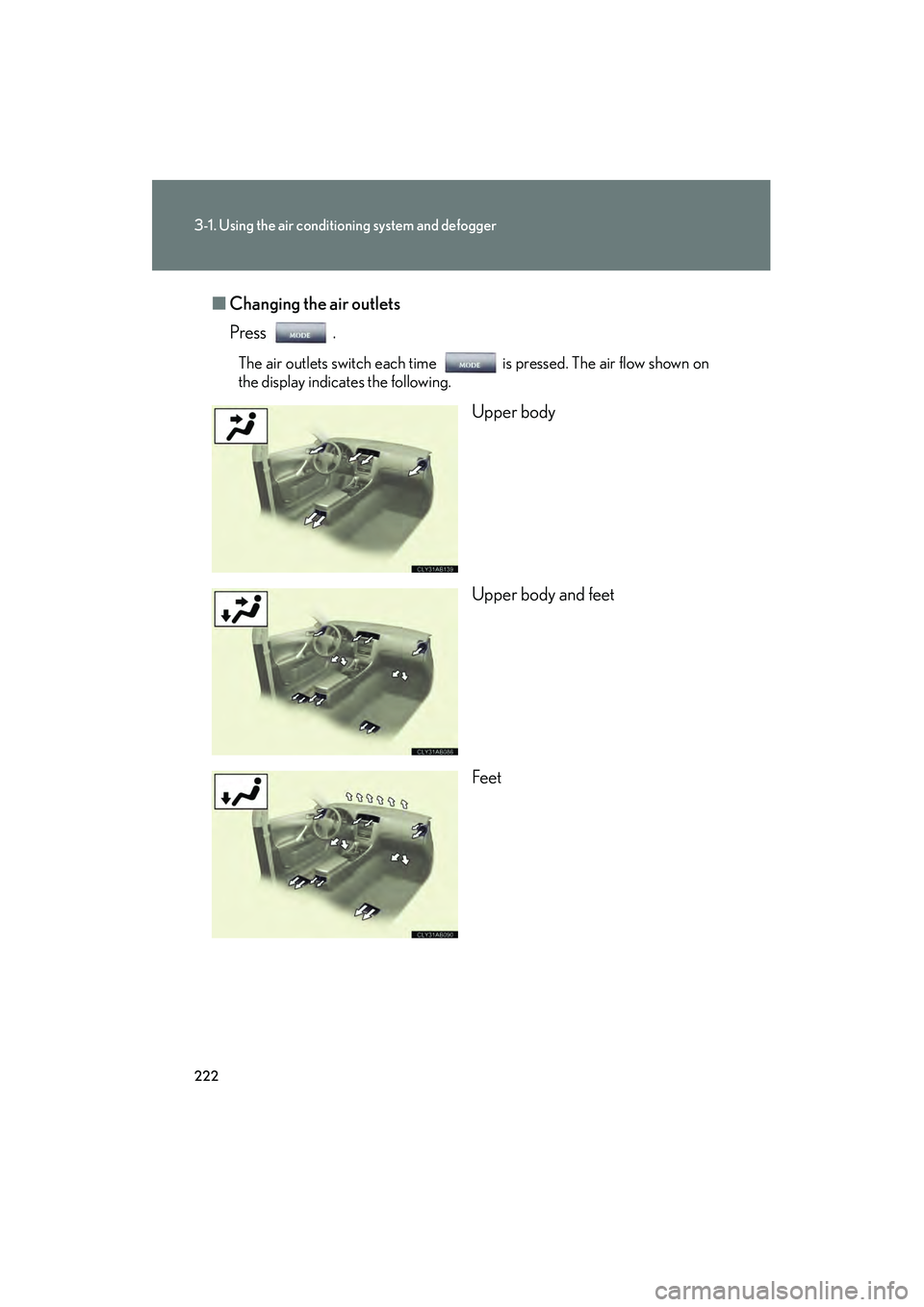
Changing the air outlets
Press .
The air outlets switch each time is pressed. The air flow shown on
the display indicates the following.
Upper body
Upper body and feet
Feet
Page 234 of 578
233
3-2. Using the audio system
3
Interior features
IS350/250_U
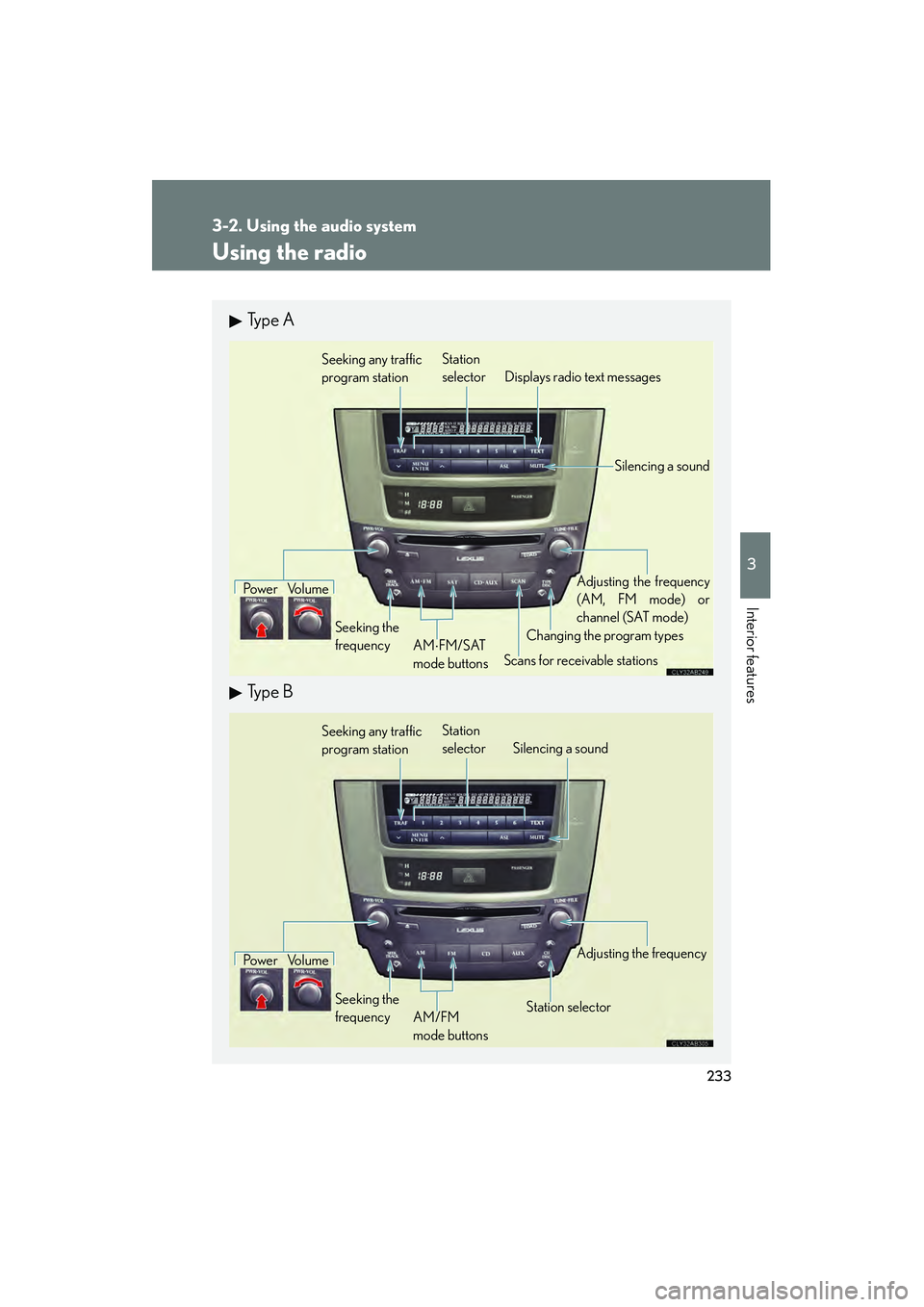
Using the radio
Ty p e A
Ty p e B
Seeking any traffic
program stationStation
selector Displays radio text messages
Po w e r Vo l u m e
Scans for receivable stations
Seeking the
frequency
Changing the program typesAdjusting the frequency
(AM, FM mode) or
channel (SAT mode)
AM ⋅FM/SAT
mode buttons
Silencing a sound
Seeking any traffic
program station Station
selector Silencing a sound
Po w e r Vo l u m e
Seeking the
frequency Station selectorAdjusting the frequency
AM/FM
mode buttons
Page 237 of 578
236
3-2. Using the audio system
IS350/250_U■
Displaying radio station names
Press .
■ Displaying radio text messages
Press twice.
If “MSG” shows in the display, a text message will be displayed.
If the text continues past the end of the display, is displayed. Press and
hold until you hear a beep.
XM® Satellite Radio (type A)
■ Receiving XM
® Satellite Radio
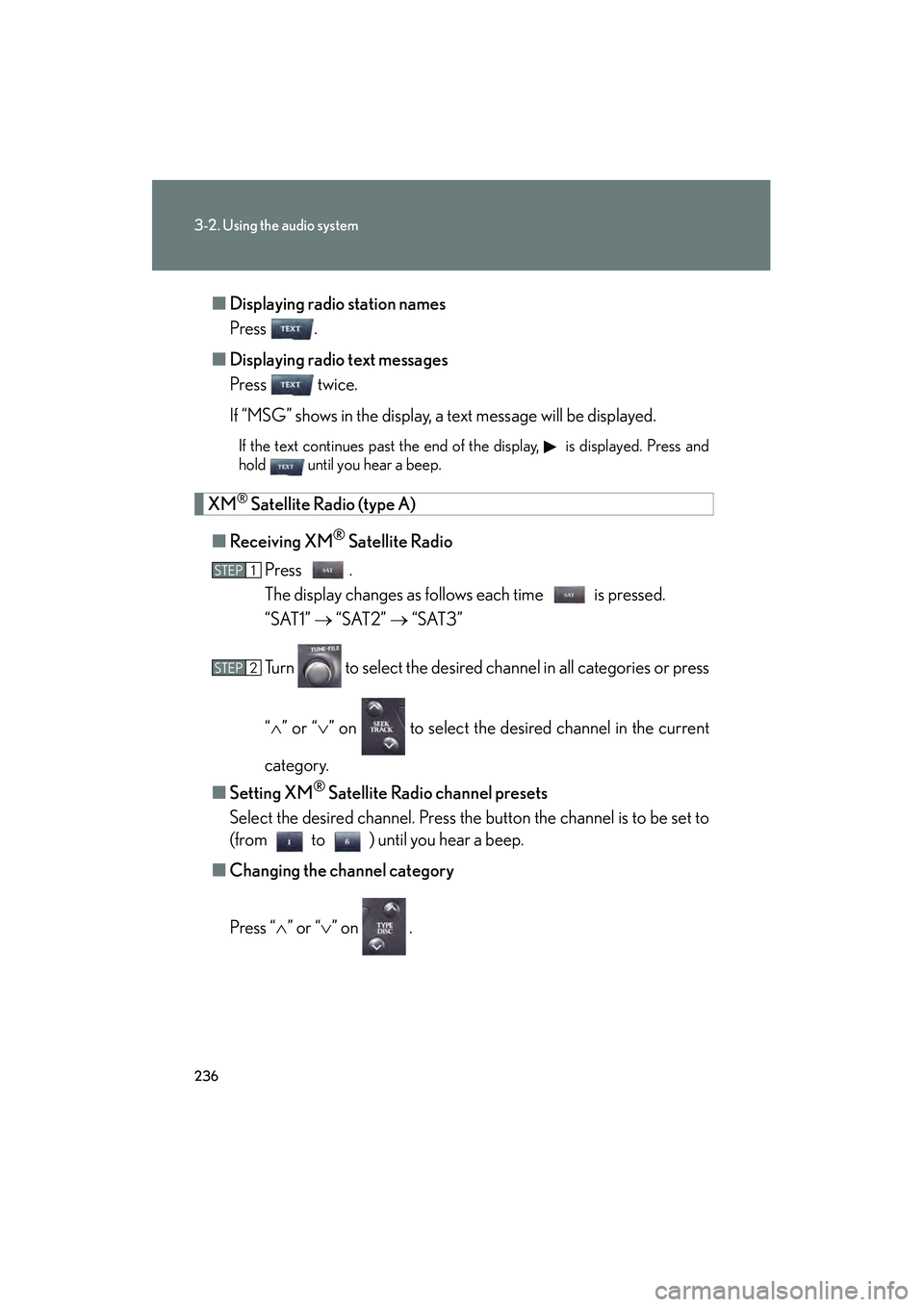
Press .
The display changes as follows each time is pressed.
“SAT1” → “SAT2” → “SAT3”
Turn to select the desired channel in all categories or press
“ ∧ ” or “∨ ” on to select the desired channel in the current
category.
■ Setting XM
® Satellite Radio channel presets
Select the desired channel. Press the button the channel is to be set to
(from to ) until you hear a beep.
■ Changing the channel category
Press “ ∧” or “ ∨” on .
STEP1
STEP2
Page 238 of 578
237
3-2. Using the audio system
3
Interior features
IS350/250_U■
Scanning XM
® Satellite Radio channels
● Scanning channels in the current category
Press .
When the desired channel is reached, press again.
● Scanning preset channels
Press and hold until you hear a beep.
When the desired channel is reached, press again.
■ Displaying text information
Press .
The display will show up to 10 characters.
The display changes as follows each time is pressed.
● CH NAME
● TITLE (SONG/PROGRAM TITLE)
● NAME (ARTIST NAME/FEATURE)
● CH NUMBER
STEP1
STEP2
STEP1
STEP2
Page 240 of 578
239
3-2. Using the audio system
3
Interior features
IS350/250_U
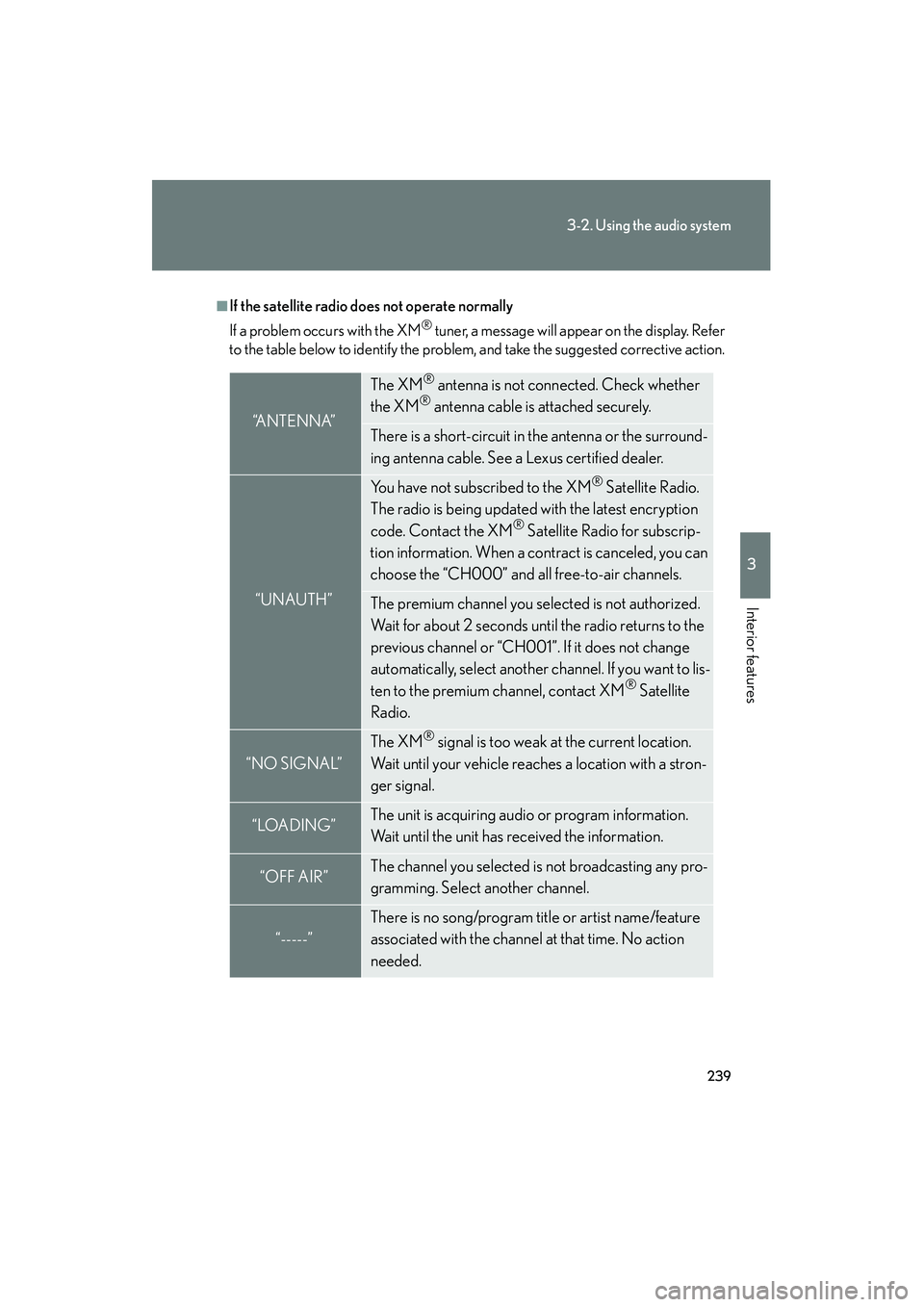
■If the satellite radio does not operate normally
If a problem occurs with the XM
® tuner, a message will appear on the display. Refer
to the table below to identify the problem, and take the suggested corrective action.
“A N T E N N A”
The XM® antenna is not connected. Check whether
the XM® antenna cable is attached securely.
There is a short-circuit in the antenna or the surround-
ing antenna cable. See a Lexus certified dealer.
“UNAUTH”
You have not subscribed to the XM® Satellite Radio.
The radio is being updated with the latest encryption
code. Contact the XM
® Satellite Radio for subscrip-
tion information. When a contract is canceled, you can
choose the “CH000” and all free-to-air channels.
The premium channel you selected is not authorized.
Wait for about 2 seconds until the radio returns to the
previous channel or “CH001”. If it does not change
automatically, select another channel. If you want to lis-
ten to the premium channel, contact XM
® Satellite
Radio.
“NO SIGNAL”
The XM® signal is too weak at the current location.
Wait until your vehicle reaches a location with a stron-
ger signal.
“LOADING”The unit is acquiring audio or program information.
Wait until the unit has received the information.
“OFF AIR”The channel you selected is not broadcasting any pro-
gramming. Select another channel.
“-----”
There is no song/program title or artist name/feature
associated with the channel at that time. No action
needed.
Page 242 of 578
241
3-2. Using the audio system
3
Interior features
IS350/250_U
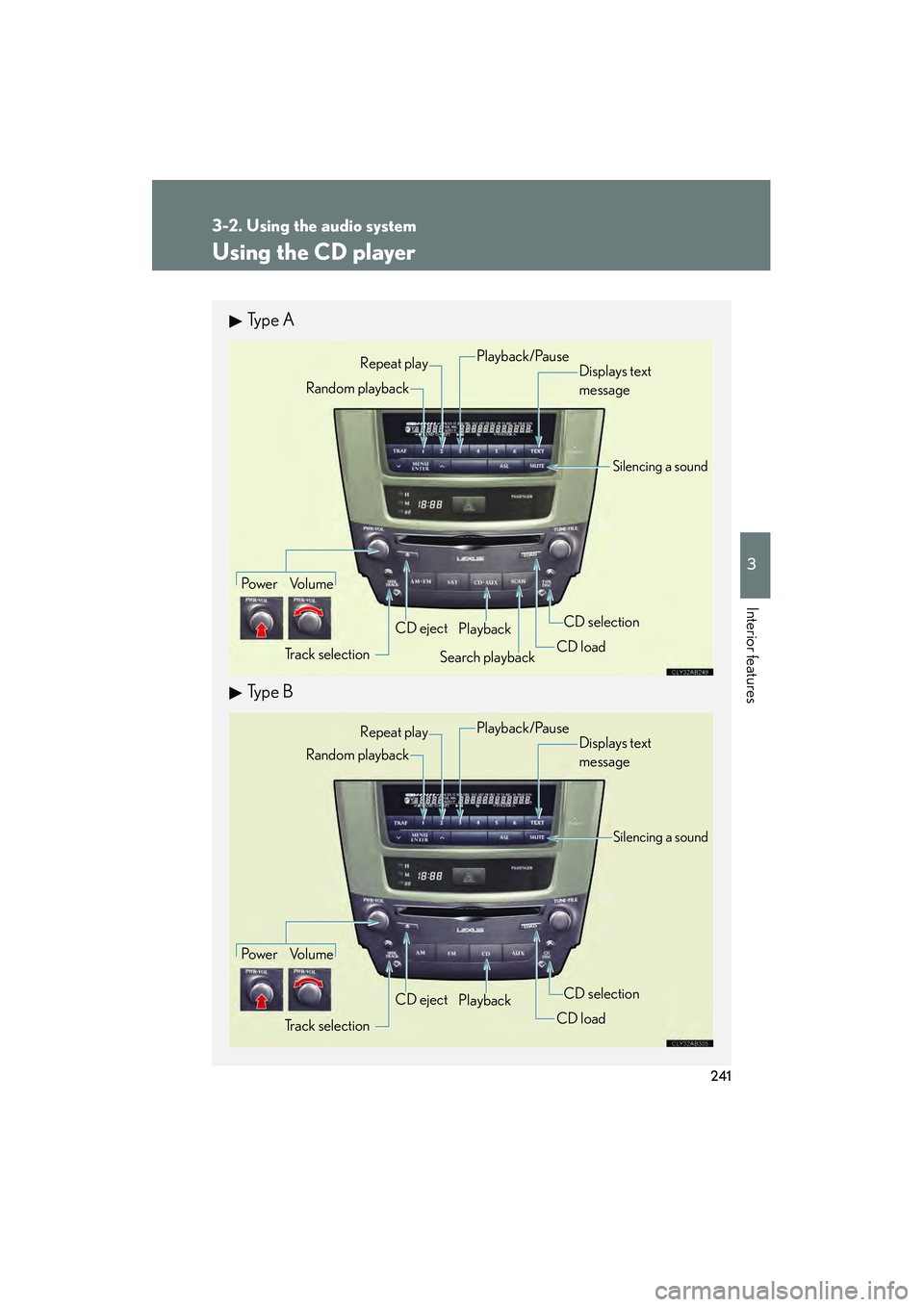
Using the CD player
Ty p e A
Ty p e B
Po w e r Vo l u m eTrack selection CD eject
Playback
Search playback CD loadCD selection
Random playback Repeat play
Displays text
message
Playback/Pause
Silencing a sound
Po w e r Vo l u m e
Track selection CD eject
Playback
CD loadCD selection
Random playback
Repeat play
Displays text
message
Silencing a sound
Playback/Pause
Page 243 of 578
242
3-2. Using the audio system
IS350/250_U
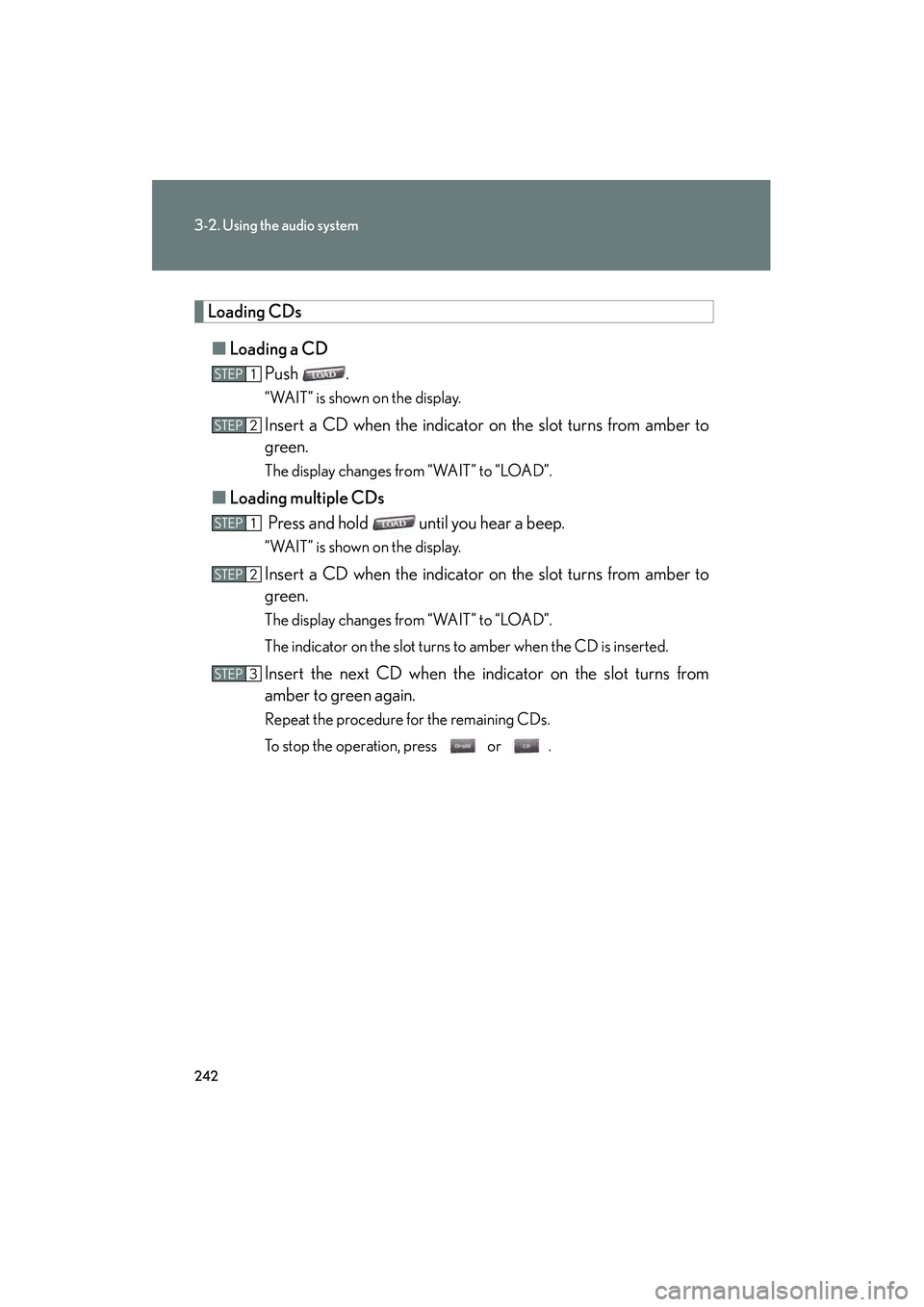
Loading CDs■ Loading a CD
Push .
“WAIT” is shown on the display.
Insert a CD when the indicator on the slot turns from amber to
green.
The display changes from “WAIT” to “LOAD”.
■Loading multiple CDs
Press and hold until you hear a beep.
“WAIT” is shown on the display.
Insert a CD when the indicator on the slot turns from amber to
green.
The display changes from “WAIT” to “LOAD”.
The indicator on the slot turns to amber when the CD is inserted.
Insert the next CD when the indicator on the slot turns from
amber to green again.
Repeat the procedure for the remaining CDs.
To stop the operation, press or .
STEP1
STEP2
STEP1
STEP2
STEP3
Page 244 of 578
243
3-2. Using the audio system
3
Interior features
IS350/250_U
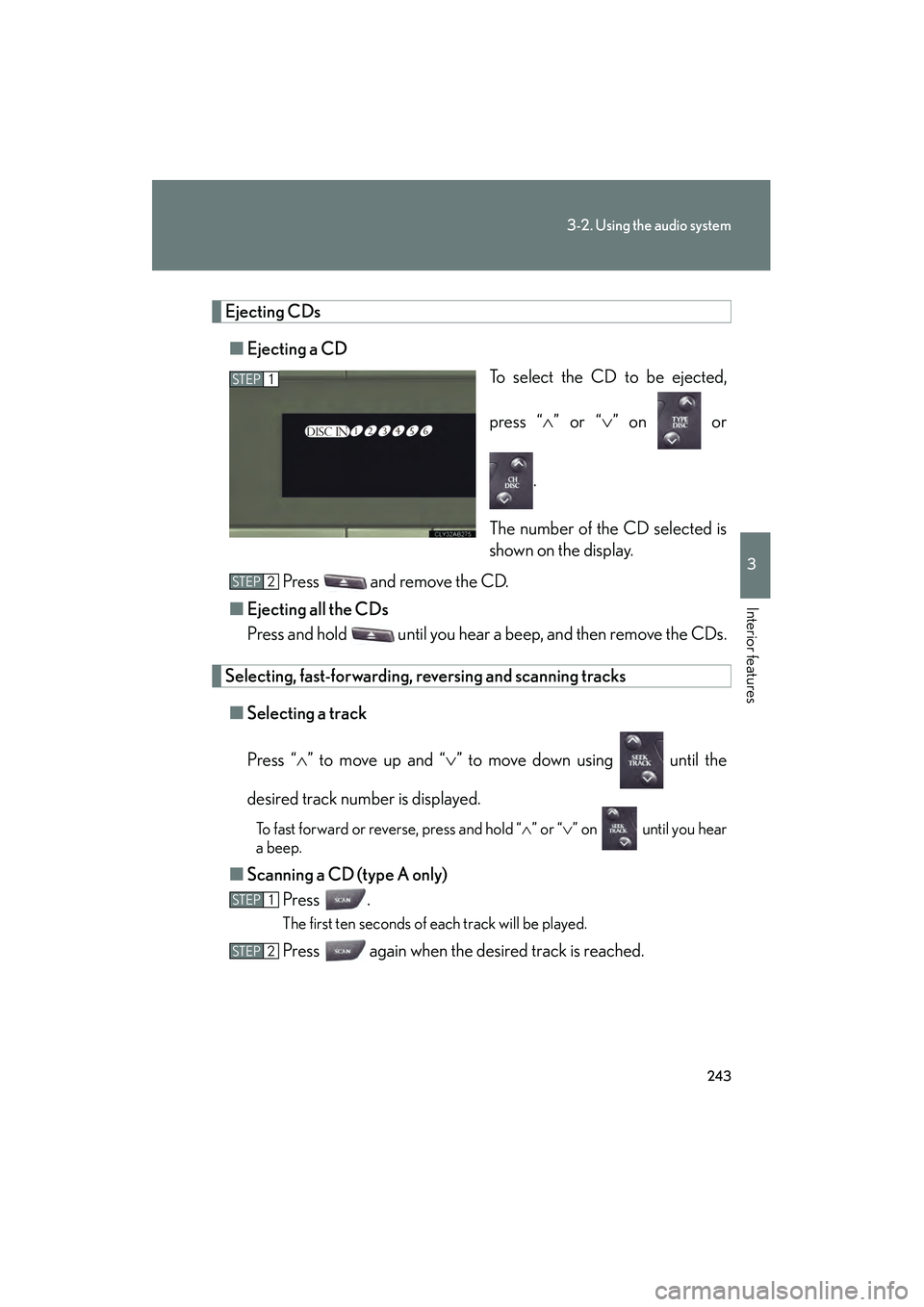
Ejecting CDs■ Ejecting a CD
To select the CD to be ejected,
press “∧” or “ ∨” on or
.
The number of the CD selected is
shown on the display.
Press and remove the CD.
■ Ejecting all the CDs
Press and hold until you hear a beep, and then remove the CDs.
Selecting, fast-forwarding, re versing and scanning tracks
■ Selecting a track
Press “ ∧” to move up and “ ∨” to move down using until the
desired track number is displayed.
To fast forward or reverse, press and hold “ ∧” or “ ∨” on until you hear
a beep.
■ Scanning a CD (type A only)
Press .
The first ten seconds of each track will be played.
Press again when the desired track is reached.
STEP1
STEP2
STEP1
STEP2
Page 245 of 578

244
3-2. Using the audio system
IS350/250_U
Selecting a CD■ To select a CD to play
To select the desired CD, press “ ∧” or “ ∨” on or .
■ To scan loaded CDs (type A only)
Press and hold
until you hear a beep.
The first ten seconds of the first track on each CD will be played.
Press again when the desired CD is reached.
Random playback
■ Current CD
Press (RAND).
■ All CDs
Press and hold (RAND) until you hear a beep.
Repeat play
■ To repeat a track
Press (RPT).
■ To repeat all of the tracks on a CD
Press and hold (RPT) until you hear a beep.
Playing and pausing tracks
To play or pause a track, press ( ).
Switching the displayPress .
Each time is pressed, the display changes in the order of Track no./
Elapsed time → CD title → Track title.
STEP1
STEP2
Page 246 of 578

245
3-2. Using the audio system
3
Interior features
IS350/250_U
■Display
Up to 12 characters can be displayed at a time.
If there are 13 characters or more, pressing and holding until you hear a
beep will display the remaining characters.
A maximum of 24 characters can be displayed.
If is pressed until you hear a beep again or has not been pressed for 6 sec-
onds or more, the display will return to the first 12 characters.
Depending on the contents recorded, the characters may not be displayed prop-
erly or may not be displayed at all.
■Canceling random, repeat and scan playback
Press (RAND), (RPT), again.
■When “LOAD”, “ERROR” or “WAIT” is shown on the display
“LOAD”: This indicates that the CD player has completed loading the CD.
“ERROR”: This indicates a trouble either in the CD or inside the player. The CDmay be dirty, damaged, or inserted up-side down.
“WAIT”: Operation is stopped due to a high temperature inside the player. Wait for a while and then press or . Contact your Lexus dealer if
the CD still cannot be played back.
■Discs that can be used
Discs with the marks shown below can be used.
Playback may not be possible depending on recording format or disc features, or
due to scratches, dirt or deterioration.
CDs with copy-protection features may not play correctly.