key battery Lexus IS250 2011 User Guide
[x] Cancel search | Manufacturer: LEXUS, Model Year: 2011, Model line: IS250, Model: Lexus IS250 2011Pages: 578, PDF Size: 31.12 MB
Page 138 of 578
137
2-1. Driving procedures
2
When driving
IS350/250_U
■If the engine does not start
The engine immobilizer system may not have been deactivated. (→P. 8 5 )
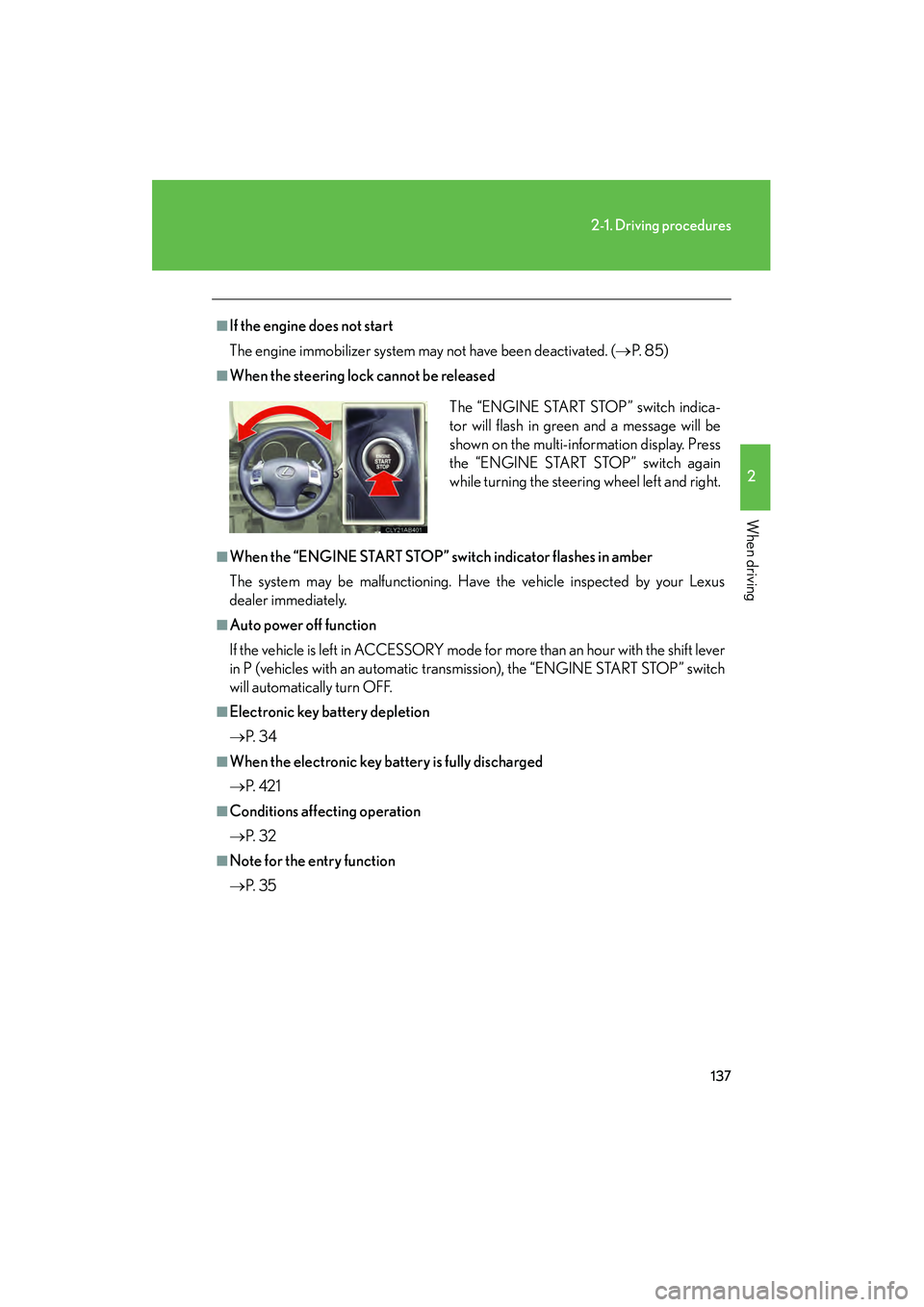
■When the steering lock cannot be released
■When the “ENGINE START STOP” switch indicator flashes in amber
The system may be malfunctioning. Have the vehicle inspected by your Lexus
dealer immediately.
■Auto power off function
If the vehicle is left in ACCESSORY mode for more than an hour with the shift lever
in P (vehicles with an automatic transmission), the “ENGINE START STOP” switch
will automatically turn OFF.
■Electronic key battery depletion
→P. 3 4
■When the electronic key battery is fully discharged
→P. 4 2 1
■Conditions affecting operation
→P. 3 2
■Note for the entry function
→P. 3 5 The “ENGINE START STOP” switch indica-
tor will flash in green and a message will be
shown on the multi-information display. Press
the “ENGINE START STOP” switch again
while turning the steering wheel left and right.
Page 168 of 578
167
2-3. Operating the lights and windshield wipers
2
When driving
IS350/250_U
■Automatic light off system
●When the headlights come on: The headlights and tail lights turn off 30 seconds
after a door is opened and closed if the “ENGINE START STOP” switch has
been switched to ACCESSORY mode or turned OFF. (The lights turn off
immediately if on the key is pressed after all doors are locked.)
●When only the tail lights come on: The tail lights turn off automatically if the
“ENGINE START STOP” switch is switched to ACCESSORY mode or turned
OFF and driver’s door is opened.
To turn the lights on again, switch to IGNITION ON mode, or turn the light switch
off once and then back to or
.
■Automatic headlight leveling system (vehicles with discharge headlights)
The level of the headlights is automatically adjusted according to the number of
passengers and the loading condition of the vehicle to ensure that the headlights do
not interfere with other road users.
■Customization that can be configured at Lexus dealer
Settings (e.g. light sensor sensitivity) can be changed.
(Customizable features →P. 5 4 0 )
NOTICE
■To prevent battery discharge
Do not leave the lights on longer than necessary when the engine is not running.
Page 368 of 578
Maintenance and care4
367
IS350/250_U
4-1. Maintenance and careCleaning and protecting the vehicle exterior............ 368
Cleaning and protecting the vehicle interior ............... 371
4-2. Maintenance Maintenance requirements ........................ 374
General maintenance .......... 376
Emission inspection and maintenance (I/M)
programs................................ 379 4-3. Do-it-yourself
maintenance
Do-it-yourself service precautions ........................... 380
Hood .......................................... 383
Positioning a floor jack ......... 384
Engine compartment ........... 386
Tires............................................ 400
Tire inflation pressure............ 412
Wheels ....................................... 416
Air conditioning filter ............ 418
Electronic key battery........... 421
Checking and replacing fuses ........................................ 423
Headlight aim ......................... 437
Light bulbs................................ 439
Page 422 of 578
421
4-3. Do-it-yourself maintenance
4
Maintenance and care
IS350/250_U
Electronic key battery
Replace the battery with a new one if it is discharged.
■You will need th e following items:
● Flathead screwdriver
● Small Phillips-head screwdriver
● Lithium battery (CR1632)
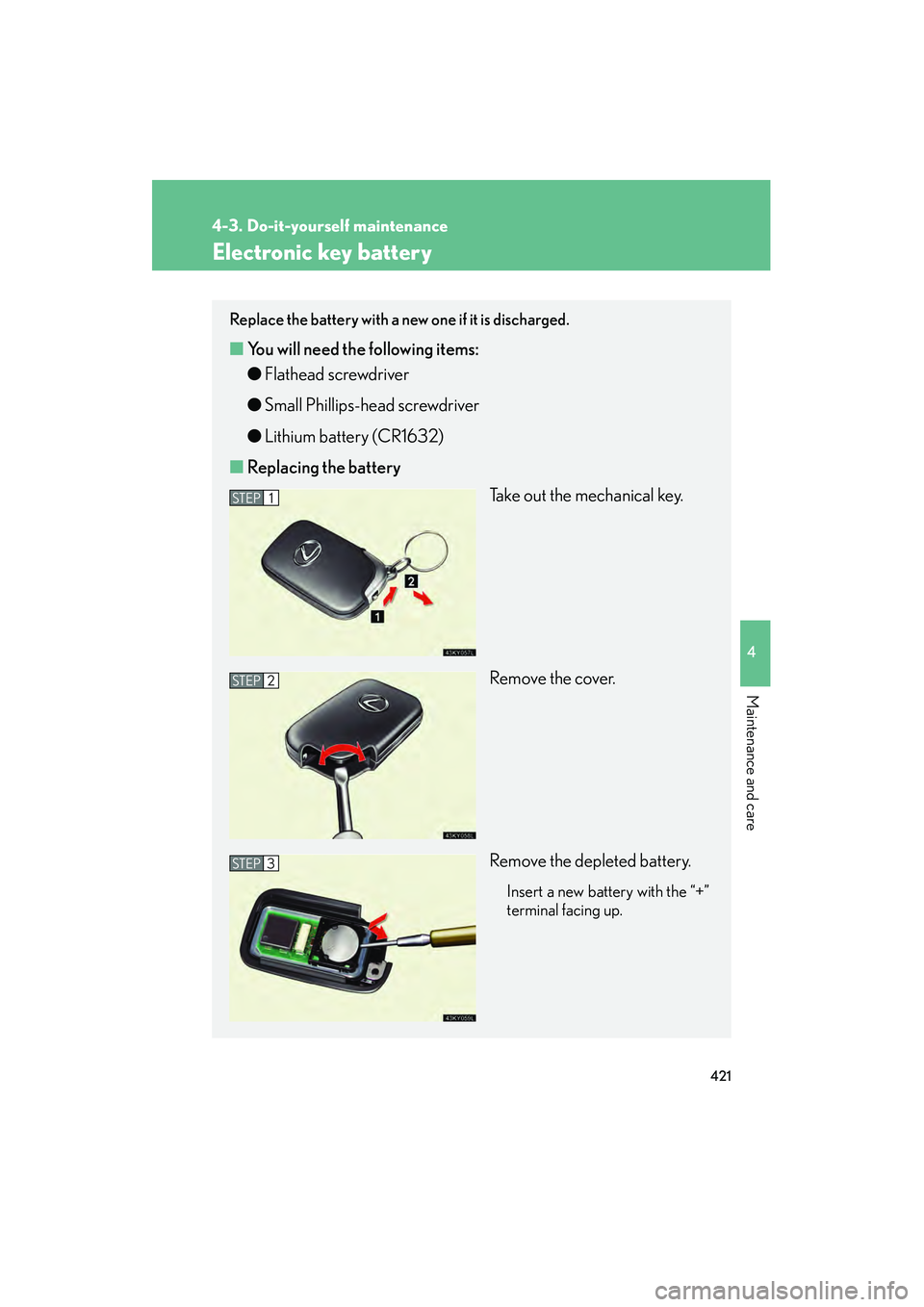
■ Replacing the battery
Take out the mechanical key.
Remove the cover.
Remove the depleted battery.
Insert a new battery with the “+”
terminal facing up.
STEP1
STEP2
STEP3
Page 423 of 578
422
4-3. Do-it-yourself maintenance
IS350/250_U
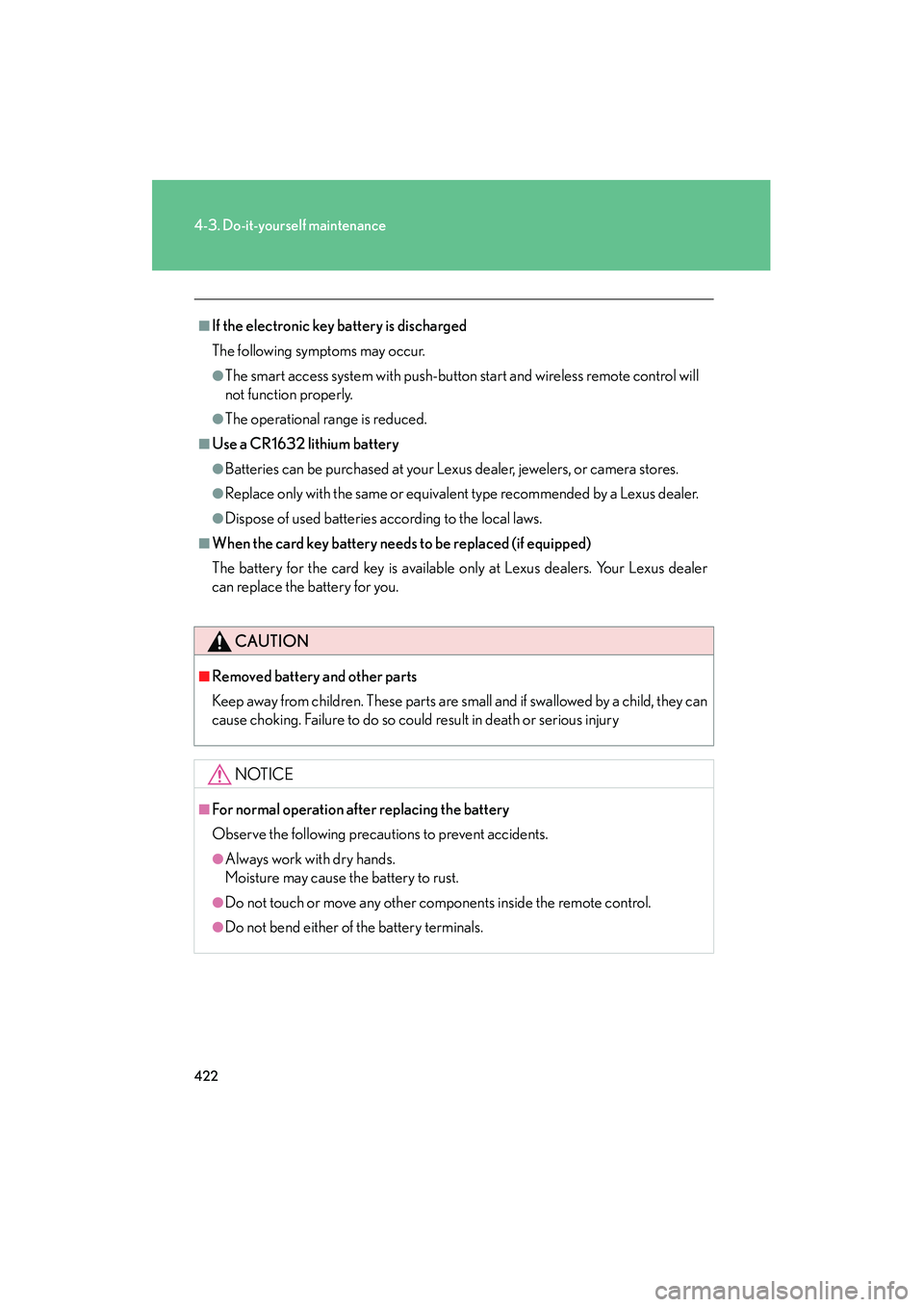
■If the electronic key battery is discharged
The following symptoms may occur.
●The smart access system with push-button start and wireless remote control will
not function properly.
●The operational range is reduced.
■Use a CR1632 lithium battery
●Batteries can be purchased at your Lexus dealer, jewelers, or camera stores.
●Replace only with the same or equivalent type recommended by a Lexus dealer.
●Dispose of used batteries according to the local laws.
■When the card key battery needs to be replaced (if equipped)
The battery for the card key is available only at Lexus dealers. Your Lexus dealer
can replace the battery for you.
CAUTION
■Removed battery and other parts
Keep away from children. These parts are small and if swallowed by a child, they can
cause choking. Failure to do so could result in death or serious injury
NOTICE
■For normal operation after replacing the battery
Observe the following precautions to prevent accidents.
●Always work with dry hands.
Moisture may cause the battery to rust.
●Do not touch or move any other components inside the remote control.
●Do not bend either of the battery terminals.
Page 450 of 578
When trouble arises5
449
IS350/250_U
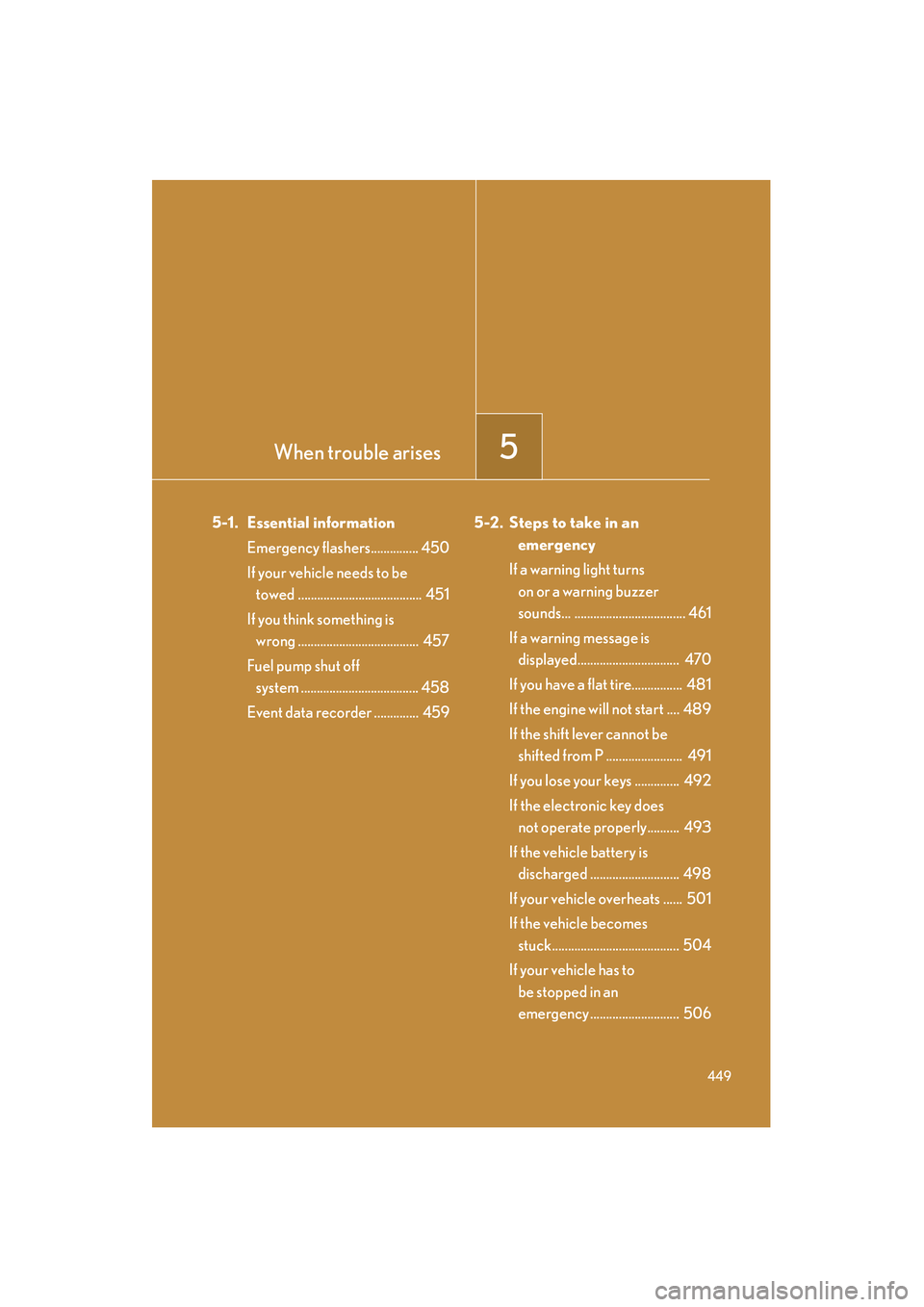
5-1. Essential informationEmergency flashers............... 450
If your vehicle needs to be towed ....................................... 451
If you think something is wrong ...................................... 457
Fuel pump shut off system ..................................... 458
Event data recorder .............. 459 5-2. Steps to take in an
emergency
If a warning light turns on or a warning buzzer
sounds... ................................... 461
If a warning message is displayed................................ 470
If you have a flat tire................ 481
If the engine will not start .... 489
If the shift lever cannot be shifted from P ........................ 491
If you lose your keys .............. 492
If the electronic key does not operate properly.......... 493
If the vehicle battery is discharged ............................ 498
If your vehicle overheats ...... 501
If the vehicle becomes stuck........................................ 504
If your vehicle has to be stopped in an
emergency ............................ 506
Page 479 of 578
478
5-2. Steps to take in an emergency
IS350/250_U
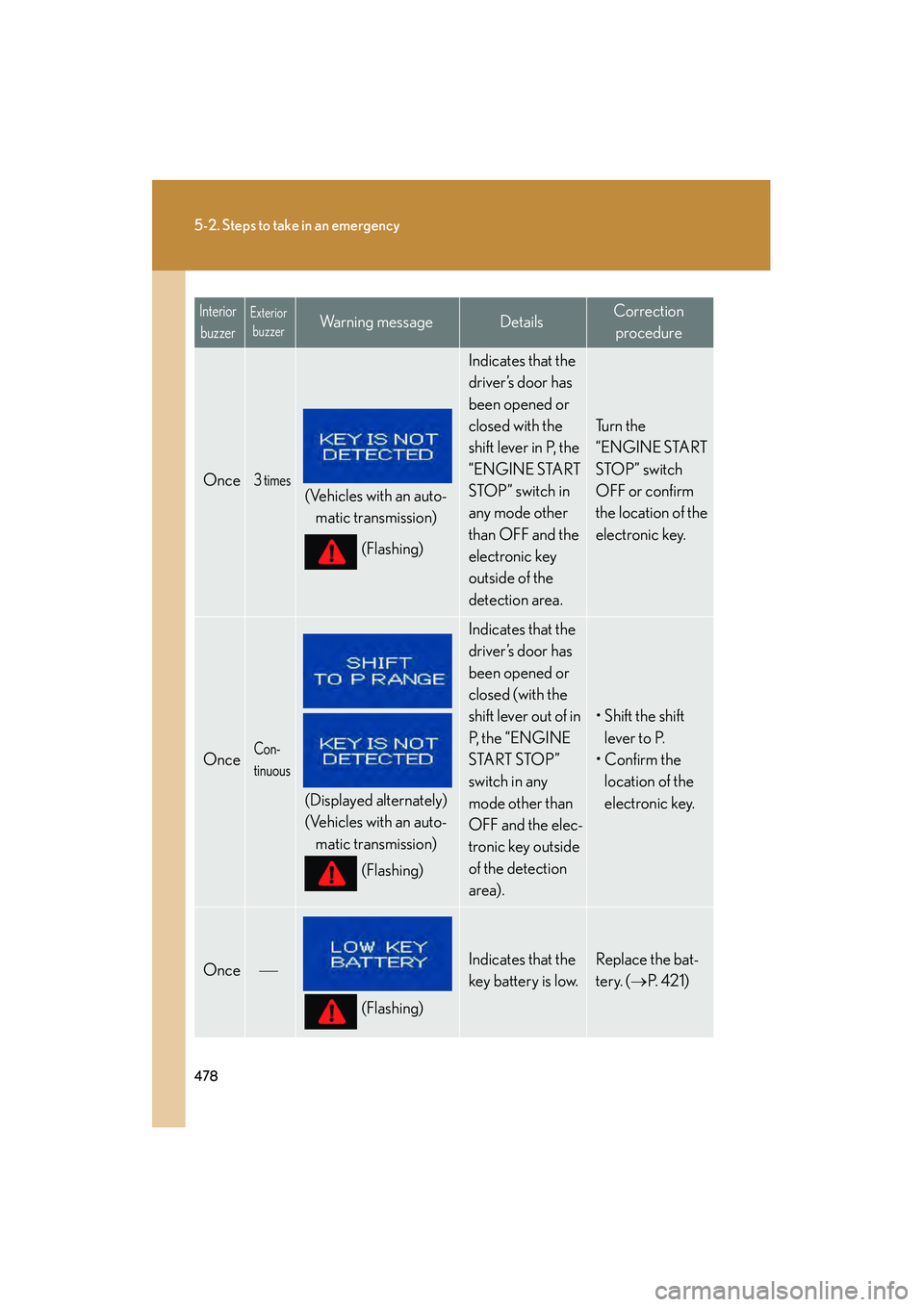
Once3 times
(Vehicles with an auto-matic transmission)
(Flashing)
Indicates that the
driver’s door has
been opened or
closed with the
shift lever in P, the
“ENGINE START
STOP” switch in
any mode other
than OFF and the
electronic key
outside of the
detection area.
Tu r n t h e
“ENGINE START
STOP” switch
OFF or confirm
the location of the
electronic key.
OnceCon-
tinuous
(Displayed alternately)
(Vehicles with an auto-matic transmission)
(Flashing)
Indicates that the
driver’s door has
been opened or
closed (with the
shift lever out of in
P, t h e “ E N G I N E
START STOP”
switch in any
mode other than
OFF and the elec-
tronic key outside
of the detection
area).
• Shift the shift lever to P.
•Confirm the
location of the
electronic key.
Once
(Flashing)
Indicates that the
key battery is low.Replace the bat-
tery. ( →P. 4 2 1 )
Interior
buzzerExterior buzzerWarning messageDetailsCorrection
procedure
Page 481 of 578
480
5-2. Steps to take in an emergency
IS350/250_U
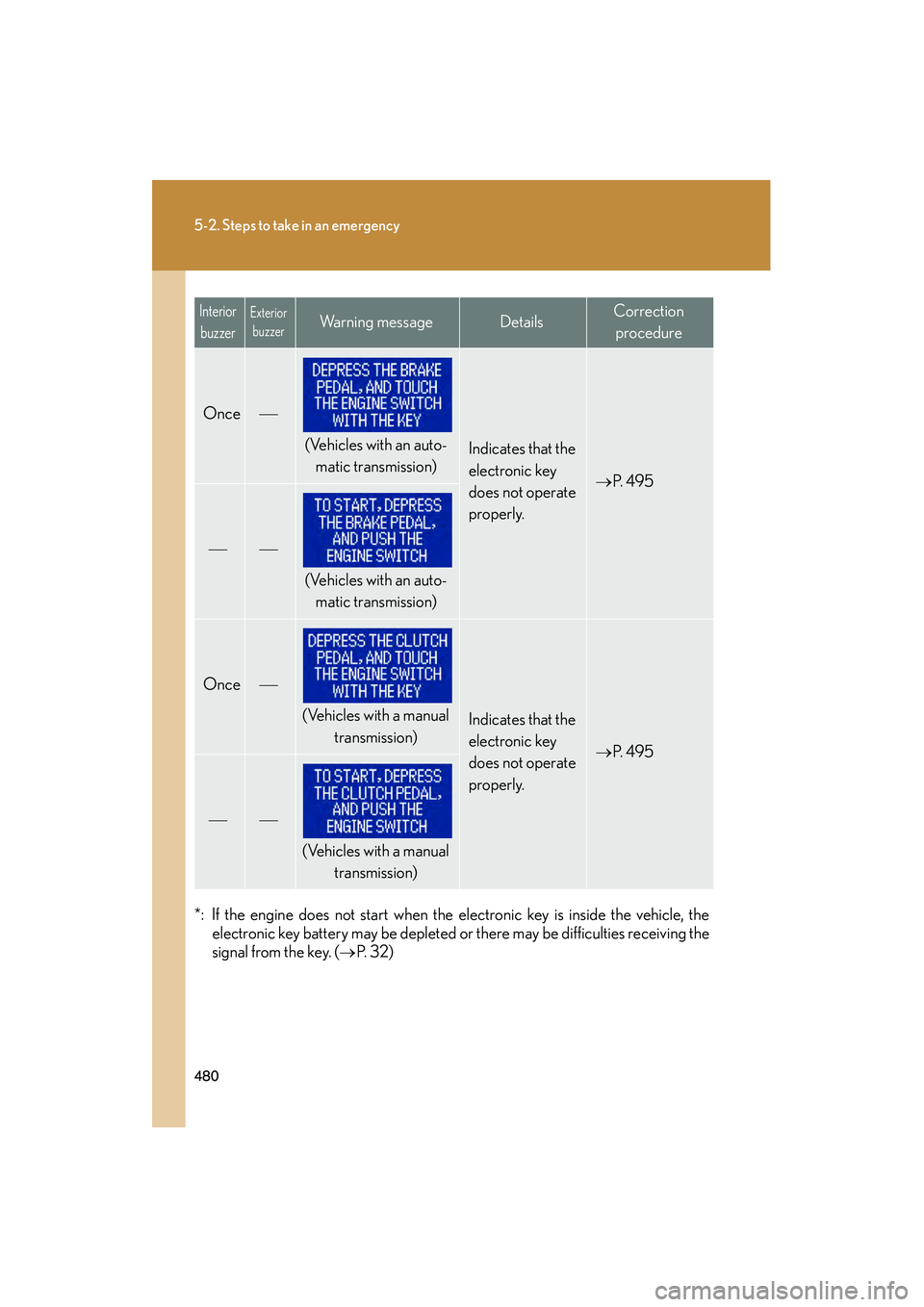
*: If the engine does not start when the electronic key is inside the vehicle, theelectronic key battery may be depleted or there may be difficulties receiving the
signal from the key. ( →P. 3 2 )
Once
(Vehicles with an auto-
matic transmission)Indicates that the
electronic key
does not operate
properly.
→ P. 4 9 5
(Vehicles with an auto-
matic transmission)
Once
(Vehicles with a manual
transmission)Indicates that the
electronic key
does not operate
properly.
→P. 4 9 5
(Vehicles with a manual
transmission)
InteriorbuzzerExterior buzzerWarning messageDetailsCorrection
procedure
Page 494 of 578
5
When trouble arises
493
5-2. Steps to take in an emergency
IS350/250_U
If the electronic key does not operate properly
Locking and unlocking the doors, unlocking the trunk and key linked functions
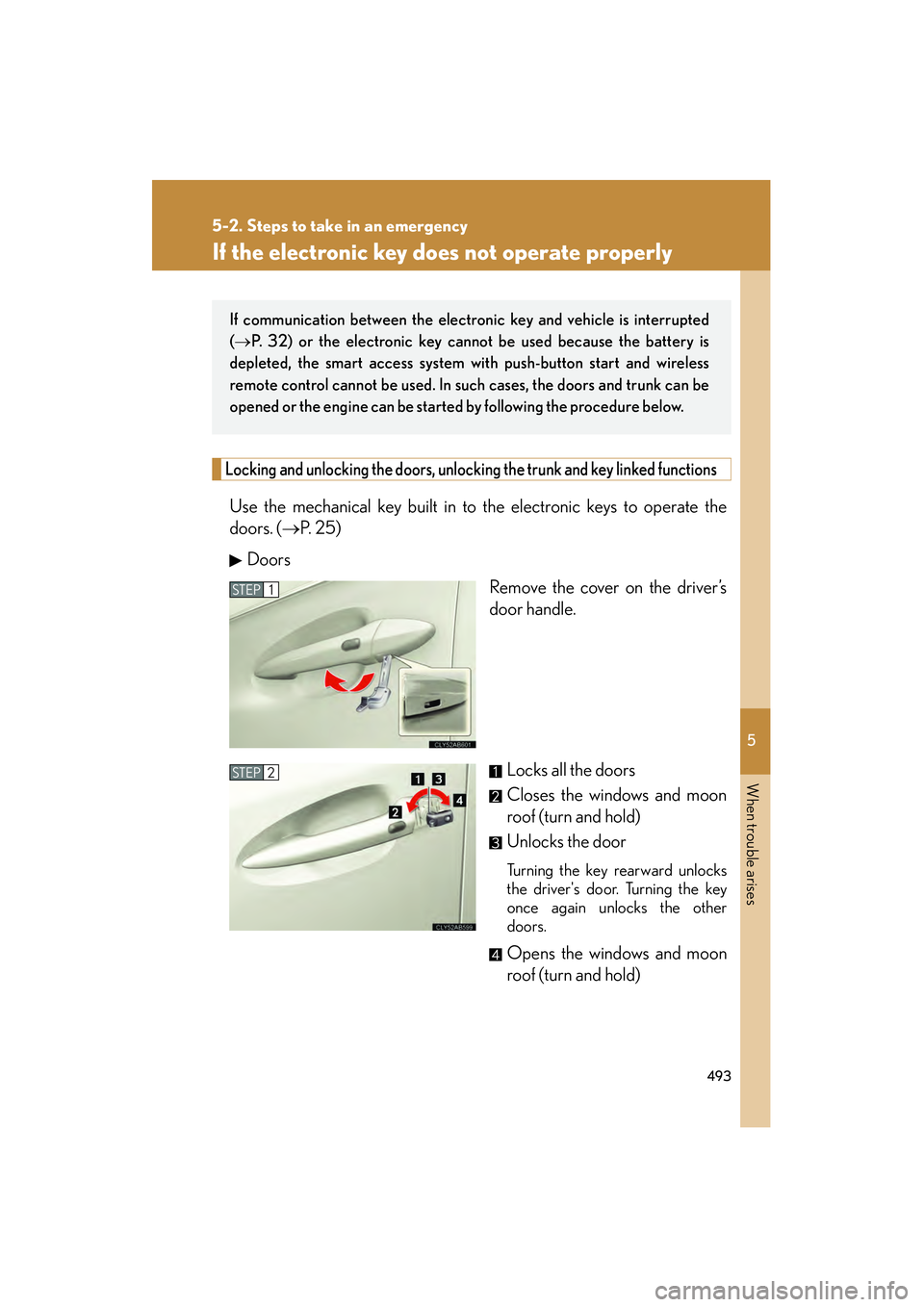
Use the mechanical key built in to the electronic keys to operate the
doors. (→P. 2 5 )
Doors Remove the cover on the driver’s
door handle.
Locks all the doors
Closes the windows and moon
roof (turn and hold)
Unlocks the door
Turning the key rearward unlocks
the driver's door. Turning the key
once again unlocks the other
doors.
Opens the windows and moon
roof (turn and hold)
If communication between the electronic key and vehicle is interrupted
(→ P. 32) or the electronic key cann ot be used because the battery is
depleted, the smart access system with push-button start and wireless
remote control cannot be used. In such cases, the doors and trunk can be
opened or the engine can be started by following the procedure below.
STEP1
STEP2
Page 498 of 578
5
When trouble arises
497
5-2. Steps to take in an emergency
IS350/250_U
■Stopping the engine
For vehicles with an automatic transmission: Shift the shift lever to P and press the
“ENGINE START STOP” switch as you normally do when stopping the engine.
For vehicles with a manual transmission: Shift the shift lever to N position and press
the “ENGINE START STOP” switch as you normally do when stopping the engine.
■Replacing the key battery
As the above procedure is a temporary measure, it is recommended that the elec-
tronic key battery be replaced immediately when the battery depletes.
(→ P. 4 2 1 )