Cd system Lexus IS250 2011 Owner's Manual
[x] Cancel search | Manufacturer: LEXUS, Model Year: 2011, Model line: IS250, Model: Lexus IS250 2011Pages: 578, PDF Size: 31.12 MB
Page 313 of 578
312
3-4. Using the hands-free phone system (for mobile phones)
IS350/250_U
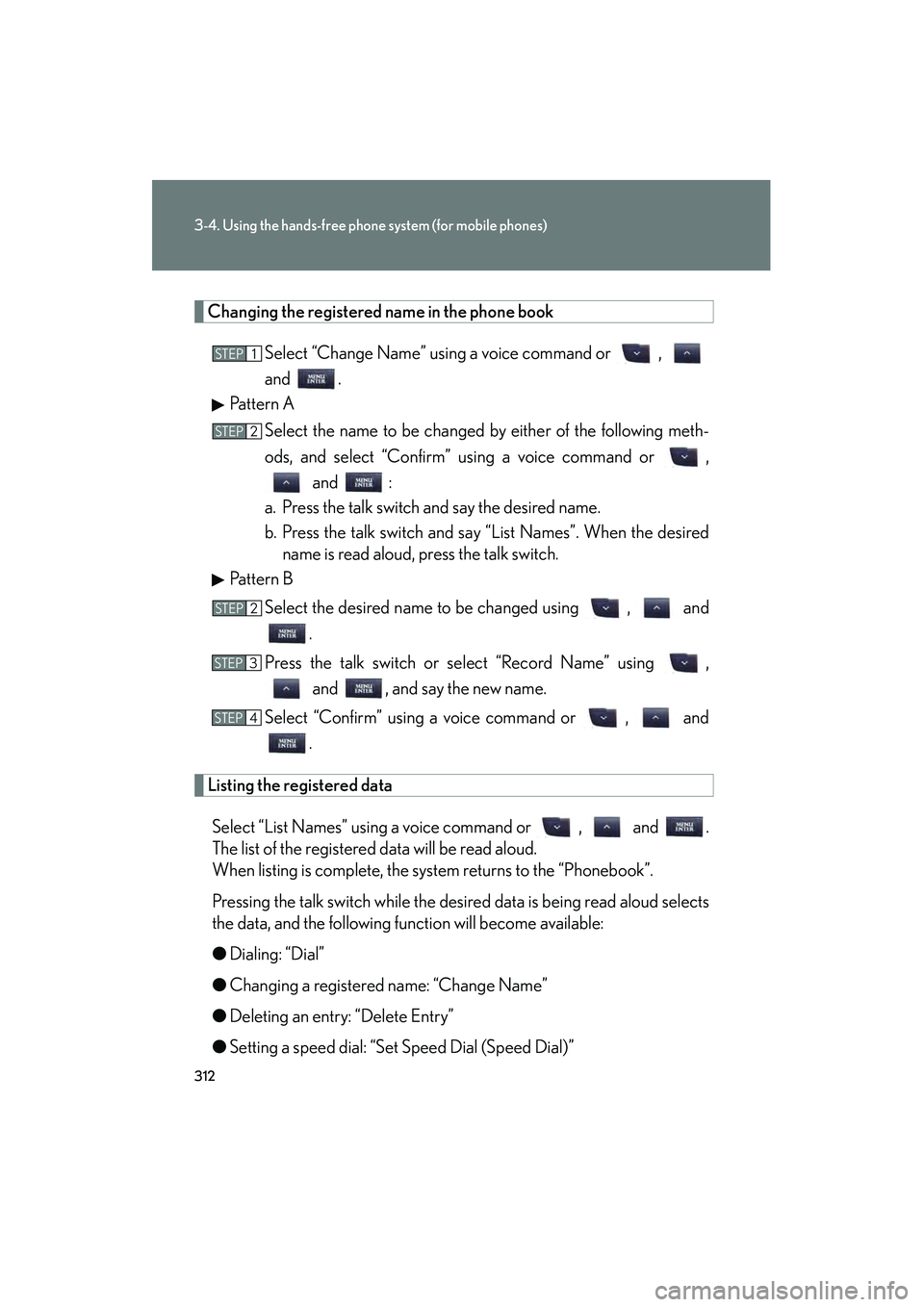
Changing the registered name in the phone bookSelect “Change Name” using a voice command or ,
and .
Pattern A
Select the name to be changed by either of the following meth-
ods, and select “Confirm” using a voice command or , and :
a. Press the talk switch and say the desired name.
b. Press the talk switch and say “List Names”. When the desired name is read aloud, press the talk switch.
Pattern B
Select the desired name to be changed using , and .
Press the talk switch or select “Record Name” using , and , and say the new name.
Select “Confirm” using a voice command or , and .
Listing the registered data
Select “List Names” using a voice command or , and .
The list of the registered data will be read aloud.
When listing is complete, the system returns to the “Phonebook”.
Pressing the talk switch while the desired data is being read aloud selects
the data, and the following function will become available:
● Dialing: “Dial”
● Changing a registered name: “Change Name”
● Deleting an entry: “Delete Entry”
● Setting a speed dial: “Set Speed Dial (Speed Dial)”
STEP1
STEP2
STEP2
STEP3
STEP4
Page 314 of 578
313
3-4. Using the hands-free phone system (for mobile phones)
3
Interior features
IS350/250_U
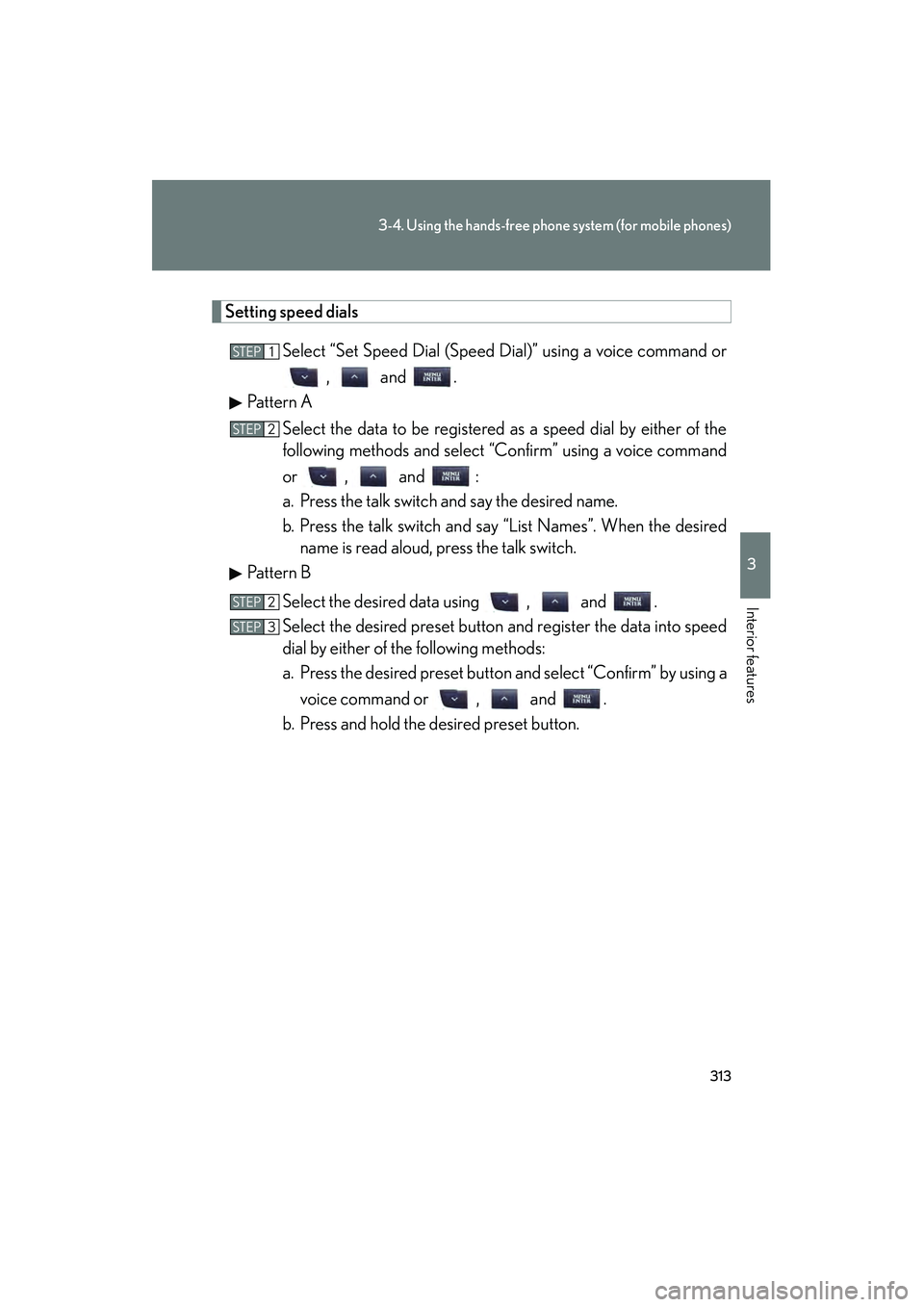
Setting speed dialsSelect “Set Speed Dial (Speed Dial)” using a voice command or, and .
Pattern A
Select the data to be registered as a speed dial by either of the
following methods and select “Confirm” using a voice command
or , and :
a. Press the talk switch and say the desired name.
b. Press the talk switch and say “List Names”. When the desiredname is read aloud, press the talk switch.
Pattern B
Select the desired data using , and .
Select the desired preset button and register the data into speed
dial by either of the following methods:
a. Press the desired preset button and select “Confirm” by using avoice command or , and .
b. Press and hold the desired preset button.
STEP1
STEP2
STEP2
STEP3
Page 315 of 578
314
3-4. Using the hands-free phone system (for mobile phones)
IS350/250_U
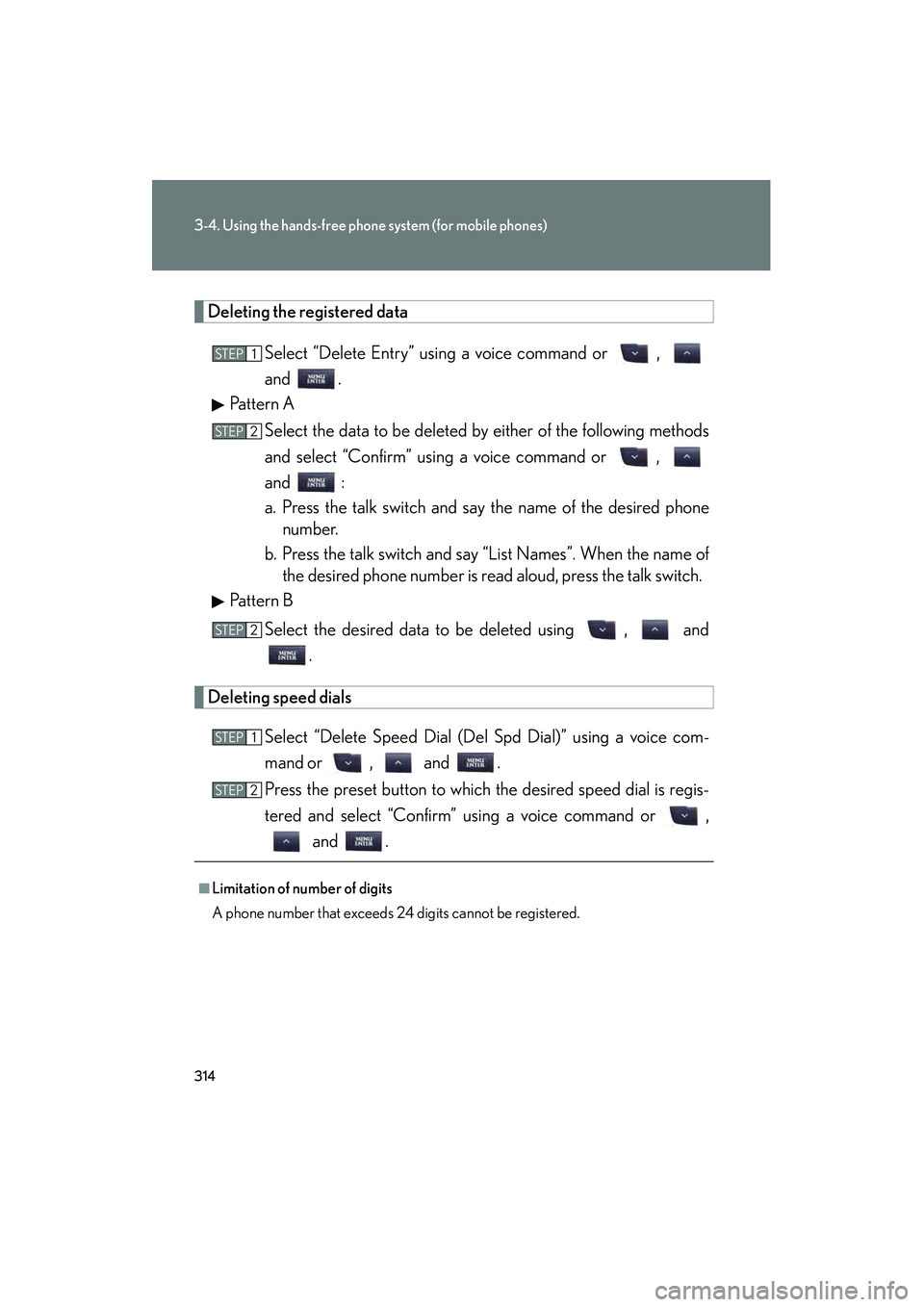
Deleting the registered dataSelect “Delete Entry” using a voice command or ,
and .
Pattern A
Select the data to be deleted by either of the following methods
and select “Confirm” using a voice command or ,
and :
a. Press the talk switch and say the name of the desired phonenumber.
b. Press the talk switch and say “List Names”. When the name of the desired phone number is read aloud, press the talk switch.
Pattern B
Select the desired data to be deleted using , and .
Deleting speed dials
Select “Delete Speed Dial (Del Spd Dial)” using a voice com-
mand or , and .
Press the preset button to which the desired speed dial is regis-
tered and select “Confirm” using a voice command or , and .
■Limitation of number of digits
A phone number that exceeds 24 digits cannot be registered.
STEP1
STEP2
STEP2
STEP1
STEP2
Page 316 of 578
315
3
Interior features
IS350/250_U
3-5. Using the interior lights
Interior lights list
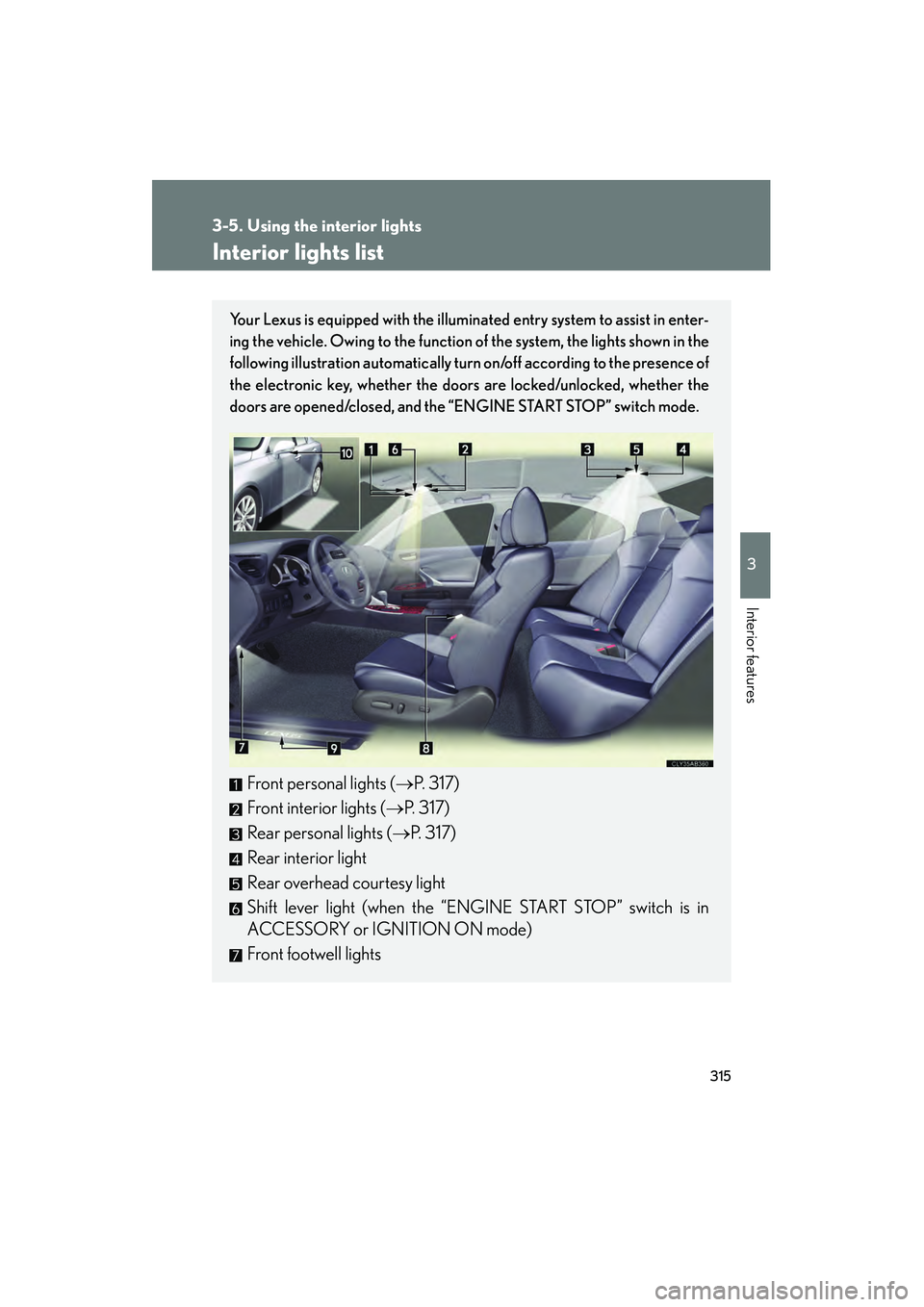
Your Lexus is equipped with the illuminated entry system to assist in enter-
ing the vehicle. Owing to the function of the system, the lights shown in the
following illustration automatically turn on/off according to the presence of
the electronic key, whether the door s are locked/unlocked, whether the
doors are opened/closed, and the “ENGINE START STOP” switch mode.
Front personal lights (→P. 317)
Front interior lights ( →P. 317)
Rear personal lights ( →P. 317)
Rear interior light
Rear overhead courtesy light
Shift lever light (when the “ENGINE START STOP” switch is in
ACCESSORY or IGNITION ON mode)
Front footwell lights
Page 331 of 578
330
3-7. Other interior features
IS350/250_U
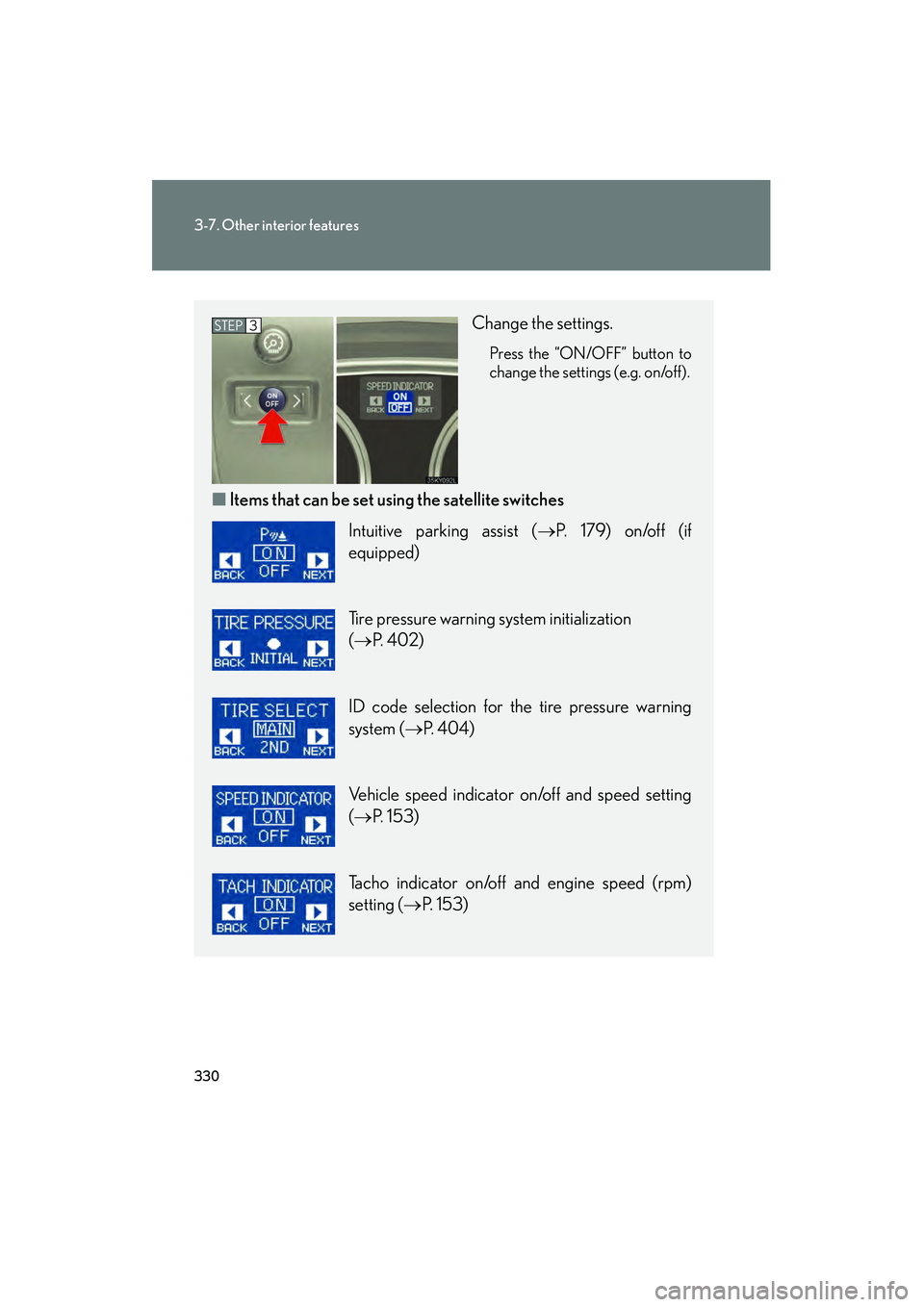
Change the settings.
Press the “ON/OFF” button to
change the settings (e.g. on/off).
■Items that can be set us ing the satellite switches
STEP3
Intuitive parking assist ( →P. 179) on/off (if
equipped)
Tire pressure warning system initialization
(→ P. 4 0 2 )
ID code selection for the tire pressure warning
system ( →P. 404)
Vehicle speed indicator on/off and speed setting
(→ P. 153)
Tacho indicator on/off and engine speed (rpm)
setting ( →P. 153)
Page 351 of 578
350
3-7. Other interior features
IS350/250_U
Garage door opener
The garage door opener (HomeLink Universal Transceiver) is manufactured
under license from HomeLink.
Programming the HomeLink (for U.S.A. owners)
The HomeLink
compatible transceiver in your vehicle has 3 buttons
which can be programmed to operate 3 different devices. Refer to the
programming method below appropriate for the device.
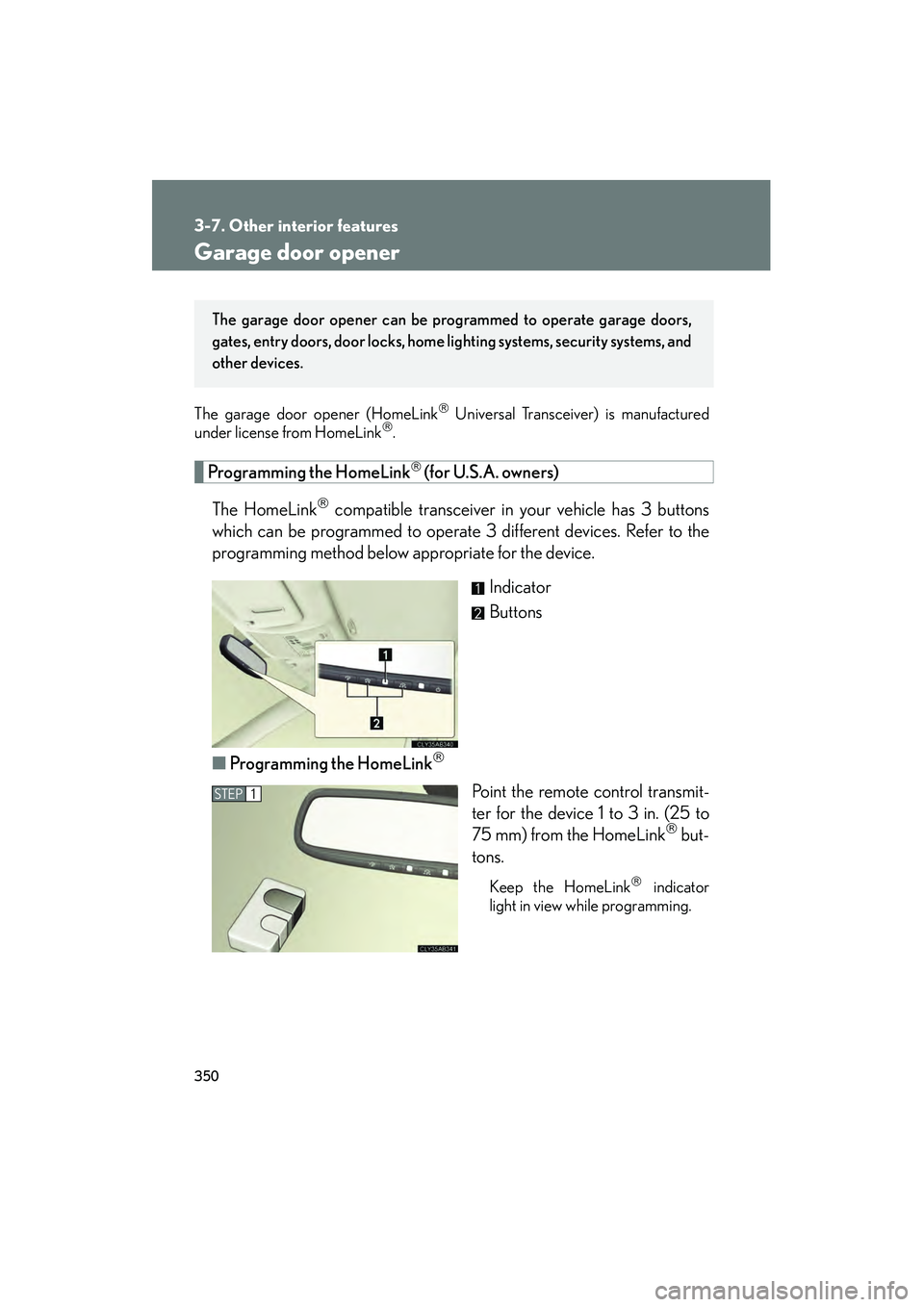
Indicator
Buttons
■ Programming the HomeLink
Point the remote control transmit-
ter for the device 1 to 3 in. (25 to
75 mm) from the HomeLink
but-
tons.
Keep the HomeLink indicator
light in view while programming.
The garage door opener can be pr ogrammed to operate garage doors,
gates, entry doors, door locks, home lighting systems, security systems, and
other devices.
STEP1
Page 352 of 578
351
3-7. Other interior features
3
Interior features
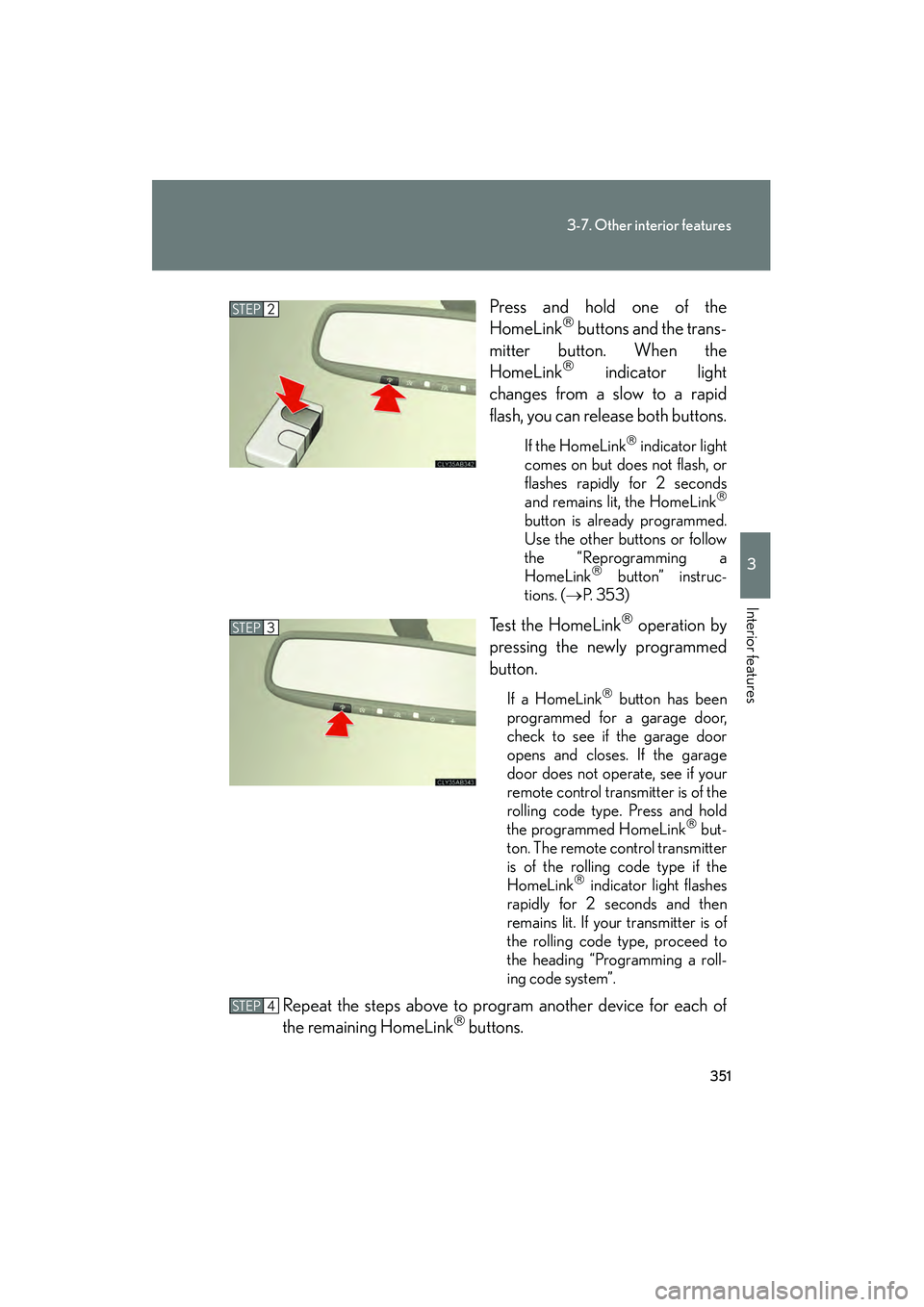
IS350/250_UPress and hold one of the
HomeLink
buttons and the trans-
mitter button. When the
HomeLink
indicator light
changes from a slow to a rapid
flash, you can release both buttons.
If the HomeLink indicator light
comes on but does not flash, or
flashes rapidly for 2 seconds
and remains lit, the HomeLink
button is already programmed.
Use the other buttons or follow
the “Reprogramming a
HomeLink
button” instruc-
tions. ( →P. 3 5 3 )
Test the HomeLink operation by
pressing the newly programmed
button.
If a HomeLink button has been
programmed for a garage door,
check to see if the garage door
opens and closes. If the garage
door does not operate, see if your
remote control transmitter is of the
rolling code type. Press and hold
the programmed HomeLink
but-
ton. The remote control transmitter
is of the rolling code type if the
HomeLink
indicator light flashes
rapidly for 2 seconds and then
remains lit. If your transmitter is of
the rolling code type, proceed to
the heading “Programming a roll-
ing code system”.
Repeat the steps above to program another device for each of
the remaining HomeLink buttons.
STEP2
STEP3
STEP4
Page 353 of 578

352
3-7. Other interior features
IS350/250_U■
Programming a Rolling Code system (for U.S.A. owners)
If your device is Rolling Code equipped, follow the steps under the
heading “Programming the HomeLink
” before proceeding with the
steps listed below.
Locate the learn button on the ceiling mounted garage door
opener motor. The exact location and color of the button may
vary by brand of garage door opener motor.
Refer to the operation manual supplied with the garage door opener
motor for the location of the learn button.
Press the learn button.
Following this step, you have 30 seconds in which to initiate step 3
below.
Press and hold the vehicle's programmed HomeLink button for
2 seconds and release it. Repeat this step once again. The garage
door may open.
If the garage door opens, the programming process is complete. If the
door does not open, press and release the button a third time. This third
press and release will complete the programming process by opening
the garage door.
The ceiling mounted garage door op ener motor should now recognize
the HomeLink
signal and operate the garage door.
Repeat the steps above to program another rolling code system
for any of the remaining HomeLink buttons.
■ Programming an entry gate (for U.S.A. owners)/Programming all
devices in the Canadian market
Place your transmitter 1 to 3 in. (25 to 75 mm) away from the sur-
face of the HomeLink
.
Keep the HomeLink indicator light in view while programming.
Press and hold the selected HomeLink button.
Repeatedly press and release (cycle) the device’s remote control
button for two seconds each until step 4 is complete.
When the indicator light on the HomeLink
compatible trans-
ceiver start to flashing rapidly, release the buttons.
STEP1
STEP2
STEP3
STEP4
STEP1
STEP2
STEP3
STEP4
Page 354 of 578
353
3-7. Other interior features
3
Interior features
IS350/250_UTest the operation of the HomeLink
by pressing the newly pro-
grammed button. Check to see if the gate/device operates cor-
rectly.
Repeat the steps above to program another device for each of
the remaining HomeLink
buttons.
■ Programming other devices
To program other devices such as home security systems, home door
locks or lighting, contact your authorized Lexus dealer for assistance.
■ Reprogramming a button
The individual HomeLink
buttons cannot be erased but can be
reprogrammed. To reprogram a button, follow the “Reprogramming a
HomeLink
button” instructions.
Operating the HomeLink
Press the appropriate HomeLink button. The HomeLink indicator
light should come on.
The HomeLink compatible transceiver in your vehicle continues to send a
signal for up to 20 seconds as long as the button is pressed.
Reprogramming a HomeLink button
Press and hold the desired HomeLink
button. After 20 seconds, the
HomeLink indicator light will start flashing slowly. Next, while still press-
ing and holding the HomeLink button, press and hold the button on the
transmitter until the HomeLink indicator light changes from a slow to a
rapid flash.
STEP5
STEP6
Page 360 of 578

359
3-7. Other interior features
3
Interior features
IS350/250_U
CAUTION
■While driving the vehicle
Do not adjust the display. Be sure to adjust the display only when the vehicle is
stopped.
■When doing the circling calibration
Be sure to secure a wide space, and watch out for people and vehicles in the neigh-
borhood. Do not violate any local traffic rules while performing circling calibration.
NOTICE
■To avoid compass malfunctions
Do not place magnets or any metal objects near the inside rear view mirror.
Doing this may cause a malfunction of the compass sensor.
■To ensure normal operation of the compass
●Do not perform circling calibration of the compass in a place where the earth's
magnetic field is subject to interference by artificial magnetic fields.
●During calibration, do not operate electric systems (moon roof, power windows,
etc.) as they may interfere with the calibration.