Seat Lexus IS250 2011 Repair Manual
[x] Cancel search | Manufacturer: LEXUS, Model Year: 2011, Model line: IS250, Model: Lexus IS250 2011Pages: 578, PDF Size: 31.12 MB
Page 122 of 578
121
1-7. Safety information
1
Before driving
IS350/250_U
CAUTION
■When installing a child restraint system
Follow the directions given in the child restraint system installation manual and fix
the child restraint system securely in place.
If the child restraint system is not correctly fixed in place, the child or other passen-
gers may be injured or even killed in the event of sudden braking, sudden swerving
or an accident.
●When a booster seat is installed, always ensure that the shoulder belt is posi-
tioned across the center of the child's shoulder. The belt should be kept away
from the child's neck, but not so that it could fall off the child's shoulder. Failing to
do so may result in death or serious injury in the event of sudden braking, sudden
swerving or an accident.
●Make sure the outside rear seat head restraints are not in the folded position.
●Ensure that the belt and tab are securely locked and the seat belt is not twisted.
●Push and pull the child seat from side to side and forward to be sure it is secure.
●After securing a child restraint system, never adjust the seat.
●Follow all installation instructions provided by the child restraint system manufac-
turer.
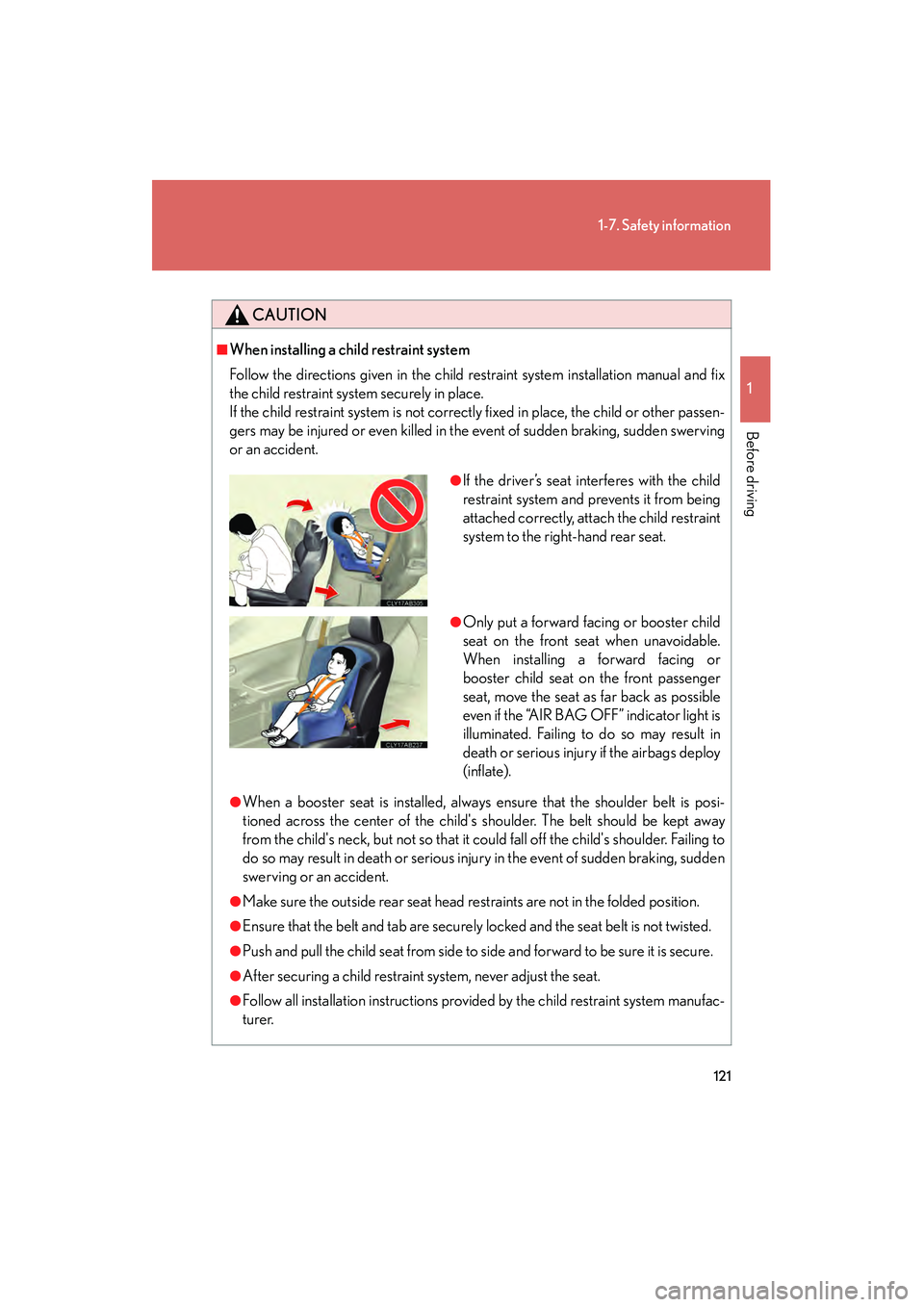
●If the driver’s seat interferes with the child
restraint system and prevents it from being
attached correctly, attach the child restraint
system to the right-hand rear seat.
●Only put a forward facing or booster child
seat on the front seat when unavoidable.
When installing a forward facing or
booster child seat on the front passenger
seat, move the seat as far back as possible
even if the “AIR BAG OFF” indicator light is
illuminated. Failing to do so may result in
death or serious injury if the airbags deploy
(inflate).
Page 123 of 578
122
1-7. Safety information
IS350/250_U
CAUTION
■Do not use a seat belt extender
If a seat belt extender is used when installing a child restraint system, the seat belt
will not securely hold the child restraint system, which could cause death or serious
injury to the child or other passengers in the event of sudden braking, sudden
swerving or an accident.
■To correctly attach a child restraint system to the anchors
When using the LATCH anchors, be sure that there are no foreign objects around
the anchors and that the seat belt is not caught behind the child restraint system.
Make sure the child restraint system is securely attached, or it may cause death or
serious injury to the child or other passengers in the event of a sudden stop, sudden
swerve or accident.
Page 129 of 578
128
2-1. Driving procedures
IS350/250_U
CAUTION
●Do not shift the shift lever to D (vehicles with an automatic transmission) or 1
(vehicles with a manual transmission) while the vehicle is moving backward.
Doing so can damage the transmission and may result in a loss of vehicle control.
●Moving the shift lever to N while the vehicle is moving will disengage the engine
from the transmission. Engine braking is not available when N is selected.
●During normal driving, do not turn off the engine. Turning the engine off while
driving will not cause loss of steering or braking control, but the power assist to
these systems will be lost. This will make it more difficult to steer and brake, so you
should pull over and stop the vehicle as soon as it is safe to do so.
However, in the event of an emergency, such as if it becomes impossible to stop
the vehicle in the normal way: →P. 5 0 6
●Use engine braking (downshift) to maintain a safe speed when driving down a
steep hill.
Using the brakes continuously may cause the brakes to overheat and lose effec-
tiveness. (→ P. 1 4 0 )
●When stopped on an inclined surface, use the brake pedal and parking brake to
prevent the vehicle from rolling backward or forward and causing an accident.
●Do not adjust the position of the steering wheel, the seat, or the inside or outside
rear view mirrors while driving.
Doing so may result in a loss of vehicle control that can cause accidents that may
result in death or serious injury.
●Always check that all passengers' arms, heads or other parts of their bodies are
not outside the vehicle, as this may result in death or serious injury.
●Do not drive the vehicle off-road.
This is not a AWD vehicle designed for real off-road driving. Proceed with all due
caution if it becomes unavoidable to drive off-road.
●Do not drive across river crossings or through other bodies of water.
This may cause electric/electronic components to short circuit, damage the
engine or cause other serious damage to the vehicle.
●Do not drive in excess of the speed limit. Even if the legal speed limit permits it, do
not drive over 85 mph (140 km/h) unless your vehicle has high-speed capability
tires. Driving over 85 mph (140 km/h) may result in tire failure, loss of control and
possible injury. Be sure to consult a tire dealer to determine whether the tires on
your vehicle are high-speed capability tires or not before driving at such speeds.
Page 135 of 578
134
2-1. Driving procedures
IS350/250_U
Engine (ignition) switch
Performing the following operations when carrying the electronic key on
your person starts the engine or changes “ENGINE START STOP” switch
modes.
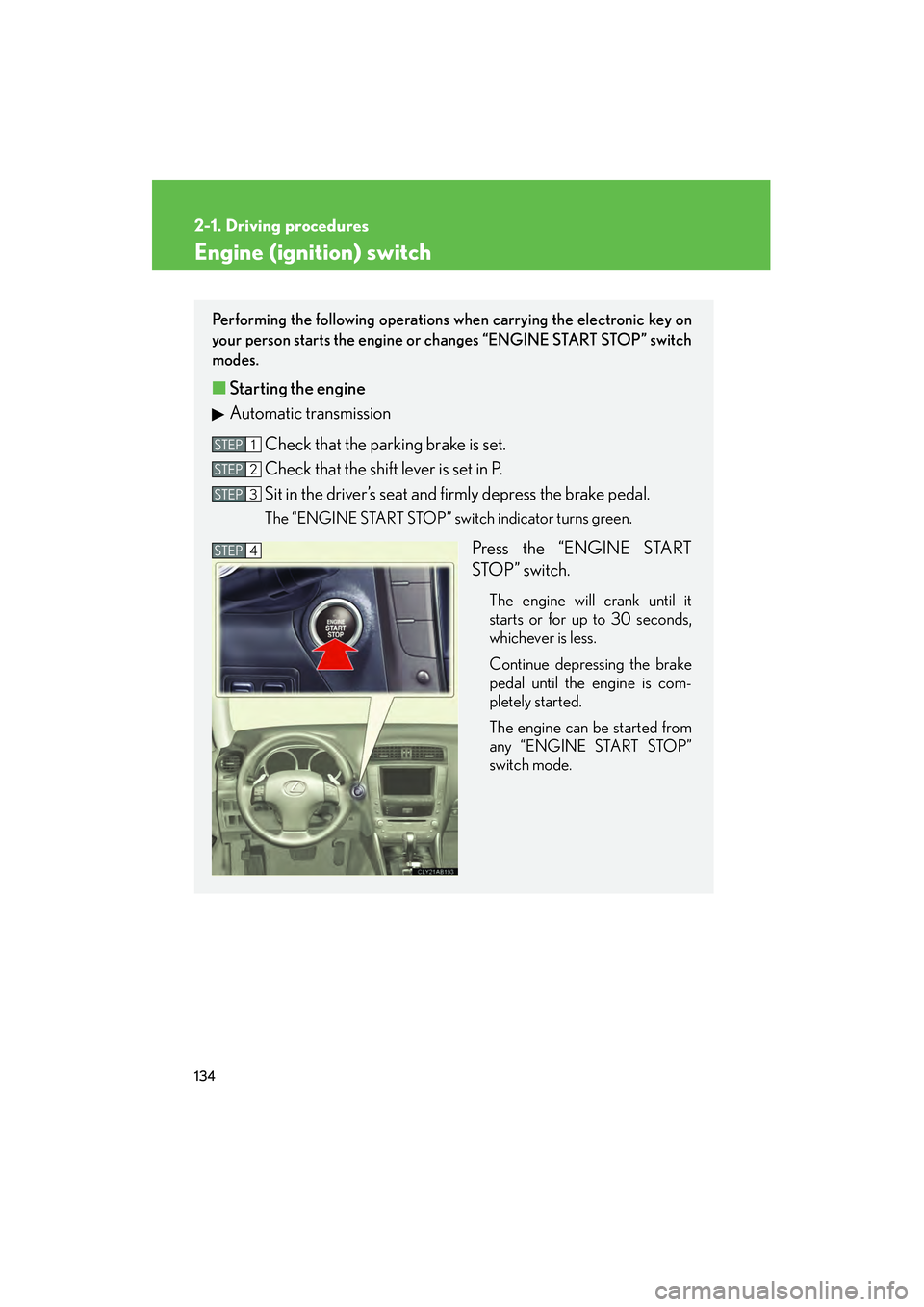
■ Starting the engine
Automatic transmission
Check that the parking brake is set.
Check that the shift lever is set in P.
Sit in the driver’s seat and firmly depress the brake pedal.
The “ENGINE START STOP” switch indicator turns green.
Press the “ENGINE START
STOP” switch.
The engine will crank until it
starts or for up to 30 seconds,
whichever is less.
Continue depressing the brake
pedal until the engine is com-
pletely started.
The engine can be started from
any “ENGINE START STOP”
switch mode.
STEP1
STEP2
STEP3
STEP4
Page 139 of 578
138
2-1. Driving procedures
IS350/250_U
CAUTION
■When starting the engine
Always start the engine while sitting in the driver’s seat. Do not press the accelera-
tor while starting the engine under any circumstances.
Doing so may cause an accident resulting in death or serious injury.
■Stopping the engine in an emergency
If you want to stop the engine in an emergency while driving the vehicle, push and
hold the “ENGINE START STOP” switch for more than 3 seconds.
However, do not touch the “ENGINE START STOP” switch while driving except in
an emergency. Turning the engine off while driving will not cause loss of steering or
braking control, but the power assist to these systems will be lost. This will make it
more difficult to steer and brake, so you should pull over and stop the vehicle as
soon as it is safe to do so.
NOTICE
■To prevent battery discharge
Do not leave the “ENGINE START STOP” switch in ACCESSORY or IGNITION
ON mode for long periods without the engine running.
■When starting the engine
●Do not race a cold engine.
●If the engine becomes difficult to start or stalls frequently, have the engine
checked immediately.
Page 194 of 578
193
2-5. Driving information
2
When driving
IS350/250_U
CAUTION
■Things that must not be carried in the trunk
The following things may cause a fire if loaded in the trunk.
●Receptacles containing gasoline
●Aerosol cans
■Storage precautions
Observe the following precautions.
Failing to do so may result in death or serious injury.
●Do not place cargo or luggage in or on the following locations as the item may
get under the clutch, brake or accelerator pedal and prevent the pedals from
being depressed properly, block the driver's vision, or hit the driver or passen-
gers, causing an accident.
• The feet of the driver
• The front passenger or rear seats (when stacking items)
• The package tray
• The instrument panel
•The dashboard
●Secure all items in the occupant compartment, as they may shift and injure some-
one during sudden braking, sudden swerving or an accident.
■Capacity and distribution
●Do not exceed the maximum axle weight rating or the total vehicle weight rating.
●Even if the total load of occupant's weight and the cargo load is less than the total
load capacity, do not apply the load unevenly. Improper loading may cause dete-
rioration of steering or braking control which may cause death or serious injury.
Page 195 of 578
194
2-5. Driving information
IS350/250_U
Vehicle load limits
■Total load capacity and seating capacity
These details are also described on the tire and loading information label.
( → P. 4 1 2 )
CAUTION
■Overloading the vehicle
Do not overload the vehicle.
It may not only cause damage to the tires, but also degrade steering and braking
ability, resulting in an accident.
Vehicle load limits include total load capacity, seating capacity, towing
capacity and cargo capacity.
■Total load capacity: 825 lb. (375 kg)
Total load capacity means the combined weight of occupants, cargo and
luggage.
■Seating capacity: 5 occupants (Front 2, Rear 3)
Seating capacity means the maximum number of occupants whose esti-
mated average weight is 150 lb. (68 kg) per person.
■Towing capacity
Lexus does not recommend towing a trailer with your vehicle.
■Cargo capacity
Cargo capacity may increase or decrease depending on the weight and
the number of occupants.
Page 206 of 578
Interior features3
205
IS350/250_U
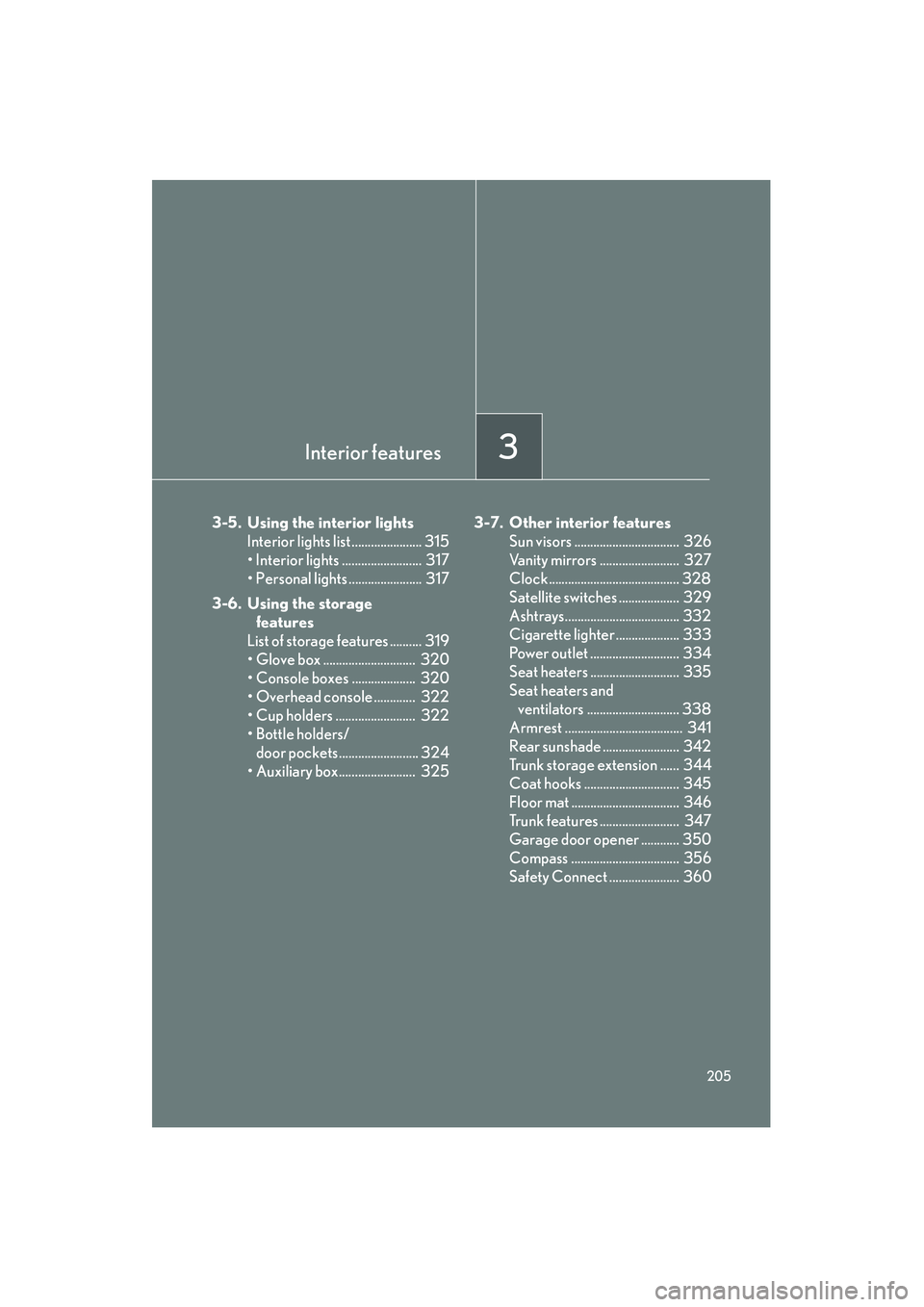
3-5. Using the interior lightsInterior lights list ...................... 315
• Interior lights ......................... 317
• Personal lights ....................... 317
3-6. Using the storage features
List of storage features .......... 319
• Glove box ............................. 320
• Console boxes .................... 320
• Overhead console ............. 322
• Cup holders ......................... 322
• Bottle holders/ door pockets......................... 324
• Auxiliary box........................ 325 3-7. Other interior features
Sun visors ................................. 326
Vanity mirrors ......................... 327
Clock ......................................... 328
Satellite switches ................... 329
Ashtrays.................................... 332
Cigarette lighter .................... 333
Power outlet ............................ 334
Seat heaters ............................ 335
Seat heaters and ventilators ............................. 338
Armrest ..................................... 341
Rear sunshade ........................ 342
Trunk storage extension ...... 344
Coat hooks .............................. 345
Floor mat .................................. 346
Trunk features ......................... 347
Garage door opener ............ 350
Compass .................................. 356
Safety Connect ...................... 360
Page 208 of 578
207
3-1. Using the air conditioning system and defogger
3
Interior features
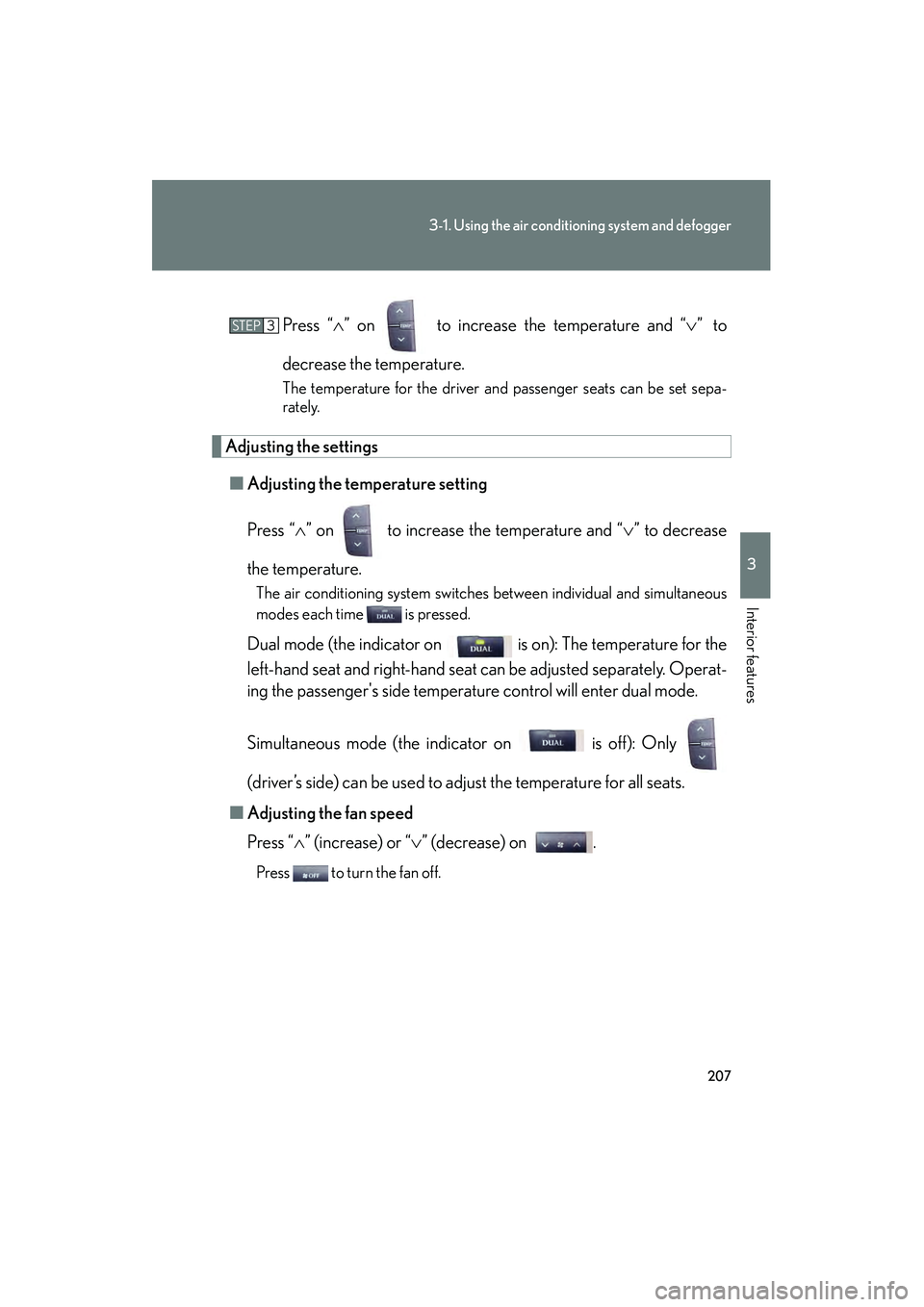
IS350/250_UPress “
∧” on to increase the temperature and “ ∨” to
decrease the temperature.
The temperature for the driver and passenger seats can be set sepa-
rately.
Adjusting the settings ■ Adjusting the temperature setting
Press “ ∧” on to increase the temperature and “ ∨” to decrease
the temperature.
The air conditioning system switches between individual and simultaneous
modes each time is pressed.
Dual mode (the indicator on is on): The temperature for the
left-hand seat and right-hand seat can be adjusted separately. Operat-
ing the passenger's side temperature control will enter dual mode.
Simultaneous mode (the indicator on is off): Only
(driver’s side) can be used to adjust the temperature for all seats.
■ Adjusting the fan speed
Press “ ∧” (increase) or “∨ ” (decrease) on .
Press to turn the fan off.
STEP3
Page 267 of 578
266
IS350/250_U
3-3. Using the Bluetooth® audio system
Bluetooth® audio system∗
■Conditions under which the system will not operate
●If using a portable player that does not support Bluetooth®
●If the portable player is switched off
●If the portable player is not connected
●If the portable player’s battery is low
●If the portable player is behind the seat or in the glove box or console box
●If metal is covering or touching the portable player
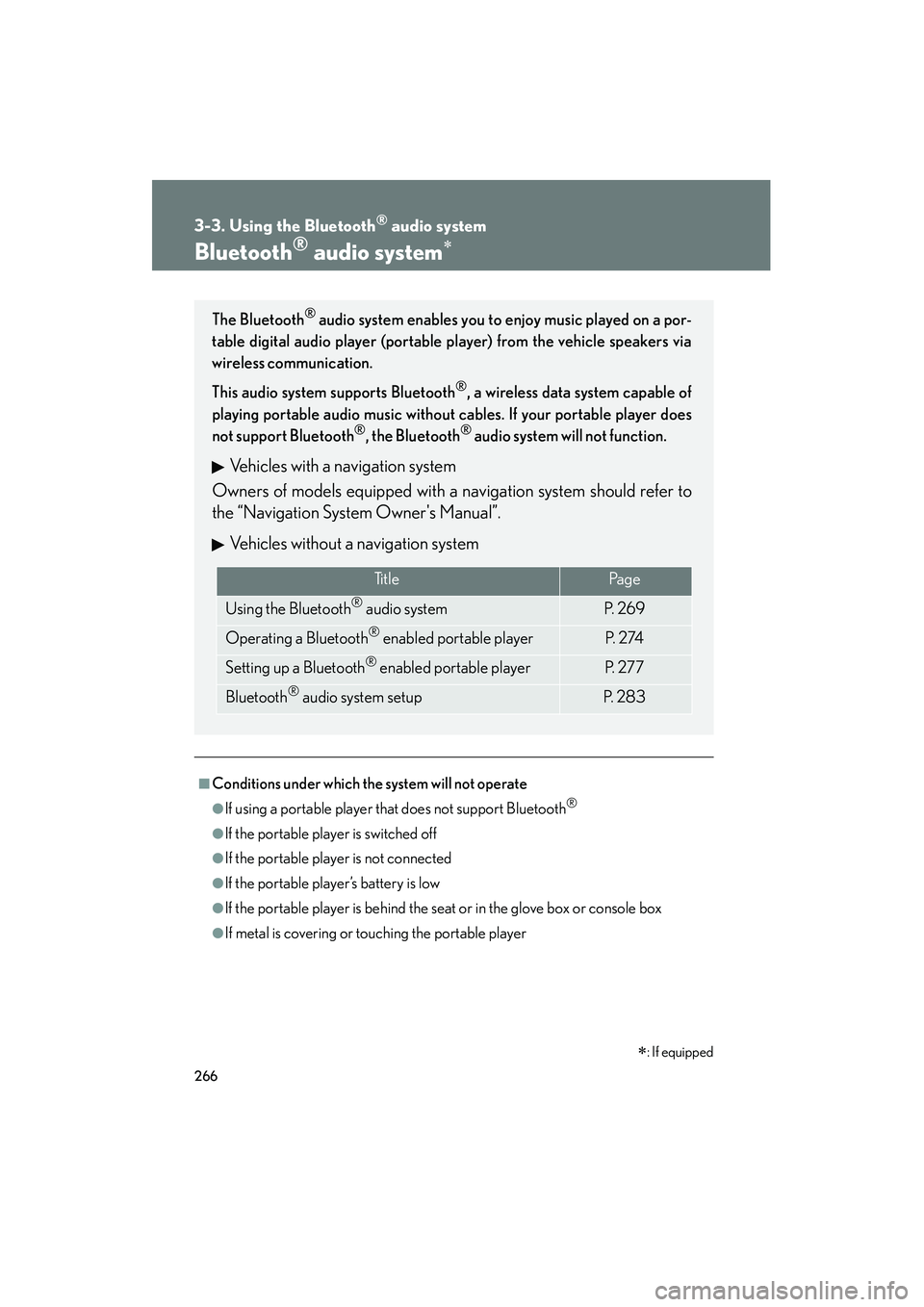
The Bluetooth® audio system enables you to enjoy music played on a por-
table digital audio player (portable player) from the vehicle speakers via
wireless communication.
This audio system supports Bluetooth
®, a wireless data system capable of
playing portable audio music without cables. If your portable player does
not support Bluetooth
®, the Bluetooth® audio system will not function.
Vehicles with a navigation system
Owners of models equipped with a navigation system should refer to
the “Navigation System Owner's Manual”.
Vehicles without a navigation system
Ti t l ePa g e
Using the Bluetooth® audio systemP. 2 6 9
Operating a Bluetooth® enabled portable playerP. 2 74
Setting up a Bluetooth® enabled portable playerP. 2 7 7
Bluetooth® audio system setupP. 2 8 3
∗: If equipped