wiper Lexus IS250 2011 Owner's Manual
[x] Cancel search | Manufacturer: LEXUS, Model Year: 2011, Model line: IS250, Model: Lexus IS250 2011Pages: 578, PDF Size: 31.12 MB
Page 4 of 578
1
2
3
4
5
6
7
IS350/250_U
3
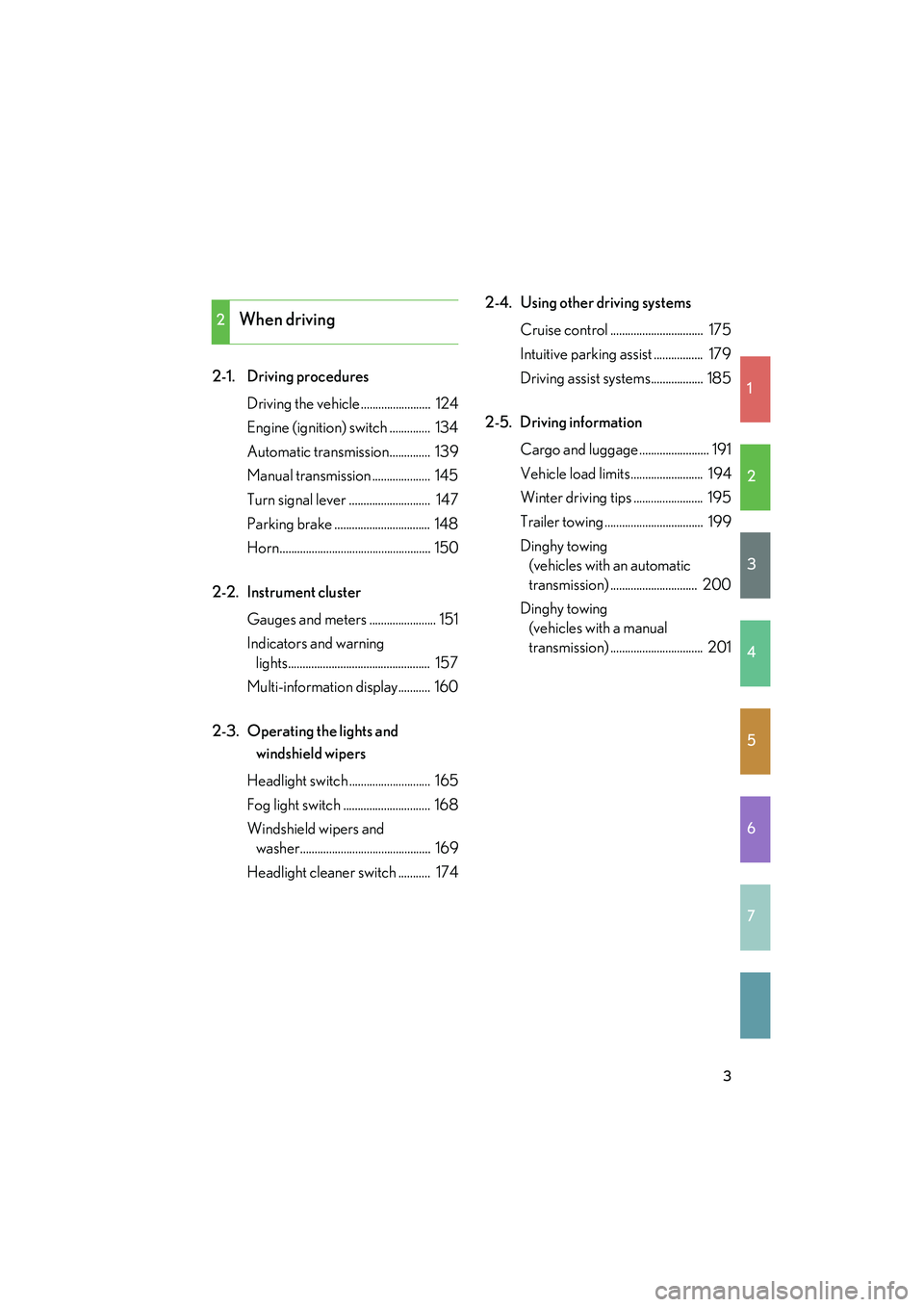
2-1. Driving proceduresDriving the vehicle ........................ 124
Engine (ignition) switch .............. 134
Automatic transmission.............. 139
Manual transmission .................... 145
Turn signal lever ............................ 147
Parking brake ................................. 148
Horn.................................................... 150
2-2. Instrument cluster Gauges and meters ....................... 151
Indicators and warning lights................................................. 157
Multi-information display........... 160
2-3. Operating the lights and windshield wipers
Headlight switch ............................ 165
Fog light switch .............................. 168
Windshield wipers and washer............................................. 169
Headlight cleaner switch ........... 174 2-4. Using other driving systems
Cruise control ................................ 175
Intuitive parking assist ................. 179
Driving assist systems.................. 185
2-5. Driving information Cargo and luggage ........................ 191
Vehicle load limits......................... 194
Winter driving tips ........................ 195
Trailer towing .................................. 199
Dinghy towing (vehicles with an automatic
transmission) .............................. 200
Dinghy towing (vehicles with a manual
transmission) ................................ 201
2When driving
Page 5 of 578
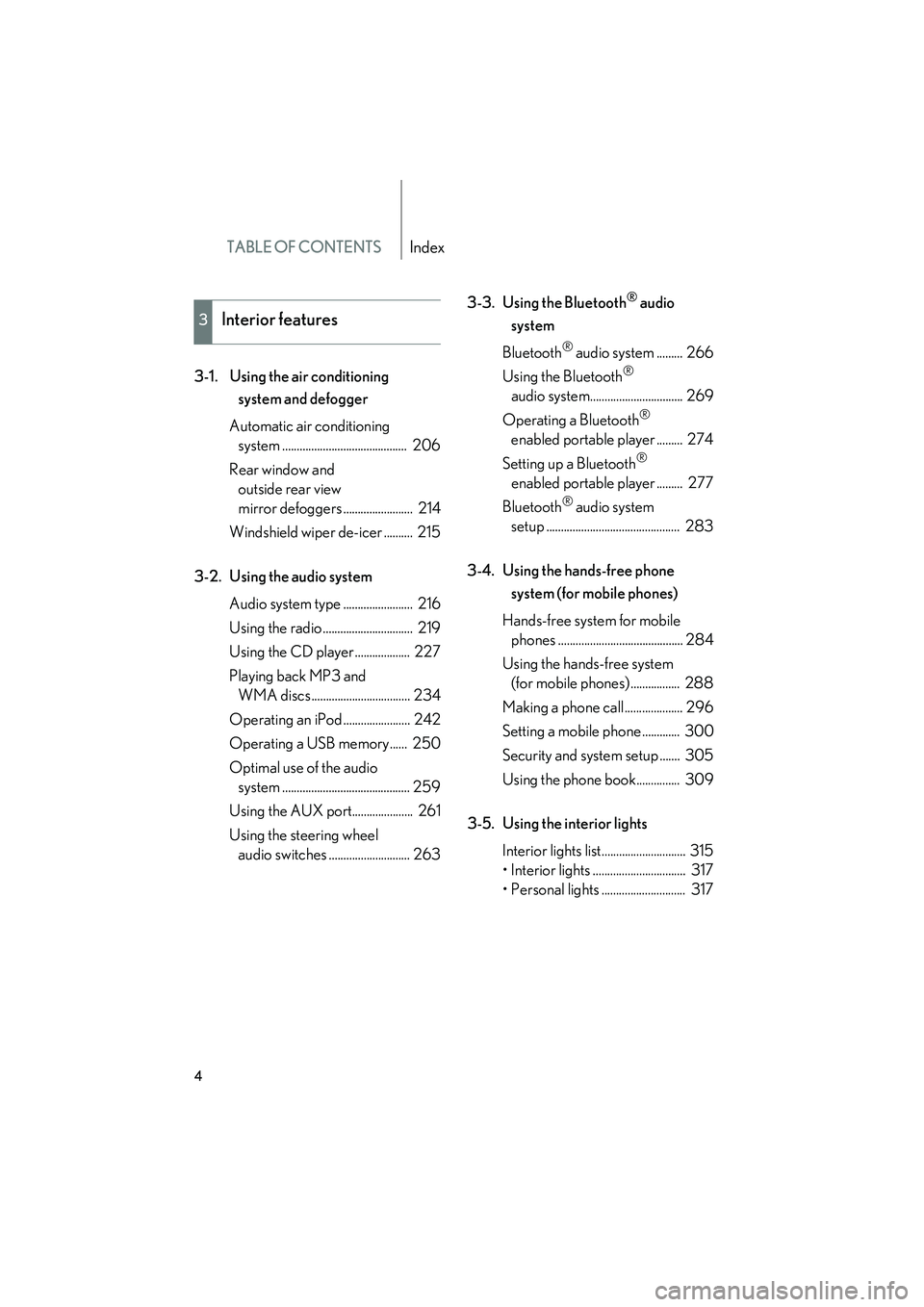
TABLE OF CONTENTSIndex
IS350/250_U
4
3-1. Using the air conditioning system and defogger
Automatic air conditioning system ........................................... 206
Rear window and outside rear view
mirror defoggers ........................ 214
Windshield wiper de-icer .......... 215
3-2. Using the audio system Audio system type ........................ 216
Using the radio ............................... 219
Using the CD player ................... 227
Playing back MP3 and WMA discs.................................. 234
Operating an iPod ....................... 242
Operating a USB memory...... 250
Optimal use of the audio system ............................................ 259
Using the AUX port..................... 261
Using the steering wheel audio switches ............................ 263 3-3. Using the Bluetooth
® audio
system
Bluetooth
® audio system ......... 266
Using the Bluetooth
®
audio system................................ 269
Operating a Bluetooth
®
enabled portable player ......... 274
Setting up a Bluetooth
®
enabled portable player ......... 277
Bluetooth
® audio system
setup .............................................. 283
3-4. Using the hands-free phone system (for mobile phones)
Hands-free system for mobile phones ........................................... 284
Using the hands-free system (for mobile phones) ................. 288
Making a phone call .................... 296
Setting a mobile phone ............. 300
Security and system setup ....... 305
Using the phone book............... 309
3-5. Using the interior lights Interior lights list............................. 315
• Interior lights ................................ 317
• Personal lights ............................. 317
3Interior features
Page 9 of 578
IS350/250_U
8
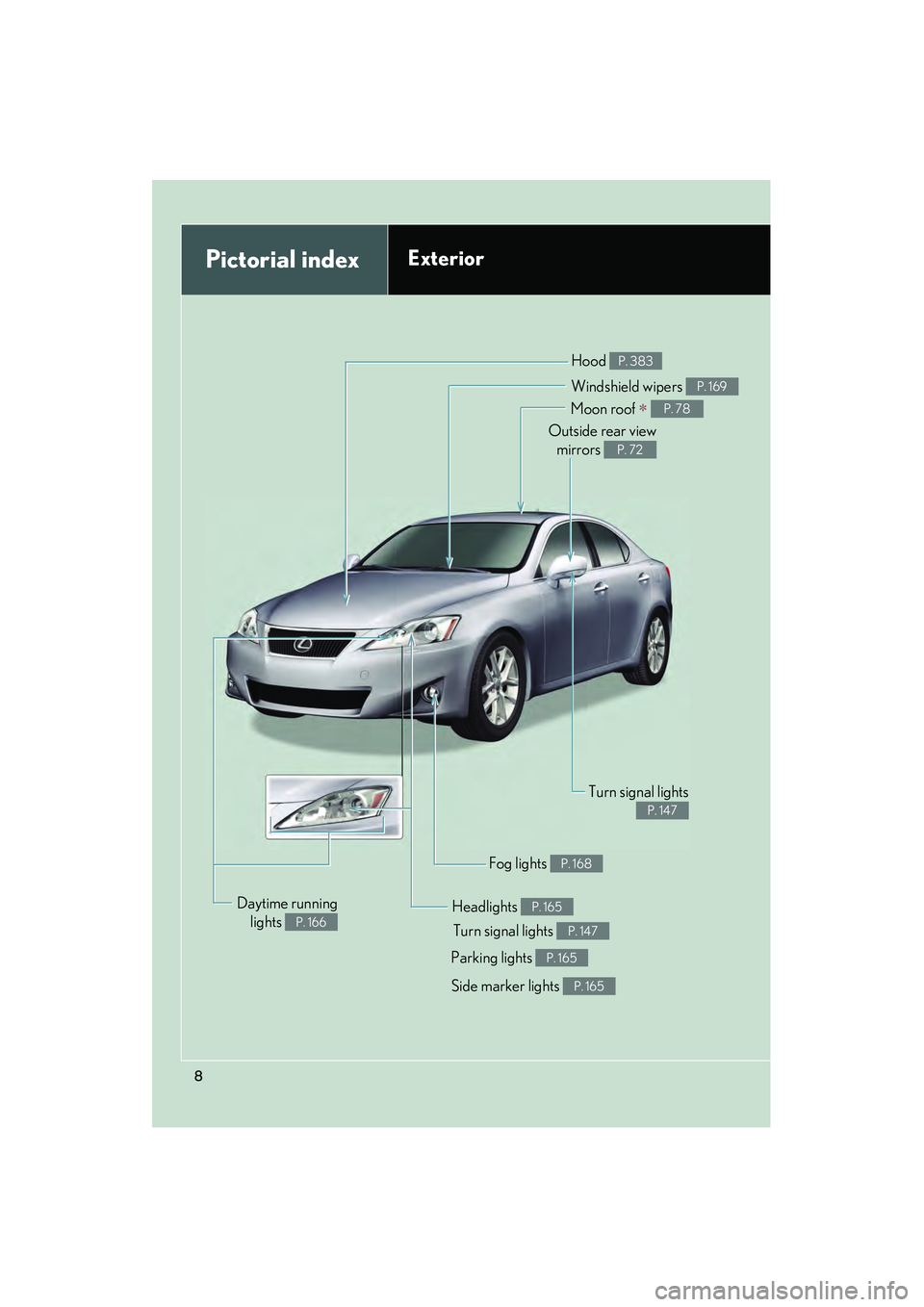
Pictorial indexExterior
Turn signal lights P. 147
Fog lights P. 168
Side marker lights P. 165
Headlights P. 165
Hood P. 383
Parking lights P. 165
Windshield wipers P. 169
Moon roof ∗ P. 78
Outside rear viewmirrors
P. 72
Turn signal lights
P. 147
Daytime running lights
P. 166
Page 15 of 578
IS350/250_U
14
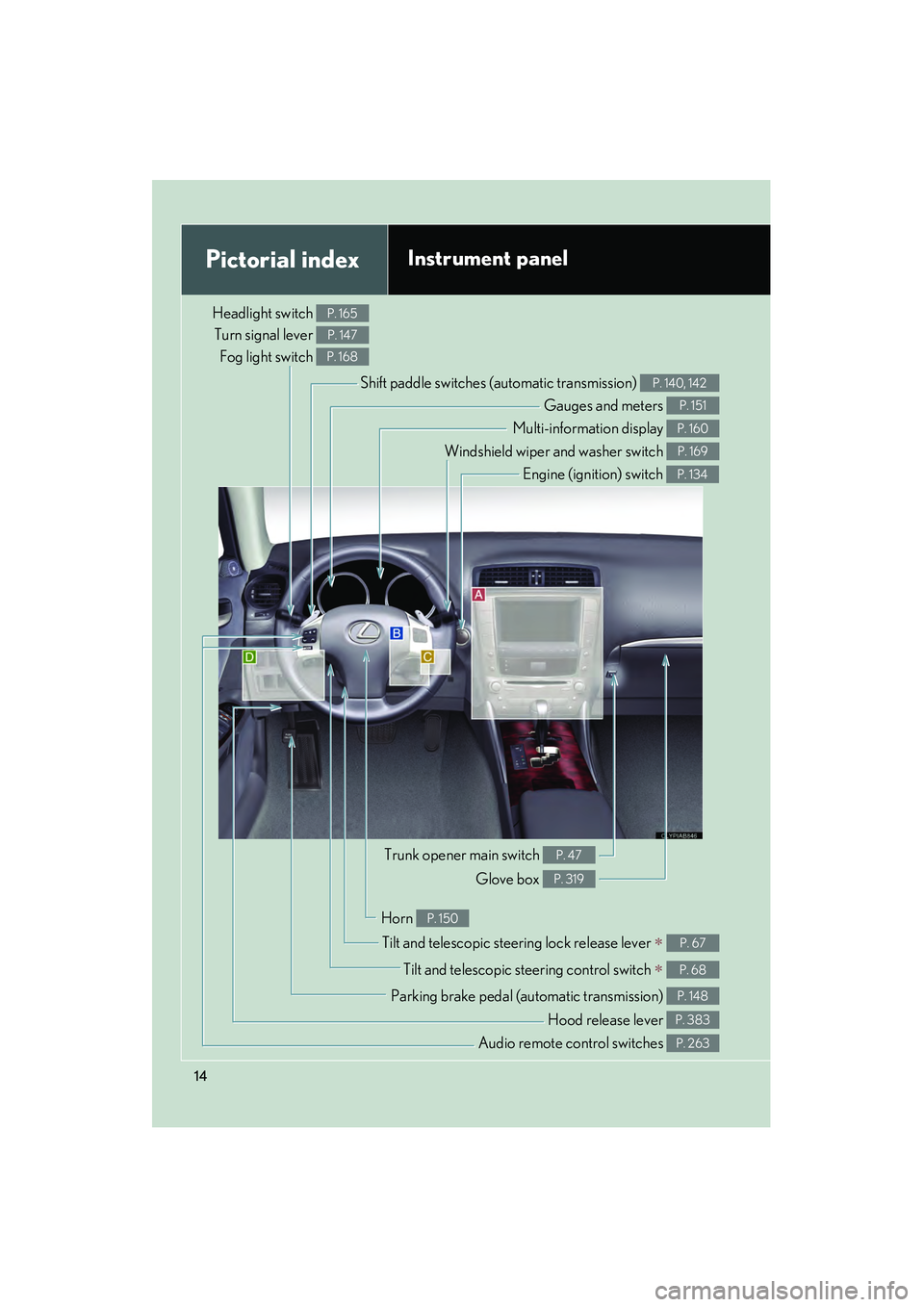
Pictorial indexInstrument panel
Headlight switch Turn signal lever
Fog light switch P. 165
P. 147
P. 168
Shift paddle switches (automatic transmission) P. 140, 142
Gauges and meters P. 151
Multi-information display P. 160
Windshield wiper and washer switch P. 169
Engine (ignition) switch P. 134
Trunk opener main switch P. 47
Glove box P. 319
Tilt and telescopic steering lock release lever ∗ P. 67
Tilt and telescopic steering control switch ∗ P. 68
Parking brake pedal (automatic transmission) P. 148
Audio remote control switches P. 263
Horn P. 150
Hood release lever P. 383
Page 19 of 578
IS350/250_U
18
Pictorial indexInstrument panel
D
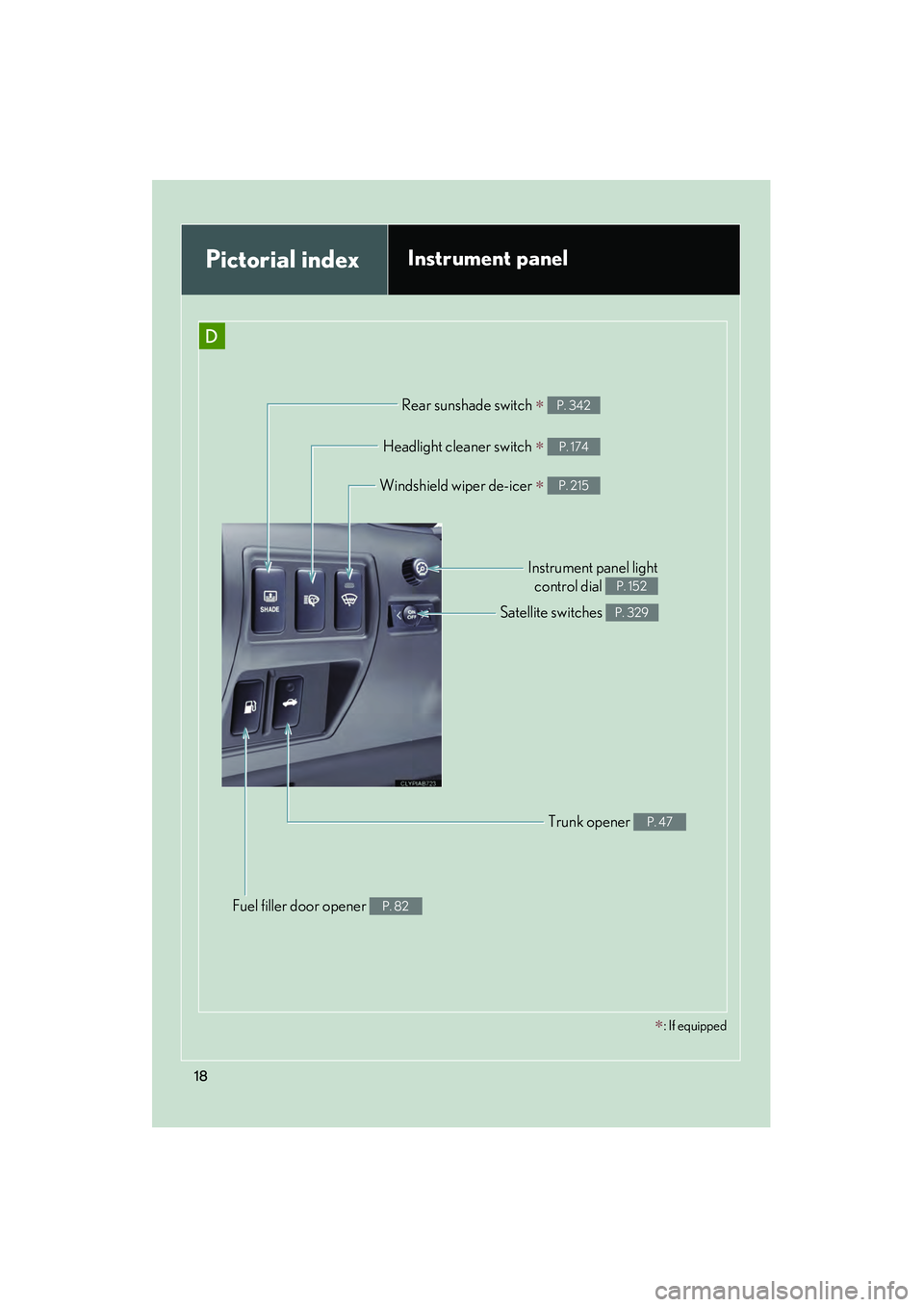
Rear sunshade switch ∗ P. 342
Trunk opener P. 47
Fuel filler door opener P. 82
Headlight cleaner switch ∗ P. 174
Satellite switches P. 329
Instrument panel lightcontrol dial
P. 152
∗: If equipped
Windshield wiper de-icer ∗ P. 215
Page 124 of 578
When driving2
123
IS350/250_U
2-1. Driving proceduresDriving the vehicle.................. 124
Engine (ignition) switch ......... 134
Automatic transmission ........ 139
Manual transmission .............. 145
Turn signal lever ....................... 147
Parking brake ........................... 148
Horn ............................................ 150
2-2. Instrument cluster Gauges and meters ................. 151
Indicators and warning lights ......................................... 157
Multi-information display ..... 160
2-3. Operating the lights and windshield wipers
Headlight switch...................... 165
Fog light switch ........................ 168
Windshield wipers and washer ..................................... 169
Headlight cleaner switch....... 174 2-4. Using other driving
systems
Cruise control........................... 175
Intuitive parking assist ............ 179
Driving assist systems ............ 185
2-5. Driving information Cargo and luggage ................. 191
Vehicle load limits ................... 194
Winter driving tips .................. 195
Trailer towing ........................... 199
Dinghy towing (vehicles with an
automatic transmission).... 200
Dinghy towing (vehicles with a
manual transmission) .......... 201
Page 166 of 578
165
2
When driving
IS350/250_U
2-3. Operating the lights and windshield wipers
Headlight switch
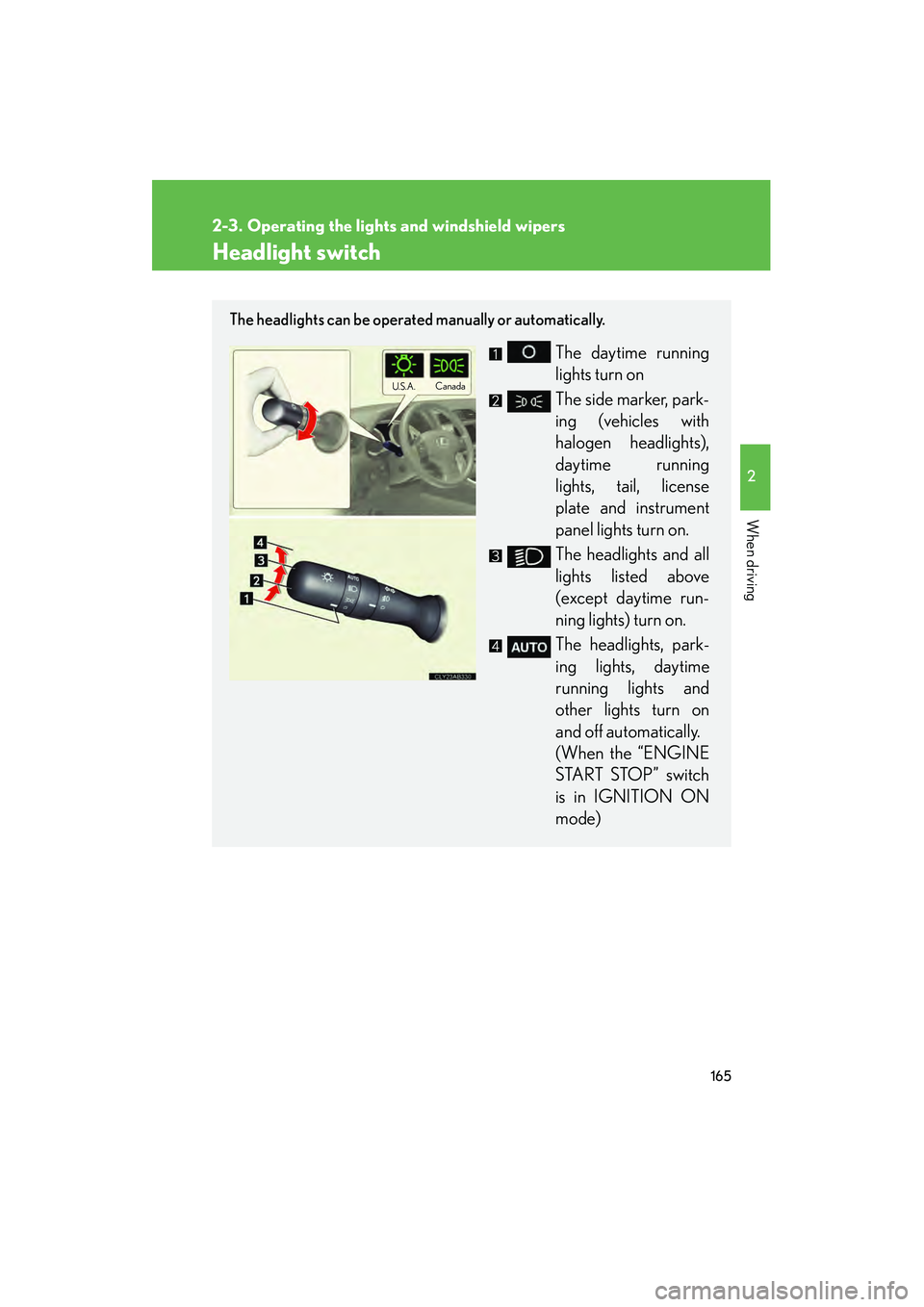
The headlights can be operated manually or automatically.
The daytime running
lights turn on
The side marker, park-
ing (vehicles with
halogen headlights),
daytime running
lights, tail, license
plate and instrument
panel lights turn on.
The headlights and all
lights listed above
(except daytime run-
ning lights) turn on.
The headlights, park-
ing lights, daytime
running lights and
other lights turn on
and off automatically.
(When the “ENGINE
START STOP” switch
is in IGNITION ON
mode)
U.S.A.Canada
Page 167 of 578
166
2-3. Operating the lights and windshield wipers
IS350/250_U
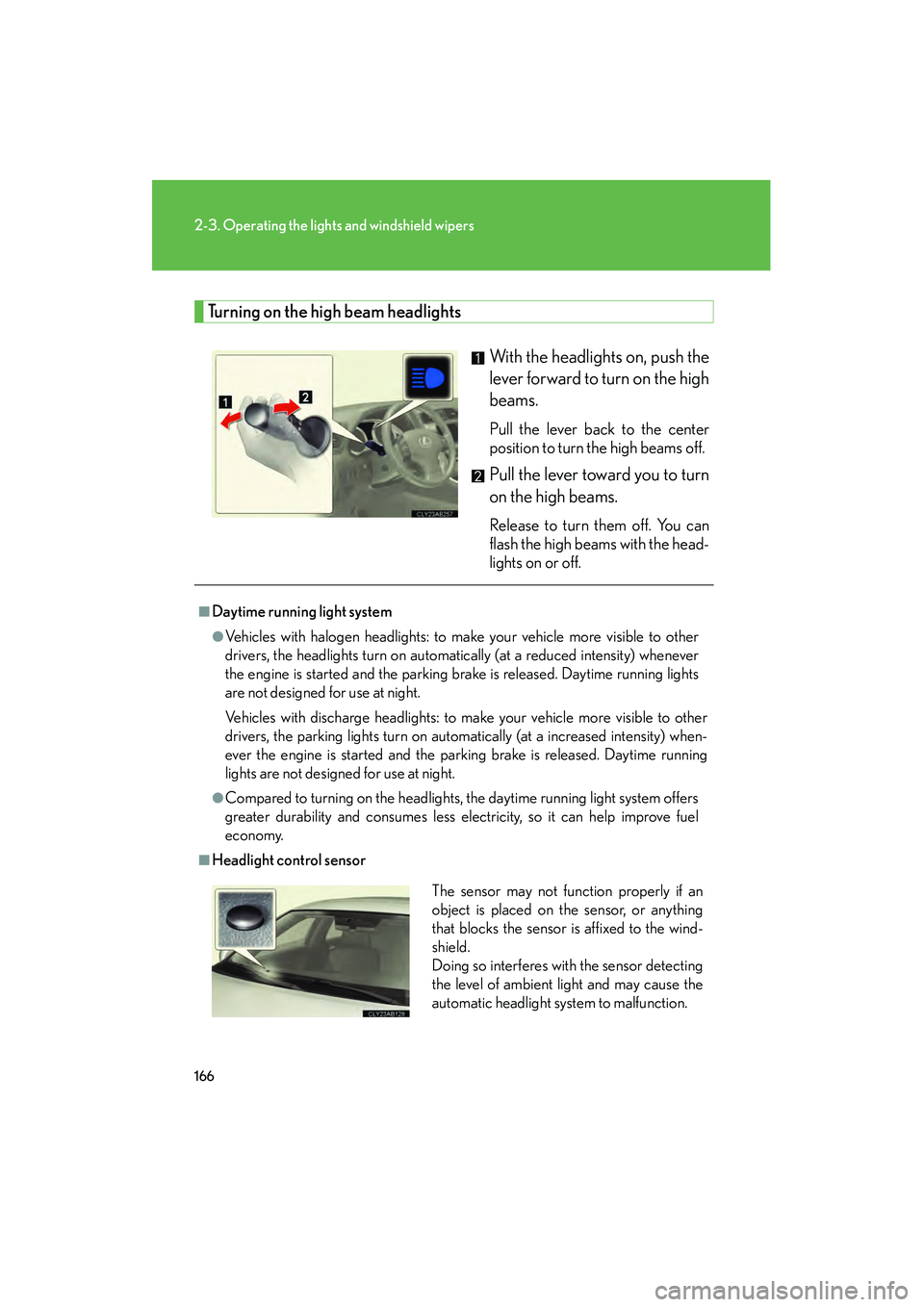
Turning on the high beam headlightsWith the headlights on, push the
lever forward to turn on the high
beams.
Pull the lever back to the center
position to turn the high beams off.
Pull the lever toward you to turn
on the high beams.
Release to turn them off. You can
flash the high beams with the head-
lights on or off.
■Daytime running light system
●Vehicles with halogen headlights: to make your vehicle more visible to other
drivers, the headlights turn on automatically (at a reduced intensity) whenever
the engine is started and the parking brake is released. Daytime running lights
are not designed for use at night.
Vehicles with discharge headlights: to make your vehicle more visible to other
drivers, the parking lights turn on automatically (at a increased intensity) when-
ever the engine is started and the parking brake is released. Daytime running
lights are not designed for use at night.
●Compared to turning on the headlights, the daytime running light system offers
greater durability and consumes less electricity, so it can help improve fuel
economy.
■Headlight control sensorThe sensor may not function properly if an
object is placed on the sensor, or anything
that blocks the sensor is affixed to the wind-
shield.
Doing so interferes with the sensor detecting
the level of ambient light and may cause the
automatic headlight system to malfunction.
Page 168 of 578
167
2-3. Operating the lights and windshield wipers
2
When driving
IS350/250_U
■Automatic light off system
●When the headlights come on: The headlights and tail lights turn off 30 seconds
after a door is opened and closed if the “ENGINE START STOP” switch has
been switched to ACCESSORY mode or turned OFF. (The lights turn off
immediately if on the key is pressed after all doors are locked.)
●When only the tail lights come on: The tail lights turn off automatically if the
“ENGINE START STOP” switch is switched to ACCESSORY mode or turned
OFF and driver’s door is opened.
To turn the lights on again, switch to IGNITION ON mode, or turn the light switch
off once and then back to or
.
■Automatic headlight leveling system (vehicles with discharge headlights)
The level of the headlights is automatically adjusted according to the number of
passengers and the loading condition of the vehicle to ensure that the headlights do
not interfere with other road users.
■Customization that can be configured at Lexus dealer
Settings (e.g. light sensor sensitivity) can be changed.
(Customizable features →P. 5 4 0 )
NOTICE
■To prevent battery discharge
Do not leave the lights on longer than necessary when the engine is not running.
Page 169 of 578
168
2-3. Operating the lights and windshield wipers
IS350/250_U
Fog light switch
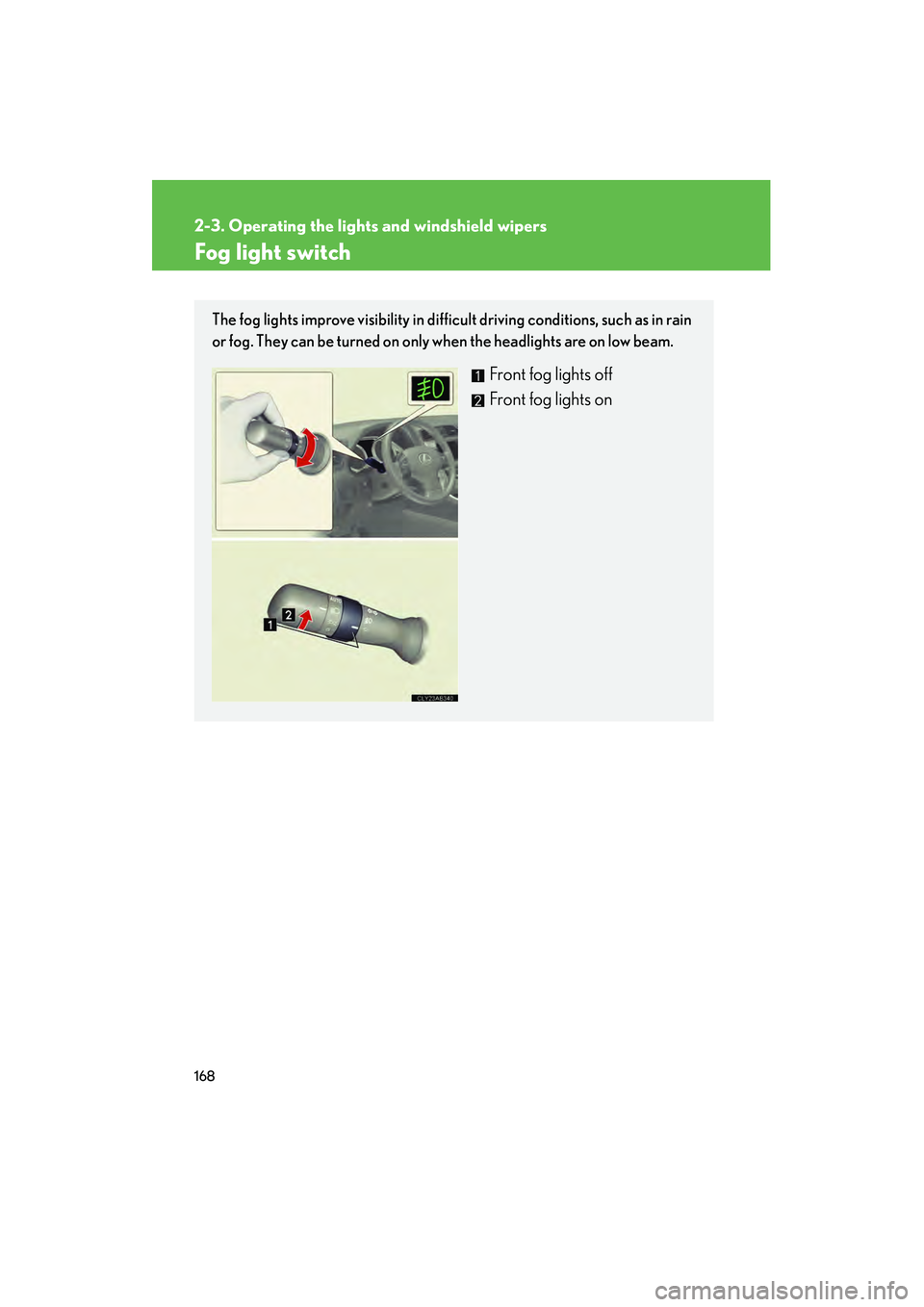
The fog lights improve visibility in difficult driving conditions, such as in rain
or fog. They can be turned on only when the headlights are on low beam.
Front fog lights off
Front fog lights on