CD changer Lexus IS250 2012 Navigation Manual
[x] Cancel search | Manufacturer: LEXUS, Model Year: 2012, Model line: IS250, Model: Lexus IS250 2012Pages: 393, PDF Size: 38.23 MB
Page 188 of 393
AUDIO/VIDEO SYSTEM
187
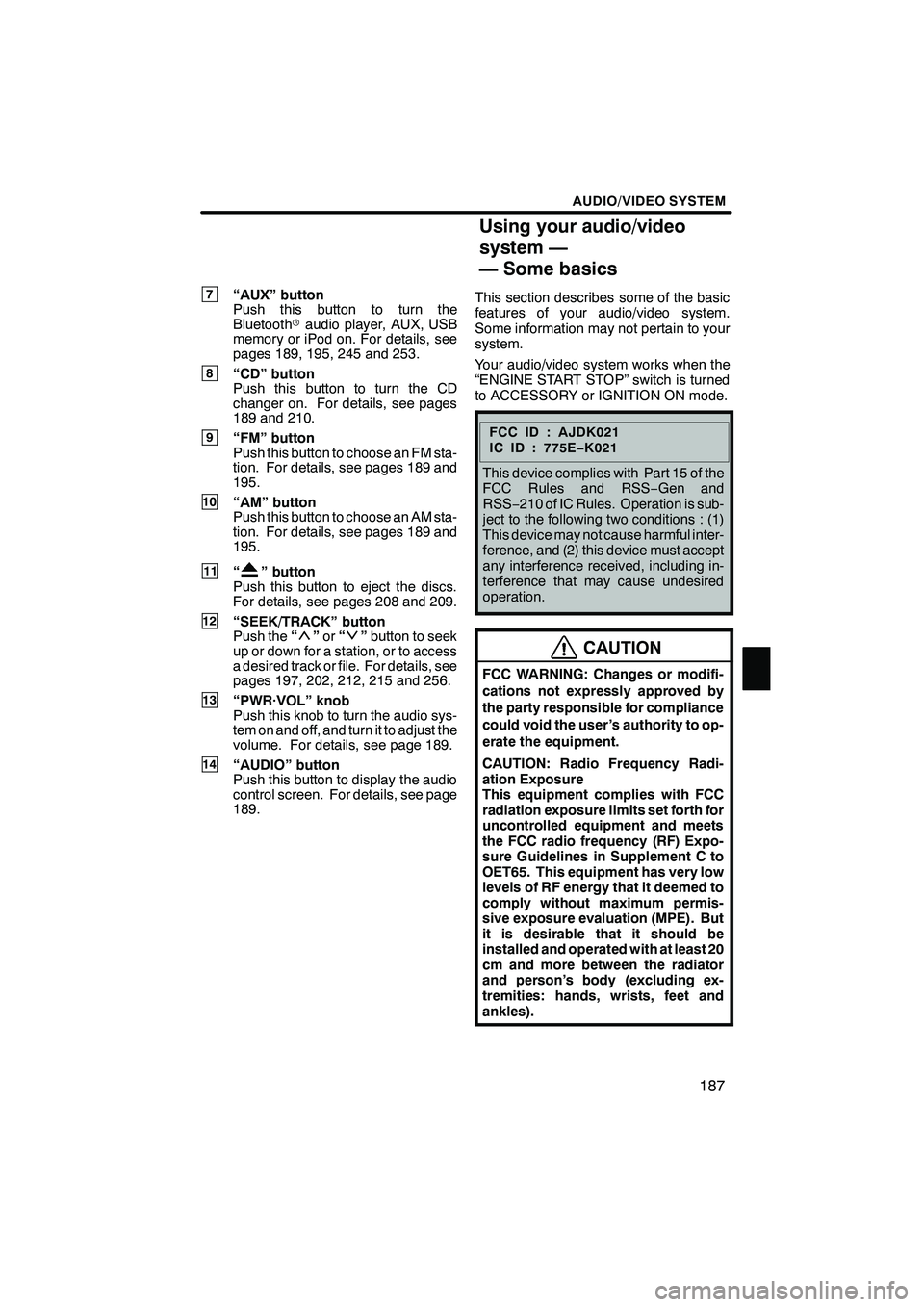
7“AUX” button
Push this button to turn the
Bluetoothraudio player, AUX, USB
memory or iPod on. For details, see
pages 189, 195, 245 and 253.
8“CD” button
Push this button to turn the CD
changer on. For details, see pages
189 and 210.
9“FM” button
Push this button to choose an FM sta-
tion. For details, see pages 189 and
195.
10“AM” button
Push this button to choose an AM sta-
tion. For details, see pages 189 and
195.
11“” button
Push this button to eject the discs.
For details, see pages 208 and 209.
12“SEEK/TRACK” button
Push the “”or “”button to seek
up or down for a station, or to access
a desired track or file. For details, see
pages 197, 202, 212, 215 and 256.
13“PWR·VOL” knob
Push this knob to turn the audio sys-
tem on and off, and turn it to adjust the
volume. For details, see page 189.
14“AUDIO” button
Push this button to display the audio
control screen. For details, see page
189. This section describes some of the basic
features of your audio/video system.
Some information may not pertain to your
system.
Your audio/video system works when the
“ENGINE START STOP” switch is turned
to ACCESSORY or IGNITION ON mode.
FCCID:AJDK021
IC ID : 775E
−K021
This device complies with Part 15 of the
FCC Rules and RSS −Gen and
RSS− 210 of IC Rules. Operation is sub-
ject to the following two conditions : (1)
This device may not cause harmful inter-
ference, and (2) this device must accept
any interference received, including in-
terference that may cause undesired
operation.
CAUTION
FCC WARNING: Changes or modifi-
cations not expressly approved by
the party responsible for compliance
could void the user’s authority to op-
erate the equipment.
CAUTION: Radio Frequency Radi-
ation Exposure
This equipment complies with FCC
radiation exposure limits set forth for
uncontrolled equipment and meets
the FCC radio frequency (RF) Expo-
sure Guidelines in Supplement C to
OET65. This equipment has very low
levels of RF energy that it deemed to
comply without maximum permis-
sive exposure evaluation (MPE). But
it is desirable that it should be
installed and operated with at least 20
cm and more between the radiator
and person’s body (excluding ex-
tremities: hands, wrists, feet and
ankles).
ISF/IS NAVI (U)
Finish
7
Using your audio/video
system —
— Some basics
7
Page 190 of 393

AUDIO/VIDEO SYSTEM
189
(b) Turning the system on and off
“AUDIO”:Push this button to display
touch− screen buttons for audio system
(audio control mode).
“PWR·VOL”: Push this knob to turn the
audio system on and off. Turn this knob to
adjust the volume. The system turns on in
the last mode used.
You can select the function that enables
automatic return to the previous screen
from the audio screen. See page 298 for
details. (c) Switching between functions
"
DVD changer (Type A) image
Push the “AM·FM”, “AM”, “FM”, “SAT”,
“DISC”, “CD”, “AUX·USB” or “AUX”
button to turn on the desired mode.
ISF/IS NAVI (U)
Finish
7
Page 191 of 393

AUDIO/VIDEO SYSTEM
190
1. Push the “AUDIO” button.
2. Touch “AM”, “FM”, “SAT”, “CD”,
“CD/DVD”, “BT”, “AUX” or “USB” tab
to turn on the desired mode.
Push these buttons or tabs if you want to
switch from one mode to another.
If the disc is not set, the CD changer/DVD
changer does not turn on.
You can turn off the CD changer/DVD
changer by ejecting a disc.
ISF/IS NAVI (U)
Finish
Page 192 of 393

AUDIO/VIDEO SYSTEM
191
The screen buttons for radio, CD
changer, DVD changer, Bluetoothrau-
dio player, AUX, USB memory and iPod
operation are displayed on the screen
when the audio control mode is se-
lected.
Touch the tab to select the desired mode
when the audio control mode is selected.
INFORMATION
You cannot operate dimmed screen
buttons.
ISF/IS NAVI (U)
Finish
7
Page 194 of 393

AUDIO/VIDEO SYSTEM
193
1. Touch “Sound” tab to display this
screen.
2. Touch the desired button.
“Treble” “
+”or“–”:Adjust high −pitched
tones.
“Mid” “
+”or“–”: Adjust mid −pitched
tones.
“Bass” “
+”or“–”: Adjusts low− pitched
tones.
“Front” or “Rear”: Adjusts sound bal-
ance between the front and rear speakers.
“L” or “R”: Adjusts sound balance be-
tween the left and right speakers.
3. Touch “OK”.
The tone of each mode (for such as AM,
FM, CD changer and DVD changer) can
be adjusted. (f) Selecting screen size (DVD chan-
ger only)
Before selecting screen size, it is neces-
sary to insert a DVD disc and select DVD
mode.
1. Push the “AUDIO” button.
2. Touch “CD/DVD” tab.3. Touch “Settings”.
4. Touch “Wide”.
ISF/IS NAVI (U)
Finish
7
Page 195 of 393

AUDIO/VIDEO SYSTEM
194
5. Touch the desired button.
“Normal”:Displays a 3 : 4 screen, with
either side in black.
“Wide 1”: Widens the 3 : 4 screen hori-
zontally to fill the screen.
“Wide 2”: Widens the 3 : 4 screen ver-
tically and horizontally, in
the same ratio, to fill the screen.
When you touch
, the previous
screen returns.
6. Touch “OK”. (g) Your CD or DVD changer
When you insert a disc, push the
“LOAD”
button and gently push the disc in with the
label side up. This CD or DVD changer
can store up to six discs.
The changer is intended for use with 4.7 in.
(12 cm) discs only.
NOTICE
DDo not stack up two discs for inser-
tion, or it will cause damage to the
changer. Insert only one disc into
the slot at a time.
DNever try to disassemble or oil any
part of the changer. Do not insert
anything other than a disc into the
slot.
ISF/IS NAVI (U)
Finish
Page 207 of 393
AUDIO/VIDEO SYSTEM
206
(a) Inserting discs
The “ENGINE START STOP” switch must
be in ACCESSORY or IGNITION ON
mode.
Your CD changer can store up to 6 discs.
You can set a disc at the lowest empty disc
number.DSetting a single disc:
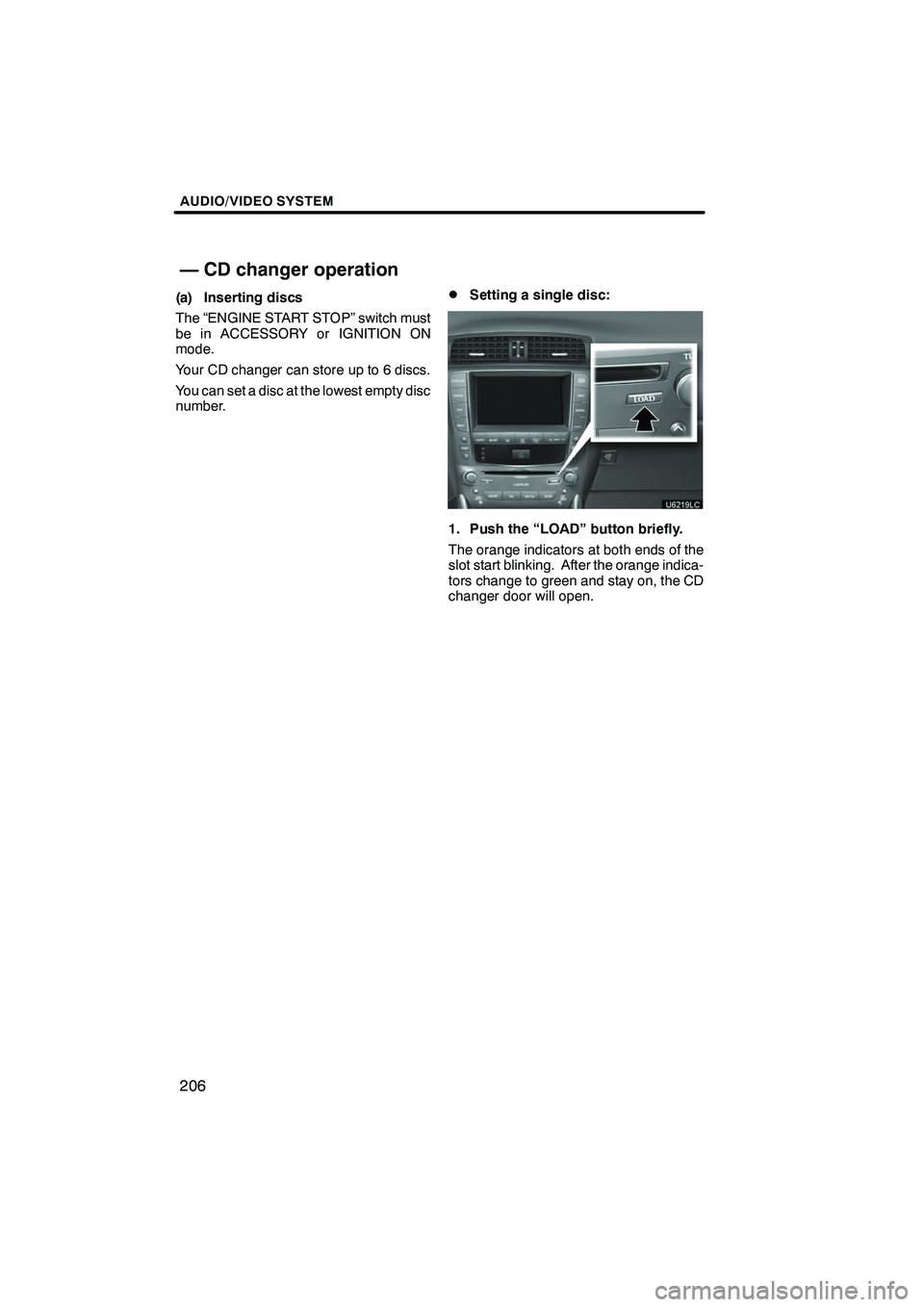
1. Push the “LOAD” button briefly.
The orange indicators at both ends of the
slot start blinking. After the orange indica-
tors change to green and stay on, the CD
changer door will open.
ISF/IS NAVI (U)
Finish
— CD changer operation
Page 208 of 393
AUDIO/VIDEO SYSTEM
207
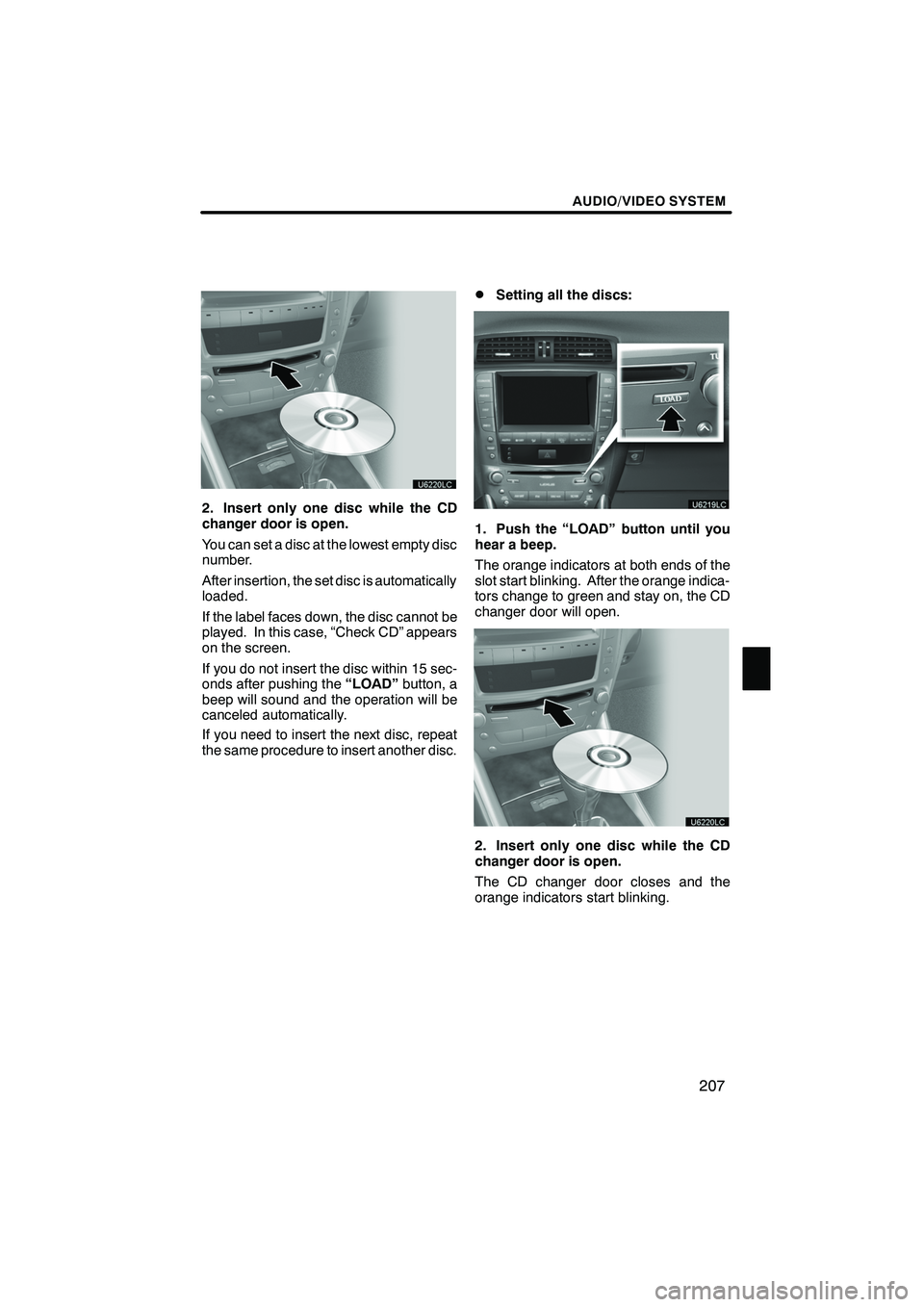
2. Insert only one disc while the CD
changer door is open.
You can set a disc at the lowest empty disc
number.
After insertion, the set disc is automatically
loaded.
If the label faces down, the disc cannot be
played. In this case, “Check CD” appears
on the screen.
If you do not insert the disc within 15 sec-
onds after pushing the“LOAD”button, a
beep will sound and the operation will be
canceled automatically.
If you need to insert the next disc, repeat
the same procedure to insert another disc.
DSetting all the discs:
1. Push the “LOAD” button until you
hear a beep.
The orange indicators at both ends of the
slot start blinking. After the orange indica-
tors change to green and stay on, the CD
changer door will open.
2. Insert only one disc while the CD
changer door is open.
The CD changer door closes and the
orange indicators start blinking.
ISF/IS NAVI (U)
Finish
7
Page 209 of 393
AUDIO/VIDEO SYSTEM
208
3. Insert the next disc after the orange
indicators change to green and stay on
and the CD changer door opens.
4. Repeat this procedure until you in-
sert all the discs.
To cancel the operation, push the“LOAD”
button briefly.
If you do not insert the discs within 15 sec-
onds after pushing the “LOAD”button, the
beep will sound and the operation will be
canceled automatically.
NOTICE
Do not insert one disc stacked on top
of another one or feed them in contin-
uously, to prevent discs from getting
stuck in the changer.
INFORMATION
Under extremely cold conditions, the
display may react slowly.
(b) Ejecting discs
DA single disc alone:
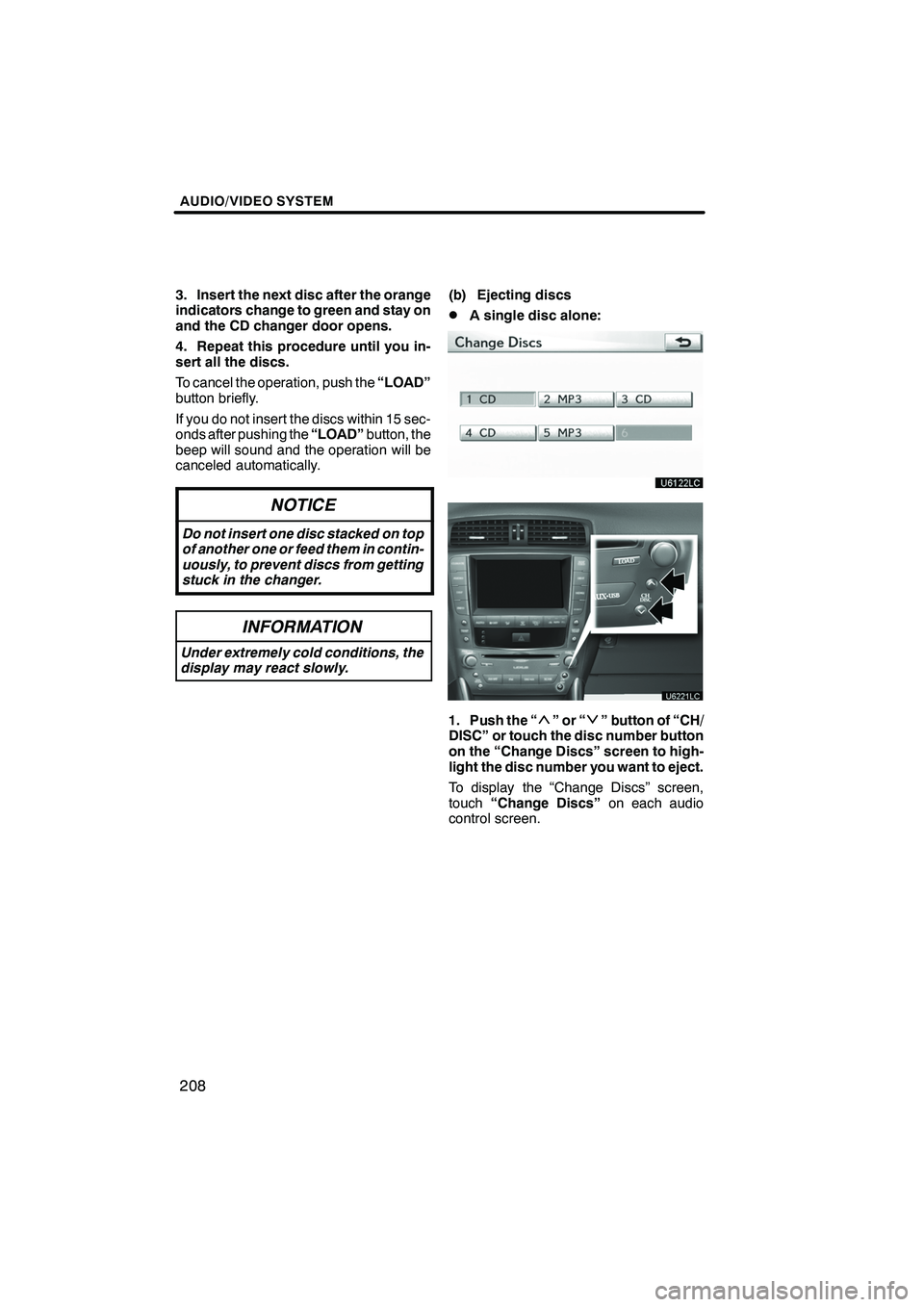
1. Push the “”or“” button of “CH/
DISC” or touch the disc number button
on the “Change Discs” screen to high-
light the disc number you want to eject.
To display the “Change Discs” screen,
touch “Change Discs” on each audio
control screen.
ISF/IS NAVI (U)
Finish
Page 211 of 393
AUDIO/VIDEO SYSTEM
210
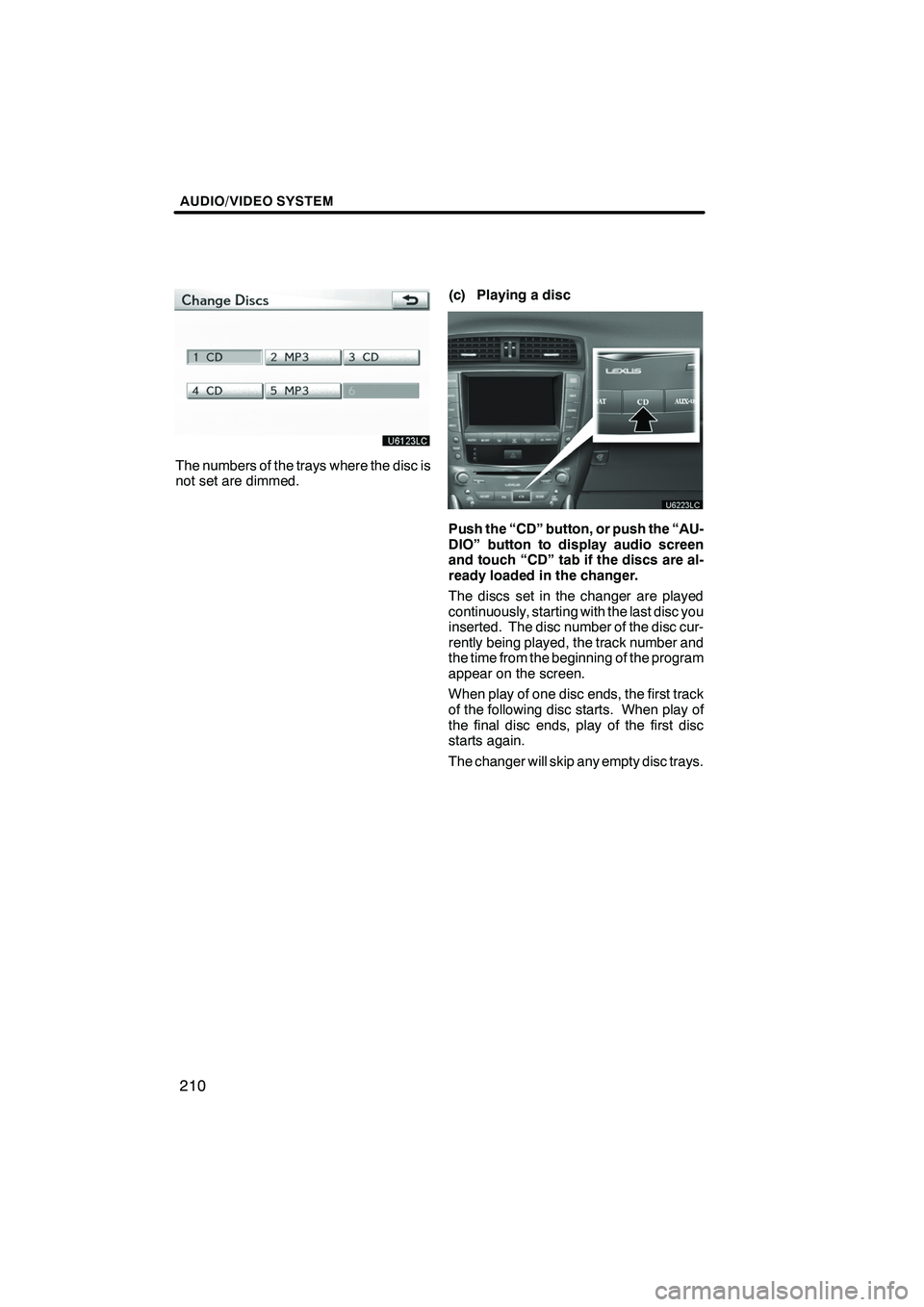
The numbers of the trays where the disc is
not set are dimmed.(c) Playing a disc
Push the “CD” button, or push the “AU-
DIO” button to display audio screen
and touch “CD” tab if the discs are al-
ready loaded in the changer.
The discs set in the changer are played
continuously, starting with the last disc you
inserted. The disc number of the disc cur-
rently being played, the track number and
the time from the beginning of the program
appear on the screen.
When play of one disc ends, the first track
of the following disc starts. When play of
the final disc ends, play of the first disc
starts again.
The changer will skip any empty disc trays.
ISF/IS NAVI (U)
Finish