clock Lexus IS250 2014 User Guide
[x] Cancel search | Manufacturer: LEXUS, Model Year: 2014, Model line: IS250, Model: Lexus IS250 2014Pages: 588, PDF Size: 98.77 MB
Page 455 of 588
4557-3. Do-it-yourself maintenance
7
Maintenance and care
IS250_EE(OM53C51E)
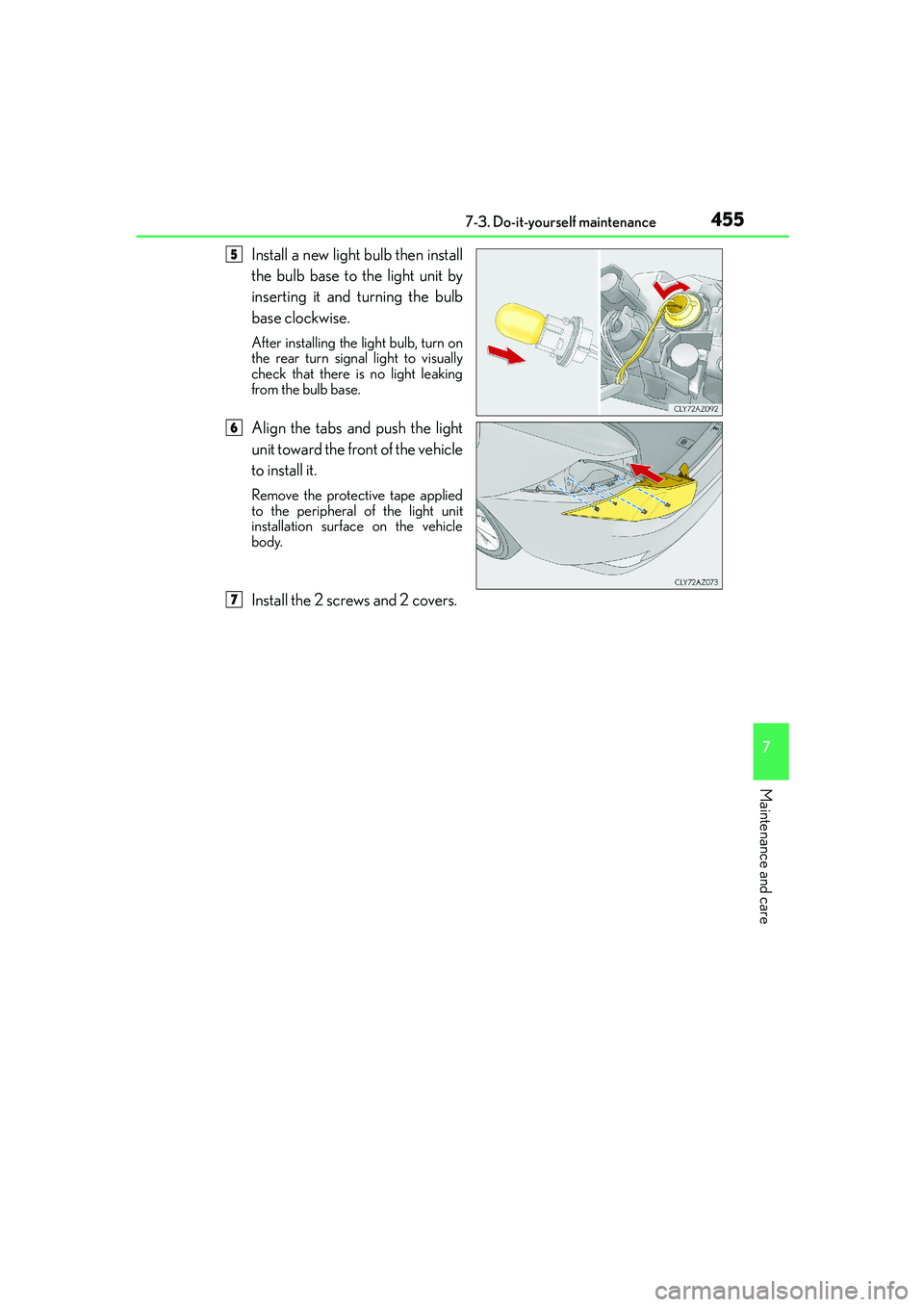
Install a new light bulb then install
the bulb base to the light unit by
inserting it and turning the bulb
base clockwise.
After installing the light bulb, turn on
the rear turn signal light to visually
check that there is no light leaking
from the bulb base.
Align the tabs and push the light
unit toward the front of the vehicle
to install it.
Remove the protective tape applied
to the peripheral of the light unit
installation surface on the vehicle
body.
Install the 2 screws and 2 covers.
5
6
7
Page 456 of 588
4567-3. Do-it-yourself maintenance
IS250_EE(OM53C51E)
■Back-up light
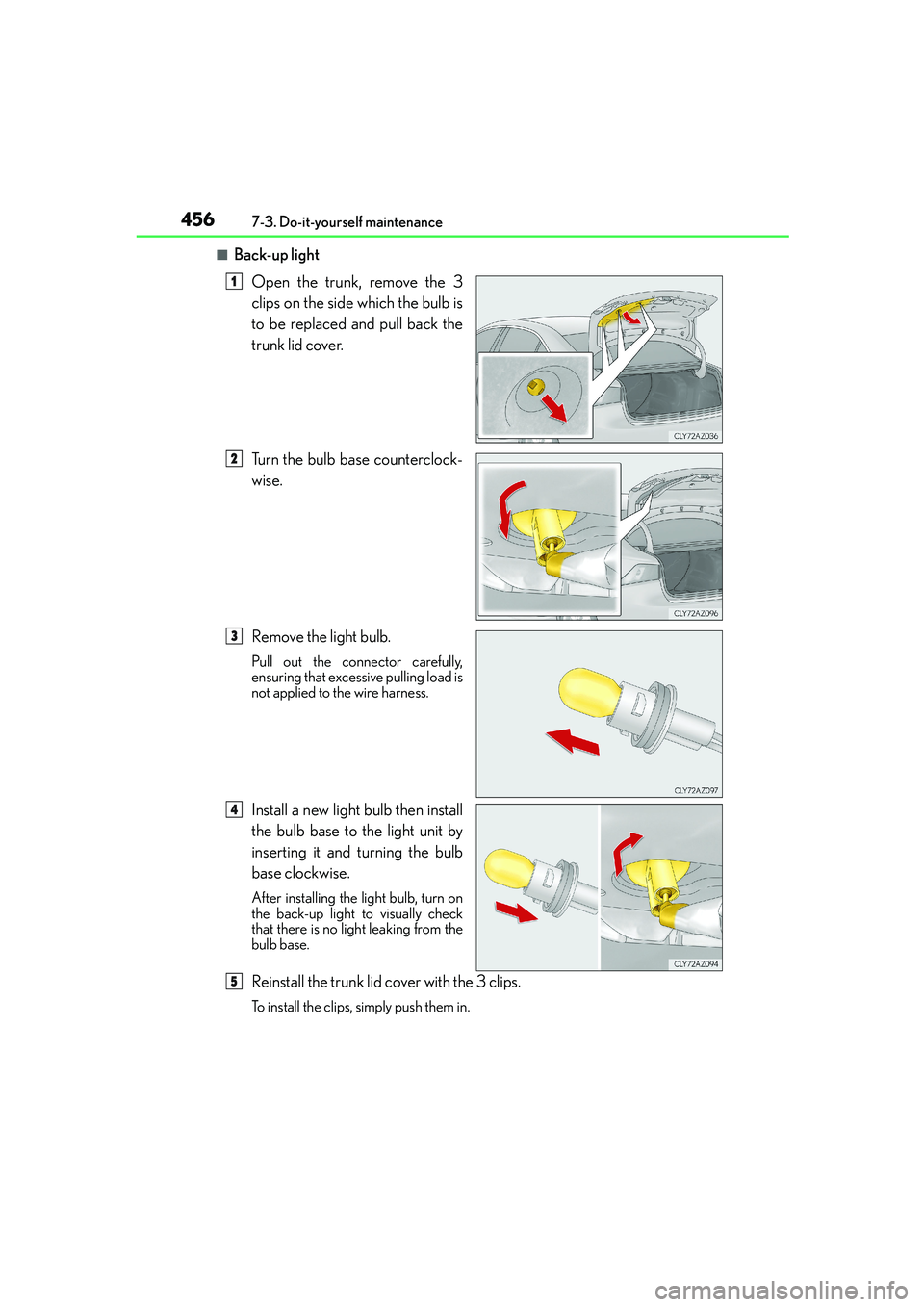
Open the trunk, remove the 3
clips on the side which the bulb is
to be replaced and pull back the
trunk lid cover.
Turn the bulb base counterclock-
wise.
Remove the light bulb.
Pull out the connector carefully,
ensuring that excessive pulling load is
not applied to the wire harness.
Install a new light bulb then install
the bulb base to the light unit by
inserting it and turning the bulb
base clockwise.
After installing the light bulb, turn on
the back-up light to visually check
that there is no light leaking from the
bulb base.
Reinstall the trunk lid cover with the 3 clips.
To install the clips, simply push them in.
1
2
3
4
5
Page 458 of 588
4587-3. Do-it-yourself maintenance
IS250_EE(OM53C51E)
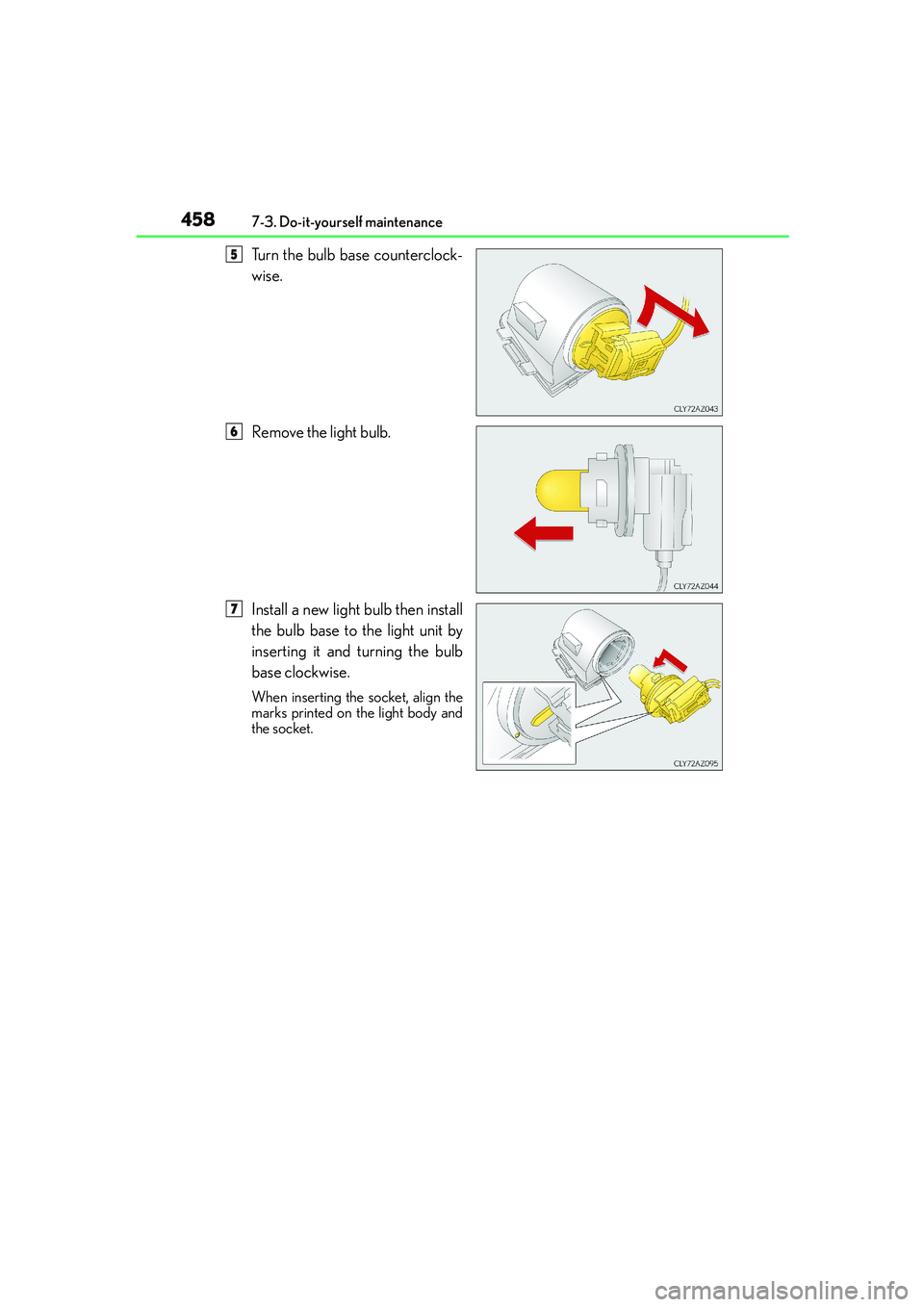
Turn the bulb base counterclock-
wise.
Remove the light bulb.
Install a new light bulb then install
the bulb base to the light unit by
inserting it and turning the bulb
base clockwise.
When inserting the socket, align the
marks printed on the light body and
the socket.
5
6
7
Page 511 of 588
5118-2. Steps to take in an emergency
8
When trouble arises
IS250_EE(OM53C51E)
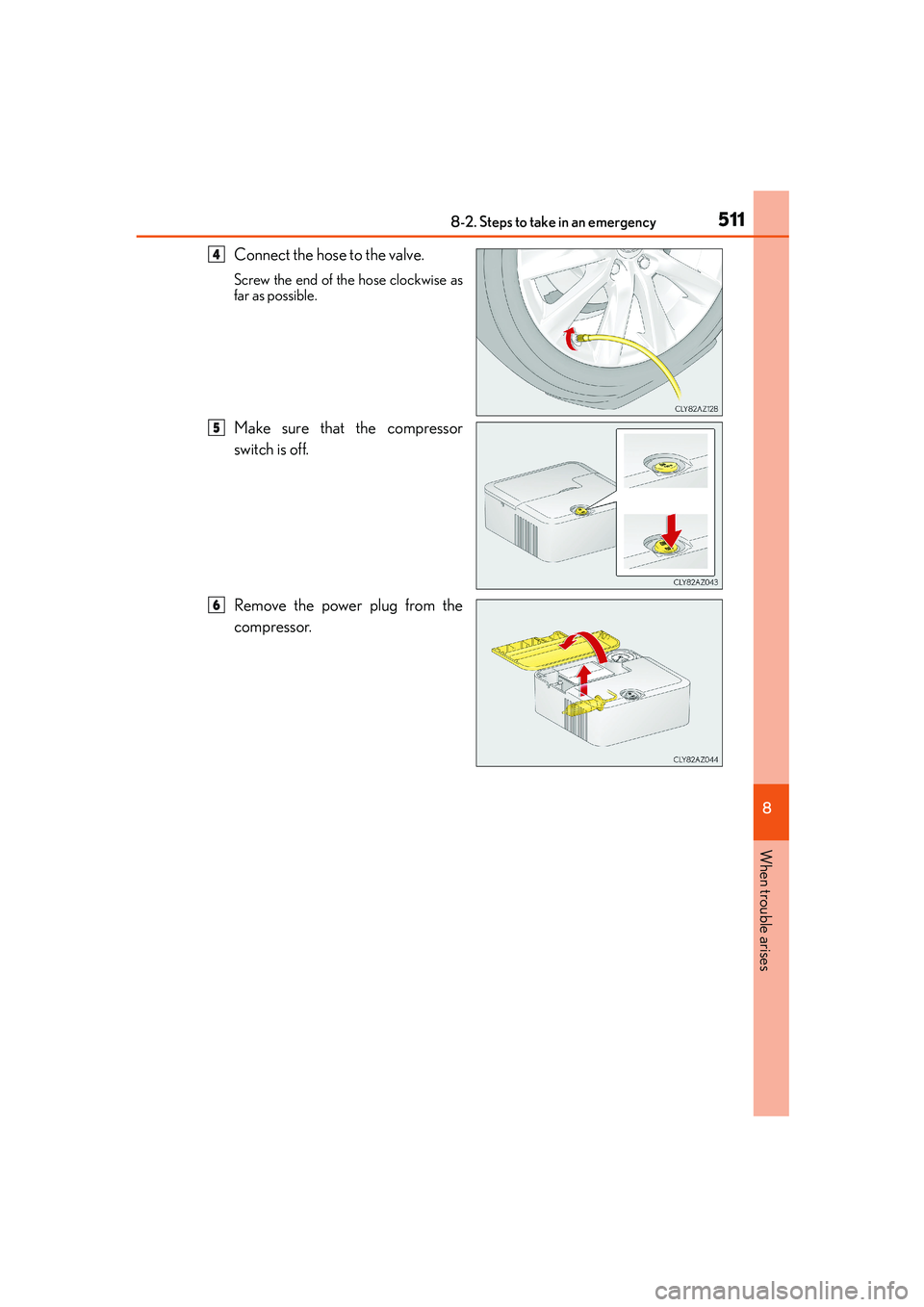
Connect the hose to the valve.
Screw the end of the hose clockwise as
far as possible.
Make sure that the compressor
switch is off.
Remove the power plug from the
compressor.
4
5
6
Page 524 of 588

5248-2. Steps to take in an emergency
IS250_EE(OM53C51E)
■Doors
Use the mechanical key (→P. 113) in
order to perform the following oper-
ations:
Locks all the doors
Closes the windows and moon
roof (turn and hold)
*
Unlocks all the doors
Opens the windows and moon
roof (turn and hold)
*
*
: This setting must be customized at any authorized Lexus dealer or repairer, or
another duly qualified and equipped professional.
■Tr u n k
Turn the mechanical key clockwise
to open.
If the electronic key does not operate properly
If communication between the electronic key and vehicle is interrupted (→P.
132) or the electronic key cannot be used because the battery is depleted,
the smart entry & start system and wireless remote control cannot be used. In
such cases, the doors and trunk can be opened and the engine can be started
by following the procedure below.
Locking and unlocking the doors, unlocking the trunk and key linked
functions
1
2
3
4
Page 570 of 588
570Alphabetical index
IS250_EE(OM53C51E)
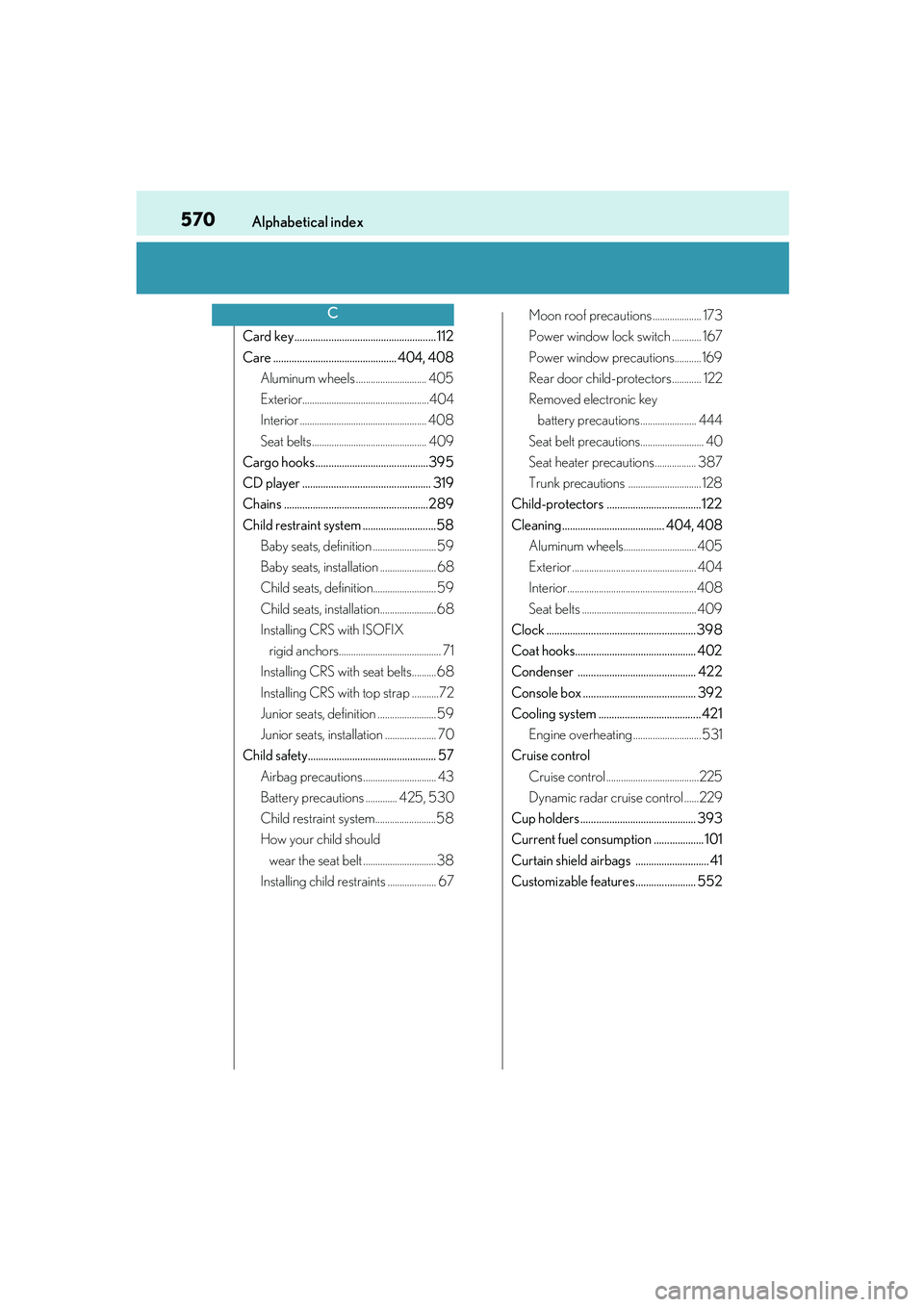
Card key...................................................... 112
Care ............................................... 404, 408
Aluminum wheels ............................. 405
Exterior....................................................404
Interior .................................................... 408
Seat belts............................................... 409
Cargo hooks ...........................................395
CD player ................................................. 319
Chains .......................................................289
Child restraint system ............................58
Baby seats, definition .......................... 59
Baby seats, installation .......................68
Child seats, definition.......................... 59
Child seats, installation.......................68
Installing CRS with ISOFIX
rigid anchors.......................................... 71
Installing CRS with seat belts..........68
Installing CRS with top strap ...........72
Junior seats, definition ........................ 59
Junior seats, installation ..................... 70
Child safety................................................. 57
Airbag precautions .............................. 43
Battery precautions ............. 425, 530
Child restraint system.........................58
How your child should
wear the seat belt .............................. 38
Installing child restraints .................... 67Moon roof precautions .................... 173
Power window lock switch ............ 167
Power window precautions........... 169
Rear door child-protectors ............ 122
Removed electronic key
battery precautions....................... 444
Seat belt precautions.......................... 40
Seat heater precautions ................. 387
Trunk precautions .............................. 128
Child-protectors .................................... 122
Cleaning....................................... 404, 408
Aluminum wheels.............................. 405
Exterior ................................................... 404
Interior.....................................................408
Seat belts ............................................... 409
Clock ......................................................... 398
Coat hooks.............................................. 402
Condenser ............................................. 422
Console box ........................................... 392
Cooling system ....................................... 421
Engine overheating ............................ 531
Cruise control
Cruise control ......................................225
Dynamic radar cruise control ......229
Cup holders ............................................ 393
Current fuel consumption ................... 101
Curtain shield airbags ............................ 41
Customizable features....................... 552
C