ESP Lexus IS250 2015 Navigation Manual
[x] Cancel search | Manufacturer: LEXUS, Model Year: 2015, Model line: IS250, Model: Lexus IS250 2015Pages: 406, PDF Size: 3.75 MB
Page 6 of 406
5
IS250/350_Navi_U
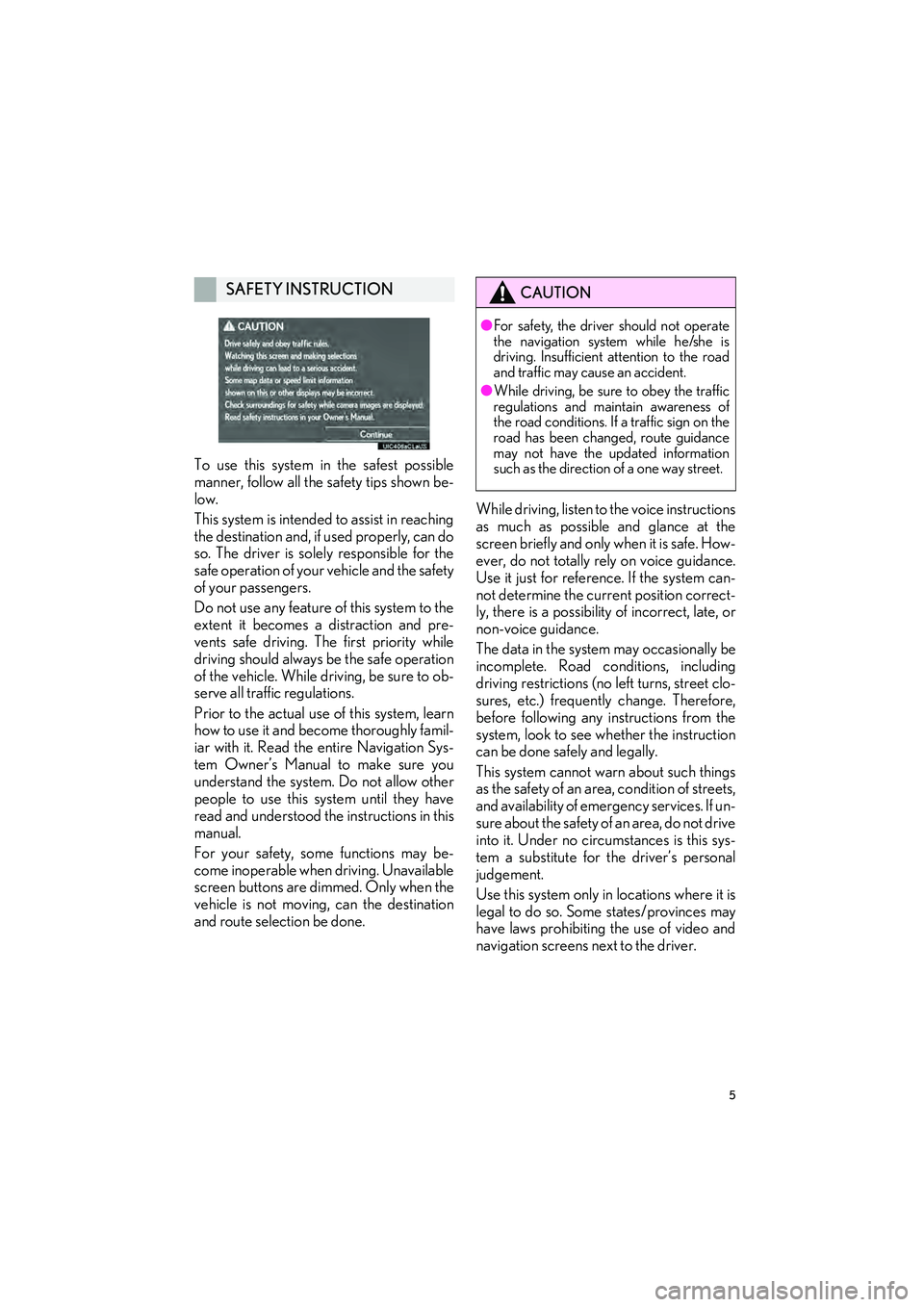
To use this system in the safest possible
manner, follow all the safety tips shown be-
low.
This system is intended to assist in reaching
the destination and, if used properly, can do
so. The driver is solely responsible for the
safe operation of your vehicle and the safety
of your passengers.
Do not use any feature of this system to the
extent it becomes a distraction and pre-
vents safe driving. The first priority while
driving should always be the safe operation
of the vehicle. While driving, be sure to ob-
serve all traffic regulations.
Prior to the actual use of this system, learn
how to use it and become thoroughly famil-
iar with it. Read the entire Navigation Sys-
tem Owner’s Manual to make sure you
understand the system. Do not allow other
people to use this system until they have
read and understood the instructions in this
manual.
For your safety, some functions may be-
come inoperable when driving. Unavailable
screen buttons are dimmed. Only when the
vehicle is not moving, can the destination
and route selection be done.While driving, listen to the voice instructions
as much as possible and glance at the
screen briefly and only when it is safe. How-
ever, do not totally rely on voice guidance.
Use it just for reference. If the system can-
not determine the current position correct-
ly, there is a possibility of incorrect, late, or
non-voice guidance.
The data in the system may occasionally be
incomplete. Road conditions, including
driving restrictions (no left turns, street clo-
sures, etc.) frequently change. Therefore,
before following any instructions from the
system, look to see whether the instruction
can be done safely and legally.
This system cannot warn about such things
as the safety of an area, condition of streets,
and availability of emergency services. If un-
sure about the safety of an area, do not drive
into it. Under no circumstances is this sys-
tem a substitute for the driver’s personal
judgement.
Use this system only in locations where it is
legal to do so. Some states/provinces may
have laws prohibiting the use of video and
navigation screens next to the driver.
SAFETY INSTRUCTIONCAUTION
●
For safety, the driver should not operate
the navigation system while he/she is
driving. Insufficient attention to the road
and traffic may cause an accident.
● While driving, be sure to obey the traffic
regulations and maintain awareness of
the road conditions. If a traffic sign on the
road has been changed, route guidance
may not have the updated information
such as the direction of a one way street.
Page 18 of 406

1. BASIC FUNCTION
17
IS250/350_Navi_U
QUICK GUIDE
1
The level of re-
ception
Poor Excellent
• The level of reception does not always correspond with the level
displayed on the cellular phone. The level of reception may not be
displayed depending on the phone you have.
When the cellular phone is out of the service area or in a place
inaccessible by radio waves, “No Service” is displayed.
• “Rm” is displayed when receiving in a roaming area. While roam-
ing, display “Rm” top-left on the icon.
• The receiving area may not be displayed depending on the type of
phone you have.
The amount of
battery charge
leftEmpty Full
• The amount displayed does not always correspond with the
amount displayed on the Bluetooth
® device.
The amount of battery charge left may not be displayed depending
on the type of the Bluetooth
® device connected.
This system does not have a charging function.
No.IndicatorsConditions
Page 36 of 406

35
1. BASIC INFORMATION BEFORE OPERATION
BASIC FUNCTION
IS250/350_Navi_U
2
1Press and hold the “PWR•VOL” knob
for 3 seconds or more.
MAINTENANCE
INFORMATION
This system reminds users when to re-
place certain parts or components and
shows dealer information (if registered)
on the screen.
When the vehicle reaches a previously
set driving distance or date specified for
a scheduled maintenance check, the
“Maintenance Reminder” screen will be
displayed when the navigation system is
turned on.
z This screen goes off if the screen is not
operated for several seconds.
z To prevent this screen from being dis-
played again, select “Do Not Display
This Message Again”.
z To register maintenance information:
→ P. 76
z If is selected, the registered phone
number can be called.
RESTARTING THE SYSTEM
When system response is extremely
slow, the system can be restarted.
Page 49 of 406

48
2. Bluetooth® SETTINGS
IS250/350_Navi_U
4Select “Yes” to register a phone.
5When this screen is displayed, search
for the device name displayed on this
screen on the screen of your
Bluetooth
® device.
zFor details about operating the Bluetooth®
device, see the manual that comes with it.
z To cancel the registration, select “Cancel”.
6Register the Bluetooth® device using
your Bluetooth
® device.
z A PIN-code is not required for SSP
(Secure Simple Pairing) compatible
Bluetooth
® devices. Depending on the
type of Bluetooth® device being con-
nected, a message confirming registration
may be displayed on the Bluetooth
®
device’s screen. Respond and operate the
Bluetooth® device according to the confir-
mation message.
7Check that the following screen is dis-
played when registration is complete.
z The system waits for connection requests
coming from the registered device.
z At this stage, the Bluetooth
® functions are
not yet available.
Page 52 of 406

51
2. Bluetooth® SETTINGS
IS250/350_Navi_U
BASIC FUNCTION
2
PROFILES
This system supports the following services.
Bluetooth®
DeviceSpec.FunctionRequire- mentsRecom-
menda- tions
Bluetooth®
Phone/
Bluetooth®
Audio
PlayerBluetooth® Specification
Registering a
Bluetooth®
deviceVe r. 2 . 0Ve r. 3 . 0 +EDR
Bluetooth®
DeviceProfileFunctionRequire- mentsRecom-menda- tions
Bluetooth®
Phone
HFP (Hands-Free Profile)Hands-free
systemVe r. 1 . 0Ve r. 1 . 6
OPP (Object Push Profile)Transferring the
contactsVe r.1 .1Ve r.1 . 2
PBAP (Phone Book Access
Profile)Ve r. 1 . 0Ve r. 1 .1
MAP (Message Access Profile)Bluetooth®
phone messageVe r. 1 . 0
SPP (Serial Port Profile)“LEXUS App
Suite” functionVe r. 1 .1
Bluetooth®
Audio
Player
A2DP (Advanced Audio
Distribution Profile)
Bluetooth®
audio systemVe r. 1 . 0Ve r. 1 . 2
AVRCP (Audio/Video Remote
Control Profile)Ve r. 1 . 0Ve r. 1 . 4
Page 54 of 406

53
2. Bluetooth® SETTINGS
IS250/350_Navi_U
BASIC FUNCTION
2
XU.S.A.
CERTIFICATION
zFCC ID : AJDK061
z This device complies with Part 15 of FCC
Rules and Industry Canada licence-
exempt RSS standard(s). Operation is
subject to the following two conditions:
(1) this device may not cause
interference, and (2) this device must
accept any interference, including
interference that may cause undesired
operation of this device.
Le présent appareil est conforme aux la
partie 15 des règles de la FCC et CNR
d'Industrie Canada applicables aux
appareils radio exempts de licence.
L'exploitation est autorisée aux deux
conditions suivantes: (1) l'appareil ne doit
pas produire de brouillage, et (2)
l'utilisateur de l'appareil doit accepter
tout brouillage radioélectrique subi,
même si le brouillage est susceptible
d'en compromettre le fonctionnement.
CAUTION
● FCC WARNING: Changes or
modifications not expressly approved by
the party responsible for compliance
could void the user’s authority to operate
the equipment.
● This equipment complies with FCC
radiation exposure limits set forth for an
uncontrolled environment and meets the
FCC radio frequency (RF) Exposure
Guidelines in Supplement C to OET65.
This equipment should be installed and
operated keeping the radiator at least 20
cm or more away from person’s body
(excluding extremities: hands, wrists, feet
and ankles).
● Co-location: This transmitter must not be
co-located or operated in conjunction
with any other antenna or transmitter.
Page 55 of 406

54
2. Bluetooth® SETTINGS
IS250/350_Navi_U
XCanada
*: Bluetooth is a registered trademark ofBluetooth SIG, Inc.
z IC : 775E-K061
z This device complies with Part 15 of FCC
Rules and Industry Canada licence-
exempt RSS standard(s). Operation is
subject to the following two conditions:
(1) this device may not cause
interference, and (2) this device must
accept any interference, including
interference that may cause undesired
operation of this device.
Le présent appareil est conforme aux la
partie 15 des règles de la FCC et CNR
d'Industrie Canada applicables aux
appareils radio exempts de licence.
L'exploitation est autorisée aux deux
conditions suivantes: (1) l'appareil ne doit
pas produire de brouillage, et (2)
l'utilisateur de l'appareil doit accepter
tout brouillage radioélectrique subi,
même si le brouillage est susceptible
d'en compromettre le fonctionnement.
CAUTION
● This equipment complies with IC
radiation exposure limits set forth for an
uncontrolled environment and meets
RSS-102 of the IC radio frequency (RF)
Exposure rules. This equipment should
be installed and operated keeping the
radiator at least 20 cm or more away
from person’s body (excluding
extremities: hands, wrists, feet and
ankles).
Cet équipement est conforme aux limites
d’exposition aux rayonnements énoncées
pour un environnement non contrôlé et
respecte les règles d’exposition aux
fréquences radioélectriques (RF) CNR-
102 de l’IC. Cet équipement doit être
installé et utilisé en gardant une distance
de 20 cm ou plus entre le dispositif
rayonnant et le corps (à l’exception des
extrémités : mains, poignets, pieds et
chevilles).
● The Bluetooth* antenna cannot be
removed (or replaced) by user.
L’antenne Bluetooth* ne peut pas être
supprimé (ou remplacé) par l’utilisateur.
Page 58 of 406

57
2. Bluetooth® SETTINGS
IS250/350_Navi_U
BASIC FUNCTION
2
1Display the “Bluetooth* Setup” screen.
(→ P. 55)
2Select “A d d ”.
X When another Bluetooth
® device is con-
nected
z To disconnect the Bluetooth® device,
select “Yes”.
XWhen 5 Bluetooth® devices have al-
ready been registered
z A registered device needs to be replaced.
Select “Yes”, and select the device to be
replaced.
*: Bluetooth is a registered trademark of
Bluetooth SIG, Inc.
3When this screen is displayed, search
for the device name displayed on this
screen on the screen of your
Bluetooth
® device.
z For details about operating the Bluetooth®
device, see the manual that comes with it.
z To cancel the registration, select “Cancel”.
4Register the Bluetooth® device using
your Bluetooth
® device.
z A PIN-code is not required for SSP
(Secure Simple Pairing) compatible
Bluetooth
® devices. Depending on the
type of Bluetooth® device being con-
nected, a message confirming registration
may be displayed on the Bluetooth
®
device’s screen. Respond and operate the
Bluetooth® device according to the confir-
mation message.
REGISTERING A Bluetooth®
DEVICE
Up to 5 Bluetooth® devices can be reg-
istered.
Bluetooth
® compatible phones (HFP)
and audio players (AVP) can be regis-
tered simultaneously.
This operation cannot be performed
while driving.
Page 106 of 406

105
IS250/350_Navi_U
NAVIGATION SYSTEM
3
2. DESTINATION SEARCH
1. DESTINATION SEARCH SCREEN
The “Destination” screen enables to search for a destination. To display the “Destina-
tion” screen, press the “MENU” button on the Remote Touch, and select “Nav” on the
“Menu” screen. Then select “Dest.” on the map screen.
No.FunctionPage
Select to search for a destination by address. 110
Select to search for a destination by point of interest. 111
Select to search for a destination by online database. 369
Select to search for a destination via the Lexus response center.374
Select to search for a destination from previously set destinations.116
Select to search for a destination from a registered entry in “Address
Book”.117
Select to search for a destination from emergency service points.117
Select to search for a destination by intersection or freeway entrance/
exit.118
Select to search for a destination by the last displayed map.119
Select to search for a destination by coordinates.120
Page 133 of 406
132
3. ROUTE GUIDANCE
IS250/350_Navi_U
2. TYPICAL VOICE GUIDANCE PROMPTS
As the vehicle approaches an intersec-
tion, or point, where maneuvering the
vehicle is necessary, the system’s voice
guidance will provide various messages.
CAUTION
●Be sure to obey the traffic regulations
and keep the road condition in mind
especially when you are driving on IPD
roads (roads that are not completely digi-
tized in our database). The route guid-
ance may not have the updated
information such as the direction of a one
way street.
INFORMATION
● If a voice guidance command cannot be
heard, select on the map screen to
hear it again.
● To adjust the voice guidance volume:
→ P. 74
● Voice guidance may be made early or
late.
● If the system cannot determine the cur-
rent position correctly, you may not hear
voice guidance or may not see the mag-
nified intersection on the screen.