Bumper Lexus IS250 2015 User Guide
[x] Cancel search | Manufacturer: LEXUS, Model Year: 2015, Model line: IS250, Model: Lexus IS250 2015Pages: 586, PDF Size: 8.66 MB
Page 260 of 586

2594-5. Using the driving support systems
4
Driving
IS350/250_U (OM53C50U)
■Conditions under which the Rear Cross Traffic Alert function will not detect a vehicle
The Rear Cross Traffic Alert function is not designed to detect the following types of
vehicles and/or objects.
●Small motorcycles, bicycles, pedestrians etc.*
●Vehicles approaching from directly behind
●Guardrails, walls, signs, parked vehicles and similar stationary objects*
●Vehicles moving away from your vehicle
●Vehicles approaching from the parking spaces next to your vehicle*
●Vehicles backing up in the parking space next to your vehicle
*: Depending on conditions, detection of a vehicle and/or object may occur.
■Conditions under which the Rear Cross Traffic Alert function may not function cor-
rectly
The Rear Cross Traffic Alert function may not detect vehicles correctly in the following
conditions:
●During bad weather such as heavy rain, fog, snow etc.
●When ice or mud etc. is attached to the rear bumper
●When multiple vehicles approach continuously
●Shallow angle parking
●When a vehicle is approaching at high speed
●When parking on a steep incline, such as hills, a dip in the road etc.
●Directly after the BSM main switch is set to on
●Directly after the engine is started with the BSM main switch on
●Vehicles that the sensors cannot detect
because of obstacles
Page 398 of 586
3977-1. Maintenance and care
7
Maintenance and care
IS350/250_U (OM53C50U)
■Aluminum wheels
●Remove any dirt immediately by using a neutral detergent. Do not use hard brushes or
abrasive cleaners. Do not use strong or harsh chemical cleaners.
Use the same mild detergent and wax as used on the paint.
●Do not use detergent on the wheels when they are hot, for example after driving a long
distance in hot weather.
●Wash detergent from the wheels immediately after use.
■Bumpers
Do not scrub with abrasive cleaners.
■Front side windows water-repellent coating (if equipped)
●The following precautions can extend the effectiveness of the water-repellent coating.
• Remove any dirt, etc. from the front side windows regularly.
• Do not allow dirt and dust to accumulate on the windows for a long period.Clean the windows with a soft, damp cloth as soon as possible.
• Do not use wax or glass cleaners that contain abrasives when cleaning the windows.
• Do not use any metallic objects to remove condensation build up.
●When the water-repellent performance has become insufficient, the coating can be
repaired. Contact your Lexus dealer.
CAUTION
■When washing the vehicle
Do not apply water to the inside of the engine compartment. Doing so may cause the
electrical components etc. to catch fire.
■When cleaning the windshield (vehicles with rain-sensing windshield wipers)
●When the upper part of the windshield where the raindrop sensor is located is
touched by hand
●When a wet rag or similar is held close to the raindrop sensor
●If something bumps against the windshield
●If you directly touch the raindrop sensor bo dy or if something bumps into the raindrop
sensor
■Precautions regarding the exhaust pipe
Exhaust gases cause the exhaust pipe to become quite hot.
When washing the vehicle, be careful not to touch the pipe until it has cooled suffi-
ciently, as touching hot exhaust pipe can cause burns.
■ Precaution regarding the rear bumper with Blind Spot Monitor (if equipped)
If the paint of the rear bumper is chipped or scratched, the system may malfunction. If
this occurs, consult your Lexus dealer.
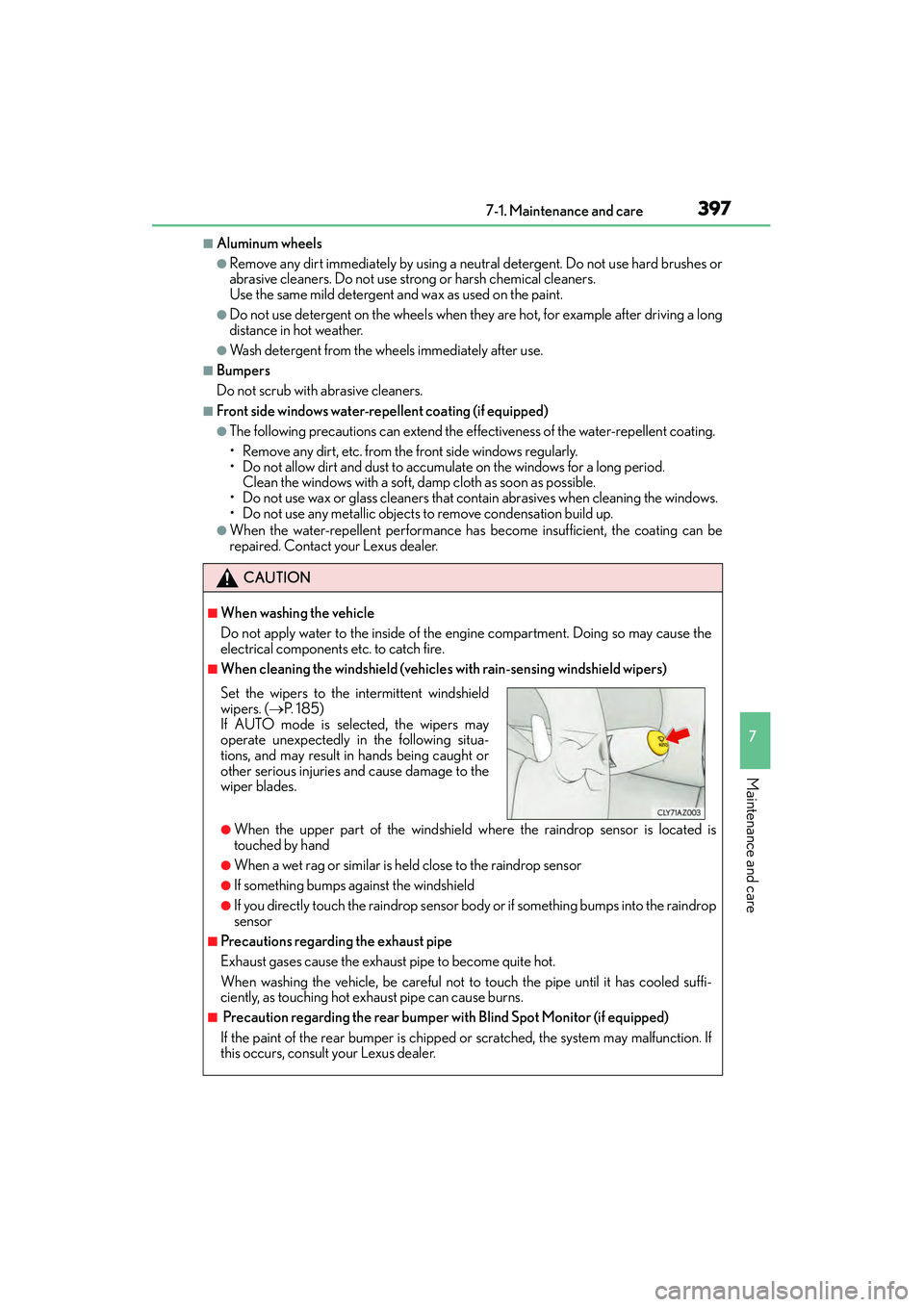
Set the wipers to the intermittent windshield
wipers. ( →P. 1 8 5 )
If AUTO mode is selected, the wipers may
operate unexpectedly in the following situa-
tions, and may result in hands being caught or
other serious injuries and cause damage to the
wiper blades.
Page 450 of 586
4497-3. Do-it-yourself maintenance
7
Maintenance and care
IS350/250_U (OM53C50U)
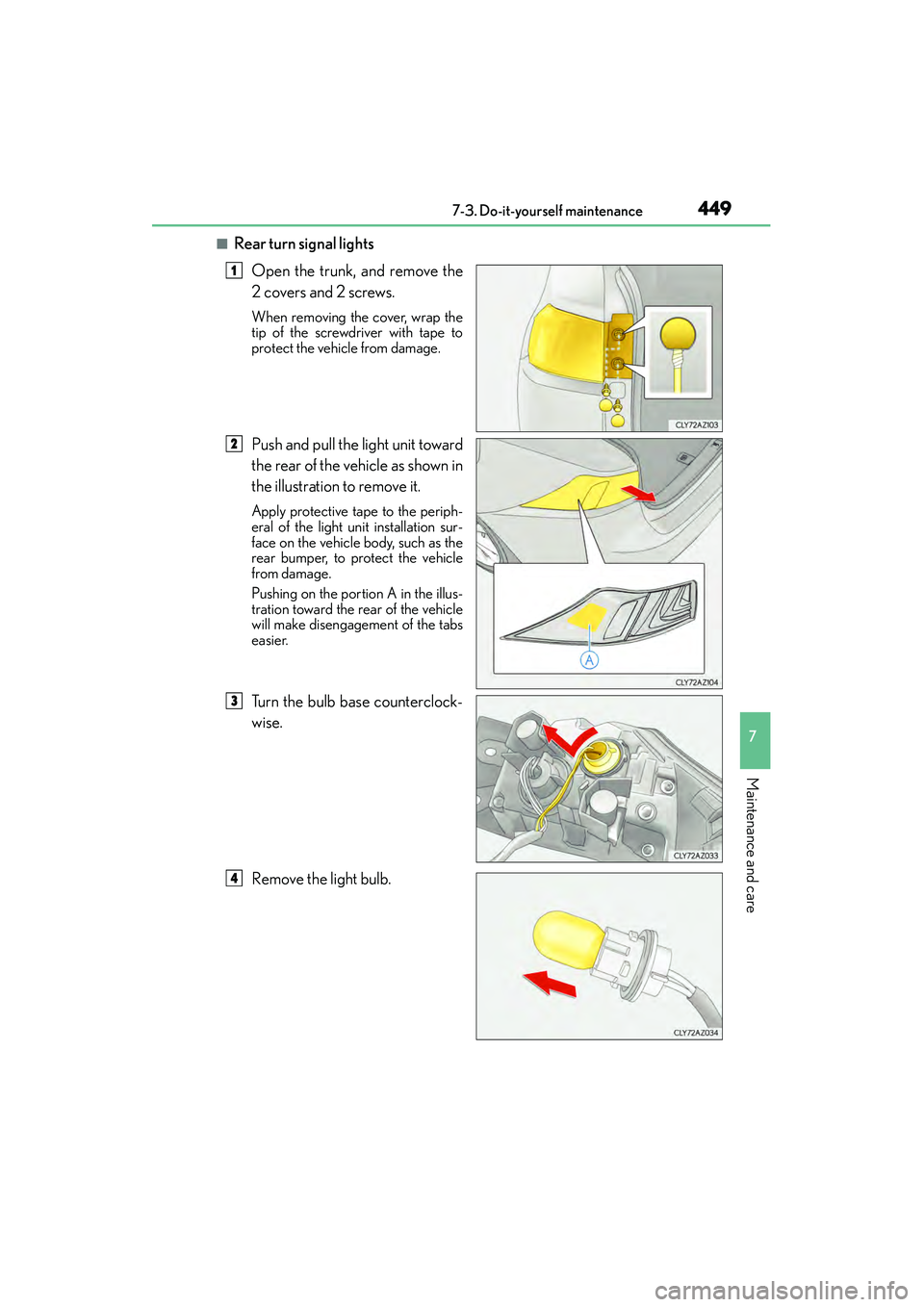
■Rear turn signal lightsOpen the trunk, and remove the
2 covers and 2 screws.
When removing the cover, wrap the
tip of the screwdriver with tape to
protect the vehicle from damage.
Push and pull the light unit toward
the rear of the vehicle as shown in
the illustration to remove it.
Apply protective tape to the periph-
eral of the light un it installation sur-
face on the vehicle body, such as the
rear bumper, to protect the vehicle
from damage.
Pushing on the portion A in the illus-
tration toward the rear of the vehicle
will make disengagement of the tabs
easier.
Turn the bulb base counterclock-
wise.
Remove the light bulb.
1
2
3
4
Page 477 of 586
4768-2. Steps to take in an emergency
IS350/250_U (OM53C50U)
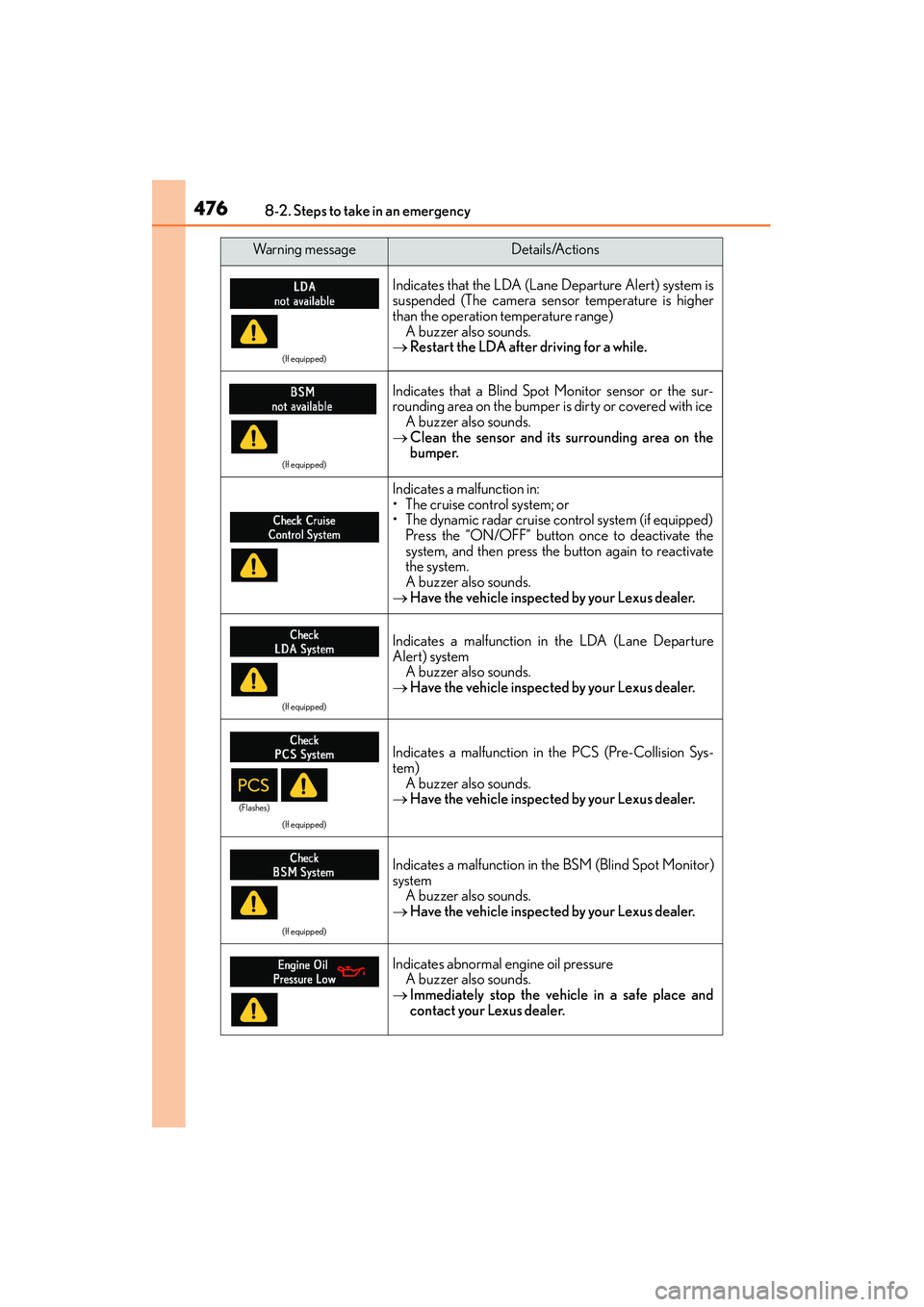
(If equipped)
Indicates that the LDA (Lane Departure Alert) system is
suspended (The camera sensor temperature is higher
than the operation temperature range)A buzzer also sounds.
→ Restart the LDA after driving for a while.
(If equipped)
Indicates that a Blind Spot Monitor sensor or the sur-
rounding area on the bumper is dirty or covered with ice
A buzzer also sounds.
→ Clean the sensor and its surrounding area on the
bumper.
Indicates a malfunction in:
• The cruise control system; or
• The dynamic radar cruise control system (if equipped)
Press the “ON/OFF” button once to deactivate the
system, and then press the button again to reactivate
the system.
A buzzer also sounds.
→ Have the vehicle inspected by your Lexus dealer.
(If equipped)
Indicates a malfunction in the LDA (Lane Departure
Alert) system
A buzzer also sounds.
→ Have the vehicle inspected by your Lexus dealer.
(If equipped)
Indicates a malfunction in the PCS (Pre-Collision Sys-
tem)
A buzzer also sounds.
→ Have the vehicle inspected by your Lexus dealer.
(If equipped)
Indicates a malfunction in the BSM (Blind Spot Monitor)
system A buzzer also sounds.
→ Have the vehicle inspected by your Lexus dealer.
Indicates abnormal engine oil pressure
A buzzer also sounds.
→ Immediately stop the vehicle in a safe place and
contact your Lexus dealer.
Wa r n i n g m e s s a g eDetails/Actions
(Flashes)