key information Lexus IS250 2015 User Guide
[x] Cancel search | Manufacturer: LEXUS, Model Year: 2015, Model line: IS250, Model: Lexus IS250 2015Pages: 586, PDF Size: 8.66 MB
Page 108 of 586
1073-2. Opening, closing and locking the doors and trunk
3
Operation of each component
IS350/250_U (OM53C50U)
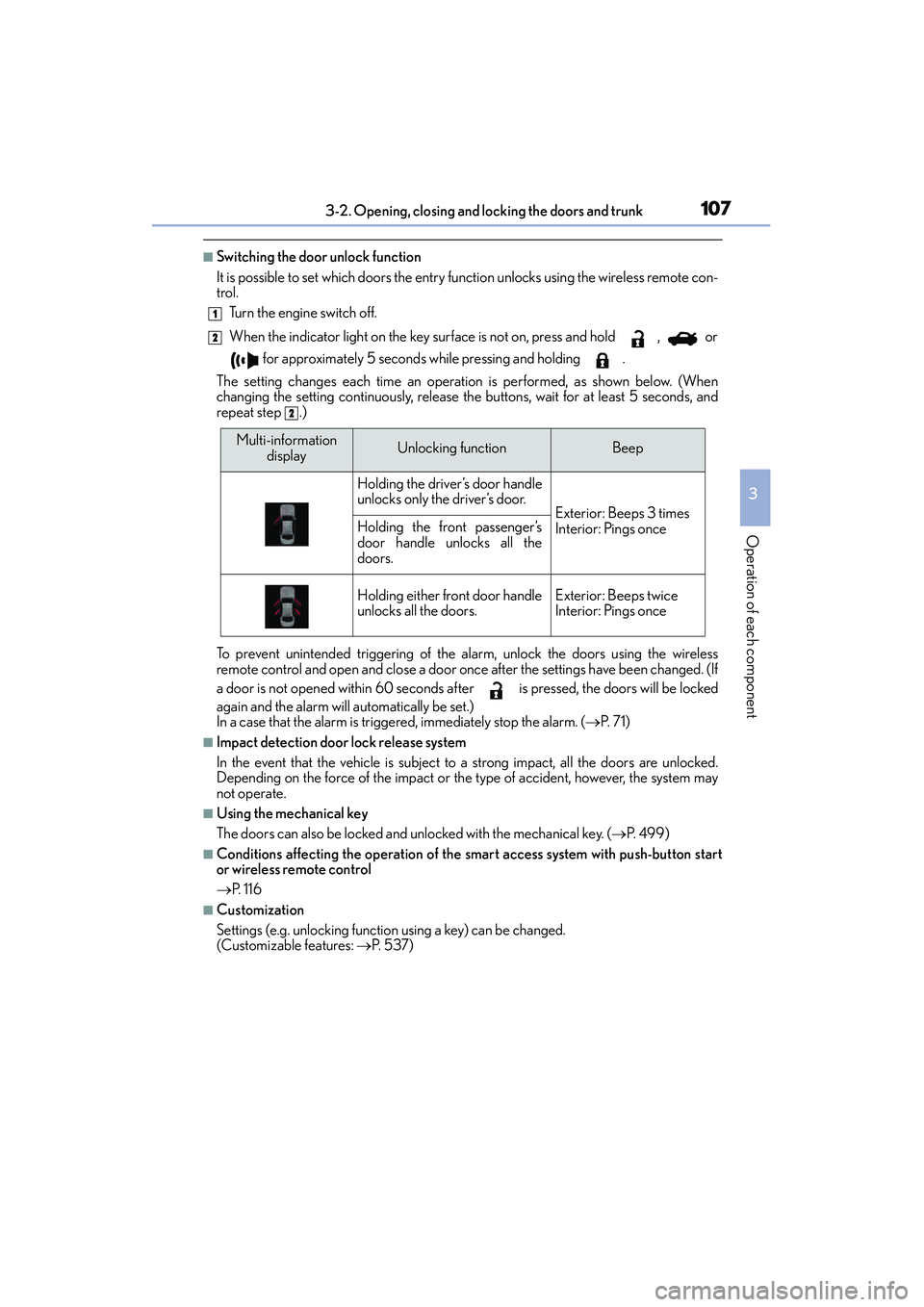
■Switching the door unlock function
It is possible to set which doors the entry function unlocks using the wireless remote con-
trol. Turn the engine switch off.
When the indicator light on the key surface is not on, press and hold , or
for approximately 5 seconds while pressing and holding .
The setting changes each time an operation is performed, as shown below. (When
changing the setting continuously, release th e buttons, wait for at least 5 seconds, and
repeat step .)
To prevent unintended triggering of the alarm, unlock the doors using the wireless
remote control and open and close a door once after the settings have been changed. (If
a door is not opened within 60 seconds af ter is pressed, the doors will be locked
again and the alarm will automatically be set.)
In a case that the alarm is triggered, immediately stop the alarm. (→ P. 7 1 )
■Impact detection door lock release system
In the event that the vehicle is subject to a strong impact, all the doors are unlocked.
Depending on the force of the impact or the type of accident, however, the system may
not operate.
■Using the mechanical key
The doors can also be locked and unlocked with the mechanical key. ( →P. 4 9 9 )
■Conditions affecting the operation of the smart access system with push-button start
or wireless remote control
→P. 116
■Customization
Settings (e.g. unlocking function using a key) can be changed.
(Customizable features: →P. 5 3 7 )
1
2
2
Multi-information
displayUnlocking functionBeep
Holding the driver’s door handle
unlocks only the driver’s door.
Exterior: Beeps 3 times
Interior: Pings onceHolding the front passenger’s
door handle unlocks all the
doors.
Holding either front door handle
unlocks all the doors.Exterior: Beeps twice
Interior: Pings once
Page 118 of 586
1173-2. Opening, closing and locking the doors and trunk
3
Operation of each component
IS350/250_U (OM53C50U)
■Note for the entry function
●Even when the electronic key is within the effective range (detection areas), the system
may not operate properly in the following cases:
• The electronic key is too close to the window or outside door handle, near the
ground, or in a high place when the doors are locked or unlocked.
• The electronic key is near the ground or in a high place, or too close to the rear
bumper center when the trunk is opened.
• The electronic key is on the instrument panel, rear package tray or floor, or in the door pockets or glove box when the engine is started or engine switch modes are
changed.
●Do not leave the electronic key on top of the instrument panel or near the door pockets
when exiting the vehicle. Depending on the radio wave reception conditions, it may be
detected by the antenna outside the cabin and the doors will become lockable from the
outside, possibly trapping the electronic key inside the vehicle.
●As long as the electronic key is within th e effective range, the doors may be locked or
unlocked by anyone. However, only the doors detecting the electronic key can be used
to unlock the vehicle.
●Even if the electronic key is not inside the vehicle, it may be possible to start the engine
if the electronic key is near the window.
●The doors may unlock or lock if a large amou nt of water splashes on the door handle,
such as in the rain or in a car wash, when th e electronic key is within the effective range.
(The doors will automatically be locked after approximately 30 seconds if the doors
are not opened and closed.)
●If the wireless remote control is used to lock the doors when the electronic key is near
the vehicle, there is a possibility that the door may not be unlocked by the entry func-
tion. (Use the wireless remote control to unlock the doors.)
●Touching the door lock or unlock sensor while wearing gloves may prevent lock or
unlock operation.
●When the lock operation is performed using the lock sensor, recognition signals will be
shown up to two consecutive times. After this, no recognition signals will be given.
●If the door handle becomes wet while the electronic key is within the effective range,
the door may lock and unlock repeatedly. In this case, follow the following correction
procedures to wash the vehicle:
• Place the electronic key in a location 6 ft. (2 m) or more away from the vehicle. (Take care to ensure that the key is not stolen.)
• Set the electronic key to battery-saving mode to disable the smart access system with push-button start. ( →P. 1 1 5 )
●If the electronic key is inside the vehicle and a door handle becomes wet during a car
wash, a message may be shown on the multi-information display and a buzzer will
sound outside the vehicle. To turn off the alarm, lock all the doors.
●The lock sensor may not work properly if it comes into contact with ice, snow, mud, etc.
Clean the lock sensor and attempt to operate it again, or use the lock sensor on the
lower part of the door handle.
●A sudden handle operation or a handle operation immediately after entering the effec-
tive range may prevent the doors from being unlocked. Touch the door unlock sensor
and check that the doors are unlocked before pulling the door handle again.
●Unlocking the vehicle may take more time if another electronic key is within the effec-
tive range.
Page 141 of 586
1403-5. Opening, closing the windows and moon roof
IS350/250_U (OM53C50U)
■Door lock linked window operation
●The power windows can be opened and closed using the mechanical key.*( → P. 4 9 9 )
●The power windows can be opened using the wireless remote control.* (→ P. 1 0 3 )
*: These settings must be customized at your Lexus dealer.
■When the battery is disconnected
The window lock switch is disabled. If necessary, press the window lock switch after
reconnecting the battery.
■Power windows open warning buzzer
The buzzer sounds and a message is shown on the multi-information display in the instru-
ment cluster when the engine switch is turned off and the driver’s door is opened with the
power windows open.
■Customization
Settings (e.g. linked door lock operation) can be changed.
(Customizable features: →P. 5 3 7 )
CAUTION
Observe the following precautions.
Failure to do so may result in death or serious injury.
■Closing the windows
●The driver is responsible for all the power window operations, including the operation
for the passengers. In order to prevent accidental operation, especially by a child, do
not let a child operate the power windows. It is possible for children and other passen-
gers to have body parts caught in the power window. Also, when riding with a child, it
is recommended to use the window lock switch. ( →P. 1 3 8 )
●Check to make sure that all passengers do not have any part of their body in a posi-
tion where it could be caught when a window is being operated.
●When exiting the vehicle, turn the engine switch off, carry the key and exit the vehicle
along with the child. There may be accidental operation, due to mischief, etc., that
may possibly lead to an accident.
■Jam protection function
●Never use any part of your body to intent ionally activate the jam protection function.
●The jam protection function may not work if something gets caught just before the
window fully closes.
Page 145 of 586
1443-5. Opening, closing the windows and moon roof
IS350/250_U (OM53C50U)
■Moon roof open warning buzzer
The buzzer sounds and a message is shown on the multi-information display in the instru-
ment cluster when the engine switch is turned off and the driver’s door is opened with the
moon roof open.
■Customization
Settings (e.g. linked door lock operation) can be changed.
(Customizable features: →P. 5 3 7 )
CAUTION
Observe the following precautions.
Failure to do so may cause death or serious injury.
■Opening the moon roof
●Do not allow any passengers to put their hands or heads outside the vehicle while it is
moving.
●Do not sit on top of the moon roof.
■Closing the moon roof
●The driver is responsible for moon roof opening and closing operations.
In order to prevent accidental operation, especially by a child, do not let a child oper-
ate the moon roof. It is possible for children and other passengers to have body parts
caught in the moon roof.
●Check to make sure that all passengers do not have any part of their body in a posi-
tion where it could be caught when the moon roof is being operated.
●When exiting the vehicle, turn the engine switch off, carry the key and exit the vehicle
along with the child. There may be accidental operation, due to mischief, etc., that
may possibly lead to an accident.
■Jam protection function
●Never use any part of your body to intent ionally activate the jam protection function.
●The jam protection function may not work if something gets caught just before the
moon roof fully closes.
Page 160 of 586
159
4
Driving
IS350/250_U (OM53C50U)4-2. Driving procedures
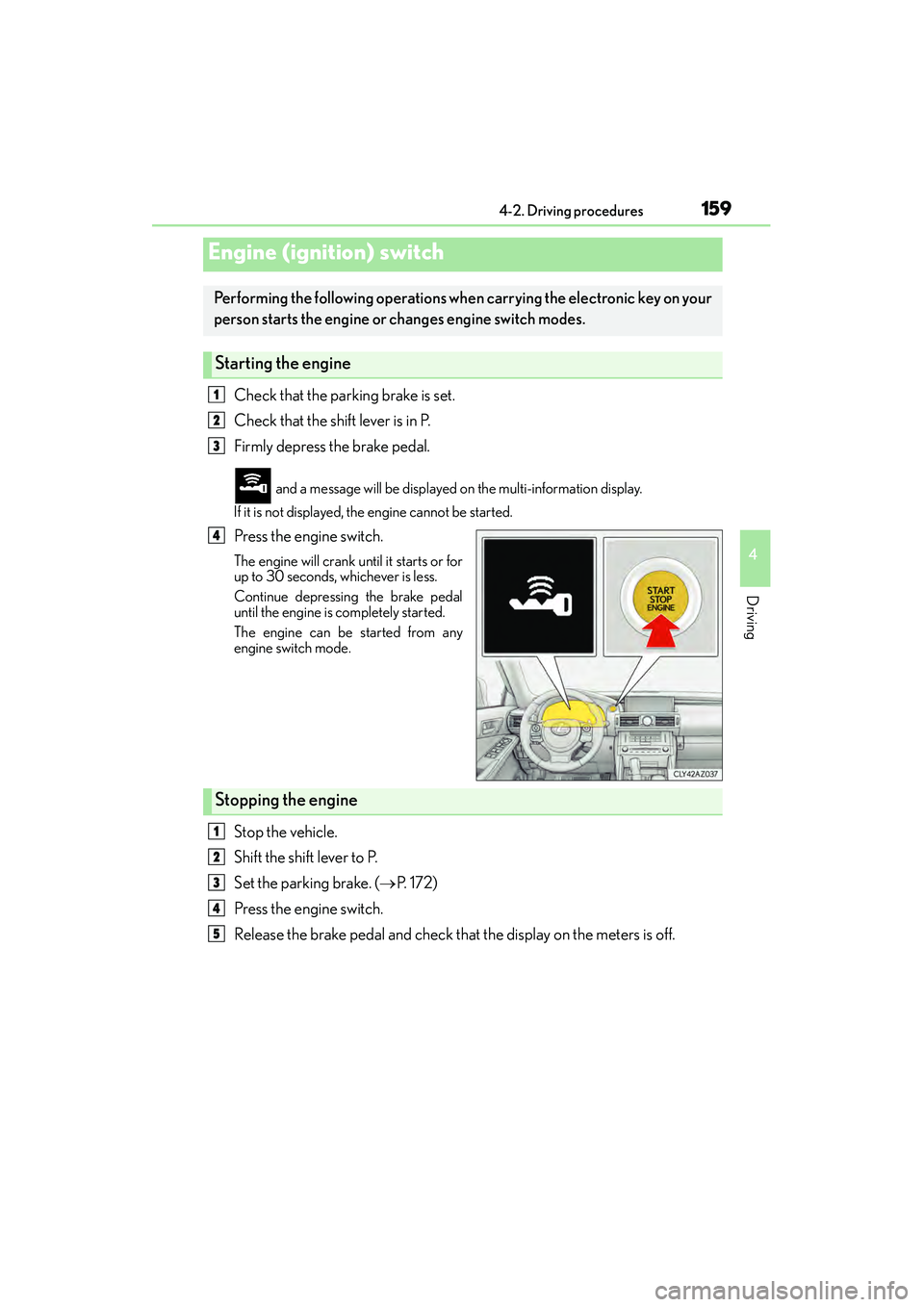
Check that the parking brake is set.
Check that the shift lever is in P.
Firmly depress the brake pedal.
and a message will be displayed
on the multi-information display.
If it is not displayed, the engine cannot be started.
Press the engine switch.
The engine will crank until it starts or for
up to 30 seconds, whichever is less.
Continue depressing the brake pedal
until the engine is completely started.
The engine can be started from any
engine switch mode.
Stop the vehicle.
Shift the shift lever to P.
Set the parking brake. ( →P. 1 7 2 )
Press the engine switch.
Release the brake pedal and check that the display on the meters is off.
Engine (ignition) switch
Performing the following operations when carrying the electronic key on your
person starts the engine or changes engine switch modes.
Starting the engine
1
2
3
4
Stopping the engine
1
2
3
4
5
Page 162 of 586
1614-2. Driving procedures
4
Driving
IS350/250_U (OM53C50U)
■Auto power off function
If the vehicle is left in ACCESSORY mode for more than 20 minutes or IGNITION ON
mode (the engine is not running) for more than an hour with the shift lever in P, the engine
switch will automatically turn off. However, this function cannot entirely prevent battery
discharge. Do not leave the vehicle with the engine switch in ACCESSORY or IGNI-
TION ON mode for long periods of ti me when the engine is not running.
■Electronic key battery depletion
→P. 1 0 1
■Conditions affecting operation
→P. 116
■Notes for the entry function
→P. 117
■If the engine does not start
●Check that the shift lever is securely set in P. The engine may not start if the shift lever is
displaced out of P.
●The engine immobilizer system ma y not have been deactivated. (→P. 6 9 )
Contact your Lexus dealer.
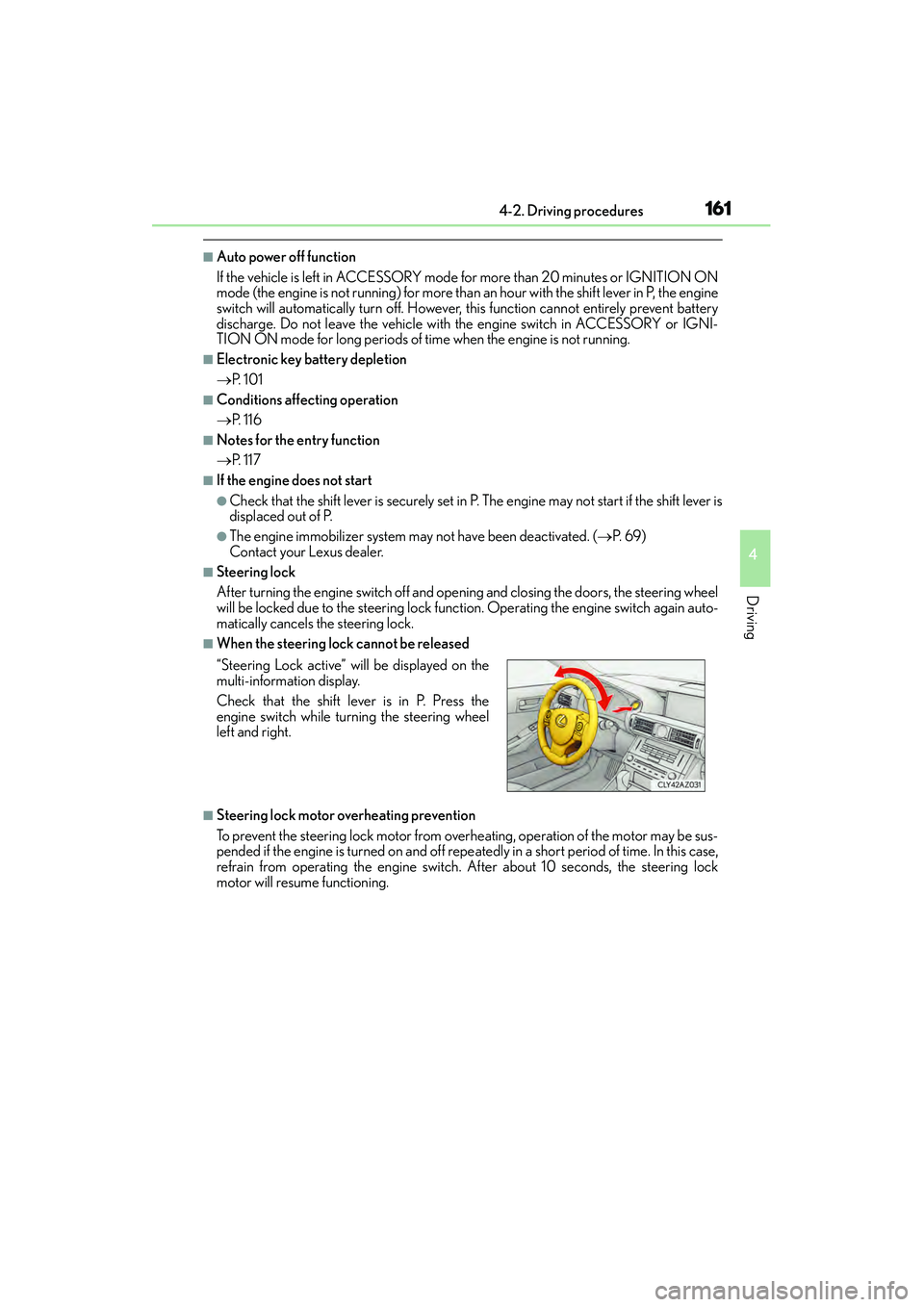
■Steering lock
After turning the engine switch off and opening and closing the doors, the steering wheel
will be locked due to the steering lock func tion. Operating the engine switch again auto-
matically cancels the steering lock.
■When the steering lock cannot be released
■Steering lock motor overheating prevention
To prevent the steering lock motor from overheating, operation of the motor may be sus-
pended if the engine is turned on and off repe atedly in a short period of time. In this case,
refrain from operating the engine switch. After about 10 seconds, the steering lock
motor will resume functioning. “Steering Lock active” will be displayed on the
multi-information display.
Check that the shift lever is in P. Press the
engine switch while turning the steering wheel
left and right.
Page 163 of 586
1624-2. Driving procedures
IS350/250_U (OM53C50U)
■When “Check Access System with Elec. Key” is displayed on the multi-information dis-
play
The system may be malfunctioning. Have the vehicle inspected by your Lexus dealer
immediately.
■If the electronic key battery is depleted
→ P. 4 3 9
■Operation of the engine switch
●When operating the engine switch, one short, firm press is enough. If the switch is
pressed improperly, the engine may not start or the engine switch mode may not
change. It is not necessary to press and hold the switch.
●If attempting to restart the engine immediately after turning the engine switch off, the
engine may not start in some cases. After turning the engine switch off, please wait a
few seconds before restarting the engine.
■If the smart access system with push-button start has been deactivated by a customized
setting
→P. 4 9 9
CAUTION
■When starting the engine
Always start the engine while sitting in the driver’s seat. Do not depress the accelerator
pedal while starting the engine under any circumstances.
Doing so may cause an accident resu lting in death or serious injury.
■Caution while driving
If engine failure occurs while the vehicle is moving, do not lock or open the doors until
the vehicle reaches a safe and complete stop. Activation of the steering lock in this cir-
cumstance may lead to an accident, resulting in death or serious injury.
■Stopping the engine in an emergency
If you want to stop the engine in an emergency while driving the vehicle, press and hold
the engine switch for more than 2 seconds, or press it briefly 3 times or more in succes-
sion. ( →P. 4 5 7 )
However, do not touch the engine switch while driving except in an emergency. Turning
the engine off while driving will not cause loss of steering or braking control, but the
power assist to these systems will be lost. Th is will make it more difficult to steer and
brake, so you should pull over and stop the vehicle as soon as it is safe to do so.
Page 456 of 586
455
When trouble arises8
IS350/250_U (OM53C50U)
8-1. Essential informationEmergency flashers .................. 456
If your vehicle has to be stopped in an
emergency................................. 457
8-2. Steps to take in an emergency
If your vehicle needs to be towed ...........................................458
If you think something is wrong ........................................... 464
Fuel pump shut off system ...... 465
If a warning light turns on or a warning buzzer
sounds.......................................... 466
If a warning message is displayed......................................472
If you have a flat tire...................486
If the engine will not start ........ 496
If the shift lever cannot be shifted from P............................ 498
If the electronic key does not operate properly ............. 499
If the vehicle battery is discharged .................................502
If your vehicle overheats .........506
If the vehicle becomes stuck .............................................509
Page 501 of 586
5008-2. Steps to take in an emergency
IS350/250_U (OM53C50U)
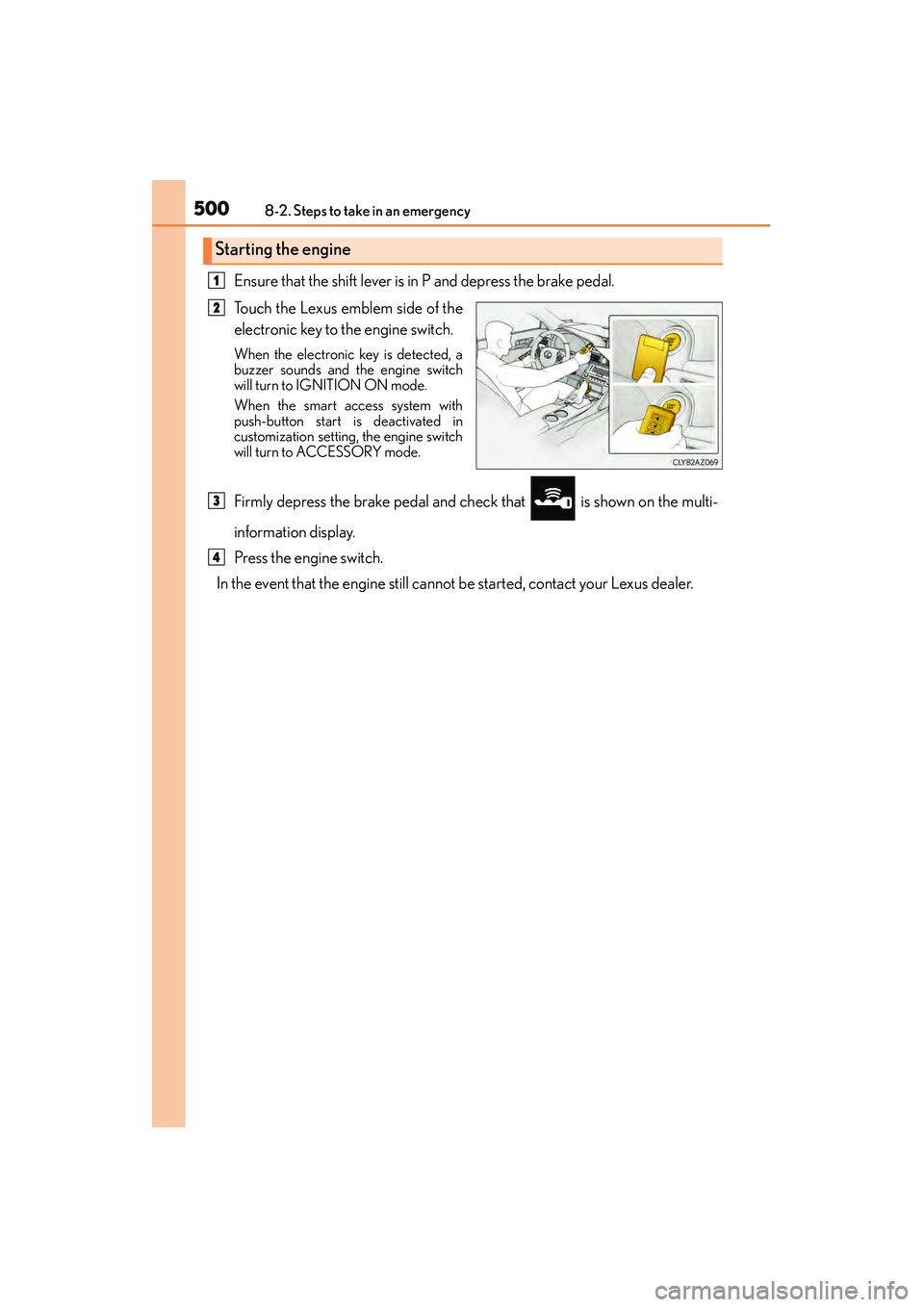
Ensure that the shift lever is in P and depress the brake pedal.
Touch the Lexus emblem side of the
electronic key to the engine switch.
When the electronic key is detected, a
buzzer sounds and the engine switch
will turn to IGNITION ON mode.
When the smart access system with
push-button start is deactivated in
customization setting, the engine switch
will turn to ACCESSORY mode.
Firmly depress the brake pedal and check that is shown on the multi-
information display.
Press the engine switch.
In the event that the engine still cannot be started, contact your Lexus dealer.
Starting the engine
1
2
3
4
Page 540 of 586
5399-2. Customization
9
Vehicle specifications
IS350/250_U (OM53C50U)
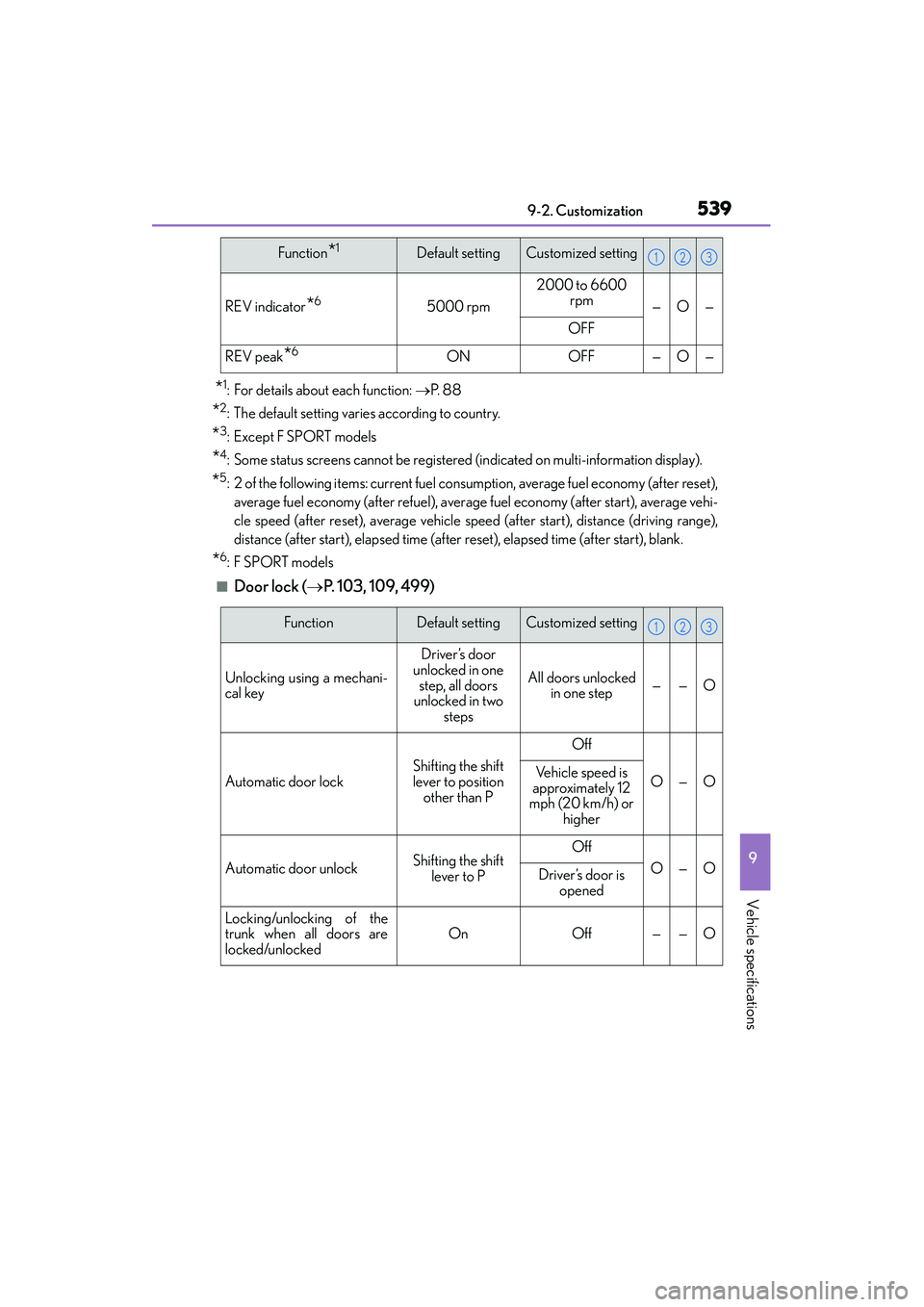
*1: For details about each function: →P. 8 8
*2: The default setting varies according to country.
*3:Except F SPORT models
*4: Some status screens cannot be registered (indicated on multi-information display).
*5: 2 of the following items: current fuel consumption, average fuel economy (after reset),
average fuel economy (after refuel), average fuel economy (after start), average vehi-
cle speed (after reset), average vehicle speed (after start), distance (driving range),
distance (after start), elapsed time (after reset), elapsed time (after start), blank.
*6:F SPORT models
■Door lock ( →P. 103, 109, 499)
REV indicator*65000 rpm
2000 to 6600
rpm
—O—
OFF
REV peak*6ONOFF—O—
Function*1Default settingCustomized setting123
FunctionDefault settingCustomized setting
Unlocking using a mechani-
cal key
Driver’s door
unlocked in one
step, all doors
unlocked in two steps
All doors unlocked in one step——O
Automatic door lockShifting the shift
lever to position
other than P
Off
O—OVehicle speed is
approximately 12
mph (20 km/h) or higher
Automatic door unlockShifting the shift
lever to POff
O—ODriver’s door is opened
Locking/unlocking of the
trunk when all doors are
locked/unlockedOnOff——O
123