tow LEXUS IS250 2016 Owner's Guide
[x] Cancel search | Manufacturer: LEXUS, Model Year: 2016, Model line: IS250, Model: LEXUS IS250 2016Pages: 542, PDF Size: 9.65 MB
Page 478 of 542

484
Alphabetical index
Tachometer
Tacho indicator..................................... 142
Tachometer ............................................ 142
Tail lights
Switch ....................................................... 156
Talk switch*
Telephone switch*
Theft deterrent system
Alarm .......................................................... 79
Engine immobilizer system .............. 77
Theft prevention labels ........................... 81
Tire inflation pressure .........................336
Tire information
Glossary................................................. 454
Size .............................................................451
Tire identification number ...............451
Uniform tire quality grading ......... 452
Tires
Chains .....................................................200
Checking ............................................... 325
If you have a flat tire ..........................404
Inflation pressure................................ 336
Inflation pressure sensor................ 327
Information............................................ 449
Replacing ...............................................404
Rotating tires ........................................ 325
Size ........................................................... 439
Snow tires ..............................................200
Tools ...........................................................404
Total load capacity ................................ 199
Towing
Dinghy towing ........................205, 206
Emergency towing ............................373
Trailer towing ...................................... 204
TRAC ......................................................... 186
Traction control...................................... 186
Transmission shift switches.................134
Trip meter ..................................................142
Trunk
Extending a space .............................275
Opener ...................................................... 43
Trunk light
Trunk light ................................................. 44
Wattage ................................................. 445
Turn signal lights
Replacing light bulbs ....................... 363
Switch ........................................................ 139
Wattage ................................................. 445
Vanity lights
Vanity lights.......................................... 258
Wattage ................................................. 445
Vanity mirrors ........................................ 258
VDIM.......................................................... 186
Vehicle dynamics integrated
management ........................................ 186
Vehicle identification number...........431
Vehicle stability control ...................... 186
Ventilators ............................................... 269
VSC ............................................................ 186
T
V
Page 496 of 542
Topic 2
Before Driving
16
Entering and Exiting
Before Driving
When Driving
Rain and
Night Driving
Driving Comfort
Opening and Closing
What to do if ...
Customizing
Yo u r L e x u s
IS_U (L/O_0808)
Steering Wheel
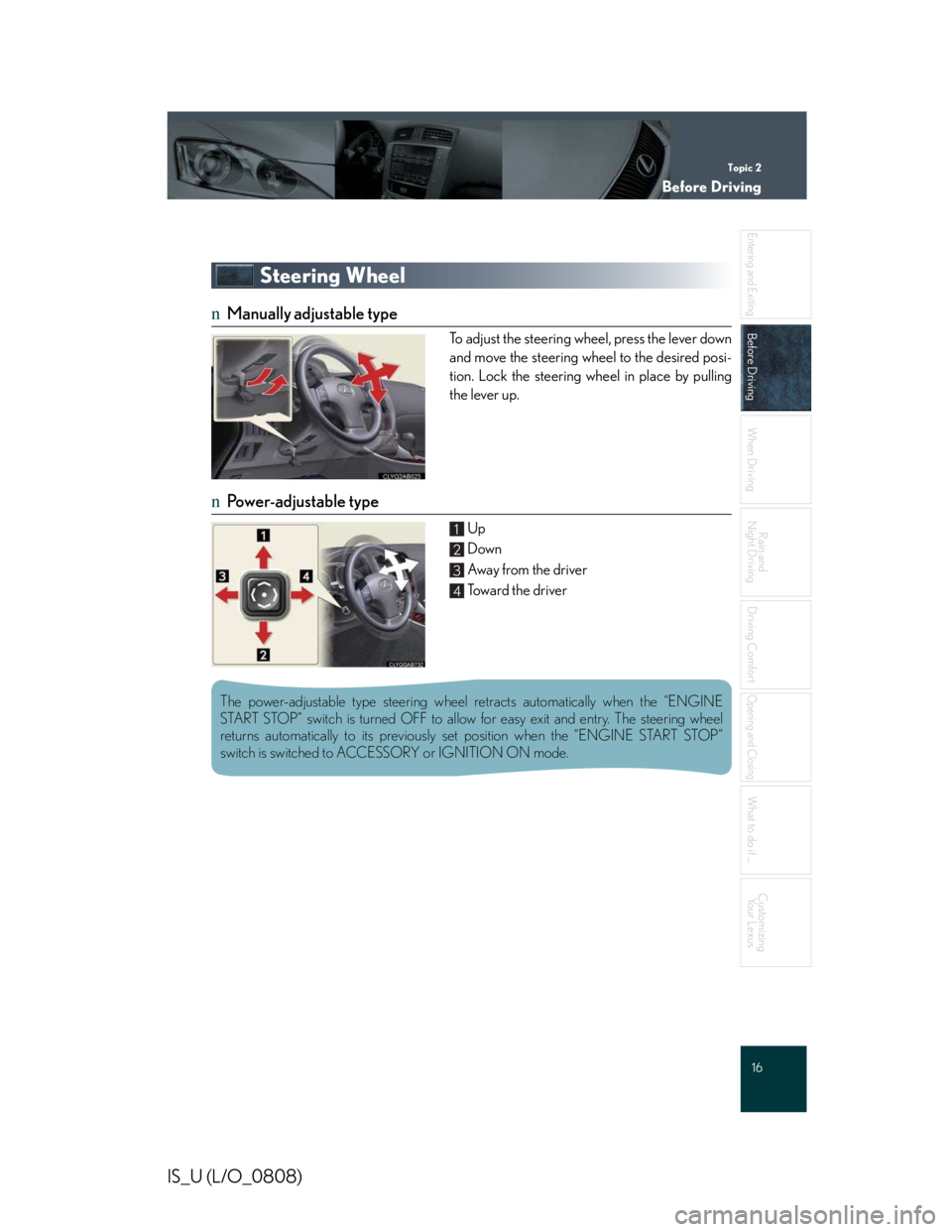
nManually adjustable type
To adjust the steering wheel, press the lever down
and move the steering wheel to the desired posi-
tion. Lock the steering wheel in place by pulling
the lever up.
nPower-adjustable type
Up
Down
Awa y f ro m t h e d r i v e r
Toward the driver
1
2
3
4
The power-adjustable type steering wheel retracts automatically when the “ENGINE
START STOP” switch is turned OFF to allow for easy exit and entry. The steering wheel
returns automatically to its previously set position when the “ENGINE START STOP”
switch is switched to ACCESSORY or IGNITION ON mode.
Page 500 of 542
Topic 3
When Driving
21
IS_U (L/O_0808)
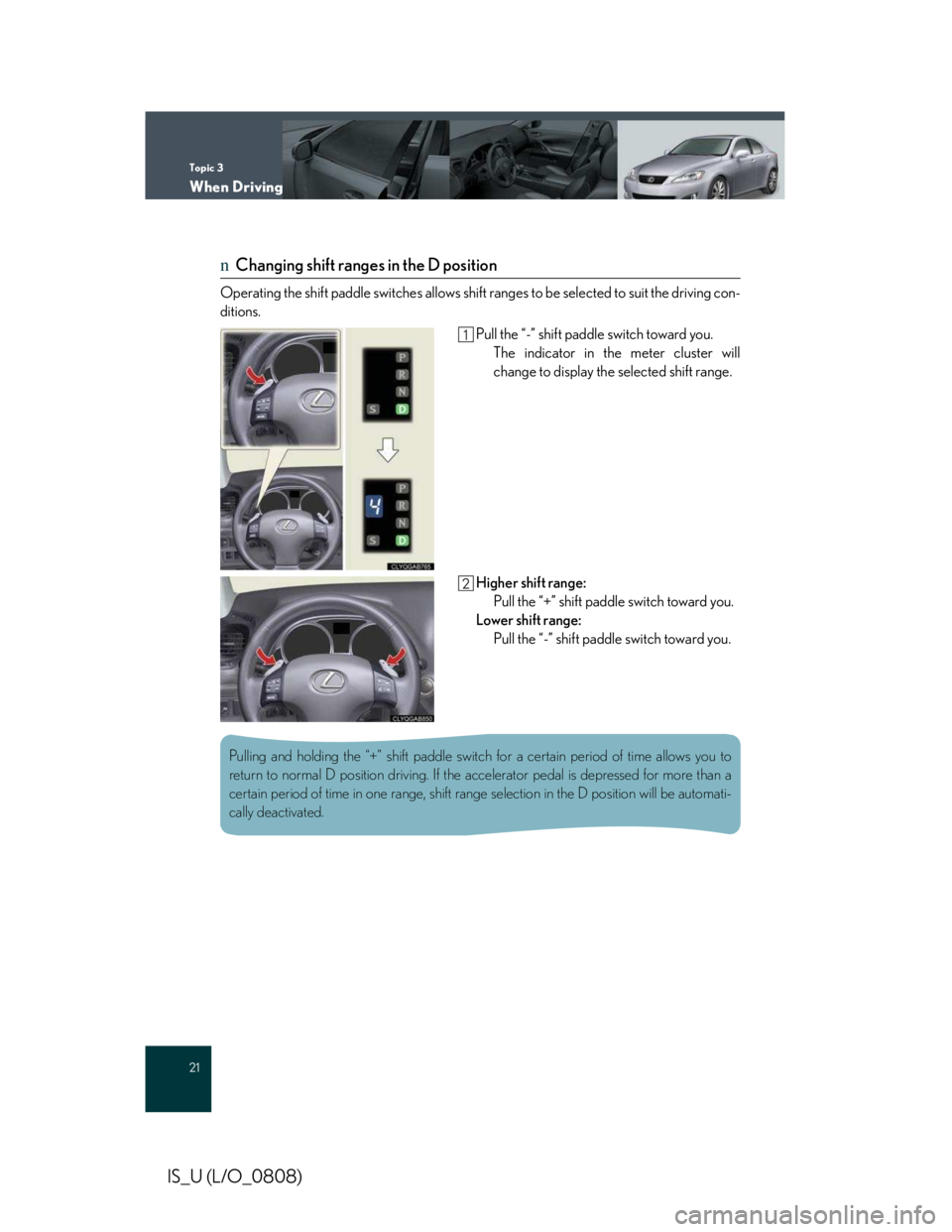
nChanging shift ranges in the D position
Operating the shift paddle switches allows shift ranges to be selected to suit the driving con-
ditions.
Pull the “-” shift paddle switch toward you.
The indicator in the meter cluster will
change to display the selected shift range.
Higher shift range:
Pull the “+” shift paddle switch toward you.
Lower shift range:
Pull the “-” shift paddle switch toward you.
Pulling and holding the “+” shift paddle switch for a certain period of time allows you to
return to normal D position driving. If the accelerator pedal is depressed for more than a
certain period of time in one range, shift range selection in the D position will be automati-
cally deactivated.
Page 501 of 542
Topic 3
When Driving
22
Entering and Exiting
Before Driving
Before Driving
When Driving
When Driving
Rain and
Night Driving
Driving Comfort
Opening and Closing
What to do if ...
Customizing
Yo u r L e x u s
IS_U (L/O_0808)
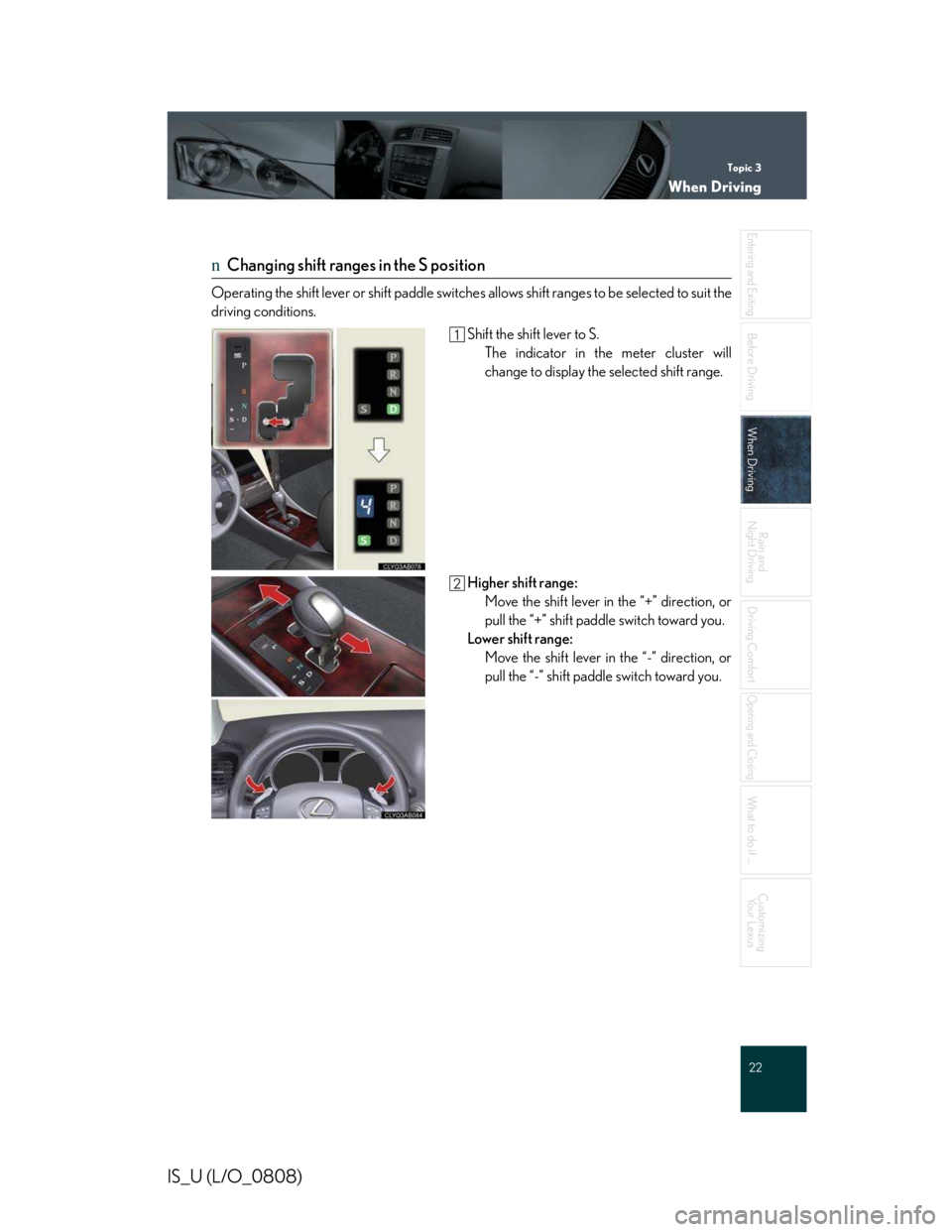
nChanging shift ranges in the S position
Operating the shift lever or shift paddle switches allows shift ranges to be selected to suit the
driving conditions.
Shift the shift lever to S.
The indicator in the meter cluster will
change to display the selected shift range.
Higher shift range:
Move the shift lever in the “+” direction, or
pull the “+” shift paddle switch toward you.
Lower shift range:
Move the shift lever in the “-” direction, or
pull the “-” shift paddle switch toward you.
Page 508 of 542
Topic 3
When Driving
29
IS_U (L/O_0808)
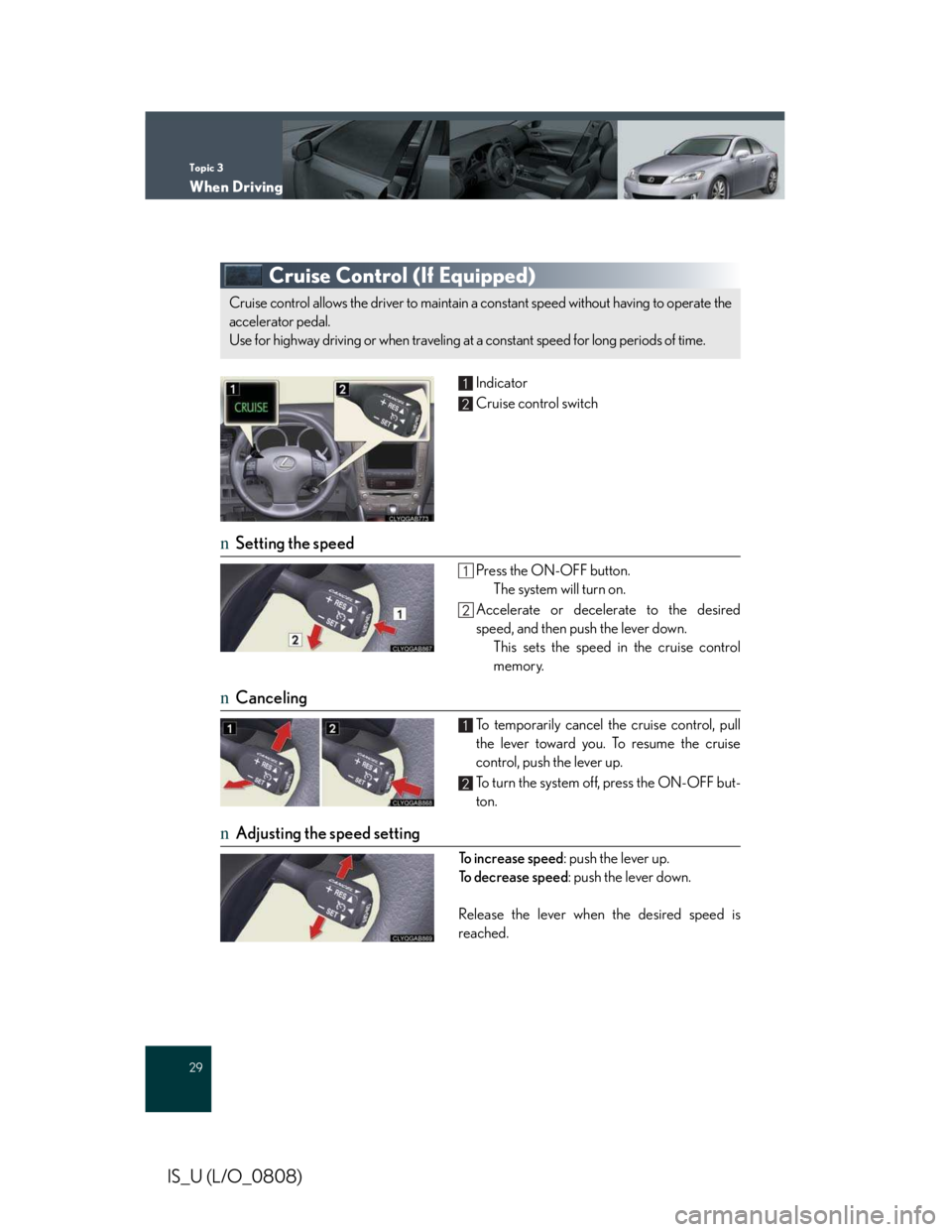
Cruise Control (If Equipped)
Indicator
Cruise control switch
nSetting the speed
Press the ON-OFF button.
The system will turn on.
Accelerate or decelerate to the desired
speed, and then push the lever down.
This sets the speed in the cruise control
memory.
nCanceling
To temporarily cancel the cruise control, pull
the lever toward you. To resume the cruise
control, push the lever up.
To turn the system off, press the ON-OFF but-
ton.
nAdjusting the speed setting
To increase speed: push the lever up.
To d e c r e a s e s p e e d: push the lever down.
Release the lever when the desired speed is
reached.
Cruise control allows the driver to maintain a constant speed without having to operate the
accelerator pedal.
Use for highway driving or when traveling at a constant speed for long periods of time.
1
2
1
2
Page 510 of 542
Topic 3
When Driving
31
IS_U (L/O_0808)
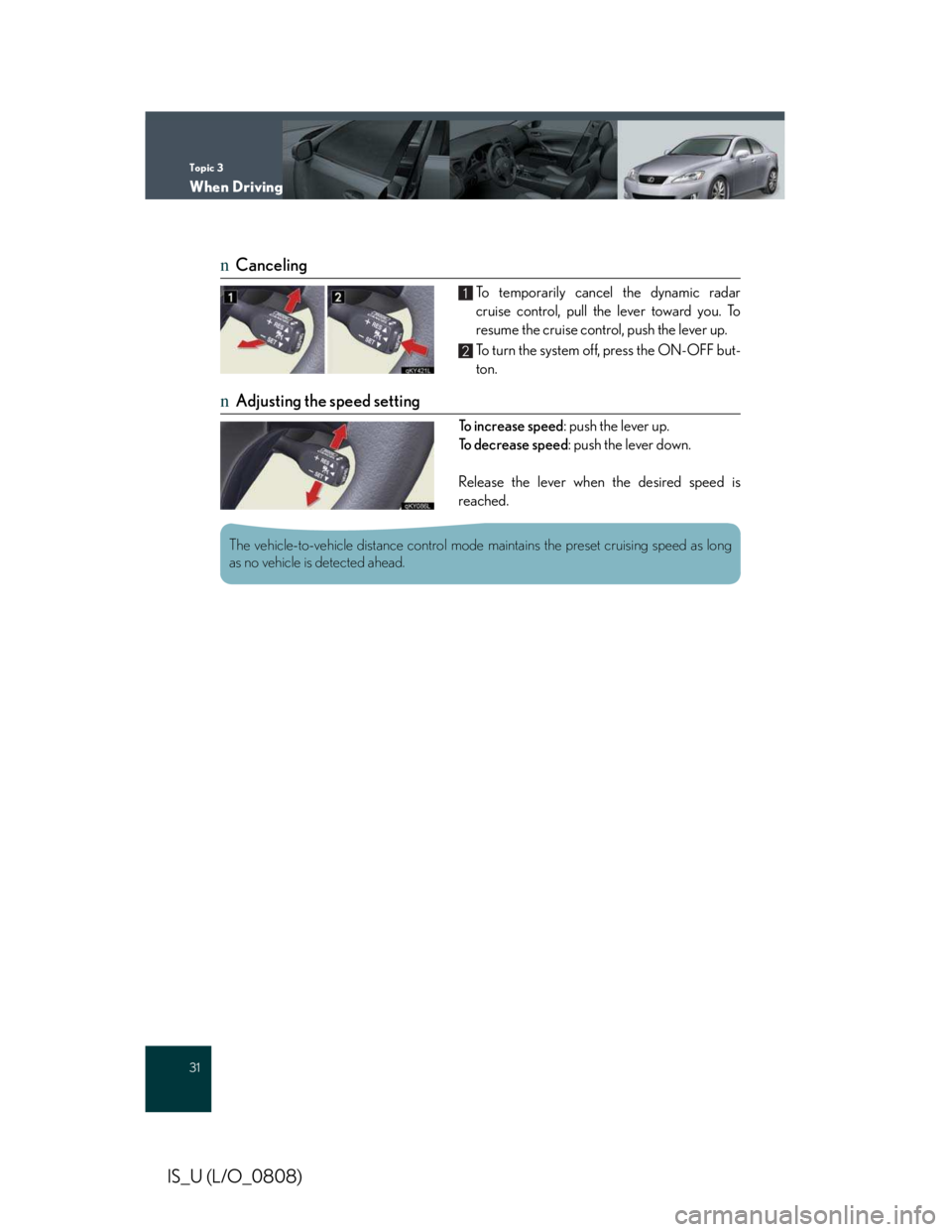
nCanceling
To temporarily cancel the dynamic radar
cruise control, pull the lever toward you. To
resume the cruise control, push the lever up.
To turn the system off, press the ON-OFF but-
ton.
nAdjusting the speed setting
To increase speed: push the lever up.
To d e c r e a s e s p e e d: push the lever down.
Release the lever when the desired speed is
reached.
1
2
The vehicle-to-vehicle distance control mode maintains the preset cruising speed as long
as no vehicle is detected ahead.
Page 523 of 542
Topic 5
Driving Comfort
46
Entering and Exiting
When Driving
Rain and
Night Driving
Driving Comfort
Driving Comfort
Opening and Closing
What to do if ...
Customizing
Yo u r L e x u s
Before Driving
IS_U (L/O_0808)
Seat Heaters / Seat Heaters and
Ventilators (If Equipped)
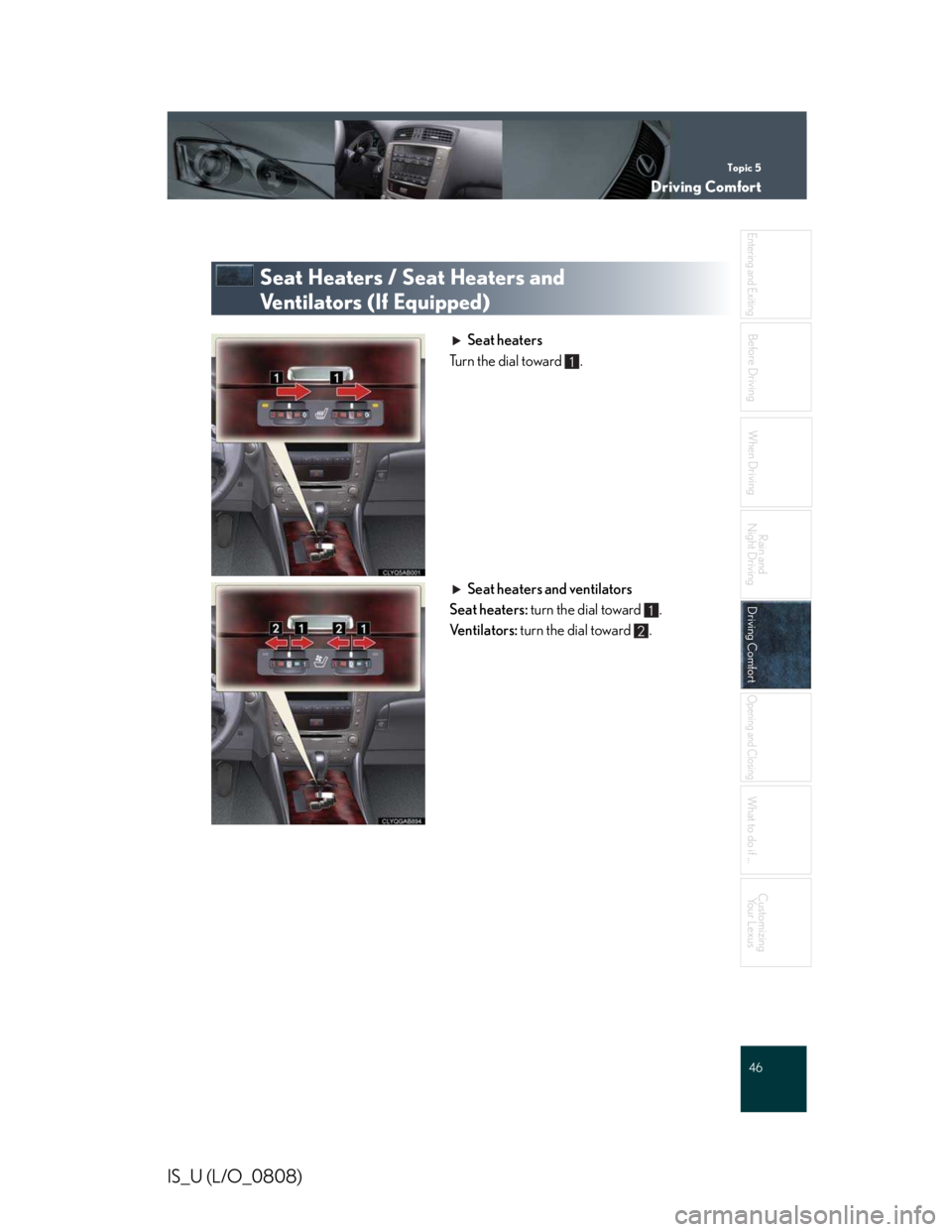
Seat heaters
Turn the dial toward .
Seat heaters and ventilators
Seat heaters: turn the dial toward .
Ventilators: turn the dial toward .
1
1
2