air condition LEXUS IS250C 2013 User Guide
[x] Cancel search | Manufacturer: LEXUS, Model Year: 2013, Model line: IS250C, Model: LEXUS IS250C 2013Pages: 624, PDF Size: 6.58 MB
Page 117 of 624

117
1
1-7. Safety information
Before driving
Front passenger occupant classification system
Your vehicle is equipped with a front passenger occupant classification sys-
tem. This system detects the conditions of the front passenger seat and
activates or deactivates the devices for front passenger.
SRS warning light
“AIR BAG OFF” indicator light
“AIR BAG ON” indicator light
Front passenger’s seat belt reminder light
Page 118 of 624

118
1-7. Safety information
Condition and operation in the front passenger occupant classification system
■Adult*1
■Child *3 or child restraint system*4
Indicator/
warning light “AIR BAG ON” and “AIR BAG OFF”
indicator lights “A I R B A G
ON”
SRS warning light Off
Front passenger’s seat belt reminder light Flashing
*2
DevicesFront passenger airbag
Activated
Side airbag on the front
passenger seat
Front passenger knee airbag
Front passenger’s seat belt pretensioner
Indicator/
warning light “AIR BAG ON” and “AIR BAG OFF”
indicator lights “A I R B A G
OFF”
*5
SRS warning light Off
Front passenger’s seat belt reminder light Flashing
*2
DevicesFront passenger airbag Deactivated
Side airbag on the front passenger seat Activated
Front passenger knee airbag Deactivated
Front passenger’s seat belt pretensioner Activated
Page 212 of 624

212
2-4. Using other driving systems
■Sensor detection information
●Certain vehicle conditions and the surrounding environment may affect the
ability of the sensor to correctly detect obstacles. Particular instances where this
may occur are listed below.
• There is dirt, snow or ice on the sensor.
• The sensor is frozen.
• The sensor is covered in any way.
• The vehicle is leaning considerably to one side.
• On an extremely bumpy road, on an incline, on gravel, or on grass.
• The vicinity of the vehicle is noisy due to vehicle horns, motorcycle engines,
air brakes of large vehicles, or other loud noises producing ultrasonic waves.
• There is another vehicle equipped with parking assist sensors in the vicinity.
• The sensor is coated with a sheet of spray or heavy rain.
• The vehicle is equipped with a fender pole or wireless antenna.
• Towing eyelets are installed.
• The bumper or sensor receives a strong impact.
• The vehicle is approaching a tall or curved curb.
• In harsh sunlight or intense cold weather
In addition to the examples above, there are instances in which, because of their
shapes, signs and other object s may be judged by the sensor to be closer than they
are.
●The shape of the obstacle may prevent th e sensor from detecting it. Pay particu-
lar attention to the following obstacles.
• Wires, fences, ropes etc.
• Cotton, snow and other materials that absorb radio waves
• Sharply-angled objects
•Low obstacles
• Tall obstacles with upper sections projec ting outwards in the direction of your
vehicle
■When the display flashes an d a message is displayed
P. 5 0 0
Page 233 of 624

233
2-5. Driving information
2
When driving
Winter driving tips
Carry out the necessary preparations and inspections before driving the
vehicle in winter. Always drive the vehicle in a manner appropriate to the
prevailing weather conditions.
■ Pre-winter preparations
●Use fluids that are appropria te to the prevailing outside tempera-
tures.
• Engine oil
• Engine coolant
• Washer fluid
● Have a service technician inspect the level and specific gravity of
battery electrolyte.
● Have the vehicle fitted with four snow tires or purchase a set of
tire chains for the rear tires.
Ensure that all tires are the specified size and the same brand, and that
chains match the size of the tires.
■ Before driving the vehicle
Perform the following according to the driving conditions.
● Do not try to forcibly open a w indow or move a wiper that is fro-
zen. Pour warm water over the frozen area to melt the ice. Wipe
away the water immediately to prevent it from freezing.
● To ensure proper operation of the climate control system fan,
remove any snow that has accumu lated on the air inlet vents in
front of the windshield.
● Remove any ice that has accumul ated on the vehicle chassis.
● Periodically check for and remove any excess ice or snow that
may have accumulated in the wheel well or on the brakes.
Page 240 of 624

240
3-1. Using the air conditioning system and defogger
Automatic air conditioning system..................................... 242
Rear window and outside rear view
mirror defoggers.................. 251
Windshield wiper de-icer .... 252
3-2. Using the audio system Audio system type ................. 253
Using the radio ....................... 256
Using the CD player ............. 264
Playing back MP3 and WMA discs ............................. 271
Operating an iPod .................. 279
Operating a USB memory.................................. 287
Optimal use of the audio system..................................... 296
Using the AUX port .............. 298
Using the steering wheel audio switches...................... 300
Interior features3
Page 242 of 624

242
3-1. Using the air conditioning system and defogger
Automatic air conditioning system
Using the automatic mode
Press .
The air conditioning system will begin to operate. Air outlets and fan
speed are automatically adjusted according to the temperature setting.
Press to switch to automatic mode. (IS350C only)
Automatically switches between outs ide air and recirculated air modes.
Air outlets and fan speed are automati cally adjusted according to the tem-
perature setting.
With navigation system
Owners of models equipped with a navigation system should refer to the
“Navigation System Owner's Manual”.
Without navigation system
Automatic mode
Driver’s side temperature
setting display Changes the air outlets used
Off Fan speed
Airflow display
Fan speed display
Passenger’s side
temperature setting displayMicro dust and
pollen filter
Driver's side
temperature control
Air conditioning on/off switch Outside air or recirculated modeWindshield defogger
Passenger’s side
temperature control
Dual operation switch
STEP1
STEP2
Page 243 of 624

243
3-1. Using the air conditioning system and defogger
3
Interior features
Press “” on to increase the temperature and “ ” to
decrease the temperature.
The temperature for the driver and passenger seats can be set sepa-
rately.
Adjusting the settings ■ Adjusting the temperature setting
Press “ ” on to increase the temperature and “ ” to decrease
the temperature.
The air conditioning system switches between individual and simultaneous
modes each time is pressed.
Dual mode (the indicator on is on): The temperature for the
front left-hand seat and front right- hand seat can be adjusted sepa-
rately. Operating the passenger' s side temperature control will enter
dual mode.
When the indicator on is on, the temperature of the rear seats is
linked with that of the front left-hand seat.
Simultaneous mode (the indic ator on is off): Only
(driver’s side) can be used to adjust the temperature for all seats.
■ Adjusting the fan speed
Press “ ” (increase) or “ ” (decrease) on .
Press to turn the fan off.
STEP3
Page 244 of 624

244
3-1. Using the air conditioning system and defogger
■Changing the air outlets
Press .
The air outlets switch each time the is pressed. The air flow shown
on the display indicates the following.
Upper body
*: Automatic air flow mode only
Upper body and feet
Feet
*
*
*
*
Page 245 of 624
245
3-1. Using the air conditioning system and defogger
3
Interior features
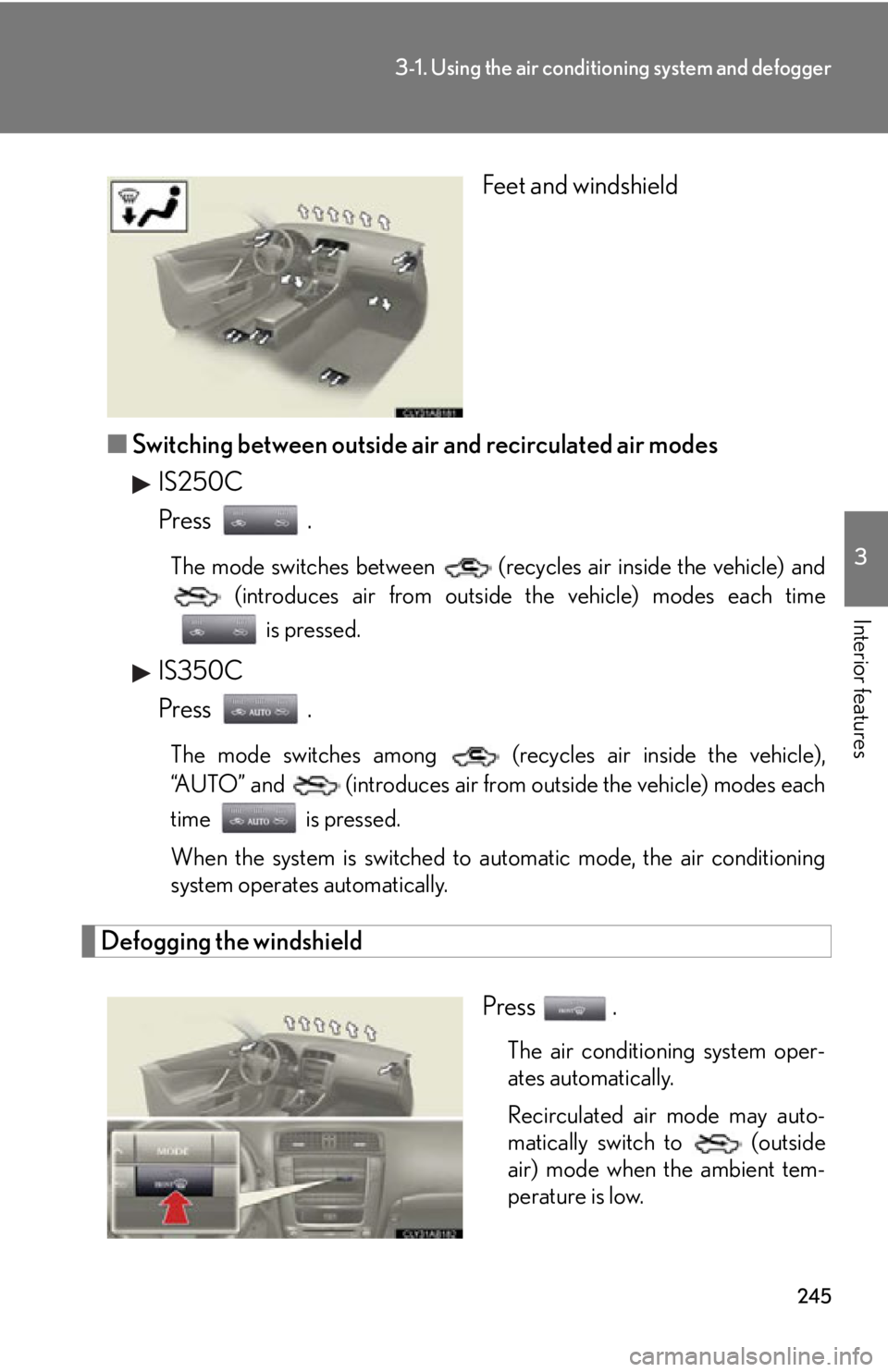
Feet and windshield
■ Switching between outside air and recirculated air modes
IS250C
Press .
The mode switches between (recycles air inside the vehicle) and (introduces air from outside the vehicle) modes each time
is pressed.
IS350C
Press .
The mode switches among (recycles air inside the vehicle),
“AUTO” and (introduces air from outside the vehicle) modes each
time is pressed.
When the system is switched to automatic mode, the air conditioning
system operates automatically.
Defogging the windshield
Press .
The air conditioning system oper-
ates automatically.
Recirculated air mode may auto-
matically switch to (outside
air) mode when the ambient tem-
perature is low.
Page 246 of 624

246
3-1. Using the air conditioning system and defogger
Micro dust and pollen filter
Press .
Outside air mode switches to (recirculated air) mode. Pol-
len is removed from the air and the
air flows to the upper part of the
body.
Usually the system will turn off
automatically after 1 or 3 minutes.
To stop the operation, press again.
Adjusting the sensitivity of the air intake control in automatic mode (IS350C only)
Press for 2 or more sec-
onds.
Press “ ” (increase) or “ ”
(decrease) on .
From -3 (low) to 3 (high) can be
set.
STEP1
STEP2