audio LEXUS IS300 2022 User Guide
[x] Cancel search | Manufacturer: LEXUS, Model Year: 2022, Model line: IS300, Model: LEXUS IS300 2022Pages: 440, PDF Size: 22.72 MB
Page 242 of 440

2405-1. Remote Touch/Display
■Menu screen
Press the “MENU” button on the
Remote Touch to display the menu
screen.
This system can also be operated by
the touch screen.
For details, refer to “NAVIGATION
AND MULTIMEDIA SYSTEM
OWNER’S MANUAL”.
The displays shown in the illustrations
are used for example only and may dif-
fer from the actual vehicle.
Vehicles with a 10.3-inch display
Vehicles with a 8-inch display
Center Display
Center Display overview
SwitchFunction
Select to display the
“Destination”
screen.
*1
Select to display the
audio control
screen.
*1
Select to display the
hands-free control
screen.
*1
Select to display the
“Apps” screen.
*1, 2
/
/
When an Apple
CarPlay/Android
Auto connection is
established and this
button displays
“Apple
CarPlay”/“Android
Auto”, select to dis-
play the home
screen of Apple
CarPlay/Android
Auto.
*1, 2
Select to display the
information screen.
*1
( P.82)
Select to display the
setup screen.
*1
Select to display the
air conditioning con-
trol screen.
( P.243)
Select to adjust the
contrast and bright-
ness of the screens,
turn the screen off,
etc.
*1, 2
Page 243 of 440

2415-1. Remote Touch/Display
5
Interior features
*1: Refer to “NAVIGATION AND MULTI-MEDIA SYSTEM OWNER’S MAN-
UAL”.*2: This function is not available on some models.
■Split-screen display (vehicles with a 10.3-inch display)
Different information can be displayed on the left and right sides of the screen. For
example, air conditioning system screen can be displayed and operated while the
fuel consumption information screen is be ing displayed. The large screen on the
left of the display is called the main display, and the small screen to the right is
called the side display.
■Main display (vehicles with a
10.3-inch display)
For details about the functions and
operation of the main display, refer to
the respective section and “NAVIGA-
TION AND MULTIMEDIA SYSTEM
OWNER’S MANUAL”.
■Side display (vehicles with a
10.3-inch display)
The following functions can be dis-
played and operated on the side dis-
play.
Select or to display the desired
screen. Navigation system
*
Audio*
Vehicle information (
P.82)
Air conditioning system ( P.243)
Show/hide the side display
*
*: Refer to “NAVIGATION AND MULTI- MEDIA SYSTEM OWNER’S MAN-
UAL”.
A
B
C
D
E
Page 276 of 440

2746-1. Maintenance and care
Remove dirt and dust using a vac-
uum cleaner. Wipe dirty surfaces
with a cloth dampened with luke-
warm water.
If dirt cannot be removed, wipe it off
with a soft cloth dampened with
neutral detergent diluted to approx-
imately 1%.
Wring out any excess water from
the cloth and thoroughly wipe off
remaining traces of detergent and
water.
■Shampooing the carpets
There are several commercial foaming-type
cleaners available. Use a sponge or brush
to apply the foam. Ru b in overlapping cir-
cles. Do not use water. Wipe dirty surfaces
and let them dry. Excellent results are
obtained by keeping the carpet as dry as
possible.
■Handling the seat belts
Clean with mild soap and lukewarm water
using a cloth or sponge. Also check the
belts periodically for excessive wear, fraying
or cuts.
■When cleaning the carpeted portions of
the glove box, console box, etc.
If a strong adhesive tape is used, there is a
possibility that the surface of the carpet
could be damaged.
Cleaning and protecting the
vehicle interior
The following procedures will help
protect your vehicle’s interior and
keep it in top condition:
Protecting the vehicle interior
WARNING
■Water in the vehicle
●Do not splash or spill liquid in the vehi-
cle.
Doing so may cause electrical compo-
nents, etc. to malfunction or catch fire.
●Do not get any of the SRS components
or wiring in the vehicle interior wet.
( P.28)
An electrical malfunction may cause
the airbags to deploy or not function
properly, resulting in death or serious
injury.
■Cleaning the interior (especially
instrument panel)
Do not use polish wax or polish cleaner.
The instrument panel may reflect off the
windshield, obstructin g the driver’s view
and leading to an accident, resulting in
death or serious injury.
NOTICE
■Cleaning detergents
●Do not use the following liquids, as
they may discolor th e vehicle interior
or cause streaks or damage to painted
surfaces:
• Audio system screen: Organic sub- stances such as benzine or gasoline,
alkaline solutions, and alcohol
• Seats: Alkaline solutions, organic sub- stances such as thinner or benzine,
and alcohol
• Other parts: Organic substances such as benzine or gasoline, alkaline or
acidic solutions, dye, and bleach
●Do not use polish wax or polish
cleaner. The instrument panel’s or
other interior part’s painted surface
may be damaged.
Page 277 of 440

2756-1. Maintenance and care
6
Maintenance and care
Remove dirt using a soft cloth or
synthetic chamois dampened in a
baking soda (sodium bicarbonate)
solution.
Use a solution of approximately 9% baking
soda dissolved in water.
Wipe the surface with a dry, soft
cloth to remove any remaining
moisture.
Remove dirt and dust using a vac-
uum cleaner.
Wipe off any excess dirt and dust
with a soft cloth dampened with
diluted detergent.
Use a diluted water so lution of approxi-
mately 5% neutral wool detergent.
Wring out any excess water from
the cloth and thoroughly wipe off all
remaining traces of detergent.
Wipe the surface with a dry, soft
cloth to remove any remaining
moisture. Allow the leather to dry in
a shaded and ventilated area.
■Caring for leather areas
Lexus recommends cleani ng the interior of
the vehicle at least twice a year to maintain
the quality of the vehicle’s interior.
NOTICE
■Preventing damage to leather sur-
faces
Observe the following precautions to
avoid damage to and deterioration of
leather surfaces:
●Remove any dust or dirt from leather
surfaces immediately.
●Do not expose the vehicle to direct
sunlight for extended periods of time.
Park the vehicle in the shade, espe-
cially during summer.
●Do not place items made of vinyl, plas-
tic, or containing wax on the uphol-
stery, as they may stick to the leather
surface if the vehicle interior heats up
significantly.
■Water on the floor
Do not wash the vehicle floor with water.
Vehicle systems such as the audio system
may be damaged if water comes into
contact with electrical components such
as the audio system above or under the
floor of the vehicl e. Water may also
cause the body to rust.
■When cleaning the inside of the wind-
shield
Do not allow glass cleaner to contact the
lens. Also, do not touch the lens.
(
P.160)
■Cleaning the inside of the rear win-
dow
●Do not use glass cleaner to clean the
rear window, as this may cause dam-
age to the rear window defogger
heater wires or antenna. Use a cloth
dampened with lukewarm water to
gently wipe the window clean. Wipe
the window in strokes running parallel
to the heater wires or antenna.
●Be careful not to scratch or damage
the heater wires or antenna.
■Cleaning the front side windows
Do not use any compound or abrasive
product (e.g., glass cleaner, detergent,
wax) to clean the windows. It may dam-
age the coating.
Cleaning the area s with satin-fin-
ish metal accents
Cleaning the leather areas
Page 337 of 440

3357-2. Steps to take in an emergency
7
When trouble arises
■Slip indicator
■Parking brake indicator (warning buzzer)
■Brake hold operated indicator (warning buzzer)
■Warning buzzer
In some cases, the bu zzer may not be heard
due to being in a noisy location or audio
sound.
■Front passenger detection sensor, seat
belt reminder and warning buzzer
●If luggage is placed on the front passen-
ger seat, the front passenger detection
sensor may cause the warning light to
flash and the warning buzzer to sound
even if a passenger is not sitting in the
seat.
●If a cushion is placed on the seat, the sen-
sor may not detect a passenger, and the
warning light may not operate properly.
■SRS warning light
This warning light system monitors the
airbag sensor assembly, front impact sen-
sors, side impact sensor s (front door), side
impact sensors (front), side impact sensors
(rear), driver’s seat position sensor, driver’s
seat belt buckle sw itch, front passenger
occupant classification system (ECU and
sensors), “AIR BAG ON” indicator light,
“AIR BAG OFF” indicator light, front pas-
senger’s seat belt buckle switch, seat belt
pretensioners and force limiters, airbags,
interconnecting wiring and power sources.
( P.28)
■If the malfunction in dicator lamp comes
on while driving
First check the following:
Warning lightDetails/Actions
Indicates a malfunction in:
The VSC system;
The TRAC system; or
The hill-start assist control system
Have the vehicle inspected by your Lexus dealer immediately.
Warning lightDetails/Actions
(flashes)
(U.S.A.)
or
(flashes)
(Canada)
It is possible that the parking brake is not fully engaged or released
Operate the parking brake switch once again.
This light comes on when the parking brake is not released. If the light
turns off after the parking brake is fu lly released, the system is operating
normally.
Warning lightDetails/Actions
(flashes)
Indicates a malfunction in the brake hold system
Have the vehicle inspected by your Lexus dealer immediately.
Page 340 of 440
3387-2. Steps to take in an emergency
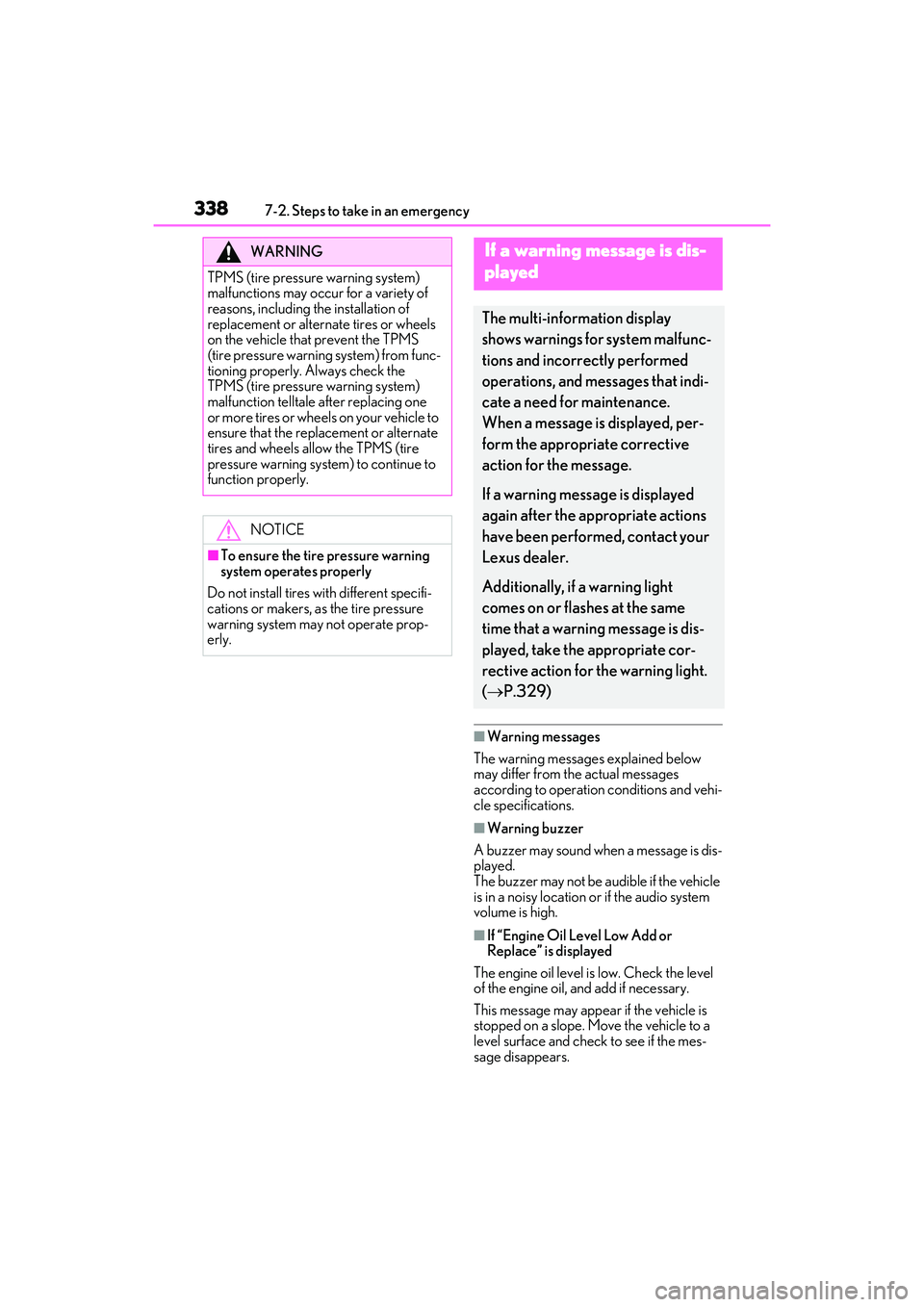
■Warning messages
The warning messages explained below
may differ from the actual messages
according to operation conditions and vehi-
cle specifications.
■Warning buzzer
A buzzer may sound when a message is dis-
played.
The buzzer may not be audible if the vehicle
is in a noisy location or if the audio system
volume is high.
■If “Engine Oil Level Low Add or
Replace” is displayed
The engine oil level is low. Check the level
of the engine oil, and add if necessary.
This message may appear if the vehicle is
stopped on a slope. Move the vehicle to a
level surface and check to see if the mes-
sage disappears.
WARNING
TPMS (tire pressure warning system)
malfunctions may occu r for a variety of
reasons, including the installation of
replacement or alternate tires or wheels
on the vehicle that prevent the TPMS
(tire pressure warning system) from func-
tioning properly. Always check the
TPMS (tire pressure warning system)
malfunction telltale after replacing one
or more tires or wheels on your vehicle to
ensure that the replacement or alternate
tires and wheels allow the TPMS (tire
pressure warning system) to continue to
function properly.
NOTICE
■To ensure the tire pressure warning
system operates properly
Do not install tires wi th different specifi-
cations or makers, as the tire pressure
warning system may not operate prop-
erly.
If a warning message is dis-
played
The multi-information display
shows warnings for system malfunc-
tions and incorrectly performed
operations, and messages that indi-
cate a need for maintenance.
When a message is displayed, per-
form the appropriate corrective
action for the message.
If a warning message is displayed
again after the appropriate actions
have been performed, contact your
Lexus dealer.
Additionally, if a warning light
comes on or flashes at the same
time that a warning message is dis-
played, take the appropriate cor-
rective action for the warning light.
( P.329)
Page 358 of 440

3567-2. Steps to take in an emergency
6Open and close any of the doors of
your vehicle with the engine switch
off.
7 Maintain the engine speed of the
second vehicle and start the engine
of your vehicle by turning the
engine switch to IGNITION ON
mode.
8 Once the vehicle’s engine has
started, remove the jumper cables
in the exact reverse order from
which they were connected.
Once the engine starts, have the vehi-
cle inspected at your Lexus dealer as
soon as possible.
■Starting the engine when the battery is
discharged
The engine cannot be started by push-start-
ing.
■To prevent battery discharge
●Turn off the headlights and the audio sys-
tem while the engine is off.
●Turn off any unnecessary electrical com-
ponents when the vehicle is running at a
low speed for an extended period, such
as in heavy traffic.
■Charging the battery
The electricity stored in the battery will dis-
charge gradually even when the vehicle is
not in use, due to natural discharge and the
draining effects of certain electrical appli-
ances. If the vehicle is left for a long time,
the battery may discharge, and the engine
may be unable to start. (The battery
recharges automatically during driving.)
■When recharging or replacing the bat-
tery
●In some cases, it may not be possible to
unlock the doors using the smart access
system with push-button start when the
battery is discharged. Use the wireless
remote control or the mechanical key to
lock or unlock the doors.
●The engine may not start on the first
attempt after the battery has recharged
but will start normally after the second
attempt. This is not a malfunction.
●The engine switch mode is memorized by
the vehicle. When the battery is recon-
nected, the system will return to the
mode it was in before the battery was dis-
charged. Before disconnecting the bat-
tery, turn the engine switch off. If you are
unsure what mode th e engine switch was
in before the battery discharged, be
especially careful when reconnecting the
battery.
WARNING
■Avoiding battery fires or explosions
Observe the following precautions to
prevent accidentally igniting the flamma-
ble gas that may be emitted from the bat-
tery:
●Make sure each jumper cable is con-
nected to the correct terminal and that
it is not unintentionally in contact with
any other than the intended terminal.
●Do not allow the other end of the
jumper cable connected to the “+” ter-
minal to come into contact with any
other parts or meta l surfaces in the
area, such as brackets or unpainted
metal.
●Do not allow the + and - clamps of the
jumper cables to come into contact
with each other.
●Do not smoke, use matches, cigarette
lighters or allow open flame near the
battery.
■Battery precautions
The battery contains poisonous and cor-
rosive acidic electrol yte, while related
parts contain lead and lead compounds.
Observe the following precautions when
handling the battery:
Page 399 of 440
3978-2. Customization
8
Vehicle specifications
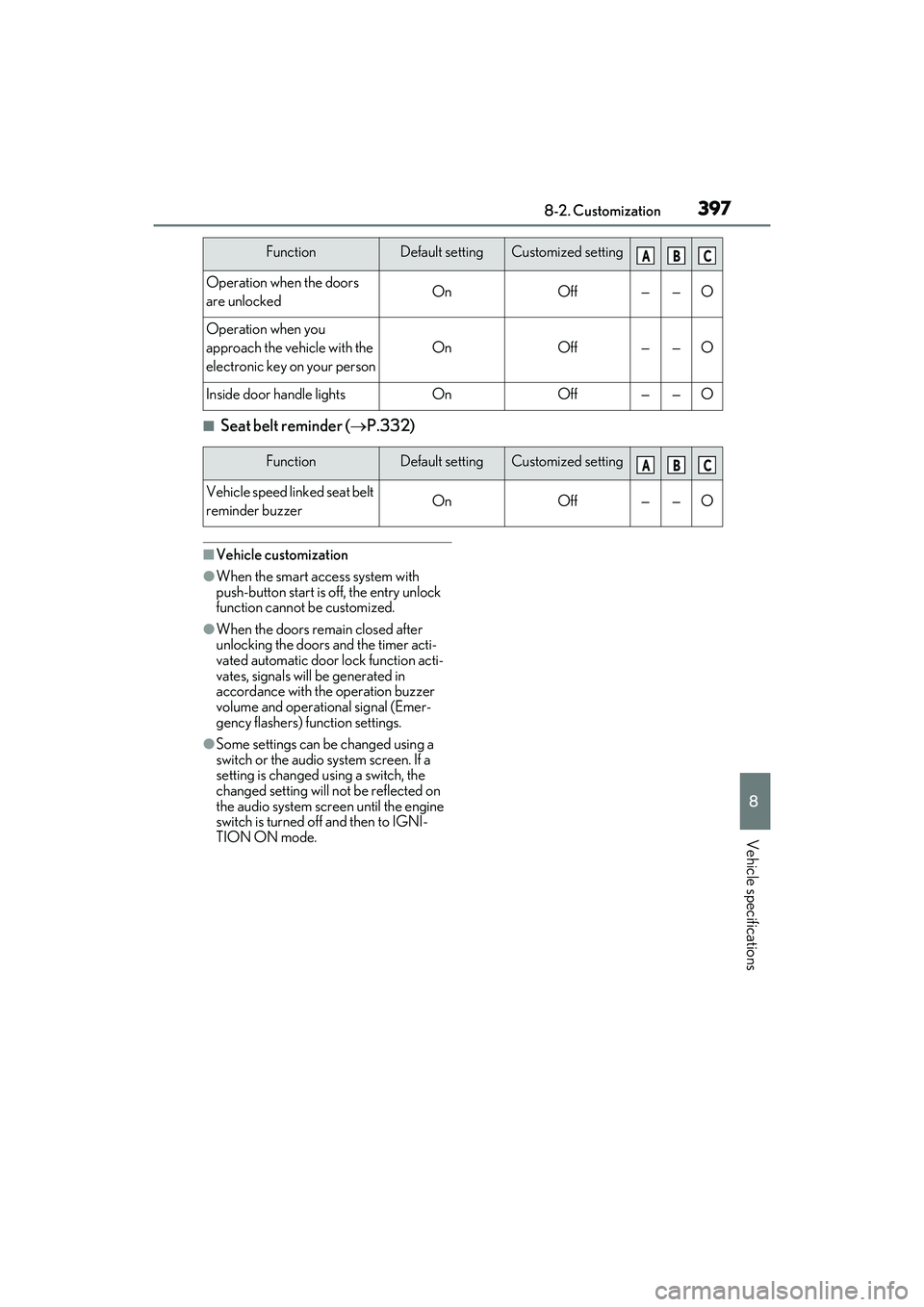
■Seat belt reminder (P.332)
■Vehicle customization
●When the smart access system with
push-button start is off, the entry unlock
function cannot be customized.
●When the doors rema in closed after
unlocking the doors and the timer acti-
vated automatic door lock function acti-
vates, signals will be generated in
accordance with the operation buzzer
volume and operational signal (Emer-
gency flashers) function settings.
●Some settings can be changed using a
switch or the audio system screen. If a
setting is changed using a switch, the
changed setting will not be reflected on
the audio system screen until the engine
switch is turned of f and then to IGNI-
TION ON mode.
Operation when the doors
are unlockedOnOff——O
Operation when you
approach the vehicle with the
electronic key on your person
OnOff——O
Inside door handle lightsOnOff——O
FunctionDefault settingCustomized setting
Vehicle speed linked seat belt
reminder buzzerOnOff——O
FunctionDefault settingCustomized settingABC
ABC
Page 417 of 440

415Alphabetical Index
Alphabetical Index
A
A/CAir conditioning filter ............................... 307
Automatic air conditioning system ... 243
Micro dust and pollen filter................... 248
ABS (Anti-lock Brake System).............. 229 Warning light .................................................331
ACA (Active Cornering Assist) ........... 229
Active Cornering Assist (ACA) ........... 229
Active Sound Control (ASC) ..................144
Adaptive Variable Suspension system229
AHB (Automatic High Beam) ................. 147
Air conditioning filter ................................. 307
Air conditioning system Air conditioning filter ............................... 307
Automatic air conditioning system ... 243
Micro dust and pollen filter................... 248
Airbags Airbag operating conditions................... 30
Airbag precautions for your child ........ 33
Correct driving posture .............................23
Curtain shield airbag operating condi- tions .................................................................. 30
Curtain shield airbag precautions ....... 33
Front passenger occupa nt classification
system ............................................................. 36
General airbag precautions ................... 33
Locations of airbags.................................... 28
Modification and disposal of airbags . 35
Side airbag operating conditions ......... 30
Side airbag precautions ............................ 33
Side and curtain shield airbags operating conditions ...................................................... 30
Side and curtain shield airbags precau- tions .................................................................. 33
SRS airbags ..................................................... 28
SRS warning light ......................................330
Alarm ..................................................................... 61 Warning buzzer......................................... 329
Anchor brackets .......................................42, 51 Antennas (smart acc
ess system with
push-button start).........................................97
Anti-lock Brake System (ABS).............. 229 Warning light ................................................ 331
Approach warning........................................192
Armrest............................................................ 260
ASC (Active Sound Control) ..................144
Assist grips ..................................................... 260
Audio system-linked display ...................... 80
Automatic air conditioning system ...... 243
Automatic headlight leveling system ....146
Automatic High Beam ................................ 147
Automatic light control system................145
Automatic transmission ..............................134 M mode ............................................................137
Paddle shift switches ....................... 136, 137
Snow mode.................................................... 136
Average fuel economy................................. 78
Average vehicle speed ................................ 78
B
Back-up lights Replacing light bulbs ..................................314
Battery If the battery is discharged ....................353
Preparing and checking before winter.......................................................................... 234
Warning light .............................................. 330
Blind Spot Monitor (BSM)......................... 197
Boost gauge.......................................................79
Brake Brake hold .......................................................142
Fluid.........................................................294, 371
Parking brake ............................................... 139
Warning light ...............................................329
Brake assist .................................................... 229
Break-in tips...................................................... 121
Brightness control Instrument panel light control................. 75
BSM (Blind Spot Monitor)......................... 197
Page 423 of 440

421Alphabetical Index
MirrorsInside rear view mirror............................... 110
Outside rear view mirror defoggers245
Outside rear view mirrors ........................112
Vanity mirrors................................................261
Moon roof Door lock linked moon roof operation.............................................................................117
Jam protection function..............................117
Operation......................................................... 116
Multi-information display .............................75 Audio system-linked display...................80
Boost gauge.................................................... 79
Drive information 1/Drive information 2/Drive information 3............................. 78
Driving information display....................... 77
Driving support syst em information dis-
play ...................................................................80
Dynamic radar cruise control with full-speed range ........................................187
Eco Driving Indicator ................................. 79
Engine oil pressure gauge ....................... 79
Engine oil temperature gauge ............... 79
Gear Position .................................................80
G-force.............................................................. 79
LTA (Lane Tracing Assist)..................... 180
Menu icons ...................................................... 76
Meter control switches .............................. 76
Navigation system-linked display ........80
Pop-up display............................................... 75
Settings ................................................................81
Speedometer.................................................. 79
Tire pressure ................................................ 299
Warning message.....................................338
N
Navigation system-linked display............ 80
Noise from under vehicle .............................. 5
O
“ODO TRIP” switch .......................................74 Odometer ..........................................................74
Odometer and trip meter display
Display items ................................................... 74
“ODO TRIP” switch .................................... 74
Pop-up display ............................................... 75
Oil Engine oil........................................................ 367
Front differential oil......................................371
Rear differential oil.......................................371
Opener Fuel filler door ................................................157
Hood ............................................................... 285
Trunk ...................................................................95
Outside rear view mirrors Adjustment ....................................................... 112
BSM (Blind Sport Monitor)....................197
Folding................................................................ 113
Linked mirror function when reversing............................................................................. 112
Mirror position memory .......................... 104
Outside rear view mirror defoggers245
RCTA function ............................................. 210
Outside temperature............................ 69, 70
Overheating .................................................. 357
P
Paddle shift switches .......................... 136, 137
Panic mode ....................................................... 88
Parking assist sensors (intuitive parking assist) ............................................................. 203
Parking brake Operation ....................................................... 139
Parking brake engaged warning buzzer............................................................................. 141
Warning light ...............................................335
Warning message ........................................ 141
Parking lights Light switch .................................................... 145
Replacing light bulbs ..................................314
Parking Support Brake function (for rear-crossing vehicles) .......................... 225 Function .......................................................... 225