touch LEXUS IS300 2022 Owners Manual
[x] Cancel search | Manufacturer: LEXUS, Model Year: 2022, Model line: IS300, Model: LEXUS IS300 2022Pages: 440, PDF Size: 22.72 MB
Page 5 of 440
3TABLE OF CONTENTS
1
2
3
4
5
6
7
8
9
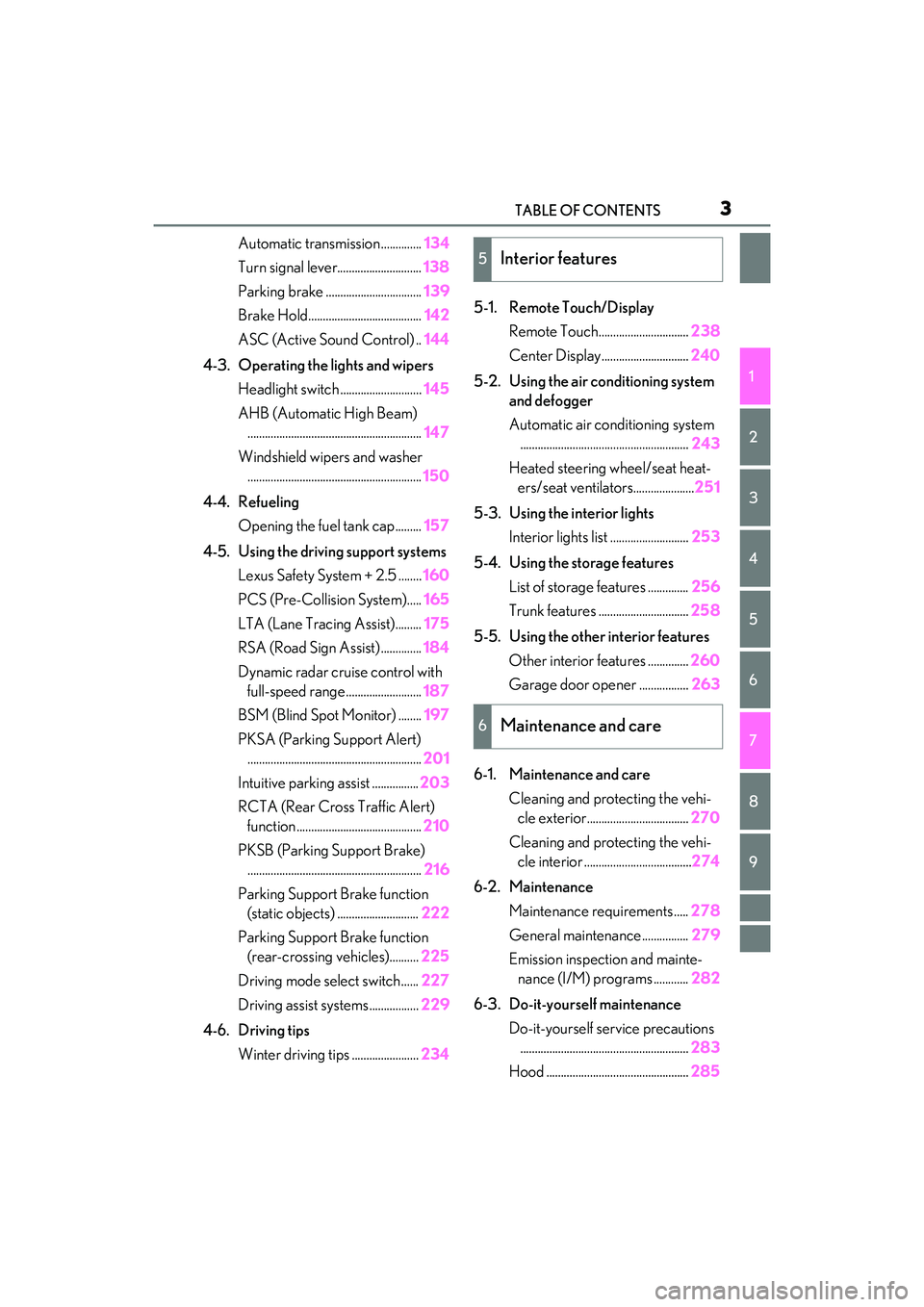
Automatic transmission..............134
Turn signal lever............................. 138
Parking brake ................................. 139
Brake Hold....................................... 142
ASC (Active Sound Control) .. 144
4-3. Operating the lights and wipers Headlight switch ............................ 145
AHB (Automatic High Beam) ............................................................ 147
Windshield wipers and washer ............................................................ 150
4-4. Refueling Opening the fuel tank cap......... 157
4-5. Using the driving support systems Lexus Safety System + 2.5 ........ 160
PCS (Pre-Collision System)..... 165
LTA (Lane Tracing Assist)......... 175
RSA (Road Sign Assist) .............. 184
Dynamic radar crui se control with
full-speed range .......................... 187
BSM (Blind Spot Monitor) ........ 197
PKSA (Parking Support Alert) ............................................................ 201
Intuitive parking assist ................ 203
RCTA (Rear Cross Traffic Alert) function ........................................... 210
PKSB (Parking Support Brake) ............................................................ 216
Parking Support Brake function (static objects) ............................ 222
Parking Support Brake function (rear-crossing vehicles).......... 225
Driving mode select switch...... 227
Driving assist systems................. 229
4-6. Driving tips Winter driving tips ....................... 2345-1. Remote Touch/Display
Remote Touch............................... 238
Center Display.............................. 240
5-2. Using the air conditioning system and defogger
Automatic air conditioning system.......................................................... 243
Heated steering wheel/seat heat- ers/seat ventilators..................... 251
5-3. Using the interior lights Interior lights list ........................... 253
5-4. Using the storage features List of storag e features .............. 256
Trunk features ............................... 258
5-5. Using the other interior features Other interior features .............. 260
Garage door opener ................. 263
6-1. Maintenance and care Cleaning and protecting the vehi-cle exterior................................... 270
Cleaning and protecting the vehi- cle interior .....................................274
6-2. Maintenance Maintenance re quirements .....278
General maintenance................ 279
Emission inspection and mainte- nance (I/M) programs ............ 282
6-3. Do-it-yourself maintenance Do-it-yourself service precautions.......................................................... 283
Hood ................................................. 2855Interior features
6Maintenance and care
Page 19 of 440

17Pictorial index
Remote Touch*1..................................................................................................... P.238
Seat heater switches
*2.......................................................................................... P.251
Seat ventilator switches
*2.................................................................................... P.251
Heated steering wheel switch
*2......................................................................... P.251
Driving mode select switch .................................................................................P.229
VSC OFF switch.................................................................................................... P.230
Snow mode switch .................................................................................................. P.136
Brake hold switch .................................................................................................... P.142
*1: Refer to “NAVIGATION AND MULT IMEDIA SYSTEM OWNER’S MANUAL”.
*2: If equipped
A
B
C
D
E
F
G
H
Page 37 of 440
351-1. For safe use
1
For safety and security
WARNING
●If a vinyl cover is put on the area where
the SRS knee airbag will deploy, be
sure to remove it.
●Do not use seat accessories which
cover the parts where the SRS side
airbags inflate as they may interfere
with inflation of the SRS airbags. Such
accessories may prevent the side
airbags from activating correctly, dis-
able the system or cause the side
airbags to inflate accidentally, resulting
in death or serious injury.
●Do not strike or apply significant levels
of force to the area of the SRS airbag
components. Doing so can cause the
SRS airbags to malfunction.
●Do not touch any of the component
parts immediately after the SRS
airbags have deployed (inflated) as
they may be hot.
●If breathing becomes difficult after the
SRS airbags have deployed, open a
door or window to allow fresh air in, or
leave the vehicle if it is safe to do so.
Wash off any residue as soon as possi-
ble to prevent skin irritation.
●If the areas where the SRS airbags are
stored, such as the steering wheel pad
and front and rear pillar garnishes are
damaged or cracked, have them
replaced by your Lexus dealer.
●Do not place anything, such as a cush-
ion, on the front passenger’s seat.
Doing so will disperse the passenger’s
weight, which prevents the sensor
from detecting the passenger’s weight
properly. As a result, the SRS front
airbags for the front passenger may
not deploy in the event of a collision.
■Modification and disposal of SRS
airbag system components
Do not dispose of your vehicle or per-
form any of the following modifications
without consulting your Lexus dealer.
The SRS airbags may malfunction or
deploy (inflate) accidentally, causing
death or serious injury.
●Installation, remova l, disassembly and
repair of the SRS airbags
●Repairs, modifications, removal or
replacement of the steering wheel,
instrument panel, dashboard, seats or
seat upholstery, front, side and rear pil-
lars or roof side rails
●Repairs or modifications of the front
fender, front bumper, or side of the
occupant compartment
●Installation of a grille guard (bull bars,
kangaroo bar, etc. ), snow plows,
winches or roof luggage carrier
●Modifications to the vehicle’s suspen-
sion system
●Installation of elec tronic devices such
as mobile two-way radios and CD
players
●Modifications to your vehicle for a per-
son with a physical disability
Page 39 of 440

371-1. For safe use
1
For safety and security
WARNING
●Make sure the “AIR BAG OFF” indica-
tor light is not illuminated when using
the seat belt extender for the front pas-
senger seat. If the “AIR BAG OFF”
indicator light is illuminated, discon-
nect the extender tongue from the seat
belt buckle, and reconnect the seat
belt. Reconnect the se at belt extender
after making sure the “AIR BAG ON”
indicator light is illu minated. If you use
the seat belt extender while the “AIR
BAG OFF” indicator light is illumi-
nated, the SRS airbags for the front
passenger will not activate, which
could cause death or serious injury in
the event of a collision.
●Do not apply a heavy load to the front
passenger seat or equipment (e.g.
seatback pocket).
●Do not put weight on the front passen-
ger seat by putting your hands or feet
on the front passenger seat seatback
from the rear passenger seat.
●Do not let a rear passenger lift the
front passenger seat with their feet or
press on the seatback with their legs.
●Do not put objects under the front pas-
senger seat.
●Do not recline the front passenger
seatback so far that it touches a rear
seat. This may cause the “AIR BAG
OFF” indicator light to be illuminated,
which indicates that the SRS airbags
for the front passenger will not activate
in the event of a seve re accident. If the
seatback touches the rear seat, return
the seatback to a position where it
does not touch the rear seat. Keep the
front passenger seatback as upright as
possible when the vehicle is moving.
Reclining the seatback excessively
may lessen the effectiveness of the
seat belt system.
●If an adult sits in the front passenger
seat, the “AIR BAG ON” indicator light
is illuminated. If the “AIR BAG OFF”
indicator is illuminated, ask the passen-
ger to sit up straig ht, well back in the
seat, feet on the floor, and with the seat
belt worn correctly. If the “AIR BAG
OFF” indicator still remains illumi-
nated, either ask the passenger to
move to the rear seat, or if that is not
possible, move the front passenger
seat fully rearward.
●When it is unavoidable to install a for-
ward-facing child re straint system on
the front passenger seat, install the
child restraint system on the front pas-
senger seat in the proper order.
(
P.42)
●Do not modify or remove the front
seats.
●Do not kick the front passenger seat or
subject it to severe impact. Otherwise,
the SRS warning light may come on to
indicate a malfunction of the front pas-
senger occupant cla ssification system.
In this case, contact your Lexus dealer
immediately.
●Child restraint system s installed on the
rear seat should not contact the front
seatbacks.
●Do not use a seat accessory, such as a
cushion and seat cover, that covers the
seat cushion surface.
●Do not modify or replace the uphol-
stery of the front seat.
●Do not place anything between the
console box and front passenger seat.
Otherwise, the system may not detect
the front passenger properly, leading
to improper operation of the airbags.
●Adjust the front passe nger seat so that
the head restraint does not touch the
ceiling. If the head re straint is left in
contact with the ceiling, the system
may not detect the front passenger
properly, leading to improper opera-
tion of the airbags.
Page 62 of 440

601-4. Theft deterrent system
1-4.Theft deterrent system
The indicator light flashes after the
engine switch has been turned off to
indicate that the system is operating.
The indicator light stops flashing after
the engine switch has been turned to
ACCESSORY or IGNITION ON
mode to indicate that the system has
been canceled.
■System maintenance
The vehicle has a maintenance-free type
engine immobilizer system.
■Conditions that may cause the system to
malfunction
●If the grip portion of the key is in contact
with a metallic object
●If the key is in close proximity to or touch-
ing a key registered to the security sys-
tem (key with a built-in transponder chip)
of another vehicle
Engine immobilizer system
The vehicle’s keys have built-in
transponder chips that prevent the
engine from starting if a key has not
been previously registered in the
vehicle’s on-board computer.
Never leave the keys inside the
vehicle when you leave the vehicle.
This system is designed to help pre-
vent vehicle theft but does not
guarantee absolute security
against all vehicle thefts.
Operating the system
NOTICE
■To ensure the system operates cor-
rectly
Do not modify or remove the system. If
modified or removed, the proper opera-
tion of the system cannot be guaranteed.
Page 84 of 440

822-1. Instrument cluster
Center Display
“MENU” button
Touchpad
■Trip information
Press the “MENU” button on the Remote Touch, then select on the
menu screen.
If a screen other than “Trip Information”
is displayed, select “Trip Information”.
This system can also be operated by
the touch screen.
Resetting the consumption data
Fuel consumption in the past 15
minutes
Current fuel consumption
Average vehicle speed since the
engine was started.
Elapsed time since the engine was
started.
Cruising range
Average fuel consumption for the past
15 minutes is divided by color into past
averages and averages attained since
the engine switch was last turned to
IGNITION ON mode. Use the dis-
played average fuel consumption as a
reference.
The image is an example only, and may
vary slightly from actual conditions.
■History
Press the “MENU” button on the
Remote Touch, then select on the
Fuel consumption informa-
tion
Fuel consumption information can
be displayed on the Center Display.
Vehicles with a navigation system
(10.3-inch display): The fuel con-
sumption information can be dis-
played and operated on the side
display.
System components
Consumption
A
B
C
A
B
C
D
E
F
Page 85 of 440

832-1. Instrument cluster
2
Vehicle status information and indicators
menu screen.
If a screen other than “History” is dis-
played, select “History”.
This system can also be operated by
the touch screen.Best recorded fuel consumption
Latest fuel consumption
Previous fuel consumption record
Resetting the history data
Updating the latest fuel consump-
tion data
The average fuel consumption history
is divided by color into past averages
and the average fuel consumption
since the last updated. Use the dis-
played average fuel consumption as a
reference.
The image is an example only, and may
vary slightly from actual conditions.
■Updating the history data
Update the latest fuel consumption by
selecting “Updat e” to measure the current
fuel consumption again.
■Resetting the data
The fuel consumption data can be deleted
by selecting “Clear”.
■Cruising range
Displays the estimated maximum distance
that can be driven with the quantity of fuel remaining.
This distance is computed based on your
average fuel consumption.
As a result, the actual distance that can be
driven may differ from that displayed.
Vehicle information can be displayed
on the side display (
P.240), then
select or to select the desired
screen.
The image is an example only, and may
vary slightly from actual conditions.
■Trip information (type A)
Displays the average fuel consumption
for the past 10 minutes in 1 minute
intervals, as well as the cruising range.
■Trip information (type B)
Displays the cruising range, average
fuel consumption and the amount of
time elapsed since the engine was
started.
A
B
C
D
E
Using the side display (vehicles
with a navigation system
[10.3-inch display])
Page 92 of 440

903-2. Opening, closing and locking the doors and trunk
3-2.Opening, closing and locking the doors and trunk
■Smart access system with
push-button start
Carry the electronic key to enable this
function.
1 Grip the driver’s door handle to
unlock the door. Grip the passen-
ger’s front door handle to unlock all
the doors.
*
Make sure to touch the sensor on the back
of the handle.
The doors cannot be unlocked for 3 sec-
onds after the doors are locked.
*: The door unlock settings can be
changed.
2 Touch the lock sensor (indentation
on the upper part of the front door
handle) to lock all the doors.
Check that the door is securely locked.
■Wireless remote control
1 Locks all the doors
Check that the door is securely locked.
2Unlocks all the doors
Pressing the button unlocks the driver’s
door. Pressing the button again within 5
seconds unlocks the other door.
Press and hold to open the windows and
moon roof.
*
*
: This setting must be customized at your Lexus dealer.
■Switching the door unlock function
It is possible to set which doors the entry
function unlocks using the wireless remote
control.
1 Turn the engine switch off.
2 When the indicator light on the key sur-
face is not on, press and hold ,
or for approximately 5
seconds while pre ssing and holding
.
The setting changes each time an operation
is performed, as shown below. (When
changing the setting continuously, release
the buttons, wait for at least 5 seconds, and
repeat step 2 .)
Doors
Unlocking and locking the doors
from the outside
Page 93 of 440

913-2. Opening, closing and locking the doors and trunk
3
Before driving
To prevent unintended triggering of the
alarm, unlock the doors using the wireless
remote control and open and close a door
once after the settings have been changed.
(If a door is not opened within 60 seconds
after is pressed, the doors will be
locked again and the alarm will automati-
cally be set.)
In a case that the alarm is triggered, imme-
diately stop the alarm. ( P.61)
■Impact detection door lock release sys-
tem
In the event that the vehicle is subject to a
strong impact, all the doors are unlocked.
Depending on the force of the impact or the
type of accident, however, the system may
not operate.
■Operation signals
A buzzer sounds and the emergency flash-
ers flash to indicate that the doors have
been locked/unlocke d. (Locked: once;
Unlocked: twice)
A buzzer sounds to indicate that the win-
dows and moon roof are operating.
■Security feature
If a door is not opened within approximately
60 seconds after the vehicle is unlocked, the security feature automatically locks the
vehicle again.
■Welcome light illumination control
The front position, tail and license plate
lights automatically turn on at night when
the doors are unlocked using the entry
function or wireless remote control if the
light switch is in the “AUTO” position.
■When the doors cannot be locked by the
lock sensor on the upper part of the
door handle
If the door will not lock even when the top-
side sensor area is touched, try touching
both the topside and underside sensor
areas at the same time.
■Door lock buzzer
If an attempt to lock the doors is made when
a door is not fully closed, a buzzer sounds
continuously for 5 seconds. Fully close the
door to stop the buzz er, and lock the vehi-
cle once more.
■Setting the alarm
Locking the doors will set the alarm system.
( P.61)
■Using the mechanical key
The doors can also be locked and unlocked
with the mechanical key. ( P.351)
■Conditions affecting the operation of
the smart access system with push-but-
ton start or wireless remote control
P.98
■If the smart access system with
push-button start or the wireless remote
control does not operate properly
Use the mechanical key to lock and unlock
the doors. (P.351)
Replace the key battery with a new one if it
is depleted. ( P.308)
Multi-information
display/BeepUnlocking function
Exterior: Beeps 3 times
Interior: Pings once
Holding the driver’s
door handle unlocks
only the driver’s
door.
Holding the front
passenger’s door
handle unlocks all
the doors.
Exterior: Beeps twice
Interior: Pings once
Holding either front
door handle unlocks
all the doors.
Page 101 of 440

993-2. Opening, closing and locking the doors and trunk
3
Before driving
gas station, radio station, large display,
airport or other faci lity that generates
strong radio waves or electrical noise
●When carrying a portable radio, cellular
phone, cordless phon e or other wireless
communication device
●When the electronic key is in contact
with, or is covered by the following metal-
lic objects
• Cards to which aluminum foil is attached
• Cigarette boxes that have aluminum foil
inside
• Metallic wallets or bags
•Coins
• Hand warmers made of metal
• Media such as CDs and DVDs
●When other wireless keys (that emit radio
waves) are being used nearby
●When carrying the electronic key
together with the following devices that
emit radio waves
• Another vehicle’s electronic key or a wireless key that emits radio waves
• Personal computers or personal digital assistants (PDAs)
• Digital audio players
• Portable game systems
●If window tint with a metallic content or
metallic objects are attached to the rear
window
■Note for the entry function
●Even when the electronic key is within the
effective range (detection areas), the sys-
tem may not operate properly in the fol-
lowing cases:
• The electronic key is too close to the win-
dow or outside door handle, near the
ground, or in a high place when the doors
are locked or unlocked.
• The electronic key is near the ground or
in a high place, or too close to the rear
bumper center when the trunk is opened.
• The electronic key is on the instrument panel, rear package tray or floor, or in the
door pockets or glove box when the
engine is started or engine switch modes
are changed.
●Do not leave the electronic key on top of
the instrument panel or near the door
pockets when exiting the vehicle.
Depending on the ra dio wave reception conditions, it may be detected by the
antenna outside the cabin and the doors
will become lockable from the outside,
possibly trapping the electronic key
inside the vehicle.
●As long as the electronic key is within the
effective range, the doors may be locked
or unlocked by anyone. However, only
the doors detecting the electronic key
can be used to unlock the vehicle.
●Even if the electronic
key is not inside the
vehicle, it may be possible to start the
engine if the electronic key is near the
window.
●The doors may unlock or lock if a large
amount of water splashes on the door
handle, such as in the rain or in a car
wash, when the electronic key is within
the effective range. (The doors will auto-
matically be locked after approximately
30 seconds if the doors are not opened
and closed.)
●If the wireless remote control is used to
lock the doors when the electronic key is
near the vehicle, there is a possibility that
the door may not be unlocked by the
entry function. (Use the wireless remote
control to unlock the doors.)
●Touching the door lock or unlock sensor
while wearing gloves may prevent lock or
unlock operation.
●When the lock operation is performed
using the lock sensor, recognition signals
will be shown up to two consecutive
times. After this, no recognition signals
will be given.
●If the door handle becomes wet while the
electronic key is within the effective
range, the door may lock and unlock
repeatedly. In this ca se, follow the follow-
ing correction procedures to wash the
vehicle:
• Place the electronic key in a location 6 ft. (2 m) or more away from the vehicle.
(Take care to ensure that the key is not
stolen.)
• Set the electronic key to battery-saving mode to disable the smart access system
with push-button start. ( P.98)
●If the electronic key is inside the vehicle
and a door handle becomes wet during a