steering wheel Lexus IS300h 2013 User Guide
[x] Cancel search | Manufacturer: LEXUS, Model Year: 2013, Model line: IS300h, Model: Lexus IS300h 2013Pages: 628, PDF Size: 20.23 MB
Page 52 of 628
521-1. For safe use
IS300h_EE(OM53B95E)
When to contact any authorized Lexus dealer or repairer, or another duly quali-
fied and equipped professional
In the following cases, the vehicle will require inspection and/or repair. Contact
any authorized Lexus dealer or repairer, or another duly qualified and equipped
professional as soon as possible.
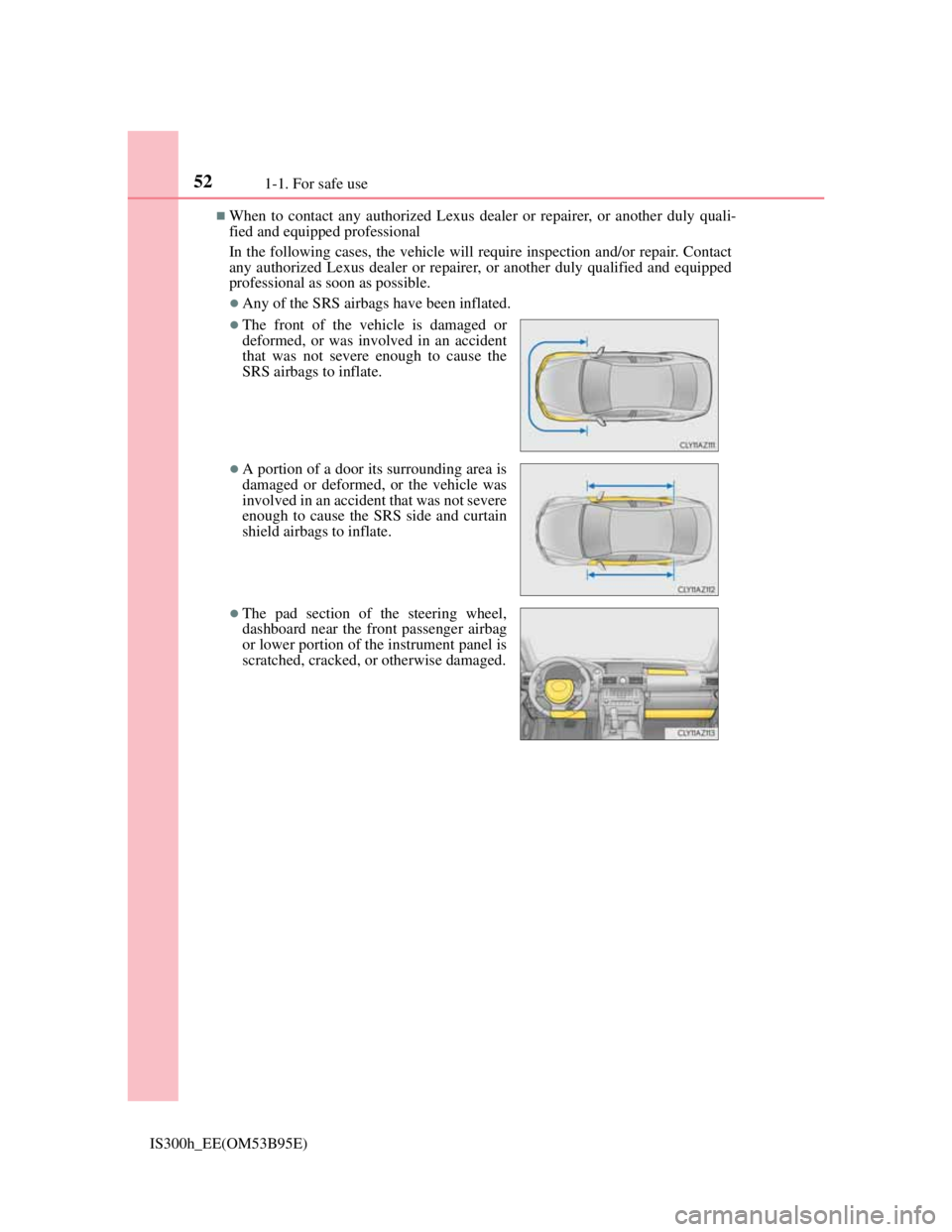
Any of the SRS airbags have been inflated.
The front of the vehicle is damaged or
deformed, or was involved in an accident
that was not severe enough to cause the
SRS airbags to inflate.
A portion of a door its surrounding area is
damaged or deformed, or the vehicle was
involved in an accident that was not severe
enough to cause the SRS side and curtain
shield airbags to inflate.
The pad section of the steering wheel,
dashboard near the front passenger airbag
or lower portion of the instrument panel is
scratched, cracked, or otherwise damaged.
Page 131 of 628
129
3
Operation of
each component
IS300h_EE(OM53B95E)
3-1. Key information
Keys .................................. 130
3-2. Opening, closing and
locking the doors and
trunk
Doors ................................ 136
Trunk................................. 143
Smart entry & start system 149
3-3. Adjusting the seats
Front seats ......................... 164
Rear seats .......................... 166
Driving position memory.. 168
Head restraints .................. 173
3-4. Adjusting the steering
wheel and mirrors
Steering wheel .................. 176
Inside rear view mirror ..... 178
Outside rear view mirrors . 180
3-5. Opening, closing the
windows and moon roof
Power windows................. 184
Moon roof ......................... 187
Page 167 of 628
1653-3. Adjusting the seats
3
Operation of each component
IS300h_EE(OM53B95E)
Power easy access system (if equipped)
The driver’s seat and steering wheel move in accordance with power switch
mode and the driver’s seat belt condition. (P. 170)
When adjusting the seat
If the head restraint touches the ceiling or rear seats while the seat is being
adjusted, lower the head restraint until it no longer touches the ceiling or rear
seats.
CAUTION
When adjusting the seat position
Take care when adjusting the seat position to ensure that other passengers are
not injured by the moving seat.
Do not put your hands under the seat or near the moving parts to avoid injury.
Fingers or hands may become jammed in the seat mechanism.
Make sure to leave enough space around the feet so they do not get stuck.
Seat adjustment
To reduce the risk of sliding under the lap belt during a collision, do not recline
the seat more than necessary.
If the seat is too reclined, the lap belt may slide past the hips and apply restraint
forces directly to the abdomen, or your neck may contact the shoulder belt,
increasing the risk of death or serious injury in the event of an accident.
Adjustments should not be made while driving as the seat may unexpectedly
move and cause the driver to lose control of the vehicle.
Page 170 of 628
1683-3. Adjusting the seats
IS300h_EE(OM53B95E)
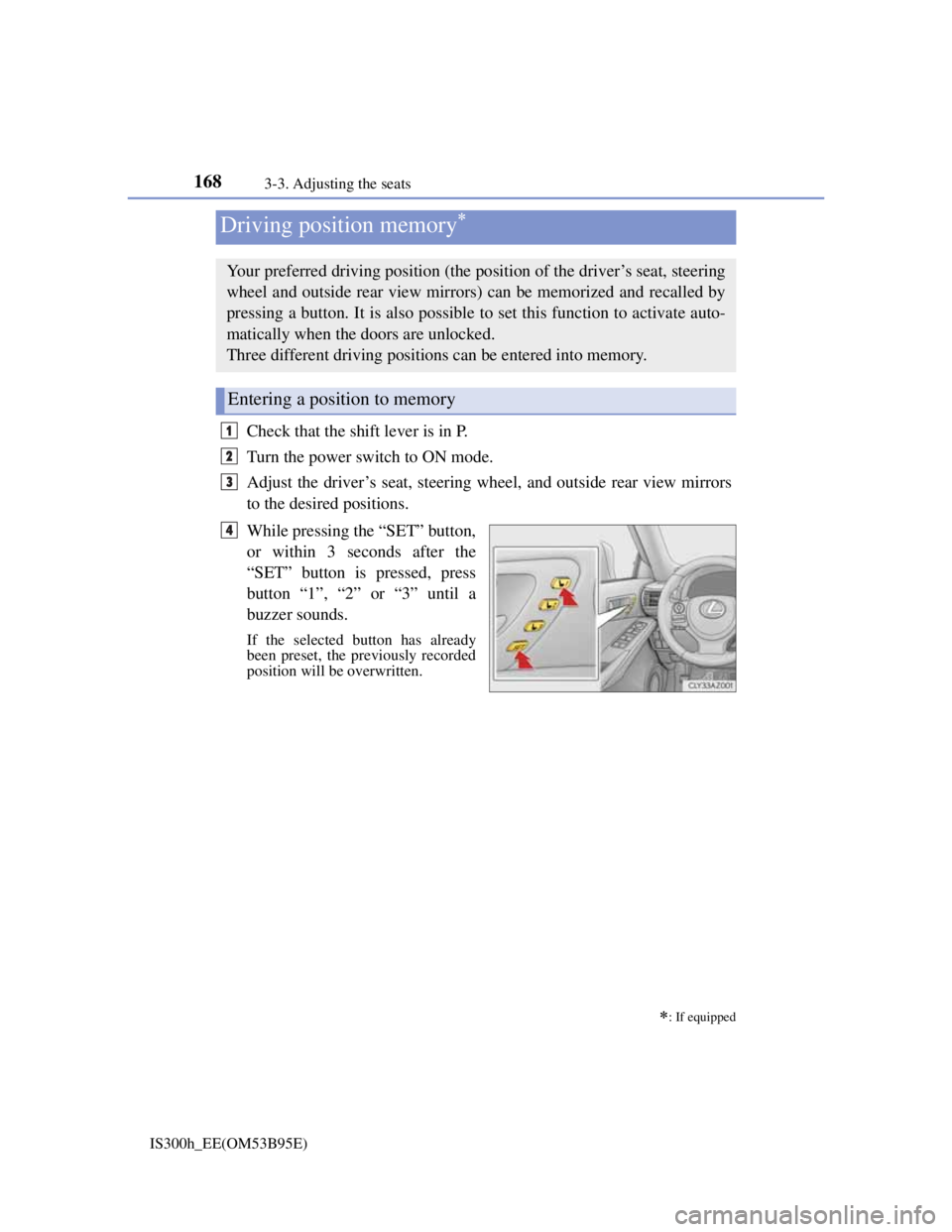
Check that the shift lever is in P.
Turn the power switch to ON mode.
Adjust the driver’s seat, steering wheel, and outside rear view mirrors
to the desired positions.
While pressing the “SET” button,
or within 3 seconds after the
“SET” button is pressed, press
button “1”, “2” or “3” until a
buzzer sounds.
If the selected button has already
been preset, the previously recorded
position will be overwritten.
Driving position memory
: If equipped
Your preferred driving position (the position of the driver’s seat, steering
wheel and outside rear view mirrors) can be memorized and recalled by
pressing a button. It is also possible to set this function to activate auto-
matically when the doors are unlocked.
Three different driving positions can be entered into memory.
Entering a position to memory
1
2
3
4
Page 172 of 628
1703-3. Adjusting the seats
IS300h_EE(OM53B95E)
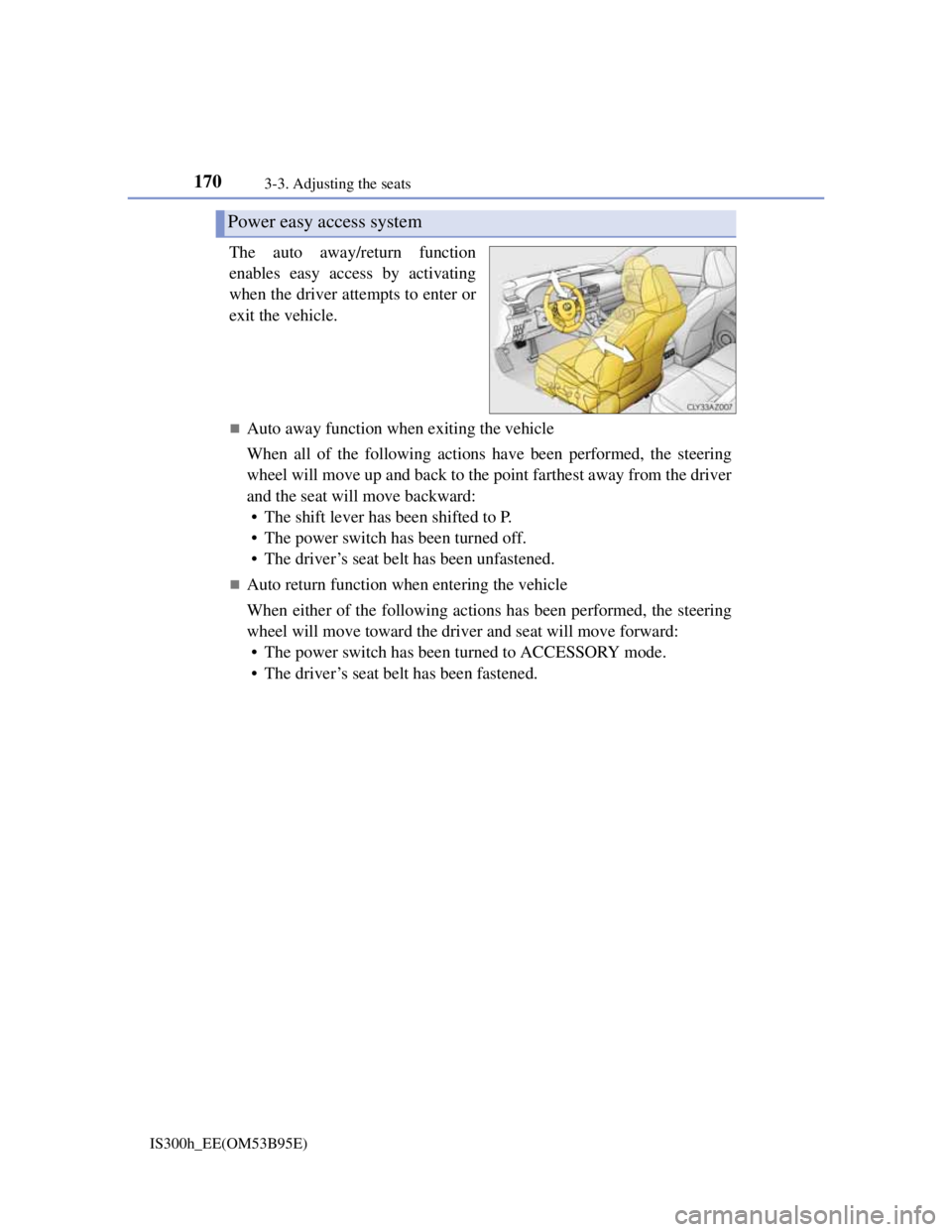
The auto away/return function
enables easy access by activating
when the driver attempts to enter or
exit the vehicle.
Auto away function when exiting the vehicle
When all of the following actions have been performed, the steering
wheel will move up and back to the point farthest away from the driver
and the seat will move backward:
• The shift lever has been shifted to P.
• The power switch has been turned off.
• The driver’s seat belt has been unfastened.
Auto return function when entering the vehicle
When either of the following actions has been performed, the steering
wheel will move toward the driver and seat will move forward:
• The power switch has been turned to ACCESSORY mode.
• The driver’s seat belt has been fastened.
Power easy access system
Page 174 of 628

1723-3. Adjusting the seats
IS300h_EE(OM53B95E)
When driving position memory is linked with door unlock operation
If the driver’s door is opened, the driver’s seat will move toward the memorized
position but stop slightly beforehand to allow easy access to the vehicle.
Turning the power switch to ACCESSORY or ON mode, or fastening the
driver’s seat belt moves the seat fully into the memorized position.
Operating the driving position memory after turning the power switch off
Memorized seat positions can be activated up to 180 seconds after the driver’s
door is opened and another 60 seconds after it is closed again. Memorized steer-
ing wheel position can be activated by pressing the power switch.
Correct seat position
When the seat is in the most forward or most backward position, and the seat is
being moved in those directions, the system may not correctly recognize the cur-
rent position and the memorized position will not be correctly recalled.
The auto away function for exiting
If the seat is already close to the rearmost position, the auto away function may
not operate when the driver exits the vehicle.
When the driving position is recalled by a memory linked door unlock operation
Since each memorized driving position is registered to a specific electronic key,
the driving position recalled may be different depending on the carried key.
When only doors other than the driver’s door are unlocked by the smart entry &
start system, the driving position will not be recalled. In this case, press a driv-
ing position memory button to recall the desired driving position.
Customization
The distance that the driver’s seat moves backward during the auto away func-
tion can be changed. (Customizable features: P. 575)
CAUTION
Seat adjustment caution
Take care during seat adjustment so that the seat does not strike the rear passen-
ger or squeeze your body against the steering wheel.
Page 178 of 628
176
IS300h_EE(OM53B95E)3-4. Adjusting the steering wheel and mirrors
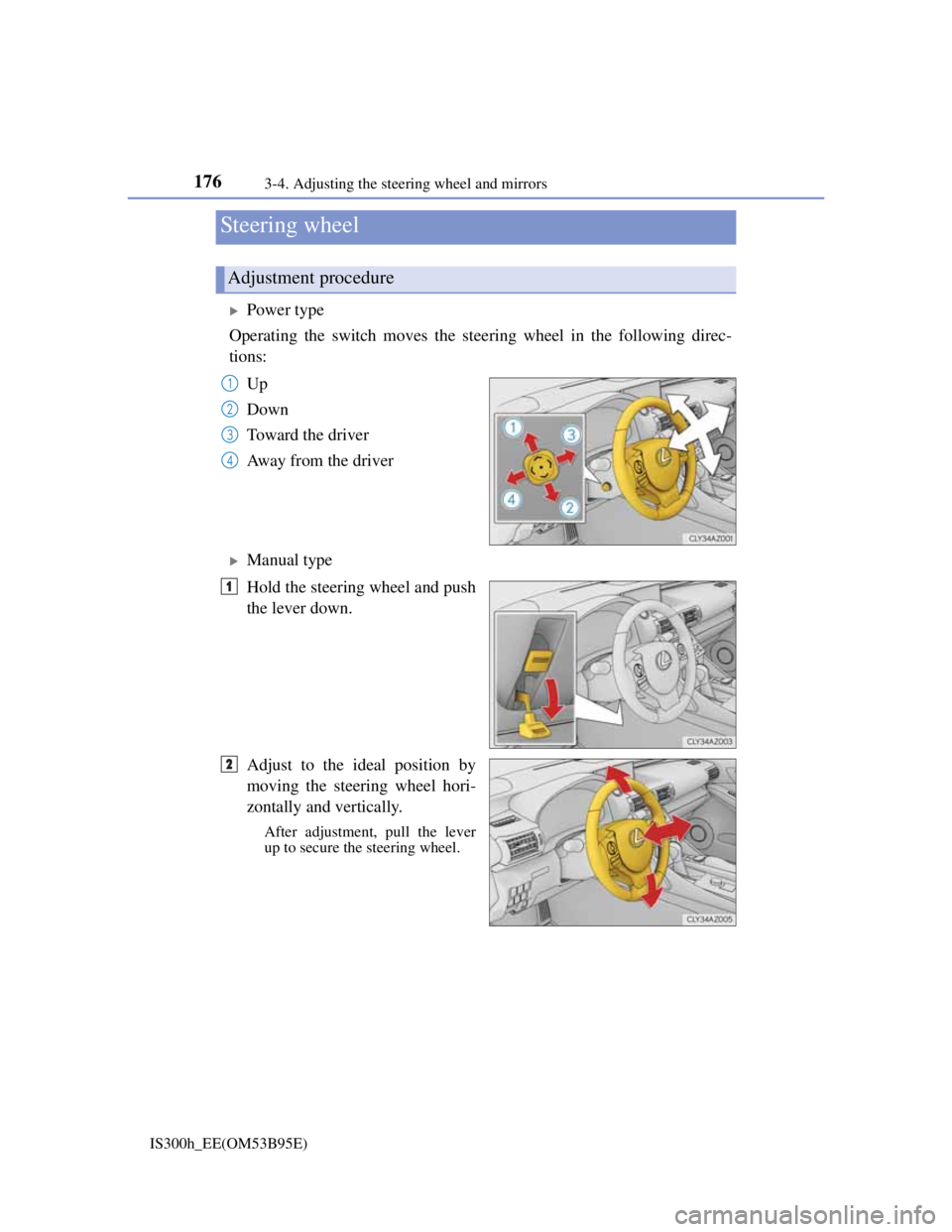
Power type
Operating the switch moves the steering wheel in the following direc-
tions:
Up
Down
Toward the driver
Away from the driver
Manual type
Hold the steering wheel and push
the lever down.
Adjust to the ideal position by
moving the steering wheel hori-
zontally and vertically.
After adjustment, pull the lever
up to secure the steering wheel.
Steering wheel
Adjustment procedure
1
2
3
4
1
2
Page 179 of 628
1773-4. Adjusting the steering wheel and mirrors
3
Operation of each component
IS300h_EE(OM53B95E)
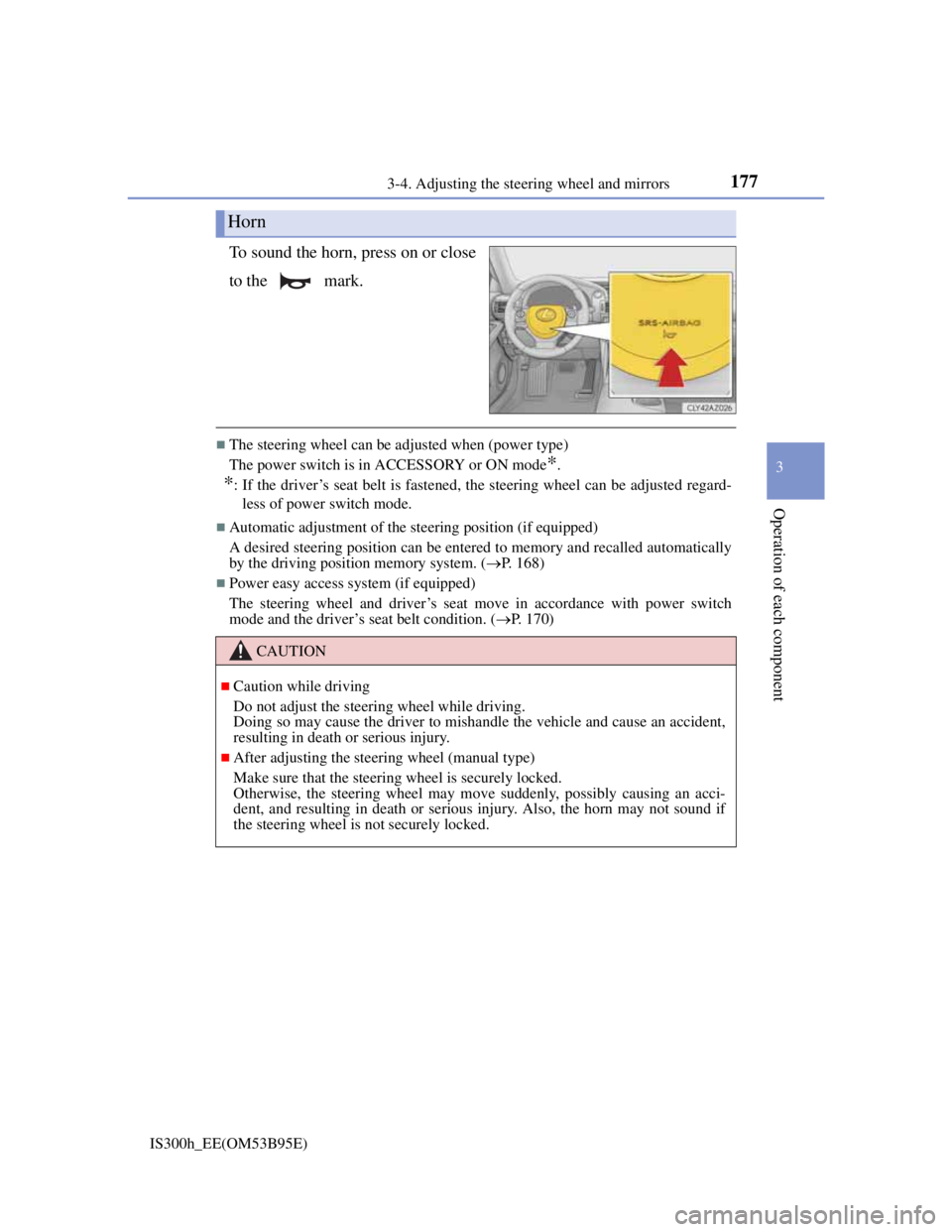
To sound the horn, press on or close
to the mark.
The steering wheel can be adjusted when (power type)
The power switch is in ACCESSORY or ON mode
*.
*: If the driver’s seat belt is fastened, the steering wheel can be adjusted regard-
less of power switch mode.
Automatic adjustment of the steering position (if equipped)
A desired steering position can be entered to memory and recalled automatically
by the driving position memory system. (P. 168)
Power easy access system (if equipped)
The steering wheel and driver’s seat move in accordance with power switch
mode and the driver’s seat belt condition. (P. 170)
Horn
CAUTION
Caution while driving
Do not adjust the steering wheel while driving.
Doing so may cause the driver to mishandle the vehicle and cause an accident,
resulting in death or serious injury.
After adjusting the steering wheel (manual type)
Make sure that the steering wheel is securely locked.
Otherwise, the steering wheel may move suddenly, possibly causing an acci-
dent, and resulting in death or serious injury. Also, the horn may not sound if
the steering wheel is not securely locked.
Page 180 of 628
1783-4. Adjusting the steering wheel and mirrors
IS300h_EE(OM53B95E)
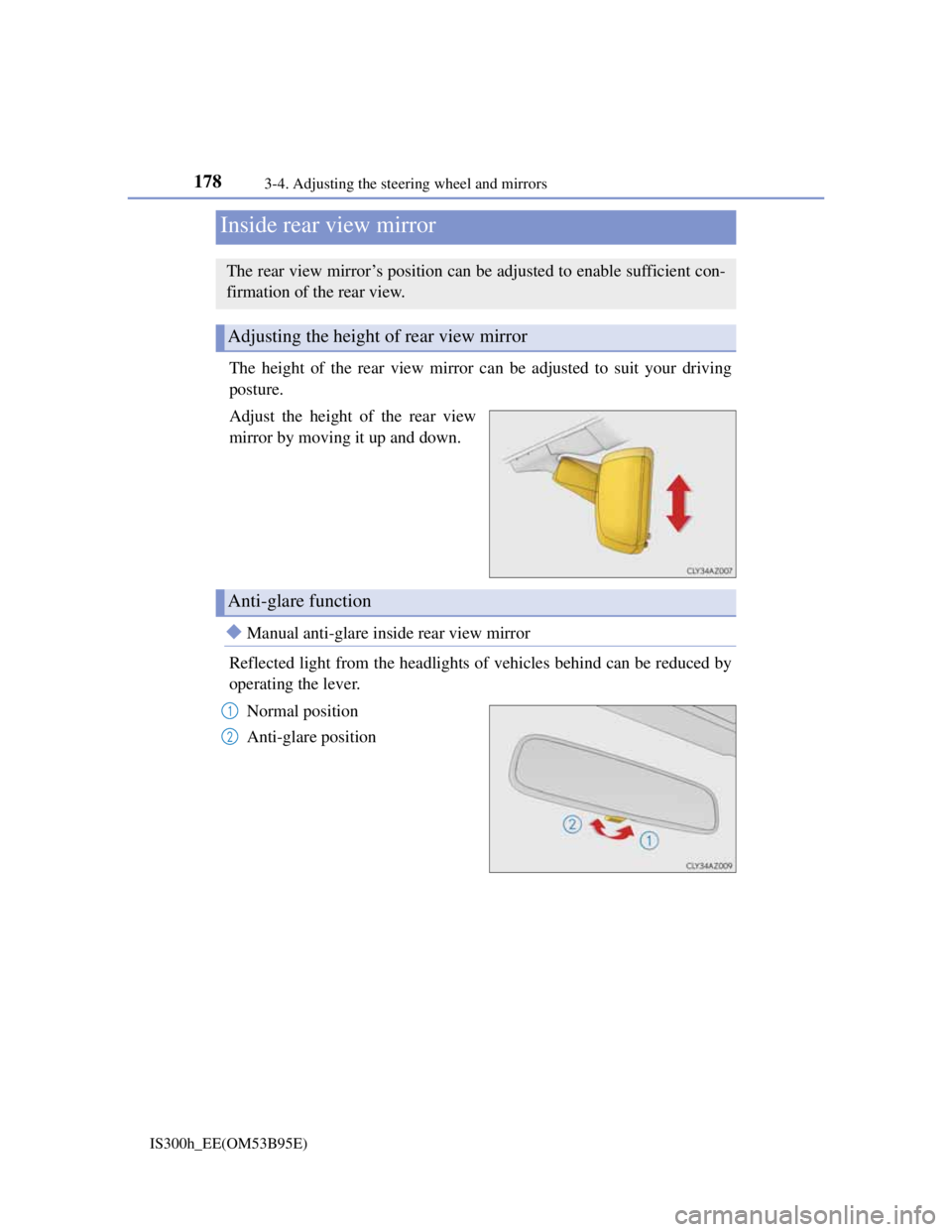
The height of the rear view mirror can be adjusted to suit your driving
posture.
Adjust the height of the rear view
mirror by moving it up and down.
Manual anti-glare inside rear view mirror
Reflected light from the headlights of vehicles behind can be reduced by
operating the lever.
Normal position
Anti-glare position
Inside rear view mirror
The rear view mirror’s position can be adjusted to enable sufficient con-
firmation of the rear view.
Adjusting the height of rear view mirror
Anti-glare function
1
2
Page 181 of 628
1793-4. Adjusting the steering wheel and mirrors
3
Operation of each component
IS300h_EE(OM53B95E)
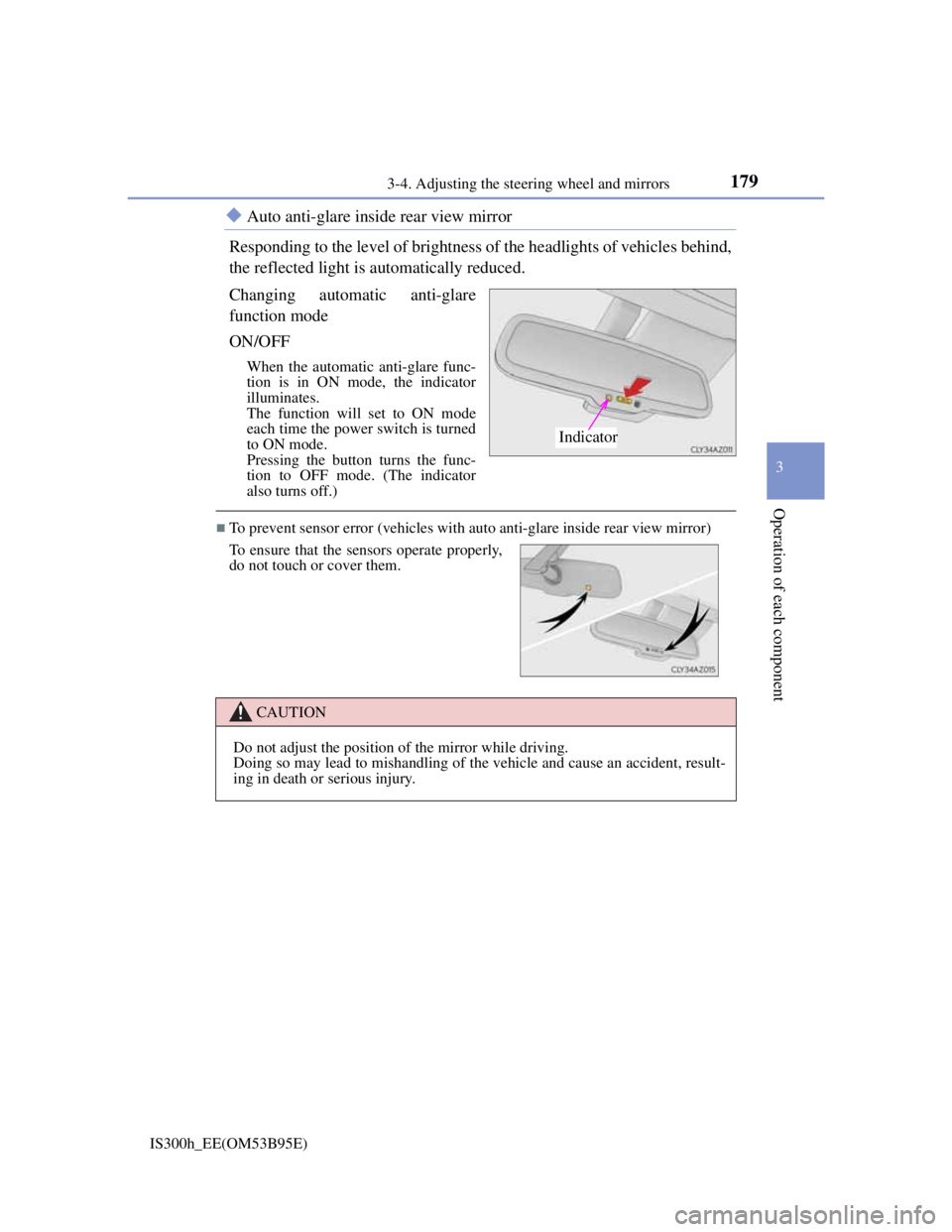
Auto anti-glare inside rear view mirror
Responding to the level of brightness of the headlights of vehicles behind,
the reflected light is automatically reduced.
Changing automatic anti-glare
function mode
ON/OFF
When the automatic anti-glare func-
tion is in ON mode, the indicator
illuminates.
The function will set to ON mode
each time the power switch is turned
to ON mode.
Pressing the button turns the func-
tion to OFF mode. (The indicator
also turns off.)
To prevent sensor error (vehicles with auto anti-glare inside rear view mirror)
Indicator
To ensure that the sensors operate properly,
do not touch or cover them.
CAUTION
Do not adjust the position of the mirror while driving.
Doing so may lead to mishandling of the vehicle and cause an accident, result-
ing in death or serious injury.