radio Lexus IS300h 2013 Owner's Guide
[x] Cancel search | Manufacturer: LEXUS, Model Year: 2013, Model line: IS300h, Model: Lexus IS300h 2013Pages: 628, PDF Size: 20.23 MB
Page 353 of 628
339
5
Lexus Display Audio system
IS300h_EE(OM53B95E)5-4. Using the radio
Pressing the “RADIO” button displays the radio top screen from any
screen of the selected source.
Menu screen
P. 3 3 6
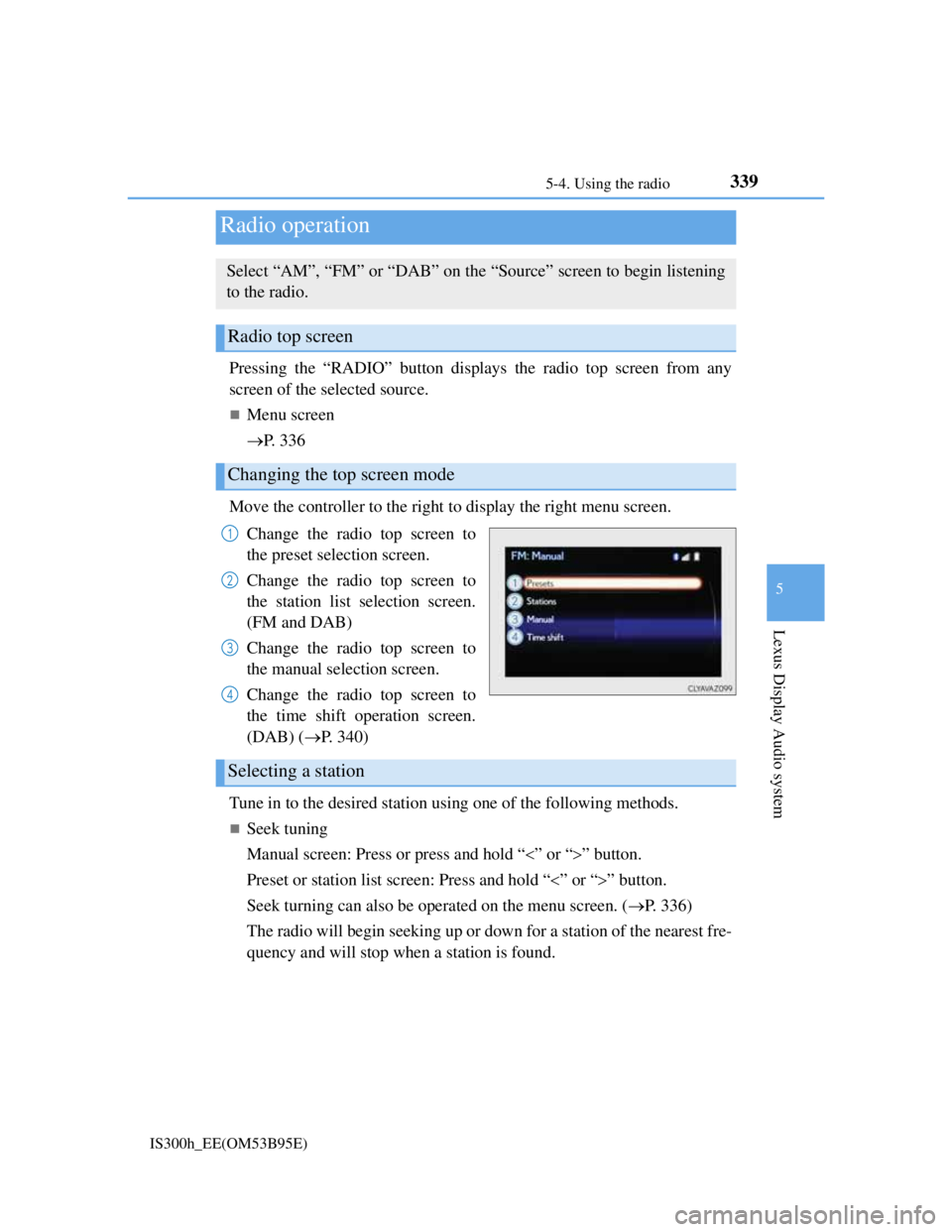
Move the controller to the right to display the right menu screen.
Change the radio top screen to
the preset selection screen.
Change the radio top screen to
the station list selection screen.
(FM and DAB)
Change the radio top screen to
the manual selection screen.
Change the radio top screen to
the time shift operation screen.
(DAB) (P. 340)
Tune in to the desired station using one of the following methods.
Seek tuning
Manual screen: Press or press and hold “” or “” button.
Preset or station list screen: Press and hold “” or “” button.
Seek turning can also be operated on the menu screen. (P. 336)
The radio will begin seeking up or down for a station of the nearest fre-
quency and will stop when a station is found.
Radio operation
Select “AM”, “FM” or “DAB” on the “Source” screen to begin listening
to the radio.
Radio top screen
Changing the top screen mode
1
2
3
4
Selecting a station
Page 354 of 628
3405-4. Using the radio
IS300h_EE(OM53B95E)
Manual tuning (manual screen)
Turn the right side knob (left-hand drive vehicle) or left side knob
(right-hand drive vehicle) on the audio panel or turn the controller.
Station list (preset or station list screen)
Select the desired station by pressing “<” or “>”, turn the right side
knob (left-hand drive vehicle) or left side knob (right-hand drive vehi-
cle) on the audio panel or controller.
Radio stations can be preset.
Search for desired stations.
Turn the controller to select one of the preset stations and then press
the controller until you hear a beep while on the preset selection
screen.
The broadcast you are currently listening to can be re-listened to at any
time.
Move the controller to the right and then select “Time shift”.
Turn the right side knob (left-hand drive vehicle) or left side knob
(right-hand drive vehicle) on the audio panel to set the desired offset.
An offset playback time can also be set on the menu screen. (P. 3 3 6 )
To cancel the time shift operation while in time shift mode, move the control-
ler to the left and select “Time shift off”. If the time shift display is left show-
ing “-0' 00”” for 6 seconds without any operation, the time shift operation will
be canceled.
Reception sensitivity
Maintaining perfect radio reception at all times is difficult due to the continu-
ally changing position of the antenna, differences in signal strength and sur-
rounding objects, such as trains, transmitters, etc.
The radio antenna is mounted inside the rear window. To maintain clear radio
reception, do not attach metallic window tinting or other metallic objects to the
antenna wire mounted inside the rear window.
Traffic announcement operation
When traffic announcement is set to on, “TP” will appear on the screen and the
radio will begin seeking a TP station. If the radio seeks out a TP station, the pro-
gram name will appear on the screen. If a traffic announcement station is
received, the radio will be switched to the traffic information program automati-
cally. When the program ends, the initial operation will resume.
Setting station presets (preset screen)
Time shift operation (DAB)
1
2
1
2
Page 403 of 628
3895-11. Bluetooth®
5
Lexus Display Audio system
IS300h_EE(OM53B95E)
CAUTION
While driving
Do not operate the portable audio player, cellular phone or connect a device to
the Bluetooth
® system.
Caution regarding interference with electronic devices
Your audio unit is fitted with Bluetooth® antennas. People with implanted
pacemakers or cardiac defibrillators should maintain a reasonable distance
between themselves and the Bluetooth
® antennas. The radio waves may
affect the operation of such devices.
Before using Bluetooth® devices, users of any electrical medical device other
than implanted pacemakers and implanted cardiac defibrillators should con-
sult the manufacturer of the device for information about its operation under
the influence of radio waves. Radio waves could have unexpected effects on
the operation of such medical devices.
NOTICE
When leaving the vehicle
Do not leave your portable audio player or cellular phone in the vehicle. The
inside of the vehicle may become hot, causing damage to the portable audio
player or cellular phone.
Page 405 of 628
3915-12. Other function
5
Lexus Display Audio system
IS300h_EE(OM53B95E)
P. 3 2 3
Go to “MirrorLink
*”: “Info” “MirrorLink*”
Select the desired application on the application list screen.
MirrorLink screen
Follow the specific operation procedures for the smartphone applica-
tion.
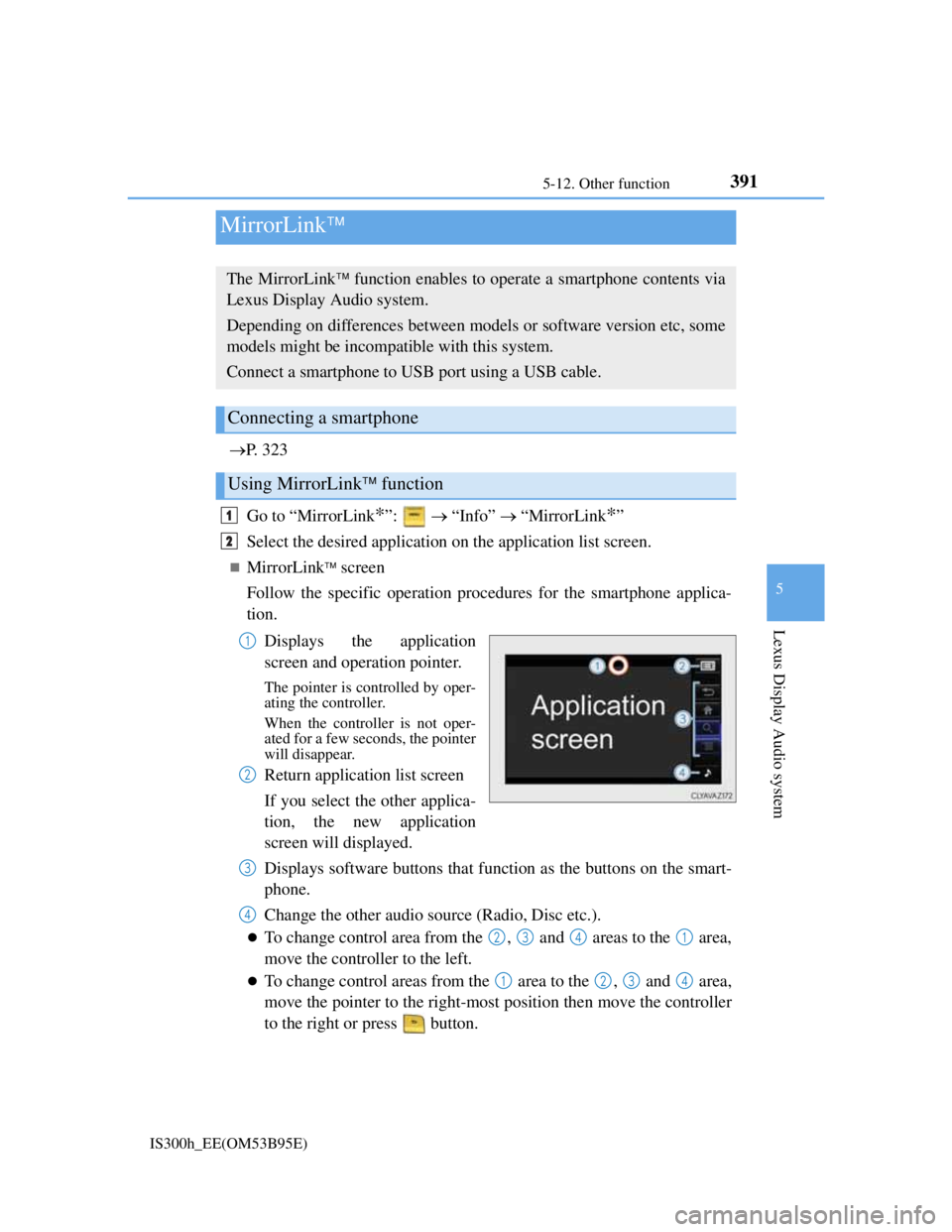
Displays the application
screen and operation pointer.
The pointer is controlled by oper-
ating the controller.
When the controller is not oper-
ated for a few seconds, the pointer
will disappear.
Return application list screen
If you select the other applica-
tion, the new application
screen will displayed.
Displays software buttons that function as the buttons on the smart-
phone.
Change the other audio source (Radio, Disc etc.).
To change control area from the , and areas to the area,
move the controller to the left.
To change control areas from the area to the , and area,
move the pointer to the right-most position then move the controller
to the right or press button.
MirrorLink
The MirrorLink function enables to operate a smartphone contents via
Lexus Display Audio system.
Depending on differences between models or software version etc, some
models might be incompatible with this system.
Connect a smartphone to USB port using a USB cable.
Connecting a smartphone
Using MirrorLink function
1
2
1
2
3
4
2341
1234
Page 468 of 628

4547-3. Do-it-yourself maintenance
IS300h_EE(OM53B95E)
Situations in which the tire pressure warning system may not operate properly
In the following cases, the tire pressure warning system may not operate prop-
erly.
• If non-genuine Lexus wheels are used.
• A tire has been replaced with a tire that is not an OE (Original Equipment)
tire.
• A tire has been replaced with a tire that is not of the specified size.
• Tire chains etc. are equipped.
• Lock nuts are equipped.
• An auxiliary-supported run-flat tire is equipped.
• If a window tint that affects the radio wave signals is installed.
• If there is a lot of snow or ice on the vehicle, particularly around the wheels
or wheel housings.
• If the tire inflation pressure is extremely higher than the specified level.
• If tires not equipped with tire pressure warning valves and transmitters are
used.
• If the ID code on the tire pressure warning valves and transmitters is not reg-
istered in the tire pressure warning computer.
Performance may be affected in the following situations.
• Near a TV tower, electric power plant, gas station, radio station, large dis-
play, airport or other facility that generates strong radio waves or electrical
noise
• When carrying a portable radio, cellular phone, cordless phone or other
wireless communication device
When the vehicle is parked, the time taken for the warning to start or go off
could be extended.
When tire inflation pressure declines rapidly for example when a tire has burst,
the warning may not function.
The initialization operation
Make sure to carry out initialization after adjusting the tire inflation pressure.
Also, make sure the tires are cold before carrying out initialization or tire infla-
tion pressure adjustment.
If you have accidentally turned the power switch off during initialization, it is
not necessary to press the reset switch again as initialization will restart auto-
matically when the power switch has been turned to ON mode for the next time.
If you accidentally press the reset switch when initialization is not necessary,
adjust the tire inflation pressure to the specified level when the tires are cold,
and conduct initialization again.
Warning performance of the tire pressure warning system
The warning of the tire pressure warning system will change in accordance with
the conditions under which it was initialized. For this reason, the system may
give a warning even if the tire pressure does not reach a low enough level, or if
the pressure is higher than the pressure that was adjusted to when the system was
initialized.
Page 604 of 628
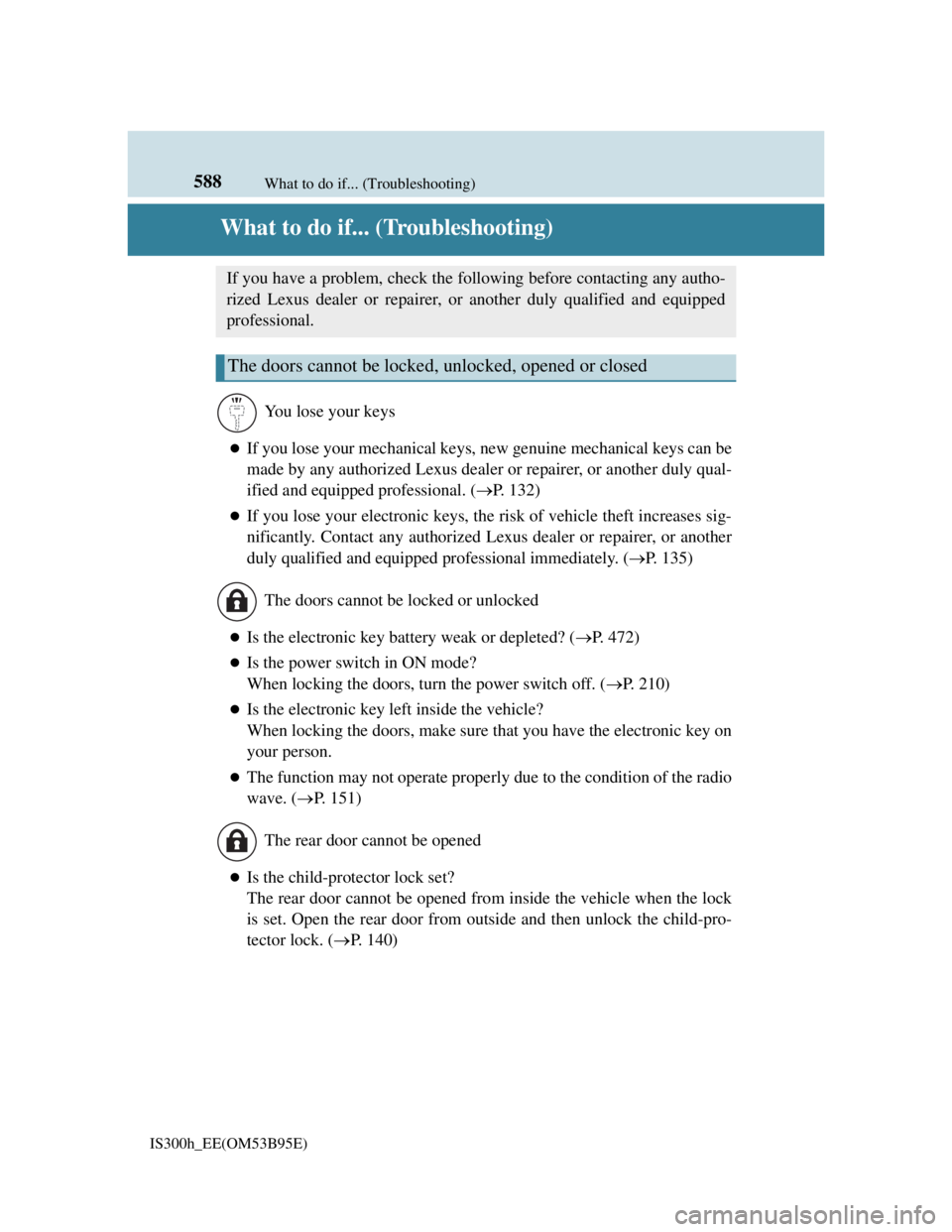
588
IS300h_EE(OM53B95E)What to do if... (Troubleshooting)
What to do if... (Troubleshooting)
If you lose your mechanical keys, new genuine mechanical keys can be
made by any authorized Lexus dealer or repairer, or another duly qual-
ified and equipped professional. (P. 132)
If you lose your electronic keys, the risk of vehicle theft increases sig-
nificantly. Contact any authorized Lexus dealer or repairer, or another
duly qualified and equipped professional immediately. (P. 135)
Is the electronic key battery weak or depleted? (P. 472)
Is the power switch in ON mode?
When locking the doors, turn the power switch off. (P. 210)
Is the electronic key left inside the vehicle?
When locking the doors, make sure that you have the electronic key on
your person.
The function may not operate properly due to the condition of the radio
wave. (P. 151)
Is the child-protector lock set?
The rear door cannot be opened from inside the vehicle when the lock
is set. Open the rear door from outside and then unlock the child-pro-
tector lock. (P. 1 4 0 )
If you have a problem, check the following before contacting any autho-
rized Lexus dealer or repairer, or another duly qualified and equipped
professional.
The doors cannot be locked, unlocked, opened or closed
You lose your keys
The doors cannot be locked or unlocked
The rear door cannot be opened
Page 609 of 628

593Alphabetical index
IS300h_EE(OM53B95E)
Anti-lock Brake System (ABS) .293
Function ................................293
Warning light........................508
Approach warning .....................254
Armrest ......................................422
ASC (Active Sound Control) ....225
Assist grips ................................424
Audio input................................323
Audio system .............................316
Audio CD player ..................341
Audio input ...........................323
AUX port/
USB port ............................323
Bluetooth
® audio ..................365
iPod.......................................348
Optimal use...........................331
Portable music player ...........356
Radio ....................................339
Steering wheel audio switch .322
USB memory ........................351
Automatic headlight leveling
system ....................................228
Warning light........................509
Automatic High Beam ..............229
Automatic light control system 226
AUX port ...................................323
Average fuel economy ..............117
Average vehicle speed...............117Back-up light
Replacing light bulb............. 488
Wattage ................................ 572
Battery (12-volt battery) ........... 447
If the 12-volt battery is
discharged ......................... 551
Preparing and checking
before winter ..................... 311
Warning light ....................... 507
Battery (traction battery) ............ 83
Blind Spot Monitor (BSM) ...... 309
Blower customization ............... 405
Bluetooth®
Audio system ....................... 365
Hands-free system
(for cellular phone)............ 367
Bottle holders ........................... 415
Brake
Fluid ..................................... 569
Parking brake ....................... 224
Regenerative braking ............. 81
Warning light ....................... 507
Brake assist .............................. 293
Break-in tips ............................ 193
Brightness control
Instrument panel light control....
113
BSM (Blind Spot Monitor)....... 309
B
Page 621 of 628
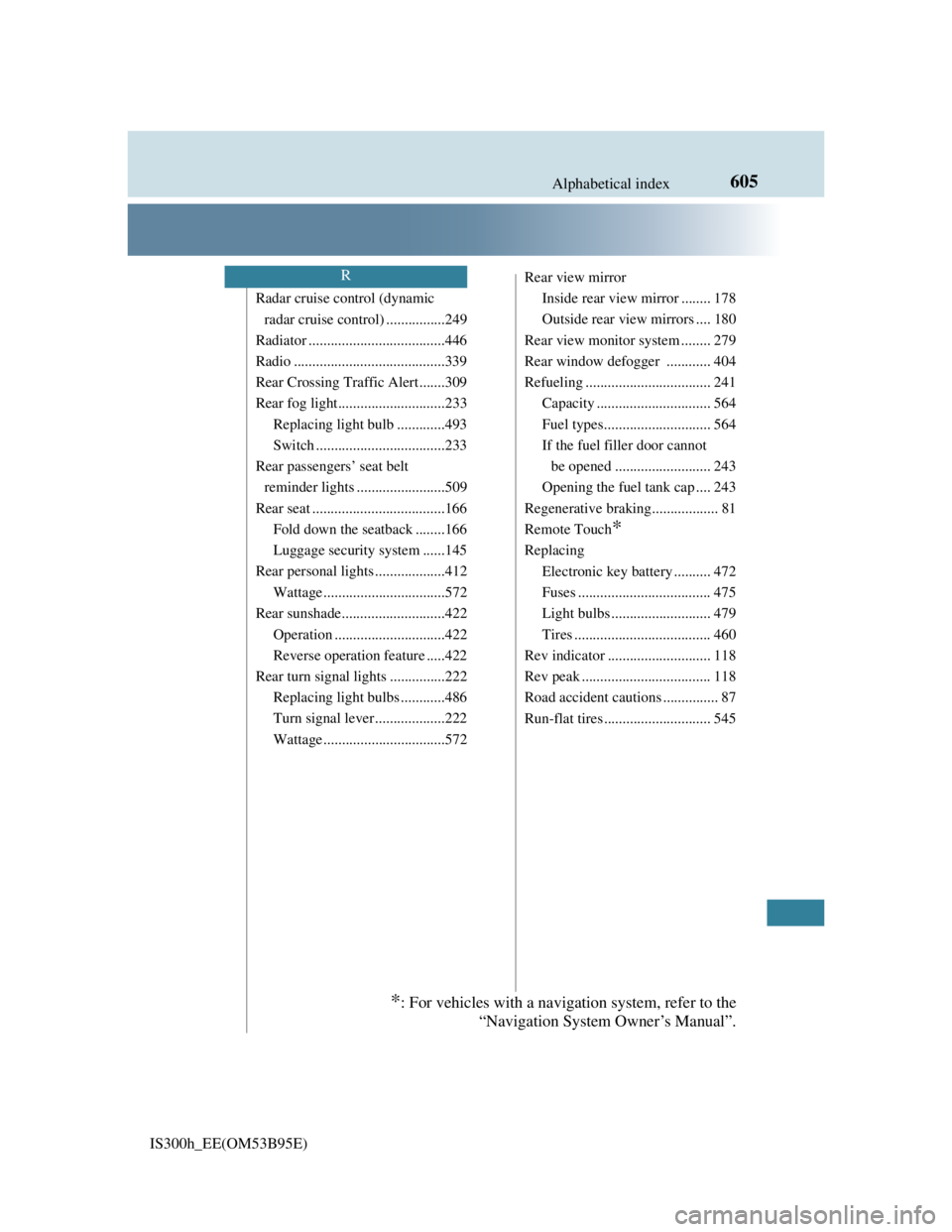
605Alphabetical index
IS300h_EE(OM53B95E)
Radar cruise control (dynamic
radar cruise control) ................249
Radiator .....................................446
Radio .........................................339
Rear Crossing Traffic Alert .......309
Rear fog light.............................233
Replacing light bulb .............493
Switch ...................................233
Rear passengers’ seat belt
reminder lights ........................509
Rear seat ....................................166
Fold down the seatback ........166
Luggage security system ......145
Rear personal lights ...................412
Wattage .................................572
Rear sunshade............................422
Operation ..............................422
Reverse operation feature .....422
Rear turn signal lights ...............222
Replacing light bulbs ............486
Turn signal lever ...................222
Wattage .................................572Rear view mirror
Inside rear view mirror ........ 178
Outside rear view mirrors .... 180
Rear view monitor system ........ 279
Rear window defogger ............ 404
Refueling .................................. 241
Capacity ............................... 564
Fuel types............................. 564
If the fuel filler door cannot
be opened .......................... 243
Opening the fuel tank cap .... 243
Regenerative braking.................. 81
Remote Touch
*
Replacing
Electronic key battery .......... 472
Fuses .................................... 475
Light bulbs ........................... 479
Tires ..................................... 460
Rev indicator ............................ 118
Rev peak ................................... 118
Road accident cautions ............... 87
Run-flat tires ............................. 545
R
*: For vehicles with a navigation system, refer to the
“Navigation System Owner’s Manual”.