cruise speed Lexus IS300h 2013 Owner's Manual
[x] Cancel search | Manufacturer: LEXUS, Model Year: 2013, Model line: IS300h, Model: Lexus IS300h 2013Pages: 628, PDF Size: 20.23 MB
Page 117 of 628
1162. Instrument cluster
IS300h_EE(OM53B95E)
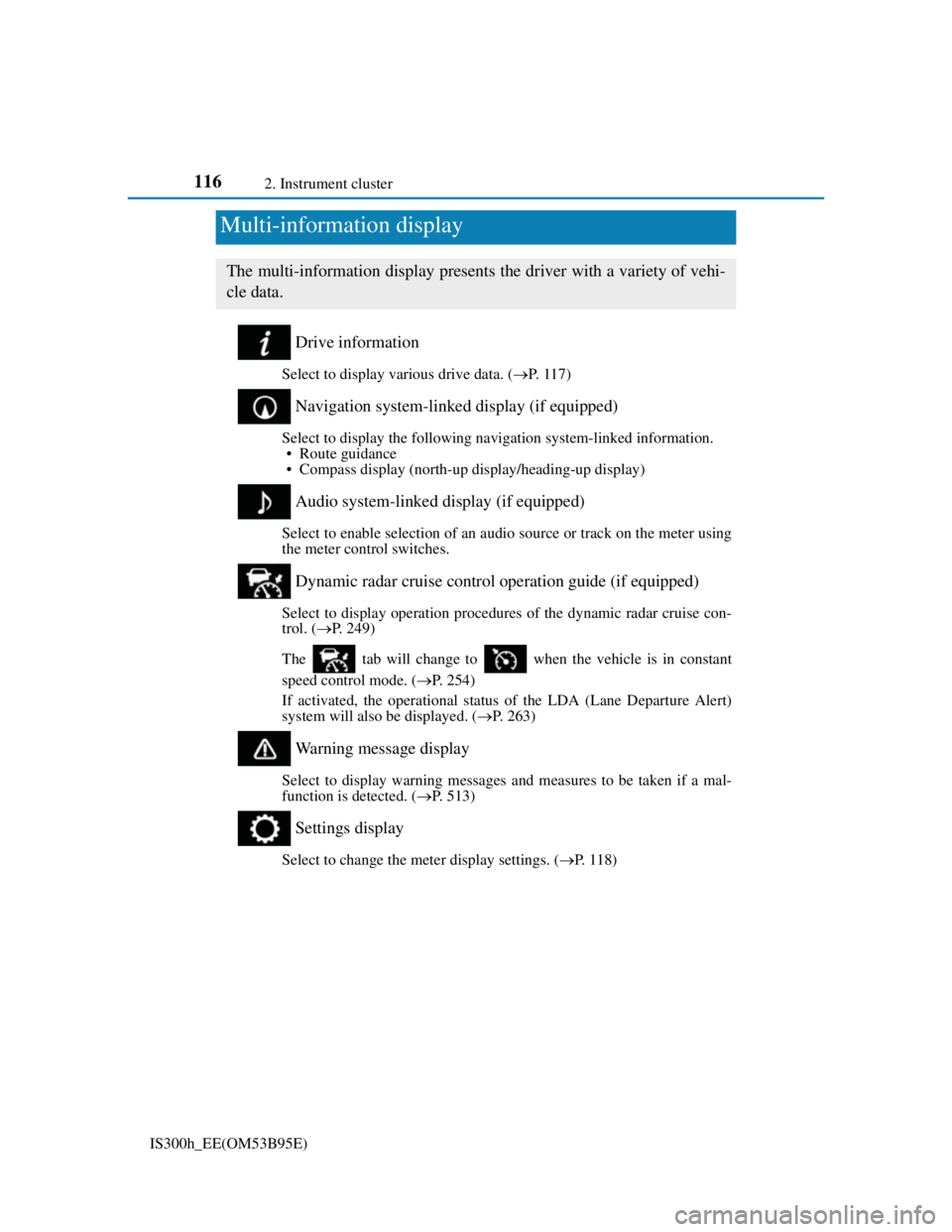
Drive information
Select to display various drive data. (P. 1 1 7 )
Navigation system-linked display (if equipped)
Select to display the following navigation system-linked information.
• Route guidance
• Compass display (north-up display/heading-up display)
Audio system-linked display (if equipped)
Select to enable selection of an audio source or track on the meter using
the meter control switches.
Dynamic radar cruise control operation guide (if equipped)
Select to display operation procedures of the dynamic radar cruise con-
trol. (P. 249)
The tab will change to when the vehicle is in constant
speed control mode. (P. 254)
If activated, the operational status of the LDA (Lane Departure Alert)
system will also be displayed. (P. 263)
Warning message display
Select to display warning messages and measures to be taken if a mal-
function is detected. (P. 513)
Settings display
Select to change the meter display settings. (P. 1 1 8 )
Multi-information display
The multi-information display presents the driver with a variety of vehi-
cle data.
Page 120 of 628
1192. Instrument cluster
2
Instrument cluster
IS300h_EE(OM53B95E)
Pop-up display
Select to set the following pop-up displays, which may appear in some
situations, on/off.
• Route guidance display of the navigation system-linked system
(if equipped)
• Incoming call display of the hands-free phone system (if equipped)
• Windshield wiper switch operation display (if equipped)
• Headlight switch operation display (if equipped)
• Dynamic radar cruise control operation display (if equipped)
• Instrument panel brightness adjustment display
• Main meter switch operation display (F SPORT models)
Accent color (except F SPORT models)
Select to change the accent colors on the screen, such as the cursor
color.
Tachometer settings
Select to set the display of the tachometer or Hybrid System Indicator
to automatically change according to the driving mode or static.
Needle (F SPORT models)
Select to change the needle color for the tachometer.
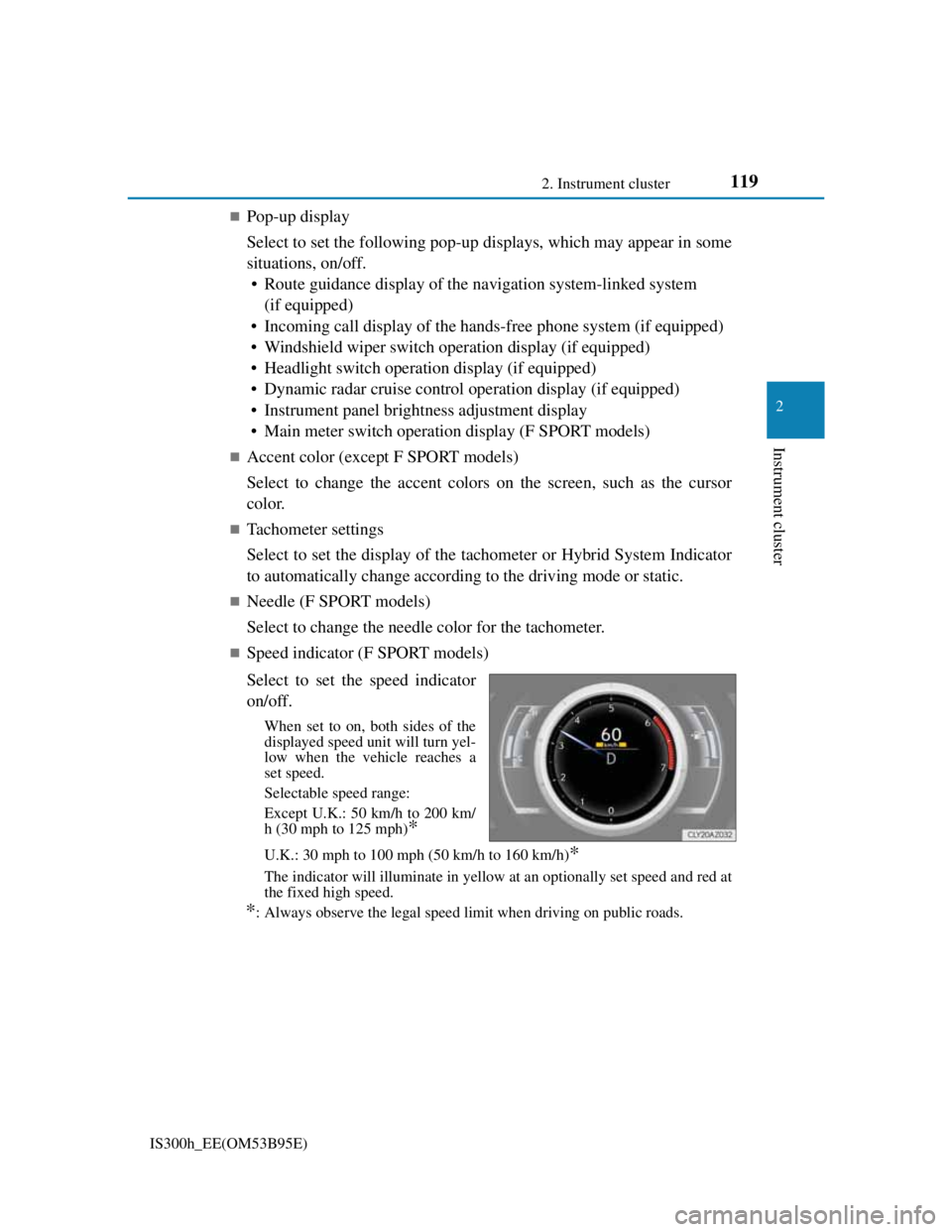
Speed indicator (F SPORT models)
Select to set the speed indicator
on/off.
When set to on, both sides of the
displayed speed unit will turn yel-
low when the vehicle reaches a
set speed.
Selectable speed range:
Except U.K.: 50 km/h to 200 km/
h (30 mph to 125 mph)
*
U.K.: 30 mph to 100 mph (50 km/h to 160 km/h)*
The indicator will illuminate in yellow at an optionally set speed and red at
the fixed high speed.
*: Always observe the legal speed limit when driving on public roads.
Page 247 of 628
245
4
Driving
IS300h_EE(OM53B95E)4-5. Using the driving support systems
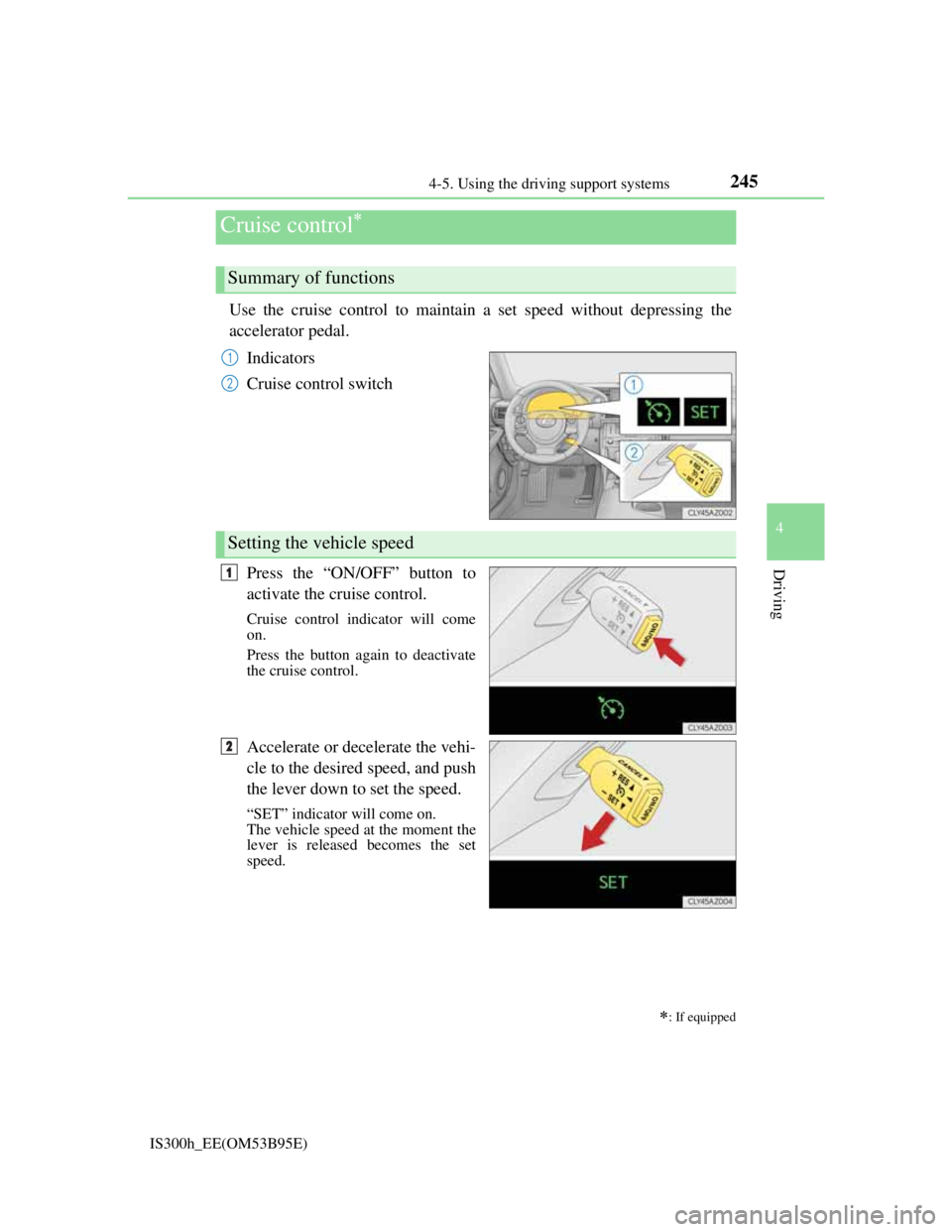
Use the cruise control to maintain a set speed without depressing the
accelerator pedal.
Indicators
Cruise control switch
Press the “ON/OFF” button to
activate the cruise control.
Cruise control indicator will come
on.
Press the button again to deactivate
the cruise control.
Accelerate or decelerate the vehi-
cle to the desired speed, and push
the lever down to set the speed.
“SET” indicator will come on.
The vehicle speed at the moment the
lever is released becomes the set
speed.
Cruise control
: If equipped
Summary of functions
1
2
Setting the vehicle speed
1
2
Page 249 of 628
2474-5. Using the driving support systems
4
Driving
IS300h_EE(OM53B95E)
Cruise control can be set when
The shift lever is in D or range 4 or higher of S has been selected.
Range 4 or higher of D has been selected by using the paddle shift.
Vehicle speed is above approximately 40 km/h (25 mph).
Accelerating after setting the vehicle speed
The vehicle can be accelerated normally. After acceleration, the set speed
resumes.
Even without canceling the cruise control, the set speed can be increased by
first accelerating the vehicle to the desired speed and then pushing the lever
down to set the new speed.
Automatic cruise control cancelation
Cruise control will stop maintaining the vehicle speed in any of the following sit-
uations.
Actual vehicle speed falls more than approximately 16 km/h (10 mph) below
the preset vehicle speed.
At this time, the memorized set speed is not retained.
Actual vehicle speed is below approximately 40 km/h (25 mph).
VSC is activated.
TRC is activated for a period of time.
When the VSC or TRC system is turned off by pressing the VSC OFF switch.
If the warning message for the cruise control is shown on the multi-information
display
Press the “ON/OFF” button once to deactivate the system, and then press the but-
ton again to reactivate the system.
If the cruise control speed cannot be set or if the cruise control cancels immedi-
ately after being activated, there may be a malfunction in the cruise control sys-
tem. Have the vehicle inspected by any authorized Lexus dealer or repairer, or
another duly qualified and equipped professional.
Page 250 of 628
2484-5. Using the driving support systems
IS300h_EE(OM53B95E)
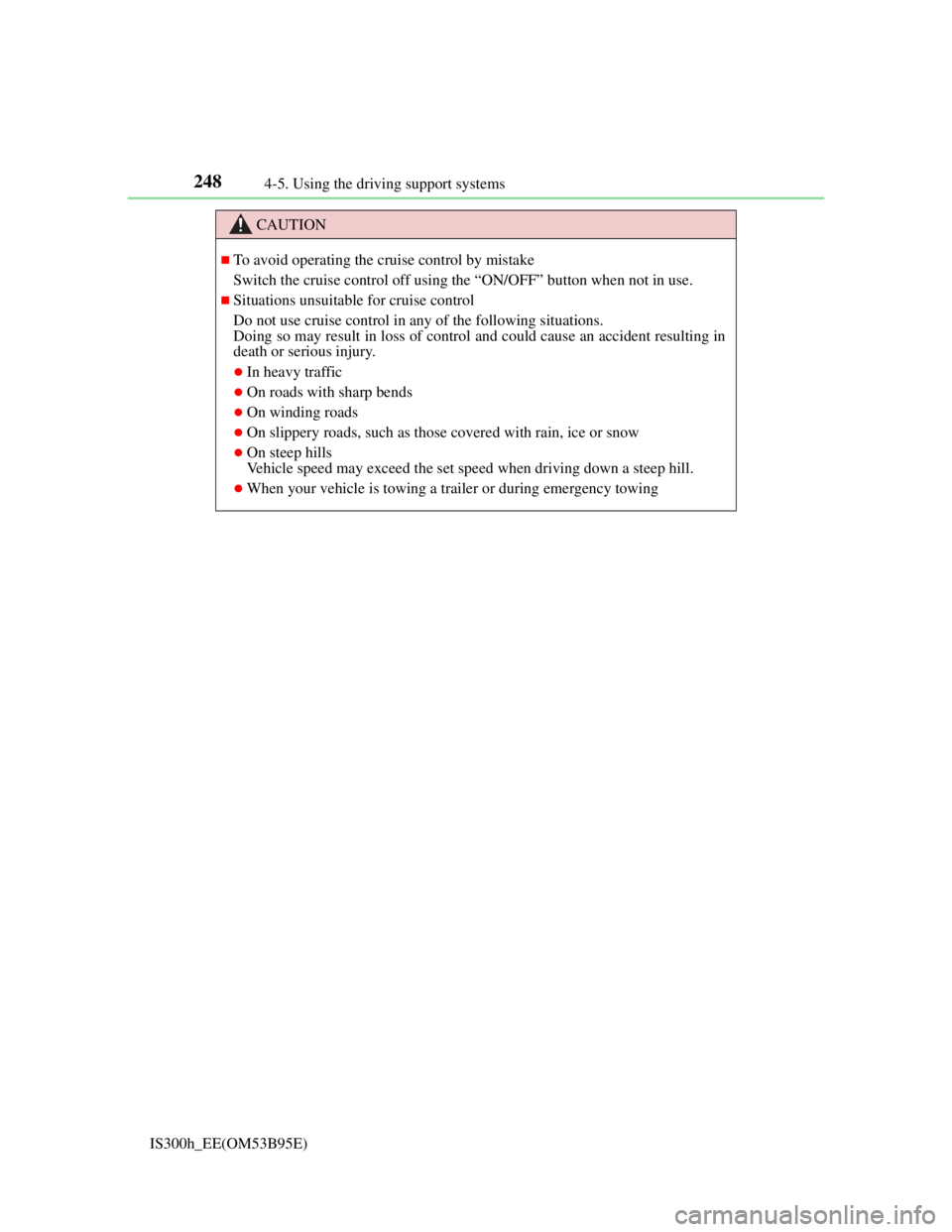
CAUTION
To avoid operating the cruise control by mistake
Switch the cruise control off using the “ON/OFF” button when not in use.
Situations unsuitable for cruise control
Do not use cruise control in any of the following situations.
Doing so may result in loss of control and could cause an accident resulting in
death or serious injury.
In heavy traffic
On roads with sharp bends
On winding roads
On slippery roads, such as those covered with rain, ice or snow
On steep hills
Vehicle speed may exceed the set speed when driving down a steep hill.
When your vehicle is towing a trailer or during emergency towing
Page 251 of 628
2494-5. Using the driving support systems
4
Driving
IS300h_EE(OM53B95E)
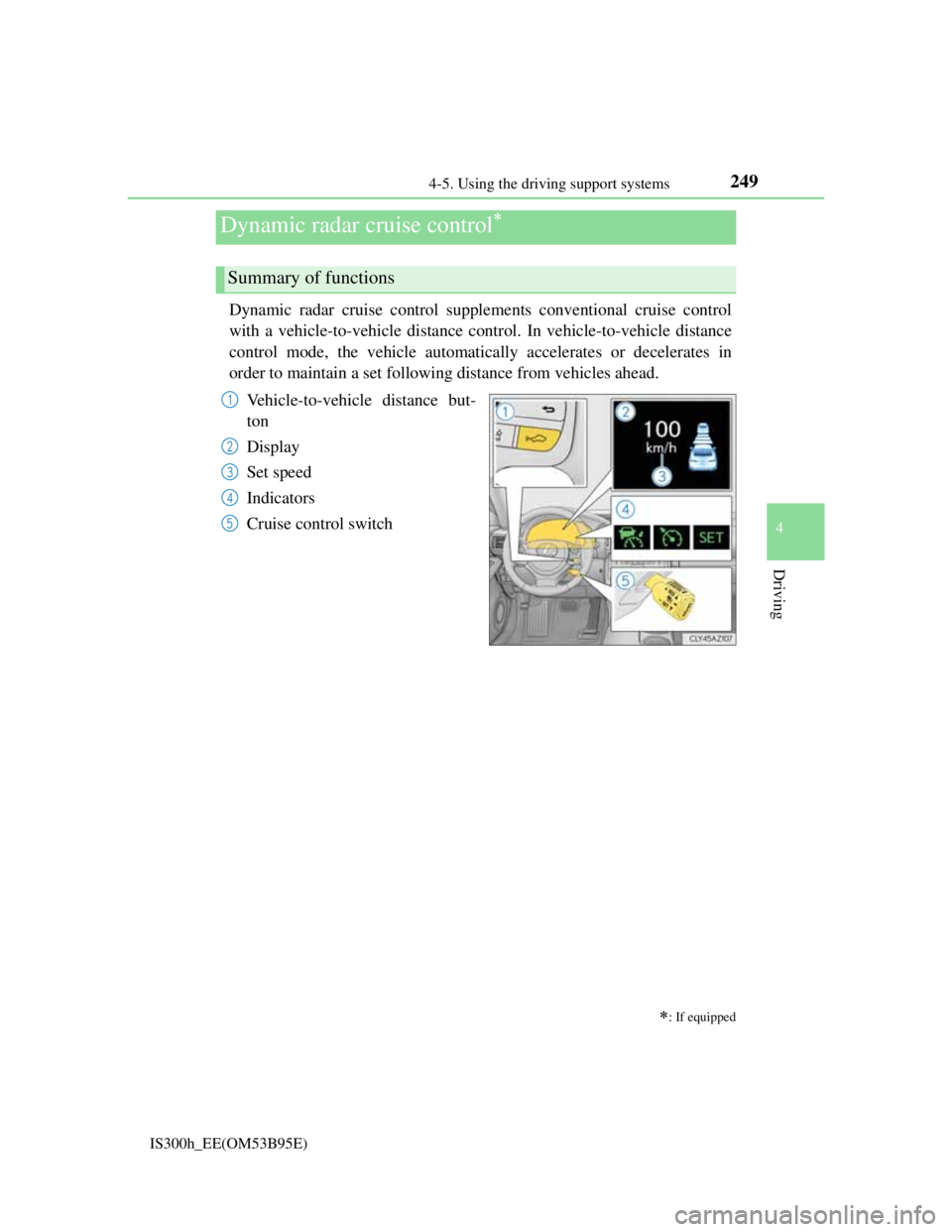
Dynamic radar cruise control supplements conventional cruise control
with a vehicle-to-vehicle distance control. In vehicle-to-vehicle distance
control mode, the vehicle automatically accelerates or decelerates in
order to maintain a set following distance from vehicles ahead.
Vehicle-to-vehicle distance but-
ton
Display
Set speed
Indicators
Cruise control switch
Dynamic radar cruise control
: If equipped
Summary of functions
1
2
3
4
5
Page 252 of 628
2504-5. Using the driving support systems
IS300h_EE(OM53B95E)
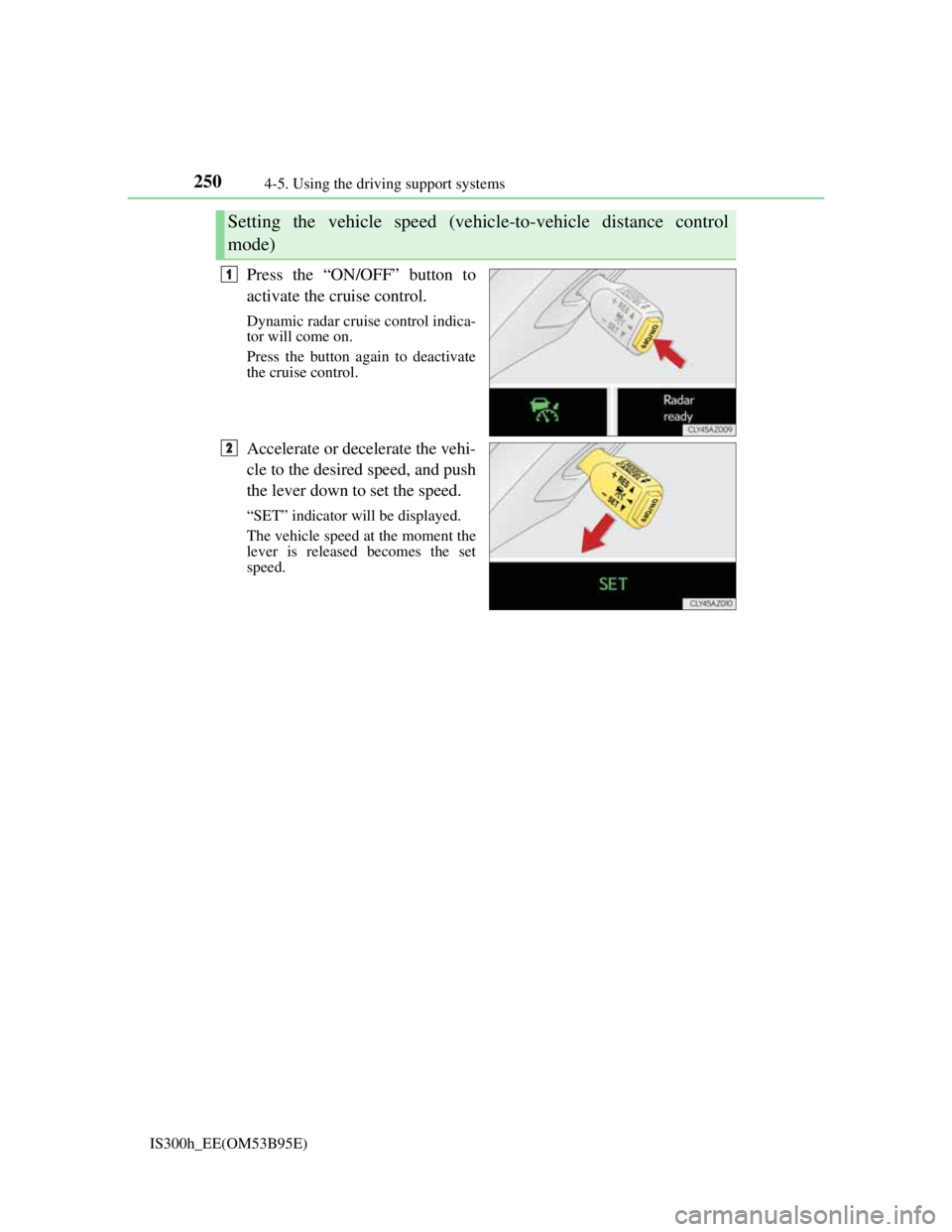
Press the “ON/OFF” button to
activate the cruise control.
Dynamic radar cruise control indica-
tor will come on.
Press the button again to deactivate
the cruise control.
Accelerate or decelerate the vehi-
cle to the desired speed, and push
the lever down to set the speed.
“SET” indicator will be displayed.
The vehicle speed at the moment the
lever is released becomes the set
speed.
Setting the vehicle speed (vehicle-to-vehicle distance control
mode)
1
2
Page 254 of 628
2524-5. Using the driving support systems
IS300h_EE(OM53B95E)
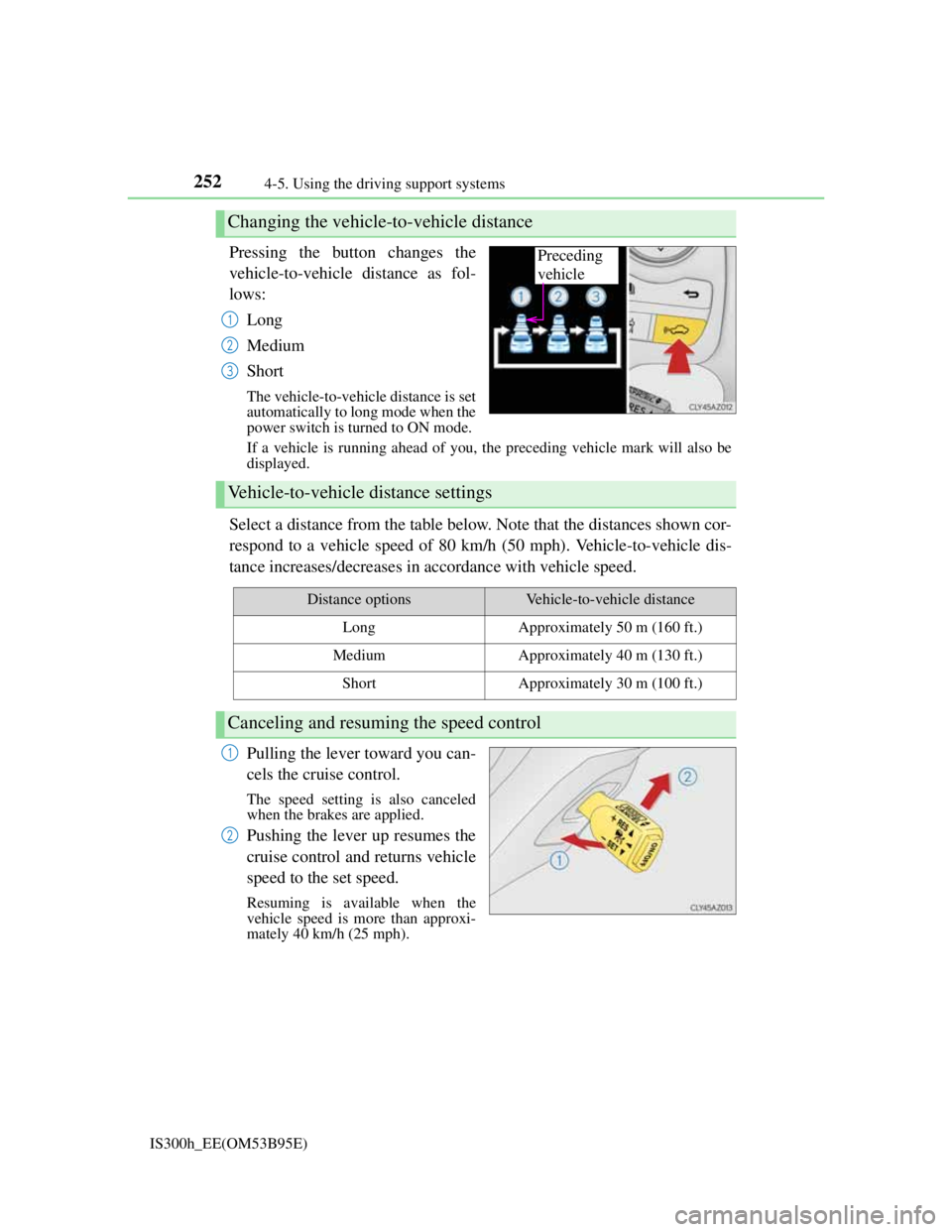
Pressing the button changes the
vehicle-to-vehicle distance as fol-
lows:
Long
Medium
Short
The vehicle-to-vehicle distance is set
automatically to long mode when the
power switch is turned to ON mode.
If a vehicle is running ahead of you, the preceding vehicle mark will also be
displayed.
Select a distance from the table below. Note that the distances shown cor-
respond to a vehicle speed of 80 km/h (50 mph). Vehicle-to-vehicle dis-
tance increases/decreases in accordance with vehicle speed.
Pulling the lever toward you can-
cels the cruise control.
The speed setting is also canceled
when the brakes are applied.
Pushing the lever up resumes the
cruise control and returns vehicle
speed to the set speed.
Resuming is available when the
vehicle speed is more than approxi-
mately 40 km/h (25 mph).
Changing the vehicle-to-vehicle distance
Preceding
vehicle
1
2
3
Vehicle-to-vehicle distance settings
Distance optionsVehicle-to-vehicle distance
LongApproximately 50 m (160 ft.)
MediumApproximately 40 m (130 ft.)
ShortApproximately 30 m (100 ft.)
Canceling and resuming the speed control
1
2
Page 256 of 628
2544-5. Using the driving support systems
IS300h_EE(OM53B95E)The system accelerates until the set speed is reached. The system then returns
to constant speed cruising.
When your vehicle is too close to a vehicle ahead, and sufficient auto-
matic deceleration via the cruise control is not possible, the display will
flash and the buzzer will sound to alert the driver. An example of this
would be if another driver cuts in front of you while you are following a
vehicle. Apply the brakes to ensure an appropriate vehicle-to-vehicle dis-
tance.
Warnings may not occur when
In the following instances, there is a possibility that the warnings will
not occur:
When the speed of the vehicle ahead matches or exceeds your vehi-
cle speed
When the vehicle ahead is traveling at an extremely slow speed
Immediately after the cruise control speed was set
At the instant the accelerator is applied
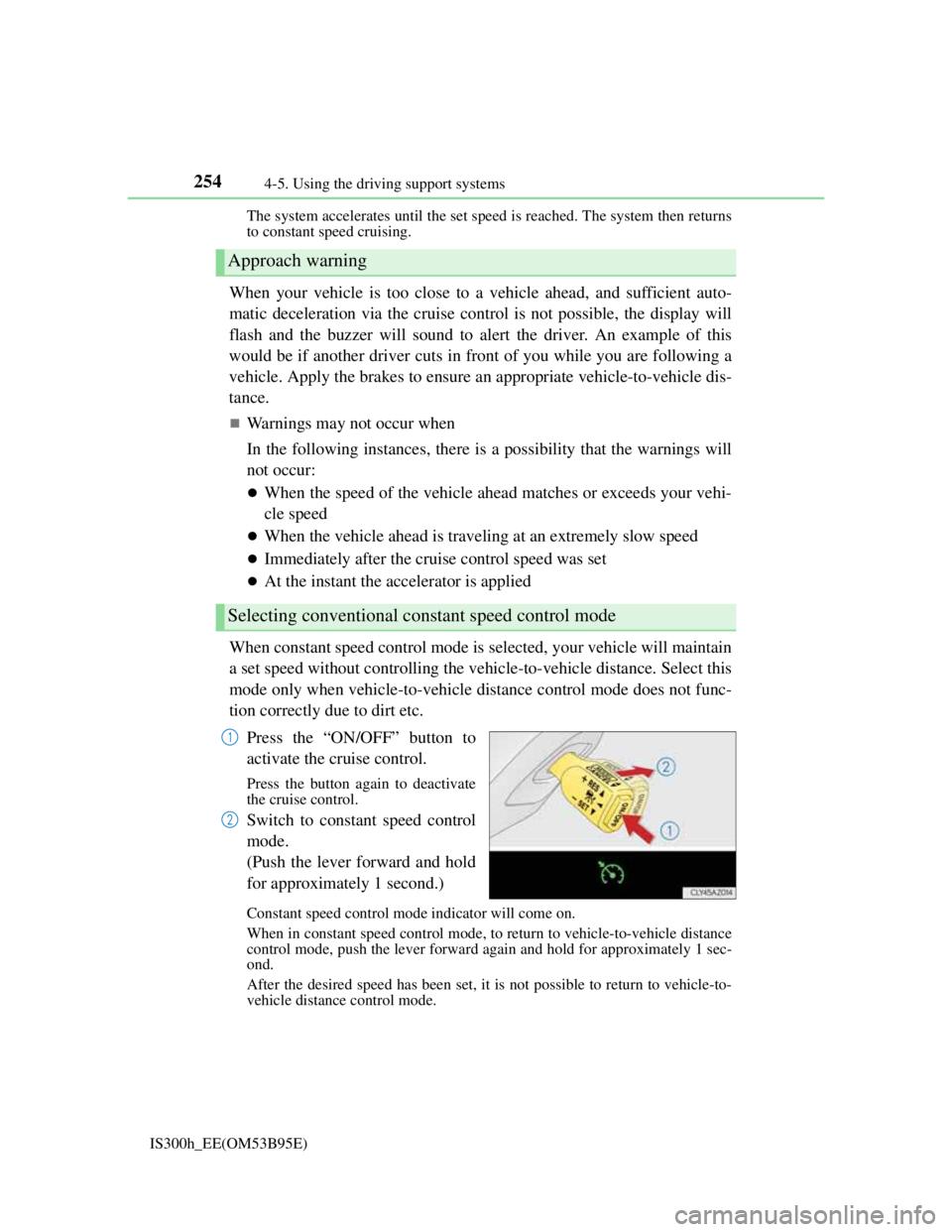
When constant speed control mode is selected, your vehicle will maintain
a set speed without controlling the vehicle-to-vehicle distance. Select this
mode only when vehicle-to-vehicle distance control mode does not func-
tion correctly due to dirt etc.
Press the “ON/OFF” button to
activate the cruise control.
Press the button again to deactivate
the cruise control.
Switch to constant speed control
mode.
(Push the lever forward and hold
for approximately 1 second.)
Constant speed control mode indicator will come on.
When in constant speed control mode, to return to vehicle-to-vehicle distance
control mode, push the lever forward again and hold for approximately 1 sec-
ond.
After the desired speed has been set, it is not possible to return to vehicle-to-
vehicle distance control mode.
Approach warning
Selecting conventional constant speed control mode
1
2
Page 258 of 628
2564-5. Using the driving support systems
IS300h_EE(OM53B95E)
Dynamic radar cruise control can be set when
The shift lever is in D or range 4 or higher of S has been selected.
Range 4 or higher of D has been selected by using the paddle shift.
Vehicle speed is above approximately 50 km/h (30 mph).
Accelerating after setting the vehicle speed
The vehicle can accelerate normally. After acceleration, the set speed resumes.
However, during vehicle-to-vehicle distance control mode, the vehicle speed
may decrease below the set speed in order to maintain the distance to the vehicle
ahead.
Automatic cancelation of vehicle-to-vehicle distance control
Vehicle-to-vehicle distance control driving is automatically canceled in the fol-
lowing situations:
Actual vehicle speed falls below approximately 40 km/h (25 mph).
VSC is activated.
TRC is activated for a period of time.
When the VSC or TRC system is turned off by pressing the VSC OFF switch.
The sensor cannot operate correctly because it is covered in some way.
The windshield wipers are operating at high speed (when the wipers are in
AUTO mode or the high speed wiper operation).
When snow mode is set.
Pre-crash braking is activated.
If vehicle-to-vehicle distance control driving is automatically canceled for any
other reason, there may be a malfunction in the system. Contact any authorized
Lexus dealer or repairer, or another duly qualified and equipped professional.
Automatic cancelation of constant speed control
The cruise control will stop maintaining the vehicle speed in the following situa-
tions:
Actual vehicle speed is more than approximately 16 km/h (10 mph) below the
set vehicle speed.
At this time, the memorized set speed is not retained.
Vehicle speed falls below approximately 40 km/h (25 mph).
VSC is activated.
TRC is activated for a period of time.
When the VSC or TRC system is turned off by pressing the VSC OFF switch.
Pre-crash braking is activated.