window Lexus IS300h 2014 Owner's Guide
[x] Cancel search | Manufacturer: LEXUS, Model Year: 2014, Model line: IS300h, Model: Lexus IS300h 2014Pages: 612, PDF Size: 111.33 MB
Page 193 of 612
1934-1. Before driving
4
Driving
IS300h_EE(OM53C61E)
■When starting off on an uphill
The hill-start assist control will activate. (→P. 2 8 6 )
■Driving in the rain
●Drive carefully when it is raining, because visibility will be reduced, the windows may
become fogged-up, and the road will be slippery.
●Drive carefully when it starts to rain, because the road surface will be especially slip-
pery.
●Refrain from high speeds when driving on an expressway in the rain, because there may
be a layer of water between the tires and the road surface, preventing the steering and
brakes from operating properly.
■Engine speed while driving
In the following conditions, the engine speed may become high while driving. This is due
to automatic up-shifting control or down-shifting implementation to meet driving condi-
tions. It does not indicate sudden acceleration.
●The vehicle is judged to be driving uphill or downhill
●When the accelerator pedal is released
●When the brake pedal is depressed while sport mode is selected
■Breaking in your new Lexus
To extend the life of the vehicle, observing the following precautions is recommended:
●For the first 300 km (186 miles):
Avoid sudden stops.
●For the first 800 km (500 miles):
Do not tow a trailer.
●For the first 1000 km (621 miles):
• Do not drive at extremely high speeds.
• Avoid sudden acceleration.
• Do not drive continuously in low gears.
• Do not drive at a constant speed for extended periods.
■Drum-in-disc type parking brake system
Your vehicle has a drum-in-disc type parking brake system. This type of brake system
needs bedding-down of the brake shoes periodically or whenever the parking brake
shoes and/or drum are replaced. Have any authorized Lexus dealer or repairer, or
another duly qualified and equipped professional, perform the bedding down operation.
■Operating your vehicle in a foreign country
Comply with the relevant vehicle registration laws and confirm the availability of the cor-
rect fuel. (→P. 5 6 2 )
IS300h_EE_OM53C61E.book 193 ページ 2014年5月20日 火曜日 午後5時40分
Page 197 of 612
1974-1. Before driving
4
Driving
IS300h_EE(OM53C61E)
CAUTION
Observe the following precautions.
Failure to do so may result in death or serious injury.
■When the vehicle is stopped
●Do not depress the accelerator pedal unnecessarily.
If the shift lever is any position other than P or N, the vehicle may accelerate suddenly
and unexpectedly, causing an accident.
●In order to prevent accidents due to the vehicle rolling away, always keep depressing
the brake pedal while stopped with the “READY” indicator on, and apply the parking
brake as necessary.
●If the vehicle is stopped on an incline, in order to prevent accidents caused by the
vehicle rolling forward or backward, always depress the brake pedal and securely
apply the parking brake as needed.
●Avoid revving or racing the engine.
Running the engine at high speed while the vehicle is stopped may cause the exhaust
system to overheat, which could result in a fire if combustible material is nearby.
■When the vehicle is parked
●Do not leave glasses, cigarette lighters, spray cans, or soft drink cans in the vehicle
when it is in the sun.
Doing so may result in the following:
• Gas may leak from a cigarette lighter or spray can, and may lead to a fire.
• The temperature inside the vehicle may cause the plastic lenses and plastic mate-
rial of glasses to deform or crack.
• Soft drink cans may fracture, causing the contents to spray over the interior of the
vehicle, and may also cause a short circuit in the vehicle’s electrical components.
●Do not leave cigarette lighters in the vehicle. If a cigarette lighter is in a place such as
the glove box or on the floor, it may be lit accidentally when luggage is loaded or the
seat is adjusted, causing a fire.
●Do not attach adhesive discs to the windshield or windows. Do not place containers
such as air fresheners on the instrument panel or dashboard. Adhesive discs or con-
tainers may act as lenses, causing a fire in the vehicle.
●Do not leave a door or window open if the curved glass is coated with a metallized
film such as a silver-colored one. Reflected sunlight may cause the glass to act as a
lens, causing a fire.
●Always apply the parking brake, shift the shift lever to P, stop the hybrid system and
lock the vehicle.
Do not leave the vehicle unattended while the hybrid system is operating.
●Do not touch the exhaust pipes while the hybrid system is operating or immediately
after turning the hybrid system off.
Doing so may cause burns.
IS300h_EE_OM53C61E.book 197 ページ 2014年5月20日 火曜日 午後5時40分
Page 232 of 612
2324-3. Operating the lights and wipers
IS300h_EE(OM53C61E)
CAUTION
■Limitations of the Automatic High Beam
Do not rely on the Automatic High Beam. Always drive safely, taking care to observe
your surroundings and turning high beam on or off manually if necessary.
NOTICE
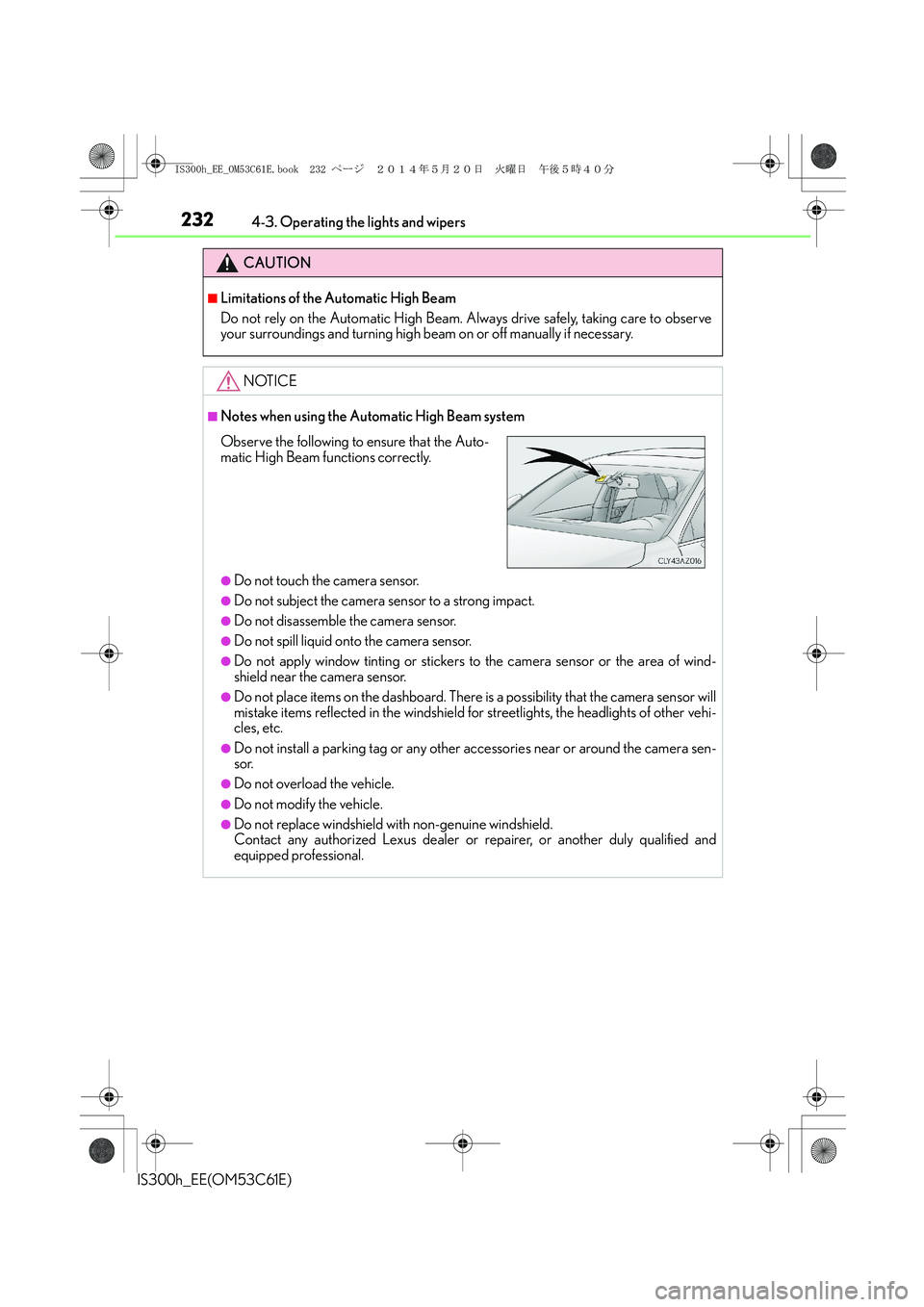
■Notes when using the Automatic High Beam system
●Do not touch the camera sensor.
●Do not subject the camera sensor to a strong impact.
●Do not disassemble the camera sensor.
●Do not spill liquid onto the camera sensor.
●Do not apply window tinting or stickers to the camera sensor or the area of wind-
shield near the camera sensor.
●Do not place items on the dashboard. There is a possibility that the camera sensor will
mistake items reflected in the windshield for streetlights, the headlights of other vehi-
cles, etc.
●Do not install a parking tag or any other accessories near or around the camera sen-
sor.
●Do not overload the vehicle.
●Do not modify the vehicle.
●Do not replace windshield with non-genuine windshield.
Contact any authorized Lexus dealer or repairer, or another duly qualified and
equipped professional.
Observe the following to ensure that the Auto-
matic High Beam functions correctly.
IS300h_EE_OM53C61E.book 232 ページ 2014年5月20日 火曜日 午後5時40分
Page 241 of 612
241
4
Driving
IS300h_EE(OM53C61E)4-4. Refueling
●Close all the doors and windows, and turn the power switch off.
●Confirm the type of fuel.
■Fuel types
EU area:
Unleaded gasoline conforming to European standard EN228, Research Octane Num-
ber of 95 or higher
Except EU area:
Unleaded gasoline, Research Octane Number of 95 or higher
■Use of ethanol blended gasoline in a gasoline engine
Lexus allows the use of ethanol blended gasoline where the ethanol content is up to 10%.
Make sure that the ethanol blended gasoline to be used has a Research Octane Number
that follows the above.
Opening the fuel tank cap
Perform the following steps to open the fuel tank cap:
Before refueling the vehicle
IS300h_EE_OM53C61E.book 241 ページ 2014年5月20日 火曜日 午後5時40分
Page 266 of 612
2664-5. Using the driving support systems
IS300h_EE(OM53C61E)
NOTICE
■To prevent damage to or incorrect operation of the LDA system
●Do not modify the headlights or attach stickers to the surface of the lights.
●Do not modify the suspension or replace it with non-genuine parts.
●Do not install or place anything on the hood or the grille. Also, do not install a grille
guard (bull bars, kangaroo bar etc.).
●If your windshield needs repairs, contact any authorized Lexus dealer or repairer, or
another duly qualified and equipped professional.
■Camera sensor
Observe the following to ensure that the LDA system functions correctly.
●Keep the windshield clean at all times.
Performance could be affected if the windshield is dirty, or if raindrops, condensation
or ice are adhering to the windshield.
●Do not spill liquid onto the camera sensor
●Do not attach window tinting to the windshield.
●Do not install an antenna in front of the camera lens.
●If the windshield is fogged up, use the windshield defogger to remove fog from the
windshield.
When it is cold, using the heater with air blowing to the feet may allow the upper part
of the windshield to fog up. This will have a negative effect on the images.
●Do not scratch the camera lens, or let it get dirty.
When cleaning the inside of the windshield, be careful not to get any glass cleaner
etc. on the lens. Also, do not touch the lens.
For lens repair, contact any authorized Lexus dealer or repairer, or another duly qual-
ified and equipped professional.
●Do not change the installation position or direction of the camera sensor or remove it.
The direction of the camera sensor is precisely adjusted.
●Do not subject the camera sensor to strong impact or force, and do not disassemble
the camera sensor.
●Do not replace windshield with non-genuine windshield.
Contact any authorized Lexus dealer or repairer, or another duly qualified and
equipped professional.
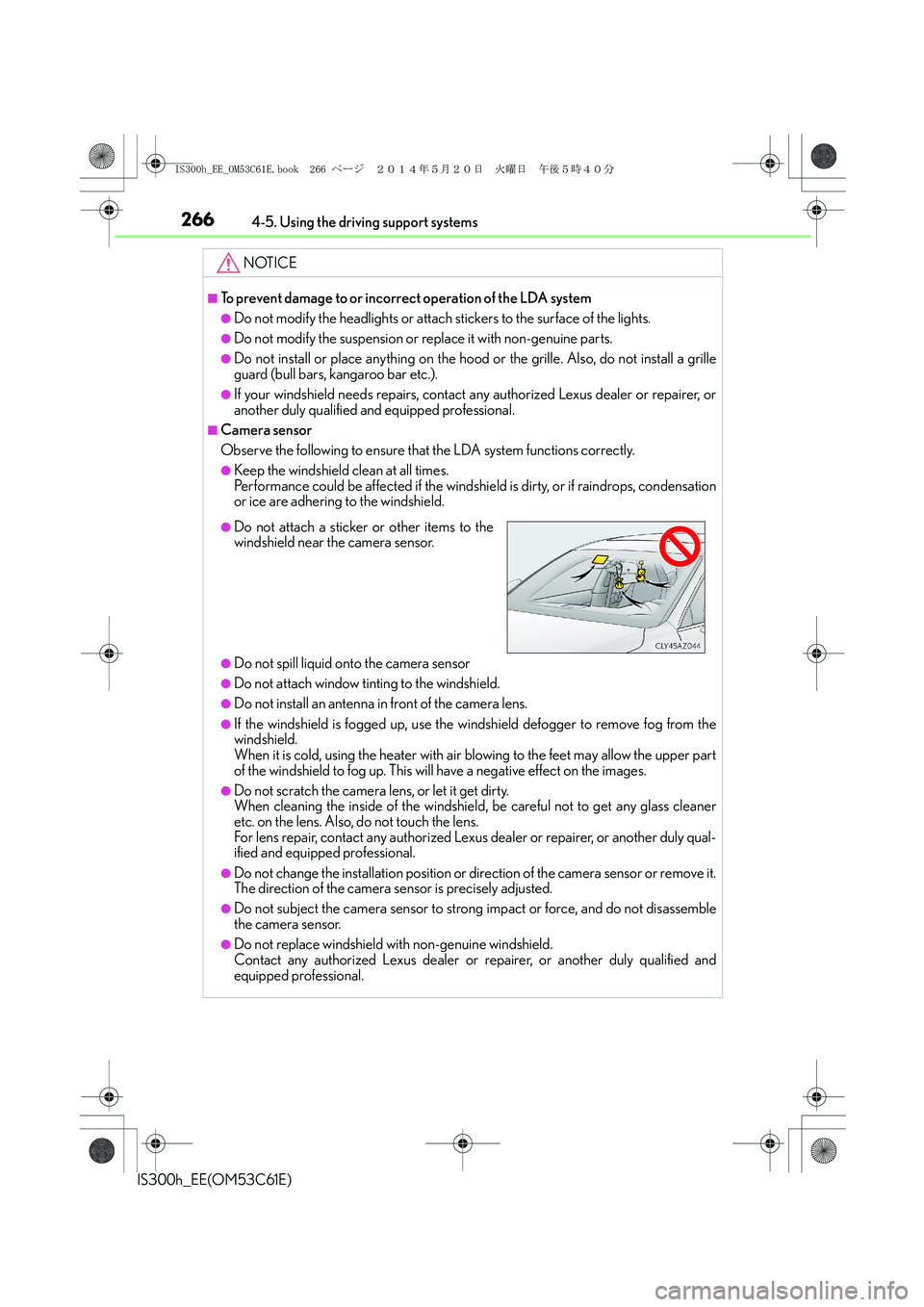
●Do not attach a sticker or other items to the
windshield near the camera sensor.
IS300h_EE_OM53C61E.book 266 ページ 2014年5月20日 火曜日 午後5時40分
Page 282 of 612
2824-5. Using the driving support systems
IS300h_EE(OM53C61E)
NOTICE
■How to use the camera
●The rear view monitor system may not operate properly in the following cases.
• If the back of the vehicle is hit, the position and mounting angle of the camera may
change.
• As the camera has a water proof construction, do not detach, disassemble or
modify it. This may cause incorrect operation.
• Do not strongly rub the camera lens. If the camera lens is scratched, it cannot
transmit a clear image.
• Do not allow organic solvent, car wax, window cleaner or glass coat to adhere to
the camera. If this happens, wipe it off as soon as possible.
• If the temperature changes rapidly, such as when hot water is poured on the vehi-
cle in cold weather, the system may not operate normally.
• When washing the vehicle, do not apply intensive bursts of water to the camera or
camera area. Doing so may result in the camera malfunctioning.
• When the camera is used under fluorescent lights, sodium light or mercury light
etc., the lights and the illuminated areas may appear to flicker.
●Do not expose the camera to strong impact as this could cause a malfunction. If this
happens, have the vehicle inspected by any authorized Lexus dealer or repairer, or
another duly qualified and equipped professional as soon as possible.
IS300h_EE_OM53C61E.book 282 ページ 2014年5月20日 火曜日 午後5時40分
Page 311 of 612
3114-6. Driving tips
4
Driving
IS300h_EE(OM53C61E)
●Use fluids that are appropriate to the prevailing outside temperatures.
•Engine oil
• Engine/power control unit coolant
•Washer fluid
●Have a service technician inspect the condition of the 12-volt battery.
●Have the vehicle fitted with four snow tires or purchase a set of tire chains for
the rear tires.
*
Ensure that all tires are the specified size and brand, and that chains match the size
of the tires.
*: Tire chains cannot be mounted on the 18-inch tires.
Perform the following according to the driving conditions:
●Do not try to forcibly open a window or move a wiper that is frozen. Pour
warm water over the frozen area to melt the ice. Wipe away the water imme-
diately to prevent it from freezing.
●To ensure proper operation of the climate control system fan, remove any
snow that has accumulated on the air inlet vents in front of the windshield.
●Check for and remove any excess ice or snow that may have accumulated on
the exterior lights, vehicle’s roof, chassis, around the tires or on the brakes.
●Remove any snow or mud from the bottom of your shoes before getting in the
vehicle.
Accelerate the vehicle slowly, keep a safe distance between you and the vehicle
ahead, and drive at a reduced speed suitable to road conditions.
Winter driving tips
Carry out the necessary preparations and inspections before driving the vehi-
cle in winter. Always drive the vehicle in a manner appropriate to the prevail-
ing weather conditions.
Preparation for winter
Before driving the vehicle
When driving the vehicle
IS300h_EE_OM53C61E.book 311 ページ 2014年5月20日 火曜日 午後5時40分
Page 326 of 612
3265-2. Setup
IS300h_EE(OM53C61E)
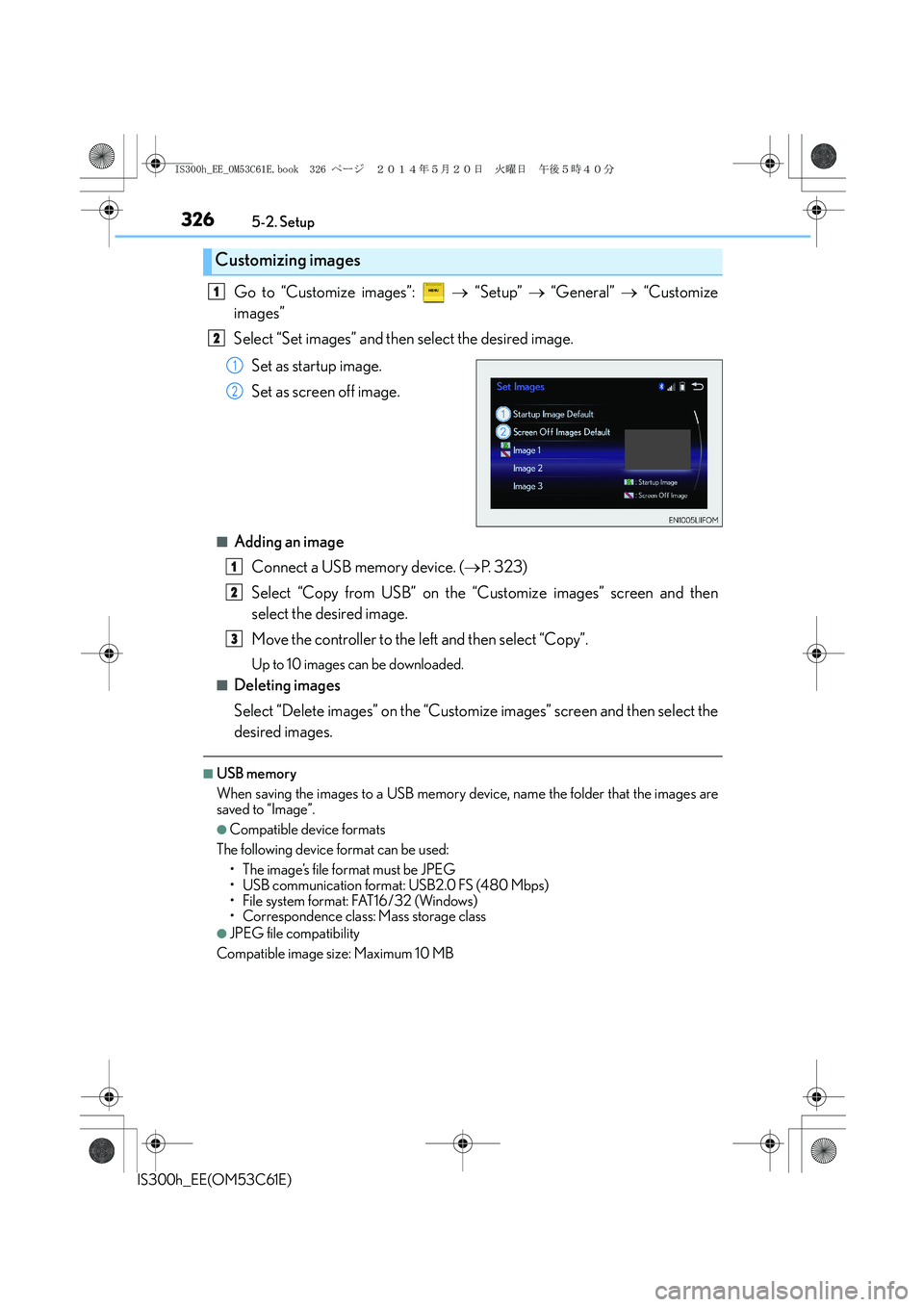
Go to “Customize images”: → “Setup” → “General” → “Customize
images”
Select “Set images” and then select the desired image.
Set as startup image.
Set as screen off image.
■Adding an image
Connect a USB memory device. (→P. 323)
Select “Copy from USB” on the “Customize images” screen and then
select the desired image.
Move the controller to the left and then select “Copy”.
Up to 10 images can be downloaded.
■Deleting images
Select “Delete images” on the “Customize images” screen and then select the
desired images.
■USB memory
When saving the images to a USB memory device, name the folder that the images are
saved to “Image”.
●Compatible device formats
The following device format can be used:
• The image’s file format must be JPEG
• USB communication format: USB2.0 FS (480 Mbps)
• File system format: FAT16/32 (Windows)
• Correspondence class: Mass storage class
●JPEG file compatibility
Compatible image size: Maximum 10 MB
Customizing images
1
2
1
2
1
2
3
IS300h_EE_OM53C61E.book 326 ページ 2014年5月20日 火曜日 午後5時40分
Page 340 of 612
3405-4. Using the radio
IS300h_EE(OM53C61E)
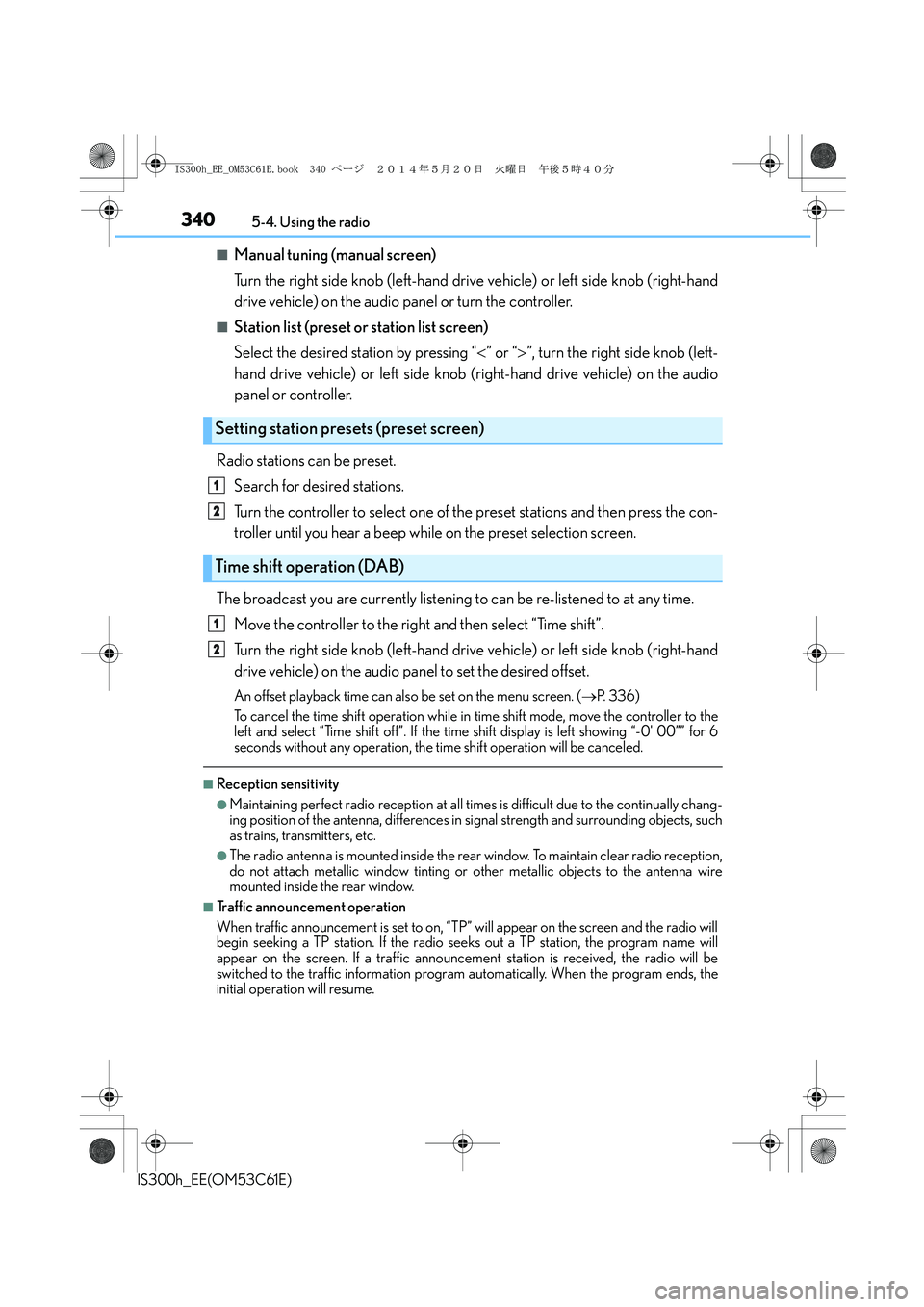
■Manual tuning (manual screen)
Turn the right side knob (left-hand drive vehicle) or left side knob (right-hand
drive vehicle) on the audio panel or turn the controller.
■Station list (preset or station list screen)
Select the desired station by pressing “<” or “>”, turn the right side knob (left-
hand drive vehicle) or left side knob (right-hand drive vehicle) on the audio
panel or controller.
Radio stations can be preset.
Search for desired stations.
Turn the controller to select one of the preset stations and then press the con-
troller until you hear a beep while on the preset selection screen.
The broadcast you are currently listening to can be re-listened to at any time.
Move the controller to the right and then select “Time shift”.
Turn the right side knob (left-hand drive vehicle) or left side knob (right-hand
drive vehicle) on the audio panel to set the desired offset.
An offset playback time can also be set on the menu screen. (→P. 3 3 6 )
To cancel the time shift operation while in time shift mode, move the controller to the
left and select “Time shift off”. If the time shift display is left showing “-0' 00”” for 6
seconds without any operation, the time shift operation will be canceled.
■Reception sensitivity
●Maintaining perfect radio reception at all times is difficult due to the continually chang-
ing position of the antenna, differences in signal strength and surrounding objects, such
as trains, transmitters, etc.
●The radio antenna is mounted inside the rear window. To maintain clear radio reception,
do not attach metallic window tinting or other metallic objects to the antenna wire
mounted inside the rear window.
■Traffic announcement operation
When traffic announcement is set to on, “TP” will appear on the screen and the radio will
begin seeking a TP station. If the radio seeks out a TP station, the program name will
appear on the screen. If a traffic announcement station is received, the radio will be
switched to the traffic information program automatically. When the program ends, the
initial operation will resume.
Setting station presets (preset screen)
Time shift operation (DAB)
1
2
1
2
IS300h_EE_OM53C61E.book 340 ページ 2014年5月20日 火曜日 午後5時40分
Page 342 of 612
3425-5. Playing an audio CD and MP3/WMA/AAC discs
IS300h_EE(OM53C61E)
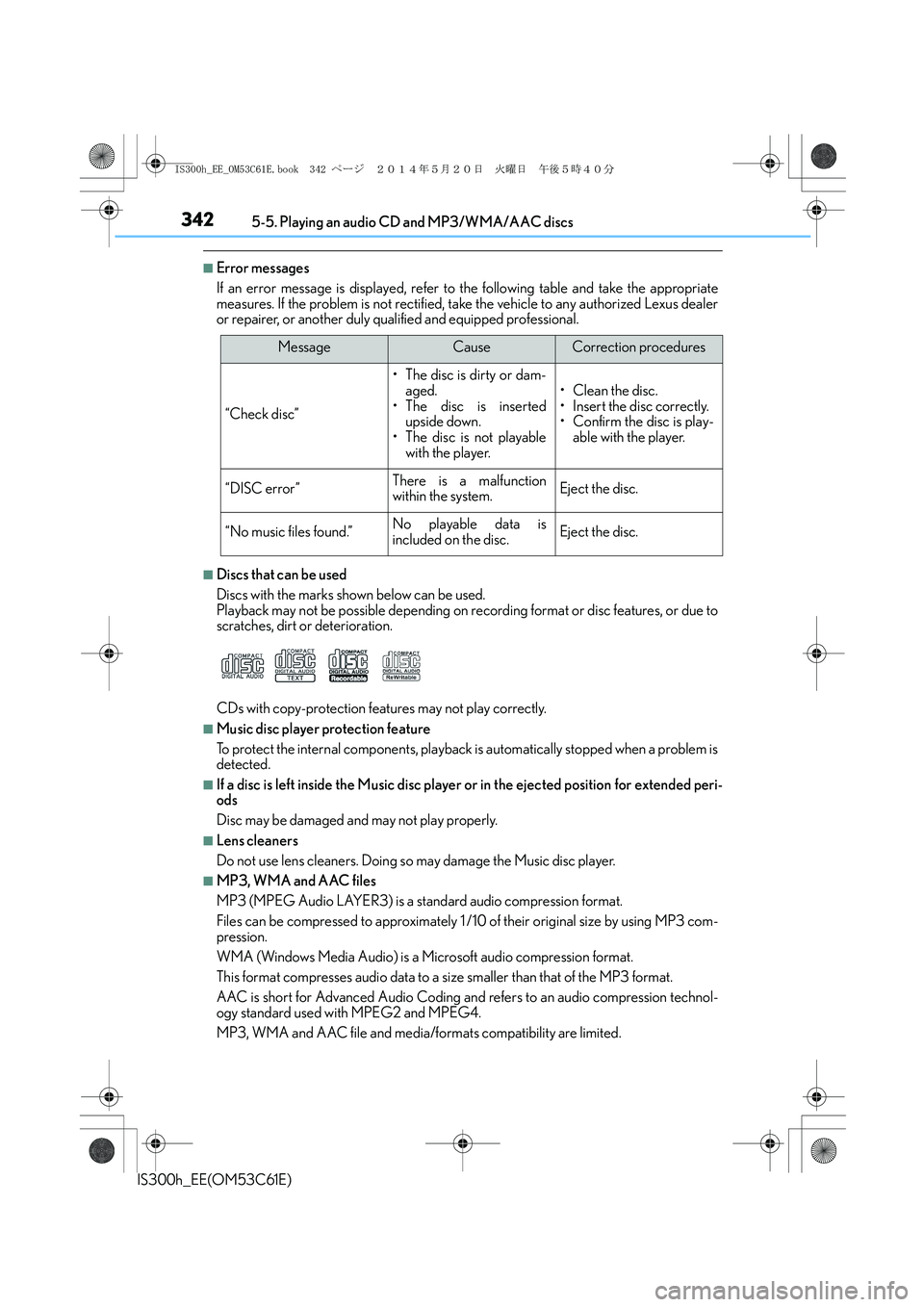
■Error messages
If an error message is displayed, refer to the following table and take the appropriate
measures. If the problem is not rectified, take the vehicle to any authorized Lexus dealer
or repairer, or another duly qualified and equipped professional.
■Discs that can be used
Discs with the marks shown below can be used.
Playback may not be possible depending on recording format or disc features, or due to
scratches, dirt or deterioration.
CDs with copy-protection features may not play correctly.
■Music disc player protection feature
To protect the internal components, playback is automatically stopped when a problem is
detected.
■If a disc is left inside the Music disc player or in the ejected position for extended peri-
ods
Disc may be damaged and may not play properly.
■Lens cleaners
Do not use lens cleaners. Doing so may damage the Music disc player.
■MP3, WMA and AAC files
MP3 (MPEG Audio LAYER3) is a standard audio compression format.
Files can be compressed to approximately 1 /10 of their original size by using MP3 com-
pression.
WMA (Windows Media Audio) is a Microsoft audio compression format.
This format compresses audio data to a size smaller than that of the MP3 format.
AAC is short for Advanced Audio Coding and refers to an audio compression technol-
ogy standard used with MPEG2 and MPEG4.
MP3, WMA and AAC file and media/formats compatibility are limited.
MessageCauseCorrection procedures
“Check disc”
• The disc is dirty or dam-
aged.
• The disc is inserted
upside down.
• The disc is not playable
with the player.
•Clean the disc.
• Insert the disc correctly.
• Confirm the disc is play-
able with the player.
“DISC error”There is a malfunction
within the system.Eject the disc.
“No music files found.”No playable data is
included on the disc.Eject the disc.
IS300h_EE_OM53C61E.book 342 ページ 2014年5月20日 火曜日 午後5時40分