phone Lexus IS300h 2014 Service Manual
[x] Cancel search | Manufacturer: LEXUS, Model Year: 2014, Model line: IS300h, Model: Lexus IS300h 2014Pages: 612, PDF Size: 111.33 MB
Page 386 of 612
3865-11. Bluetooth®
IS300h_EE(OM53C61E)
■Bluetooth® antenna
The antenna is built into the display.
If the portable audio player is behind the seat or in the glove box or console box, or is
touching or covered by metal objects, the connection status may deteriorate.
If the cellular phone is behind the seat or in the console box, or touching or covered by
metal objects, the connection status may deteriorate.
■Battery charge/signal status
●This display may not correspond exactly with the portable audio player or cellular
phone itself.
●This system does not have a charging function.
●The portable audio player or cellular phone battery will be depleted quickly when the
device is connected to Bluetooth®.
■When using the Bluetooth® audio and hands-free system at the same time
The following problems may occur.
●The Bluetooth® audio connection may be interrupted.
●Noise may be heard during Bluetooth® audio playback.
■About the contact in this system
The following data is stored for every registered cellular phone. When another phone is
connecting, you cannot read the registered data.
●Contact data
●Call history
●Favorite
When removing a Bluetooth® phone from the system, the above-mentioned data is also
deleted.
■About Bluetooth®
Bluetooth® is a registered trademark of Blue-
tooth SIG, Inc.
The Bluetooth
® word mark and logos are
owned by the Bluetooth SIG, Inc. and any use of
such marks by FUJITSU TEN LIMITED is under
license. Other trademarks and trade names are
those of their respective owners.
IS300h_EE_OM53C61E.book 386 ページ 2014年5月20日 火曜日 午後5時40分
Page 387 of 612
3875-11. Bluetooth®
5
Lexus Display Audio system
IS300h_EE(OM53C61E)
■Compatible models
The Bluetooth® audio system supports portable audio players with the following specifi-
cations
●Bluetooth® specifications:
Ver. 2.0, or higher (Recommended: Ver. 3.0 +EDR or higher)
●Profiles:
• A2DP (Advanced Audio Distribution Profile) Ver. 1.0, or higher
(Recommended: Ver. 1.2 or higher)
This is a profile to transmit stereo audio or high quality sound to the audio system.
• AVRCP (Audio/Video Remote Control Profile) Ver. 1.0 or higher
(Recommended: Ver. 1.4 or higher)
This is a profile to allow remote control the A/V equipment.
However, please note that some functions may be limited depending on the type of por-
table audio player connected.
The hands-free system supports cellular phones with the following specifications.
●Bluetooth® specification:
Ver. 2.0 or higher (Recommended: Ver. 3.0 +EDR or higher)
●Profiles:
• HFP (Hands Free Profile) Ver. 1.0 or higher (Recommended: Ver. 1.6 or higher)
This is a profile to allow hands-free phone calls using a cellular phone or head set. It
has outgoing and incoming call functions.
• OPP (Object Push Profile) Ver. 1.1 or higher (Recommended: Ver. 1.1)
This is a profile to transfer phonebook data. When a Bluetooth
® compatible cellular
phone has both PBAP and OPP, OPP cannot be used.
• PBAP (Phone Book Access Profile) Ver. 1.0 or higher (Recommended: Ver. 1.1)
This is a profile to transfer phonebook data.
• MAP (Message Access Profile) Ver.1.0 or higher
This is a profile to using phone message.
If the cellular phone does not support HFP, you cannot register it with the hands-free sys-
tem. OPP, PBAP or MAP services must be selected individually.
■Reconnecting the portable audio player
If the portable audio player is disconnected due to poor reception when the power
switch is in ACCESSORY or ON mode, the system automatically reconnects the porta-
ble audio player.
If you have switched off the portable audio player yourself, follow the instructions below
to reconnect:
●Select the portable audio player again
●Enter the portable audio player
■When you sell your car
Be sure to delete your personal data. (→P. 3 2 7 )
IS300h_EE_OM53C61E.book 387 ページ 2014年5月20日 火曜日 午後5時40分
Page 389 of 612
3895-11. Bluetooth®
5
Lexus Display Audio system
IS300h_EE(OM53C61E)
CAUTION
■While driving
Do not operate the portable audio player, cellular phone or connect a device to the
Bluetooth
® system.
■Caution regarding interference with electronic devices
●Your audio unit is fitted with Bluetooth® antennas. People with implantable cardiac
pacemakers, cardiac resynchronization therapy-pacemakers or implantable cardio-
verter defibrillators should maintain a reasonable distance between themselves and
the Bluetooth
® antennas. The radio waves may affect the operation of such devices.
●Before using Bluetooth® devices, users of any electrical medical device other than
implantable cardiac pacemakers, cardiac resynchronization therapy-pacemakers or
implantable cardioverter defibrillators should consult the manufacturer of the device
for information about its operation under the influence of radio waves. Radio waves
could have unexpected effects on the operation of such medical devices.
NOTICE
■When leaving the vehicle
Do not leave your portable audio player or cellular phone in the vehicle. The inside of
the vehicle may become hot, causing damage to the portable audio player or cellular
phone.
IS300h_EE_OM53C61E.book 389 ページ 2014年5月20日 火曜日 午後5時40分
Page 391 of 612
3915-12. Other function
5
Lexus Display Audio system
IS300h_EE(OM53C61E)
→P. 3 2 3
Go to “MirrorLink
*”: → “Info” → “MirrorLink*”
Select the desired application on the application list screen.
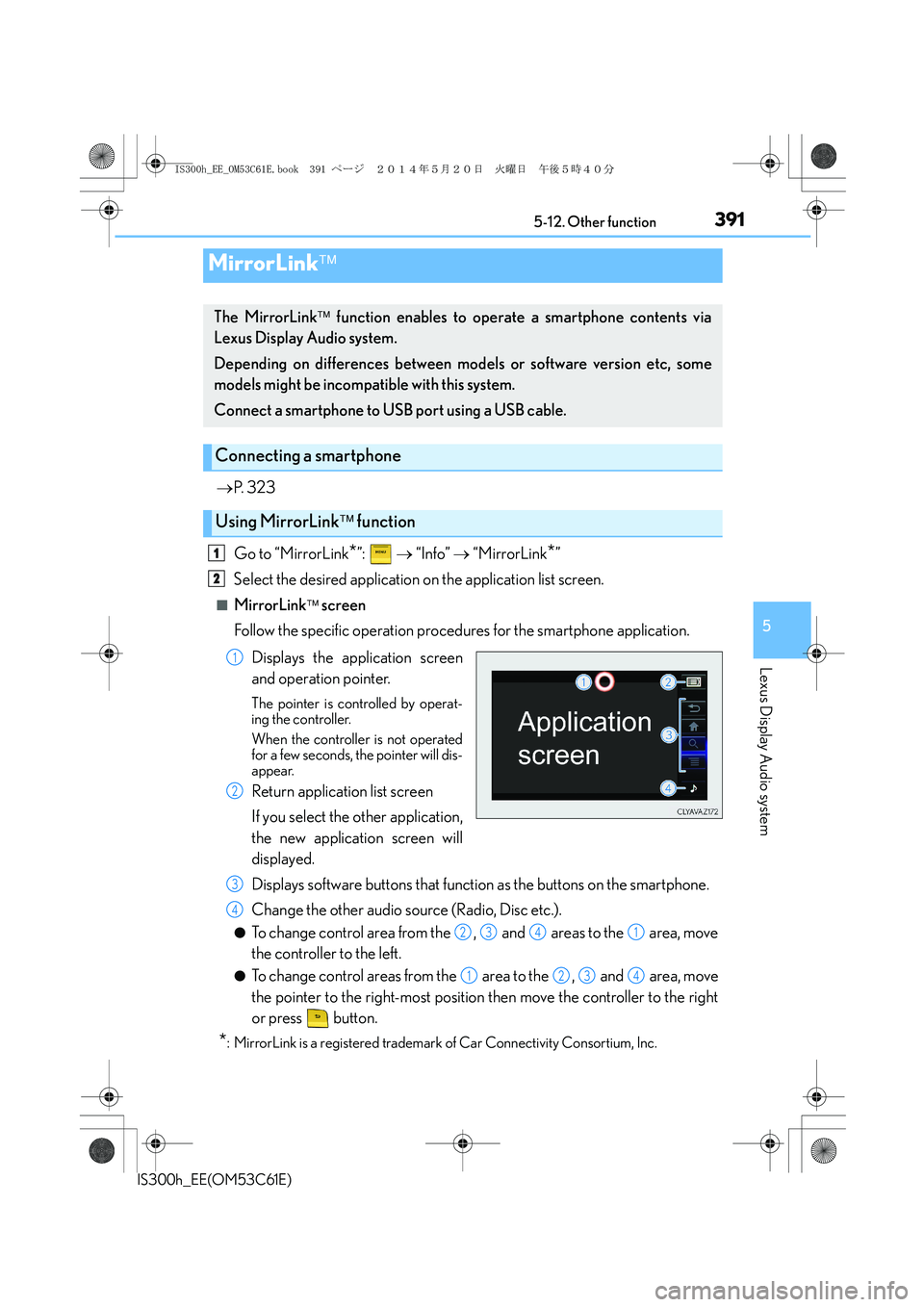
■MirrorLink screen
Follow the specific operation procedures for the smartphone application.
Displays the application screen
and operation pointer.
The pointer is controlled by operat-
ing the controller.
When the controller is not operated
for a few seconds, the pointer will dis-
appear.
Return application list screen
If you select the other application,
the new application screen will
displayed.
Displays software buttons that function as the buttons on the smartphone.
Change the other audio source (Radio, Disc etc.).
●To change control area from the , and areas to the area, move
the controller to the left.
●To change control areas from the area to the , and area, move
the pointer to the right-most position then move the controller to the right
or press button.
*: MirrorLink is a registered trademark of Car Connectivity Consortium, Inc.
MirrorLink
The MirrorLink function enables to operate a smartphone contents via
Lexus Display Audio system.
Depending on differences between models or software version etc, some
models might be incompatible with this system.
Connect a smartphone to USB port using a USB cable.
Connecting a smartphone
Using MirrorLink function
1
2
1
2
3
4
2341
1234
IS300h_EE_OM53C61E.book 391 ページ 2014年5月20日 火曜日 午後5時40分
Page 392 of 612
3925-12. Other function
IS300h_EE(OM53C61E)
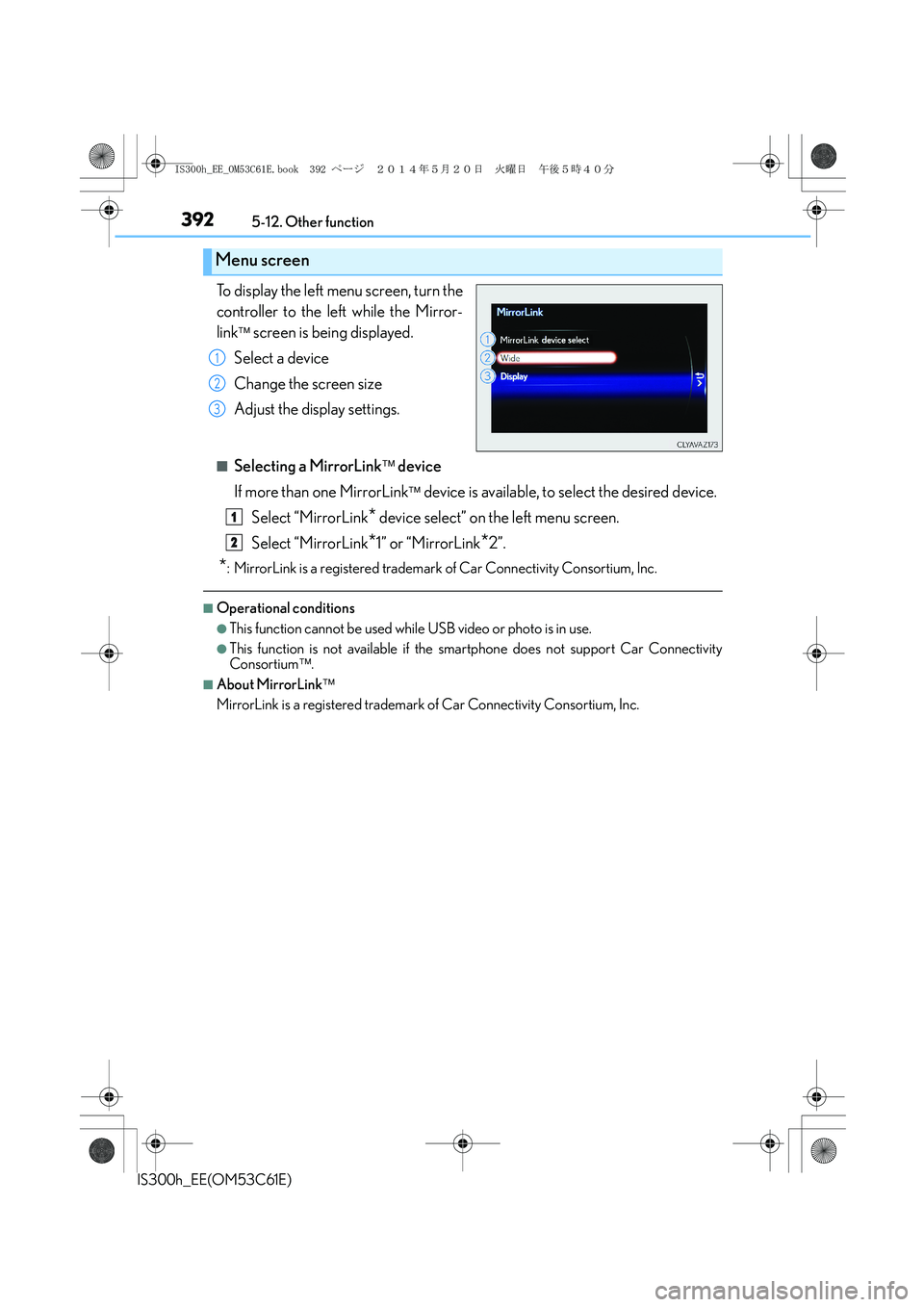
To display the left menu screen, turn the
controller to the left while the Mirror-
link
screen is being displayed.
Select a device
Change the screen size
Adjust the display settings.
■Selecting a MirrorLink device
If more than one MirrorLink
device is available, to select the desired device.
Select “MirrorLink
* device select” on the left menu screen.
Select “MirrorLink
*1” or “MirrorLink*2”.
*: MirrorLink is a registered trademark of Car Connectivity Consortium, Inc.
■Operational conditions
●This function cannot be used while USB video or photo is in use.
●This function is not available if the smartphone does not support Car Connectivity
Consortium.
■About MirrorLink
MirrorLink is a registered trademark of Car Connectivity Consortium, Inc.
Menu screen
1
2
3
1
2
IS300h_EE_OM53C61E.book 392 ページ 2014年5月20日 火曜日 午後5時40分
Page 395 of 612
3955-12. Other function
5
Lexus Display Audio system
IS300h_EE(OM53C61E)
You can register desired contacts to enable the speech command system. Up to
50 contacts per phone can be registered.
Go to “Voice tags”: → “Setup” → “Telephone” → “Contact/call history
settings” → “Voice tag” → “New” or “Edit”
Select the desired contact.
Move the controller to the left and then select “REC”.
Say the registered voice.
To play the registered voice, select “Play”.
■Deleting a voice tag
Display the “Voice tags” screen.
Select “Delete” and then the desired contact.
Move the controller to the left and then select “Delete”.
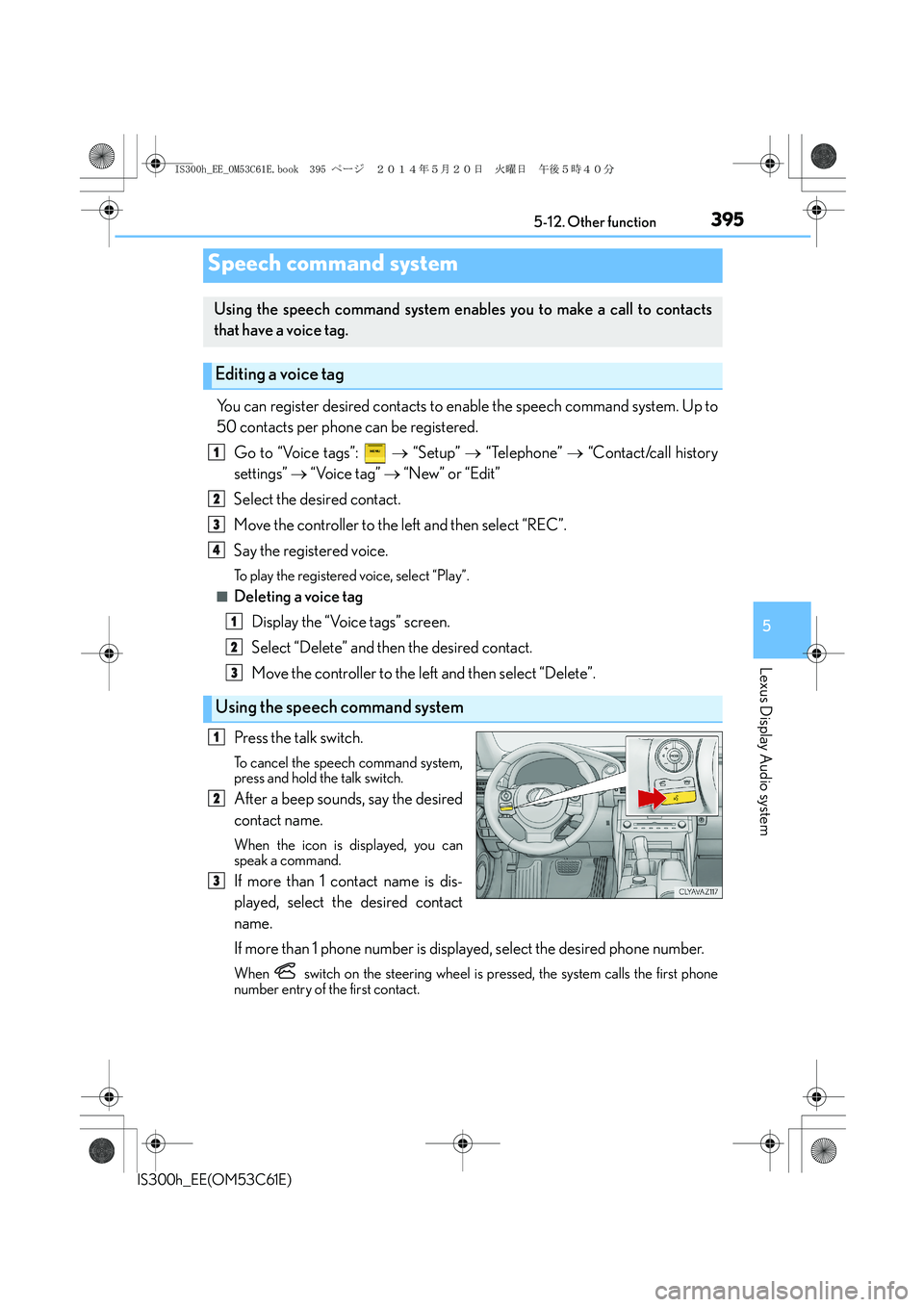
Press the talk switch.
To cancel the speech command system,
press and hold the talk switch.
After a beep sounds, say the desired
contact name.
When the icon is displayed, you can
speak a command.
If more than 1 contact name is dis-
played, select the desired contact
name.
If more than 1 phone number is displayed, select the desired phone number.
When switch on the steering wheel is pressed, the system calls the first phone
number entry of the first contact.
Speech command system
Using the speech command system enables you to make a call to contacts
that have a voice tag.
Editing a voice tag
Using the speech command system
1
2
3
4
1
2
3
1
2
3
IS300h_EE_OM53C61E.book 395 ページ 2014年5月20日 火曜日 午後5時40分
Page 396 of 612
3965-12. Other function
IS300h_EE(OM53C61E)
■Microphone
→P. 3 6 8
■Speech commands may not be recognized if:
●Spoken too quickly
●Spoken at a low or high volume
●Passengers are talking while speech commands are spoken
IS300h_EE_OM53C61E.book 396 ページ 2014年5月20日 火曜日 午後5時40分
Page 454 of 612
4547-3. Do-it-yourself maintenance
IS300h_EE(OM53C61E)
■Situations in which the tire pressure warning system may not operate properly
●In the following cases, the tire pressure warning system may not operate properly.
• If non-genuine Lexus wheels are used.
• A tire has been replaced with a tire that is not an OE (Original Equipment) tire.
• A tire has been replaced with a tire that is not of the specified size.
• Tire chains etc. are equipped.
• Lock nuts are equipped.
• An auxiliary-supported run-flat tire is equipped.
• If a window tint that affects the radio wave signals is installed.
• If there is a lot of snow or ice on the vehicle, particularly around the wheels or wheel
housings.
• If the tire inflation pressure is extremely higher than the specified level.
• If tires not equipped with tire pressure warning valves and transmitters are used.
• If the ID code on the tire pressure warning valves and transmitters is not registered
in the tire pressure warning computer.
●Performance may be affected in the following situations.
• Near a TV tower, electric power plant, gas station, radio station, large display, air-
port or other facility that generates strong radio waves or electrical noise
• When carrying a portable radio, cellular phone, cordless phone or other wireless
communication device
●When the vehicle is parked, the time taken for the warning to start or go off could be
extended.
●When tire inflation pressure declines rapidly for example when a tire has burst, the
warning may not function.
■The initialization operation
●Make sure to carry out initialization after adjusting the tire inflation pressure.
Also, make sure the tires are cold before carrying out initialization or tire inflation pres-
sure adjustment.
●If you have accidentally turned the power switch off during initialization, it is not neces-
sary to press the reset switch again as initialization will restart automatically when the
power switch has been turned to ON mode for the next time.
●If you accidentally press the reset switch when initialization is not necessary, adjust the
tire inflation pressure to the specified level when the tires are cold, and conduct initial-
ization again.
■Warning performance of the tire pressure warning system
The warning of the tire pressure warning system will change in accordance with the con-
ditions under which it was initialized. For this reason, the system may give a warning even
if the tire pressure does not reach a low enough level, or if the pressure is higher than the
pressure that was adjusted to when the system was initialized.
IS300h_EE_OM53C61E.book 454 ページ 2014年5月20日 火曜日 午後5時40分
Page 591 of 612
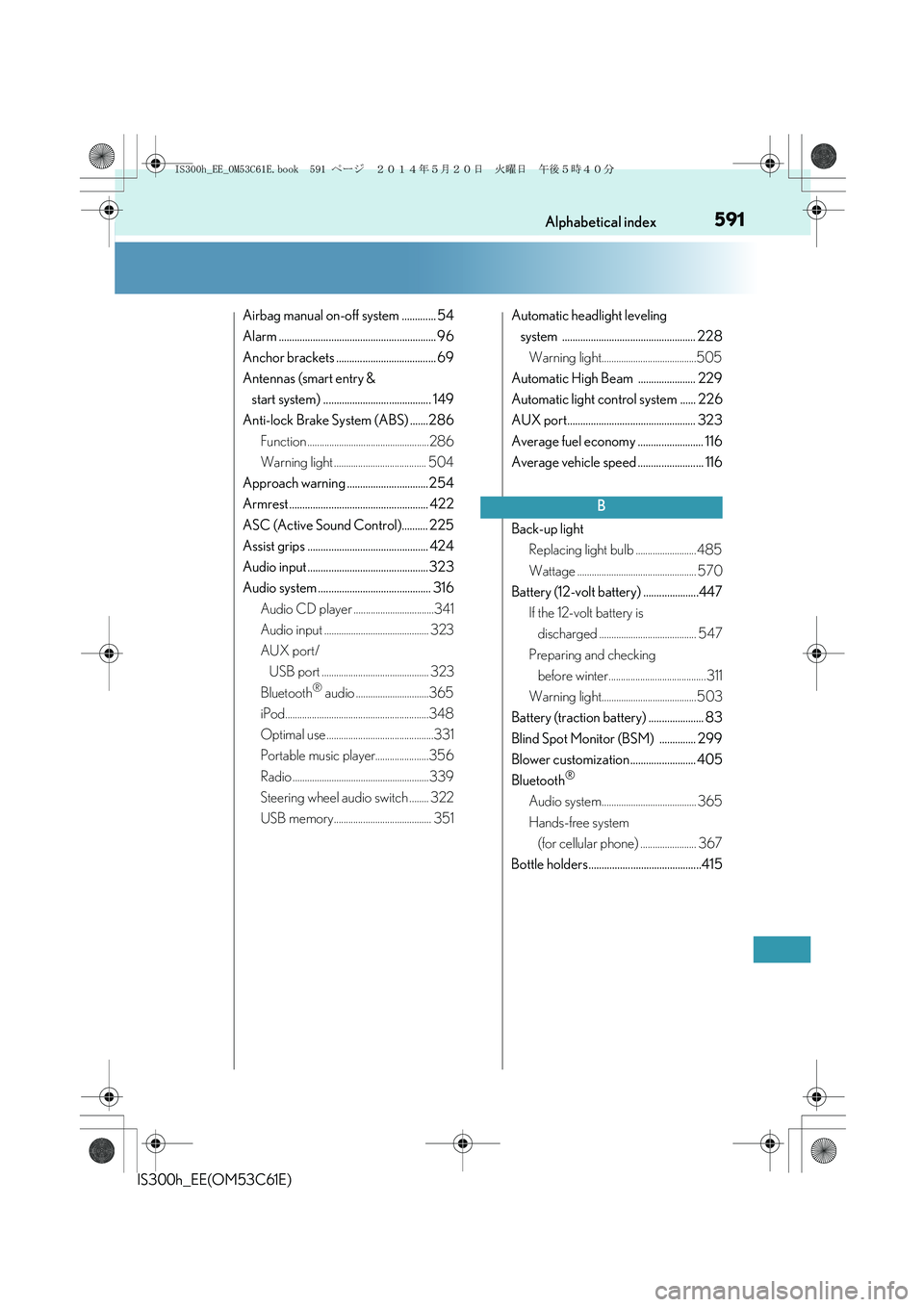
591Alphabetical index
IS300h_EE(OM53C61E)
Airbag manual on-off system ............. 54
Alarm ............................................................ 96
Anchor brackets ...................................... 69
Antennas (smart entry &
start system) ......................................... 149
Anti-lock Brake System (ABS) .......286
Function ..................................................286
Warning light ...................................... 504
Approach warning ............................... 254
Armrest ..................................................... 422
ASC (Active Sound Control).......... 225
Assist grips .............................................. 424
Audio input .............................................. 323
Audio system ........................................... 316
Audio CD player .................................341
Audio input ........................................... 323
AUX port/
USB port ............................................ 323
Bluetooth
® audio ..............................365
iPod...........................................................348
Optimal use ............................................331
Portable music player......................356
Radio ........................................................339
Steering wheel audio switch ........ 322
USB memory........................................ 351Automatic headlight leveling
system ................................................... 228
Warning light.......................................505
Automatic High Beam ...................... 229
Automatic light control system ...... 226
AUX port................................................. 323
Average fuel economy ......................... 116
Average vehicle speed ......................... 116
Back-up light
Replacing light bulb ......................... 485
Wattage ................................................. 570
Battery (12-volt battery) .....................447
If the 12-volt battery is
discharged ........................................ 547
Preparing and checking
before winter........................................ 311
Warning light....................................... 503
Battery (traction battery) ..................... 83
Blind Spot Monitor (BSM) .............. 299
Blower customization......................... 405
Bluetooth
®
Audio system....................................... 365
Hands-free system
(for cellular phone) ....................... 367
Bottle holders...........................................415
B
IS300h_EE_OM53C61E.book 591 ページ 2014年5月20日 火曜日 午後5時40分
Page 597 of 612
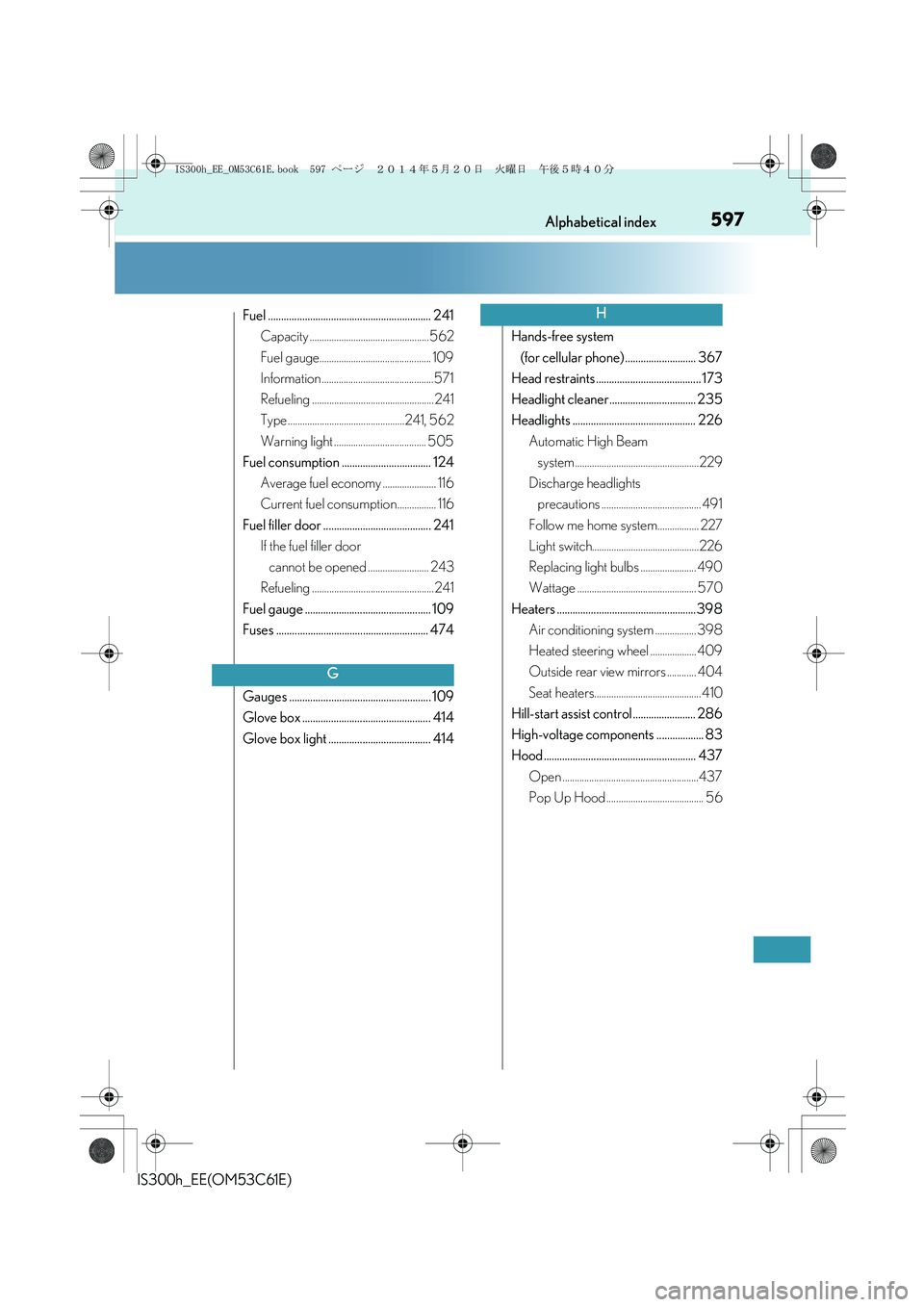
597Alphabetical index
IS300h_EE(OM53C61E)
Fuel .............................................................. 241
Capacity .................................................562
Fuel gauge.............................................. 109
Information ..............................................571
Refueling .................................................. 241
Type ................................................241, 562
Warning light ...................................... 505
Fuel consumption .................................. 124
Average fuel economy ...................... 116
Current fuel consumption................ 116
Fuel filler door ......................................... 241
If the fuel filler door
cannot be opened ......................... 243
Refueling .................................................. 241
Fuel gauge ................................................ 109
Fuses .......................................................... 474
Gauges ...................................................... 109
Glove box ................................................. 414
Glove box light ....................................... 414Hands-free system
(for cellular phone) ........................... 367
Head restraints ........................................ 173
Headlight cleaner................................. 235
Headlights ............................................... 226
Automatic High Beam
system...................................................229
Discharge headlights
precautions ......................................... 491
Follow me home system................. 227
Light switch............................................226
Replacing light bulbs ....................... 490
Wattage ................................................. 570
Heaters ..................................................... 398
Air conditioning system ................. 398
Heated steering wheel ................... 409
Outside rear view mirrors ............ 404
Seat heaters............................................ 410
Hill-start assist control ........................ 286
High-voltage components .................. 83
Hood .......................................................... 437
Open ........................................................437
Pop Up Hood ........................................ 56
G
H
IS300h_EE_OM53C61E.book 597 ページ 2014年5月20日 火曜日 午後5時40分