lock Lexus IS300h 2017 Owners Manual
[x] Cancel search | Manufacturer: LEXUS, Model Year: 2017, Model line: IS300h, Model: Lexus IS300h 2017Pages: 692, PDF Size: 163.7 MB
Page 277 of 692
2774-5. Using the driving support systems
4
Driving
IS300h_EE(OM53D89E)
• After the hybrid system has started the vehicle has not been driven for a certain
amount of time • While making a left/right turn and for a few seconds after making a left/right turn
• While driving on a curve and for a few seconds after driving on a curve
• If your vehicle is skidding
• If the wheels are misaligned
• If a wiper blade is blocking the camera sensor
• The vehicle is wobbling. • The vehicle is being driven at extremely high speeds.
• When driving on a hill
• If the radar sensor or ca mera sensor is misaligned
●In some situations such as the following, sufficient braking force may not be obtained,
preventing the system fr om performing properly:
• If the braking functions cannot operate to their full extent, such as when the brake
parts are extremely cold, extremely hot, or wet
• If the vehicle is not properly maintained (brakes or tires are excessively worn, improper tire inflation pressure, etc.)
• When the vehicle is being driven on a gravel road or other slippery surface
●Some pedestrians such as the following may not be detected by the radar sensor and
camera sensor, preventing the system from operating properly*4:
• Pedestrians shorter than approximately 1 m (3 .2 ft.) or taller than approximately 2 m (6.5 ft.)
• Pedestrians wearing oversized clothing (a rain coat, long skirt, etc.), making their sil-
houette obscure • Pedestrians who are carrying large baggage, holding an umbrella, etc., hiding part
of their body
• Pedestrians who are bending forward or squatting • Pedestrians who are pushing a stroller, wheelchair, bicycle or other vehicle
• Groups of pedestrians which are close together
• Pedestrians who are wearing white and look extremely bright • Pedestrians in the dark, such as at night or while in a tunnel
• Pedestrians whose clothing appears to be nearly the same color or brightness as
their surroundings • Pedestrians near walls, fences , guardrails, or large objects
• Pedestrians who are on a meta l object (manhole cover, steel plate, etc.) on the road
• Pedestrians who are walking fast • Pedestrians who are changing speed abruptly
• Pedestrians running out from be hind a vehicle or a large object
• Pedestrians who are extremely close to the side of the vehicle (outside rear view mirror, etc.)
*4: Depending on the region in which the ve hicle was sold, the pedestrian detection
function may not be available.
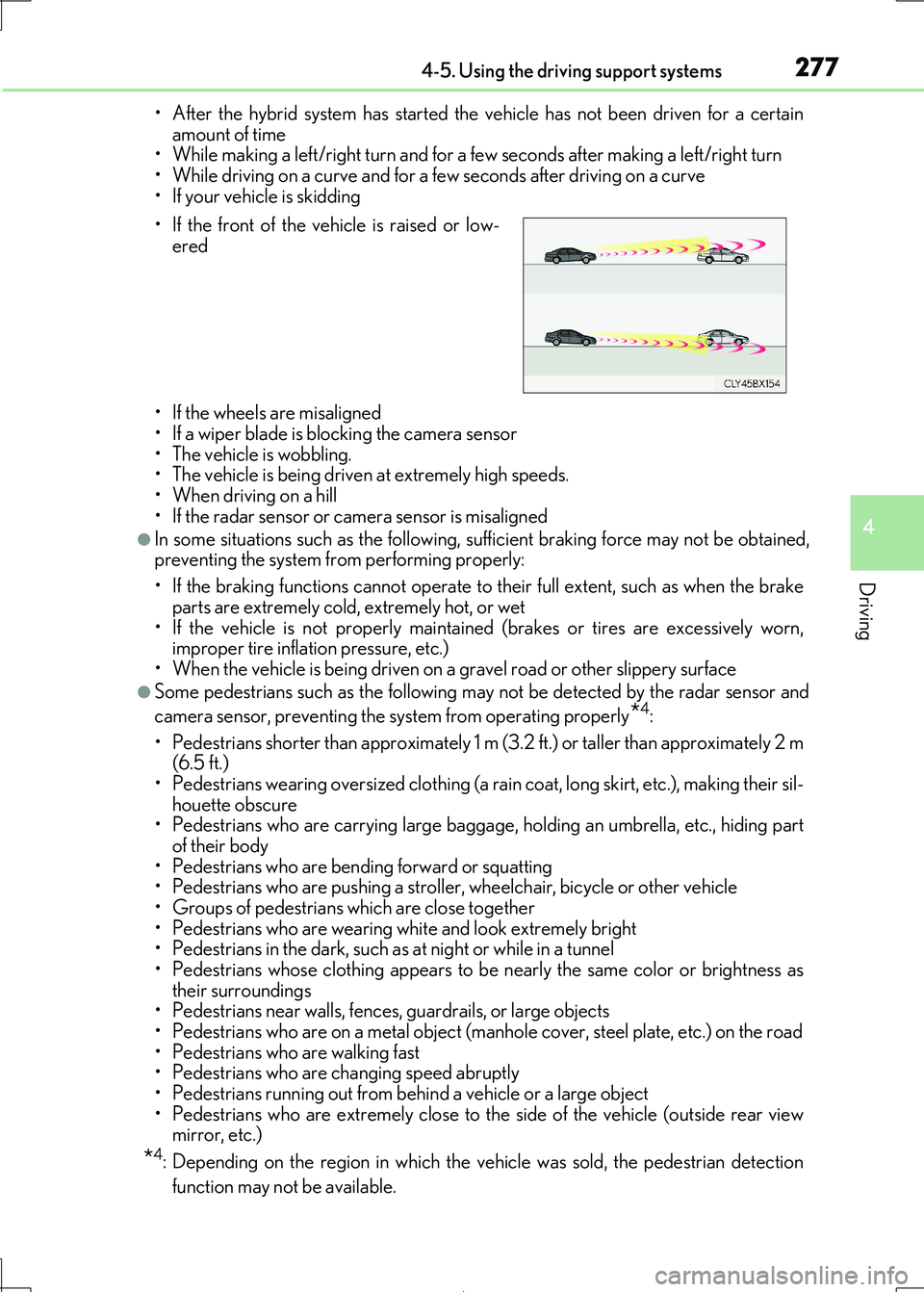
• If the front of the vehicle is raised or low-
ered
Page 352 of 692

3524-5. Using the driving support systems
IS300h_EE(OM53D89E)
◆ECB (Electronically Controlled Brake System)
The electronically controlled system generates braking force corresponding
to the brake operation
◆ABS (Anti-lock Brake System)
Helps to prevent wheel lock when the br akes are applied suddenly, or if the
brakes are applied while drivin g on a slippery road surface
◆Brake assist
Generates an increased level of br aking force after the brake pedal is
depressed when the system detects a panic stop situation
◆VSC (Vehicle Stability Control)
Helps the driver to contro l skidding when swerving suddenly or turning on
slippery road surfaces.
◆VSC+ (Vehicle Stability Control+)
Provides cooperative control of the ABS, TRC, VSC and EPS.
Helps to maintain directional stability when swerving on slippery road sur-
faces by controlling steering performance.
◆TRC (Traction Control)
Helps to maintain drive power and pr event the drive wheels from spinning
when starting the vehicle or accelerating on slippery roads
◆Hill-start assist control
Helps to reduce the backward movement of the vehicle when starting on an
uphill
◆EPS (Electric Power Steering)
Employs an electric motor to reduce the amount of effort needed to turn the
steering wheel.
Driving assist systems
To help enhance driving safety and pe rformance, the following systems oper-
ate automatically in response to various driving situations. Be aware, however,
that these systems are supplementary and should not be relied upon too heav-
ily when operating the vehicle.
Page 362 of 692
3624-6. Driving tips
IS300h_EE(OM53D89E)
●Park the vehicle and move the shift lever to P without setting the parking
brake. The parking brake may freeze up, preventing it from being released. If
the vehicle is parked without setting the parking brake, make sure to block the
wheels.
Failure to do so may be dangerous because it may cause the vehicle to move
unexpectedly, possibly leading to an accident.
●If the vehicle is parked without setting the parking brake, confirm that the shift
lever cannot be moved out of P*.
*: The shift lever will be locked if it is atte mpted to be shifted from P to any other posi-
tion without depressing the brake pedal. If the shift lever can be shifted from P,
there may be a problem with the shift lock system. Have the vehicle inspected by
your authorized Lexus reta iler or Lexus authorized repairer, or any reliable
repairer immediately.
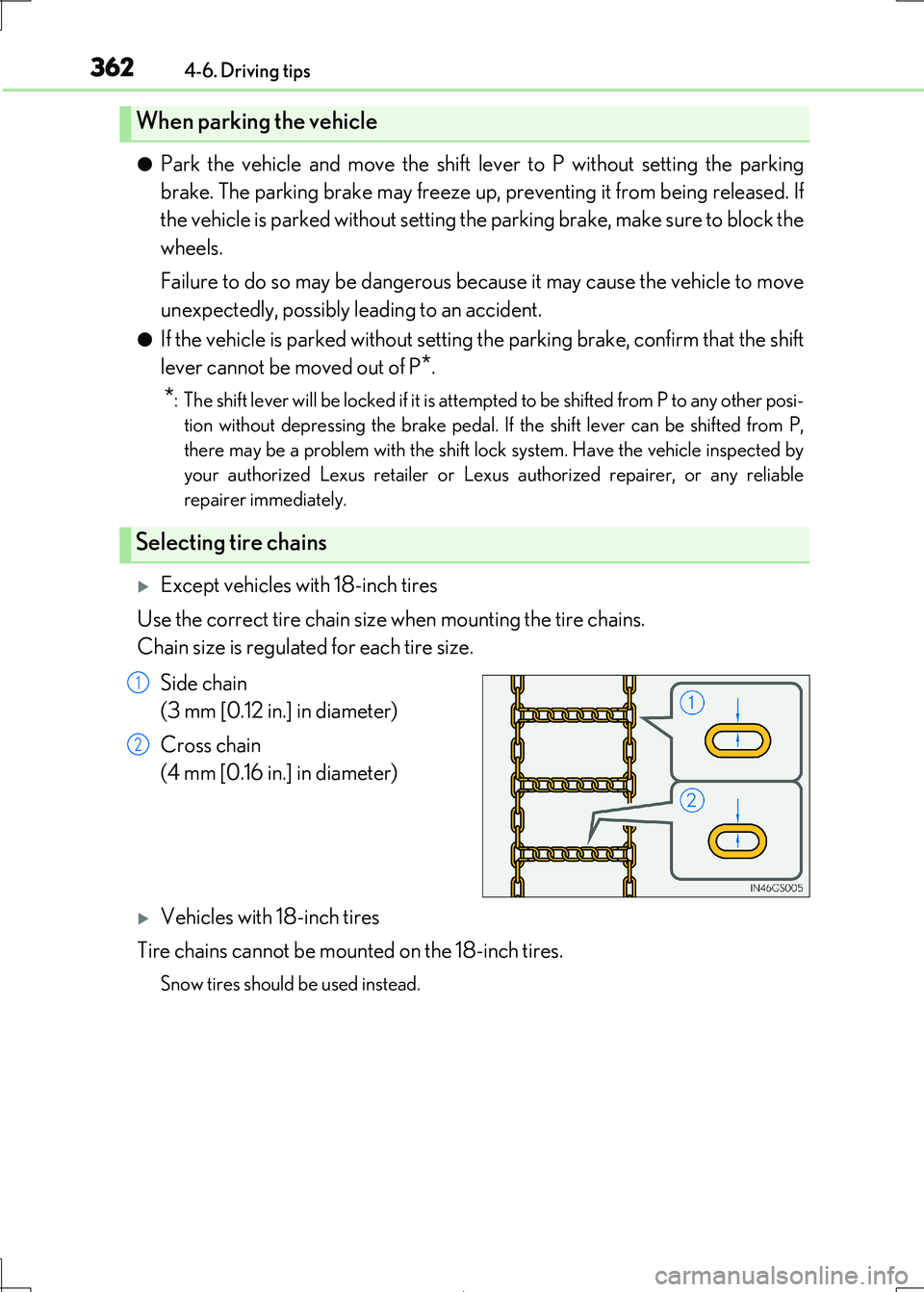
Except vehicles with 18-inch tires
Use the correct tire chain size when mounting the tire chains.
Chain size is regulated for each tire size.
Side chain
(3 mm [0.12 in.] in diameter)
Cross chain
(4 mm [0.16 in.] in diameter)
Vehicles with 18-inch tires
Tire chains cannot be mounted on the 18-inch tires.
Snow tires should be used instead.
When parking the vehicle
Selecting tire chains
1
2
Page 384 of 692

3845-2. Setup
IS300h_EE(OM53D89E)
Select “General” or “Camera” on the “Display” screen or select “Display” on
audio menu screen. ( P. 391)
Adjust the display as desired by turnin g the controller clockwise (+) or coun-
terclockwise (-).
To select “Contrast”, “Brightness”, “Colour” or “Tone”, move the controller to the left.
(“Colour” and “Tone” are available when “D isplay” on the audio settings screen for each audio source is selected.)
■Changing the sample image (when “General” is selected)
Move the controller to the right an d select the desired sample image.
Adjusting the screen contrast/brightness/color/tone
1
2
Page 453 of 692
4535-12. Other function
5
Lexus Display Audio system
IS300h_EE(OM53D89E)
■Operational conditions
●When MirrorLink™ is activated, previous applications, run with a USB, are closed, and
vice versa.
●Compatible devices
Smartphones, which passed the Car Connect ivity Consortium certification program
ver1.1 or later. Confirm with the smartphone manufacture or the distributor for the MirrorLink™ compatibility.
●Compatible applications
Applications, which are cert ified by Car Connectivity Consortium as MirrorLink™Base-Certified or Drive-Certified applications.
■About MirrorLink™
MirrorLink is a registered trademar k of Car Connectivity Consortium, Inc.
■When using MirrorLink™
●Check that the smartphone screen is unlocked. Unlock the smartphone screen before
connecting it to the Lexus Display Audio system. (Some smartphones may not be able to be connected via MirrorLink™ if the screen is locked.)
●Make sure that the smartphone has been connected via Bluetooth®. (Some smart-
phones may not be able to perform hands-free calls using the MirrorLink™ function if it has not been connected to the vehicle via Bluetooth®.)
●If a MirrorLink™ application cannot be starte d, check that the MirrorLink™ applica-
tion certificate has not expired. The certificates of MirrorLink™ applications have an expiration date. (An internet connection is required to automatically update the certifi-
cate.) If a MirrorLink™ application becomes un available, it may be due to the certifi-
cate expiring. In this case, the certificate must be updated manually. Check with the smartphone manufacturer or application de veloper for how to update the certificate.
●Make sure the volume of the smartphone is set to an appropriate level. If the Mirror-
Link™ application volume is ex cessively low even when the volume of the Lexus Dis- play Audio system is increased, check the vo lume of the smartphone and increase it as
necessary.
WARNING
■While driving
Do not connect smartphone or operate the controls.
Page 459 of 692
459
6Interior features
IS300h_EE(OM53D89E)
6-1. Basic operation of
the Remote Touch
screen
Remote Touch .............................460
10.3-inch display ........................ 464
6-2. Using the air conditioning
system
Automatic air conditioning
system .......................................... 466
Heated steering wheel/
seat heaters/
seat ventilator s ......................... 479
6-3. Using the interior lights
Interior lights list........................... 481
• Interior lights ..........................482
• Personal lights .......................482
6-4. Using the storage features
List of storage features ............484
• Glove box .............................. 485
• Console box.......................... 485
•Cup holders/
Bottle holders ........................486
Trunk features............................. 488
6-5. Using the other interior
features
Other interior features ............. 491
• Sun visors ................................. 491
• Vanity mirrors ........................ 491
• Clock ......................................... 491
• Power outlet........................... 492
• Armrest.................................... 493
• Rear sunshade ...................... 493
• Assist grips ............................. 495
• Coat hooks ............................. 495
ERA-GLONASS ...................... 496
Page 477 of 692
4776-2. Using the air conditioning system
6
Interior features
IS300h_EE(OM53D89E)
■Registering air conditioning settings to electronic keys (vehicles with driving position
memory)
●Unlocking the vehicle using an electronic key and turning the power switch to ON mode will recall that ke y’s registered air conditioning settings.
●When the power switch is turned off, the current air conditioning settings will automati-
cally be registered to the electronic key that was used to unlock the vehicle.
●The system may not operate correctly if more than one electronic key is in the vicinity or
if the smart entry & start system is used to unlock a passenger door.
●The doors that can recall the air conditioning setting when unlocked using the smart entry & start system can be changed.* For details, contact any authorized Lexus
retailer or Lexus authorized re pairer, or any reliable repairer.
*: The doors that can recall the driving position memory are changed at the same time.
■Using automatic mode
Fan speed is adjusted automatically accordin g to the temperature setting and the ambi-
ent conditions.
Therefore, the fan may stop for a while until wa rm or cool air is ready to flow immediately
after is pressed or “AUTO” is selected.
■Fogging up of the windows
The windows will easily fog up when the hu midity in the vehicle is high. Turning
(“A/C”) on will dehumidify the air from the outlets and defog the windshield effectively.
●If you turn (“A/C”) off, the windows may fog up more easily.
●The windows may fog up if the recirculated air mode is used.
■Outside/recirculated air mode
●When driving on dusty roads such as tunnels or in heavy traffic, set the outside/recircu-
lated air mode button to the recirculated ai r mode. This is effective in preventing out- side air from entering the vehicle interi or. During cooling operation, setting the
recirculated air mode will also cool the vehicle interior effectively.
●Outside/recirculated air mode may automa tically switch depending on the tempera-
ture setting or the inside temperature.
■Operation of the air conditioni ng system in Eco drive mode
In Eco drive mode, the air conditioning system is controlled as follows to prioritize fuel
efficiency:
●Engine speed and compressor operation controlled to restrict heating/cooling capac-
ity
●Fan speed restricted when automatic mode is selected
To improve air conditioning performanc e, perform the following operations:
●Adjust the fan speed
●Turn off Eco drive mode
Page 478 of 692
4786-2. Using the air conditioning system
IS300h_EE(OM53D89E)
■Ventilation and air conditioning odors
●To let fresh air in, set the air conditioning system to the outside air mode.
●During use, various odors from inside and outside the vehicle may enter into and accu-
mulate in the air conditioning system. This may then cause odor to be emitted from the
vents.
●To reduce potential odors from occurring:
• It is recommended that the air conditioning system be set to outside air mode prior
to turning the vehicle off. • The start timing of the blower may be dela yed for a short period of time immediately
after the air conditioning system is started in automatic mode.
■Air conditioning filter
P. 547
■Customization
Settings (e.g. A/C Auto switch operation) can be changed. (Customizable features: P. 663)
WARNING
■To prevent the windshield from fogging up
●Do not use during cool air operation in extremely humid weather. The differ- ence between the temperature of the outside air and that of the windshield can cause
the outer surface of the windshield to fog up, blocking your vision.
■To prevent burns
●Do not touch the rear view mirror surfaces when the outside rear view mirror defog-
gers are on.
●Do not touch the glass at lower part of the windshield or to the side of the front pillars
when the windshield wiper de-icer is on.
NOTICE
■To prevent 12-vol t battery discharge
Do not leave the air conditioni ng system on longer than necessary when the hybrid sys- tem is off.
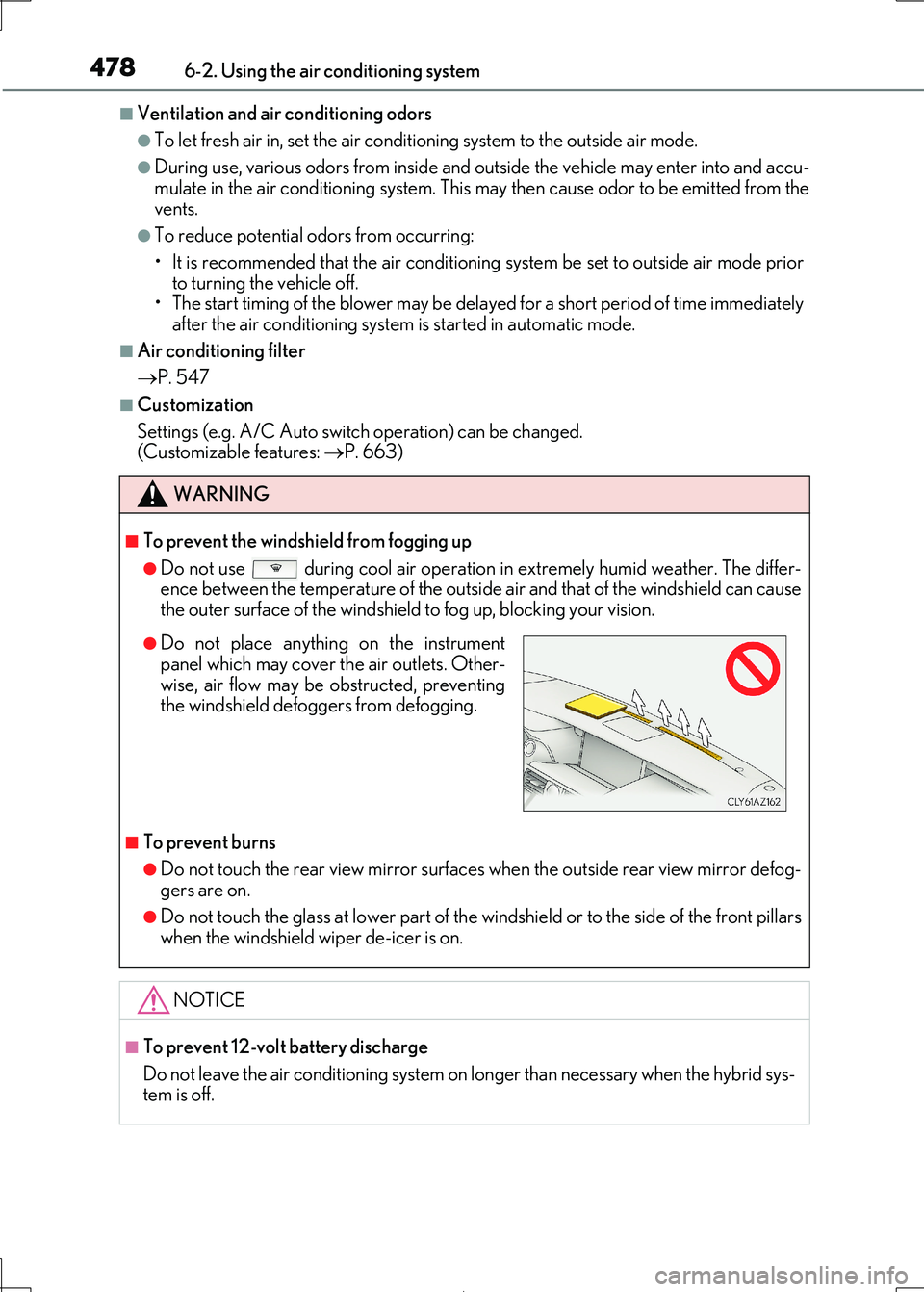
●Do not place anything on the instrumentpanel which may cover th e air outlets. Other-
wise, air flow may be obstructed, preventing
the windshield defoggers from defogging.
Page 483 of 692
4836-3. Using the interior lights
6
Interior features
IS300h_EE(OM53D89E)
■The interior lights and personal lights can be operated when
The interior lights and person al lights can be used regardless of the power switch mode.
However, when the power switch is turned off, they can be used only when the 12-volt battery protection function is not operating.
■12-volt battery protection function
To prevent the 12-volt battery from being discharged, approximately 20 minutes after the power switch is turned off, the power supp lied to the interior lights, personal lights,
and other lights will be cut off au tomatically. (If the interior lights, etc. are left on when the
power switch is turned off, they will be turned off automatically.)
To turn the interior lights, etc. back on , turn the power switch to ACCESSORY or ON
mode or operate the interior light swit ch until the interior lights turn on.
If any of the lights are illumina ted automatically due to the illuminated entry system, the 12-volt battery protection function will be canceled.
■Illuminated entry system
The lights automatically turn on/off according to power switch mode, the presence of the electronic key, whether the doors are locked/unlocked, and whether the doors are
opened/closed.
■Customization
Setting (e.g. the time elapsed before lights turn off) can be changed.
(Customizable features: P. 657)
NOTICE
To prevent 12-volt battery discharge, do not leave the lights on longer than necessary when the hybrid system is off.
Page 485 of 692
4856-4. Using the storage features
6
Interior features
IS300h_EE(OM53D89E)
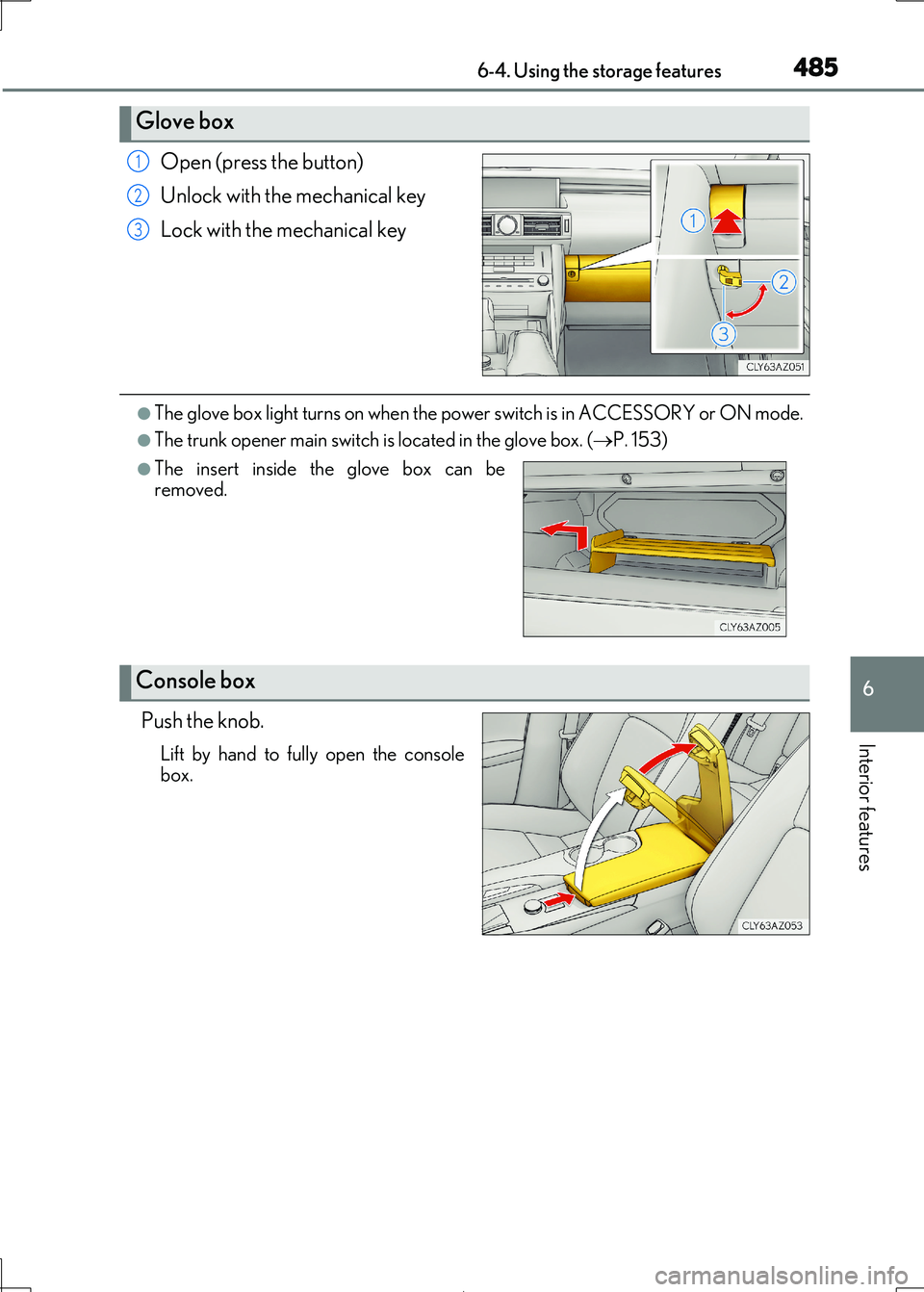
Open (press the button)
Unlock with the mechanical key
Lock with the mechanical key
●The glove box light turns on when the powe r switch is in ACCESSORY or ON mode.
●The trunk opener main switch is located in the glove box. (P. 153)
Push the knob.
Lift by hand to fully open the console box.
Glove box
1
2
3
●The insert inside the glove box can beremoved.
Console box