reset Lexus IS300h 2017 User Guide
[x] Cancel search | Manufacturer: LEXUS, Model Year: 2017, Model line: IS300h, Model: Lexus IS300h 2017Pages: 692, PDF Size: 163.7 MB
Page 121 of 692
1212. Instrument cluster
2
Instrument cluster
IS300h_EE(OM53D89E)
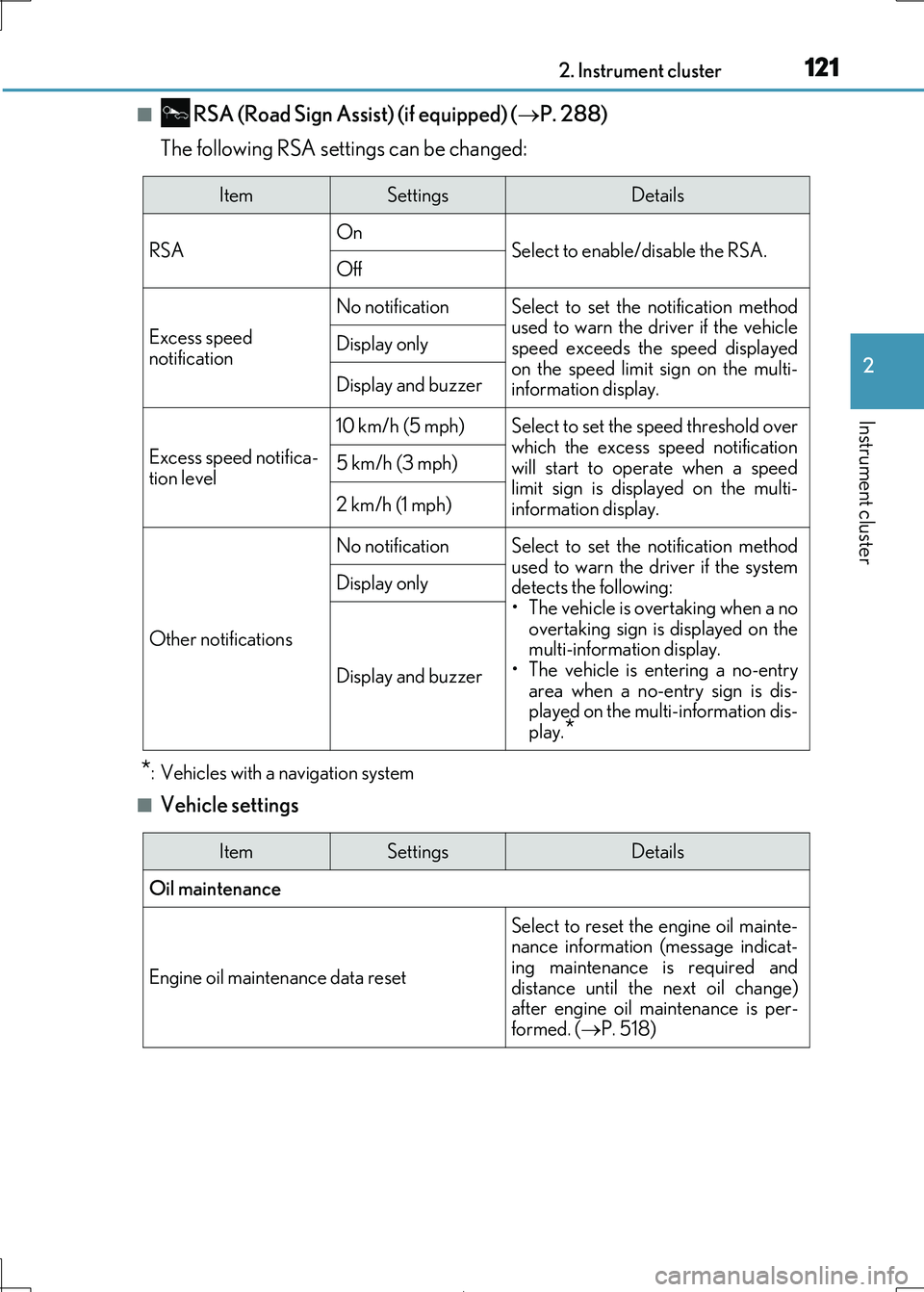
■ RSA (Road Sign Assist) (if equipped) (P. 288)
The following RSA settings can be changed:
*: Vehicles with a navigation system
■Vehicle settings
ItemSettingsDetails
RSA On Select to enable/disable the RSA.Off
Excess speed
notification
No notificationSelect to set the notification method
used to warn the driver if the vehicle
speed exceeds the speed displayed on the speed limit sign on the multi-
information display.
Display only
Display and buzzer
Excess speed notifica-
tion level
10 km/h (5 mph)Select to set the speed threshold over
which the excess speed notification will start to operate when a speed
limit sign is disp layed on the multi-
information display.
5 km/h (3 mph)
2 km/h (1 mph)
Other notifications
No notificationSelect to set the notification method used to warn the driver if the system
detects the following:
• The vehicle is overtaking when a no overtaking sign is displayed on the
multi-information display.
• The vehicle is entering a no-entry
area when a no-entry sign is dis- played on the multi-information dis-
play.*
Display only
Display and buzzer
ItemSettingsDetails
Oil maintenance
Engine oil maintenance data reset
Select to reset the engine oil mainte- nance information (message indicat-
ing maintenance is required and
distance until the next oil change) after engine oil ma intenance is per-
formed. ( P. 518)
Page 123 of 692

1232. Instrument cluster
2
Instrument cluster
IS300h_EE(OM53D89E)
Rev indicator (F SPORT models)
OnSelect to enable/disable the Rev indi-
cator. ( P. 107)Off
Rev setting
Select to set the desired engine speed at which the Rev indicator will begin
to be displayed.
Selectable engine speed range: 2000 r/min to 6000 r/min
Rev peak (F SPORT
models)
OnSelect to enable/disable the Rev peak.
( P. 107)Off
Default settingSelect to reset the meter display set-
tings to the default setting.
ItemSettingsDetails
Page 124 of 692
1242. Instrument cluster
IS300h_EE(OM53D89E)
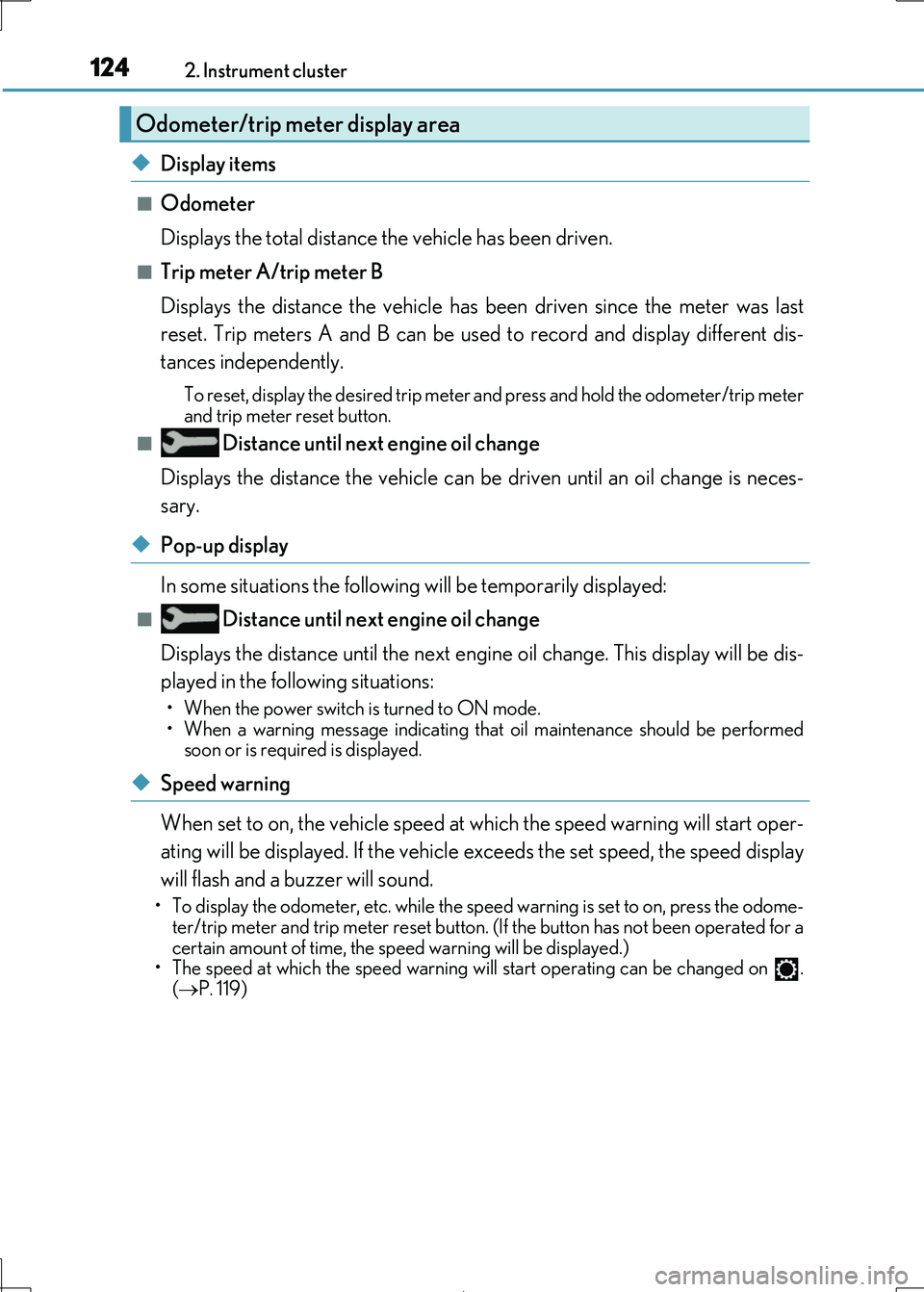
◆Display items
■Odometer
Displays the total distance the vehicle has been driven.
■Trip meter A/trip meter B
Displays the distance the vehicle has been driven since the meter was last
reset. Trip meters A and B can be used to record and display different dis-
tances independently.
To reset, display the desired trip meter and press and hold the odometer/trip meter
and trip meter reset button.
■ Distance until next engine oil change
Displays the distance the vehicle can be driven until an oil change is neces-
sary.
◆Pop-up display
In some situations the following will be temporarily displayed:
■ Distance until next engine oil change
Displays the distance until the next engi ne oil change. This display will be dis-
played in the following situations:
• When the power switch is turned to ON mode.
• When a warning message indicating that oil maintenance should be performed soon or is required is displayed.
◆Speed warning
When set to on, the vehicl e speed at which the speed warning will start oper-
ating will be displayed. If the vehicle exceeds the set speed, the speed display
will flash and a buzzer will sound.
• To display the odometer, etc. while the sp eed warning is set to on, press the odome-
ter/trip meter and trip meter reset button. (If the button has not been operated for a
certain amount of time, the sp eed warning will be displayed.) • The speed at which the speed warning wi ll start operating can be changed on .
( P. 119)
Odometer/trip meter display area
Page 131 of 692

1312. Instrument cluster
2
Instrument cluster
IS300h_EE(OM53D89E)
10.3-inch display
Press the “MENU” button on the Remote Touch, and then select on the
“Menu” screen.
If the “Energy monitor” or “Past record” sc reen is displayed, select “Trip informa-
tion”.
Resetting the consumption data
Fuel consumption in the past 15
minutes
Current fuel consumption
Regenerated energy in the past
15 minutes
One symbol indicates 50 Wh.
Up to 5 symbols are shown.
Average vehicle speed since the hybrid system was started.
Elapsed time since the hybrid system was started.
Cruising range ( P. 133)
Average fuel consumption for the past 15 minutes is divided by color into past
averages and averages attained since the power switch was last turned to ON
mode. Use the displayed average fuel consumption as a reference.
The image is an example only.
1
2
3
4
5
6
7
Page 132 of 692
1322. Instrument cluster
IS300h_EE(OM53D89E)
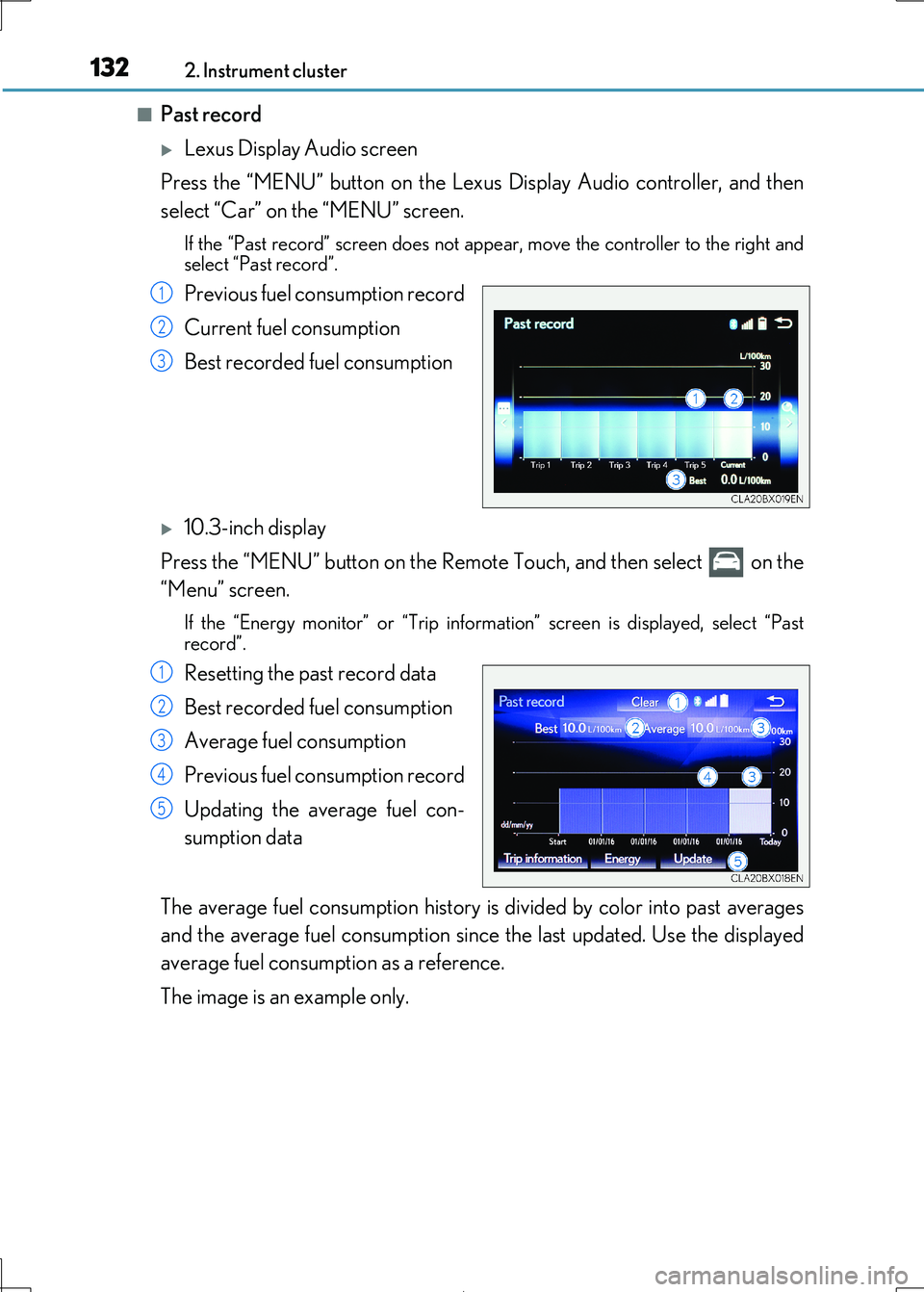
■Past record
Lexus Display Audio screen
Press the “MENU” button on the Lexu s Display Audio controller, and then
select “Car” on the “MENU” screen.
If the “Past record” screen does not appe ar, move the controller to the right and
select “Past record”.
Previous fuel consumption record
Current fuel consumption
Best recorded fuel consumption
10.3-inch display
Press the “MENU” button on the Remote Touch, and then select on the
“Menu” screen.
If the “Energy monitor” or “Trip informat ion” screen is displayed, select “Past
record”.
Resetting the past record data
Best recorded fuel consumption
Average fuel consumption
Previous fuel consumption record
Updating the average fuel con-
sumption data
The average fuel consumption history is divided by color into past averages
and the average fuel consumption since the last updated. Use the displayed
average fuel consumption as a reference.
The image is an example only.
1
2
3
1
2
3
4
5
Page 133 of 692
1332. Instrument cluster
2
Instrument cluster
IS300h_EE(OM53D89E)
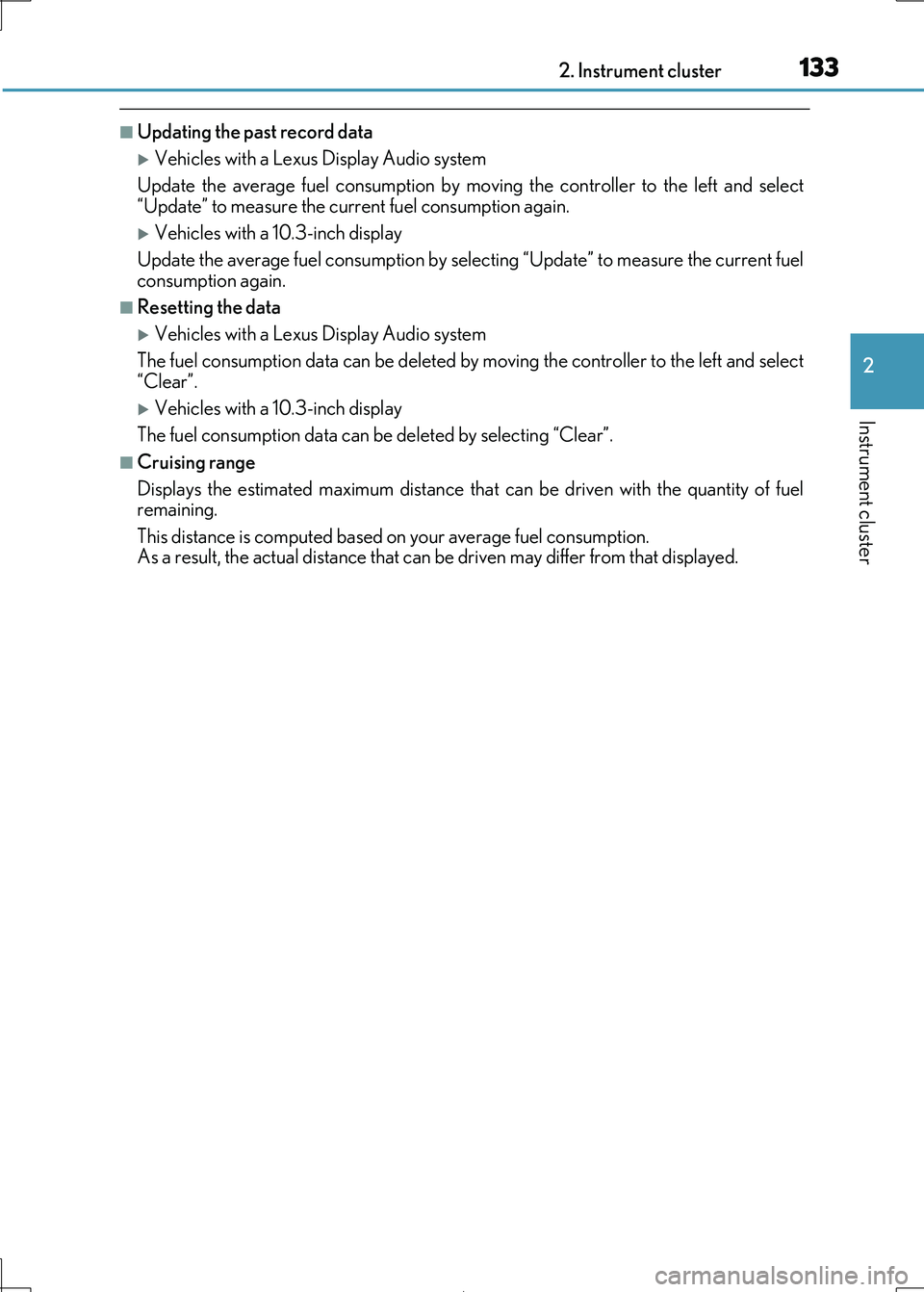
■Updating the past record data
Vehicles with a Lexus Display Audio system
Update the average fuel consumption by mo ving the controller to the left and select “Update” to measure the curre nt fuel consumption again.
Vehicles with a 10.3-inch display
Update the average fuel consumption by selecting “Update” to measure the current fuel consumption again.
■Resetting the data
Vehicles with a Lexus Display Audio system
The fuel consumption data can be deleted by moving the controller to the left and select
“Clear”.
Vehicles with a 10.3-inch display
The fuel consumption data can be deleted by selecting “Clear”.
■Cruising range
Displays the estimated maximum distance that can be driven with the quantity of fuel remaining.
This distance is computed based on your average fuel consumption.
As a result, the actual distance that can be driven may differ from that displayed.
Page 178 of 692
1783-3. Adjusting the seats
IS300h_EE(OM53D89E)
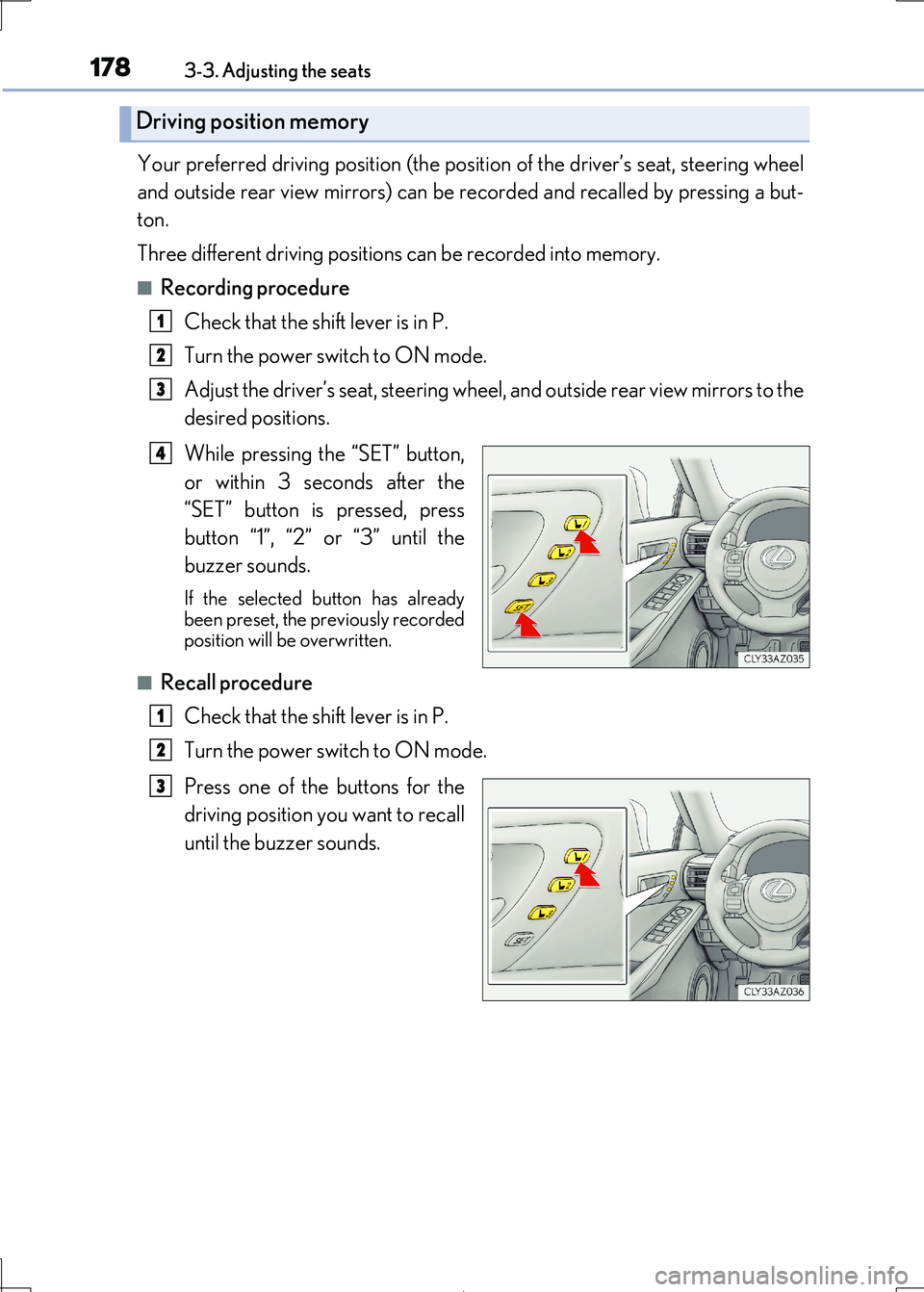
Your preferred driving position (the position of the driver’s seat, steering wheel
and outside rear view mirrors) can be re corded and recalled by pressing a but-
ton.
Three different driving positions can be recorded into memory.
■Recording procedure
Check that the shift lever is in P.
Turn the power switch to ON mode.
Adjust the driver’s seat, steering wheel, and outside rear view mirrors to the
desired positions.
While pressing the “SET” button,
or within 3 seconds after the
“SET” button is pressed, press
button “1”, “2” or “3” until the
buzzer sounds.
If the selected button has already been preset, the previously recorded
position will be overwritten.
■Recall procedure
Check that the shift lever is in P.
Turn the power switch to ON mode.
Press one of the buttons for the
driving position you want to recall
until the buzzer sounds.
Driving position memory
1
2
3
4
1
2
3
Page 307 of 692
3074-5. Using the driving support systems
4
Driving
IS300h_EE(OM53D89E)
■Cruise control can be set when
●The shift lever is in D or range 4 or higher of S has been selected.
●Range 4 or higher of D has been selected by using the paddle shift.
●Vehicle speed is above approximately 40 km/h (25 mph).
■Accelerating after setting the vehicle speed
●The vehicle can be accelerated normally. After acceleration, the set speed resumes.
●Even without canceling the cruise control, the set speed can be increased by first accel-
erating the vehicle to the desired speed and then pushing the lever down to set the new
speed.
■Automatic cruise control cancelation
Cruise control will stop maintaining the vehi cle speed in any of the following situations.
●Actual vehicle speed falls more than approximately 16 km/h (10 mph) below the preset vehicle speed.
At this time, the memorized set speed is not retained.
●Actual vehicle speed is below approximately 40 km/h (25 mph).
●VSC is activated.
●TRC is activated for a period of time.
●When the VSC or TRC system is turned off by pressing the VSC OFF switch.
■If the warning message for the cruise control is shown on the multi-information display
Press the “ON/OFF” button once to deactiv ate the system, and then press the button
again to reactivate the system. If the cruise control speed cannot be set or if the cruise control cancels immediately after
being activated, there may be a malfunction in the cruise control system. Have the vehi-
cle inspected by any authorized Lexus retailer or Lexus authorized repairer, or any reli- able repairer.
Page 368 of 692
368
IS300h_EE(OM53D89E)
5-1. Basic Operations
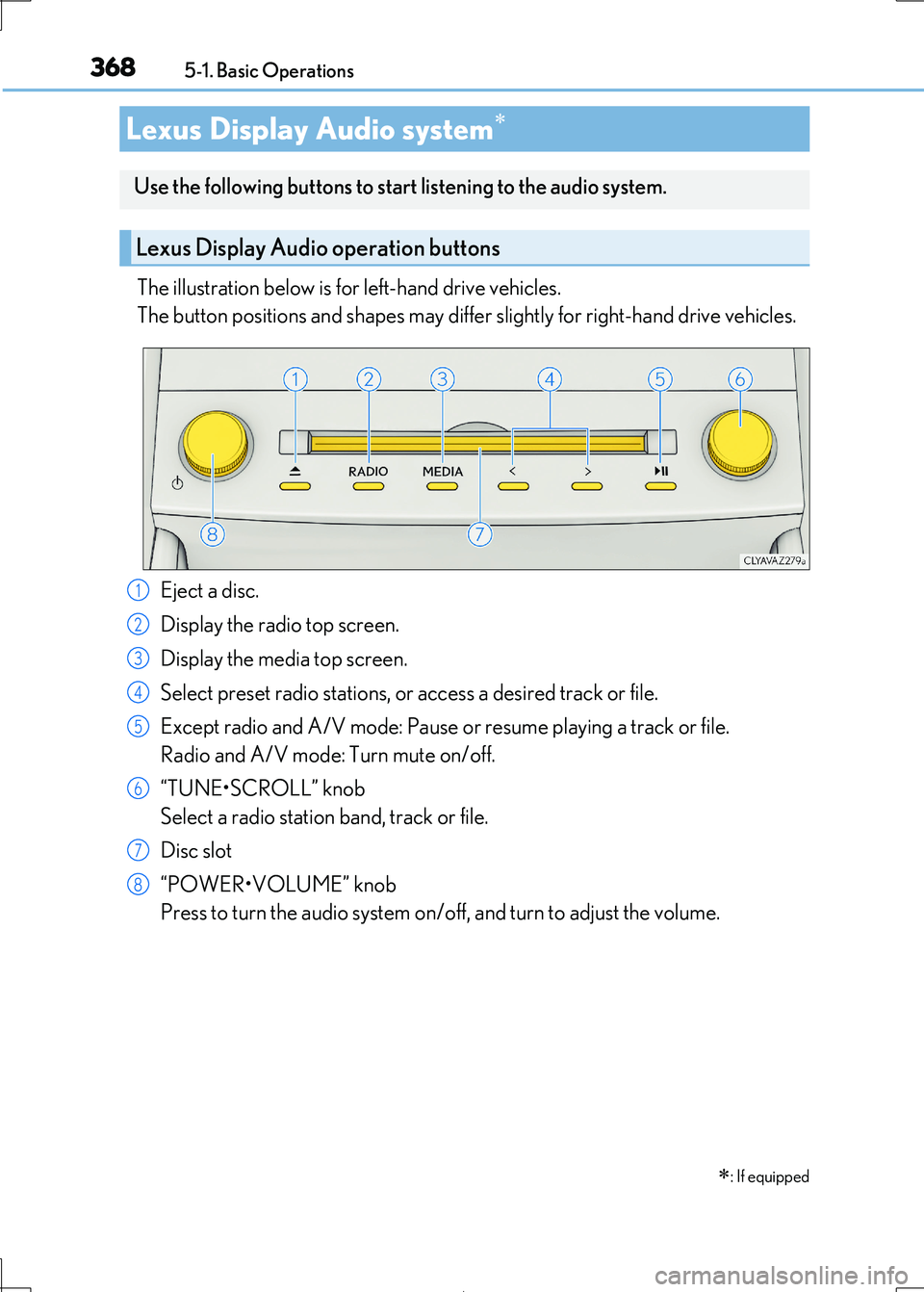
The illustration below is for left-hand drive vehicles.
The button positions and shapes may differ slightly for right-hand drive vehicles.
Eject a disc.
Display the radio top screen.
Display the media top screen.
Select preset radio stations, or access a desired track or file.
Except radio and A/V mode: Pause or resume playing a track or file.
Radio and A/V mode: Turn mute on/off.
“TUNE•SCROLL” knob
Select a radio station band, track or file.
Disc slot
“POWER•VOLUME” knob
Press to turn the audio system on/o ff, and turn to adjust the volume.
Lexus Display Audio system
: If equipped
Use the following buttons to star t listening to the audio system.
Lexus Display Audio operation buttons
1
2
3
4
5
6
7
8
Page 388 of 692
3885-3. Using the audio system
IS300h_EE(OM53D89E)
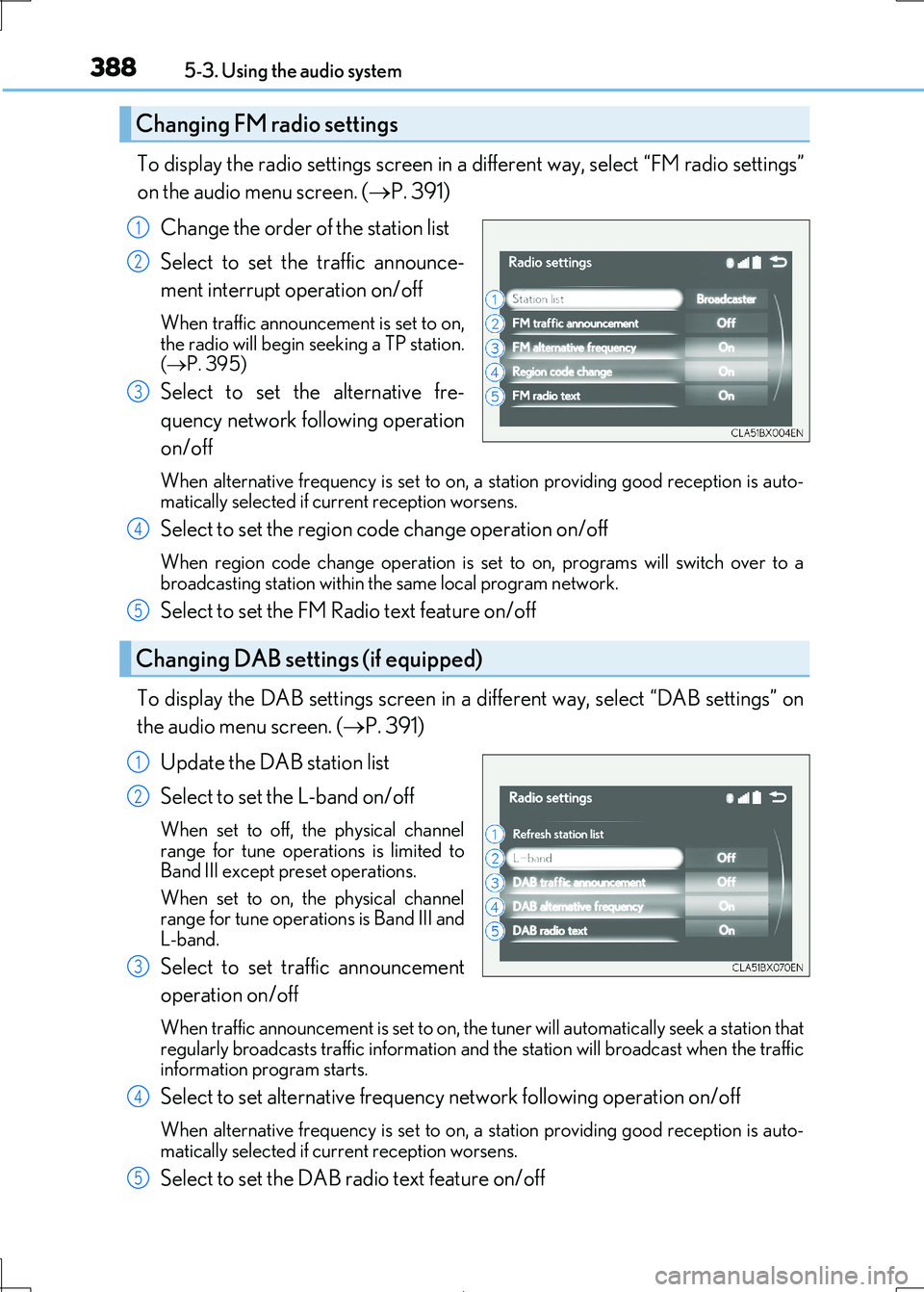
To display the radio settings screen in a different way, select “FM radio settings”
on the audio menu screen. ( P. 391)
Change the order of the station list
Select to set the traffic announce-
ment interrupt operation on/off
When traffic announcement is set to on, the radio will begin seeking a TP station.
( P. 395)
Select to set the alternative fre-
quency network fo llowing operation
on/off
When alternative frequency is set to on, a station providing good reception is auto- matically selected if current reception worsens.
Select to set the region co de change operation on/off
When region code change operation is set to on, programs will switch over to a
broadcasting station within th e same local program network.
Select to set the FM Radio text feature on/off
To display the DAB settings screen in a different way, select “DAB settings” on
the audio menu screen. ( P. 391)
Update the DAB station list
Select to set the L-band on/off
When set to off, the physical channel range for tune operations is limited to
Band III except preset operations.
When set to on, the physical channel range for tune operations is Band III and
L-band.
Select to set traffic announcement
operation on/off
When traffic announcement is set to on, the tuner will automatically seek a station that regularly broadcasts traffic information and the station will broadcast when the traffic
information program starts.
Select to set alternative frequenc y network following operation on/off
When alternative frequency is set to on, a station providing good reception is auto- matically selected if current reception worsens.
Select to set the DAB radio text feature on/off
Changing FM radio settings
1
2
3
Changing DAB settings (if equipped)
4
5
1
2
3
4
5