instrument cluster Lexus IS350 2019 / 2019 IS300,IS350 (OM53E71U) Owner's Guide
[x] Cancel search | Manufacturer: LEXUS, Model Year: 2019, Model line: IS350, Model: Lexus IS350 2019Pages: 660, PDF Size: 10.15 MB
Page 111 of 660
1112. Instrument cluster
2
Instrument cluster
IS350 AWD/IS350/IS300 AWD/IS300_U
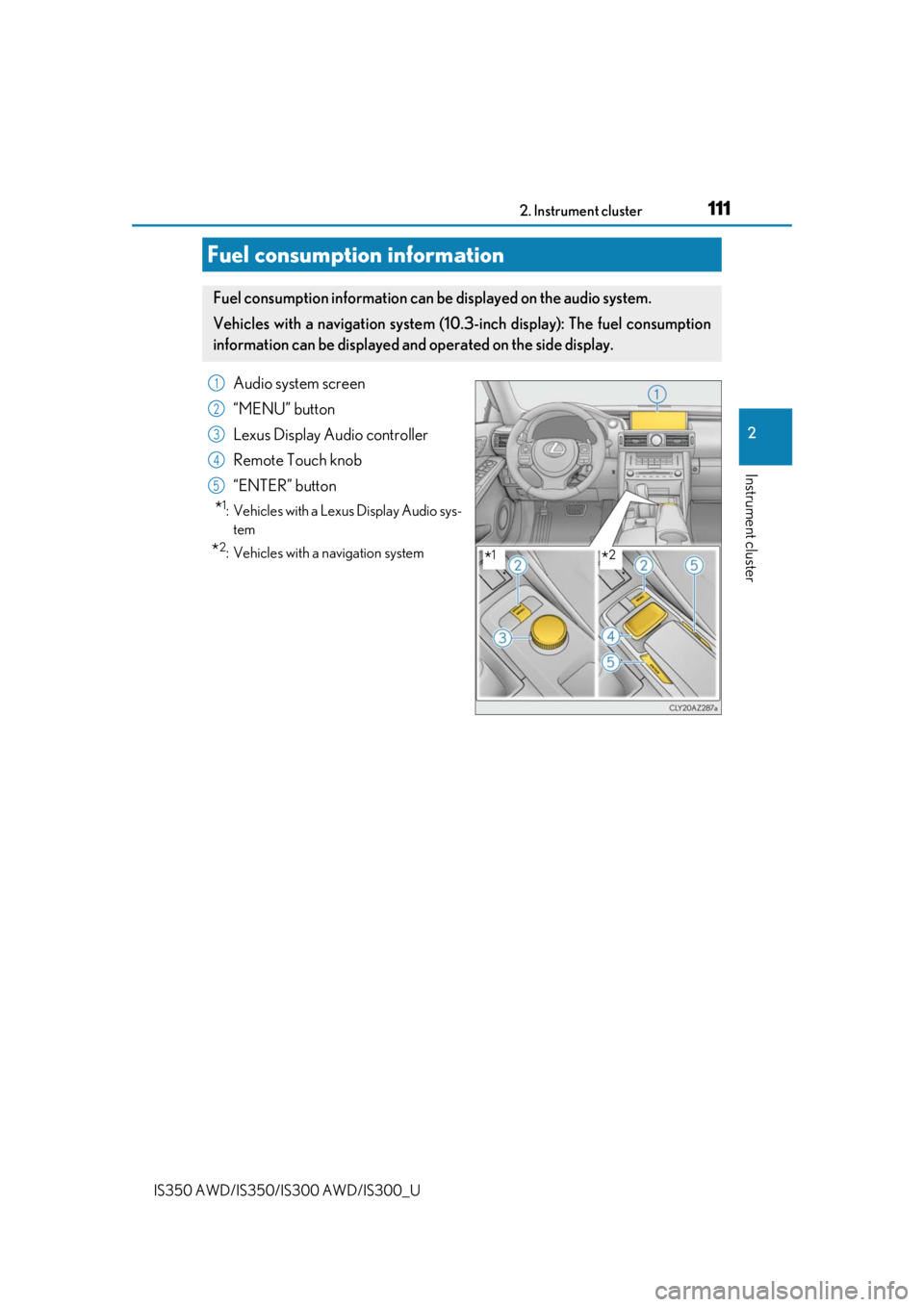
Audio system screen
“MENU” button
Lexus Display Audio controller
Remote Touch knob
“ENTER” button
*1: Vehicles with a Lexus Display Audio sys-tem
*2: Vehicles with a navigation system
Fuel consumption information
Fuel consumption information can be displayed on the audio system.
Vehicles with a navigation system (10.3-inch display): The fuel consumption
information can be displayed and operated on the side display.
*1*2
1
2
3
4
5
Page 112 of 660
1122. Instrument cluster
IS350 AWD/IS350/IS300 AWD/IS300_U
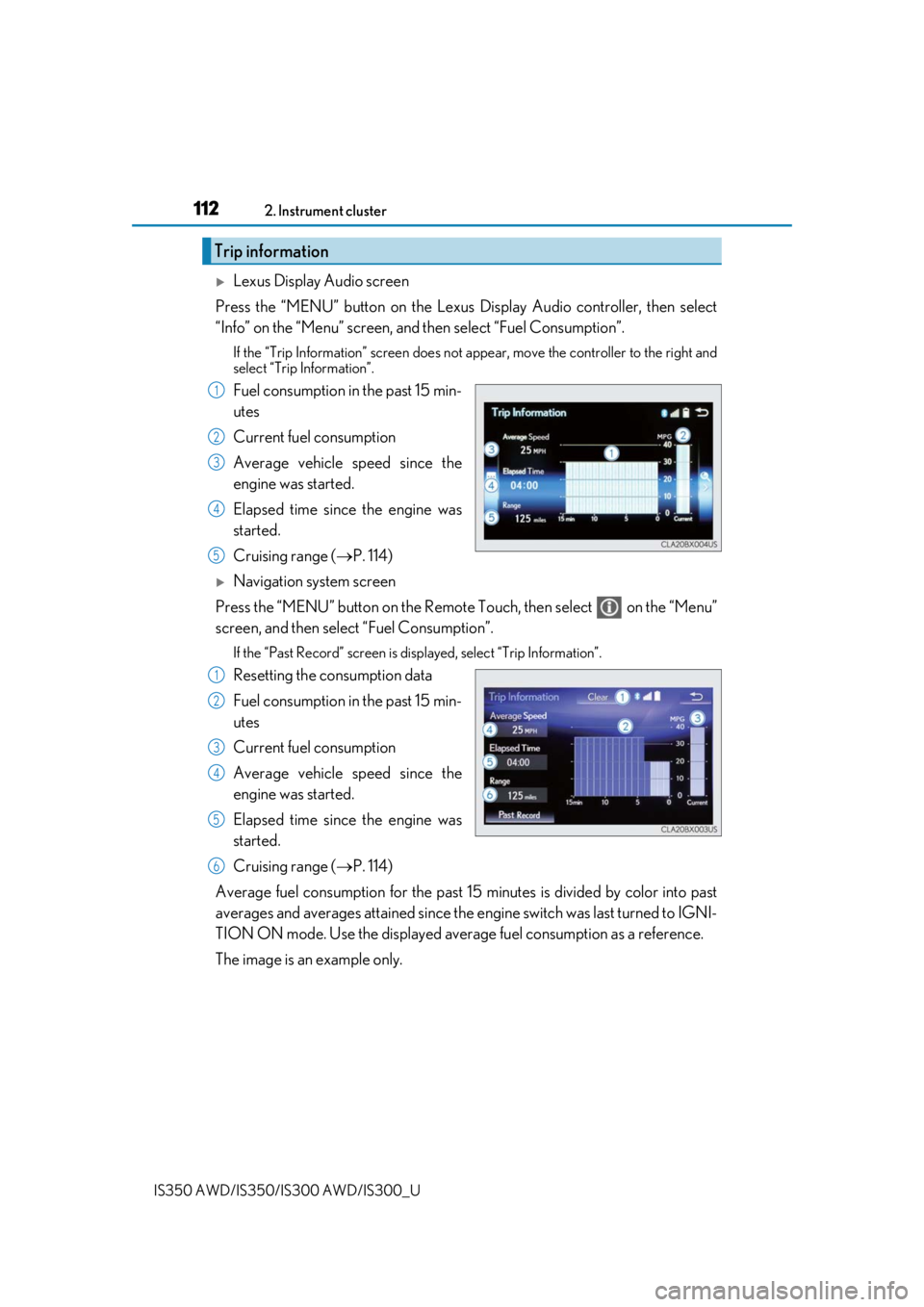
Lexus Display Audio screen
Press the “MENU” button on the Lexus Display Audio controller, then select
“Info” on the “Menu” screen, and then select “Fuel Consumption”.
If the “Trip Information” screen does not appear, move the controller to the right and
select “Trip Information”.
Fuel consumption in the past 15 min-
utes
Current fuel consumption
Average vehicle speed since the
engine was started.
Elapsed time since the engine was
started.
Cruising range (P. 114)
Navigation system screen
Press the “MENU” button on the Remote Touch, then select on the “Menu”
screen, and then select “Fuel Consumption”.
If the “Past Record” screen is disp layed, select “Trip Information”.
Resetting the consumption data
Fuel consumption in the past 15 min-
utes
Current fuel consumption
Average vehicle speed since the
engine was started.
Elapsed time since the engine was
started.
Cruising range (P. 114)
Average fuel consumption for the past 15 minutes is divided by color into past
averages and averages attained since the engine switch was last turned to IGNI-
TION ON mode. Use the displayed average fuel consumption as a reference.
The image is an example only.
Trip information
1
2
3
4
5
1
2
3
4
5
6
Page 113 of 660
1132. Instrument cluster
2
Instrument cluster
IS350 AWD/IS350/IS300 AWD/IS300_U
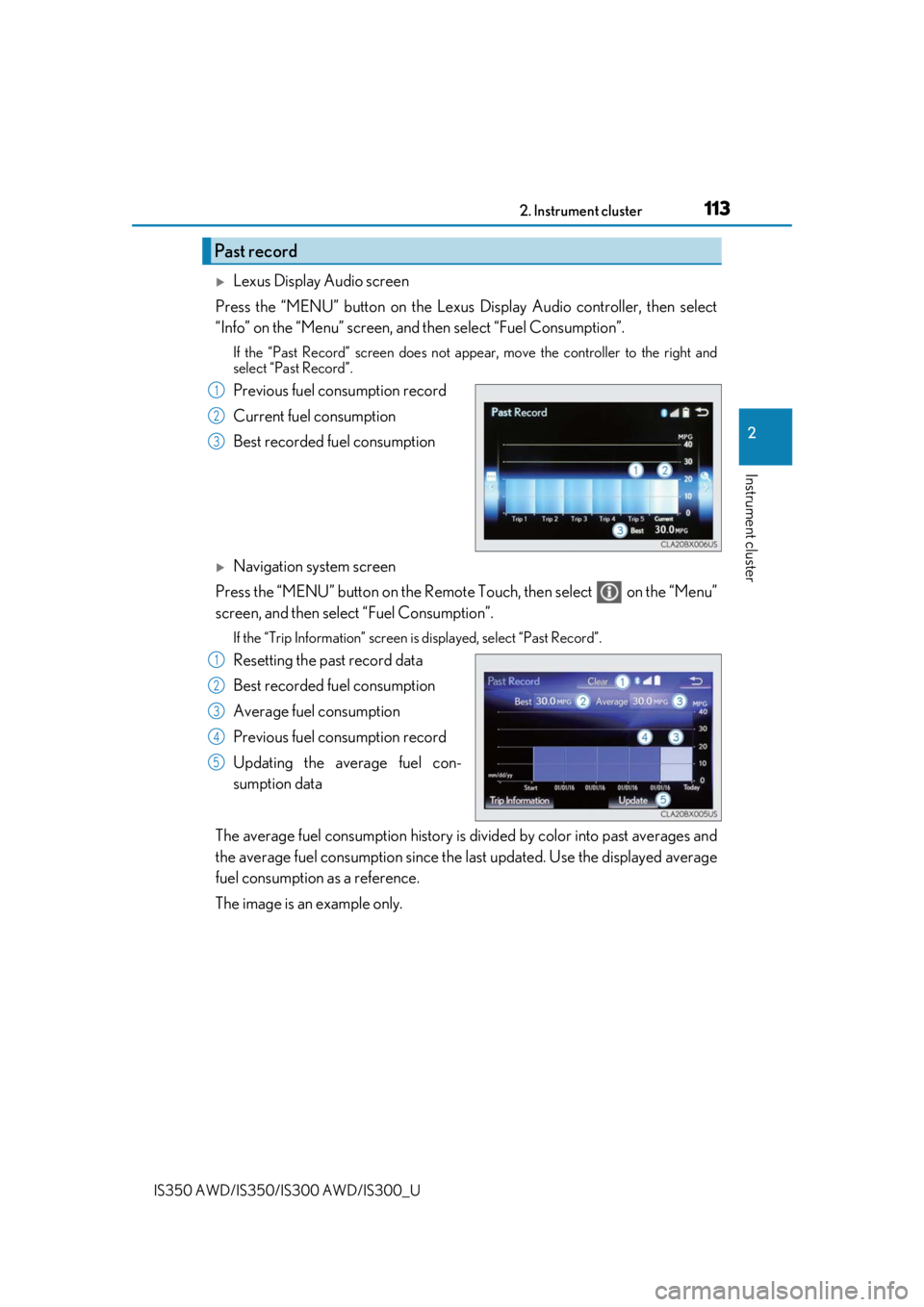
Lexus Display Audio screen
Press the “MENU” button on the Lexus Display Audio controller, then select
“Info” on the “Menu” screen, and then select “Fuel Consumption”.
If the “Past Record” screen does not appe ar, move the controller to the right and
select “Past Record”.
Previous fuel consumption record
Current fuel consumption
Best recorded fuel consumption
Navigation system screen
Press the “MENU” button on the Remote Touch, then select on the “Menu”
screen, and then select “Fuel Consumption”.
If the “Trip Information” screen is displayed, select “Past Record”.
Resetting the past record data
Best recorded fuel consumption
Average fuel consumption
Previous fuel consumption record
Updating the average fuel con-
sumption data
The average fuel consumption history is di vided by color into past averages and
the average fuel consumption since the last updated. Use the displayed average
fuel consumption as a reference.
The image is an example only.
Past record
1
2
3
1
2
3
4
5
Page 114 of 660

1142. Instrument cluster
IS350 AWD/IS350/IS300 AWD/IS300_U
■Updating the past record data
Vehicles with a Lexus Display Audio system
Update the average fuel consumption by mo ving the controller to the left and select
“Update” to measure the curre nt fuel consumption again.
Vehicles with a navigation system
Update the average fuel cons umption by selecting “Update” to measure the current fuel
consumption again.
■Resetting the data
Vehicles with a Lexus Display Audio system
The fuel consumption data can be deleted by moving the controller to the left and select
“Clear”.
Vehicles with a navigation system
The fuel consumption data can be deleted by selecting “Clear”.
■Cruising range
Displays the estimated maximum distance that can be driven with the quantity of fuel
remaining.
This distance is computed based on your average fuel consumption.
As a result, the actual distance that can be driven may differ from that displayed.
Page 115 of 660
1152. Instrument cluster
2
Instrument cluster
IS350 AWD/IS350/IS300 AWD/IS300_U
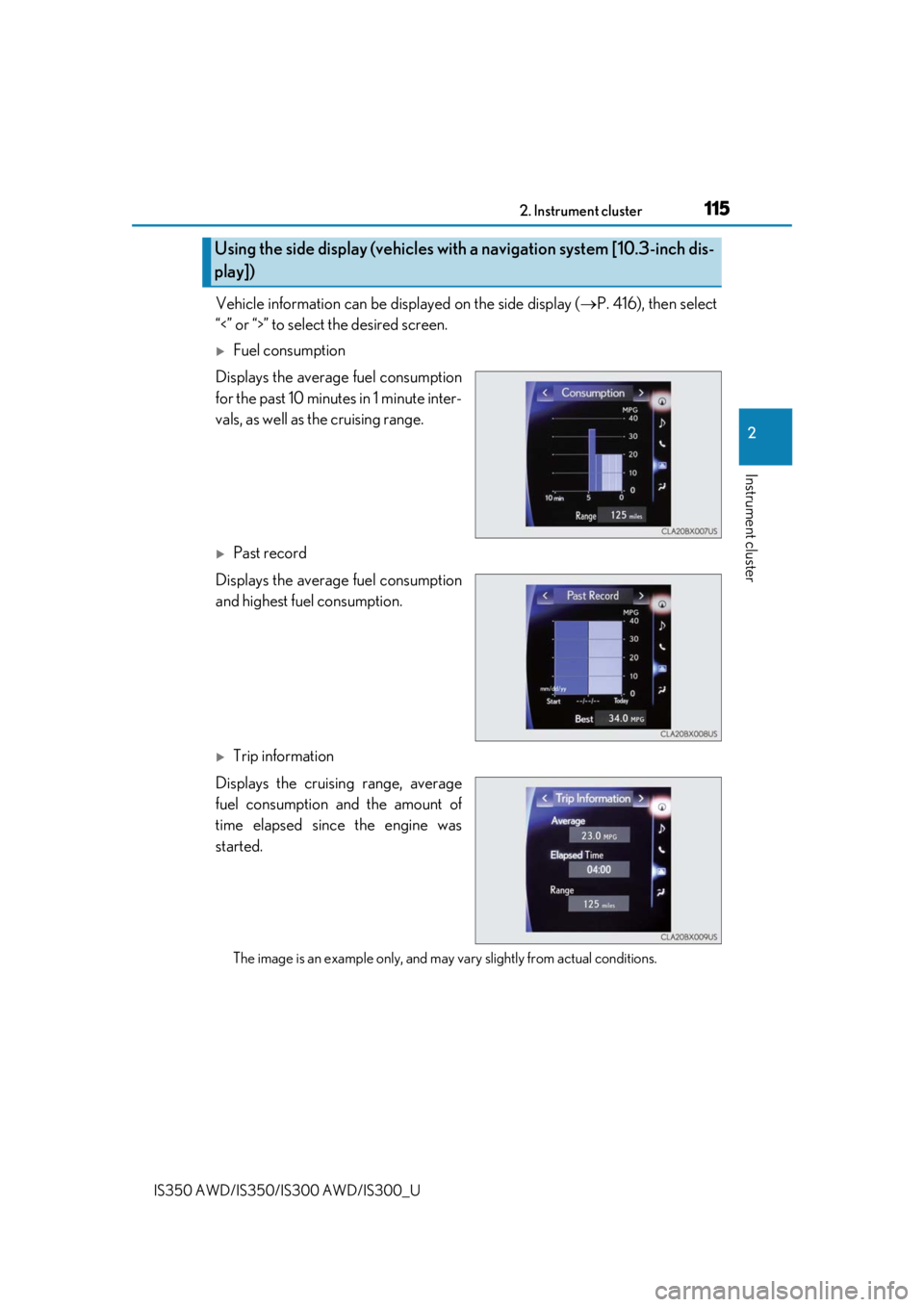
Vehicle information can be displayed on the side display (P. 416), then select
“<” or “>” to select the desired screen.
Fuel consumption
Displays the average fuel consumption
for the past 10 minutes in 1 minute inter-
vals, as well as the cruising range.
Past record
Displays the average fuel consumption
and highest fuel consumption.
Trip information
Displays the cruising range, average
fuel consumption and the amount of
time elapsed since the engine was
started.
The image is an example only, and may va ry slightly from actual conditions.
Using the side display (vehicles with a navigation system [10.3-inch dis-
play])
Page 116 of 660

1162. Instrument cluster
IS350 AWD/IS350/IS300 AWD/IS300_U