brake Lexus IS350 2020 / LEXUS 2020 IS300,IS350 (OM53F29U) Owner's Guide
[x] Cancel search | Manufacturer: LEXUS, Model Year: 2020, Model line: IS350, Model: Lexus IS350 2020Pages: 660, PDF Size: 10.84 MB
Page 191 of 660
1914-2. Driving procedures
4
Driving
IS350 AWD/IS350/IS300 AWD/IS300_U
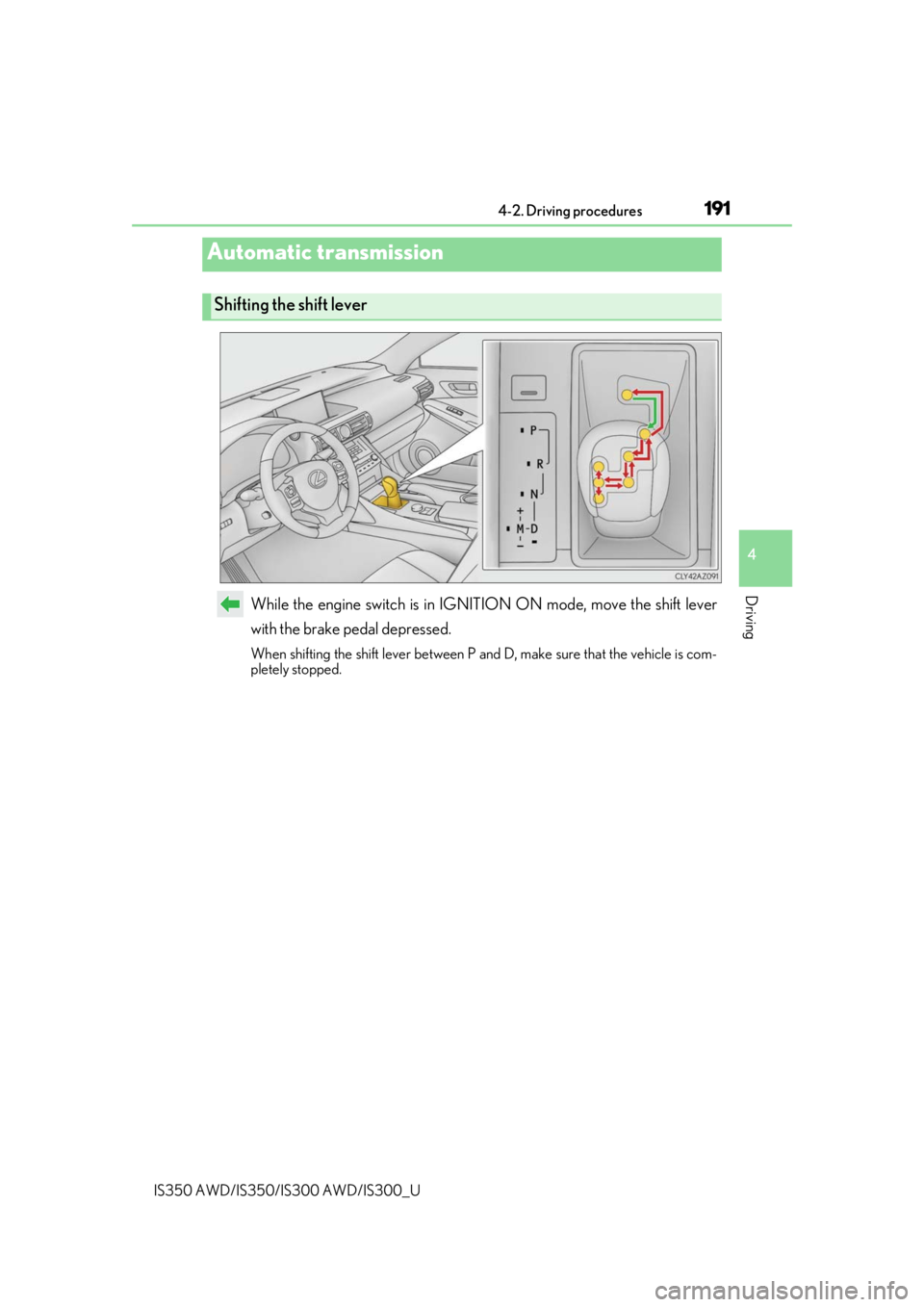
While the engine switch is in IGNITION ON mode, move the shift lever
with the brake pedal depressed.
When shifting the shift lever between P and D, make sure that the vehicle is com-
pletely stopped.
Automatic transmission
Shifting the shift lever
Page 196 of 660
1964-2. Driving procedures
IS350 AWD/IS350/IS300 AWD/IS300_U
■Shift lock system
The shift lock system is a system to prevent ac cidental operation of the shift lever in start-
ing.
The shift lever can be shifted from P only when the engine switch is in IGNITION ON
mode and the brake pedal is being depressed.
■If the shift lever cannot be shifted from P
First, check whether the brak e pedal is being depressed.
If the shift lever cannot be shifted with your foot on the brake pedal, there may be a prob-
lem with the shift lock system. Have the vehi cle inspected by your Lexus dealer immedi-
ately.
The following steps may be used as an emergency measure to ensure that the shift lever
can be shifted.
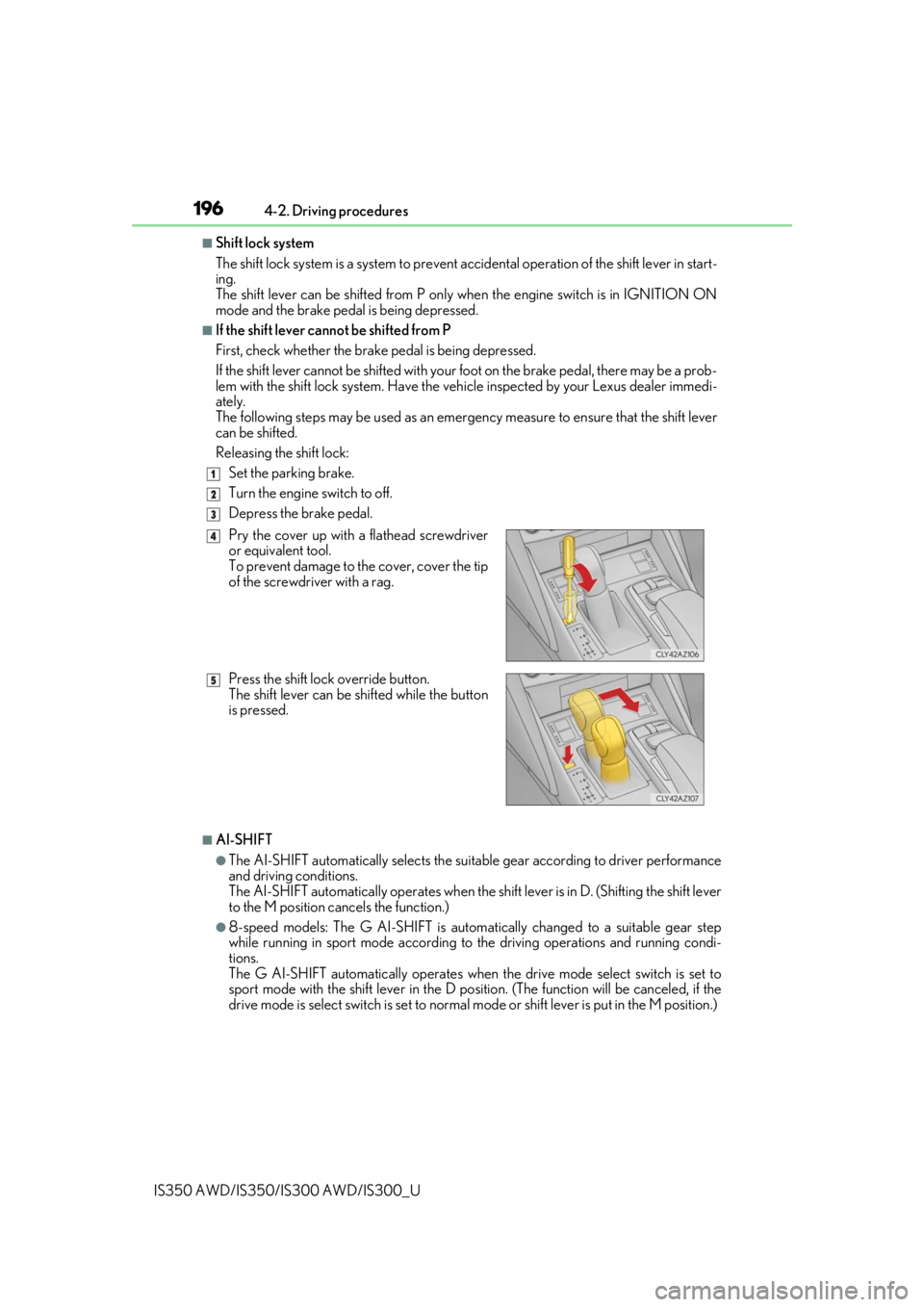
Releasing the shift lock:
Set the parking brake.
Turn the engine switch to off.
Depress the brake pedal.
■AI-SHIFT
●The AI-SHIFT automatically selects the suitab le gear according to driver performance
and driving conditions.
The AI-SHIFT automatically operates when the sh ift lever is in D. (Shifting the shift lever
to the M position cancels the function.)
●8-speed models: The G AI-SHIFT is automa tically changed to a suitable gear step
while running in sport mode according to the driving operations and running condi-
tions.
The G AI-SHIFT automatically operates when the drive mode select switch is set to
sport mode with the shift leve r in the D position. (The function will be canceled, if the
drive mode is select switch is set to normal mode or shift lever is put in the M position.)
1
2
3
Pry the cover up with a flathead screwdriver
or equivalent tool.
To prevent damage to the cover, cover the tip
of the screwdriver with a rag.
Press the shift lock override button.
The shift lever can be shifted while the button
is pressed.4
5
Page 197 of 660

1974-2. Driving procedures
4
Driving
IS350 AWD/IS350/IS300 AWD/IS300_U
WARNING
■When driving on slippery road surfaces
Be careful of downshifting and sudden acceleration, as this could result in the vehicle
skidding to the side or spinning.
■To prevent an accident wh en releasing the shift lock
Before pressing the shift lock override butto n, make sure to set the parking brake and
depress the brake pedal.
If the accelerator pedal is accidentally depressed instead of the brake pedal when the
shift lock override button is pressed and the shift lever is shifted out of P, the vehicle
may suddenly start, possibly leading to an a ccident resulting in death or serious injury.
Page 200 of 660
2004-2. Driving procedures
IS350 AWD/IS350/IS300 AWD/IS300_U
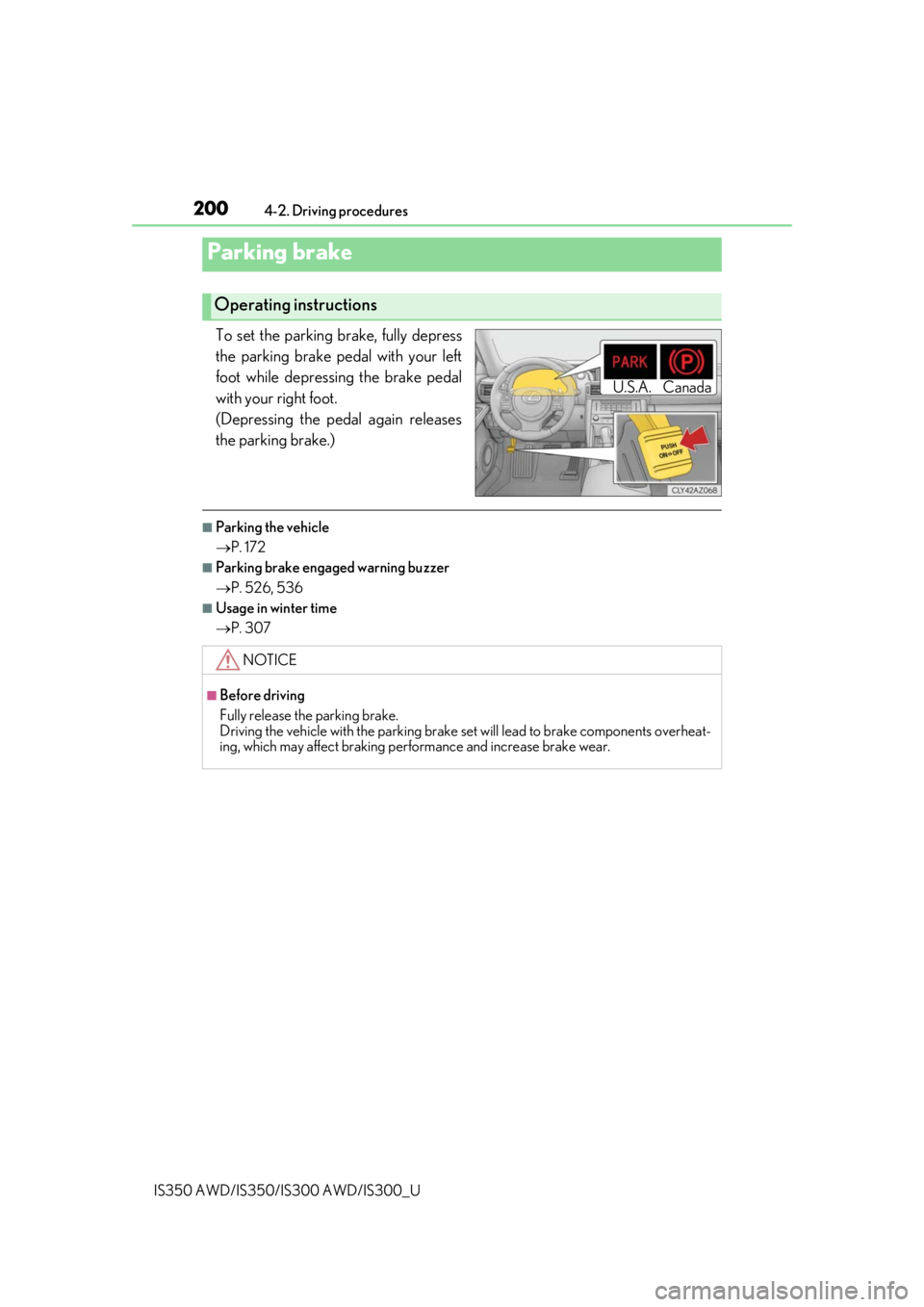
To set the parking brake, fully depress
the parking brake pedal with your left
foot while depressing the brake pedal
with your right foot.
(Depressing the pedal again releases
the parking brake.)
■Parking the vehicle
P. 172
■Parking brake engaged warning buzzer
P. 526, 536
■Usage in winter time
P. 307
Parking brake
Operating instructions
U.S.A. Canada
NOTICE
■Before driving
Fully release the parking brake.
Driving the vehicle with the parking brake set will lead to brake components overheat-
ing, which may affect braking performance and increase brake wear.
Page 204 of 660
2044-3. Operating the lights and wipers
IS350 AWD/IS350/IS300 AWD/IS300_U
■Daytime running light system
●The daytime running lights illuminate using th e same lights as the parking lights and illu-
minate brighter than the parking lights.
●To make your vehicle more visible to other drivers during daytime driving, the daytime
running lights turn on automatically when a ll of the following conditions are met. (The
daytime running lights are not designed for use at night.)
• The engine is running
• The parking brake is released
• The headlight switch is in the (Canada only), or
* position
*: When the surroundings are bright
The daytime running lights remain on after they illuminate, even if the parking brake is set
again.
●For the U.S.A.: Daytime running lights can be turned off by operating the switch.
●Compared to turning on the headlights, the daytime running light system offers greater
durability and consumes less electricity, so it can help improve fuel economy.
■Headlight control sensor
■Automatic light off system
When the light switch is in , or : Th e headlights and tail lights turn off 30 sec-
onds after the engine switch is turned to ACCESSORY mode or turned off and a door is
opened and all of the doors and trunk are cl osed. (The lights turn off immediately if
on the key is pressed twice af ter all the doors are closed.)
To turn the lights on again, turn the engine switch to IGNITION ON mode, or turn the
light switch off once and then back to or .
If any of the doors or trunk lid is left open , the lights automatically turn off after 20 min-
utes.
■Automatic headlight leveling system
The level of the headlights is automatically adjusted accordi ng to the number of passen-
gers and the loading condition of the vehicle to ensure that the headlights do not inter-
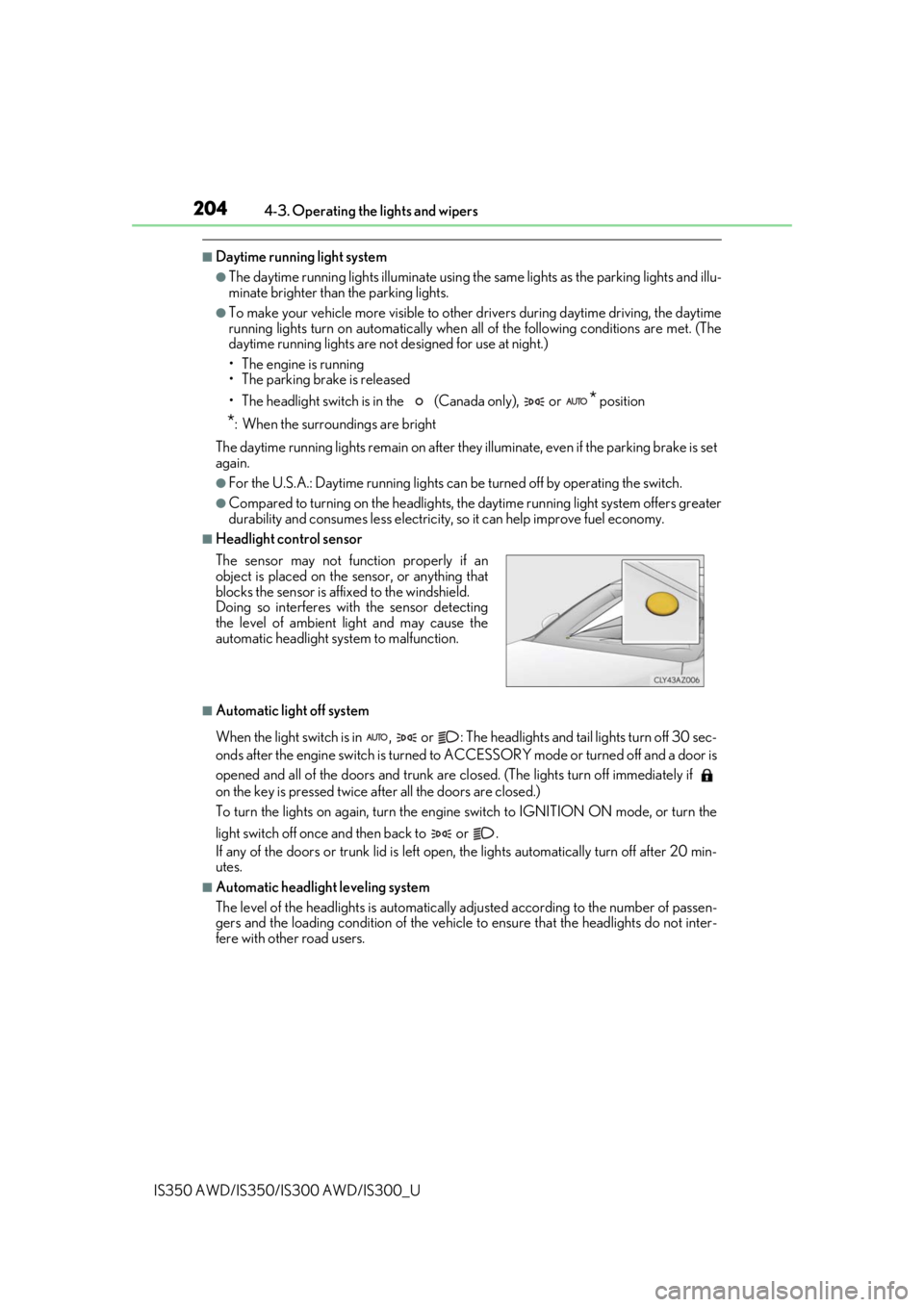
fere with other road users. The sensor may not function properly if an
object is placed on the sensor, or anything that
blocks the sensor is affixed to the windshield.
Doing so interferes with the sensor detecting
the level of ambient light and may cause the
automatic headlight system to malfunction.
Page 223 of 660

2234-5. Using the driving support systems
4
Driving
IS350 AWD/IS350/IS300 AWD/IS300_U
The pre-collision system is equipped with a sophisticated computer that will
record certain data, such as:• Accelerator status
•Brake status
• Vehicle speed
• Operation status of the pre-collision system functions
• Information (such as the distance an d relative speed between your vehicle
and the vehicle ahead or other objects)
• Images from the camera sensor (available only when the pre-collision braking function or the pre-collision brake assist function was operating)
The pre-collision system does not record co nversations, sounds or images of the
inside of the vehicle.
●Data usage
Lexus may use the data recorded in this computer to diagnose malfunctions,
conduct research and develo pment, and improve quality.
Lexus will not disclose the recorded data to a third party except:
• With the consent of the vehicle owner or with the consent of the lessee if the vehicle is leased
• In response to an official request by the police, a court of law or a govern- ment agency
• For use by Lexus in a lawsuit
• For research purposes where the data is not tied to a specific vehicle or
vehicle owner
●Recorded images can be erased using a specialized device.
The image recording function can be disa bled. However, if the function is dis-
abled, data from when the pre-collision system operates will not be available.
Vehicle data recording
Page 229 of 660

2294-5. Using the driving support systems
4
Driving
IS350 AWD/IS350/IS300 AWD/IS300_U
PCS (Pre-Collision System)
The pre-collision system uses a radar sensor and camera sensor to detect
vehicles and pedestrians in front of your vehicle. When the system determines
that the possibility of a frontal collision with a vehicle or pedestrian is high, a
warning operates to urge the driver to take evasive action and the potential
brake pressure is increased to help the driver avoid the collision. If the system
determines that the possibility of a fr ontal collision with a vehicle or pedes-
trian is extremely high, the brakes are automatically applied to help avoid the
collision or help reduce the impact of the collision.
The pre-collision system can be disabled/enabled and the warning timing can
be changed. ( P. 233)
Page 230 of 660

2304-5. Using the driving support systems
IS350 AWD/IS350/IS300 AWD/IS300_U
◆Pre-collision warning
When the system determines that
the possibility of a frontal collision is
high, a buzzer will sound and a warn-
ing message will be displayed on the
multi-information display to urge the
driver to take evasive action.
◆Pre-collision brake assist
When the system determines that the po ssibility of a frontal collision is high,
the system applies greater braking force in relation to how strongly the brake
pedal is depressed.
◆Pre-collision braking
When the system determines that the po ssibility of a frontal collision is high,
the system warns the driver. If the syst em determines that the possibility of a
frontal collision is extremely high, the br akes are automatically applied to help
avoid the collision or reduce the collision speed.
◆Suspension control (if equipped)
When the system determines that the po ssibility of a frontal collision is high,
the Adaptive Variable Suspension System ( P. 302) will control the damping
force of the shock absorbers to help ma intain an appropriate vehicle posture.
Page 231 of 660

2314-5. Using the driving support systems
4
Driving
IS350 AWD/IS350/IS300 AWD/IS300_U
WARNING
■Limitations of the pre-collision system
●The driver is solely responsible for safe driving. Always drive safely, taking care to
observe your surroundings.
Do not use the pre-collision system instead of normal braking operations under any
circumstances. This system will not prevent collisions or lessen collision damage or
injury in every situation. Do not overly rely on this system. Failure to do so may lead to
an accident, resulting in death or serious injury.
●Although this system is designed to help avoid a collision or help reduce the impact of
the collision, its effectivenes s may change according to various conditions, therefore
the system may not always be able to achieve the same level of performance.
Read the following conditions carefully. Do not overly rely on this system and always
drive carefully.
• Conditions under which the system may oper ate even if there is no possibility of a
collision: P. 235
• Conditions under which the system may not operate properly: P. 237
●Do not attempt to test the operation of the pre-collision system yourself.
Depending on the objects us ed for testing (dummies, cardboard objects imitating
detectable objects, etc.), the system may not operate properly, possibly leading to an
accident.
■Pre-collision braking
●When the pre-collision braking function is operating, a large amount of braking force
will be applied.
●If the vehicle is stopped by the operation of the pre-collision braking function, the pre-
collision braking function operation will be canceled after approximately 2 seconds.
Depress the brake pedal as necessary.
●The pre-collision braking function may not operate if certain operations are per-
formed by the driver. If the accelerator pedal is being depressed strongly or the steer-
ing wheel is being turned, the system may de termine that the driver is taking evasive
action and possibly prevent the pre-coll ision braking function from operating.
●In some situations, while the pre-collision braking function is operating, operation of
the function may be canceled if the accele rator pedal is depressed strongly or the
steering wheel is turned and the system de termines that the driver is taking evasive
action.
●If the brake pedal is being depressed, the sy stem may determine that the driver is tak-
ing evasive action and possibly delay the operation timing of the pre-collision braking
function.
Page 234 of 660
2344-5. Using the driving support systems
IS350 AWD/IS350/IS300 AWD/IS300_U
■Operational conditions
The pre-collision system is enabled and the sy stem determines that the possibility of a
frontal collision with a vehicle or pedestrian is high.
Each function is operationa l at the following speeds:
●Pre-collision warning:
• Vehicle speed is between approximately 7 and 110 mph (10 and 180 km/h). (For
detecting a pedestrian, vehicle speed is between approximately 7 and 50 mph [10
and 80 km/h].)
• The relative speed between your vehicle and the vehicle or pedestrian ahead is approximately 7 mph (10 km/h) or more.
●Pre-collision brake assist:
• Vehicle speed is between approximately 20 and 110 mph (30 and 180 km/h). (For
detecting a pedestrian, vehicle speed is between approximately 20 and 50 mph
[30 and 80 km/h].)
• The relative speed between your vehicle and the vehicle or pedestrian ahead is
approximately 20 mph (30 km/h) or more.
●Pre-collision braking:
• Vehicle speed is between approximately 7 and 110 mph (10 and 180 km/h). (Fordetecting a pedestrian, vehicle speed is between approximately 7 and 50 mph [10
and 80 km/h].)
• The relative speed between your vehicle and the vehicle or pedestrian ahead is approximately 7 mph (10 km/h) or more.
The system may not operate in the following situations:
●If a battery terminal has been disconnected and reconnected and then the vehicle has
not been driven for a certain amount of time
●If the shift lever is in R
●If VSC is disabled (only the pre-collis ion warning function will be operational)
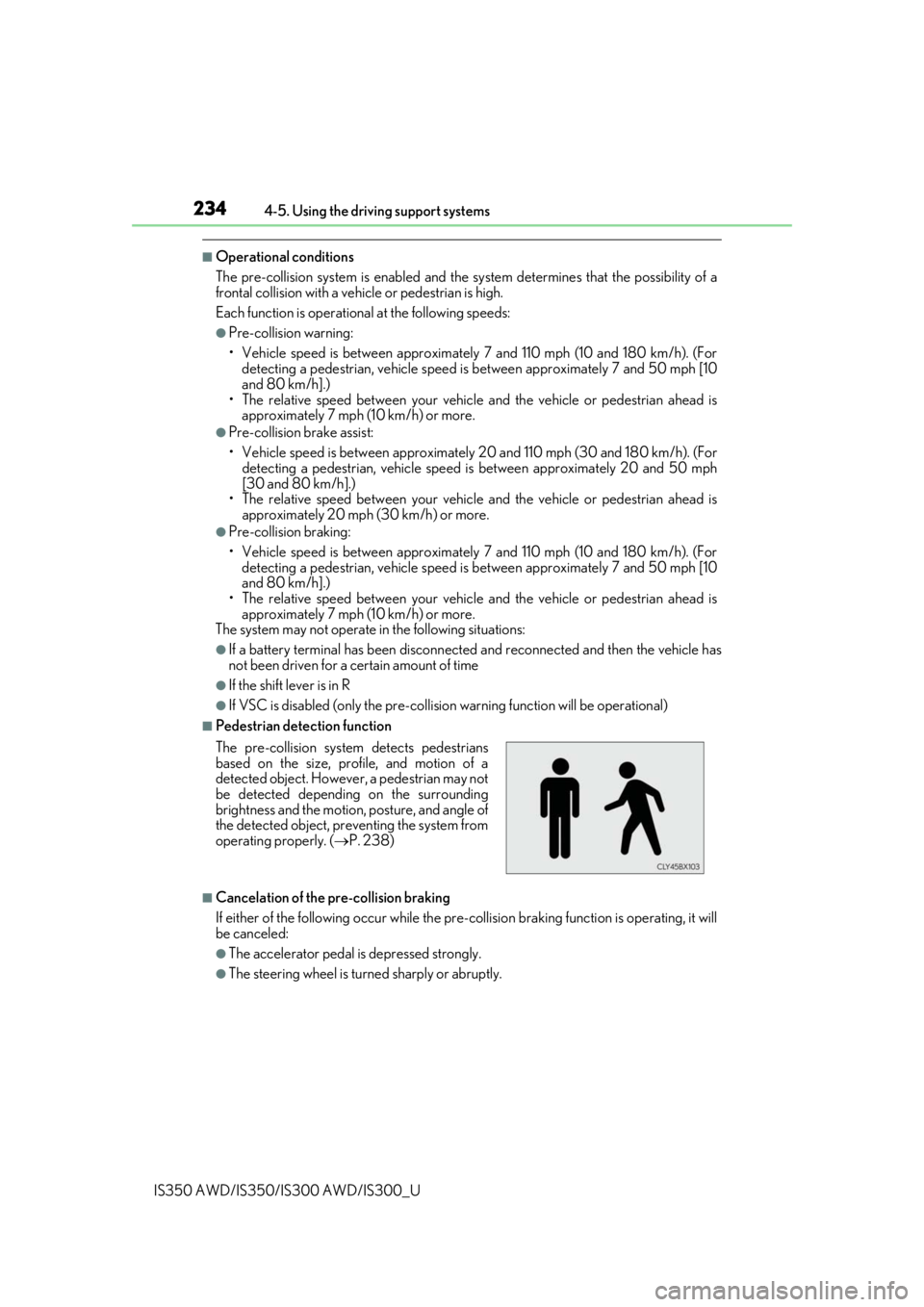
■Pedestrian detection function
■Cancelation of the pre-collision braking
If either of the following occur while the pre-co llision braking function is operating, it will
be canceled:
●The accelerator pedal is depressed strongly.
●The steering wheel is turned sharply or abruptly.
The pre-collision system detects pedestrians
based on the size, prof
ile, and motion of a
detected object. However, a pedestrian may not
be detected depending on the surrounding
brightness and the motion, posture, and angle of
the detected object, preventing the system from
operating properly. ( P. 238)