tire pressure Lexus IS350 2021 Owner's Manual / LEXUS 2021 IS 300, IS 350 OWNER'S MANUAL (OM53E98U)
[x] Cancel search | Manufacturer: LEXUS, Model Year: 2021, Model line: IS350, Model: Lexus IS350 2021Pages: 436, PDF Size: 13.46 MB
Page 1 of 436
IS350AWD-IS350-IS300AWD-IS300_U
1
2
3
4
5
6
7
8
9
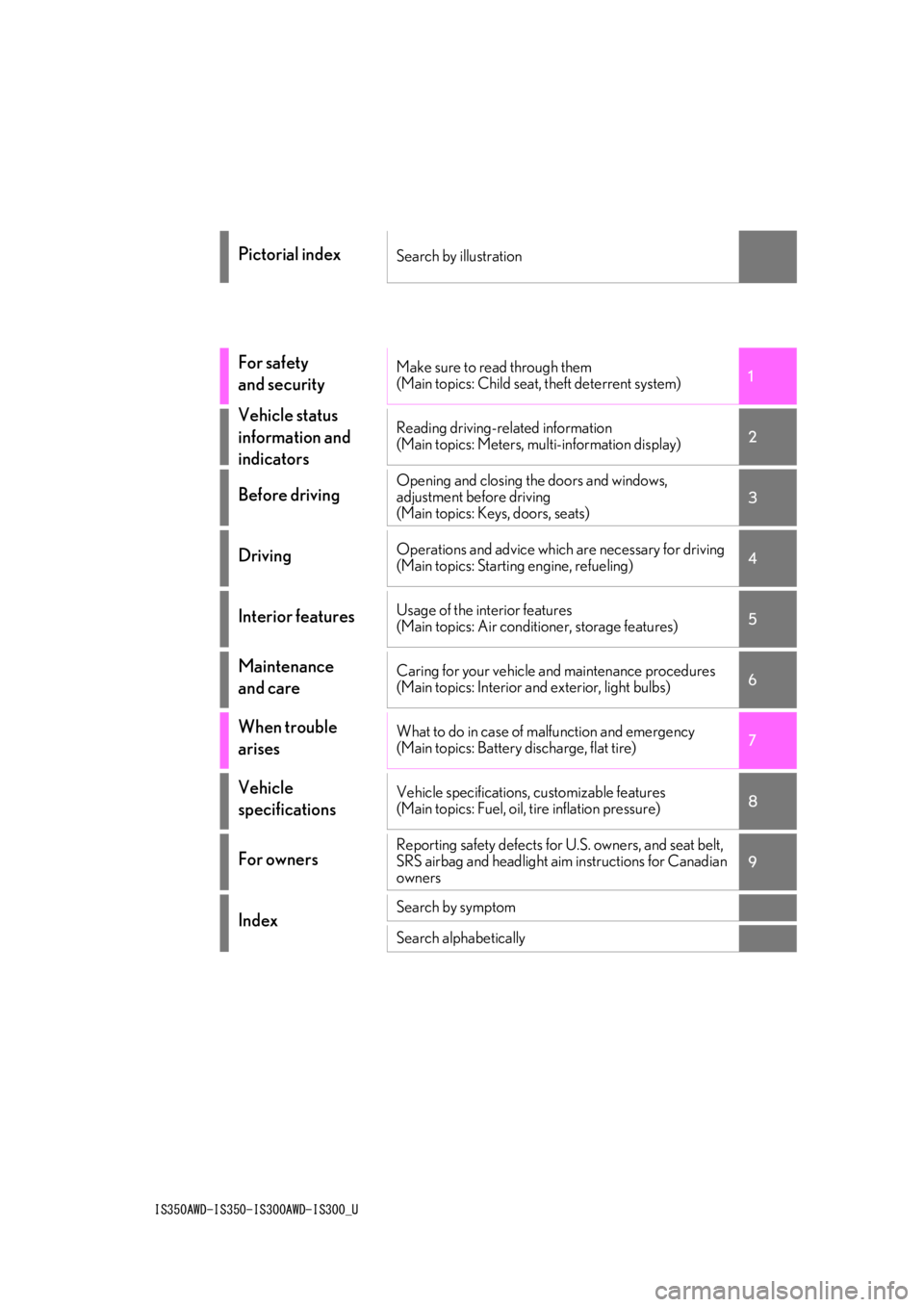
Pictorial indexSearch by illustration
For safety
and securityMake sure to read through them
(Main topics: Child seat, theft deterrent system)
Vehicle status
information and
indicatorsReading driving-related information
(Main topics: Meters, multi-information display)
Before drivingOpening and closing the doors and windows,
adjustment before driving
(Main topics: Keys, doors, seats)
DrivingOperations and advice which are necessary for driving
(Main topics: Starting engine, refueling)
Interior featuresUsage of the interior features
(Main topics: Air conditioner, storage features)
Maintenance
and careCaring for your vehicle and maintenance procedures
(Main topics: Interior and exterior, light bulbs)
When trouble
arisesWhat to do in case of malfunction and emergency
(Main topics: Battery discharge, flat tire)
Vehicle
specificationsVehicle specifications, customizable features
(Main topics: Fuel, oil, tire inflation pressure)
For ownersReporting safety defects for U.S. owners, and seat belt,
SRS airbag and headlight aim instructions for Canadian
owners
IndexSearch by symptom
Search alphabetically
Page 4 of 436
4TABLE OF CONTENTS
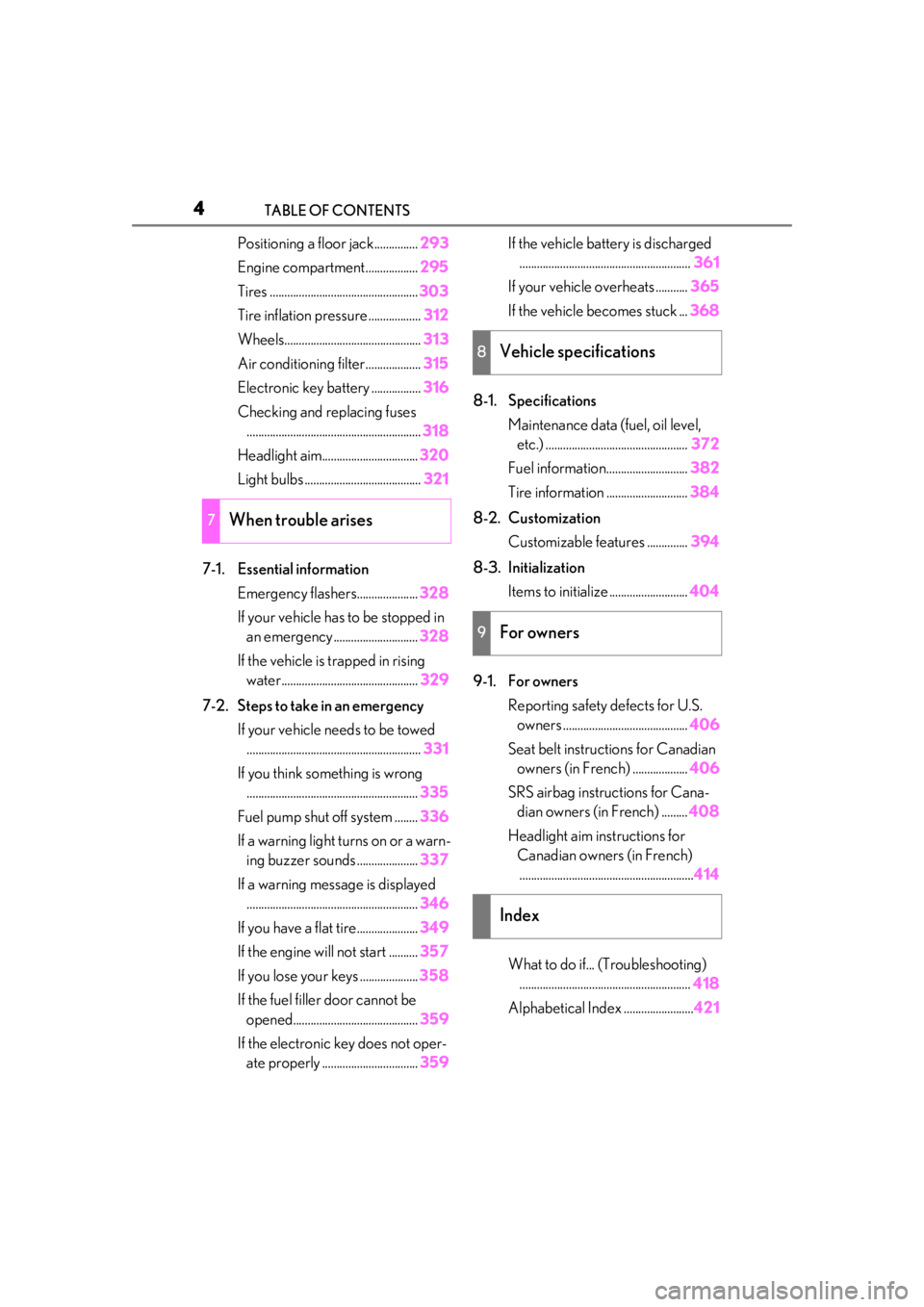
Positioning a floor jack...............293
Engine compartment.................. 295
Tires ................................................... 303
Tire inflation pressure .................. 312
Wheels............................................... 313
Air conditioning filter...................315
Electronic key battery ................. 316
Checking and replacing fuses ............................................................ 318
Headlight aim................................. 320
Light bulbs ........................................ 321
7-1. Essential information Emergency flashers..................... 328
If your vehicle has to be stopped in an emergency ............................. 328
If the vehicle is trapped in rising water............................................... 329
7-2. Steps to take in an emergency If your vehicle needs to be towed............................................................ 331
If you think something is wrong ........................................................... 335
Fuel pump shut off system ........ 336
If a warning light turns on or a warn- ing buzzer sounds ..................... 337
If a warning message is displayed ........................................................... 346
If you have a flat tire..................... 349
If the engine wi ll not start .......... 357
If you lose your keys .................... 358
If the fuel filler door cannot be opened........................................... 359
If the electronic key does not oper- ate properly ................................. 359If the vehicle battery is discharged
........................................................... 361
If your vehicle overheats ........... 365
If the vehicle becomes stuck ... 368
8-1. Specifications Maintenance data (fuel, oil level, etc.) ................................................. 372
Fuel information............................ 382
Tire information ............................ 384
8-2. Customization Customizable features .............. 394
8-3. Initialization Items to initialize ........................... 404
9-1. For owners Reporting safety defects for U.S. owners ........................................... 406
Seat belt instructions for Canadian owners (in French) ................... 406
SRS airbag instructions for Cana- dian owners (in French) ......... 408
Headlight aim instructions for Canadian owners (in French)............................................................ 414
What to do if... (Troubleshooting) ........................................................... 418
Alphabetical Index ........................ 421
7When trouble arises
8Vehicle specifications
9For owners
Index
Page 8 of 436
8
Special handling may apply, See
www.dtsc.ca.gov/hazardouswaste/
perchlorate.
Your vehicle has components that may
contain perchlorate. These compo-
nents may include the airbags, seat belt
pretensioners, wireless remote control
batteries, and the batteries in the tire
pressure warning valve and transmit-
ters.
Perchlorate Material
WARNING
■General precautions while driving
Driving under the infl uence: Never drive
your vehicle when un der the influence of
alcohol or drugs that have impaired your
ability to operate your vehicle. Alcohol
and certain drugs delay reaction time,
impair judgment and reduce coordina-
tion, which could lead to an accident that
could result in death or serious injury.
Defensive driving: Always drive defen-
sively. Anticipate mistakes that other
drivers or pedestrians might make and
be ready to avoid accidents.
Driver distraction: Always give your full
attention to driving. Anything that dis-
tracts the driver, such as adjusting con-
trols, talking on a cellular phone or
reading can result in a collision with
resulting death or serious injury to you,
your occupants or others.
■General precaution regarding chil-
dren’s safety
Never leave children unattended in the
vehicle, and never allow children to have
or use the key.
Children may be able to start the vehicle
or shift the vehicle into neutral. There is
also a danger that children may injure
themselves by playing with the windows,
the moon roof (if equipped) or other fea-
tures of the vehicle. In addition, heat
build-up or extremely cold temperatures
inside the vehicle can be fatal to children.
Page 12 of 436
12Pictorial index
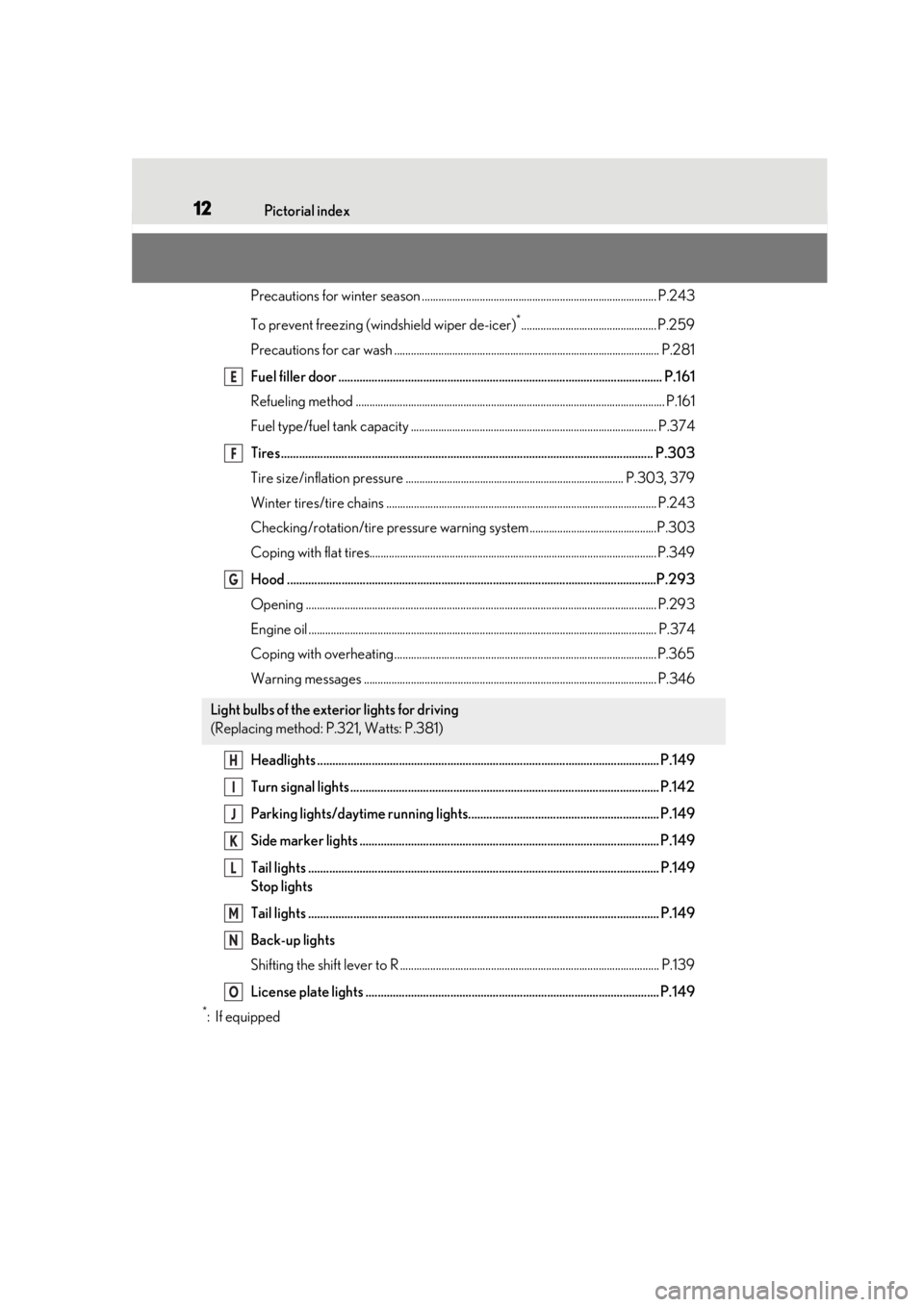
Precautions for winter season ..................................................................................... P.243
To prevent freezing (windshield wiper de-icer)
*................................................. P.259
Precautions for car wash ................................................................................................ P.281
Fuel filler door ........................................................................................................... P.16 1
Refueling method ............................................................................................................... .P.161
Fuel type/fuel tank capacity ...... ................................................................................... P.374
Tires.......................................................................................................................... .P.303
Tire size/inflation pressure ............................................................................... P.303, 379
Winter tires/tire chains .................................................................................................. P.243
Checking/rotation/tire pressure warning system..............................................P.303
Coping with flat tires........................................................................................................ P .349
Hood ..........................................................................................................................P.293
Opening ........................................................................................................................ ....... P.293
Engine oil ..................................................................................................................... ......... P.374
Coping with overheating ............................................................................................... P.365
Warning messages .......................................................................................................... P.346
Headlights ................................................................................................................. P.14 9
Turn signal lights ...................................................................................................... P.142
Parking lights/daytime running lights............................................................... P.149
Side marker lights ................................................................................................... P.149
Tail lights .................................................................................................................... P.149
Stop lights
Tail lights .................................................................................................................... P.149
Back-up lights
Shifting the shift lever to R .............................................................................................. P.13 9
License plate lights ................................................................................................. P.149
*:If equipped
Light bulbs of the exterior lights for driving
(Replacing method: P.321, Watts: P.381)
E
F
G
H
I
J
K
L
M
N
O
Page 16 of 436
16Pictorial index
Driving position memory switches*.................................................................. P.108
Outside rear view mirror switches ..................................................................... P.116
Door lock switches ...................................................................................................P.94
Power window switches ......................................................................................... P.118
Window lock switch ................................................................................................ P.119
Tire pressure warning reset switch.................................................................. P.308
*:If equipped
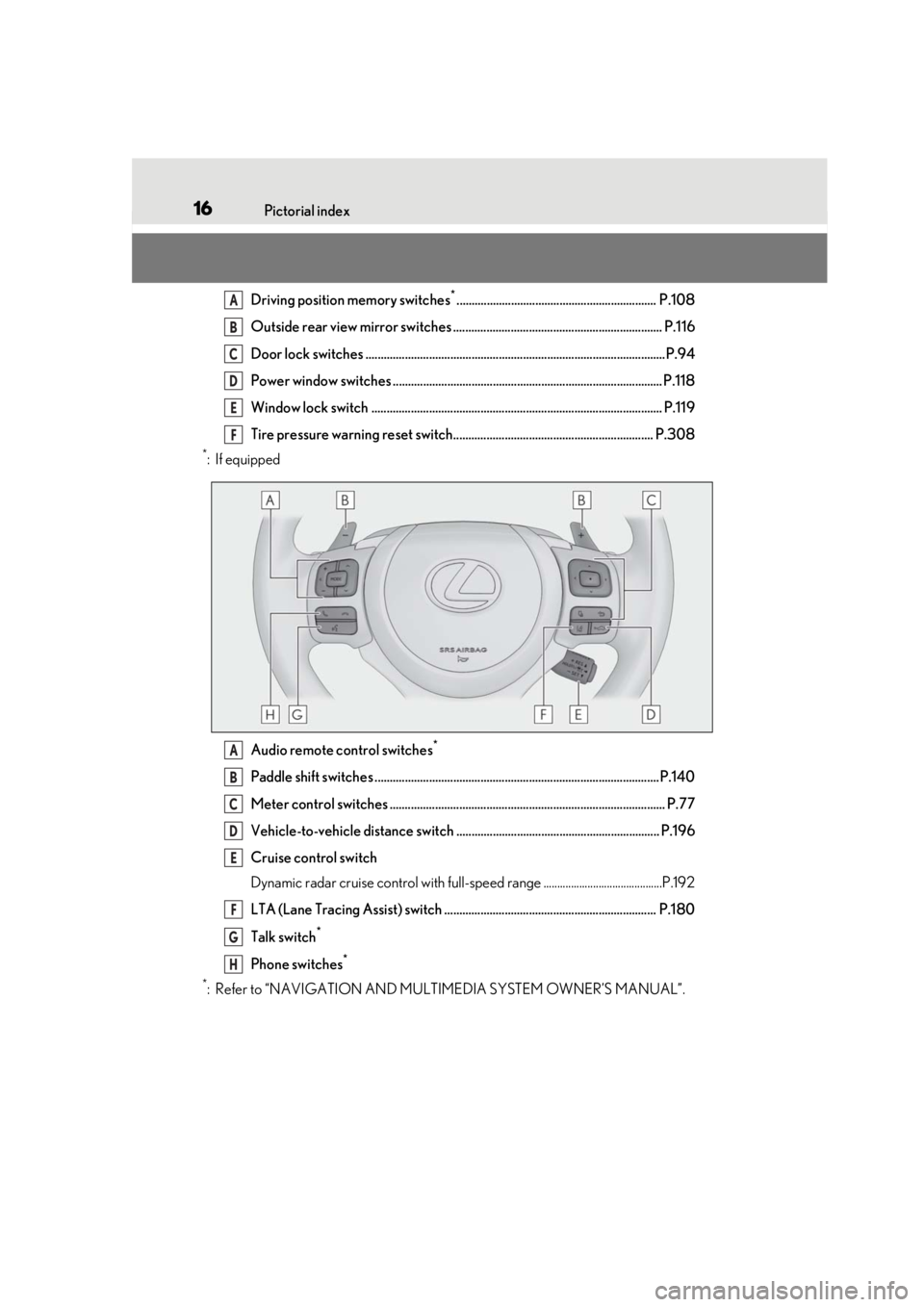
Audio remote control switches
*
Paddle shift switches ..............................................................................................P.140
Meter control switches ........................................................................................... P.77
Vehicle-to-vehicle distance switch ................................................................... P.196
Cruise control switch
Dynamic radar cruise control with full-spee d range ...........................................P.192
LTA (Lane Tracing Assist) switch ...................................................................... P.180
Talk switch
*
Phone switches*
*
: Refer to “NAVIGATION AND MULTIMEDIA SYSTEM OWNER’S MANUAL”.
A
B
C
D
E
F
A
B
C
D
E
F
G
H
Page 67 of 436
672-1. Instrument cluster
2
Vehicle status information and indicators
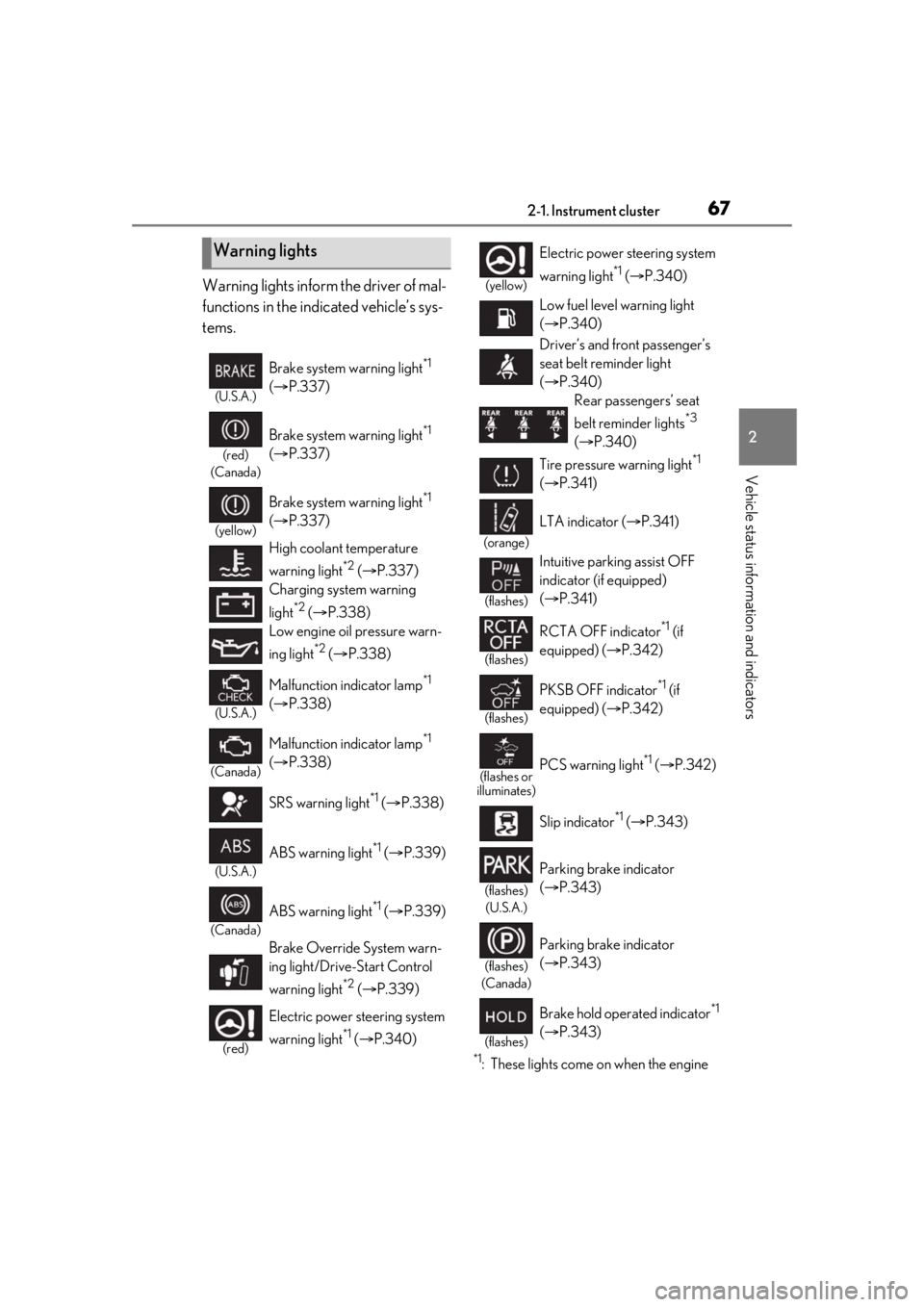
Warning lights inform the driver of mal-
functions in the indicated vehicle’s sys-
tems.
*1: These lights come on when the engine
Warning lights
(U.S.A.)
Brake system warning light*1
( P.337)
(red)
(Canada)
Brake system warning light*1
( P.337)
(yellow)
Brake system warning light*1
( P.337)
High coolant temperature
warning light
*2 ( P.337)
Charging system warning
light
*2 ( P.338)
Low engine oil pressure warn-
ing light
*2 ( P.338)
(U.S.A.)
Malfunction indicator lamp*1
( P.338)
(Canada)
Malfunction indicator lamp*1
( P.338)
SRS warning light
*1 ( P.338)
(U.S.A.)
ABS warning light*1 ( P.339)
(Canada)
ABS warning light*1 ( P.339)
Brake Override System warn-
ing light/Drive-Start Control
warning light
*2 ( P.339)
(red)
Electric power steering system
warning light
*1 ( P.340)
(yellow)
Electric power st eering system
warning light
*1 ( P.340)
Low fuel level warning light
( P.340)
Driver’s and front passenger’s
seat belt re minder light
( P.340)
Rear passengers’ seat
belt reminder lights
*3
( P.340)
Tire pressure warning light
*1
( P.341)
(orange)
LTA indicator ( P.341)
(flashes)
Intuitive parking assist OFF
indicator (if equipped)
( P.341)
(flashes)
RCTA OFF indicator*1 (if
equipped) ( P.342)
(flashes)
PKSB OFF indicator*1 (if
equipped) ( P.342)
(flashes or
illuminates)PCS warning light*1 ( P.342)
Slip indicator
*1 ( P.343)
(flashes)
(U.S.A.)
Parking brake indicator
( P.343)
(flashes)
(Canada)
Parking brake indicator
( P.343)
(flashes)
Brake hold operated indicator*1
( P.343)
Page 78 of 436
782-1. Instrument cluster
move the cursor up/down
Press: Enter/Set
Press and hold: Reset
Except F SPORT modelsDisplay the top screen and return
to the previous screen
Press and hold : Register cur-
rent screen as the top screen
Call sending/receiving and history
display
Linked with the hands-free system, sending
or receiving call is displayed. For details
regarding the hands-fr ee system, refer to
the “NAVIGATION AND MULTIMEDIA
SYSTEM OWNER’S MANUAL”.
F SPORT models
Move the main meter and return to
the previous screen
Call sending/receiving and history
display
Linked with the hands-free system, sending
or receiving call is displayed. For details
regarding the hands-fr ee system, refer to
the “NAVIGATION AND MULTIMEDIA
SYSTEM OWNER’S MANUAL”.
■Registering a top screen (except F
SPORT models)
The displayed top screen can be
changed to a registered screen of your
choice.
To register a screen as the top screen,
display the desired screen and press
and hold .
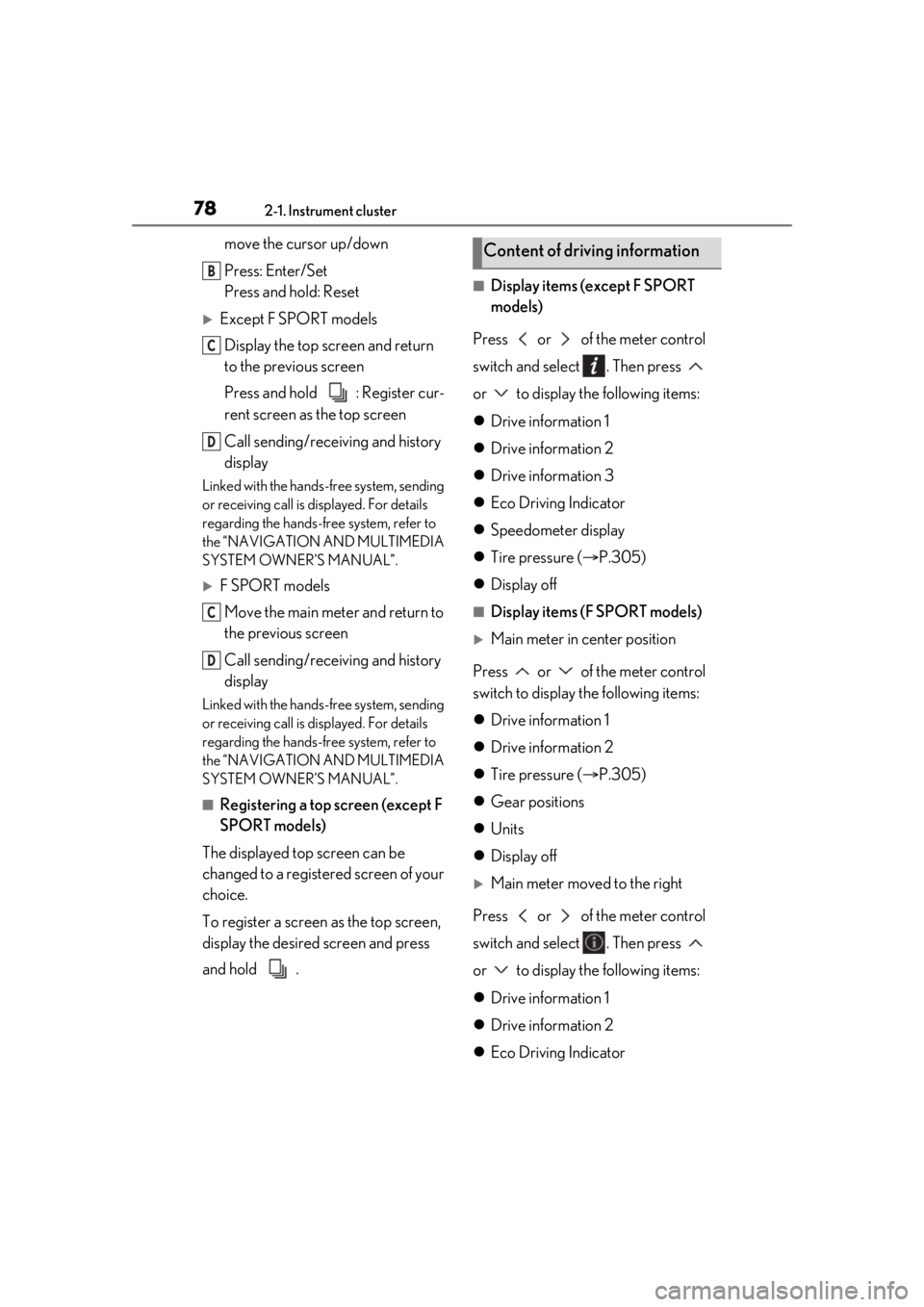
■Display items (except F SPORT
models)
Press or of the meter control
switch and select . Then press
or to display the following items:
Drive information 1
Drive information 2
Drive information 3
Eco Driving Indicator
Speedometer display
Tire pressure ( P.305)
Display off
■Display items (F SPORT models)
Main meter in center position
Press or of the meter control
switch to display the following items:
Drive information 1
Drive information 2
Tire pressure ( P.305)
Gear positions
Units
Display off
Main meter moved to the right
Press or of the meter control
switch and select . Then press
or to display the following items:
Drive information 1
Drive information 2
Eco Driving Indicator
B
C
D
C
D
Content of driving information
Page 79 of 436
792-1. Instrument cluster
2
Vehicle status information and indicators
Boost gauge/engine oil tempera-
ture gauge/engine oil pressure
gauge (if equipped)
G-force
Gear Position
Tire pressure ( P.305)
Display off
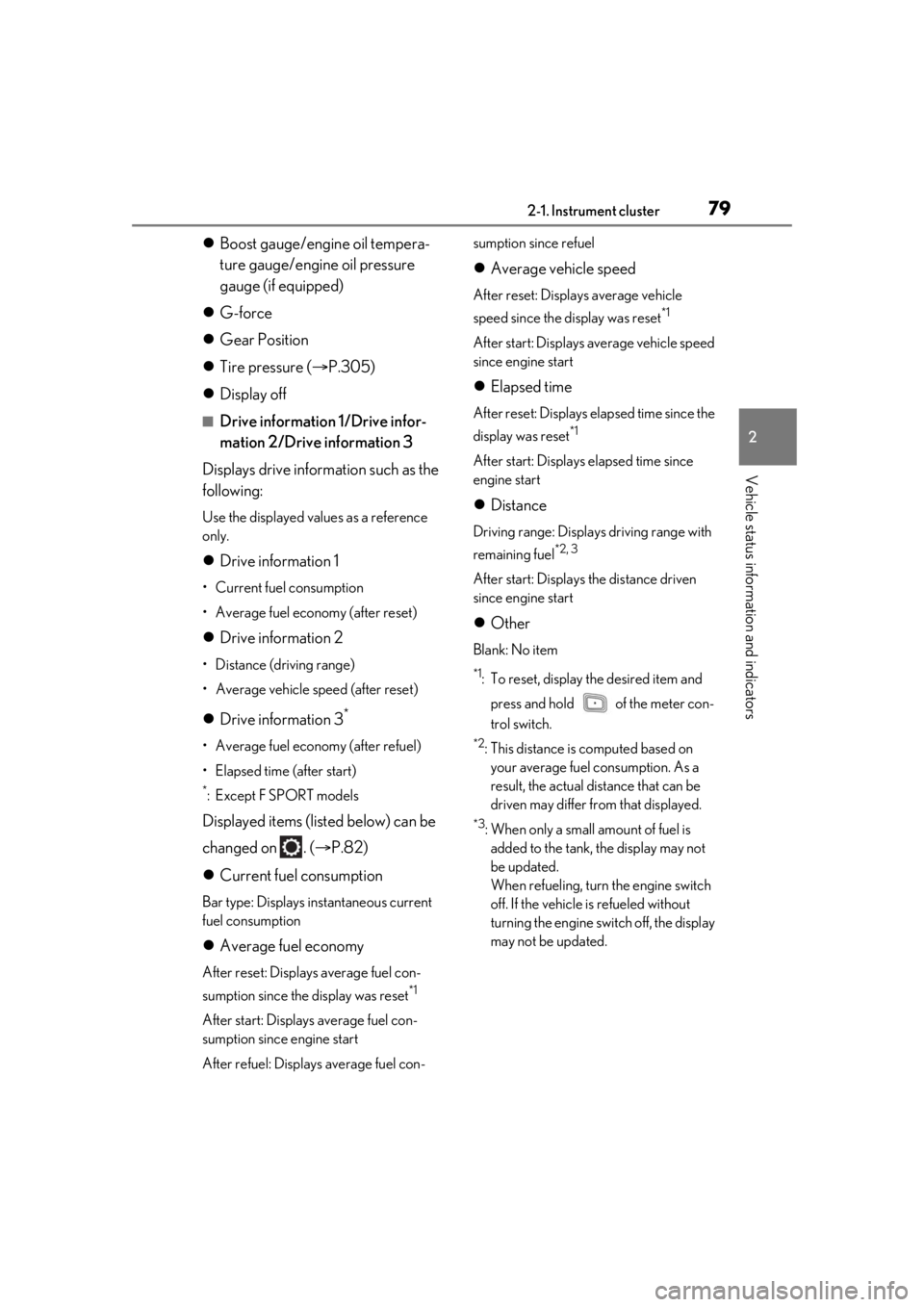
■Drive information 1/Drive infor-
mation 2/Drive information 3
Displays drive information such as the
following:
Use the displayed values as a reference
only.
Drive information 1
• Current fuel consumption
• Average fuel economy (after reset)
Drive information 2
• Distance (driving range)
• Average vehicle speed (after reset)
Drive information 3*
• Average fuel economy (after refuel)
• Elapsed time (after start)
*:Except F SPORT models
Displayed items (listed below) can be
changed on . ( P.82)
Current fuel consumption
Bar type: Displays instantaneous current
fuel consumption
Average fuel economy
After reset: Displays average fuel con-
sumption since the display was reset
*1
After start: Displays average fuel con-
sumption since engine start
After refuel: Displays average fuel con- sumption since refuel
Average vehicle speed
After reset: Displays average vehicle
speed since the display was reset
*1
After start: Displays average vehicle speed
since engine start
Elapsed time
After reset: Displays elapsed time since the
display was reset
*1
After start: Displays elapsed time since
engine start
Distance
Driving range: Displays driving range with
remaining fuel
*2, 3
After start: Displays the distance driven
since engine start
Other
Blank: No item
*1: To reset, display the desired item and
press and hold of the meter con-
trol switch.
*2: This distance is computed based on your average fuel consumption. As a
result, the actual distance that can be
driven may differ from that displayed.
*3: When only a small amount of fuel is added to the tank, the display may not
be updated.
When refueling, turn the engine switch
off. If the vehicle is refueled without
turning the engine switch off, the display
may not be updated.
Page 179 of 436
1794-5. Using the driving support systems
4
Driving
as heavy rain, fog, snow or a sandstorm
• When driving through steam or smoke
• When the surrounding area is dim, such as at dawn or dusk, or while at night or in
a tunnel, making a detectable object
appear to be nearly the same color as its
surroundings
• When driving in a place where the sur- rounding brightness changes suddenly,
such as at the entrance or exit of a tunnel
• After the engine has started the vehicle has not been driven for a certain amount
of time
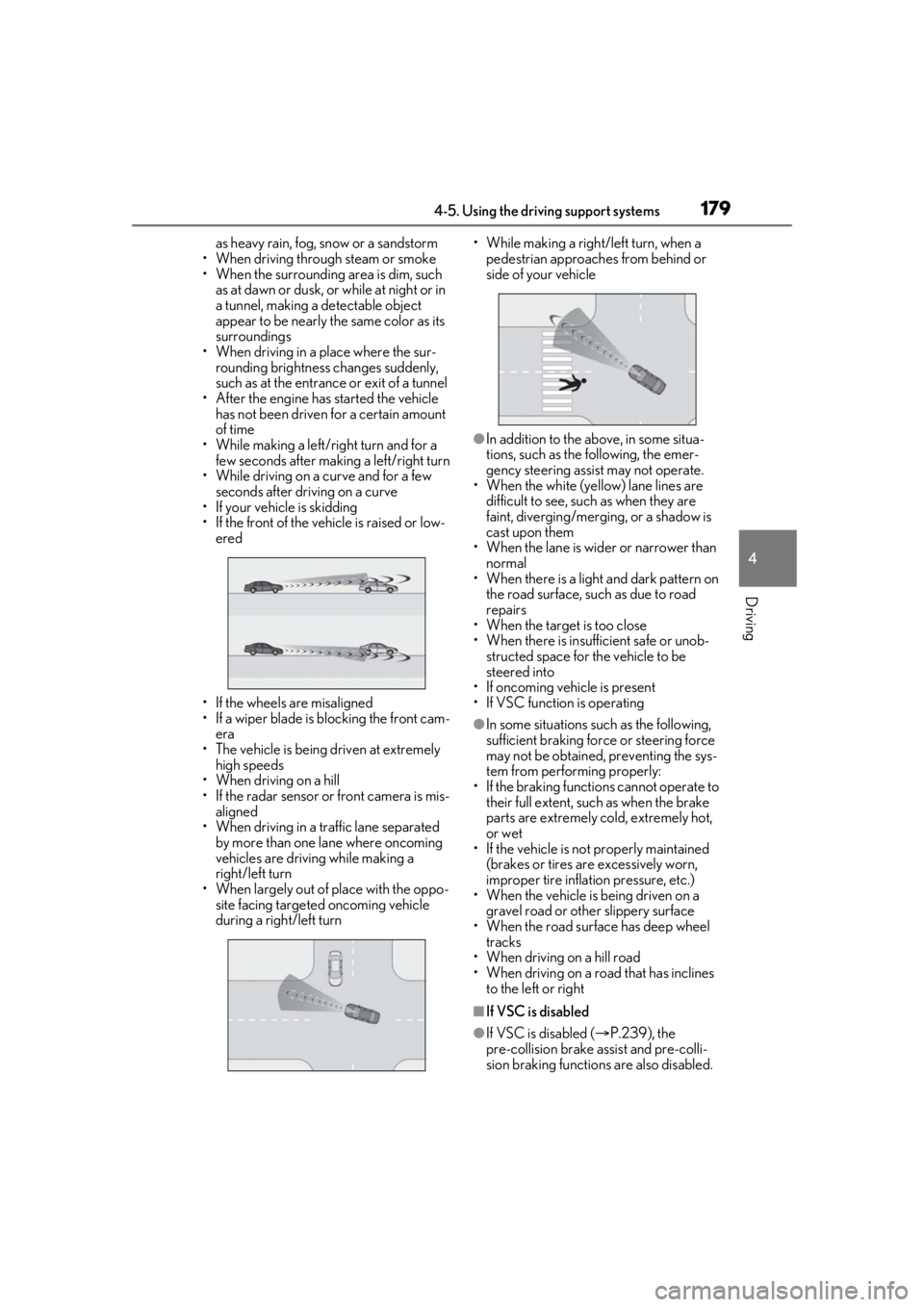
• While making a left/right turn and for a few seconds after makin g a left/right turn
• While driving on a curve and for a few seconds after driving on a curve
• If your vehicle is skidding
• If the front of the vehicle is raised or low-
ered
• If the wheels are misaligned
• If a wiper blade is blocking the front cam- era
• The vehicle is being driven at extremely high speeds
• When driving on a hill
• If the radar sensor or front camera is mis-
aligned
• When driving in a tr affic lane separated
by more than one lane where oncoming
vehicles are driving while making a
right/left turn
• When largely out of place with the oppo- site facing targeted oncoming vehicle
during a right/left turn • While making a right/left turn, when a
pedestrian approaches from behind or
side of your vehicle
●In addition to the above, in some situa-
tions, such as the following, the emer-
gency steering assist may not operate.
• When the white (yellow) lane lines are difficult to see, such as when they are
faint, diverging/merging, or a shadow is
cast upon them
•When the lane is wi der or narrower than
normal
• When there is a light and dark pattern on the road surface, such as due to road
repairs
• When the target is too close
• When there is insuffic ient safe or unob-
structed space for the vehicle to be
steered into
• If oncoming vehicle is present
• If VSC function is operating
●In some situations su ch as the following,
sufficient braking forc e or steering force
may not be obtained, preventing the sys-
tem from performing properly:
• If the braking functions cannot operate to their full extent, such as when the brake
parts are extremely cold, extremely hot,
or wet
• If the vehicle is not properly maintained (brakes or tires are excessively worn,
improper tire inflation pressure, etc.)
• When the vehicle is being driven on a gravel road or other slippery surface
• When the road surface has deep wheel tracks
• When driving on a hill road
• When driving on a road that has inclines
to the left or right
■If VSC is disabled
●If VSC is disabled ( P.239), the
pre-collision brake assist and pre-colli-
sion braking functions are also disabled.
Page 183 of 436
1834-5. Using the driving support systems
4
Driving
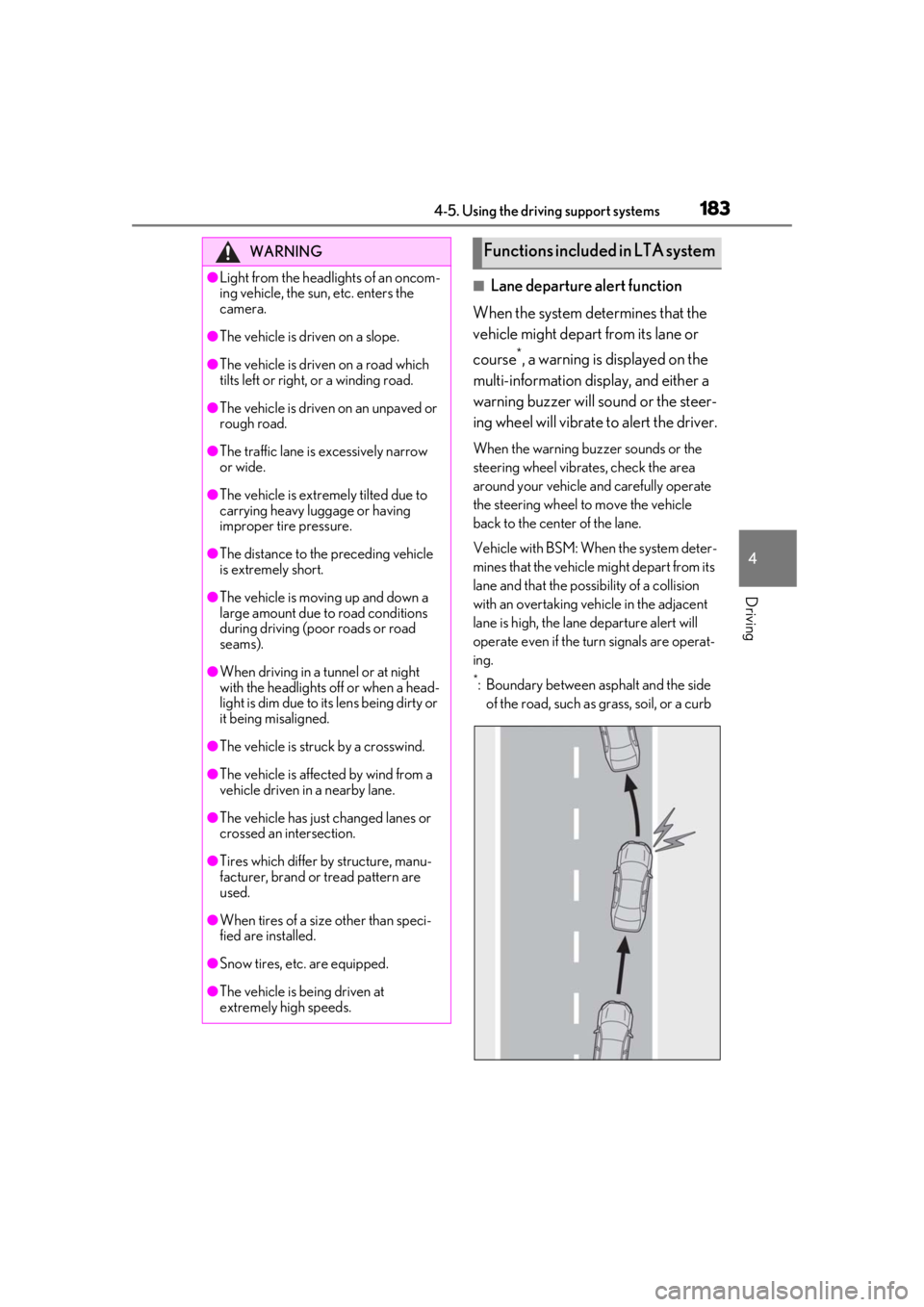
■Lane departure alert function
When the system determines that the
vehicle might depart from its lane or
course
*, a warning is displayed on the
multi-information display, and either a
warning buzzer will sound or the steer-
ing wheel will vibrate to alert the driver.
When the warning buzzer sounds or the
steering wheel vibrates, check the area
around your vehicle and carefully operate
the steering wheel to move the vehicle
back to the center of the lane.
Vehicle with BSM: When the system deter-
mines that the vehicle might depart from its
lane and that the po ssibility of a collision
with an overtaking vehicle in the adjacent
lane is high, the lane departure alert will
operate even if the turn signals are operat-
ing.
*: Boundary between asphalt and the side of the road, such as grass, soil, or a curb
WARNING
●Light from the headlights of an oncom-
ing vehicle, the sun, etc. enters the
camera.
●The vehicle is driven on a slope.
●The vehicle is driven on a road which
tilts left or right, or a winding road.
●The vehicle is driven on an unpaved or
rough road.
●The traffic lane is excessively narrow
or wide.
●The vehicle is extremely tilted due to
carrying heavy luggage or having
improper tire pressure.
●The distance to the preceding vehicle
is extremely short.
●The vehicle is moving up and down a
large amount due to road conditions
during driving (poor roads or road
seams).
●When driving in a tunnel or at night
with the headlights off or when a head-
light is dim due to its lens being dirty or
it being misaligned.
●The vehicle is struck by a crosswind.
●The vehicle is affected by wind from a
vehicle driven in a nearby lane.
●The vehicle has just changed lanes or
crossed an intersection.
●Tires which differ by structure, manu-
facturer, brand or tread pattern are
used.
●When tires of a size other than speci-
fied are installed.
●Snow tires, etc. are equipped.
●The vehicle is being driven at
extremely high speeds.
Functions included in LTA system