battery lexus LC500 2019 / LEXUS 2019 LC 500,LC 500H (OM11471U) User Guide
[x] Cancel search | Manufacturer: LEXUS, Model Year: 2019, Model line: LC500, Model: Lexus LC500 2019Pages: 432, PDF Size: 13.82 MB
Page 72 of 432
721-5. Theft deterrent system
■Alarm-operated door lock
In the following cases, depending on the sit-
uation, the door may automatically lock to
prevent improper entry into the vehicle:
●When a person remaining in the vehicle
unlocks the door and the alarm is acti-
vated.
●While the alarm is activated, a person
remaining in the vehicle unlocks the door.
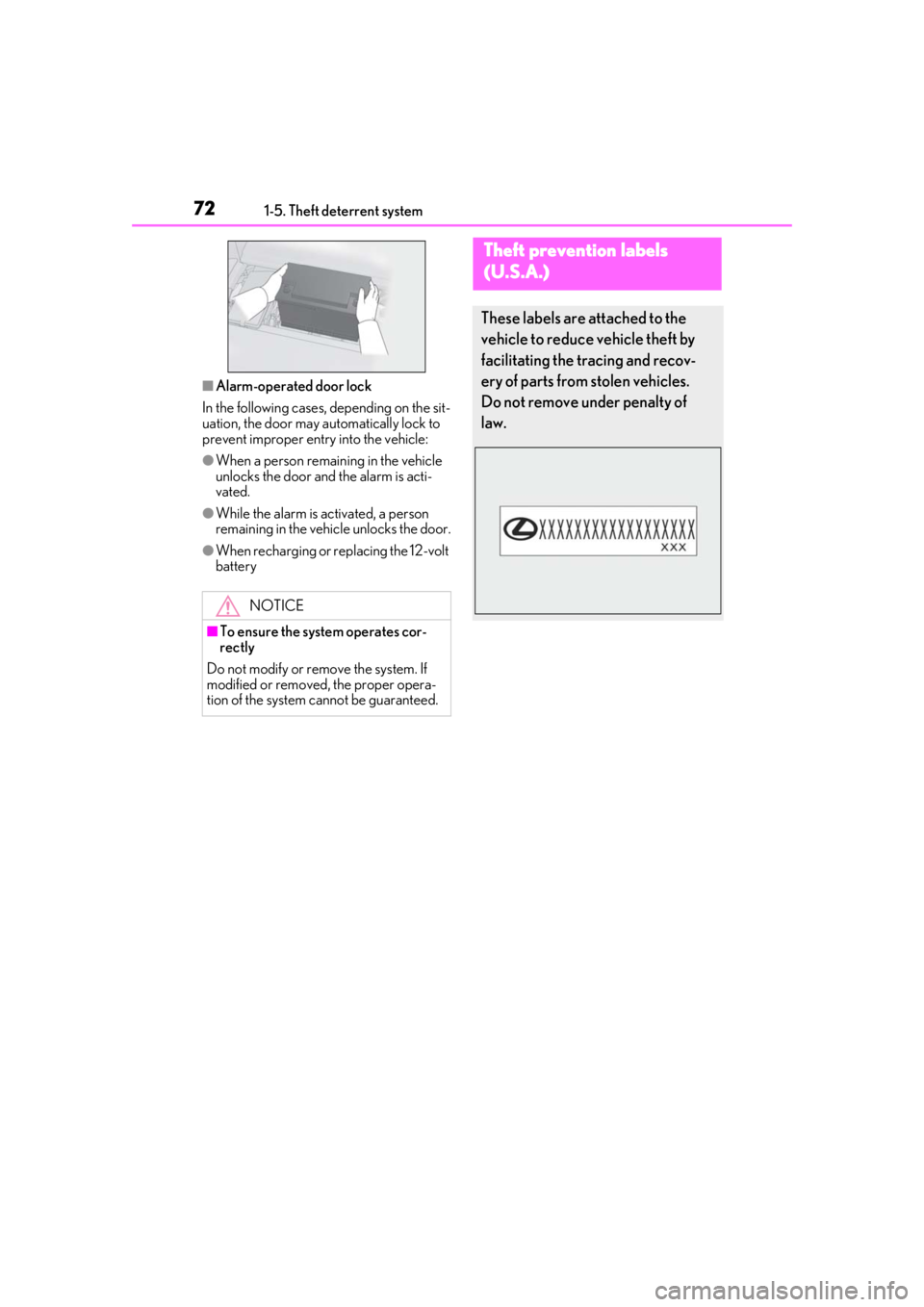
●When recharging or replacing the 12-volt
battery
NOTICE
■To ensure the system operates cor-
rectly
Do not modify or remove the system. If
modified or removed, the proper opera-
tion of the system cannot be guaranteed.
Theft prevention labels
(U.S.A.)
These labels are attached to the
vehicle to reduce vehicle theft by
facilitating the tracing and recov-
ery of parts from stolen vehicles.
Do not remove under penalty of
law.
Page 78 of 432
782-1. Instrument cluster
*6: This light illuminates on the outside rear view mirrors.
*7: This light illuminates on the center panel.
*8: When the outside temperature is approximately 37°F (3°C) or lower, the
indicator will flash for approximately 10
seconds, then stay on.
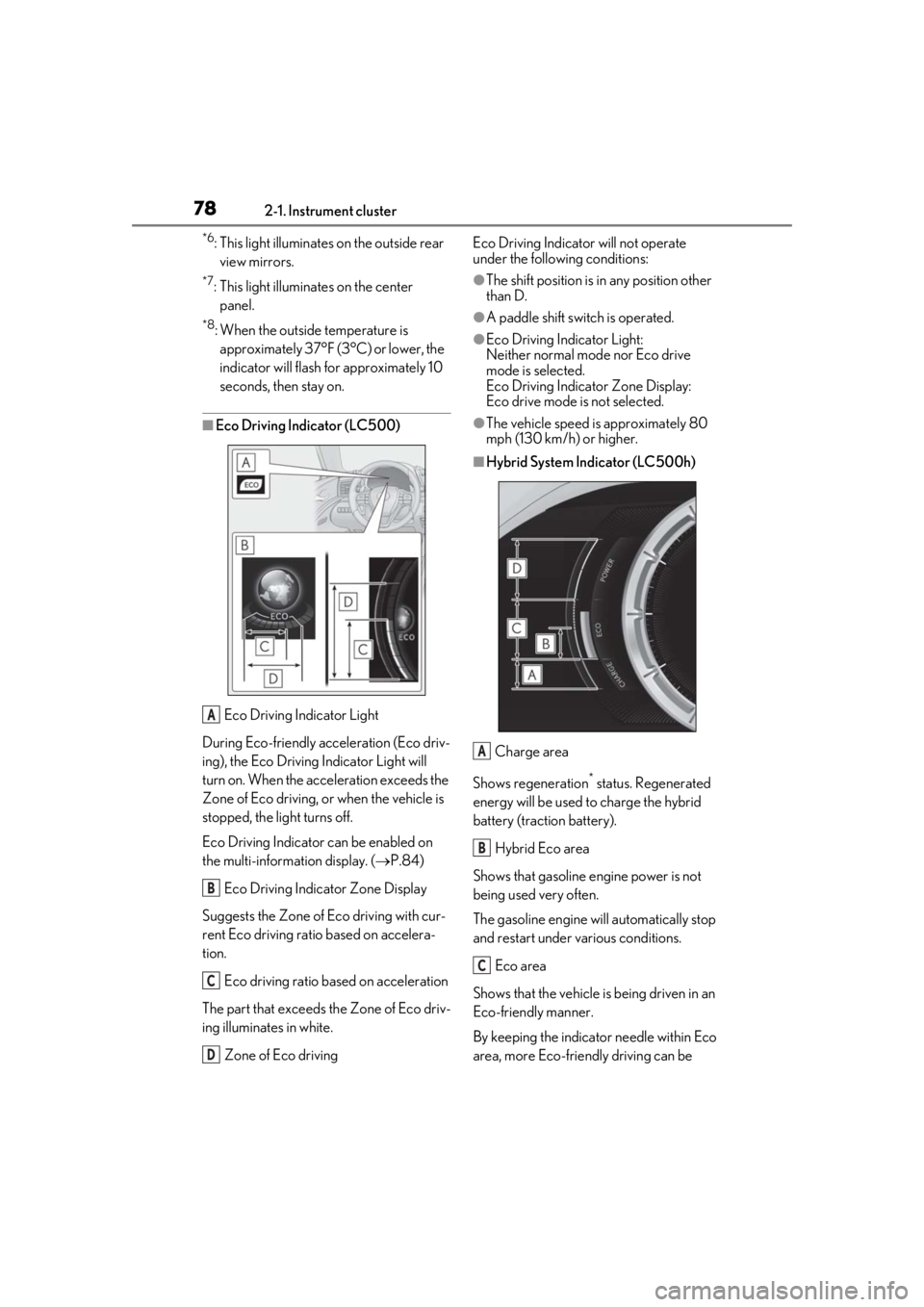
■Eco Driving Indicator (LC500)
Eco Driving Indicator Light
During Eco-friendly acceleration (Eco driv-
ing), the Eco Driving Indicator Light will
turn on. When the acceleration exceeds the
Zone of Eco driving, or when the vehicle is
stopped, the light turns off.
Eco Driving Indicator can be enabled on
the multi-information display. ( P.84)
Eco Driving Indicator Zone Display
Suggests the Zone of Eco driving with cur-
rent Eco driving ratio based on accelera-
tion.
Eco driving ratio based on acceleration
The part that exceeds the Zone of Eco driv-
ing illuminates in white.
Zone of Eco driving Eco Driving Indicator will not operate
under the following conditions:
●The shift position is in any position other
than D.
●A paddle shift swit
ch is operated.
●Eco Driving Indicator Light:
Neither normal mode nor Eco drive
mode is selected.
Eco Driving Indicator Zone Display:
Eco drive mode is not selected.
●The vehicle speed is approximately 80
mph (130 km/h) or higher.
■Hybrid System Indicator (LC500h)
Charge area
Shows regeneration
* status. Regenerated
energy will be used to charge the hybrid
battery (traction battery).
Hybrid Eco area
Shows that gasoline en gine power is not
being used very often.
The gasoline engine will automatically stop
and restart under various conditions.
Eco area
Shows that the vehicle is being driven in an
Eco-friendly manner.
By keeping the indicator needle within Eco
area, more Eco-friend ly driving can be
A
B
C
D
A
B
C
Page 79 of 432
792-1. Instrument cluster
2
Vehicle status information and indicators
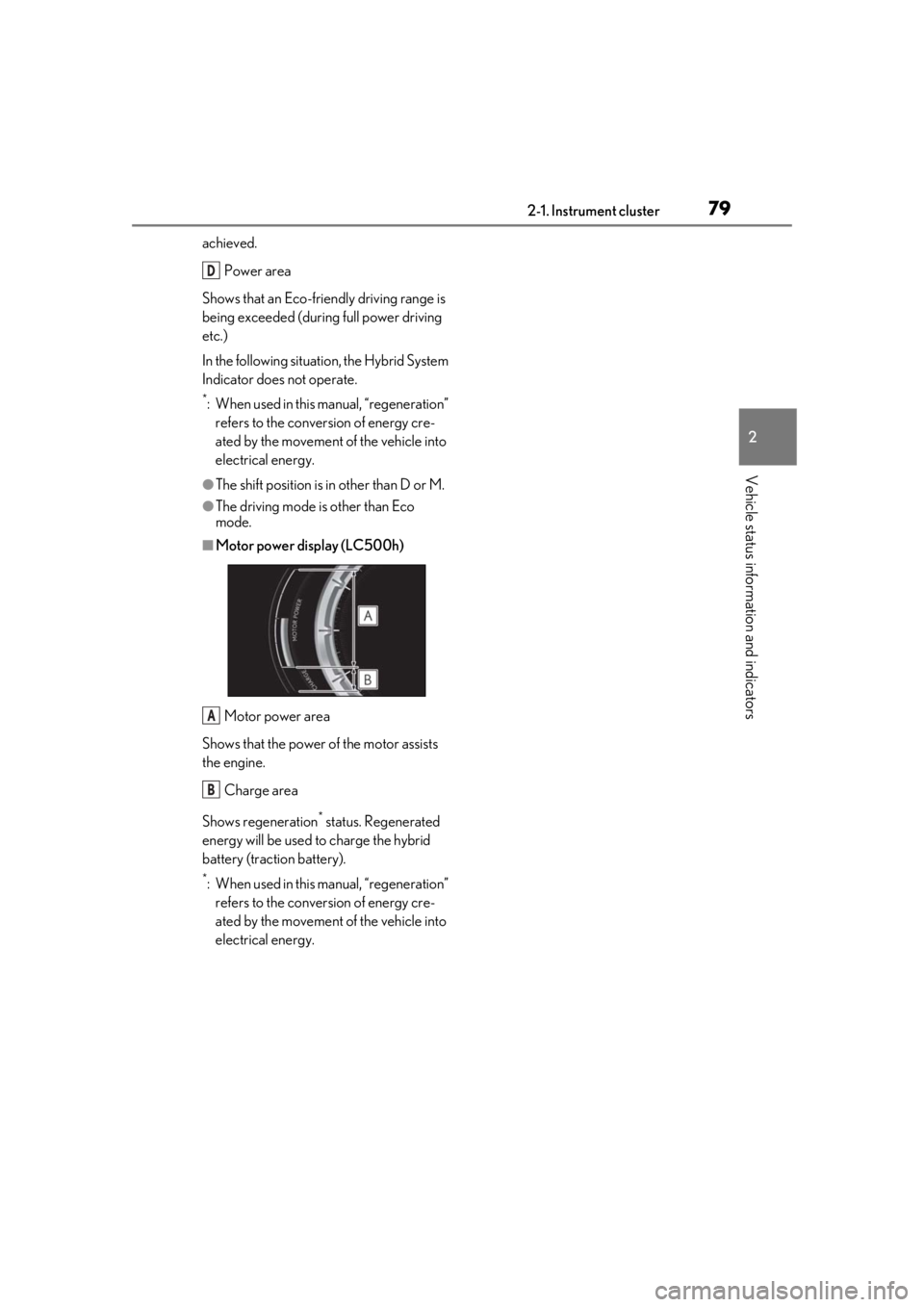
achieved.Power area
Shows that an Eco-frie ndly driving range is
being exceeded (durin g full power driving
etc.)
In the following situation, the Hybrid System
Indicator does not operate.
*: When used in this manual, “regeneration” refers to the conversion of energy cre-
ated by the movement of the vehicle into
electrical energy.
●The shift position is in other than D or M.
●The driving mode is other than Eco
mode.
■Motor power display (LC500h)
Motor power area
Shows that the power of the motor assists
the engine.
Charge area
Shows regeneration
* status. Regenerated
energy will be used to charge the hybrid
battery (traction battery).
*: When used in this manual, “regeneration” refers to the conversion of energy cre-
ated by the movement of the vehicle into
electrical energy.
D
A
B
Page 85 of 432
852-1. Instrument cluster
2
Vehicle status information and indicators
■Opening image display
When the engine switch
in ACCESSORY mode or IGNITION ON
mode
displayed on the multi-information display.
While the opening image is being dis-
played, the meter display cannot be
changed even if the drive mode is changed.
When the start-up display is finished, the
meter display for the currently selected
mode will be displayed.
■When disconnecting and reconnecting
12-volt battery terminals
Record of the maximum G-forces will be
reset.
■Liquid crystal display
P.83
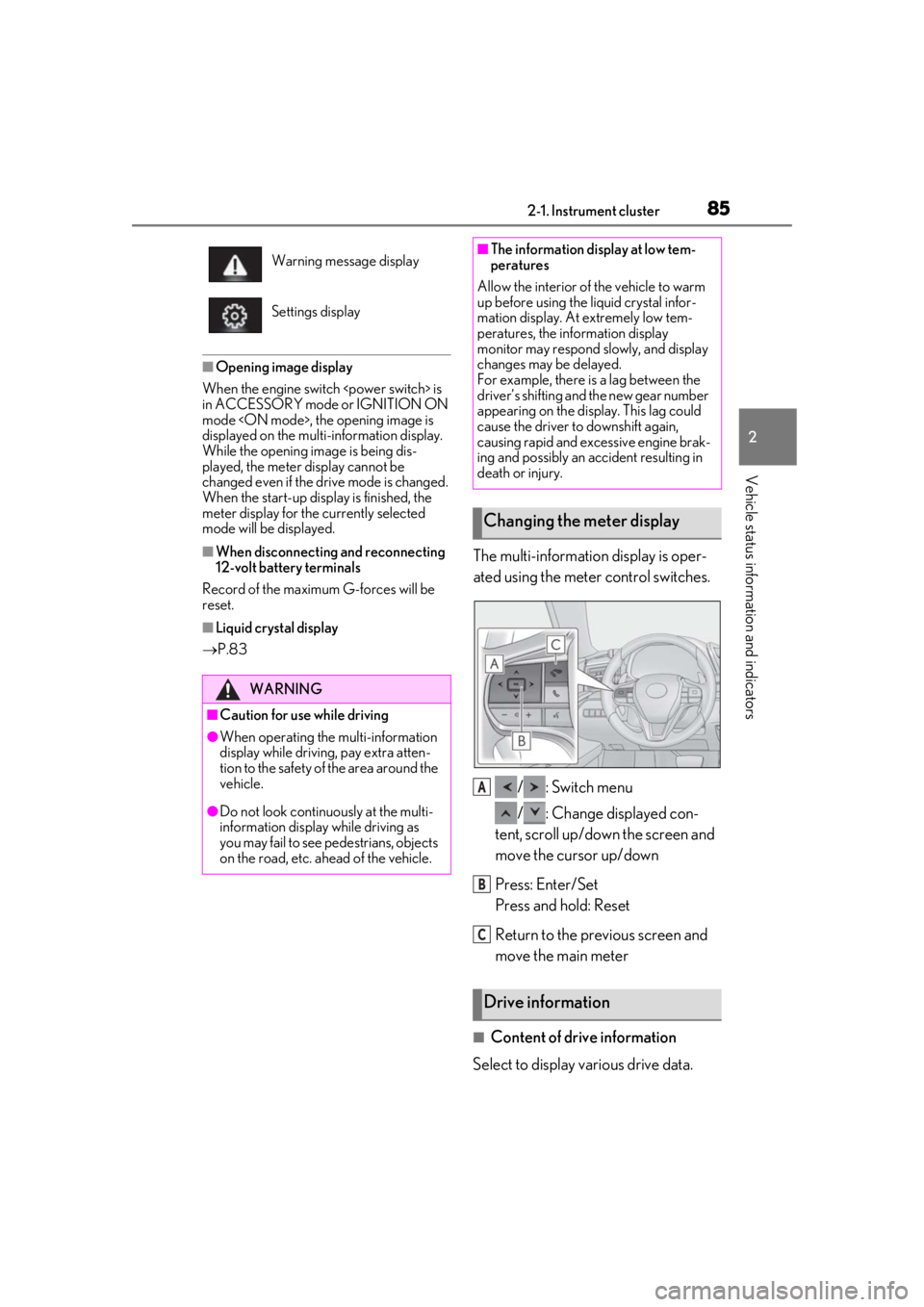
The multi-information display is oper-
ated using the meter control switches.
/ : Switch menu
/ : Change displayed con-
tent, scroll up/down the screen and
move the cursor up/down
Press: Enter/Set
Press and hold: Reset
Return to the previous screen and
move the main meter
■Content of drive information
Select to display various drive data.
Warning message display
Settings display
WARNING
■Caution for use while driving
●When operating the multi-information
display while driving, pay extra atten-
tion to the safety of the area around the
vehicle.
●Do not look continuously at the multi-
information display while driving as
you may fail to see pedestrians, objects
on the road, etc. ahead of the vehicle.
■The information display at low tem-
peratures
Allow the interior of the vehicle to warm
up before using the liquid crystal infor-
mation display. At extremely low tem-
peratures, the information display
monitor may respond slowly, and display
changes may be delayed.
For example, there is a lag between the
driver’s shifting and the new gear number
appearing on the display. This lag could
cause the driver to downshift again,
causing rapid and excessive engine brak-
ing and possibly an accident resulting in
death or injury.
Changing the meter display
Drive information
A
B
C
Page 89 of 432
892-1. Instrument cluster
2
Vehicle status information and indicators
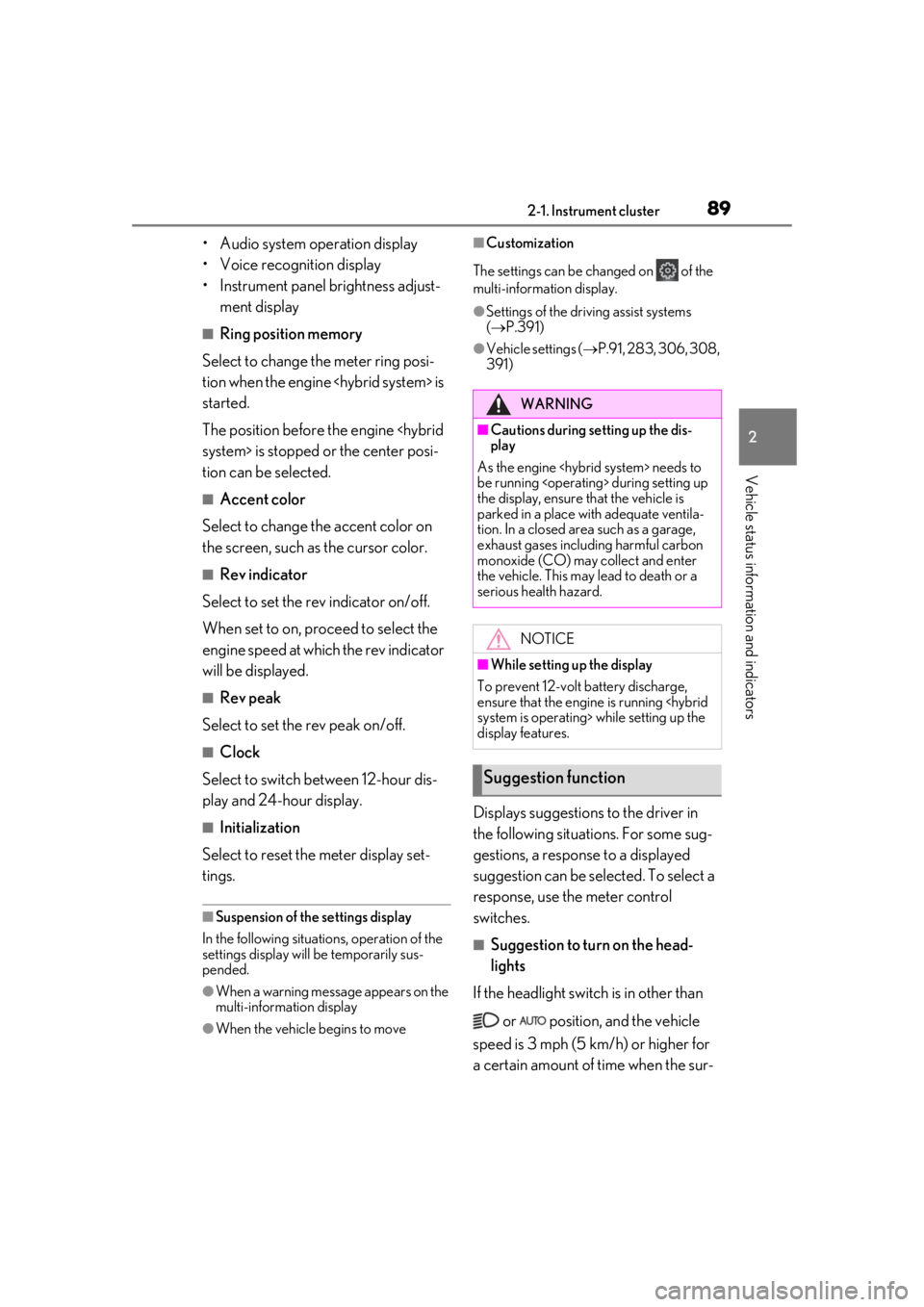
• Audio system operation display
• Voice recognition display
• Instrument panel brightness adjust-ment display
■Ring position memory
Select to change the meter ring posi-
tion when the engine
started.
The position before the engine
tion can be selected.
■Accent color
Select to change the accent color on
the screen, such as the cursor color.
■Rev indicator
Select to set the rev indicator on/off.
When set to on, proceed to select the
engine speed at which the rev indicator
will be displayed.
■Rev peak
Select to set the rev peak on/off.
■Clock
Select to switch between 12-hour dis-
play and 24-hour display.
■Initialization
Select to reset the meter display set-
tings.
■Suspension of the settings display
In the following situations, operation of the
settings display will be temporarily sus-
pended.
●When a warning message appears on the
multi-information display
●When the vehicle begins to move
■Customization
The settings can be changed on of the
multi-information display.
●Settings of the driving assist systems
( P.391)
●Vehicle settings ( P.91, 283, 306, 308,
391)
Displays suggestions to the driver in
the following situations. For some sug-
gestions, a response to a displayed
suggestion can be selected. To select a
response, use the meter control
switches.
■Suggestion to turn on the head-
lights
If the headlight switch is in other than
or position, and the vehicle
speed is 3 mph (5 km/h) or higher for
a certain amount of time when the sur-
WARNING
■Cautions during setting up the dis-
play
As the engine
be running
the display, ensure that the vehicle is
parked in a place with adequate ventila-
tion. In a closed area such as a garage,
exhaust gases including harmful carbon
monoxide (CO) may collect and enter
the vehicle. This may lead to death or a
serious health hazard.
NOTICE
■While setting up the display
To prevent 12-volt battery discharge,
ensure that the engine is running
display features.
Suggestion function
Page 92 of 432
922-1. Instrument cluster
Select to adjust the angle of the head-up
display.
■Head-up display
●The head-up display may seem dark and
hard to see when viewed through sun-
glasses, especially polarized sunglasses.
Adjust the brightness of the head-up dis-
play or remove your sunglasses.
●When the head-up display is turned off, it
will remain off even if the engine switch
SORY mode or IGNITION ON mode
●The startup image will be displayed on
the head-up display after the engine
switch
IGNITION ON mode
the head-up display switch is set to on.
■Display brightness
The brightness of the head-up display can
be adjusted on of the multi-information
display. Also, it is automatically adjusted
according to the ambient brightness.
■Head-up display automatic position
adjustment
If the display position is recorded into mem-
ory, the head-up display will be automati-
cally adjusted to the desired position.
( P.122)
■When the 12-volt battery is discon-
nected
The customize settings of the head-up dis-
play will be reset.
■Customization
Settings (e.g. display) can be changed.
(Customizable features: P.391)
WARNING
■Before using the head-up display
●Check that the position and brightness
of the head-up display image does not
interfere with safe driving. Incorrect
adjustment of the image’s position or
brightness may obstruct the driver’s
view and lead to an accident, resulting
in death or serious injury.
●Do not continuously look at the head-
up display while driving as you may fail
to see pedestrians, objects on the
road, etc. ahead of the vehicle.
■Caution for changing settings of the
head-up display
As the engine needs to be running
while changing the settings of the head-
up display, ensure that the vehicle is
parked in a place with adequate ventila-
tion. In a closed area such as a garage,
exhaust gases including harmful carbon
monoxide (CO) may collect and enter
the vehicle. This may lead to death or a
serious health hazard.
NOTICE
■To prevent damage to components
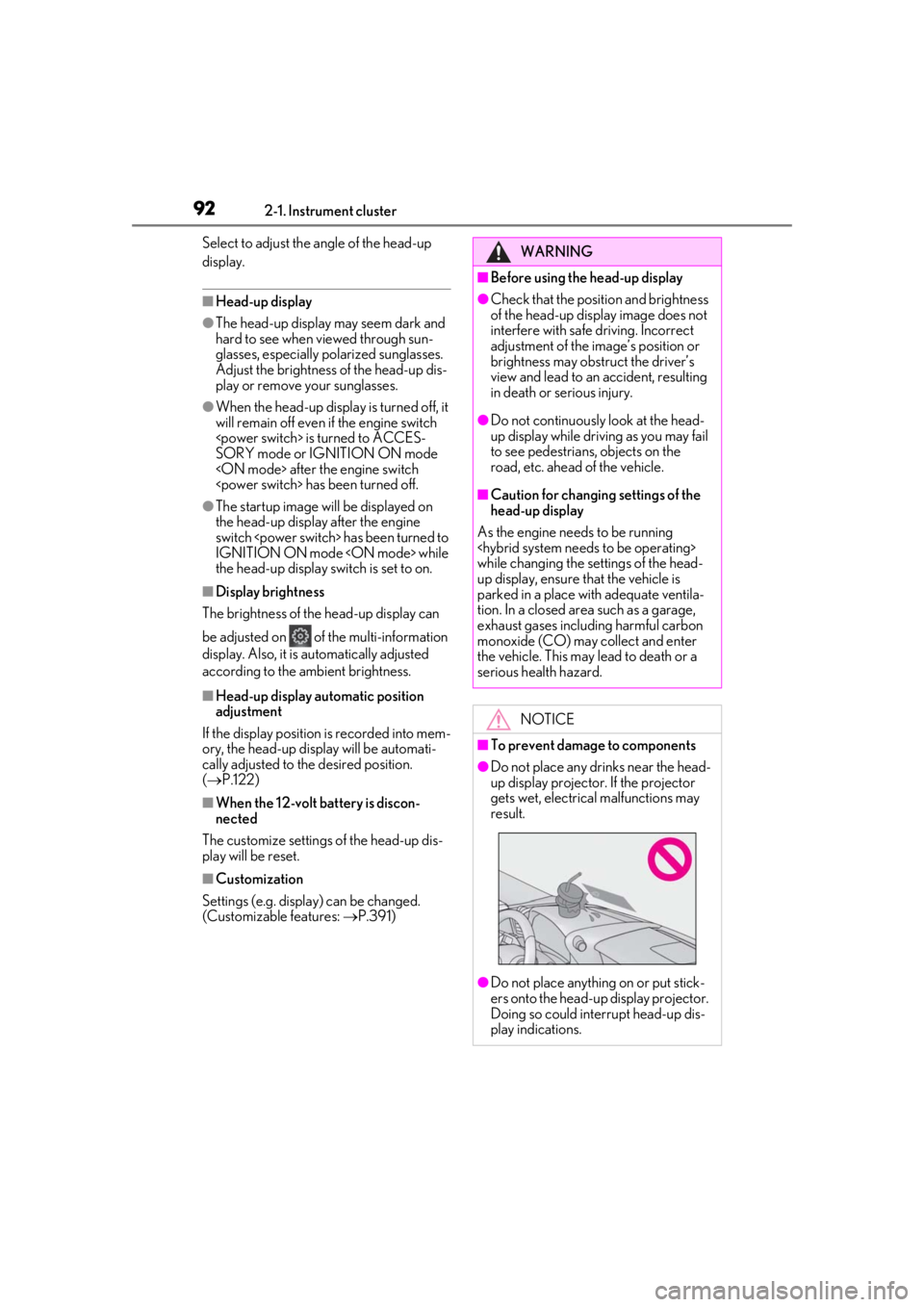
●Do not place any drinks near the head-
up display projector. If the projector
gets wet, electrical malfunctions may
result.
●Do not place anything on or put stick-
ers onto the head-up display projector.
Doing so could interrupt head-up dis-
play indications.
Page 93 of 432
932-1. Instrument cluster
2
Vehicle status information and indicators
Displays the following items in the
appropriate situation:
■Warning/message
Displays the following warning/mes-
sages:
• Master warning message
• Notification message (Dynamic radar cruise control with full-speed
range)
• Other messages
■/ icons
Displays the following multi-informa-
tion display linked icons:
: Master warning icon
Displayed when a warning message is dis-
played on the multi-information display.
( P.344)
: Information icon
Displayed when a suggestion/advice pop-
up display is displayed on the multi-infor-
mation display. ( P.89)
■Hands-free system status
Displayed when the hands-free system
is operated.
■Audio system operation status
Displayed when the audio system is
operated.
■Eco Driving Indicator/tachometer
(LC500)
Displays either of Eco Driving Indica-
tor or the tachometer.
■Hybrid System Indicator/motor
power display/tachometer
(LC500h)
Displays either of Hybrid System Indi-
cator or the tachometer.
Motor power display can be displayed
when Hybrid System Indicator is
selected while the driving mode
( P.213) is other than the Eco drive
mode.
Displays the following items which are
linked to the navigation system:
■Speed limit
Displays the speed limit on the current
road.
■Street name
When the navigation system is per-
forming route guidance, the name of
the next street will be displayed on the
top of the display area.
■Route guidance to destination
Displayed when the navigation system
is performing route guidance. When
approaching an intersection, an arrow
will be displayed to indicate the sug-
NOTICE
●Do not touch the inside of the head-up
display projector or thrust sharp edges
or the like into the projector.
Doing so could cause mechanical mal-
functions.
■When changing the settings of the
head-up display
To prevent battery discharge, ensure that
the engine is running while changing the
settings of the head-up display.
Information display area
Navigation system-linked dis-
play area
Page 97 of 432
972-1. Instrument cluster
2
Vehicle status information and indicators
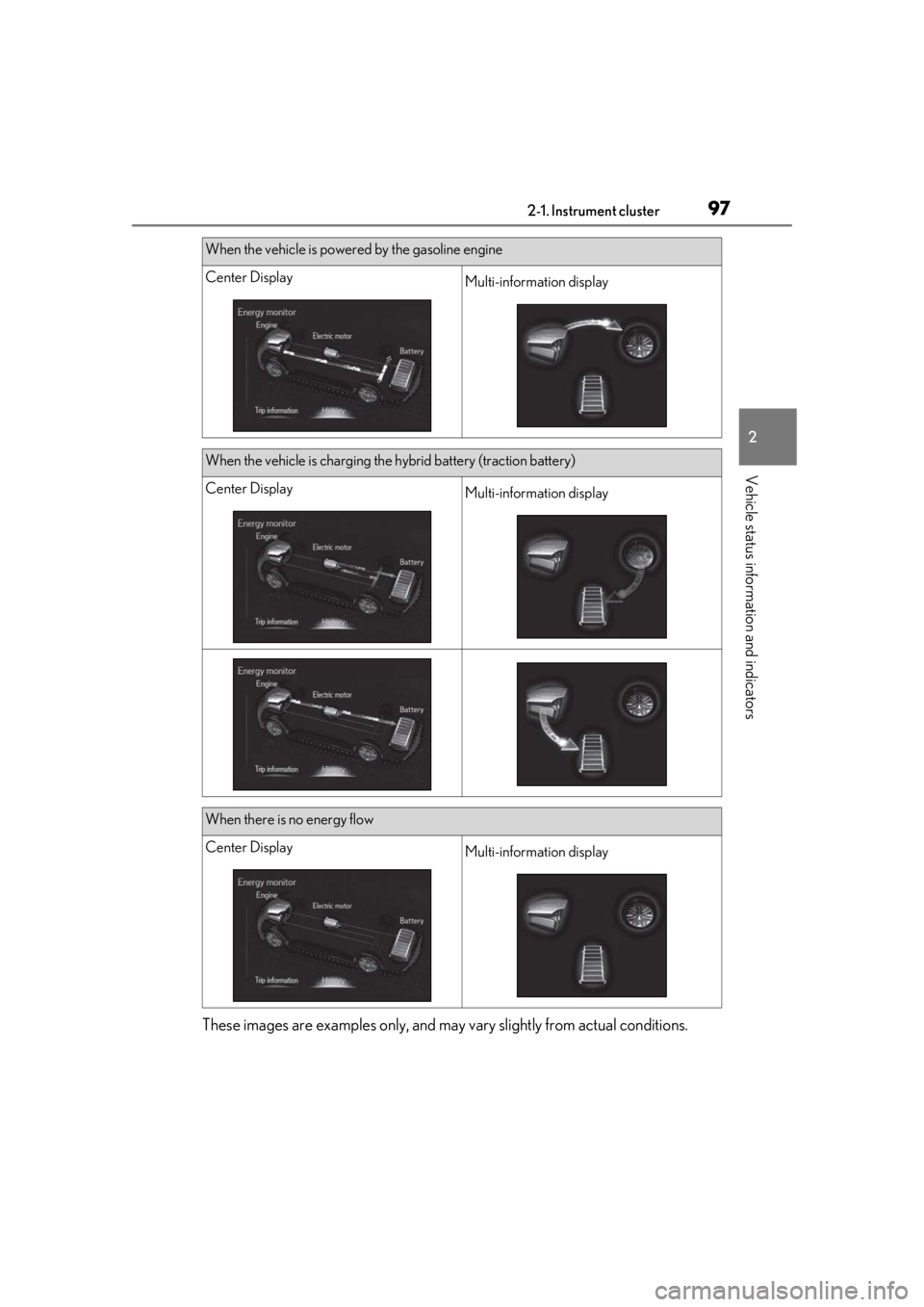
These images are examples only, and may vary slightly from actual conditions.
When the vehicle is powered by the gasoline engine
Center DisplayMulti-information display
When the vehicle is charging the hybrid battery (traction battery)
Center DisplayMulti-information display
When there is no energy flow
Center DisplayMulti-information display
Page 98 of 432
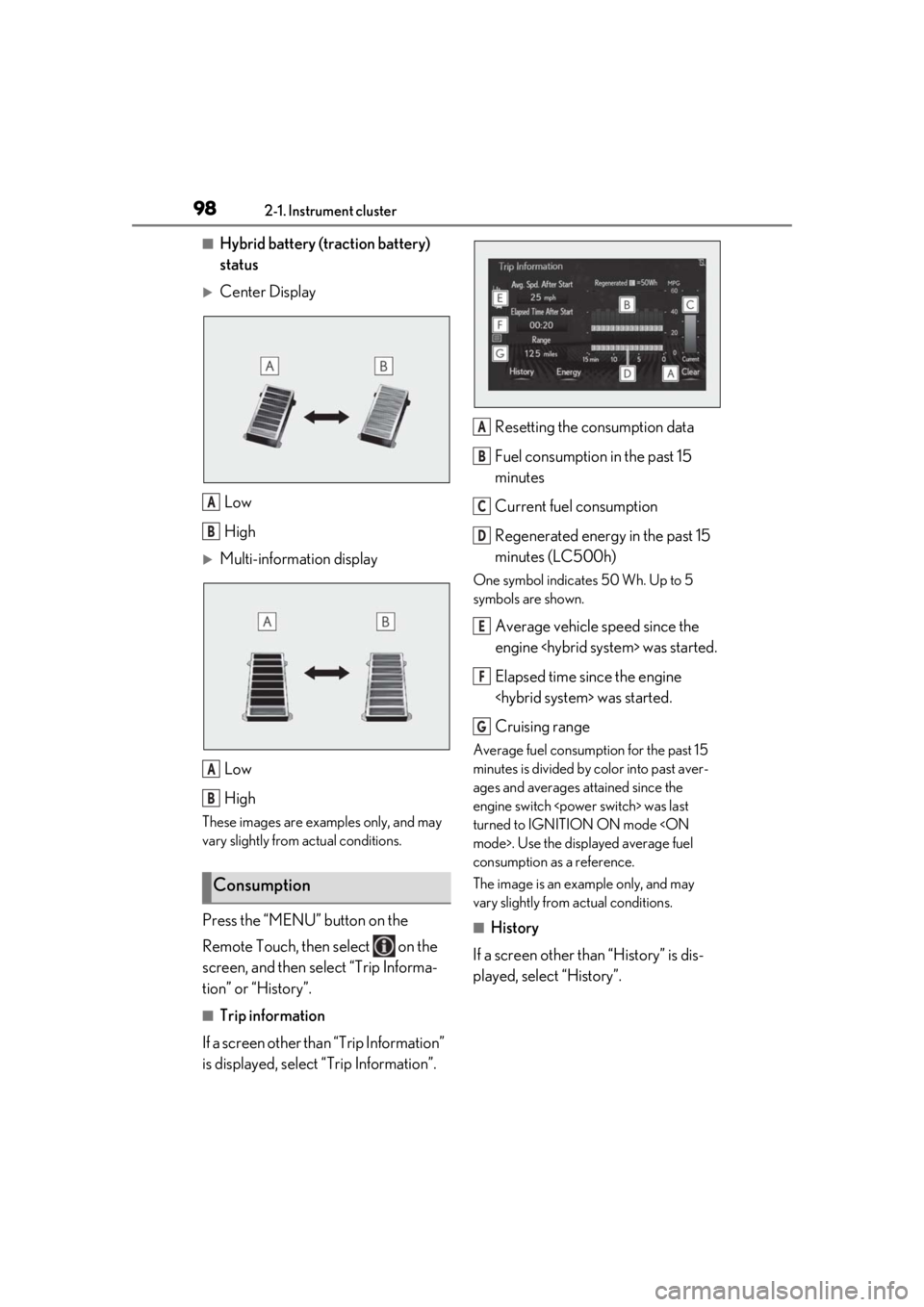
982-1. Instrument cluster
■Hybrid battery (traction battery)
status
Center DisplayLow
High
Multi-information displayLow
High
These images are examples only, and may
vary slightly from actual conditions.
Press the “MENU” button on the
Remote Touch, then select on the
screen, and then select “Trip Informa-
tion” or “History”.
■Trip information
If a screen other than “Trip Information”
is displayed, select “Trip Information”. Resetting the consumption data
Fuel consumption in the past 15
minutes
Current fuel consumption
Regenerated energy in the past 15
minutes (LC500h)
One symbol indicates 50 Wh. Up to 5
symbols are shown.
Average vehicle speed since the
engine
Elapsed time since the engine
Cruising range
Average fuel consumption for the past 15
minutes is divided by color into past aver-
ages and averages attained since the
engine switch
turned to IGNITION ON mode
consumption as a reference.
The image is an example only, and may
vary slightly from actual conditions.
■History
If a screen other than “History” is dis-
played, select “History”.
Consumption
A
B
A
B
A
B
C
D
E
F
G
Page 102 of 432
1023-1. Key information
3-1.Key information
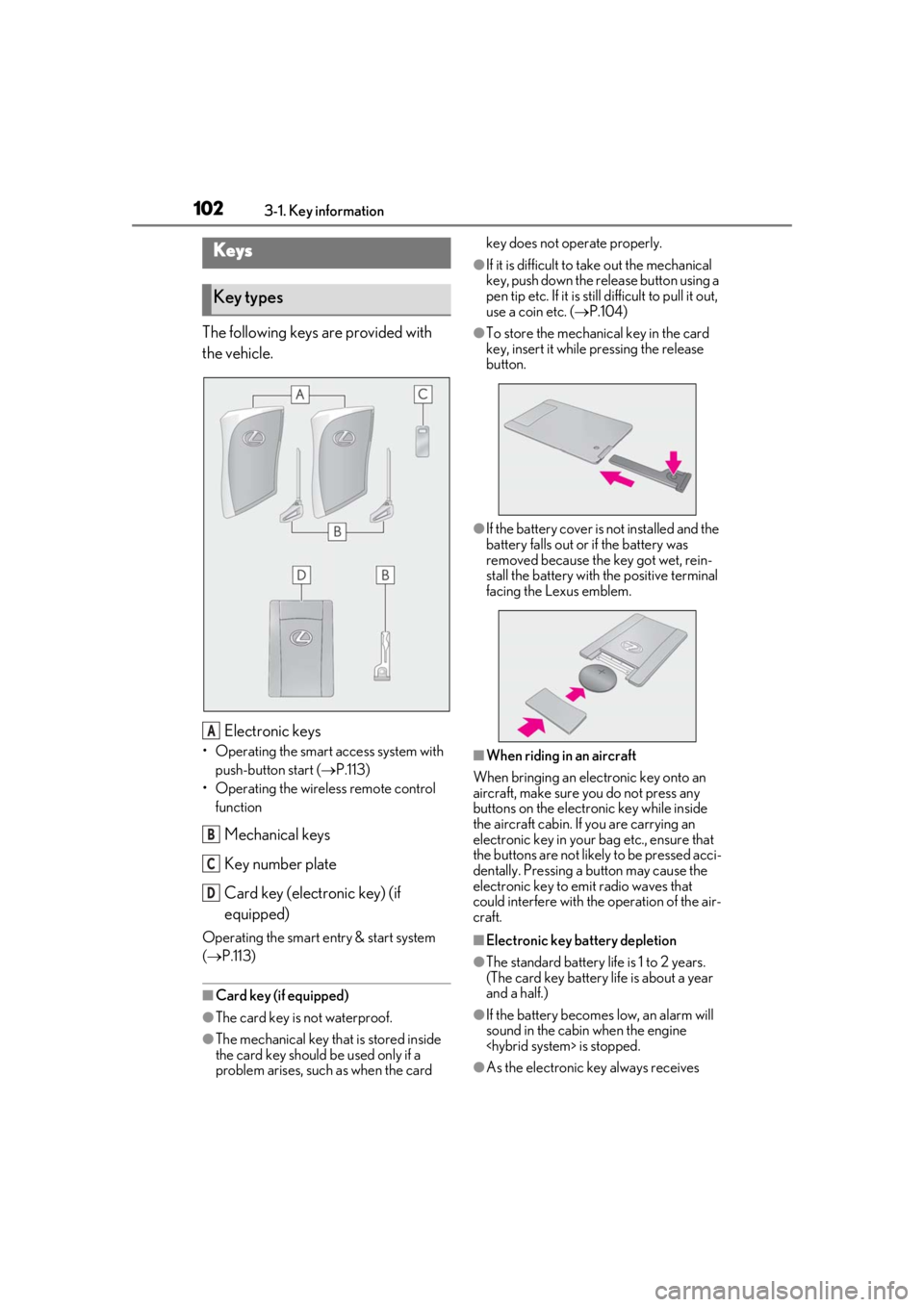
The following keys are provided with
the vehicle.
Electronic keys
• Operating the smart access system with push-button start ( P.113)
• Operating the wireless remote control function
Mechanical keys
Key number plate
Card key (electronic key) (if
equipped)
Operating the smart entry & start system
( P.113)
■Card key (if equipped)
●The card key is not waterproof.
●The mechanical key that is stored inside
the card key should be used only if a
problem arises, such as when the card key does not operate properly.
●If it is difficult to take out the mechanical
key, push down the release button using a
pen tip etc. If it is still difficult to pull it out,
use a coin etc. (
P.104)
●To store the mechanical key in the card
key, insert it while pressing the release
button.
●If the battery cover is not installed and the
battery falls out or if the battery was
removed because the key got wet, rein-
stall the battery with the positive terminal
facing the Lexus emblem.
■When riding in an aircraft
When bringing an electronic key onto an
aircraft, make sure you do not press any
buttons on the electronic key while inside
the aircraft cabin. If you are carrying an
electronic key in your bag etc., ensure that
the buttons are not likely to be pressed acci-
dentally. Pressing a button may cause the
electronic key to emit radio waves that
could interfere with the operation of the air-
craft.
■Electronic key battery depletion
●The standard battery life is 1 to 2 years.
(The card key battery life is about a year
and a half.)
●If the battery becomes low, an alarm will
sound in the cabin when the engine
●As the electronic key always receives
Keys
Key types
A
B
C
D