phone lexus LC500 2019 / LEXUS 2019 LC 500,LC 500H QUICK GUIDE (OM11489U) User Guide
[x] Cancel search | Manufacturer: LEXUS, Model Year: 2019, Model line: LC500, Model: Lexus LC500 2019Pages: 114, PDF Size: 2.38 MB
Page 89 of 114
89
LC500_LC500h_QG_OM11489U_(U)
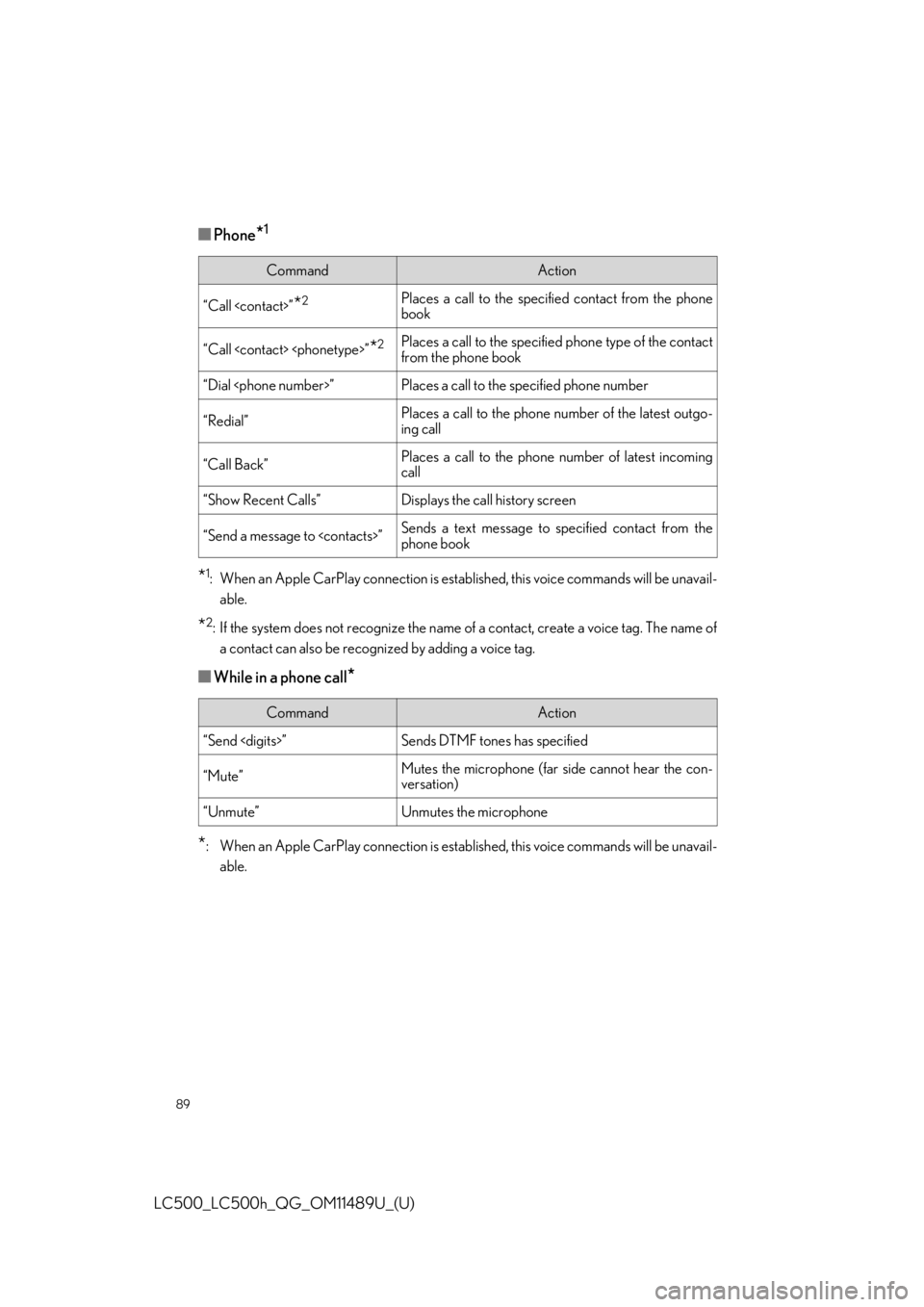
■Phone*1
*1: When an Apple CarPlay connection is established, this voice commands will be unavail-able.
*2: If the system does not recognize the name of a contact, create a voice tag. The name ofa contact can also be recognized by adding a voice tag.
■While in a phone call*
*
: When an Apple CarPlay connection is established, this voice commands will be unavail- able.
CommandAction
“Call
book
“Call
from the phone book
“Dial
“Redial”Places a call to the phone number of the latest outgo-
ing call
“Call Back”Places a call to the phone number of latest incoming
call
“Show Recent Calls”Displays the call history screen
“Send a message to
phone book
CommandAction
“Send
“Mute”Mutes the microphone (far side cannot hear the con-
versation)
“Unmute”Unmutes the microphone
Page 90 of 114
90
LC500_LC500h_QG_OM11489U_(U)
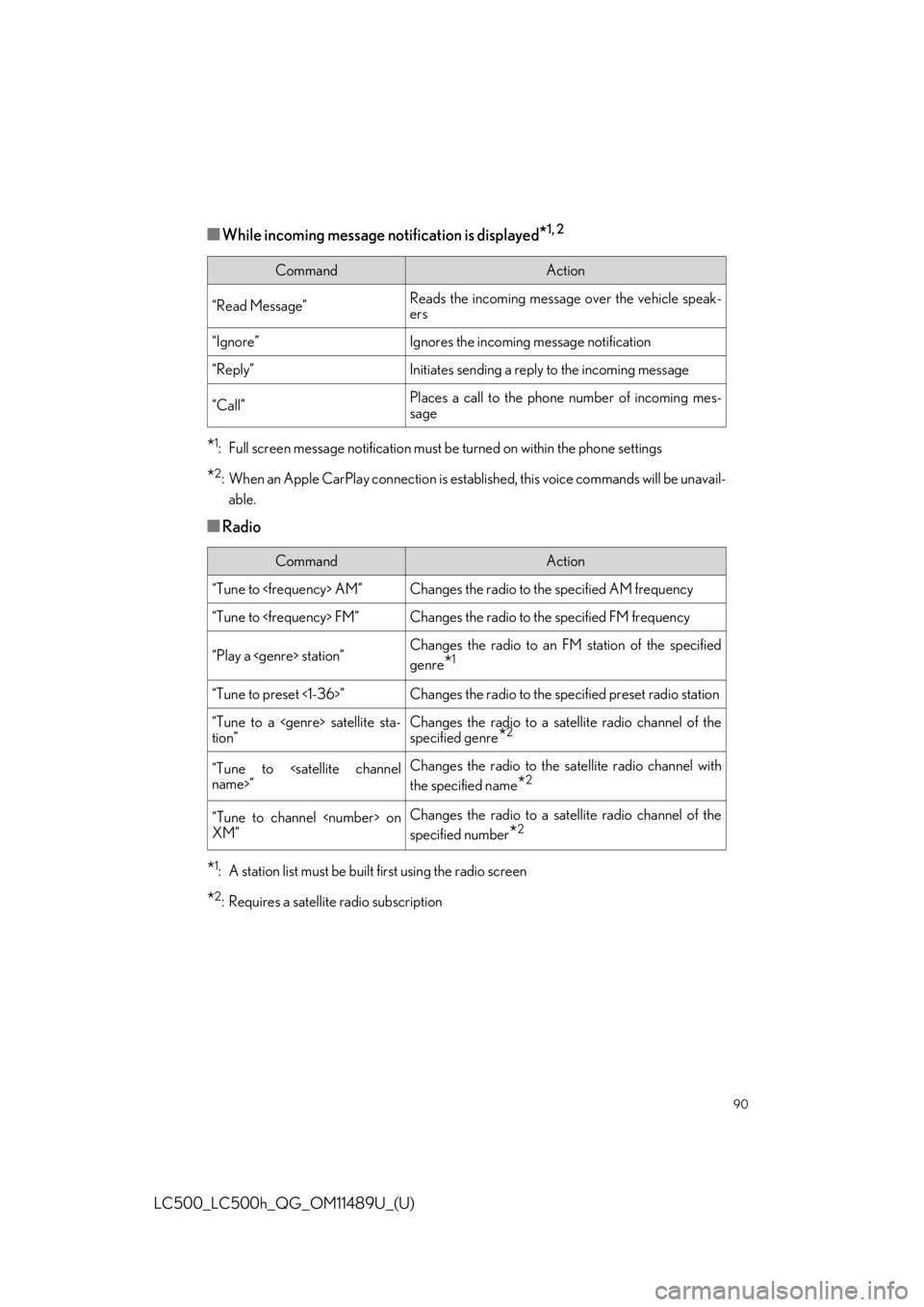
■While incoming message notification is displayed*1, 2
*1: Full screen message notification must be turned on within the phone settings
*2: When an Apple CarPlay connection is establis hed, this voice commands will be unavail-
able.
■Radio
*1: A station list must be built first using the radio screen
*2: Requires a satellite radio subscription
CommandAction
“Read Message”Reads the incoming message over the vehicle speak-
ers
“Ignore”Ignores the incoming message notification
“Reply”Initiates sending a reply to the incoming message
“Call”Places a call to the phone number of incoming mes-
sage
CommandAction
“Tune to
“Tune to
“Play a
genre
*1
“Tune to preset <1-36>”Changes the radio to the specified preset radio station
“Tune to a
tion”Changes the radio to a satellite radio channel of the
specified genre
*2
“Tune to
the specified name
*2
“Tune to channel
XM”Changes the radio to a satellite radio channel of the
specified number
*2
Page 98 of 114
98
LC500_LC500h_QG_OM11489U_(U)
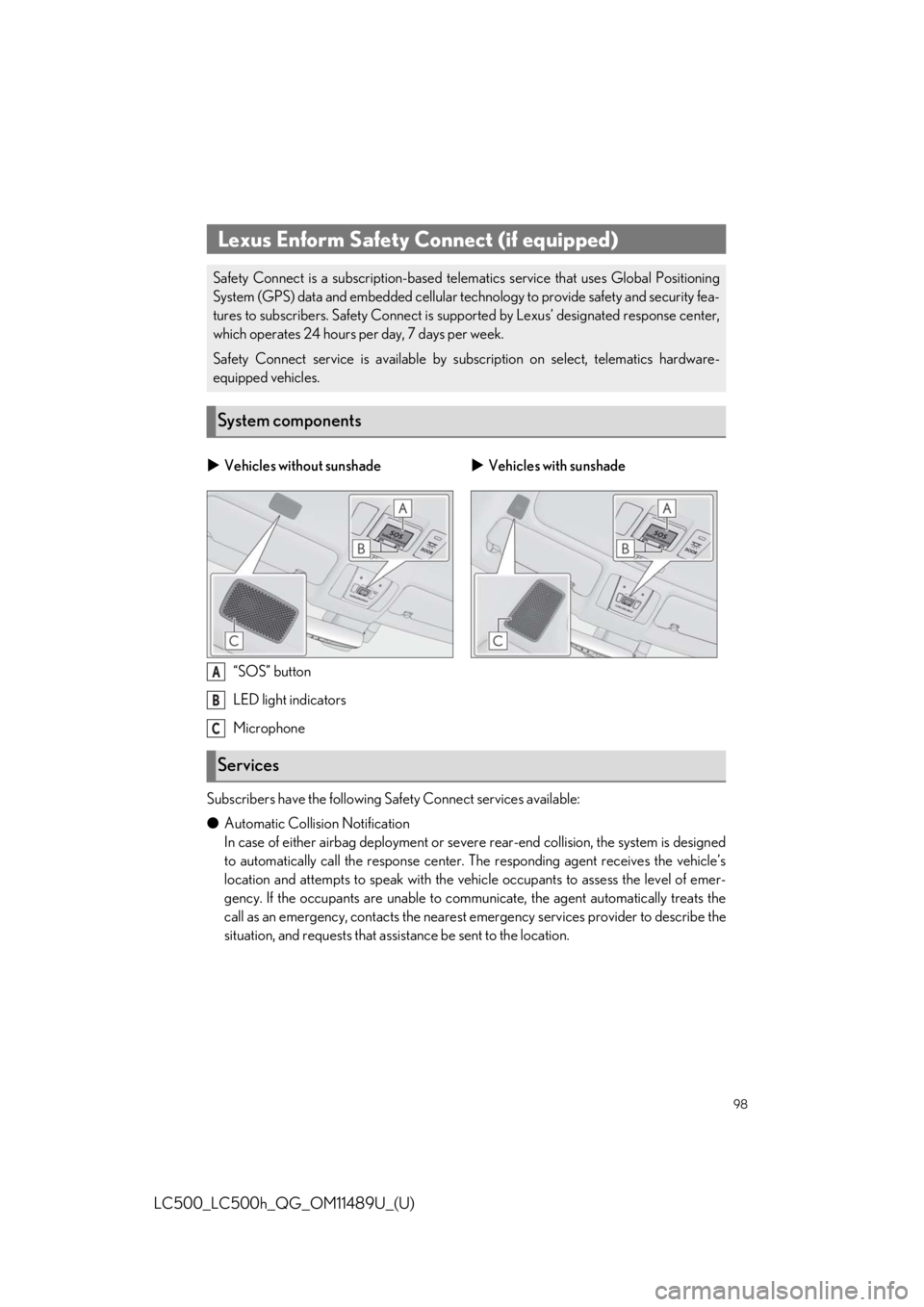
“SOS” button
LED light indicators
Microphone
Subscribers have the following Safety Connect services available:
● Automatic Collision Notification
In case of either airbag deployment or severe rear-end collision, the system is designed
to automatically call the response center. The responding agent receives the vehicle’s
location and attempts to speak with the vehicle occupants to assess the level of emer-
gency. If the occupants are unable to communicate, the agent automatically treats the
call as an emergency, contacts the nearest em ergency services provider to describe the
situation, and requests that assi stance be sent to the location.
Lexus Enform Safety Connect (if equipped)
Safety Connect is a subscription-based telema tics service that uses Global Positioning
System (GPS) data and embedded cellular technology to provide safety and security fea-
tures to subscribers. Safety Connect is supp orted by Lexus’ designated response center,
which operates 24 hours per day, 7 days per week.
Safety Connect service is av ailable by subscription on select, telematics hardware-
equipped vehicles.
System components
Vehicles without sunshade Vehicles with sunshade
Services
A
B
C
Page 100 of 114
100
LC500_LC500h_QG_OM11489U_(U)
After you sign the Telematics Subscription Service Agreement, download the Lexus Enform
Remote app from your smart phone’s app store, and register within the app (or enroll and
complete registration at the dealer), you can begin using these services.
A variety of subscription terms are available. Contact your Lexus dealer, or call 1-800-25-
LEXUS (1-800-255-3987) for further subscription details.
Lexus Enform Remote (if equipped)
Lexus Enform Remote is a smart phone applic ation that lets you view and remotely con-
trol certain aspects of your vehicle.
For details about the functions and services of this application, refer to
www.lexus.com/enform/
.
Function of the Lexus Enform Remote is achieved by using DCM (Data Communication
Module).
Subscription