battery lexus LC500C 2021 Owner's Manual / LEXUS 2021 LC500 CONVERTIBLE OWNER'S MANUAL (OM11498U)
[x] Cancel search | Manufacturer: LEXUS, Model Year: 2021, Model line: LC500C, Model: Lexus LC500C 2021Pages: 410, PDF Size: 8.71 MB
Page 1 of 410

LC500_OM_OM11498U_(U)
1
2
3
4
5
6
7
8
9
Pictorial indexSearch by illustration
For safety
and securityMake sure to read through them
(Main topics: Child seat, theft deterrent system)
Vehicle status
information and
indicatorsReading driving-related information
(Main topics: Meters, multi-information display)
Before drivingOpening and closing the doors and windows,
adjustment before driving
(Main topics: Keys, doors, seats)
DrivingOperations and advice which are necessary for driving
(Main topics: Starting engine, refueling)
Interior featuresUsage of the interior features
(Main topics: Air conditioner, storage features)
Maintenance
and careCaring for your vehicle and maintenance procedures
(Main topics: Interior and exterior, light bulbs)
When trouble
arisesWhat to do in case of malfunction and emergency
(Main topics: Battery discharge, flat tire)
Vehicle
specificationsVehicle specifications, customizable features
(Main topics: Fuel, oil, tire inflation pressure)
For ownersReporting safety defects for U.S. owners, and seat belt,
SRS airbag and headlight aim instructions for Canadian
owners
IndexSearch by symptom
Search alphabetically
Page 3 of 410
3TABLE OF CONTENTS
1
2
3
4
5
6
7
8
9
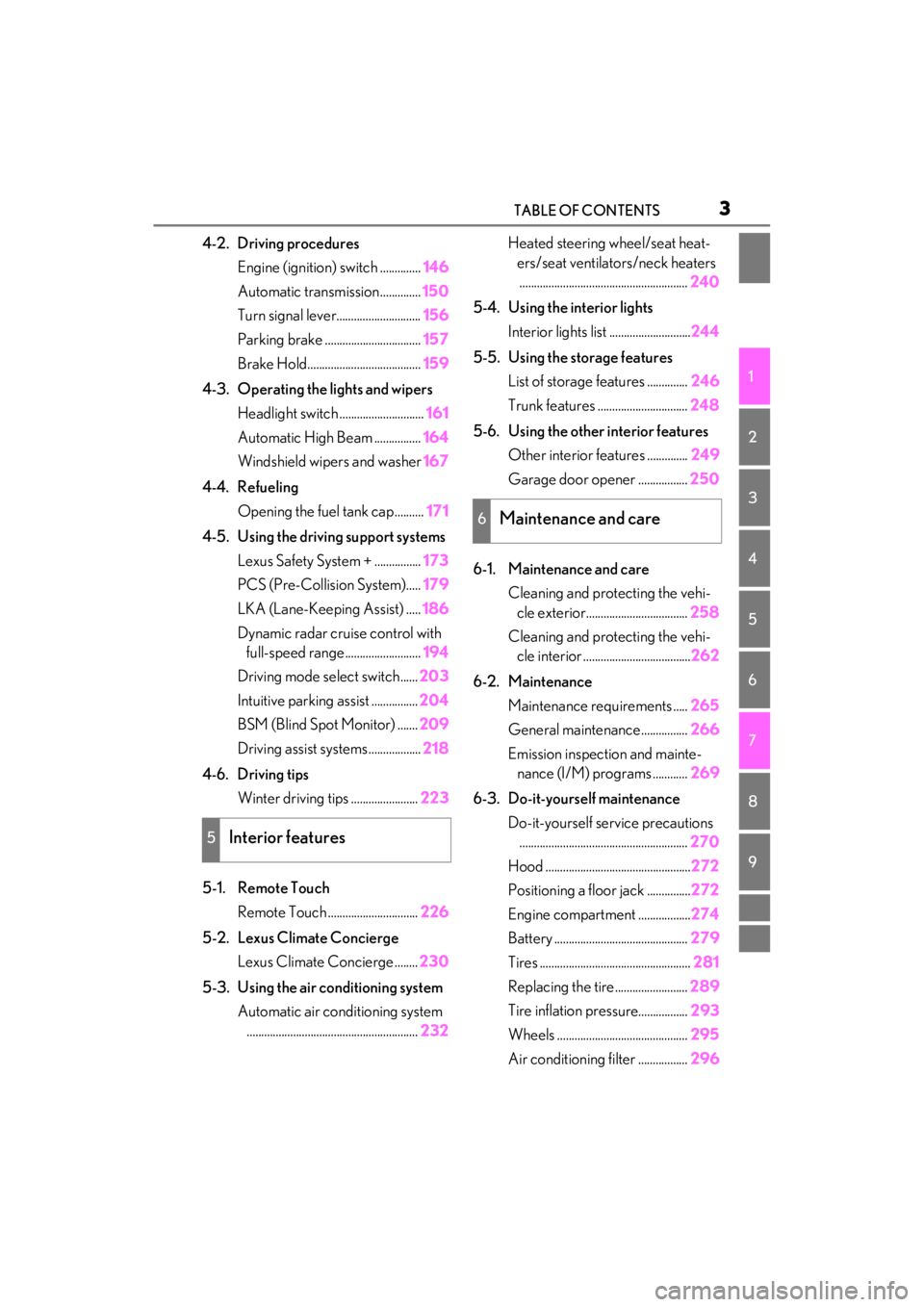
4-2. Driving proceduresEngine (ignition) switch .............. 146
Automatic transmission.............. 150
Turn signal lever............................. 156
Parking brake ................................. 157
Brake Hold....................................... 159
4-3. Operating the lights and wipers Headlight switch ............................. 161
Automatic High Beam ................ 164
Windshield wipers and washer 167
4-4. Refueling Opening the fuel tank cap.......... 171
4-5. Using the driving support systems Lexus Safety System + ................ 173
PCS (Pre-Collision System)..... 179
LKA (Lane-Keeping Assist) ..... 186
Dynamic radar crui se control with
full-speed range.......................... 194
Driving mode select switch...... 203
Intuitive parking assist ................ 204
BSM (Blind Spot Monitor) ....... 209
Driving assist systems .................. 218
4-6. Driving tips Winter driving tips ....................... 223
5-1. Remote Touch Remote Touch ............................... 226
5-2. Lexus Climate Concierge Lexus Climate Concierge ........ 230
5-3. Using the air conditioning system Automatic air conditioning system........................................................... 232Heated steering wheel/seat heat-
ers/seat ventilators/neck heaters.......................................................... 240
5-4. Using the interior lights Interior lights list ............................ 244
5-5. Using the storage features List of storage features .............. 246
Trunk features ............................... 248
5-6. Using the other interior features Other interior features .............. 249
Garage door opener ................. 250
6-1. Maintenance and care Cleaning and protecting the vehi-cle exterior................................... 258
Cleaning and protecting the vehi- cle interior ..................................... 262
6-2. Maintenance Maintenance re quirements .....265
General maintenance................ 266
Emission inspection and mainte- nance (I/M) programs ............ 269
6-3. Do-it-yourself maintenance Do-it-yourself service precautions.......................................................... 270
Hood .................................................. 272
Positioning a floor jack ............... 272
Engine compartment .................. 274
Battery .............................................. 279
Tires .................................................... 281
Replacing the tire......................... 289
Tire inflation pres
sure.................293
Wheels ............................................. 295
Air conditioning filter ................. 296
5Interior features
6Maintenance and care
Page 4 of 410
4TABLE OF CONTENTS
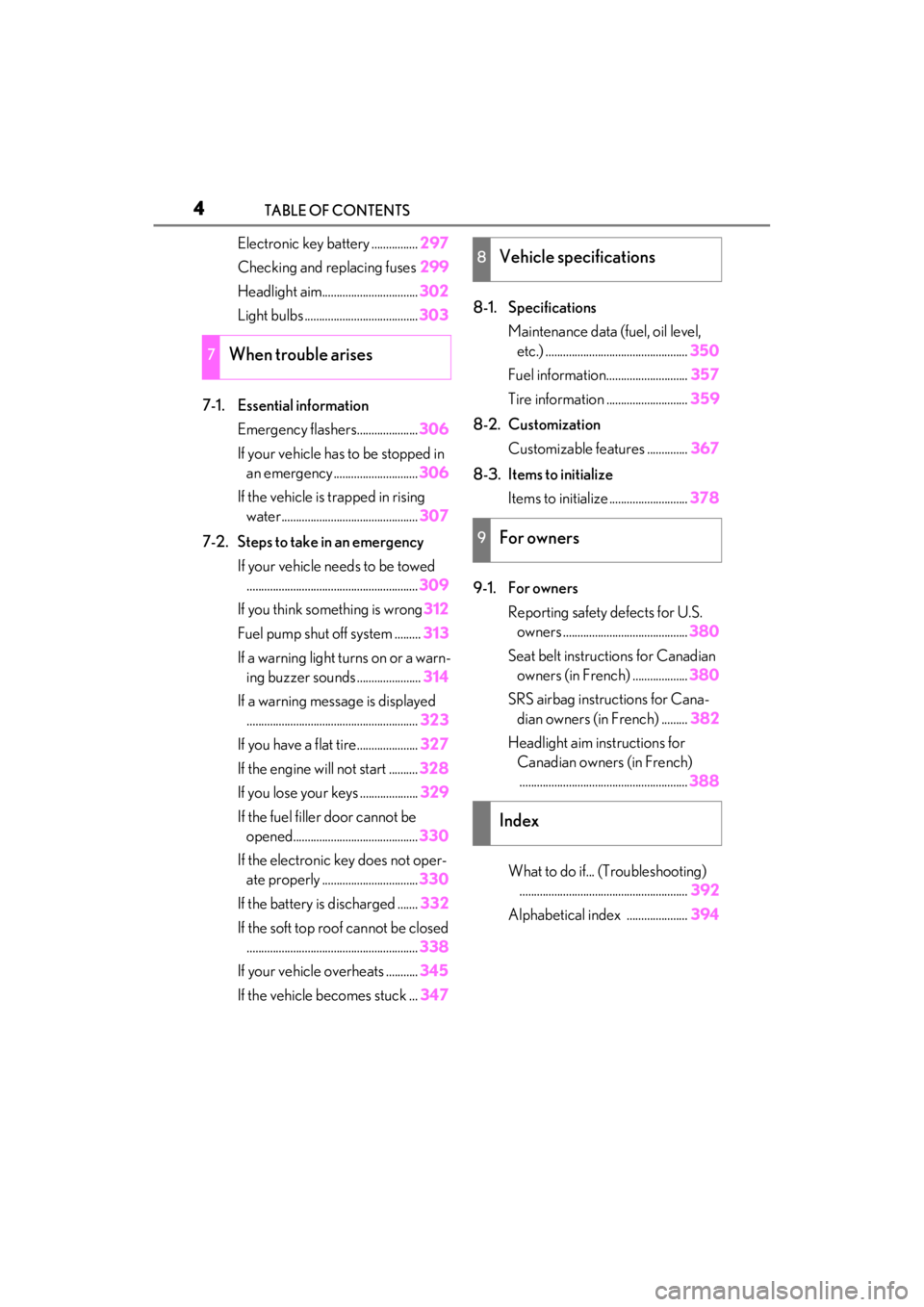
Electronic key battery ................297
Checking and replacing fuses 299
Headlight aim................................. 302
Light bulbs ....................................... 303
7-1. Essential information Emergency flashers..................... 306
If your vehicle has to be stopped in an emergency ............................. 306
If the vehicle is trapped in rising water............................................... 307
7-2. Steps to take in an emergency If your vehicle needs to be towed........................................................... 309
If you think something is wrong 312
Fuel pump shut off system ......... 313
If a warning light turns on or a warn- ing buzzer sounds ...................... 314
If a warning message is displayed ........................................................... 323
If you have a flat tire..................... 327
If the engine wi ll not start .......... 328
If you lose your keys .................... 329
If the fuel filler door cannot be opened........................................... 330
If the electronic key does not oper- ate properly ................................. 330
If the battery is discharged ....... 332
If the soft top roof cannot be closed ........................................................... 338
If your vehicle overheats ........... 345
If the vehicle becomes stuck ... 3478-1. Specifications
Maintenance data (fuel, oil level, etc.) ................................................. 350
Fuel information............................ 357
Tire information ............................ 359
8-2. Customization Customizable features .............. 367
8-3. Items to initialize Items to initialize ........................... 378
9-1. For owners Reporting safety defects for U.S. owners ........................................... 380
Seat belt instructions for Canadian owners (in French) ................... 380
SRS airbag instructions for Cana- dian owners (in French) ......... 382
Headlight aim instructions for Canadian owners (in French).......................................................... 388
What to do if... (Troubleshooting) .......................................................... 392
Alphabetical index ..................... 394
7When trouble arises
8Vehicle specifications
9For owners
Index
Page 68 of 410

661-4. Theft deterrent system
●A person inside the vehicle opens a door,
the trunk or hood, or unlocks the vehicle
using a door lock switch.
●The battery is rech arged or replaced
when the vehicle is locked. ( P.336)
■Alarm-operated door lock
In the following cases, depending on the sit-
uation, the door may automatically lock to
prevent improper entry into the vehicle:
●When a person remaining in the vehicle
unlocks the door and the alarm is acti-
vated.
●While the alarm is activated, a person
remaining in the vehicle unlocks the door.
●When recharging or replacing the bat-
tery
■Customization
The alarm can be set to activate/deactivate
when the mechanical key is used to unlock.
(Customizable features: P.367)
NOTICE
■To ensure the system operates cor-
rectly
Do not modify or remove the system. If
modified or removed, the proper opera-
tion of the system cannot be guaranteed.
Page 81 of 410
792-1. Instrument cluster
2
Vehicle status information and indicators
■Display
When the main meter is in the cen-
ter position
Displays various drive information on
the main meter.
Some of the contents which are dis-
played when the main meter is in the
side position cannot be displayed.
( P.80)
When the main meter is in the side
position
Selecting a menu icon displays a vari-
ety of vehicle data or allows vehicle
settings to be customized.
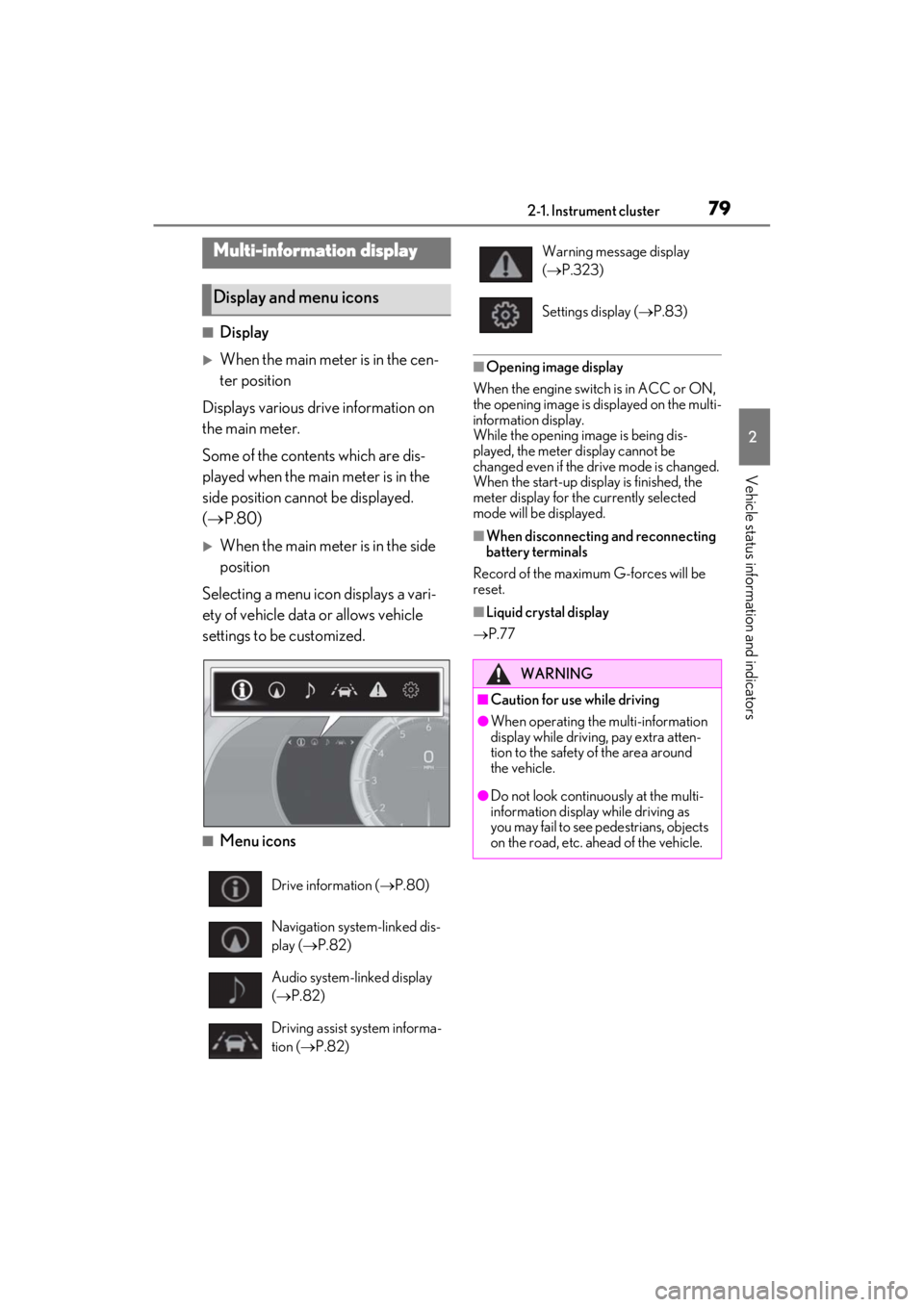
■Menu icons
■Opening image display
When the engine switch is in ACC or ON,
the opening image is displayed on the multi-
information display.
While the opening image is being dis-
played, the meter display cannot be
changed even if the drive mode is changed.
When the start-up display is finished, the
meter display for the currently selected
mode will be displayed.
■When disconnecting and reconnecting
battery terminals
Record of the maximum G-forces will be
reset.
■Liquid crystal display
P.77
Multi-information display
Display and menu icons
Drive information ( P.80)
Navigation system-linked dis-
play ( P.82)
Audio system-linked display
( P.82)
Driving assist system informa-
tion ( P.82)
Warning message display
( P.323)
Settings display ( P.83)
WARNING
■Caution for use while driving
●When operating the multi-information
display while driving, pay extra atten-
tion to the safety of the area around
the vehicle.
●Do not look continuously at the multi-
information display while driving as
you may fail to see pedestrians, objects
on the road, etc. ahead of the vehicle.
Page 86 of 410
842-1. Instrument cluster
Displays suggestions to the driver in
the following situations. For some sug-
gestions, a response to a displayed
suggestion can be selected. To select a
response, use the meter control
switches.
■Suggestion to turn on the head-
lights
If the headlight switch is in other than
or position, and the vehicle
speed is 3 mph (5 km/h) or higher for
a certain amount of time when the sur-
roundings are dark, a suggestion mes-
sage will be displayed.
■Suggestion to turn off the head-
lights
If the headlights are left on for a certain
amount of time after the engine switch
has been turned off, a suggestion mes-
sage will be displayed asking if you wish to turn the headlights off.
When the headlight switch is in the
“AUTO” position: To turn the head-
lights off, select “Yes”.
If a front door is opened after the engine
switch is turned off,
this suggestion mes-
sage will not be displayed.
■Suggestion to unlock the power
windows
If it is attempt to close the passenger’s
side window using the power window
switch on the driver’s door or all win-
dow control switch, a suggestion mes-
sage will be displayed.
■Customization
The suggestion function can be turned
on/off. (Customizable features: P.367)
WARNING
■Cautions during setting up the dis-
play
As the engine needs to be running
during setting up the display, ensure that
the vehicle is parked in a place with ade-
quate ventilation. In a closed area such as
a garage, exhaust gases including harm-
ful carbon monoxide (CO) may collect
and enter the vehicle. This may lead to
death or a serious health hazard.
NOTICE
■While setting up the display
To prevent battery discharge, ensure
that the engine is running while setting up
the display features.
Suggestion function
Page 88 of 410
862-1. Instrument cluster
■Changing settings of the head-up
display
Select on the multi-information dis-
play ( P.79) to change the following
settings:
Display brightness/position
Select to adjust the brightness and position
of the head-up display.
Eco Driving Indicator/tachometer
Select to display Eco Driving Indicator,
tachometer or no content.
Display content
Select to enable/dis able the following
items:
• Route guidance to destination
• Driving assist system status
• Compass
• Audio system operation status
Display angle
Select to adjust the angle of the head-up
display.
■Head-up display
●The head-up display may seem dark and
hard to see when viewed through sun-
glasses, especially polarized sunglasses.
Adjust the brightness of the head-up dis-
play or remove your sunglasses.
●When the head-up displa y is turned off, it
will remain off even if the engine switch is
turned to ACC or ON after the engine
switch has been turned off.
●The startup image will be displayed on
the head-up display after the engine
switch has been turned to ON while the
head-up display switch is set to on.
■Display brightness
The brightness of the head-up display can
be adjusted on of the multi-information
display. Also, it is automatically adjusted according to the ambient brightness.
■Head-up display automatic position
adjustment
If the display position is recorded into mem-
ory, the head-up display will be automati-
cally adjusted to th e desired position.
( P.112)
■When the battery is disconnected
The customize settings of the head-up dis-
play will be reset.
■Customization
Settings (e.g. display) can be changed.
(Customizable features: P.367)
WARNING
■Before using the head-up display
●Check that the position and brightness
of the head-up display image does not
interfere with safe driving. Incorrect
adjustment of the image’s position or
brightness may obstruct the driver’s
view and lead to an accident, resulting
in death or serious injury.
●Do not continuously look at the head-
up display while driving as you may fail
to see pedestrians, objects on the
road, etc. ahead of the vehicle.
■Caution for changing settings of the
head-up display
As the engine needs to be running while
changing the settings of the head-up dis-
play, ensure that the vehicle is parked in a
place with adequate ventilation. In a
closed area such as a garage, exhaust
gases including harmful carbon monox-
ide (CO) may collect and enter the vehi-
cle. This may lead to death or a serious
health hazard.
Page 89 of 410
872-1. Instrument cluster
2
Vehicle status information and indicators
Displays the following items in the
appropriate situation:
■Warning/message
Displays the following warning/mes-
sages:
• Master warning message
• Notification message (Dynamic radar cruise control with full-speed
range)
• Other messages
■/ icons
Displays the following multi-informa-
tion display linked icons:
: Master warning icon
Displayed when a warn ing message is dis-
played on the multi-information display.
( P.323)
: Information icon
Displayed when a suggestion/advice pop-
up display is displayed on the multi-infor-
mation display. ( P.84)
■Hands-free system status
Displayed when the hands-free system
is operated.
■Audio system operation status
Displayed when the audio system is
operated.
■Eco Driving Indicator/tachometer
Displays either of Eco Driving Indica-
tor or the tachometer.
Displays the following items which are
linked to the navigation system:
■Speed limit
Displays the speed limit on the current
road.
■Street name
When the navigation system is per-
forming route guidance, the name of
the next street will be displayed on the
top of the display area.
NOTICE
■To prevent damage to components
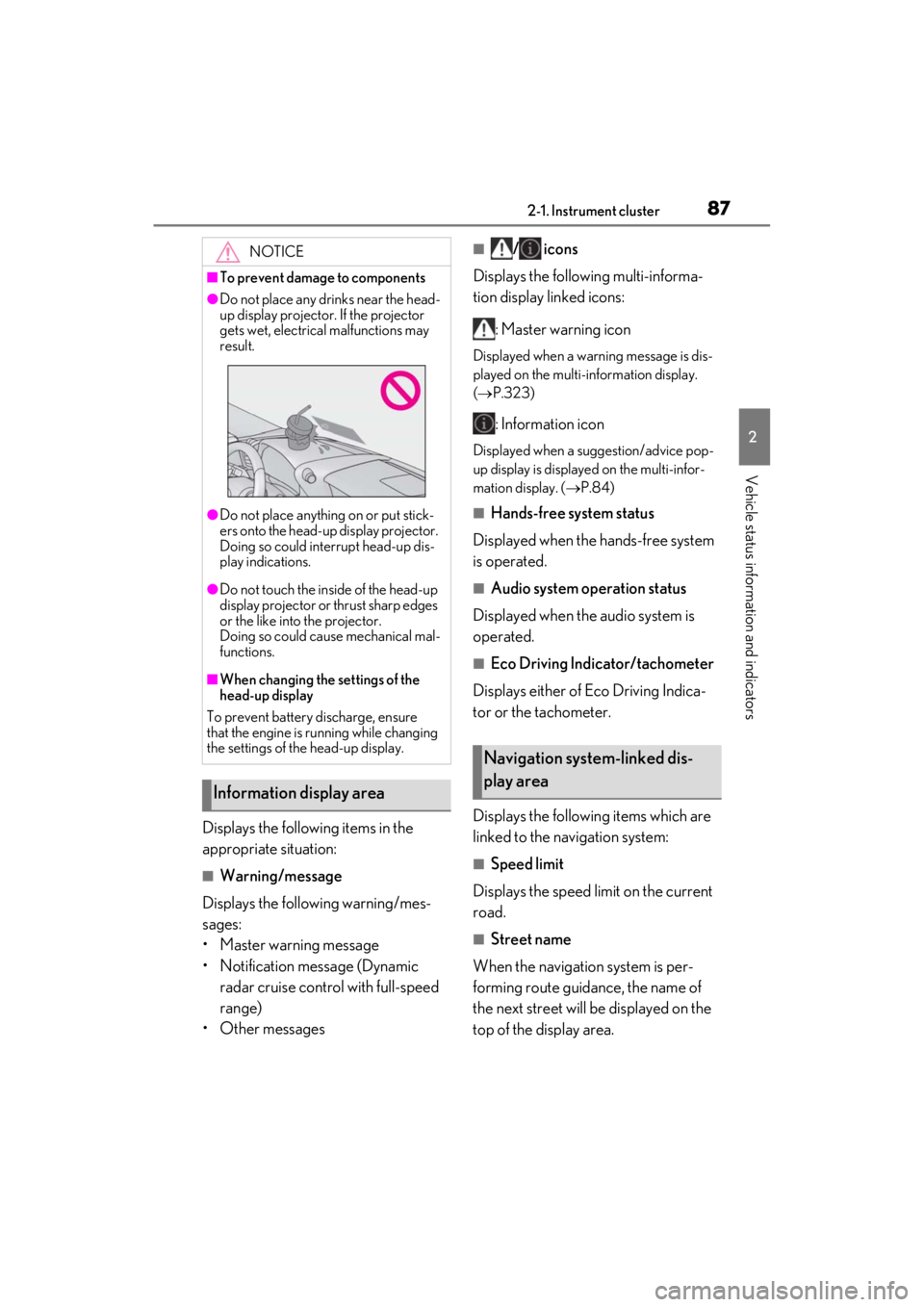
●Do not place any drinks near the head-
up display projector. If the projector
gets wet, electrical malfunctions may
result.
●Do not place anything on or put stick-
ers onto the head-up display projector.
Doing so could interrupt head-up dis-
play indications.
●Do not touch the inside of the head-up
display projector or thrust sharp edges
or the like into the projector.
Doing so could cause mechanical mal-
functions.
■When changing the settings of the
head-up display
To prevent battery discharge, ensure
that the engine is running while changing
the settings of the head-up display.
Information display area
Navigation system-linked dis-
play area
Page 94 of 410
923-1. Key information
3-1.Key information
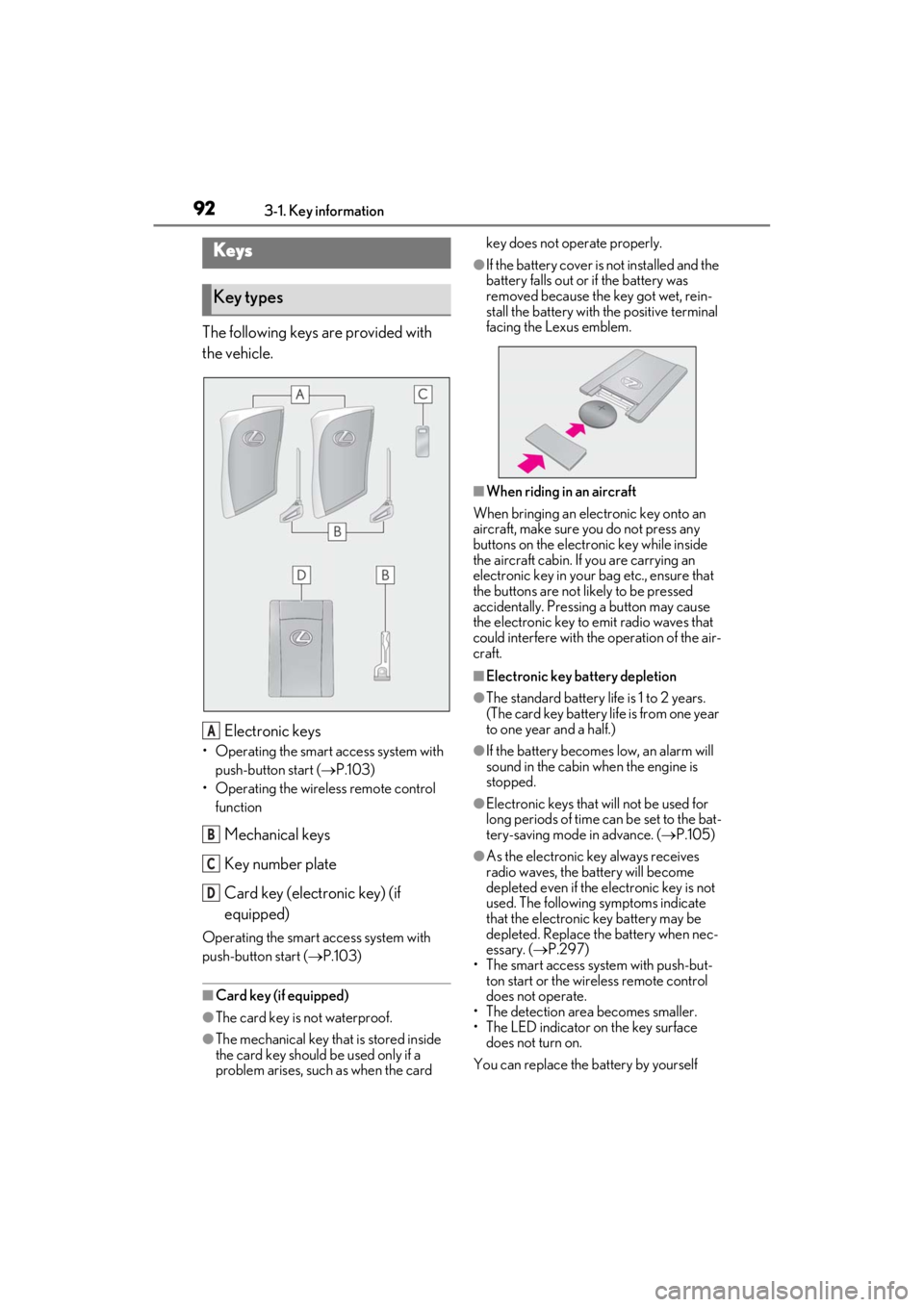
The following keys are provided with
the vehicle.
Electronic keys
• Operating the smart access system with push-button start ( P.103)
• Operating the wireless remote control function
Mechanical keys
Key number plate
Card key (electronic key) (if
equipped)
Operating the smart access system with
push-button start ( P.103)
■Card key (if equipped)
●The card key is not waterproof.
●The mechanical key that is stored inside
the card key should be used only if a
problem arises, such as when the card key does not operate properly.
●If the battery cover is not installed and the
battery falls out or if the battery was
removed because the key got wet, rein-
stall the battery with the positive terminal
facing the Lexus emblem.
■When riding in an aircraft
When bringing an electronic key onto an
aircraft, make sure you do not press any
buttons on the electronic key while inside
the aircraft cabin. If you are carrying an
electronic key in your bag etc., ensure that
the buttons are not likely to be pressed
accidentally. Pressing a button may cause
the electronic key to emit radio waves that
could interfere with the operation of the air-
craft.
■Electronic key battery depletion
●The standard battery life is 1 to 2 years.
(The card key battery life is from one year
to one year and a half.)
●If the battery becomes low, an alarm will
sound in the cabin when the engine is
stopped.
●Electronic keys that will not be used for
long periods of time can be set to the bat-
tery-saving mode in advance. ( P.105)
●As the electronic key always receives
radio waves, the battery will become
depleted even if the electronic key is not
used. The following symptoms indicate
that the electronic key battery may be
depleted. Replace the battery when nec-
essary. ( P.297)
• The smart access system with push-but- ton start or the wireless remote control
does not operate.
• The detection area becomes smaller.
• The LED indicator on the key surface does not turn on.
You can replace the battery by yourself
Keys
Key types
A
B
C
D
Page 95 of 410
933-1. Key information
3
Before driving
( P.297). However, as there is a danger
that the electronic key may be damaged, it
is recommended that replacement be car-
ried out by your Lexus dealer.
●To avoid serious deterioration, do not
leave the electronic key within 3 ft. (1 m)
of the following electr ical appliances that
produce a magnetic field:
• TVs
• Personal computers
• Cellular phones, cordless phones and battery chargers
• Recharging cellular phones or cordless phones
• Table lamps
• Induction cookers
■Replacing the battery
P.297
■Confirmation of the registered key
number
The number of keys already registered to
the vehicle can be confirmed. Ask your
Lexus dealer for details.
■If “A New Key has been Registered
Contact Your Dealer for Details” is
shown on the multi-information display
This message will be displayed each time
the driver’s door is opened when the doors
are unlocked from the outside for approxi-
mately 10 days after a new electronic key
has been registered.
If this message is disp layed but you have not
had a new electronic key registered, ask
your Lexus dealer to check if an unknown
electronic key (other than those in your
possession) has been registered.
NOTICE
■To prevent key damage
●Do not drop the keys, subject them to
strong shocks or bend them.
●Do not expose the keys to high tem-
peratures for long periods of time.
●Do not get the keys wet or wash them
in an ultrasonic washer etc.
●Do not attach metallic or magnetic
materials to the keys or place the keys
close to such materials.
●Do not disassemble the keys.
●Do not attach a sticker or anything else
to the surface of the electronic key.
●Do not place the keys near objects that
produce magnetic fields, such as TVs,
audio systems and induction cookers.
●Do not place the keys near medical
electrical equipment such as low-fre-
quency therapy equipment or micro-
wave therapy equipment, and do not
receive medical attent ion with the keys
on your person.
■Carrying the electronic key on your
person
Carry the electronic key 3.9 in. (10 cm)
or more away from electric appliances
that are turned on. Radio waves emitted
from electric applianc es within 3.9 in. (10
cm) of the electronic key may interfere
with the key, causing the key to not func-
tion properly.
■In case of a smart access system with
push-button start malfunction or
other key-related problems
P.330
■When an electronic key is lost
P.329
■Handling the card key (if equipped)
●If the battery or card key terminals get
wet, the battery may corrode and the
card key may stop working.
If the key is dropped into water, or if
drinking water, etc. is spilled on the
key, immediately remove the battery
cover and wipe the battery and termi-
nals. (To remove the battery cover,
lightly grasp and pull it.) If the battery is
corroded, have your Lexus dealer
replace the battery.