fuel consumption lexus LC500C 2021 Owner's Manual / LEXUS 2021 LC500 CONVERTIBLE OWNER'S MANUAL (OM11498U)
[x] Cancel search | Manufacturer: LEXUS, Model Year: 2021, Model line: LC500C, Model: Lexus LC500C 2021Pages: 410, PDF Size: 8.71 MB
Page 2 of 410
2TABLE OF CONTENTS
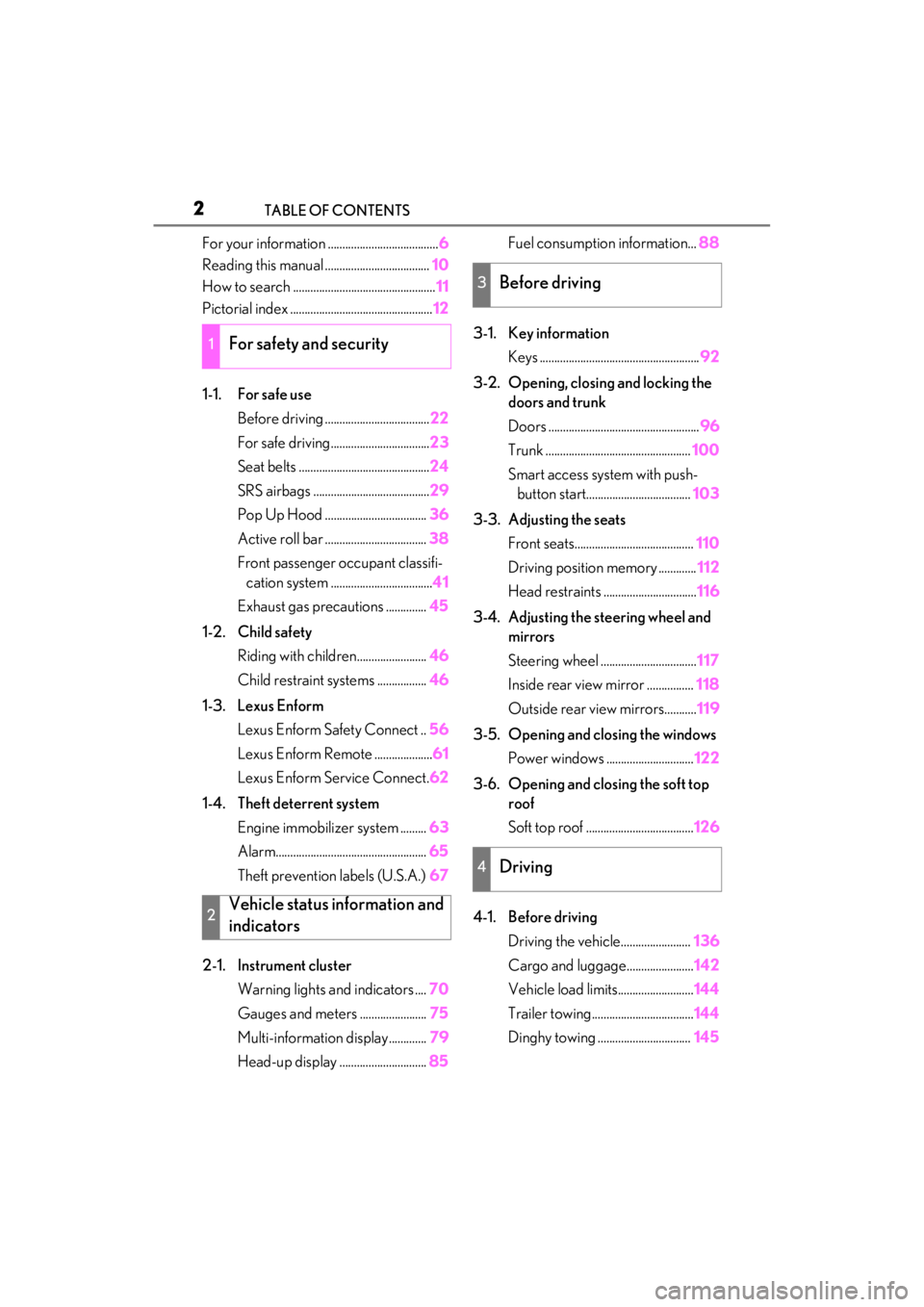
For your information ......................................6
Reading this manual .................................... 10
How to search ................................................. 11
Pictorial index ................................................. 12
1-1. For safe use Before driving .................................... 22
For safe driving.................................. 23
Seat belts ............................................. 24
SRS airbags ........................................ 29
Pop Up Hood ................................... 36
Active roll bar ................................... 38
Front passenger occupant classifi- cation system ................................... 41
Exhaust gas precautions .............. 45
1-2. Child safety Riding with children........................ 46
Child restraint systems ................. 46
1-3. Lexus Enform Lexus Enform Safety Connect .. 56
Lexus Enform Remote .................... 61
Lexus Enform Service Connect. 62
1-4. Theft deterrent system Engine immobilizer system ......... 63
Alarm.................................................... 65
Theft prevention labels (U.S.A.) 67
2-1. Instrument cluster Warning lights and indicators .... 70
Gauges and meters ....................... 75
Multi-information display............. 79
Head-up display .............................. 85Fuel consumption information...
88
3-1. Key information Keys ....................................................... 92
3-2. Opening, closing and locking the doors and trunk
Doors .................................................... 96
Trunk .................................................. 100
Smart access system with push- button start.................................... 103
3-3. Adjusting the seats Front seats......................................... 110
Driving position memory ............. 112
Head restraints ................................ 116
3-4. Adjusting the steering wheel and mirrors
Steering wheel ................................. 117
Inside rear view mirror ................ 118
Outside rear view mirrors........... 119
3-5. Opening and closing the windows Power windows .............................. 122
3-6. Opening and closing the soft top roof
Soft top roof ..................................... 126
4-1. Before driving Driving the vehicle........................ 136
Cargo and luggage....................... 142
Vehicle load limits.......................... 144
Trailer towing................................... 144
Dinghy towing ................................ 145
1For safety and security
2Vehicle status information and
indicators
3Before driving
4Driving
Page 71 of 410
69
2
2
Vehicle status information and indicators
Vehicle status informationand indicators
2-1. Instrument cluster
Warning lights and indicators . 70
Gauges and meters .................... 75
Multi-information display.......... 79
Head-up display ........................... 85
Fuel consumption information 88
Page 82 of 410
802-1. Instrument cluster
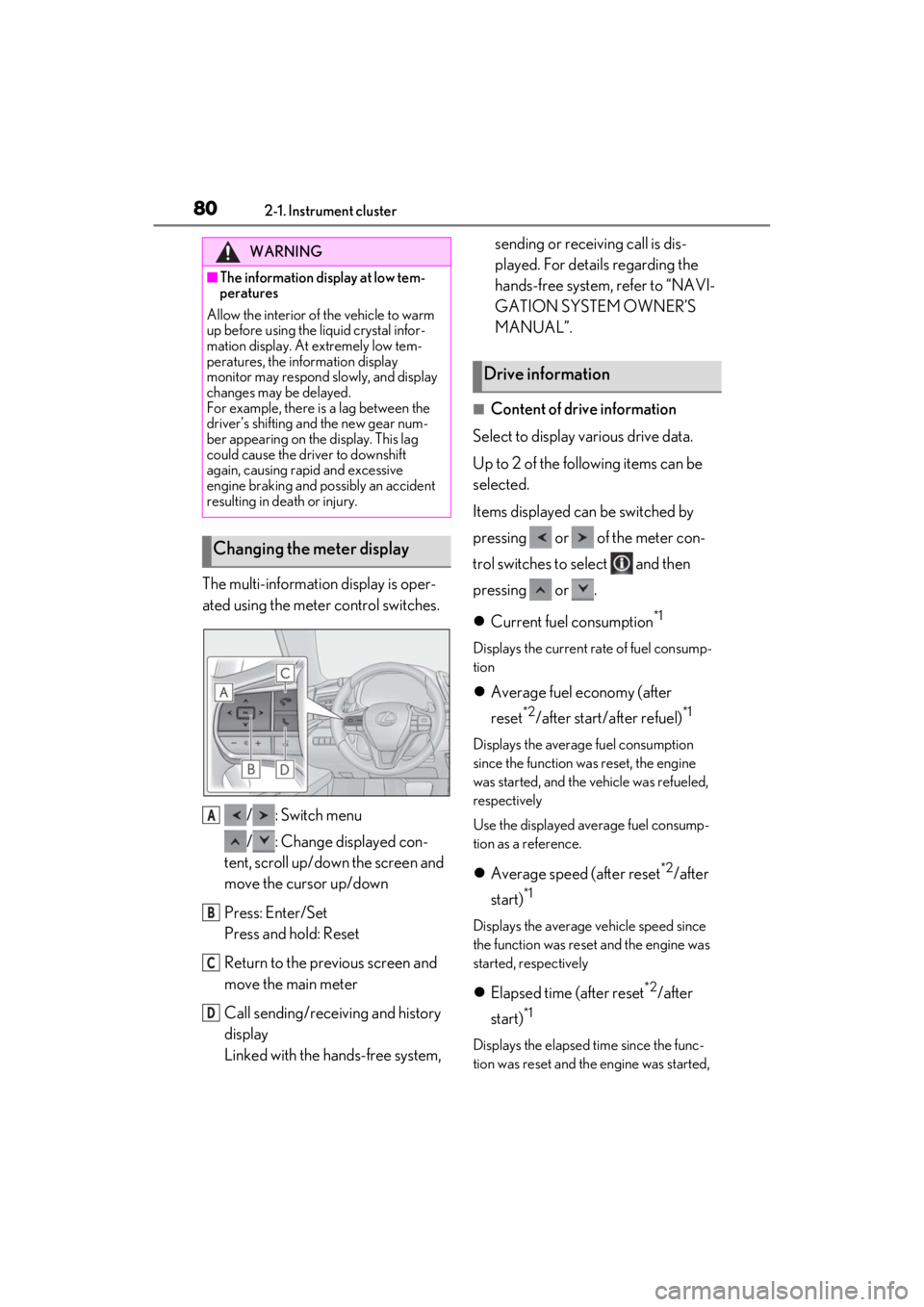
The multi-information display is oper-
ated using the meter control switches./ : Switch menu
/ : Change displayed con-
tent, scroll up/down the screen and
move the cursor up/down
Press: Enter/Set
Press and hold: Reset
Return to the previous screen and
move the main meter
Call sending/receiving and history
display
Linked with the hands-free system, sending or receiving call is dis-
played. For details regarding the
hands-free system, refer to “NAVI-
GATION SYSTEM OWNER’S
MANUAL”.
■Content of drive information
Select to display various drive data.
Up to 2 of the following items can be
selected.
Items displayed can be switched by
pressing or of the meter con-
trol switches to select and then
pressing or .
Current fuel consumption
*1
Displays the current rate of fuel consump-
tion
Average fuel economy (after
reset
*2/after start/ after refuel)*1
Displays the average fuel consumption
since the function was reset, the engine
was started, and the vehicle was refueled,
respectively
Use the displayed average fuel consump-
tion as a reference.
Average speed (after reset*2/after
start)
*1
Displays the average vehicle speed since
the function was reset and the engine was
started, respectively
Elapsed time (after reset*2/after
start)
*1
Displays the elapsed time since the func-
tion was reset and the engine was started,
WARNING
■The information display at low tem-
peratures
Allow the interior of the vehicle to warm
up before using the liquid crystal infor-
mation display. At extremely low tem-
peratures, the information display
monitor may respond slowly, and display
changes may be delayed.
For example, there is a lag between the
driver’s shifting and the new gear num-
ber appearing on the display. This lag
could cause the driver to downshift
again, causing rapid and excessive
engine braking and possibly an accident
resulting in death or injury.
Changing the meter display
A
B
C
D
Drive information
Page 83 of 410
812-1. Instrument cluster
2
Vehicle status information and indicators
respectively
Distance (range/after start)*1
Displays the estimated maximum distance
that can be driven with the quantity of fuel
remaining and the distance driven after the
engine was started respectively.
• This distance is computed based on your
average fuel consumption. As a result,
the actual distance that can be driven
may differ from that displayed.
• When only a small amount of fuel is added to the tank, the display may not be
updated.
When refueling, turn the engine switch
off. If the vehicle is refueled without turn-
ing the engine switch off, the display may
not be updated.
*1: Displayed when the item is set in “Drive Info 1” and “Drive Info 2”.
*2: The function can be reset by pressing “OK” of the meter control switches for
longer than 1 second when the item to
reset is displayed.
If there is more than one item that can
be reset, the item selection screen will
appear.
■Eco Driving Indicator/engine oil
temperature gauge
P.73, 75
■Tire pressure
P.283
■Gear positions
Displays the current shift range or gear
position when the shift position is in D
or M.
■Units
The units of measure used can be
changed while driving.
Unlike the units sett ing performed on the
settings display, th e units setting per-
formed on the drive information menu can
be changed while driving.
■G-force
Displays lateral G-forces on the vehi-
cle
Reading the display
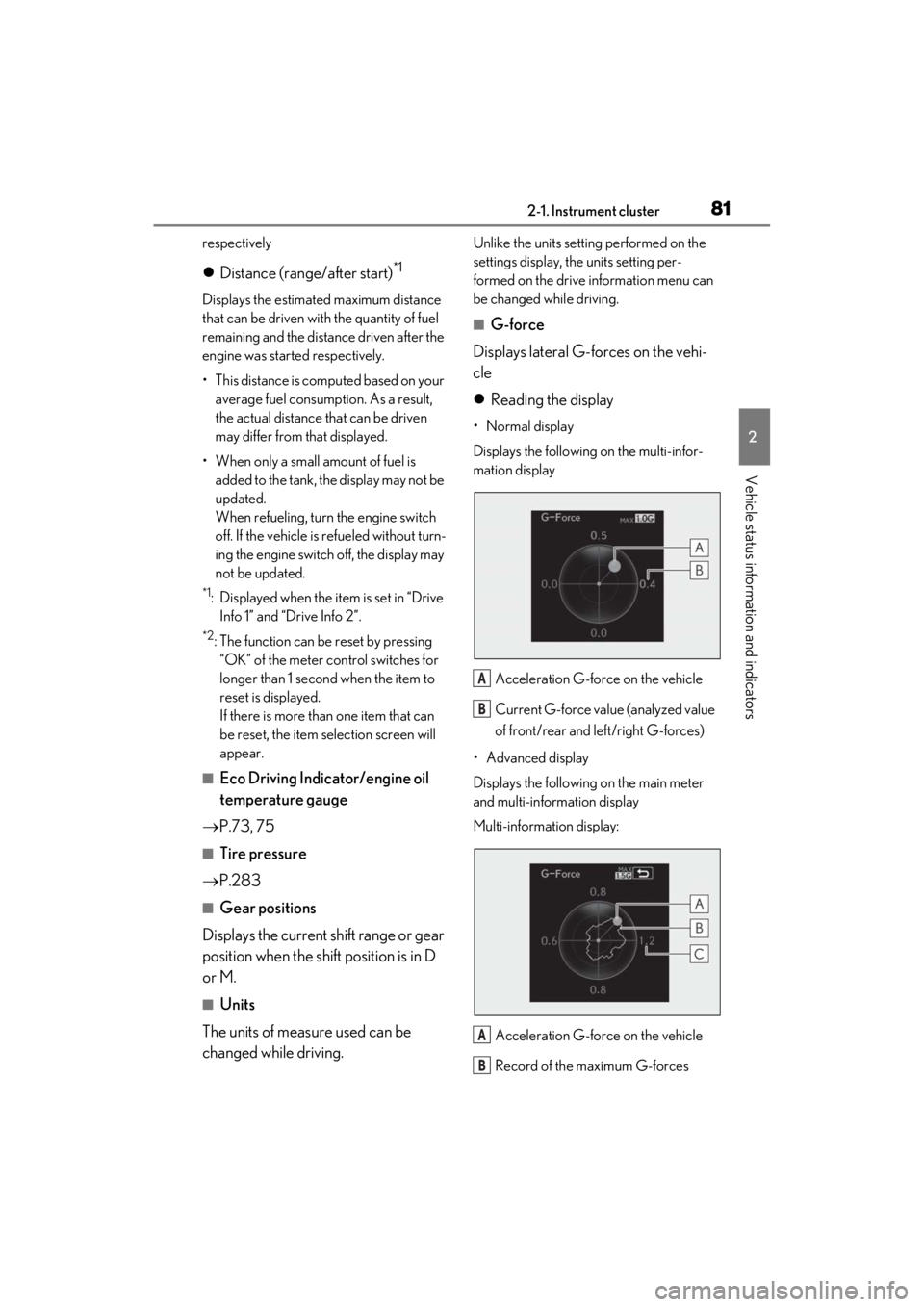
• Normal display
Displays the following on the multi-infor-
mation display
Acceleration G-force on the vehicle
Current G-force value (analyzed value
of front/rear and left/right G-forces)
• Advanced display
Displays the following on the main meter
and multi-information display
Multi-information display:
Acceleration G-force on the vehicle
Record of the maximum G-forces
A
B
A
B
Page 85 of 410
832-1. Instrument cluster
2
Vehicle status information and indicators
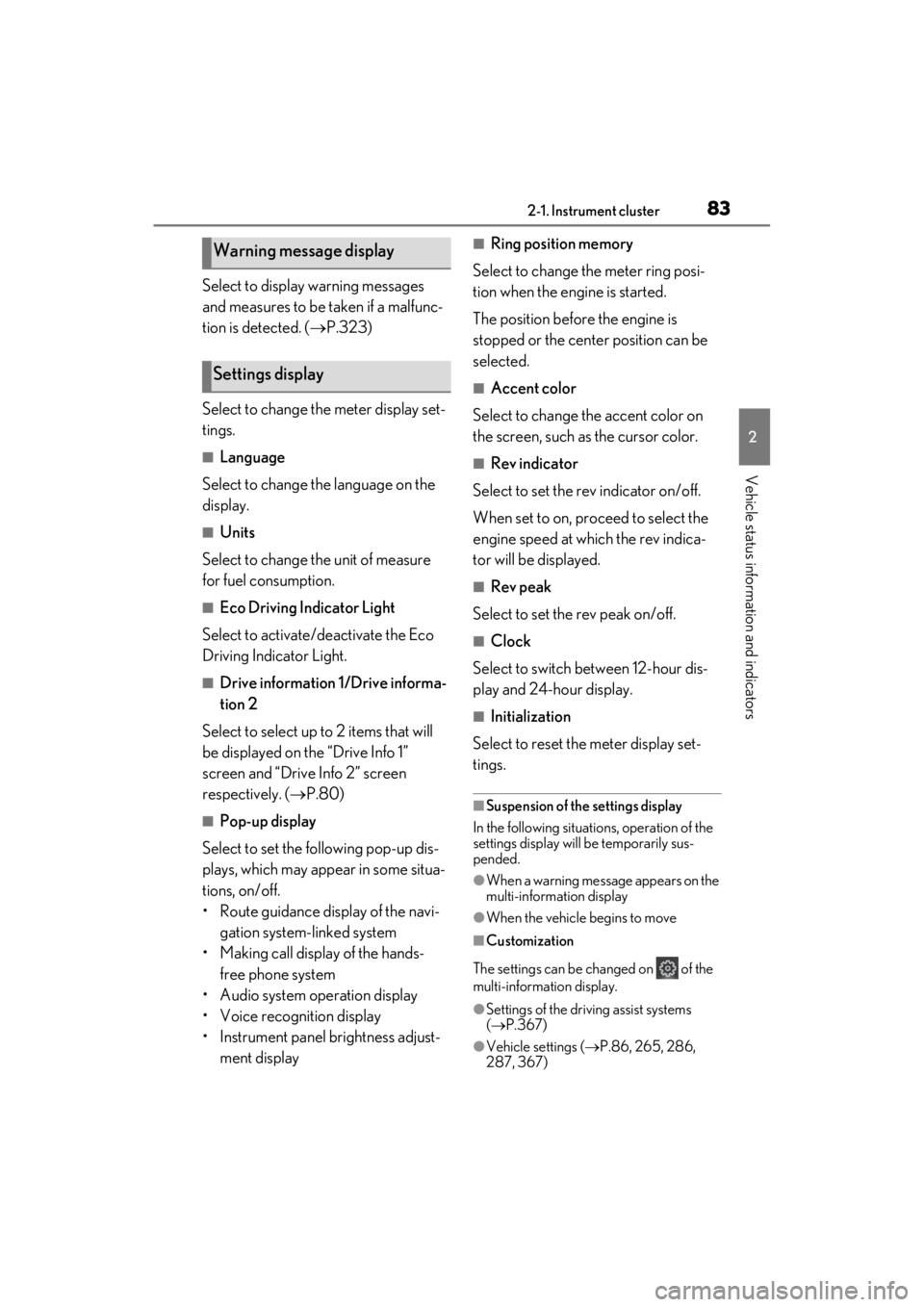
Select to display warning messages
and measures to be taken if a malfunc-
tion is detected. ( P.323)
Select to change the meter display set-
tings.
■Language
Select to change the language on the
display.
■Units
Select to change the unit of measure
for fuel consumption.
■Eco Driving Indicator Light
Select to activate/deactivate the Eco
Driving Indicator Light.
■Drive information 1/Drive informa-
tion 2
Select to select up to 2 items that will
be displayed on the “Drive Info 1”
screen and “Drive Info 2” screen
respectively. ( P.80)
■Pop-up display
Select to set the following pop-up dis-
plays, which may appear in some situa-
tions, on/off.
• Route guidance display of the navi- gation system-linked system
• Making call display of the hands- free phone system
• Audio system operation display
• Voice recognition display
• Instrument panel brightness adjust- ment display
■Ring position memory
Select to change the meter ring posi-
tion when the engine is started.
The position before the engine is
stopped or the center position can be
selected.
■Accent color
Select to change the accent color on
the screen, such as the cursor color.
■Rev indicator
Select to set the rev indicator on/off.
When set to on, proceed to select the
engine speed at which the rev indica-
tor will be displayed.
■Rev peak
Select to set the rev peak on/off.
■Clock
Select to switch between 12-hour dis-
play and 24-hour display.
■Initialization
Select to reset the meter display set-
tings.
■Suspension of the settings display
In the following situations, operation of the
settings display will be temporarily sus-
pended.
●When a warning message appears on the
multi-information display
●When the vehicle begins to move
■Customization
The settings can be changed on of the
multi-information display.
●Settings of the driving assist systems
( P.367)
●Vehicle settings ( P.86, 265, 286,
287, 367)
Warning message display
Settings display
Page 90 of 410
882-1. Instrument cluster
■Route guidance to destination
Displayed when the navigation system
is performing route guidance. When
approaching an inte rsection, an arrow
will be displayed to indicate the sug-
gested direction of travel.
■Compass
Displays the direction of travel.
■Street name display
Only street names whic h are included in the
map data will be displayed.
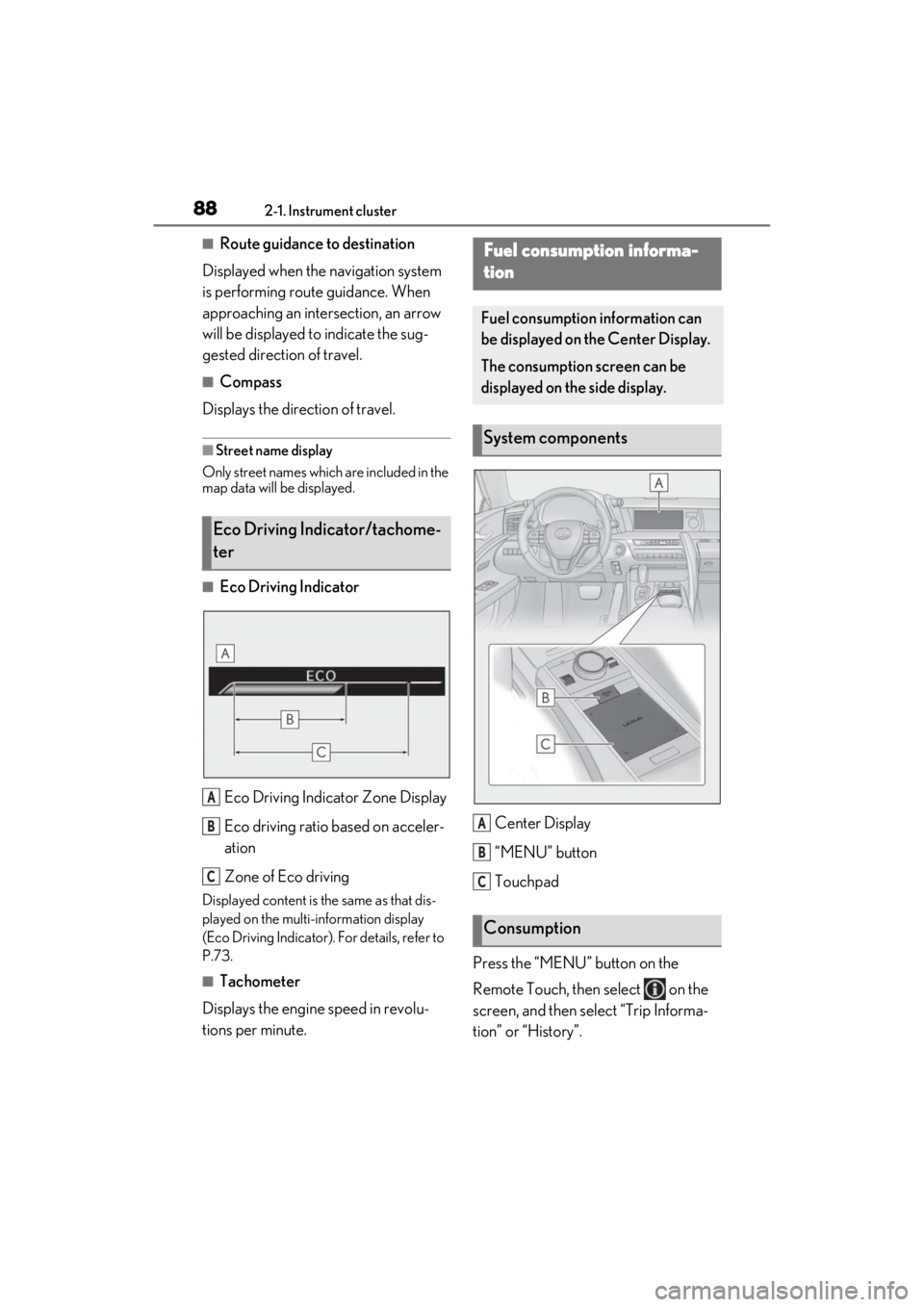
■Eco Driving Indicator
Eco Driving Indicator Zone Display
Eco driving ratio based on acceler-
ation
Zone of Eco driving
Displayed content is the same as that dis-
played on the multi-information display
(Eco Driving Indicator). For details, refer to
P.73.
■Tachometer
Displays the engine speed in revolu-
tions per minute. Center Display
“MENU” button
Touchpad
Press the “MENU” button on the
Remote Touch, then select on the
screen, and then select “Trip Informa-
tion” or “History”.
Eco Driving Indicator/tachome-
ter
A
B
C
Fuel consumption informa-
tion
Fuel consumption information can
be displayed on the Center Display.
The consumption screen can be
displayed on the side display.
System components
Consumption
A
B
C
Page 91 of 410
892-1. Instrument cluster
2
Vehicle status information and indicators
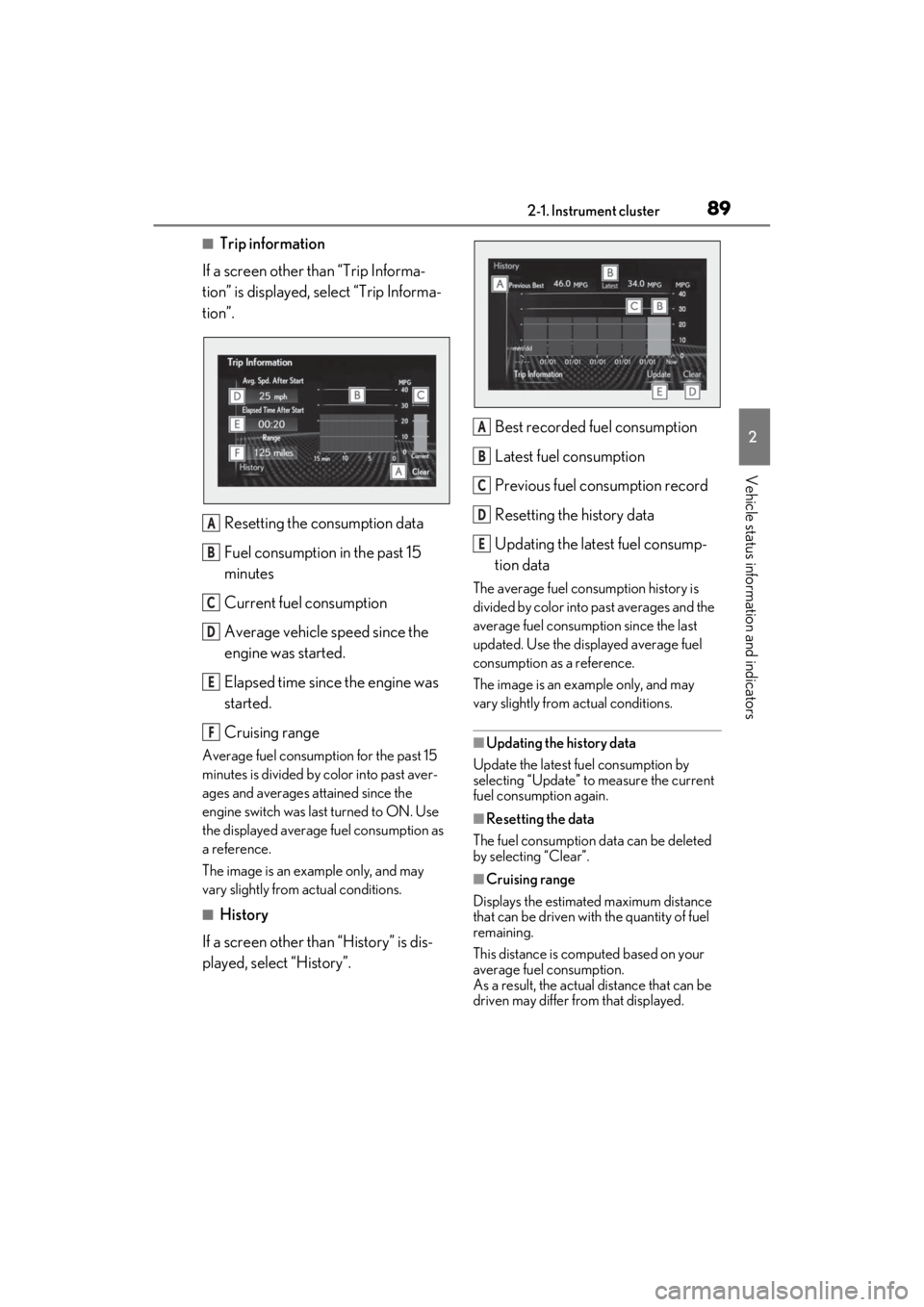
■Trip information
If a screen other than “Trip Informa-
tion” is displayed, select “Trip Informa-
tion”.
Resetting the consumption data
Fuel consumption in the past 15
minutes
Current fuel consumption
Average vehicle speed since the
engine was started.
Elapsed time since the engine was
started.
Cruising range
Average fuel consumption for the past 15
minutes is divided by color into past aver-
ages and averages attained since the
engine switch was last turned to ON. Use
the displayed average fuel consumption as
a reference.
The image is an example only, and may
vary slightly from actual conditions.
■History
If a screen other than “History” is dis-
played, select “History”. Best recorded fuel consumption
Latest fuel consumption
Previous fuel consumption record
Resetting the history data
Updating the latest fuel consump-
tion data
The average fuel consumption history is
divided by color into past averages and the
average fuel consumption since the last
updated. Use the displayed average fuel
consumption as a reference.
The image is an example only, and may
vary slightly from actual conditions.
■Updating the history data
Update the latest fuel consumption by
selecting “Update” to measure the current
fuel consumption again.
■Resetting the data
The fuel consumption data can be deleted
by selecting “Clear”.
■Cruising range
Displays the estimated maximum distance
that can be driven with the quantity of fuel
remaining.
This distance is computed based on your
average fuel consumption.
As a result, the actual distance that can be
driven may differ from that displayed.
A
B
C
D
E
F
A
B
C
D
E
Page 92 of 410
902-1. Instrument cluster
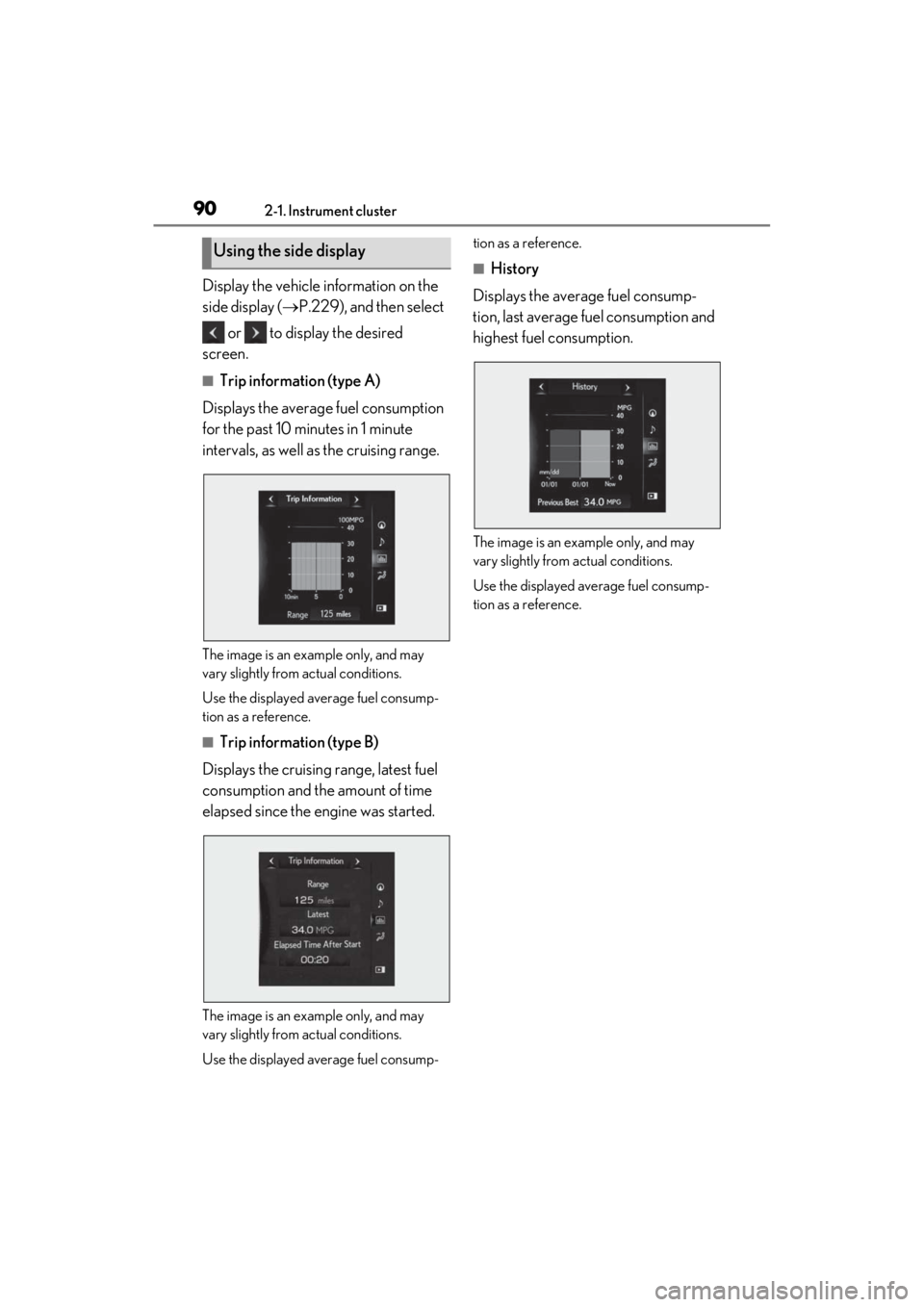
Display the vehicle information on the
side display (P.229), and then select
or to display the desired
screen.
■Trip information (type A)
Displays the average fuel consumption
for the past 10 minutes in 1 minute
intervals, as well as the cruising range.
The image is an example only, and may
vary slightly from actual conditions.
Use the displayed average fuel consump-
tion as a reference.
■Trip information (type B)
Displays the cruising range, latest fuel
consumption and the amount of time
elapsed since the engine was started.
The image is an example only, and may
vary slightly from actual conditions.
Use the displayed average fuel consump- tion as a reference.
■History
Displays the average fuel consump-
tion, last average fuel consumption and
highest fuel consumption.
The image is an example only, and may
vary slightly from actual conditions.
Use the displayed average fuel consump-
tion as a reference.
Using the side display
Page 230 of 410
2285-1. Remote Touch
*1: Refer to the “NAVIGATION SYSTEM OWNER’S MANUAL”.
*2: This function is not made available in some countries or areas.
■Split-screen display
Different information can be displayed on the left and right of the screen. For
example, air conditioning system screen can be displayed and operated while the
fuel consumption information screen is be ing displayed. The large screen on the
left of the display is called the main display, and the small screen to the right is
called the side display.
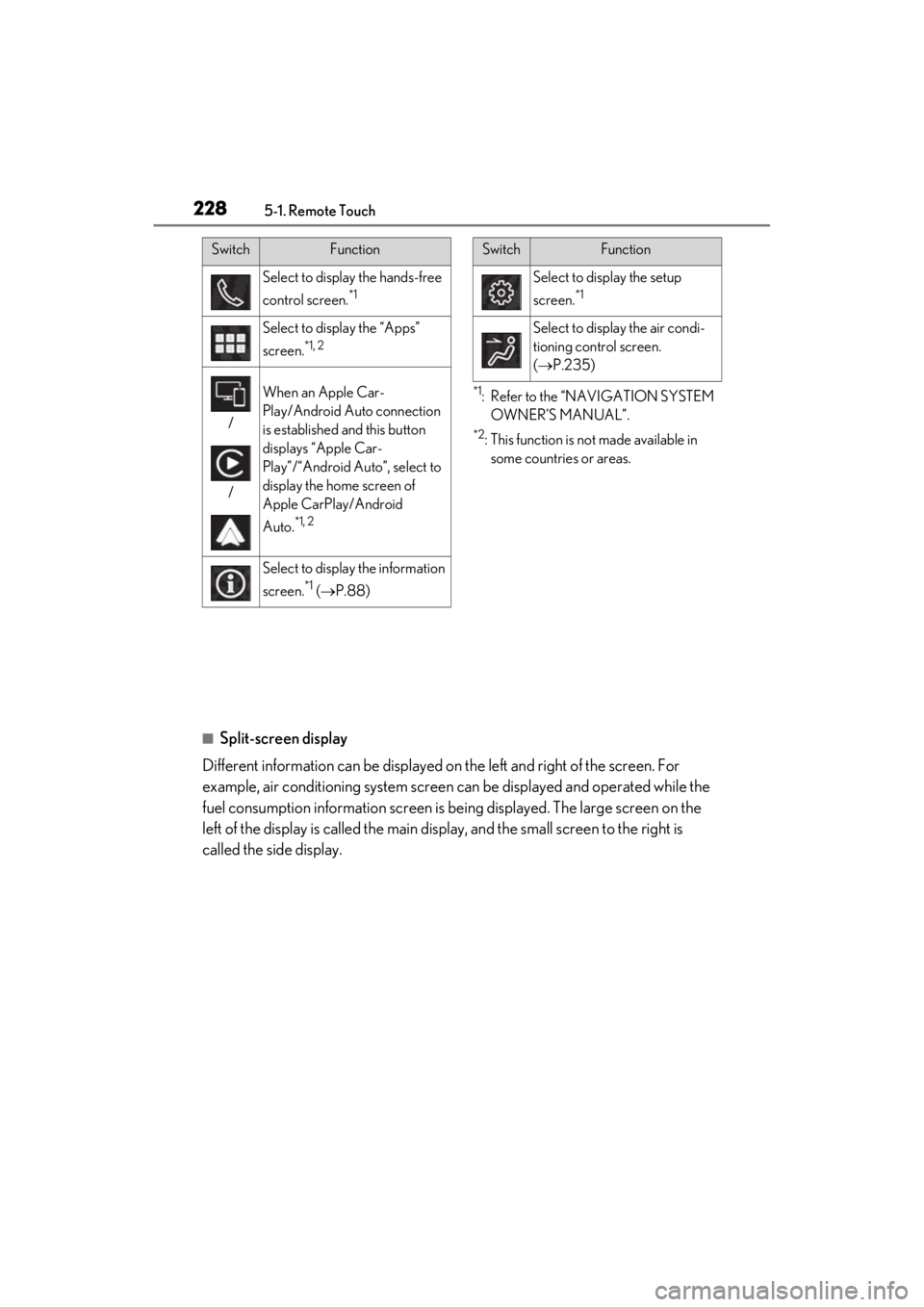
Select to display the hands-free
control screen.
*1
Select to display the “Apps”
screen.
*1, 2
/
/
When an Apple Car-
Play/Android Auto connection
is established and this button
displays “Apple Car-
Play”/“Android Auto”, select to
display the home screen of
Apple CarPlay/Android
Auto.
*1, 2
Select to display the information
screen.
*1 ( P.88)
SwitchFunction
Select to display the setup
screen.
*1
Select to display the air condi-
tioning control screen.
( P.235)
SwitchFunction
Page 235 of 410
2335-3. Using the air conditioning system
5
Interior features
■Setting the fan speed
Operate the fan speed control switch
upwards to increase the fan speed and
downwards to decrease the fan speed.
Press the off switch to turn the fan off.
■Changing the air flow mode
P.235
■Switching between outside air and
recirculated air modes
Operate the outside/recirculated air
mode switch upwards or downwards.
The mode changes as follows each
time the switch is operated.
automatic mode (outside air
mode) (recirculated air
mode) automatic mode
When the system is switched to automatic
mode, the air conditioning system oper-
ates automatically.
■Defogging the windshield
Defoggers are used to defog the wind-
shield and front side windows.
Press the windshield defogger switch.
Set the outside/reci rculated air mode
switch to outside air mode if the recircu-
lated air mode is used. (It may switch auto-
matically.)
To defog the windshield and the side win-
dows early, turn the air flow and tempera-
ture up.
To return to the previous mode, press the
windshield defogger switch again when the
windshield is defogged.
■Defogging the rear window and
outside rear view mirrors
Defoggers are used to defog the rear window, and to remove raindrops, dew
and frost from the outside rear view
mirrors.
Press the rear wi
ndow and outside
rear view mirror defoggers switch.
The defoggers will automatically turn off
after 15 to 60 minutes. The operation time
changes according to the ambient tem-
perature and vehicle speed.
■Windshield wiper de-icer (if
equipped)
P.237
■When the outside temperature exceeds
75°F (24°C) and the air conditioning
system is on
●In order to reduce the air conditioning
power consumption, the air conditioning
system may switch to recirculated air
mode automatically. This may also
reduce fuel consumption.
●Recirculated air mode is selected as a
default mode when the engine switch is
turned to ON.
●It is possible to switch to outside air mode
at any time by pressing the outside/recir-
culated air mode switch.
■Fogging up of the windows
The windows will easily fog up when the
humidity in the vehicle is high. Turning
“A/C” on will dehumidify the air from the
outlets and defog the windshield effectively.
●If you turn “A/C” off, the windows may
fog up more easily.
●The windows may fog up if the recircu-
lated air mode is used.
■When driving on dusty roads
Close all windows. If dust thrown up by the
vehicle is still drawn into the vehicle after
closing the windows, it is recommended
that the air intake mode be set to outside air
mode and the fan speed to any setting
except off.