sensor lexus LC500h 2019 / LEXUS 2019 LC 500,LC 500H (OM11471U) Service Manual
[x] Cancel search | Manufacturer: LEXUS, Model Year: 2019, Model line: LC500h, Model: Lexus LC500h 2019Pages: 432, PDF Size: 13.82 MB
Page 221 of 432
2214-5. Using the driving support systems
4
Driving
1Press or of the meter con-
trol switches, select .
2 Press or of the meter con-
trol switches, select “BSM”, and
then press “OK”.
3 Press or of the meter con-
trol switches, select “BSM” or
“RCTA”, and press “OK”.
■Outside rear view mirror indicator visi-
bility
In strong sunlight, the outside rear view mir-
ror indicator may be difficult to see.
■Hearing the RCTA buzzer
The RCTA buzzer may be difficult to hear over loud noises, such as if the audio system
volume is high.
■When “Blind Spot Monitor Unavailable”
is shown on the multi-information dis-
play
Water, snow, mud, etc., may be built up in
the vicinity of the sensor area of bumper.
( P.222) Removing the water, snow, mud,
etc., from the vicinity of the sensor area
bumper should return it to normal.
Also, the sensor may not function normally
when used in extremely hot or cold weather.
■When “Blind Spot Monitor System Mal-
function” is shown on the multi-informa-
tion display
There may be a sensor malfunction or volt-
age abnormality. Have the vehicle
inspected at your Lexus dealer.
■Customization
Some functions can be customized. (Cus-
tomizable features: P.391)
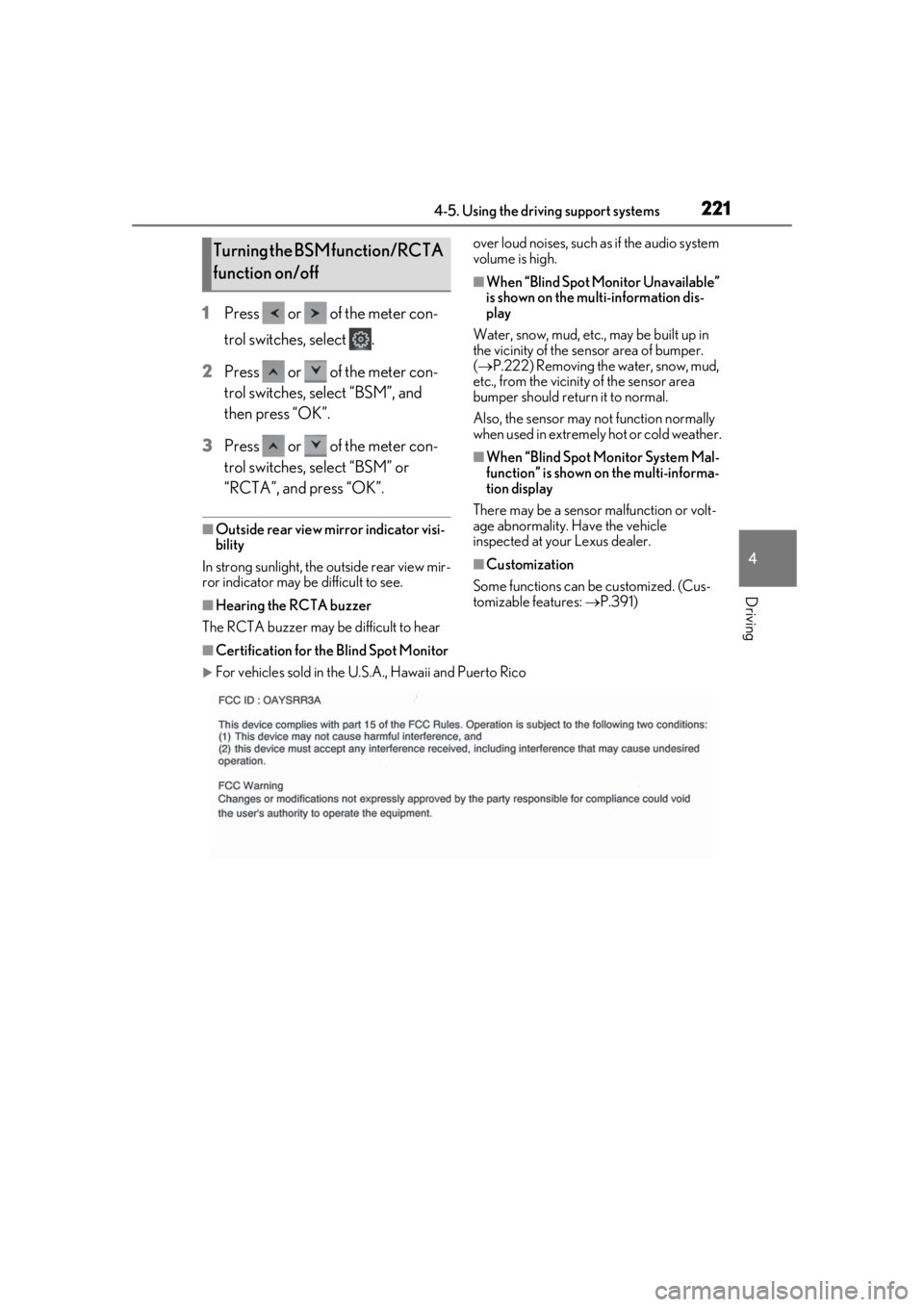
■Certification for the Blind Spot Monitor
For vehicles sold in the U.S.A., Hawaii and Puerto Rico
Turning the BSM function/RCTA
function on/off
Page 222 of 432
2224-5. Using the driving support systems
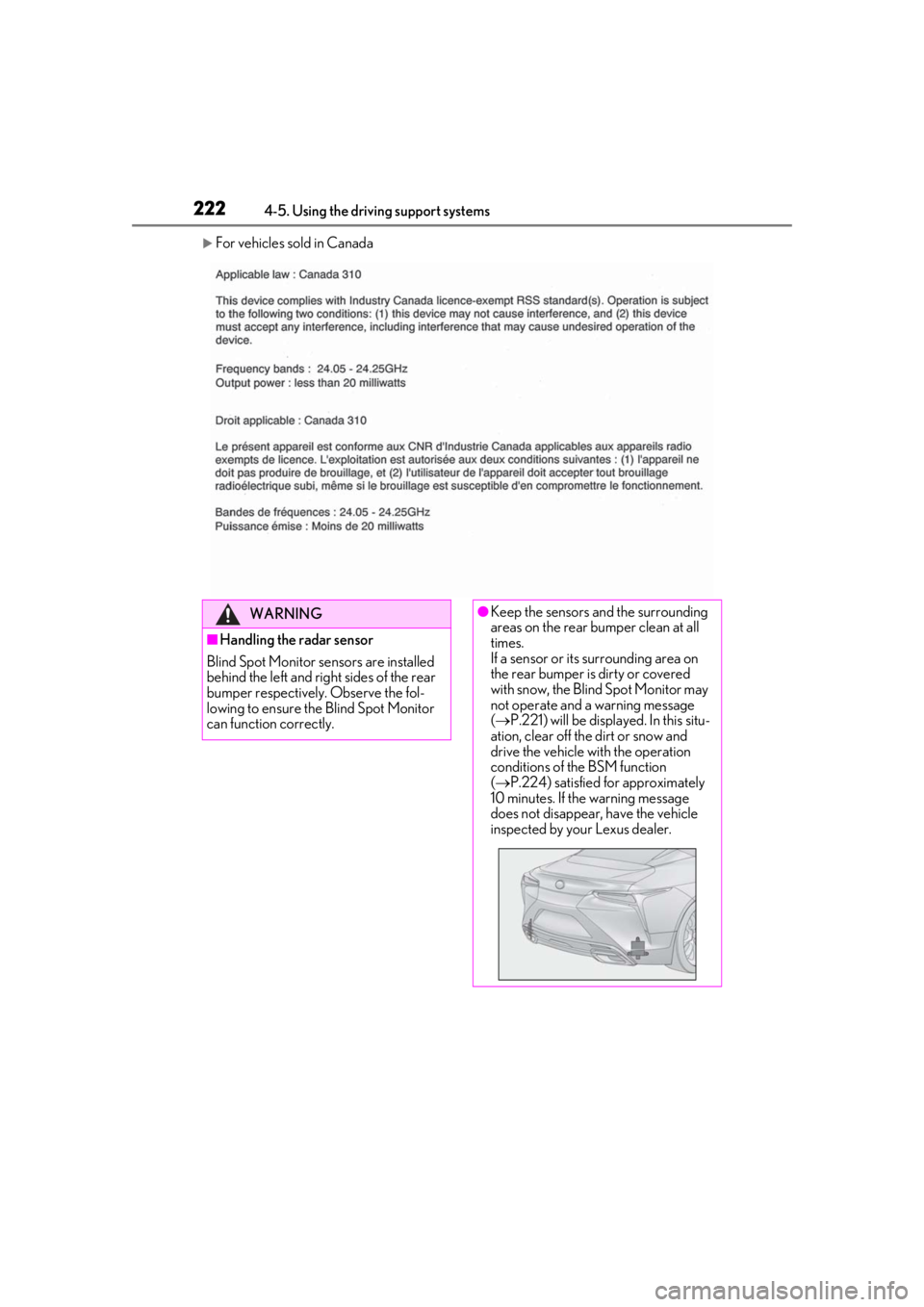
For vehicles sold in Canada
WARNING
■Handling the radar sensor
Blind Spot Monitor se nsors are installed
behind the left and right sides of the rear
bumper respectively. Observe the fol-
lowing to ensure the Blind Spot Monitor
can function correctly.
●Keep the sensors and the surrounding
areas on the rear bumper clean at all
times.
If a sensor or its surrounding area on
the rear bumper is dirty or covered
with snow, the Blind Spot Monitor may
not operate and a warning message
( P.221) will be displayed. In this situ-
ation, clear off the dirt or snow and
drive the vehicle with the operation
conditions of the BSM function
( P.224) satisfied for approximately
10 minutes. If the warning message
does not disappear, have the vehicle
inspected by your Lexus dealer.
Page 223 of 432
2234-5. Using the driving support systems
4
Driving
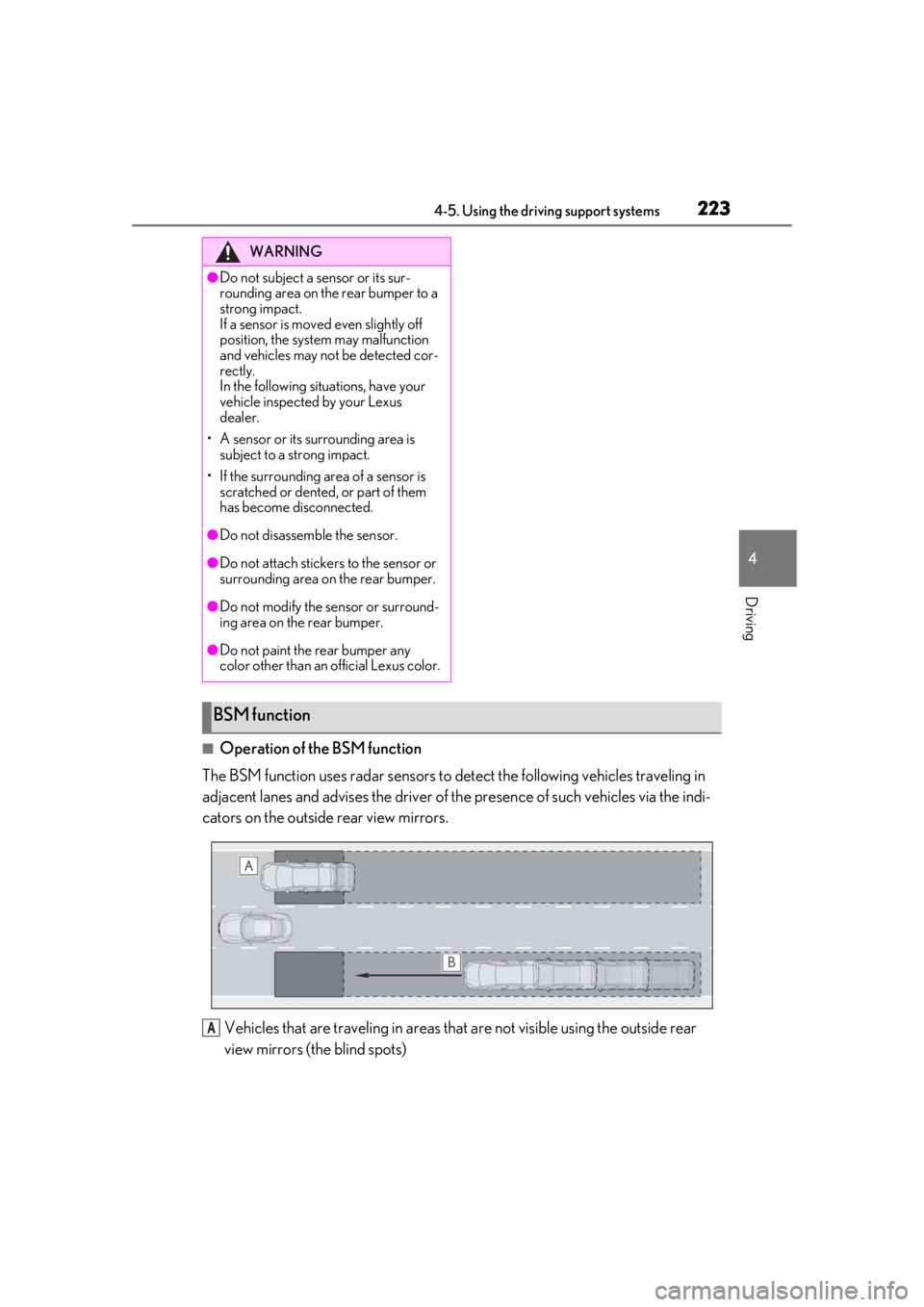
■Operation of the BSM function
The BSM function uses radar sensors to de tect the following vehicles traveling in
adjacent lanes and advises the driver of th e presence of such vehicles via the indi-
cators on the outside rear view mirrors.
Vehicles that are traveling in areas that are not visible using the outside rear
view mirrors (the blind spots)
WARNING
●Do not subject a sensor or its sur-
rounding area on the rear bumper to a
strong impact.
If a sensor is moved even slightly off
position, the system may malfunction
and vehicles may not be detected cor-
rectly.
In the following situations, have your
vehicle inspected by your Lexus
dealer.
• A sensor or its surrounding area is subject to a strong impact.
• If the surrounding area of a sensor is scratched or dented, or part of them
has become disconnected.
●Do not disassemb le the sensor.
●Do not attach stickers to the sensor or
surrounding area on the rear bumper.
●Do not modify the sensor or surround-
ing area on the rear bumper.
●Do not paint the rear bumper any
color other than an official Lexus color.
BSM function
A
Page 225 of 432
2254-5. Using the driving support systems
4
Driving
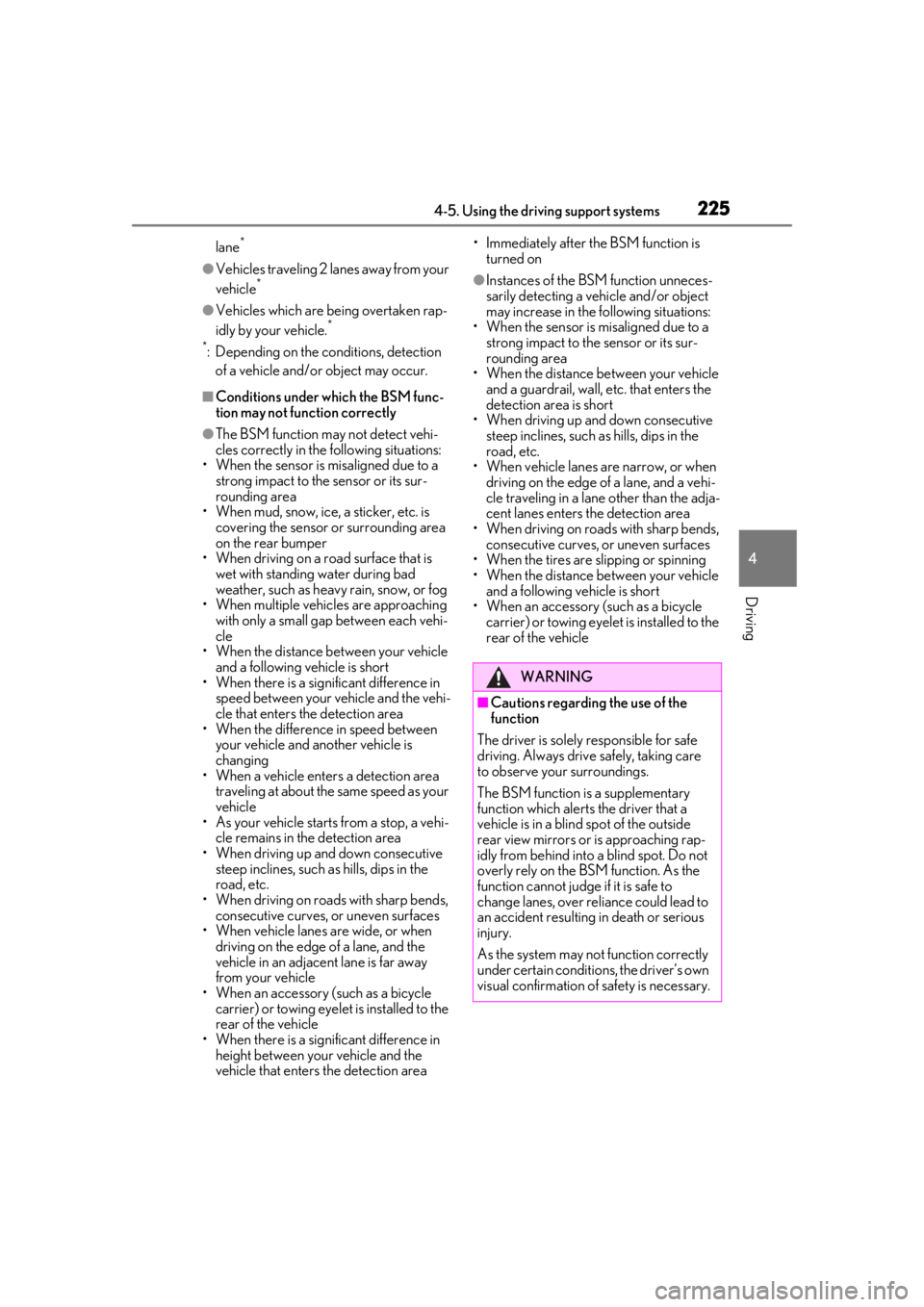
lane*
●Vehicles traveling 2 lanes away from your
vehicle*
●Vehicles which are being overtaken rap-
idly by your vehicle.*
*
: Depending on the conditions, detection of a vehicle and/or object may occur.
■Conditions under which the BSM func-
tion may not function correctly
●The BSM function may not detect vehi-
cles correctly in the following situations:
• When the sensor is misaligned due to a
strong impact to the sensor or its sur-
rounding area
• When mud, snow, ice, a sticker, etc. is
covering the sensor or surrounding area
on the rear bumper
• When driving on a road surface that is
wet with standing water during bad
weather, such as heavy rain, snow, or fog
• When multiple vehicles are approaching
with only a small gap between each vehi-
cle
• When the distance between your vehicle
and a following vehicle is short
• When there is a significant difference in speed between your vehicle and the vehi-
cle that enters the detection area
• When the difference in speed between your vehicle and another vehicle is
changing
• When a vehicle enters a detection area traveling at about the same speed as your
vehicle
• As your vehicle starts from a stop, a vehi- cle remains in the detection area
• When driving up an d down consecutive
steep inclines, such as hills, dips in the
road, etc.
• When driving on roads with sharp bends, consecutive curves, or uneven surfaces
• When vehicle lanes are wide, or when
driving on the edge of a lane, and the
vehicle in an adjacent lane is far away
from your vehicle
• When an accessory (such as a bicycle
carrier) or towing eyel et is installed to the
rear of the vehicle
• When there is a significant difference in
height between your vehicle and the
vehicle that enters the detection area • Immediately after the BSM function is
turned on
●Instances of the BSM function unneces-
sarily detecting a vehicle and/or object
may increase in the following situations:
• When the sensor is misaligned due to a strong impact to the sensor or its sur-
rounding area
• When the distance between your vehicle and a guardrail, wall, etc. that enters the
detection area is short
• When driving up and down consecutive steep inclines, such as hills, dips in the
road, etc.
• When vehicle lanes are narrow, or when driving on the edge of a lane, and a vehi-
cle traveling in a lane other than the adja-
cent lanes enters the detection area
• When driving on roads with sharp bends, consecutive curves, or uneven surfaces
• When the tires are slipping or spinning
• When the distance between your vehicle and a following vehicle is short
• When an accessory (such as a bicycle carrier) or towing eyelet is installed to the
rear of the vehicle
WARNING
■Cautions regarding the use of the
function
The driver is solely responsible for safe
driving. Always drive safely, taking care
to observe your surroundings.
The BSM function is a supplementary
function which alerts the driver that a
vehicle is in a blind spot of the outside
rear view mirrors or is approaching rap-
idly from behind into a blind spot. Do not
overly rely on the BSM function. As the
function cannot judge if it is safe to
change lanes, over re liance could lead to
an accident resulting in death or serious
injury.
As the system may not function correctly
under certain conditio ns, the driver’s own
visual confirmation of safety is necessary.
Page 226 of 432
2264-5. Using the driving support systems
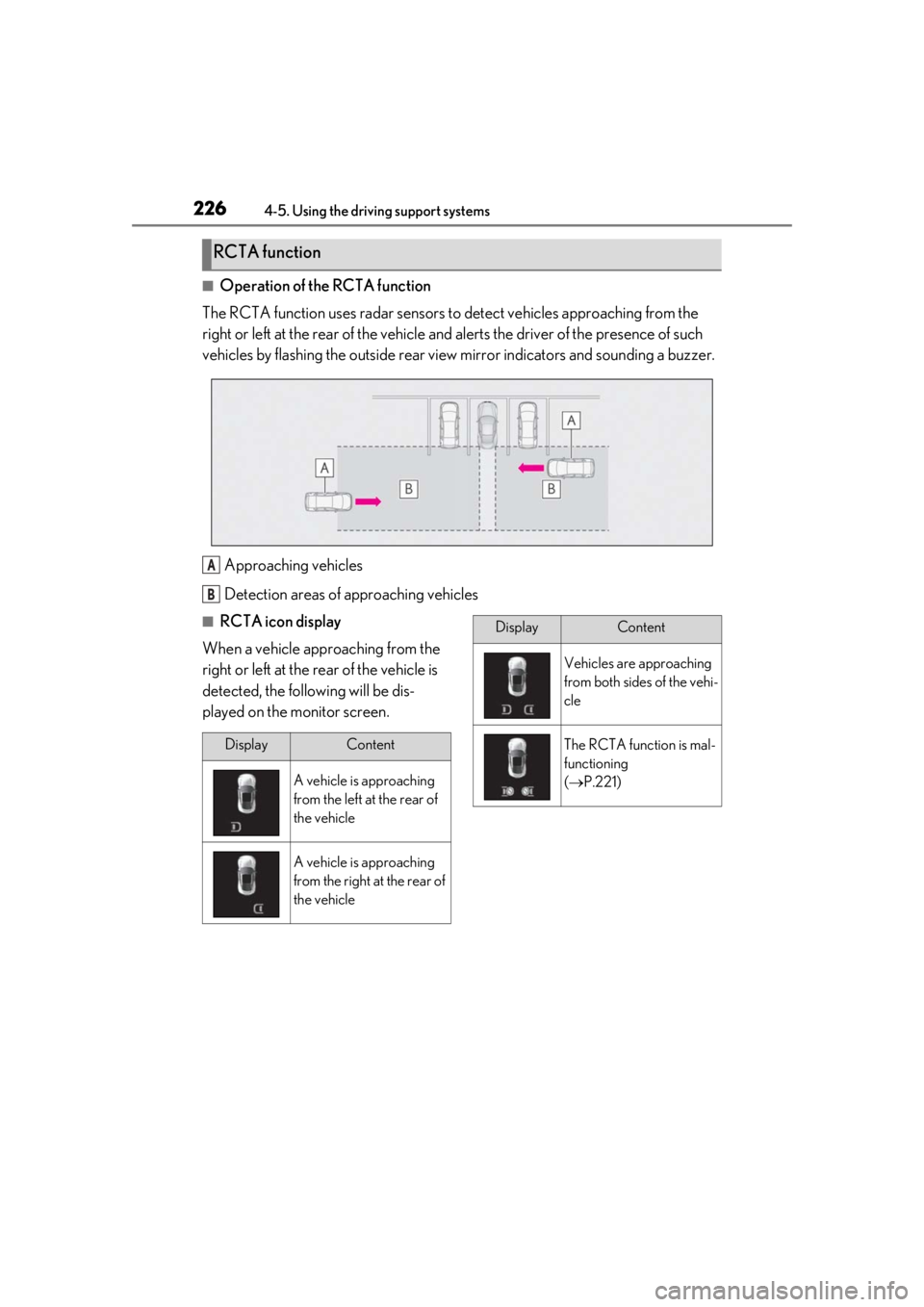
■Operation of the RCTA function
The RCTA function uses radar sensors to detect vehicles approaching from the
right or left at the rear of the vehicle and alerts the driver of the presence of such
vehicles by flashing the outside rear view mirror indicators and sounding a buzzer.
Approaching vehicles
Detection areas of approaching vehicles
■RCTA icon display
When a vehicle approaching from the
right or left at the rear of the vehicle is
detected, the following will be dis-
played on the monitor screen.
RCTA function
A
B
DisplayContent
A vehicle is approaching
from the left at the rear of
the vehicle
A vehicle is approaching
from the right at the rear of
the vehicle
Vehicles are approaching
from both sides of the vehi-
cle
The RCTA function is mal-
functioning
( P.221)
DisplayContent
Page 227 of 432
2274-5. Using the driving support systems
4
Driving
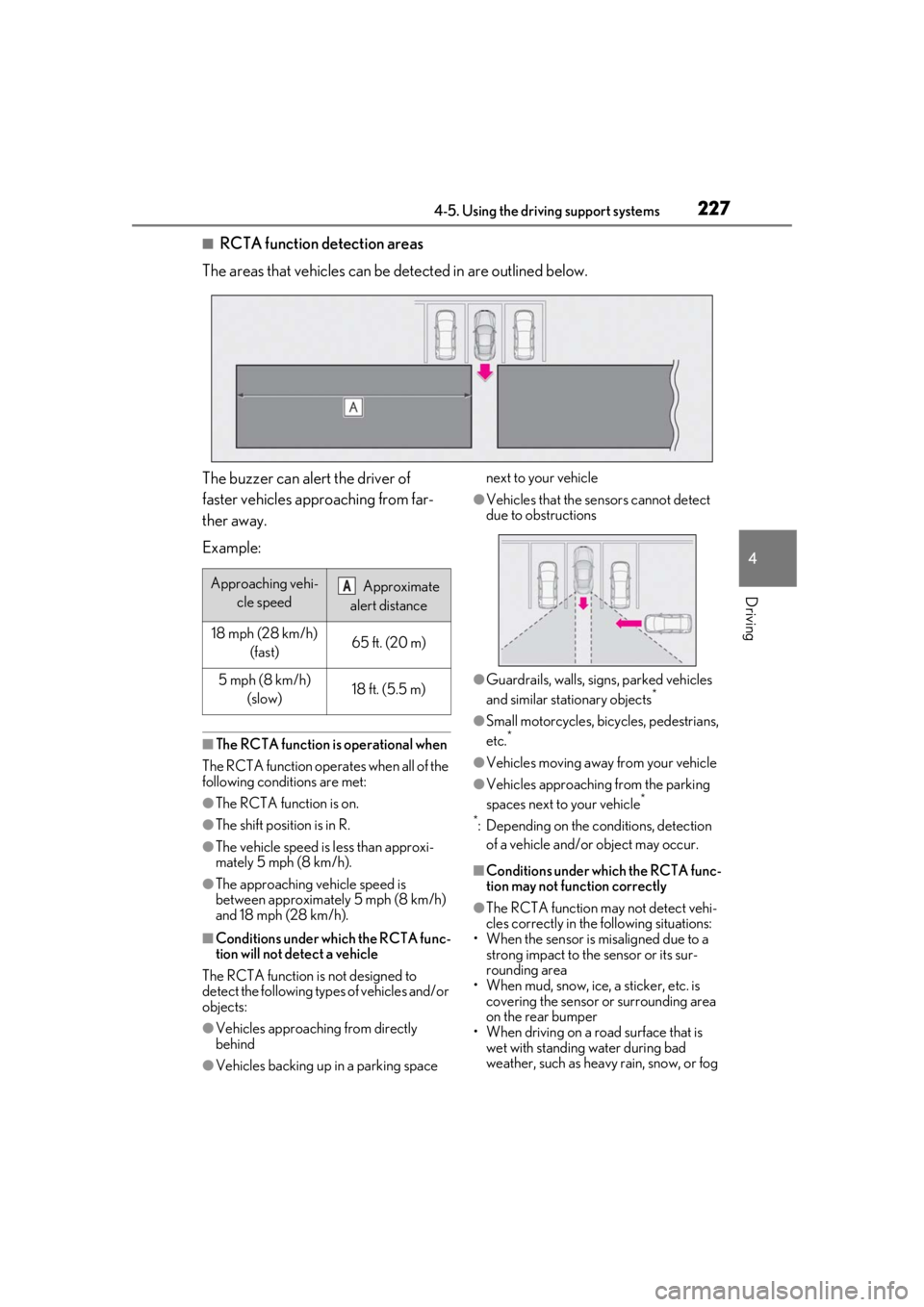
■RCTA function detection areas
The areas that vehicles can be detected in are outlined below.
The buzzer can alert the driver of
faster vehicles approaching from far-
ther away.
Example:
■The RCTA function is operational when
The RCTA function operates when all of the
following conditions are met:
●The RCTA function is on.
●The shift position is in R.
●The vehicle speed is less than approxi-
mately 5 mph (8 km/h).
●The approaching vehicle speed is
between approximately 5 mph (8 km/h)
and 18 mph (28 km/h).
■Conditions under which the RCTA func-
tion will not detect a vehicle
The RCTA function is not designed to
detect the following types of vehicles and/or
objects:
●Vehicles approaching from directly
behind
●Vehicles backing up in a parking space next to your vehicle
●Vehicles that the sensors cannot detect
due to obstructions
●Guardrails, walls, signs, parked vehicles
and similar stationary objects*
●Small motorcycles, bicycles, pedestrians,
etc.*
●Vehicles moving away from your vehicle
●Vehicles approaching from the parking
spaces next to your vehicle*
*
: Depending on the conditions, detection of a vehicle and/or object may occur.
■Conditions under which the RCTA func-
tion may not function correctly
●The RCTA function may not detect vehi-
cles correctly in the following situations:
• When the sensor is misaligned due to a strong impact to the sensor or its sur-
rounding area
• When mud, snow, ice, a sticker, etc. is covering the sensor or surrounding area
on the rear bumper
• When driving on a road surface that is wet with standing water during bad
weather, such as heavy rain, snow, or fog
Approaching vehi-
cle speed Approximate
alert distance
18 mph (28 km/h) (fast)65 ft. (20 m)
5 mph (8 km/h) (slow)18 ft. (5.5 m)
A
Page 228 of 432
2284-5. Using the driving support systems
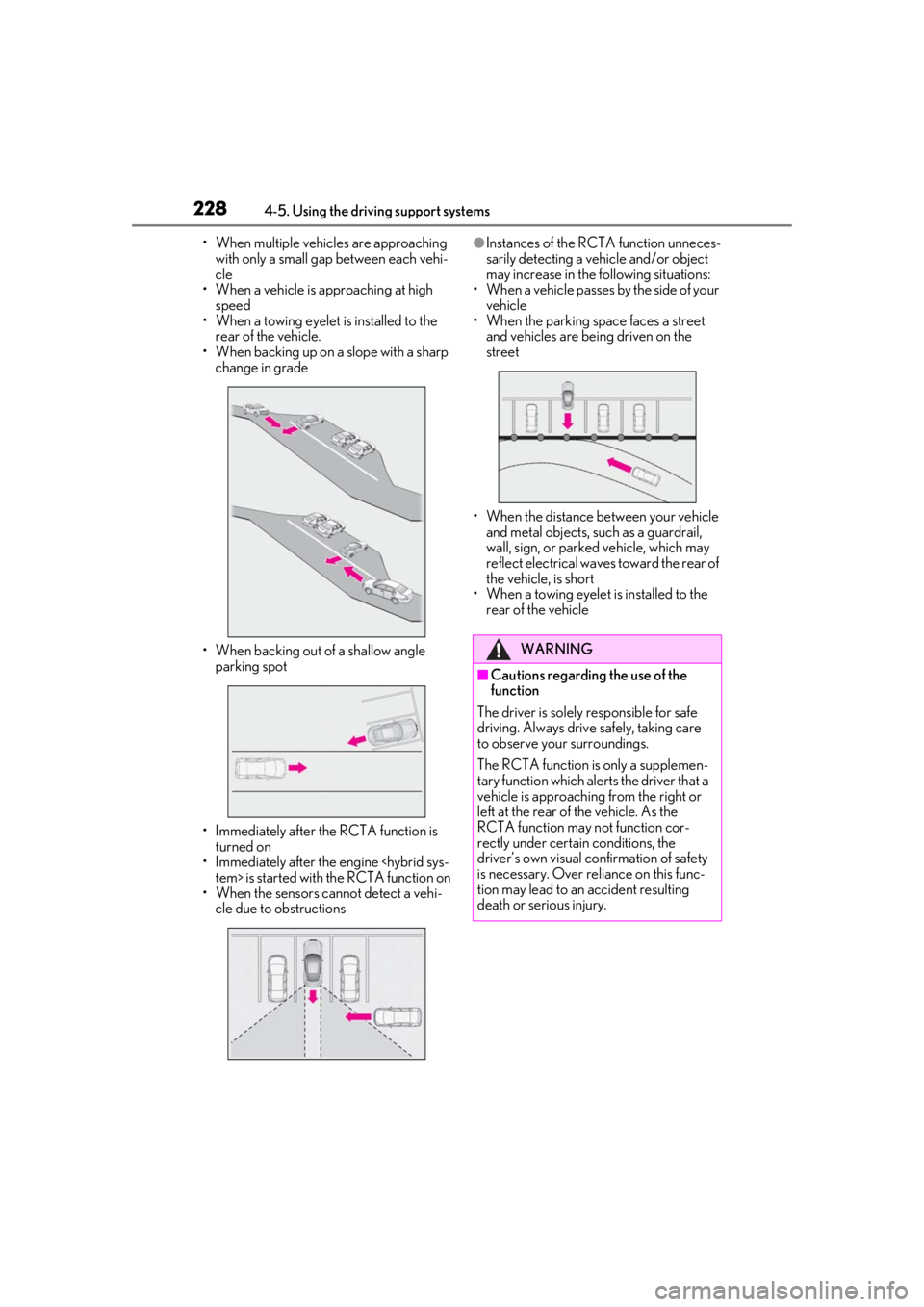
• When multiple vehicles are approaching with only a small gap between each vehi-
cle
• When a vehicle is approaching at high speed
• When a towing eyelet is installed to the
rear of the vehicle.
• When backing up on a slope with a sharp change in grade
• When backing out of a shallow angle parking spot
• Immediately after the RCTA function is turned on
• Immediately after the engine
• When the sensors cannot detect a vehi- cle due to obstructions●Instances of the RCTA function unneces-
sarily detecting a vehicle and/or object
may increase in the following situations:
• When a vehicle passes by the side of your vehicle
• When the parking space faces a street
and vehicles are being driven on the
street
• When the distance between your vehicle and metal objects, such as a guardrail,
wall, sign, or parked vehicle, which may
reflect electrical waves toward the rear of
the vehicle, is short
• When a towing eyelet is installed to the
rear of the vehicle
WARNING
■Cautions regarding the use of the
function
The driver is solely responsible for safe
driving. Always drive safely, taking care
to observe your surroundings.
The RCTA function is only a supplemen-
tary function which alerts the driver that a
vehicle is approaching from the right or
left at the rear of the vehicle. As the
RCTA function may not function cor-
rectly under certai n conditions, the
driver’s own visual confirmation of safety
is necessary. Over re liance on this func-
tion may lead to an accident resulting
death or serious injury.
Page 231 of 432
2314-5. Using the driving support systems
4
Driving
■ECB (Electronically Controlled
Brake System)
The electronically controlled system
generates braking force correspond-
ing to the brake operation
■ABS (Anti-lock Brake System)
Helps to prevent wheel lock when the
brakes are applied suddenly, or if the
brakes are applied while driving on a
slippery road surface
■Brake assist
Generates an increased level of brak-
ing force after the brake pedal is
depressed when the system detects a
panic stop situation
■VSC (Vehicle Stability Control)
Helps the driver to control skidding
when swerving sudden ly or turning on
slippery road surfaces
■Secondary Collision Brake
When the airbag sensor detects a colli-
sion, the brakes and brake lights are
automatically controlled to reduce the
WARNING
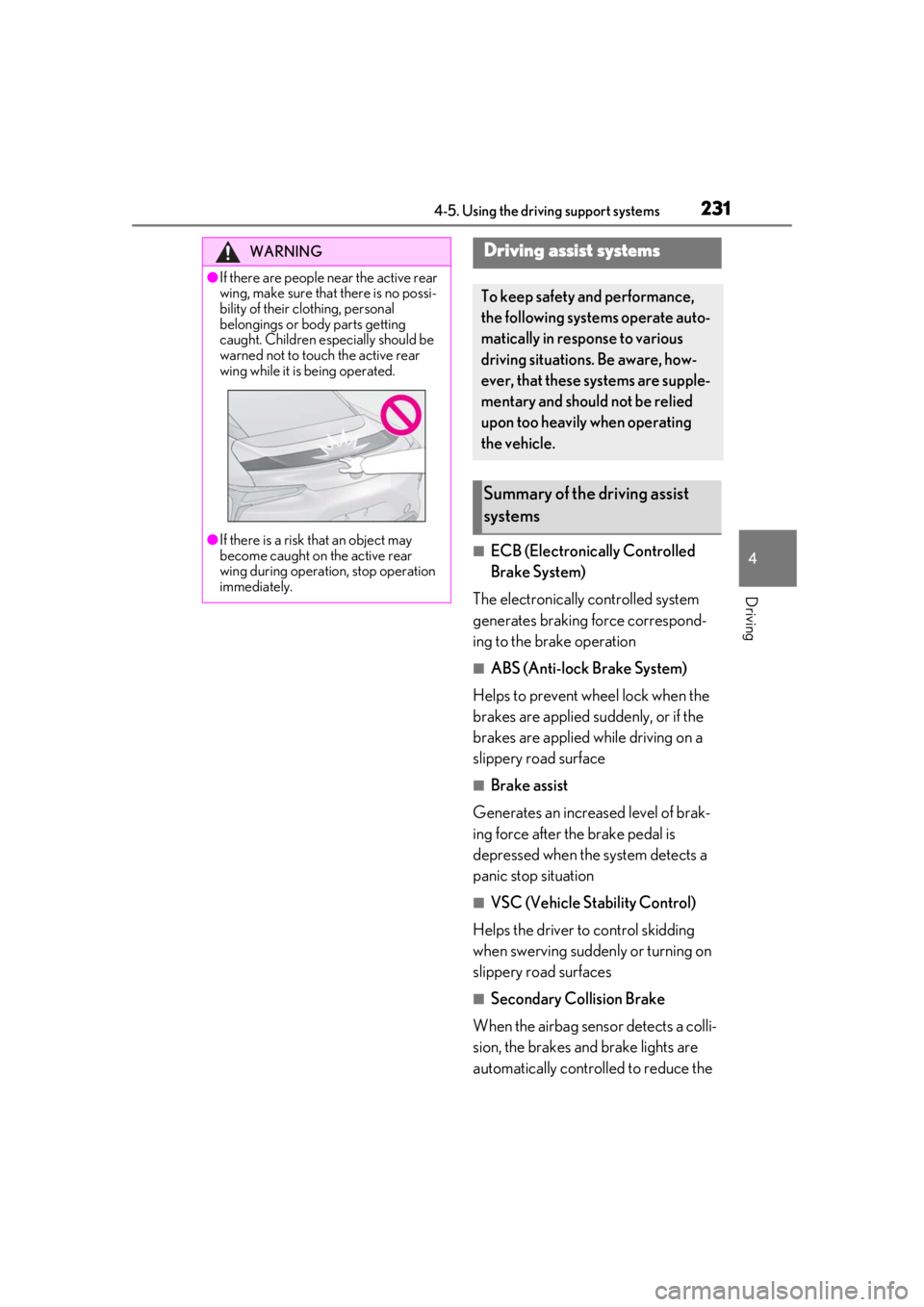
●If there are people near the active rear
wing, make sure that there is no possi-
bility of their clothing, personal
belongings or body parts getting
caught. Children especially should be
warned not to touch the active rear
wing while it is being operated.
●If there is a risk that an object may
become caught on the active rear
wing during operation, stop operation
immediately.
Driving assist systems
To keep safety and performance,
the following systems operate auto-
matically in response to various
driving situations. Be aware, how-
ever, that these systems are supple-
mentary and should not be relied
upon too heavily when operating
the vehicle.
Summary of the driving assist
systems
Page 234 of 432
2344-5. Using the driving support systems
■When the 12-volt battery is discon-
nected (vehicles with VGRS)
The steering wheel may move from its
straight forward position, but this will be
corrected automatically when driving.
■Sounds and vibrations caused by the
ABS, brake assist, VS C, TRAC, hill-start
assist control and VGRS systems
●A sound may be heard from the engine
compartment when the brake pedal is
depressed repeatedly, when the engine is
started or just after the vehicle begins to
move. This sound does not indicate that a
malfunction has occurred in any of these
systems.
●Any of the following conditions may
occur when the above systems are oper-
ating. None of these indicates that a mal-
function has occurred.
• Vibrations may be felt through the vehicle body and steering.
• A motor sound may be heard after the
vehicle comes to a stop.
■ECB operating sound
ECB operating sound may be heard in the
following cases, but it does not indicate that
a malfunction has occurred.
●Operating sound heard from the engine
compartment when the brake pedal is
operated.
●Motor sound of the brake system heard
from the front part of the vehicle when
the driver’s door is opened.
●Operating sound heard from the engine
compartment when one or two minutes
passed after the stop of the engine
■EPS, VGRS and DRS operation sound
When the steering wheel is operated, a
motor sound (whirring sound) may be
heard. This does not indicate a malfunction.
■Automatic reactivation of TRAC and
VSC systems
After turning the TRAC and VSC systems
off, the systems will be automatically re-
enabled in the following situations:
●When the engine switch
is turned off
●If only the TRAC system is turned off, the
TRAC will turn on when vehicle speed
increases
If both the TRAC and VSC systems are
turned off, automatic re-enabling will not
occur when vehicle speed increases.
■Secondary Collision Brake operating
conditions
The vehicle speed is approximately 6 mph
(10 km/h) or more and the airbag sensor
detects a collision. (The Secondary Colli-
sion Brake will not operate when the vehicle
speed is below approximately 6 mph [10
km/h].)
■Secondary Collision Brake automatic
cancellation
The Secondary Collision Brake is automati-
cally canceled in the following situations.
●The vehicle speed drops below approxi-
mately 6 mph (10 km/h)
●A certain amount of time elapses during
operation
●The accelerator pedal is depressed a
large amount
■If “Secondary Collision Brake system
Malfunction” is displayed on the multi-
information display
The system may be ma lfunctioning. Have
the vehicle inspected at your Lexus dealer.
■Reduced effectiveness of the EPS sys-
tem
The effectiveness of the EPS system is
reduced to prevent the system from over-
heating when there is frequent steering
input over an extended period of time. The
steering wheel may feel heavy as a result.
Should this occur, re frain from excessive
steering input or stop the vehicle and turn
the engine
tem should return to normal within 10 min-
utes.
Page 253 of 432
2535-3. Using the air conditioning system
5
Interior features
■Windshield wiper de-icer (if equipped)
This feature is used to prevent ice from
building up on the wi ndshield and wiper
blades.
The windshield de-icer will automatically
turn off after approximately 15 minutes.
■Eco air conditioning mode
When Eco drive mode is selected using the
driving mode select switch, eco air condi-
tioning mode turns on.
When a drive mode other than Eco drive
mode is selected, eco air conditioning
mode may turn off.
■Micro dust and pollen filter
Outside air mode switches to
(recirculated air) mode. Pollen is removed
from the air and the air flows to the upper
part of the body.
Usually the system will automatically turn
off after approximately 1 to 3 minutes.
In order to prevent the windshield from fog-
ging up when the outside air is cold, the
dehumidification function may operate or
the outside/recirculat ed air mode may not
switch to (recirculated air) mode.
Pollen is filtered even if the micro dust and
pollen filter is turned off.
1 Press the automatic mode switch or
select “AUTO” on the sub function
menu. ( P.251) 2
Press the outside/recirculated air
mode switch to switch to automatic
air intake mode.
The air conditioning system automatically
switches between outside air and recircu-
lated air modes.
3Adjust the temperature setting.
4 To stop the operation, press the off
switch or select “Off” on the sub
function menu. ( P.251)
If the fan speed setting or air flow
modes are operated, the automatic
mode indicator goes off. However,
automatic mode for functions other
than that operated is maintained.
■Using automatic mode
Fan speed is adjusted automatically accord-
ing to the temperature setting and the
ambient conditions.
Therefore, the fan may stop for a while until
warm or cool air is ready to flow immedi-
ately after the automatic mode switch is
pressed or “AUTO” is selected.
Cool air may blow around the upper body
even when the heater is on due to sunlight.
■Windshield fog detection function
When automatic mode is set, the humidity
sensor detects fog on the windshield and
controls the air condit ioning system to pre-
vent fog.
■Automatic mode for air intake control
In automatic mode, the system detects
exhaust gas and other pollutants and auto-
matically switches between outside air and
recirculated air modes.
When the dehumidification function is off,
and the fan is operating, turning automatic
mode on will activate the dehumidification
function.
WARNING
■To prevent burns (vehicles with wind-
shield wiper de-icer)
Do not touch the glass at lower part of
the windshield or to the side of the front
pillars when the wind shield wiper de-icer
is on.
Using automatic mode