change time lexus LC500h 2021 / LEXUS 2021 LC500,LC500H (OM11559U) Owner's Guide
[x] Cancel search | Manufacturer: LEXUS, Model Year: 2021, Model line: LC500h, Model: Lexus LC500h 2021Pages: 448, PDF Size: 14.11 MB
Page 247 of 448
2474-5. Using the driving support systems
4
Driving
WARNING
●When driving over roads with potholes
or uneven surfaces
■TRAC/VSC may not operate effec-
tively when
Directional control and power may not
be achievable while driving on slippery
road surfaces, even if the TRAC/VSC
system is operating.
Drive the vehicle carefully in conditions
where stability and power may be lost.
■Active Cornering Assist does not
operate effectively when
●Do not overly rely on Active Corner-
ing Assist. Active Cornering Assist
may not operate effectively when
accelerating down slopes or driving on
slippery road surfaces.
●When Active Cornering Assist fre-
quently operates, Active Cornering
Assist may temporarily stop operating
to ensure proper operation of the
brakes, TRAC and VSC.
■Hill- start assist control does not
operate effectively when
●Do not overly rely on hill-start assist
control. Hill-start assist control may
not operate effectively on steep
inclines and roads covered with ice.
●Unlike the parking brake, hill-start
assist control is not intended to hold
the vehicle stationary for an extended
period of time. Do not attempt to use
hill-start assist control to hold the vehi-
cle on an incline, as doing so may lead
to an accident.
■When the TRAC/ABS/
VSC/VGRS*/DRS* is activated
The slip indicator light flashes. Always
drive carefully. Re ckless driving may
cause an accident. Exercise particular
care when the indicator light flashes.
*: Only when controlled by the VDIM
system.
■When the TRAC/VSC systems are
turned off
Be especially careful and drive at a speed
appropriate to the road conditions. As
these are the systems to help ensure
vehicle stability and driving force, do not
turn the TRAC/VSC systems off unless
necessary.
■Replacing tires
Make sure that all ti res are of the speci-
fied size, brand, tread pattern and total
load capacity. In addition, make sure that
the tires are inflated to the recom-
mended tire inflation pressure level.
The ABS, TRAC and VSC systems will
not function correctly if different tires are
installed on the vehicle.
Contact your Lexus dealer for further
information when replacing tires or
wheels.
■Handling of tires and the suspension
Using tires with any kind of problem or
modifying the suspensi on will affect the
driving assist systems, and may cause a
system to malfunction.
■Secondary Collision Brake
Do not rely solely upon the Secondary
Collision Brake. This system is designed
to help reduce the possibility of further
damage due to a secondary collision,
however, that effect changes according
to various conditions. Overly relying on
the system may result in death or serious
injury.
Page 261 of 448
2615-3. Using the air conditioning system
5
Interior features
■Setting the fan speed
Operate the fan speed control switch
upwards to increase the fan speed and
downwards to decrease the fan speed.
Press the off switch to turn the fan off.
■Changing the air flow mode
P.263
■Switching between outside air and
recirculated air modes
Operate the outside/recirculated air
mode switch upwards or downwards.
The mode changes as follows each
time the switch is operated.
automatic mode (outside air
mode) (recirculated air
mode) automatic mode
When the system is switched to automatic
mode, the air conditioning system operates
automatically.
■Defogging the windshield
Defoggers are used to defog the wind-
shield and front side windows.
Press the windshield defogger switch.
Set the outside/reci rculated air mode
switch to outside air mode if the recircu-
lated air mode is used. (It may switch auto-
matically.)
To defog the windshield and the side win-
dows early, turn the air flow and tempera-
ture up.
To return to the previous mode, press the
windshield defogger switch again when the
windshield is defogged.
■Defogging the rear window and
outside rear view mirrors
Defoggers are used to defog the rear window, and to remove raindrops, dew
and frost from the outside rear view
mirrors.
Press the rear window and outside rear
view mirror defoggers switch.
The defoggers will automatically turn off
after 15 to 60 minutes. The operation time
changes according to the ambient tem-
perature and vehicle speed.
■Windshield wiper de-icer (if
equipped)
P.265
■When the outside temperature exceeds
75°F (24°C) and the air conditioning
system is on
●In order to reduce the air conditioning
power consumption, the air conditioning
system may switch to recirculated air
mode automatically. This may also
reduce fuel consumption.
●Recirculated air mode is selected as a
default mode when the engine switch
ON mode
●It is possible to switch to outside air mode
at any time by pressing the outside/recir-
culated air mode switch.
■Fogging up of the windows
The windows will easily fog up when the
humidity in the vehicle is high. Turning “A/C”
on will dehumidify the air from the outlets
and defog the windshield effectively.
●If you turn “A/C” off, the windows may fog
up more easily.
●The windows may fog up if the recircu-
lated air mode is used.
■When driving on dusty roads
Close all windows. If dust thrown up by the
vehicle is still drawn into the vehicle after
closing the windows, it is recommended
that the air intake mode be set to outside air
mode and the fan speed to any setting
except off.
Page 262 of 448

2625-3. Using the air conditioning system
■Outside/recirculated air mode
●Setting to the recirculated air mode tem-
porarily is recommended in preventing
dirty air from entering the vehicle interior
and helping to cool the vehicle when the
outside air temperature is high.
●Outside/recirculated air mode may auto-
matically switch de pending on the tem-
perature setting or the inside
temperature.
■Registering air condit ioning settings to
electronic keys
●Unlocking the vehicle using an electronic
key and turning the engine switch
conditioning settings.
●When the engine switch
is turned off, the current air conditioning
settings will automatically be registered
to the electronic key that was used to
unlock the vehicle.
●The system may not operate correctly if
more than one electr onic key is in the
vicinity or if the smart access system with
push-button start is used to unlock the
passenger door.
●The doors that can recall the air condi-
tioning setting* when unlocked using the
smart access system with push-button
start can be changed. For details, contact
your Lexus dealer.
*: The doors that can recall the driving posi-
tion memory are changed at the same
time.
■Operation of the air conditioning sys-
tem in Eco drive mode
In Eco drive mode, the air conditioning sys-
tem is controlled as follows to prioritize fuel
efficiency:
●Engine speed and compressor operation
controlled to restri ct heating/cooling
capacity
●Fan speed restricted when automatic
mode is selected
To improve air condit ioning performance,
perform the following operations:
●Turn off eco air conditioning mode (
P.263)
●Adjust the fan speed
●Turn off Eco drive mode ( P.224)
■When the outside temperature falls to
nearly 32°F (0°C)
The dehumidification function may not
operate even when “A/C” is selected.
■Ventilation and air conditioning odors
●To let fresh air in, set the air conditioning
system to the outside air mode.
●During use, various odors from inside and
outside the vehicle may enter into and
accumulate in the air conditioning sys-
tem. This may then cause odor to be
emitted from the vents.
●To reduce potential odors from occur-
ring:
• It is recommended that the air condition- ing system be set to outside air mode
prior to turning the vehicle off.
• The start timing of the blower may be delayed for a short pe riod of time imme-
diately after the air conditioning system is
started in automatic mode or with the
micro dust and pollen filter on.
●When parking, the system automatically
switches to fresh air intake mode to
encourage better air circulation through-
out the vehicle, helping to reduce odors
that occur when starting the vehicle.
■Using the voice command system
Air conditioning system can be operated
using voice commands. For details, refer to
the “NAVIGATION SYSTEM OWNER’S
MANUAL”.
■Air conditioning filter
P.328
■Air conditioning system refrigerant
●A label regarding the refrigerant of the
air conditioning system is attached to the
hood at the location shown in the follow-
ing illustration.
Page 269 of 448
2695-3. Using the air conditioning system
5
Interior features
The seat ventilator can be adjusted in 3 lev-
els.
When the seat ventilator is operated, the
fan speed level is disp layed on the screen.
Adjust the seat heater temperature
level
The seat heater can be adjusted in 3 levels.
When the seat heater is operated, the tem-
perature level is displayed on the screen.
Adjust the heated steering wheel
temperature level
The heated steering wheel can be adjusted
in 2 levels.
When the heated steering wheel is oper-
ated, the temperature level is displayed on
the screen.
Automatic mode on/off indicators
When the automatic mode is on, the indi-
cator illuminates on the screen.
Sub function menu
When the sub function button on the
Remote Touch is pressed, the following
functions can be set to automatic mode.
: Left-hand side seat heater/seat
ventilator
: Heated steering wheel
: Right-hand side seat heater/seat
ventilator
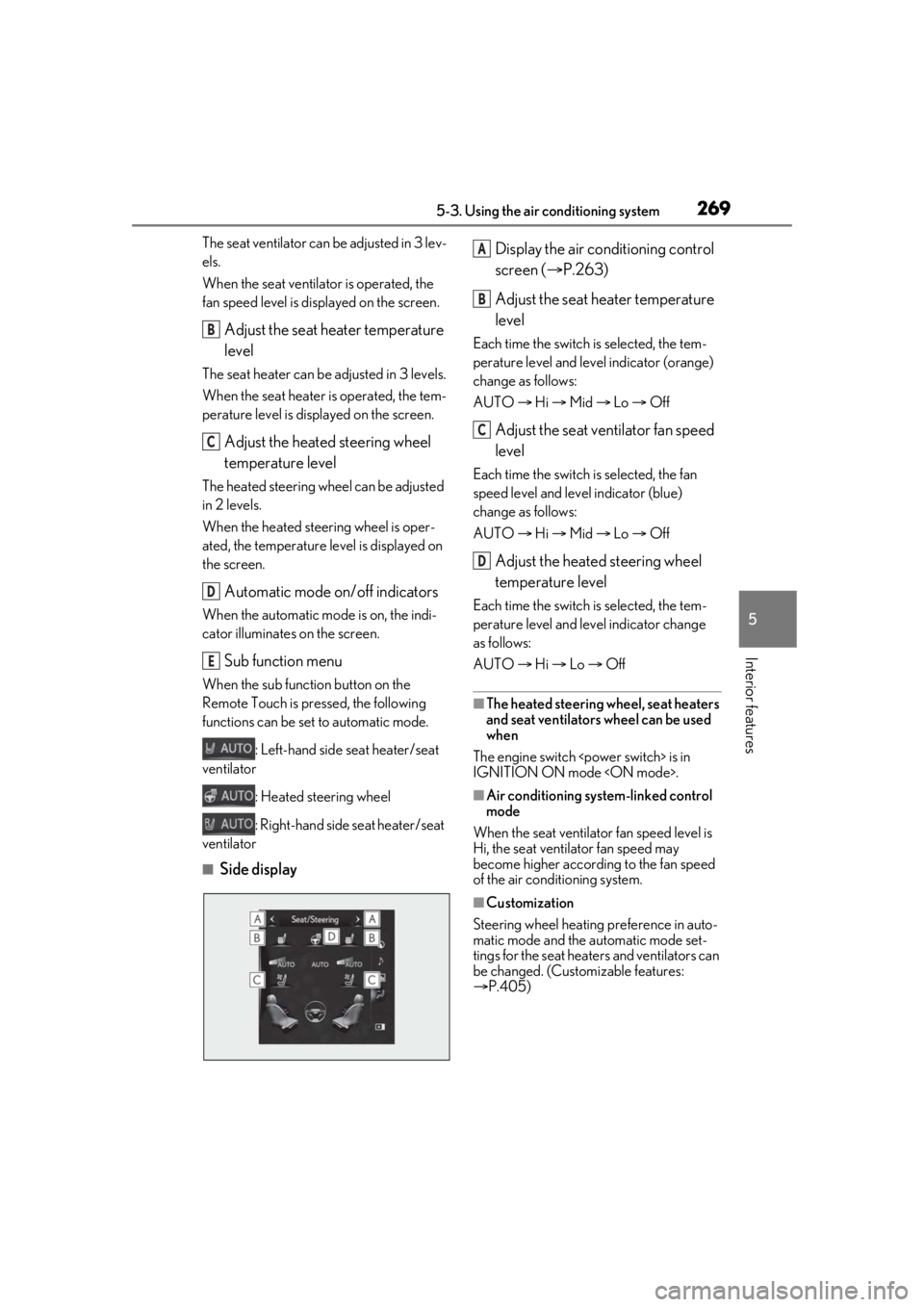
■Side display Display the air conditioning control
screen (
P.263)
Adjust the seat heater temperature
level
Each time the switch is selected, the tem-
perature level and level indicator (orange)
change as follows:
AUTO Hi Mid Lo Off
Adjust the seat ventilator fan speed
level
Each time the switch is selected, the fan
speed level and level indicator (blue)
change as follows:
AUTO Hi Mid Lo Off
Adjust the heated steering wheel
temperature level
Each time the switch is selected, the tem-
perature level and le vel indicator change
as follows:
AUTO Hi Lo Off
■The heated steering wheel, seat heaters
and seat ventilators wheel can be used
when
The engine switch
IGNITION ON mode
■Air conditioning system-linked control
mode
When the seat ventilator fan speed level is
Hi, the seat ventilator fan speed may
become higher according to the fan speed
of the air conditioning system.
■Customization
Steering wheel heating preference in auto-
matic mode and the automatic mode set-
tings for the seat heaters and ventilators can
be changed. (Customizable features:
P.405)
B
C
D
E
A
B
C
D
Page 272 of 448
2725-4. Using the interior lights
rior lights will turn on automatically. The
interior lights will turn off automatically after
approximately 20 minutes. The interior
lights can be turned off manually. However,
in order to help prevent further collisions, it
is recommended that th ey be left on until
safety can be ensured. (The interior lights
may not turn on automatically depending
on the force of the impact and conditions of
the collision.)
■Customization
Setting (e.g. the time elapsed before lights
turn off) can be changed.
(Customizable features: P.405)
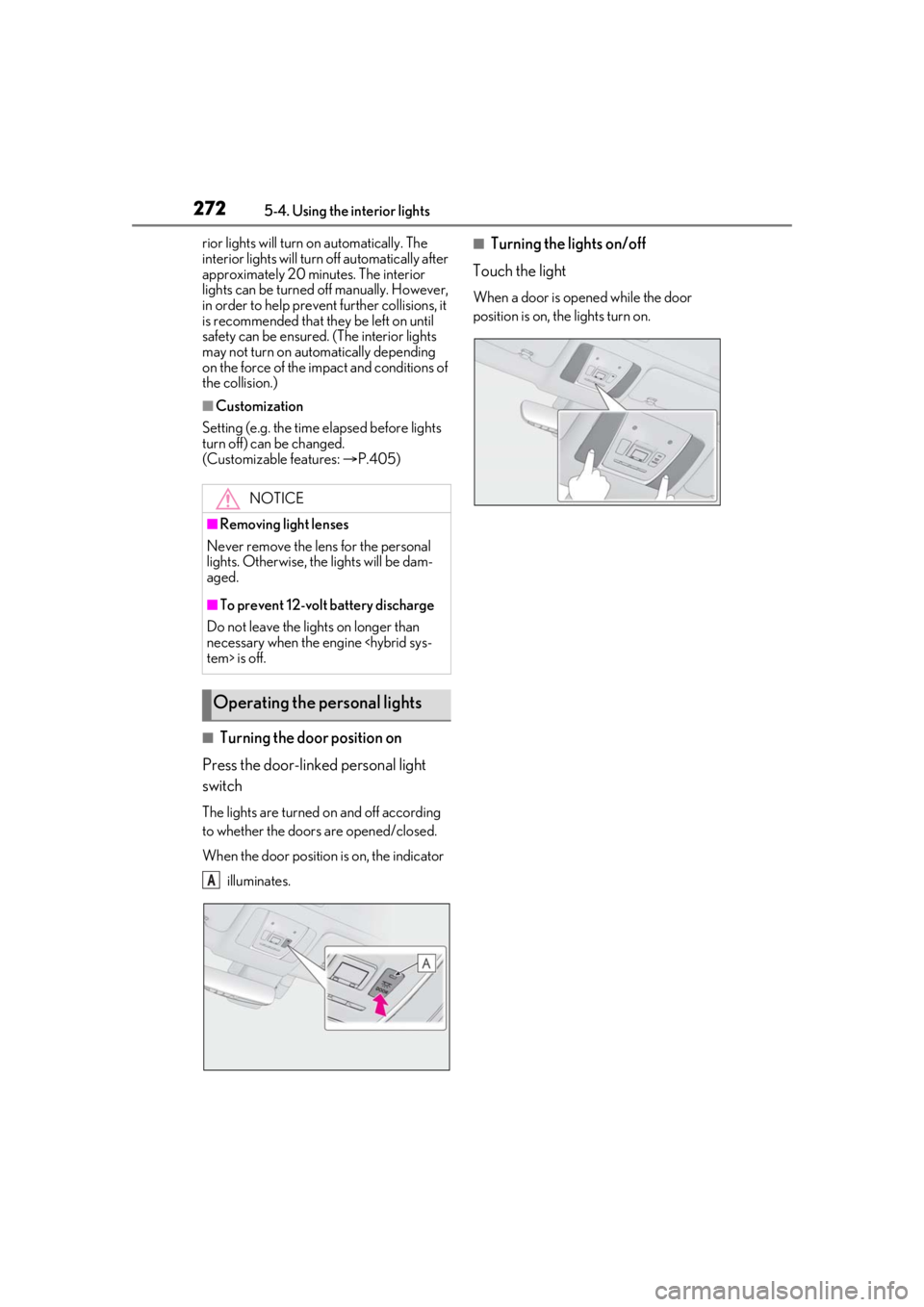
■Turning the door position on
Press the door-linked personal light
switch
The lights are turned on and off according
to whether the doors are opened/closed.
When the door position is on, the indicator
illuminates.
■Turning the lights on/off
Touch the light
When a door is opened while the door
position is on, the lights turn on.
NOTICE
■Removing light lenses
Never remove the lens for the personal
lights. Otherwise, th e lights will be dam-
aged.
■To prevent 12-volt battery discharge
Do not leave the lights on longer than
necessary when the engine
Operating the personal lights
A
Page 286 of 448
2866-1. Maintenance and care
6-1.Maintenance and care
Working from top to bottom, liber-
ally apply water to the vehicle body,
wheel wells and underside of the
vehicle to remove any dirt and dust.
Wash the vehicle body using a
sponge or soft cloth, such as a
chamois.
For hard-to-remove marks, use car
wash soap and rinse thoroughly with
water.
Wipe away any water.
Wax the vehicle when the water-
proof coating deteriorates.
If water does not bead on a clean surface,
apply wax when the vehicle body is cool.
■CFRP (Carbon Fiber Reinforced Plas-
tic) part (if equipped)
●As the CFRP parts ma y change color if
they are exposed to ultraviolet rays for
extended periods of time, Lexus recom-
mends that your vehicle be stored in a
place where it will not be exposed to
direct sunlight.
●Do not use wax that contains abrasives.
●Do not use automatic car washes as they
may scratch the CFRP parts and damage
the paint.
■Self-restoring coat*
The vehicle body has a self-restoring coat-
ing that is resistant to small surface scratches caused in
a car wash etc.
●The coating lasts for 5 to 8 years from
when the vehicle is delivered from the
plant.
●The restoration time differs depending on
the depth of the scratch and outside tem-
perature.
The restoration time may become
shorter when the coating is warmed by
applying warm water.
●Deep scratches caused by keys, coins,
etc. cannot be restored.
●Do not use wax that contain abrasives.*: CFRP parts (if equipp ed) do not have a
self-restoring coat.
■Cleaning the areas with metal accents
Do not use baking soda (sodium bicarbon-
ate) and wax that contains abrasives.
■Automatic car washes (vehicles without
CFRP parts)
●Fold the mirrors befo re washing the vehi-
cle. Start washing from the front of the
vehicle. Make sure to extend the mirrors
before driving.
●Wash the vehicle with the active rear
wing retracted. If the vehicle is washed
with the active rear wing raised, depend-
ing on the type of automatic car wash, the
brushes of the automatic car wash may
become stuck on the active rear wing. In
this case, the active rear wing may not be
washed very well or may even be
scratched or damaged.
●Brushes used in automatic car washes
may scratch the vehicle surface, parts
(wheel, etc.) and damage the paint.
●When it is necessar y to set the engine
switch
mode with the shift position held in N,
refer to P.166, 172.
■High pressure car washes
As water may enter the cabin, do not bring
the nozzle tip near the gaps around the
doors or perimeter of the windows, or spray
these areas continuously.
Cleaning and protecting the
vehicle exterior
Perform cleaning in a manner
appropriate to each component
and its material.
Cleaning instructions
Page 320 of 448
3206-3. Do-it-yourself maintenance
The tire pressure warning valve and
transmitter is equipped with a unique
ID code. When replacing a tire pres-
sure warning valve and transmitter, it is
necessary to register the ID code.
When registering the ID codes, per-
form the following procedure.
1Turn the engine switch
2 Press or of the meter con-
trol switches and select .
3 Press or of the meter con-
trol switches and select “Vehicle
Settings”, then press “OK”.
4 Press or of the meter con-
trol switches and select “TPWS
SET”, then press “OK”.
5 Press or of the meter con-
trol switches and select “Change
wheel set”. Then press and hold
“OK” until the tire pressure warning
light starts blinking.
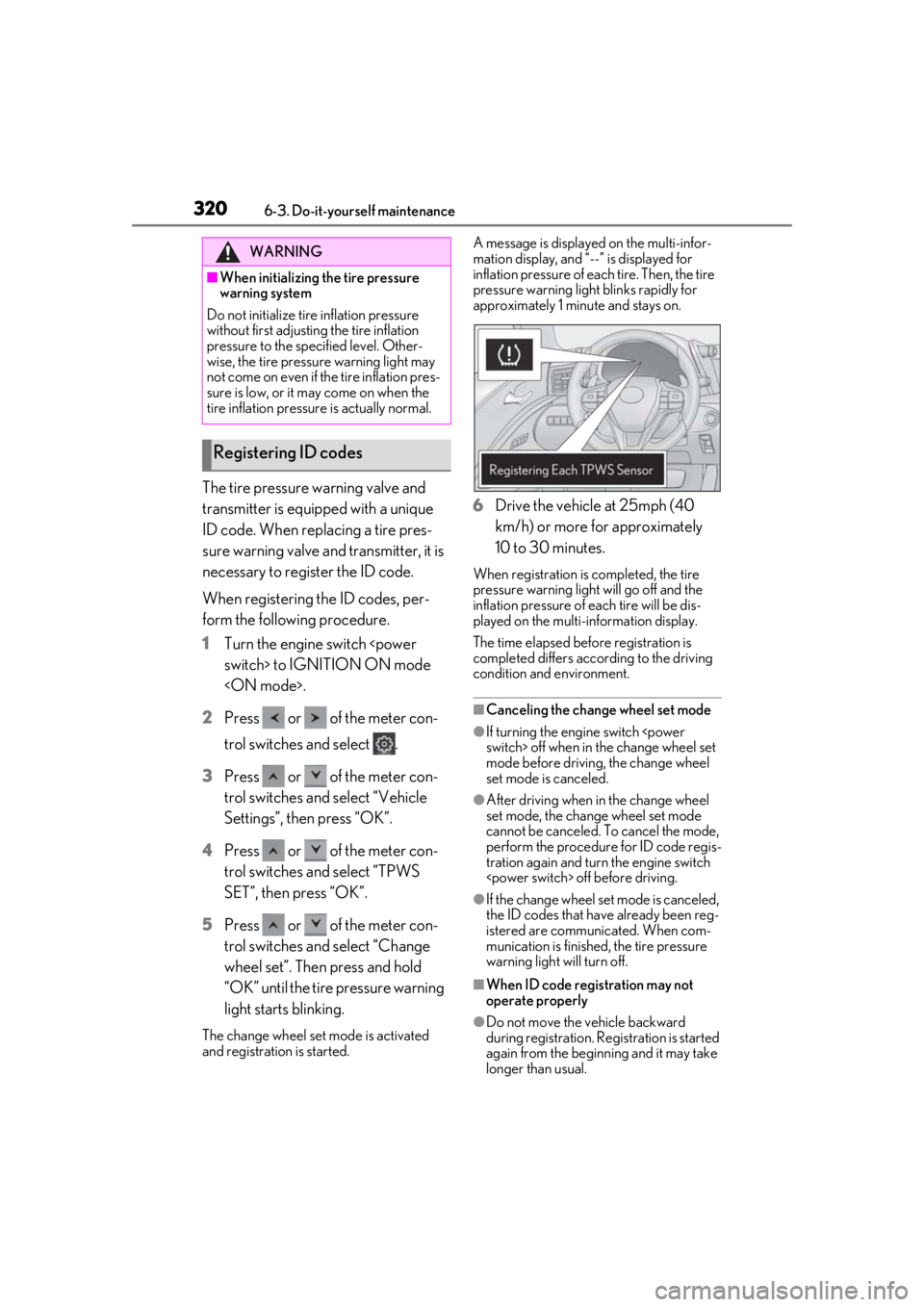
The change wheel set mode is activated
and registration is started. A message is displayed on the multi-infor-
mation display, and “--” is displayed for
inflation pressure of each tire. Then, the tire
pressure warning light blinks rapidly for
approximately 1 minute and stays on.
6
Drive the vehicle at 25mph (40
km/h) or more for approximately
10 to 30 minutes.
When registration is completed, the tire
pressure warning light will go off and the
inflation pressure of each tire will be dis-
played on the multi-information display.
The time elapsed before registration is
completed differs according to the driving
condition and environment.
■Canceling the change wheel set mode
●If turning the engine switch
mode before driving, the change wheel
set mode is canceled.
●After driving when in the change wheel
set mode, the change wheel set mode
cannot be canceled. To cancel the mode,
perform the procedure for ID code regis-
tration again and turn the engine switch
●If the change wheel set mode is canceled,
the ID codes that have already been reg-
istered are communicated. When com-
munication is finished, the tire pressure
warning light will turn off.
■When ID code registration may not
operate properly
●Do not move the vehicle backward
during registration. Re gistration is started
again from the beginning and it may take
longer than usual.
WARNING
■When initializing the tire pressure
warning system
Do not initialize tire inflation pressure
without first adjusting the tire inflation
pressure to the spec ified level. Other-
wise, the tire pressure warning light may
not come on even if the tire inflation pres-
sure is low, or it may come on when the
tire inflation pressure is actually normal.
Registering ID codes
Page 352 of 448
3527-2. Steps to take in an emergency
her seat belt is not fastened. If the seat belt is unfastened, the buzzer sounds intermittently
for a certain period of time, af ter the seat belt is fastened and unfastened and the vehicle
reaches a certain speed.
*2: This light illuminates on the center panel.
■Master warning light (warning buzzer)
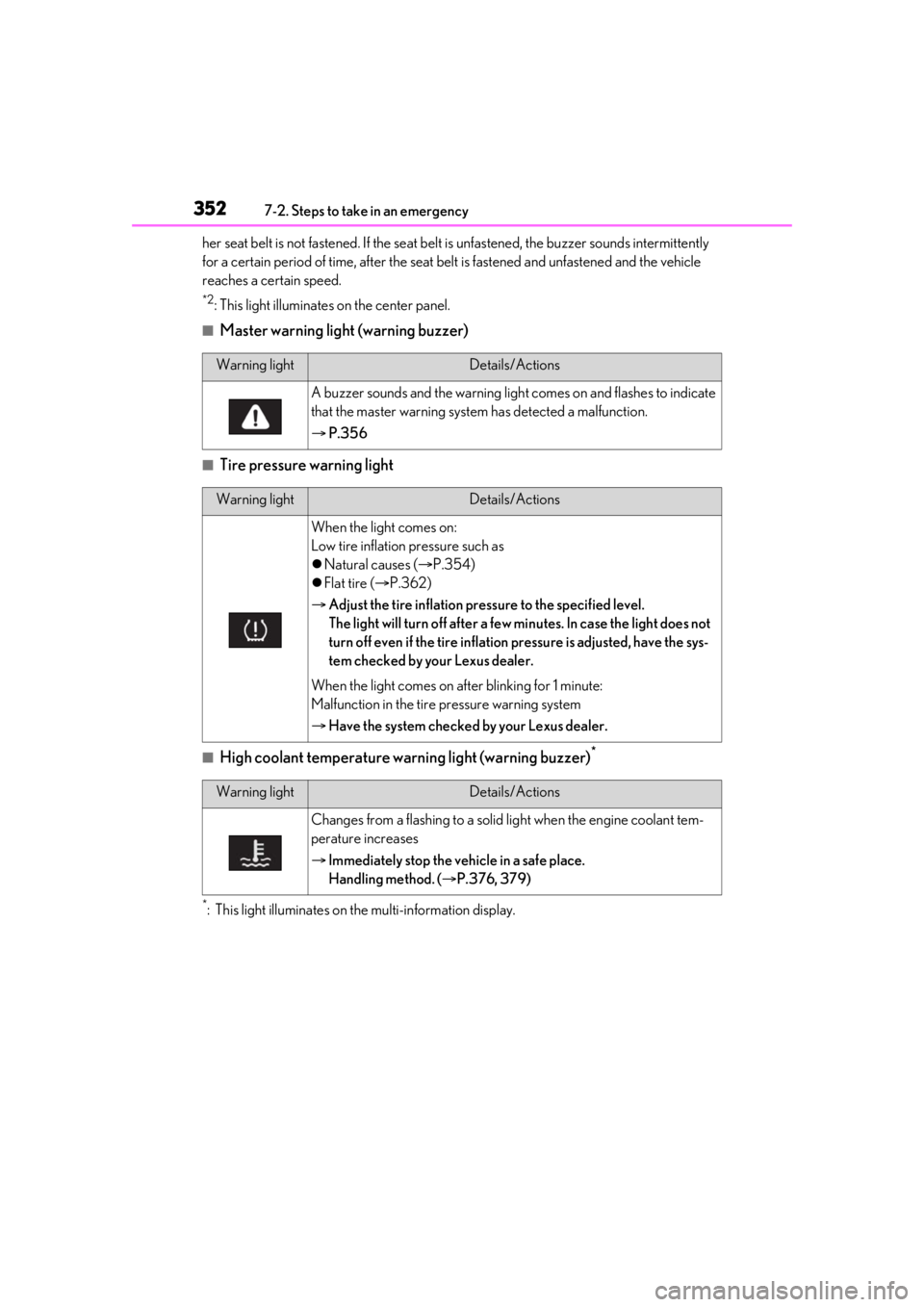
■Tire pressure warning light
■High coolant temperature warning light (warning buzzer)*
*: This light illuminates on the multi-information display.
Warning lightDetails/Actions
A buzzer sounds and the warning ligh t comes on and flashes to indicate
that the master warning system has detected a malfunction.
P.356
Warning lightDetails/Actions
When the light comes on:
Low tire inflation pressure such as
Natural causes ( P.354)
Flat tire ( P.362)
Adjust the tire inflation pressure to the specified level.
The light will turn off after a few mi nutes. In case the light does not
turn off even if the tire inflation pressure is adjusted, have the sys-
tem checked by your Lexus dealer.
When the light comes on after blinking for 1 minute:
Malfunction in the tire pressure warning system
Have the system checked by your Lexus dealer.
Warning lightDetails/Actions
Changes from a flashing to a solid light when the engine coolant tem-
perature increases
Immediately stop the vehicle in a safe place.
Handling method. ( P.376, 379)
Page 359 of 448

3597-2. Steps to take in an emergency
7
When trouble arises
■If a message that indicates the need for the shift lever operation is shown
To prevent the shift lever from being operated incorrectly or the vehicle from moving unex-
pectedly, a message that requires shifting the shift lever may be shown on the multi-informa-
tion display. In that case, follow the instruction of the me ssage and shift the shift lever.
■If a message that indicates the malfunction of front camera is displayed
The following systems may be suspended un til the problem shown in the message is
resolved. ( P.198, 347)
●PCS (Pre-Collision System)
●LKA (Lane-Keeping Assist)
●Automatic High Beam
●Dynamic radar cruise control with full-speed range
■If “Engine Stopped Steering Power Low” (LC500) or “H ybrid System Stopped Steer-
ing Power Low” (LC500h) is shown
The steering wheel may become extremely heavy. If the steering wheel becomes heavier
than usual when operating, hold firmly and operate using more force than usual.
■If “Warming Up Maximum Vehicle Speed: 65MPH” is shown (LC500h)
The transmission is being warmed up and the ve hicle is unable to be driven over 65 mph
(110 km/h). Wait until th e transmission warms up.
■If “Stop the vehicle in a safe place Shift to P position” is shown (LC500h)
There may be a malfunction in th e hybrid system or the shift position may be shifted to N for
a long time. Immediately stop the vehicle and contact your Lexus dealer.
■If “Oil Maintenance Required Soon” is shown (LC500h)
The engine oil is scheduled to be changed. Check the engine oil, and change if necessary.
After changing the engine oil, the message should be reset. (P.295)
■If “Maintenance Required Soon” is shown
Indicates that all maintenance according to th e driven distance on the maintenance sched-
ule
* should be performed soon. The message is shown approximately 4500 miles (7200
km) after the message has been reset. If necessary, perform maintenance.
*: Refer to the separate “Sched uled Maintenance” or “Owner’s Manual Supplement” for the
maintenance interval app licable to your vehicle.
■If “Engine Oil Level Low Add or Replace” is shown
The engine oil level is low. Chec k the level of engine oil, and add if necessary. This message
may appear if the vehicle is stopped on a slope. Move the vehicle to a level surface and
check to see if the message disappears.
■If a message that indicates the need for referring to Owner’s Manual is shown
●If any of the following messages is shown on the multi-information display, follow the
instructions.
• “Engine Coolant Temp High” ( P.376, 379)
•“Battery low” ( P.369)
• “Transmission Fluid Temp High” ( P.163, 170)
●If any of the following messages is shown on the multi-information di splay, it may indicate
a malfunction. Have the vehicle inspected by your Lexus dealer immediately.
• “Access System with Elec. Key Malfunction”
Page 369 of 448
3697-2. Steps to take in an emergency
7
When trouble arises
will turn to ACCESSORY mode.
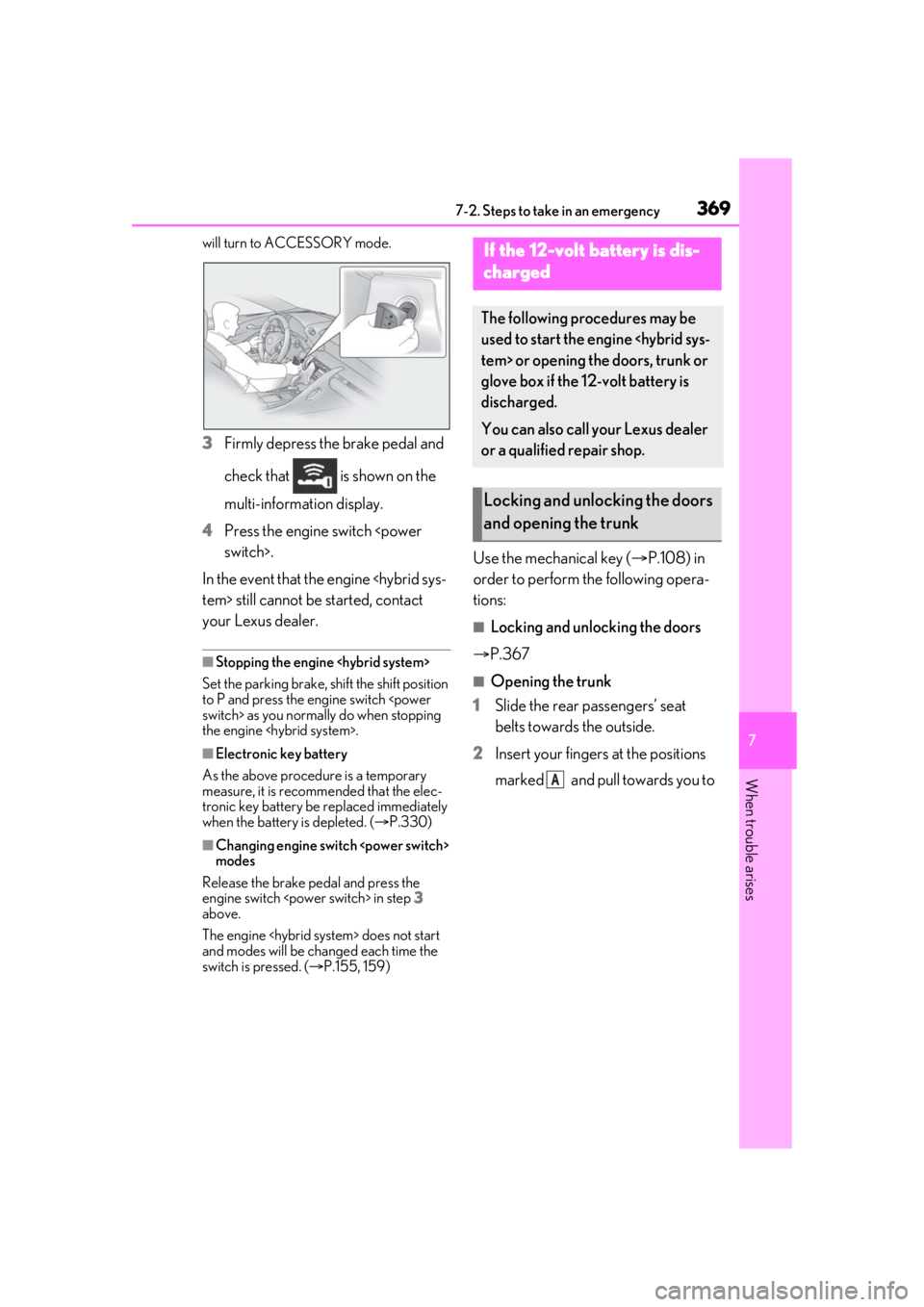
3Firmly depress the brake pedal and
check that is shown on the
multi-information display.
4 Press the engine switch
In the event that the engine
your Lexus dealer.
■Stopping the engine
Set the parking brake, shift the shift position
to P and press the engine switch
the engine
■Electronic key battery
As the above procedure is a temporary
measure, it is recomme nded that the elec-
tronic key battery be replaced immediately
when the battery is depleted. ( P.330)
■Changing engine switch
modes
Release the brake pedal and press the
engine switch
above.
The engine
and modes will be changed each time the
switch is pressed. ( P.155, 159)
Use the mechanical key ( P.108) in
order to perform th e following opera-
tions:
■Locking and unlocking the doors
P.367
■Opening the trunk
1 Slide the rear passengers’ seat
belts towards the outside.
2 Insert your fingers at the positions
marked and pull towards you to
If the 12-volt battery is dis-
charged
The following procedures may be
used to start the engine
glove box if the 12-volt battery is
discharged.
You can also call your Lexus dealer
or a qualified repair shop.
Locking and unlocking the doors
and opening the trunk
A