lights lexus LFA 2012 Technical Information / LEXUS 2012 LFA (OM77006U) Owner's Manual
[x] Cancel search | Manufacturer: LEXUS, Model Year: 2012, Model line: LFA, Model: Lexus LFA 2012Pages: 420, PDF Size: 5.02 MB
Page 162 of 420
160
2-3. Operating the lights and windshield wipers
Windshield wipers and washer
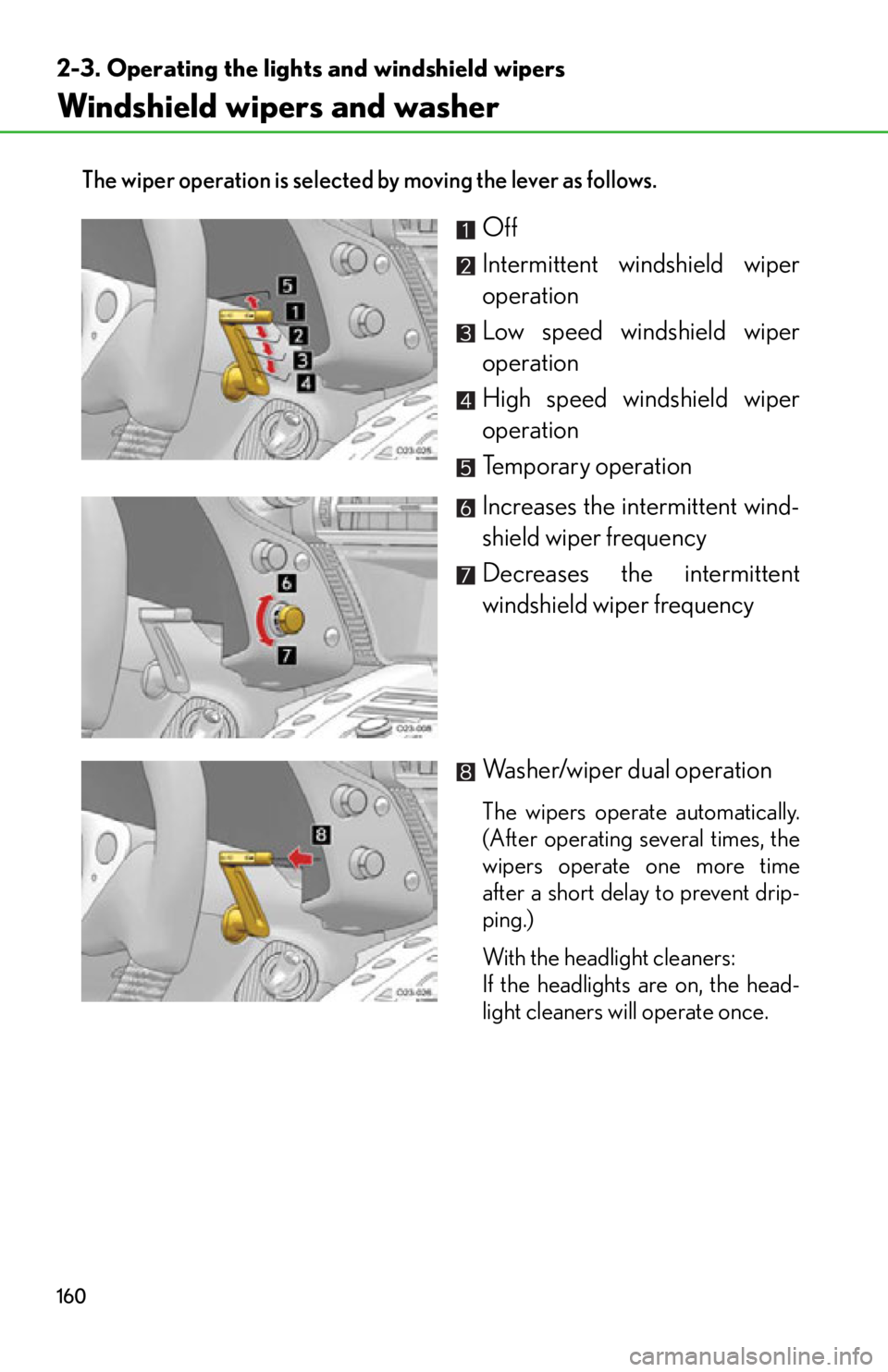
The wiper operation is selected by moving the lever as follows.
Off
Intermittent windshield wiper
operation
Low speed windshield wiper
operation
High speed windshield wiper
operation
Temporary operation
Increases the intermittent wind-
shield wiper frequency
Decreases the intermittent
windshield wiper frequency
Washer/wiper dual operation
The wipers operate automatically.
(After operating several times, the
wipers operate one more time
after a short delay to prevent drip-
ping.)
With the headlight cleaners:
If the headlights are on, the head-
light cleaners will operate once.
Page 163 of 420
161
2-3. Operating the lights and windshield wipers
2
When driving
■The windshield wipers and wa sher can be operated when
The ignition switch is in the “ON” position.
■Effects of vehicle speed on wiper operation
The time until the drip prevention wiper sweep occurs is changed depending on
vehicle speed.
When low speed wiper operation is selected , wiper operation will be switched from
low speed to intermittent wiper operatio n only when the vehicle is stationary.
(However, when the intermittent wiper interv al adjuster is adjusted to the highest
level, the mode will not switch.)
■Wiper reverse motion
If snow or similar substances build up around the windshield and prevent the wiper
from moving smoothly, the wiper may reverse direction before the end of its stroke
in order to secure driver vi sibility and to protect the system. This is normal and does
not indicate a malfunction.
■If no windshield washer fluid sprays
Check that the washer nozzles are not blocked if there is washer fluid in the wind-
shield washer fluid reservoir.
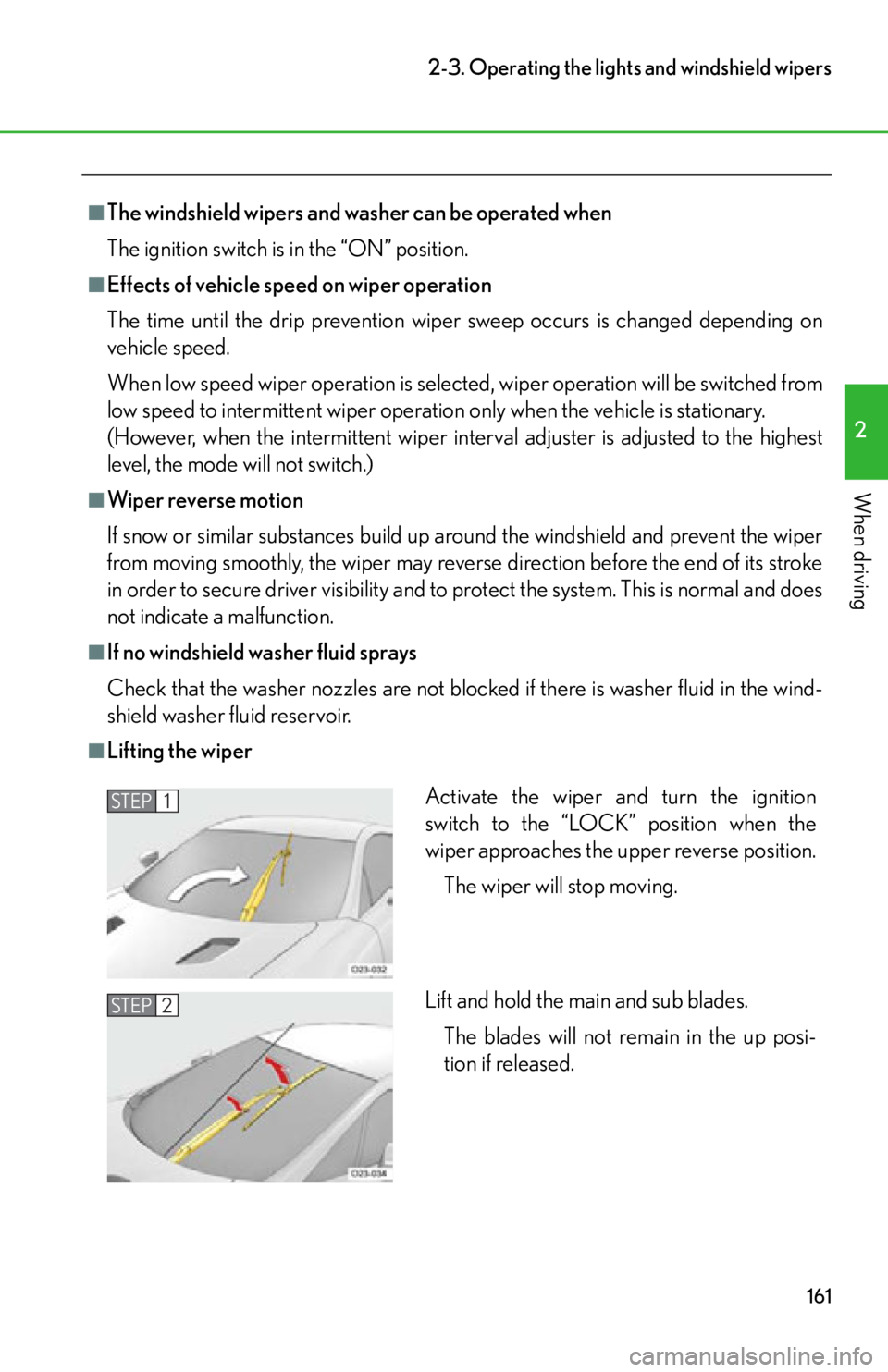
■Lifting the wiper
Activate the wiper and turn the ignition
switch to the “LOCK” position when the
wiper approaches the upper reverse position.
The wiper will stop moving.
Lift and hold the main and sub blades. The blades will not remain in the up posi-
tion if released.STEP1
STEP2
Page 164 of 420
162
2-3. Operating the lights and windshield wipers
■If there is a system malfunction
“Check wiper system” will be shown on the meter. (P. 325)
NOTICE
■When the windshield is dry
Do not use the wipers, as they may damage the windshield.
■When there is no washer fluid spray from the nozzle
Damage to the washer fluid pump may be caused if the lever is pulled toward you
and held continually.
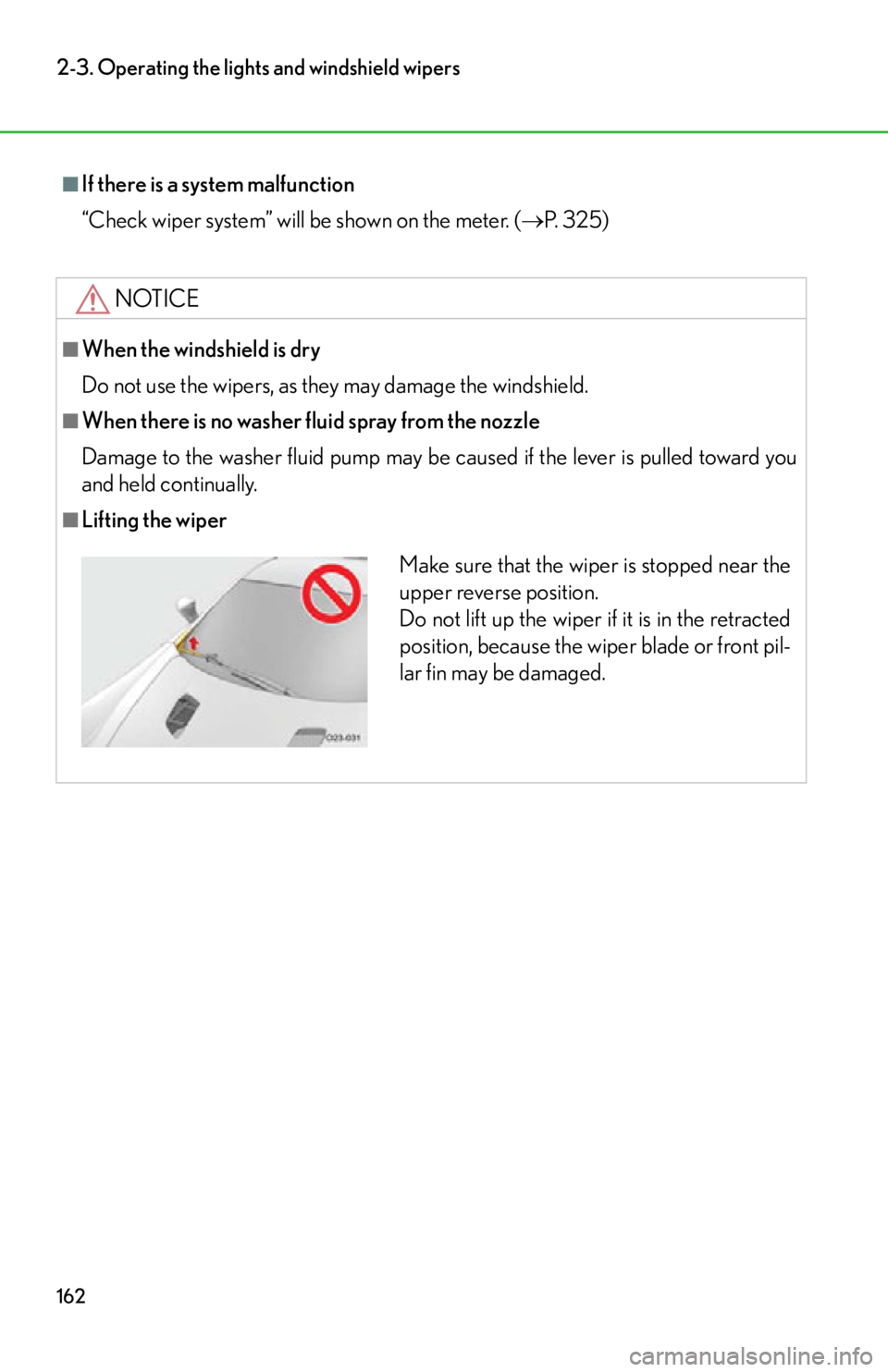
■Lifting the wiper
Make sure that the wiper is stopped near the
upper reverse position.
Do not lift up the wiper if it is in the retracted
position, because the wiper blade or front pil-
lar fin may be damaged.
Page 166 of 420
164
2-4. Using other driving systems
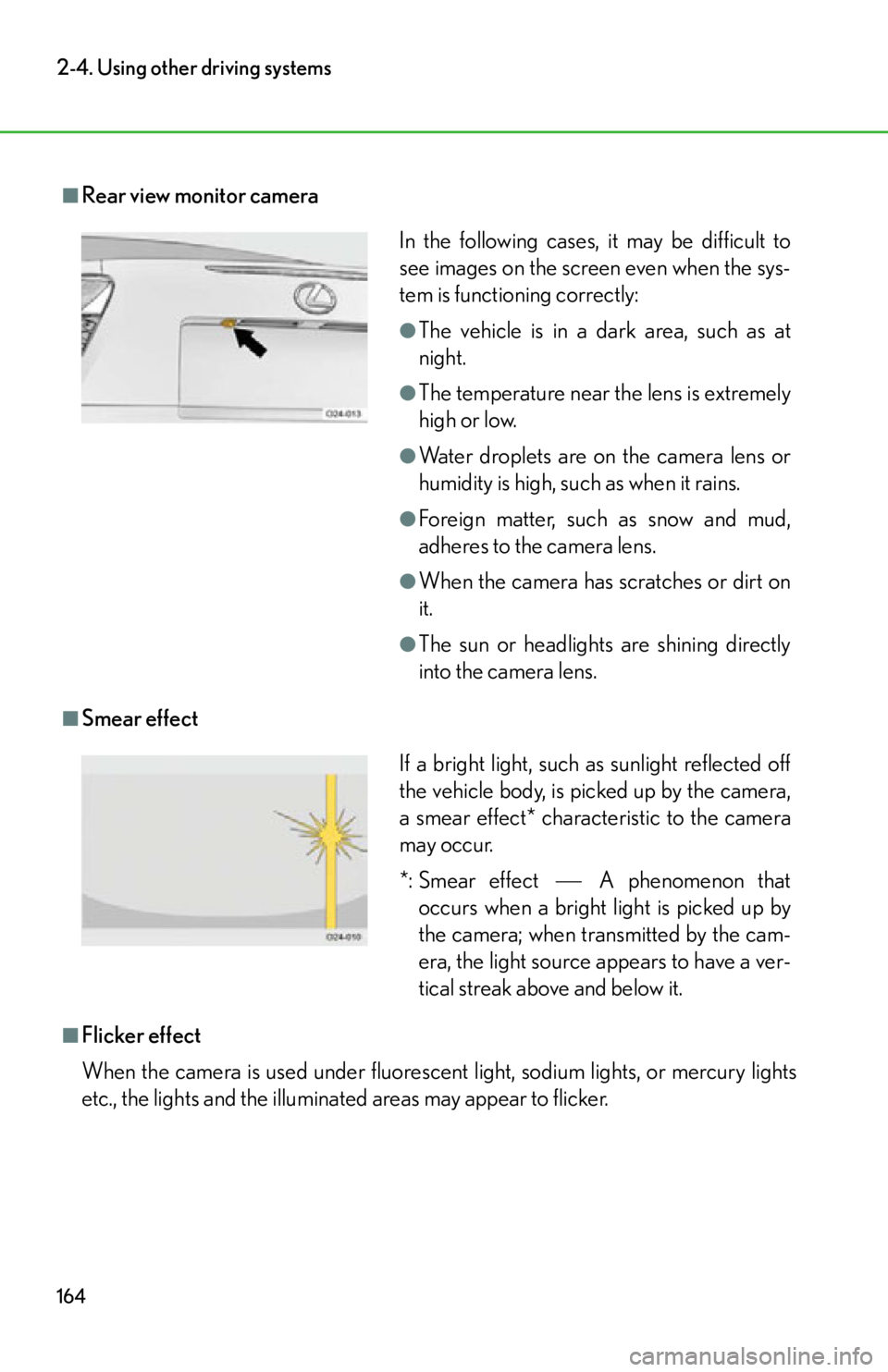
■Rear view monitor camera
■Smear effect
■Flicker effect
When the camera is used under fluorescent light, sodium lights, or mercury lights
etc., the lights and the illuminated areas may appear to flicker.
In the following cases, it may be difficult to
see images on the screen even when the sys-
tem is functioning correctly:
●The vehicle is in a dark area, such as at
night.
●The temperature near the lens is extremely
high or low.
●Water droplets are on the camera lens or
humidity is high, such as when it rains.
●Foreign matter, such as snow and mud,
adheres to the camera lens.
●When the camera has scratches or dirt on
it.
●The sun or headlights are shining directly
into the camera lens.
If a bright light, such as sunlight reflected off
the vehicle body, is picked up by the camera,
a smear effect* characteristic to the camera
may occur.
*: Smear effectA phenomenon that
occurs when a bright light is picked up by
the camera; when transmitted by the cam-
era, the light source appears to have a ver-
tical streak above and below it.
Page 169 of 420
167
2-4. Using other driving systems
2
When driving
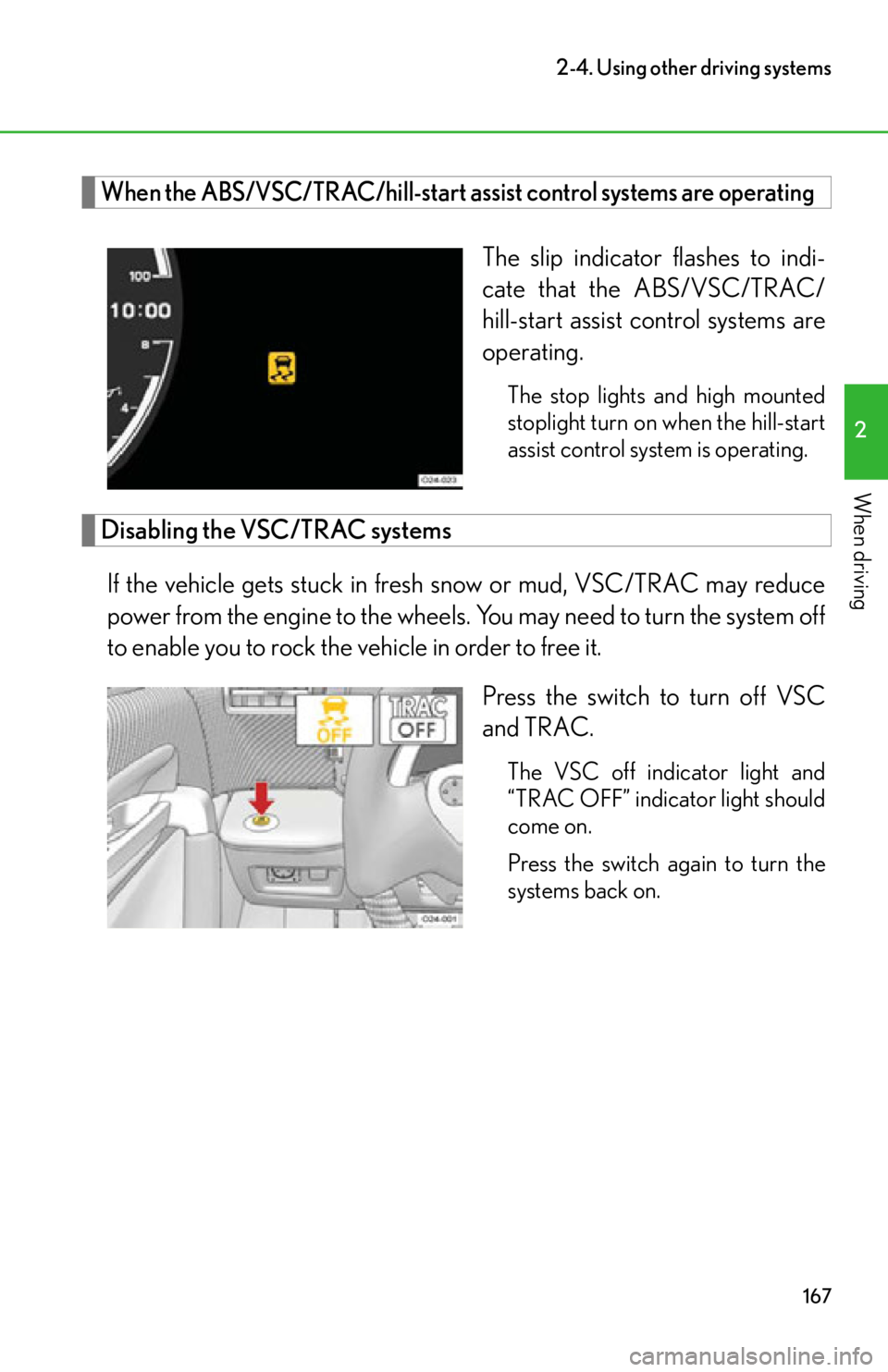
When the ABS/VSC/TRAC/hill-start assist control systems are operating
The slip indicator flashes to indi-
cate that the ABS/VSC/TRAC/
hill-start assist control systems are
operating.
The stop lights and high mounted
stoplight turn on when the hill-start
assist control system is operating.
Disabling the VSC/TRAC systemsIf the vehicle gets stuck in fresh snow or mud, VSC/TRAC may reduce
power from the engine to the wheels. You may need to turn the system off
to enable you to rock the vehicle in order to free it.
Press the switch to turn off VSC
and TRAC.
The VSC off indicator light and
“TRAC OFF” indicator light should
come on.
Press the switch again to turn the
systems back on.
Page 187 of 420

Interior features3
185
3-1. Using the air conditioning system and defogger
Automatic air conditioning system (with
navigation system) ............... 186
Automatic air conditioning system (without
navigation system) ............... 194
Rear window and outside rear view mirror
defoggers ............................... 201
3-2. Using the audio system Audio/video system some basics .......................... 202
3-3. Using the interior lights Interior lights list ..................... 207
3-4. Using the storage features List of storage features ........ 209
• Glove box ............................... 210
• Door pockets ......................... 212 3-5. Other interior features
Sun visors .................................. 213
Power outlet ............................. 214
Floor mats ................................. 215
Luggage compartment features ................................... 218
Safety Connect ....................... 219
Page 209 of 420
207
3
Interior features
3-3.Using the interior lights
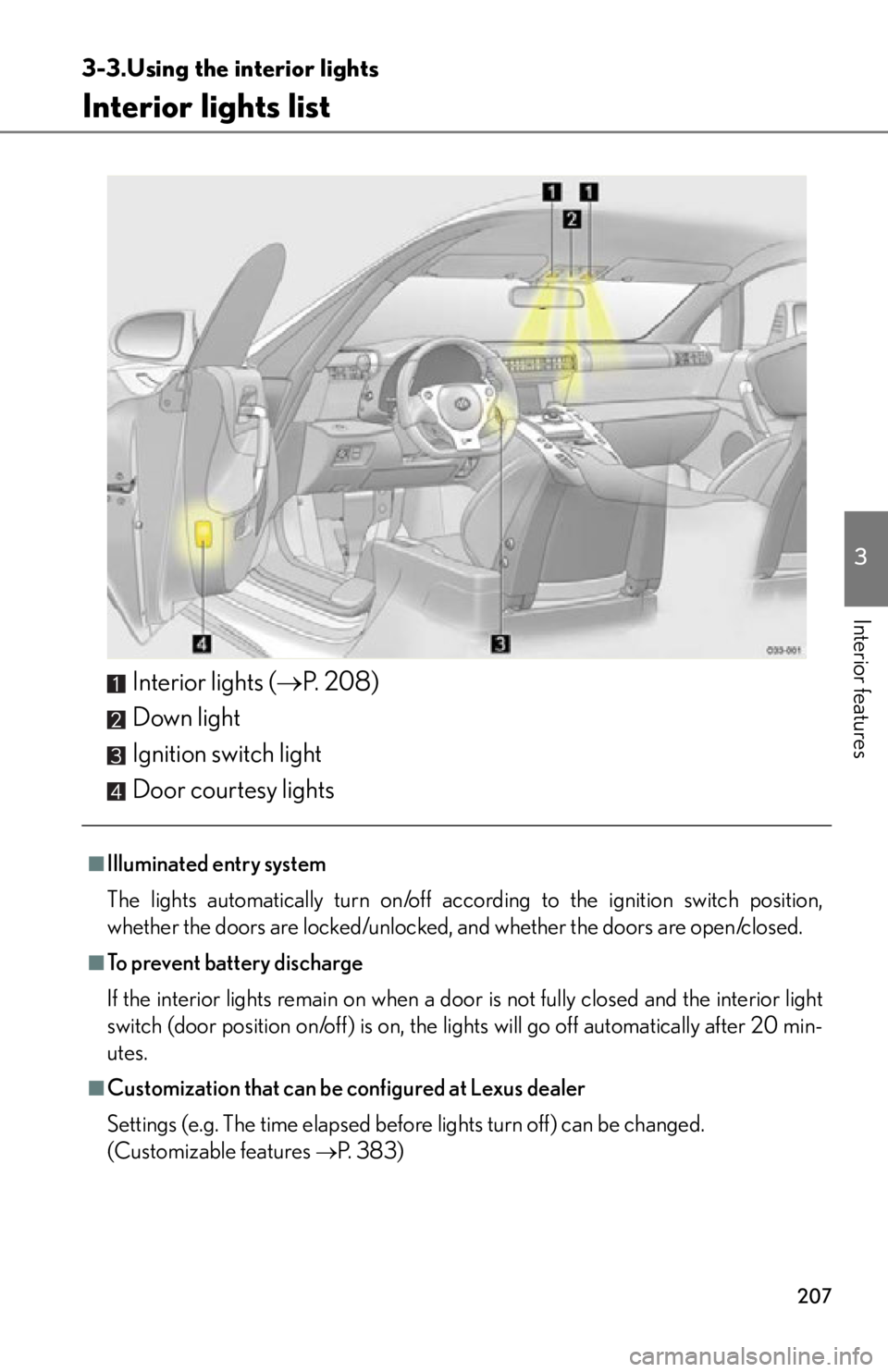
Interior lights list
Interior lights (P. 2 0 8 )
Down light
Ignition switch light
Door courtesy lights
■Illuminated entry system
The lights automatically turn on/off acco rding to the ignition switch position,
whether the doors are locked/unlocked, and whether the doors are open/closed.
■To prevent battery discharge
If the interior lights remain on when a door is not fully closed and the interior light
switch (door position on/off) is on, the lights will go off automatically after 20 min-
utes.
■Customization that can be configured at Lexus dealer
Settings (e.g. The time elapsed before lights turn off) can be changed.
(Customizable features
P. 383)
Page 210 of 420
208
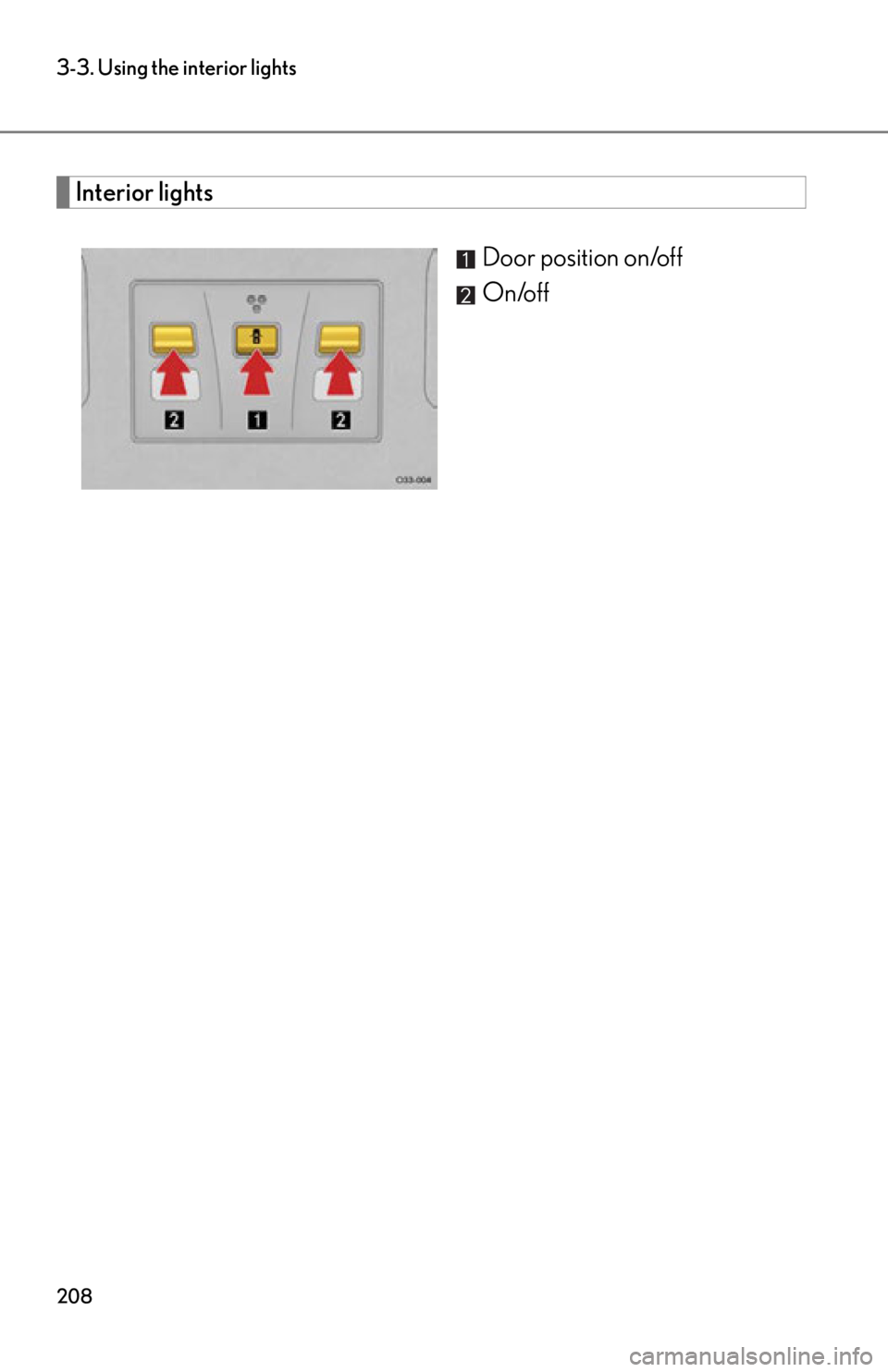
3-3. Using the interior lights
Interior lightsDoor position on/off
On/off
Page 234 of 420
232
4-1. Maintenance and care
NOTICE
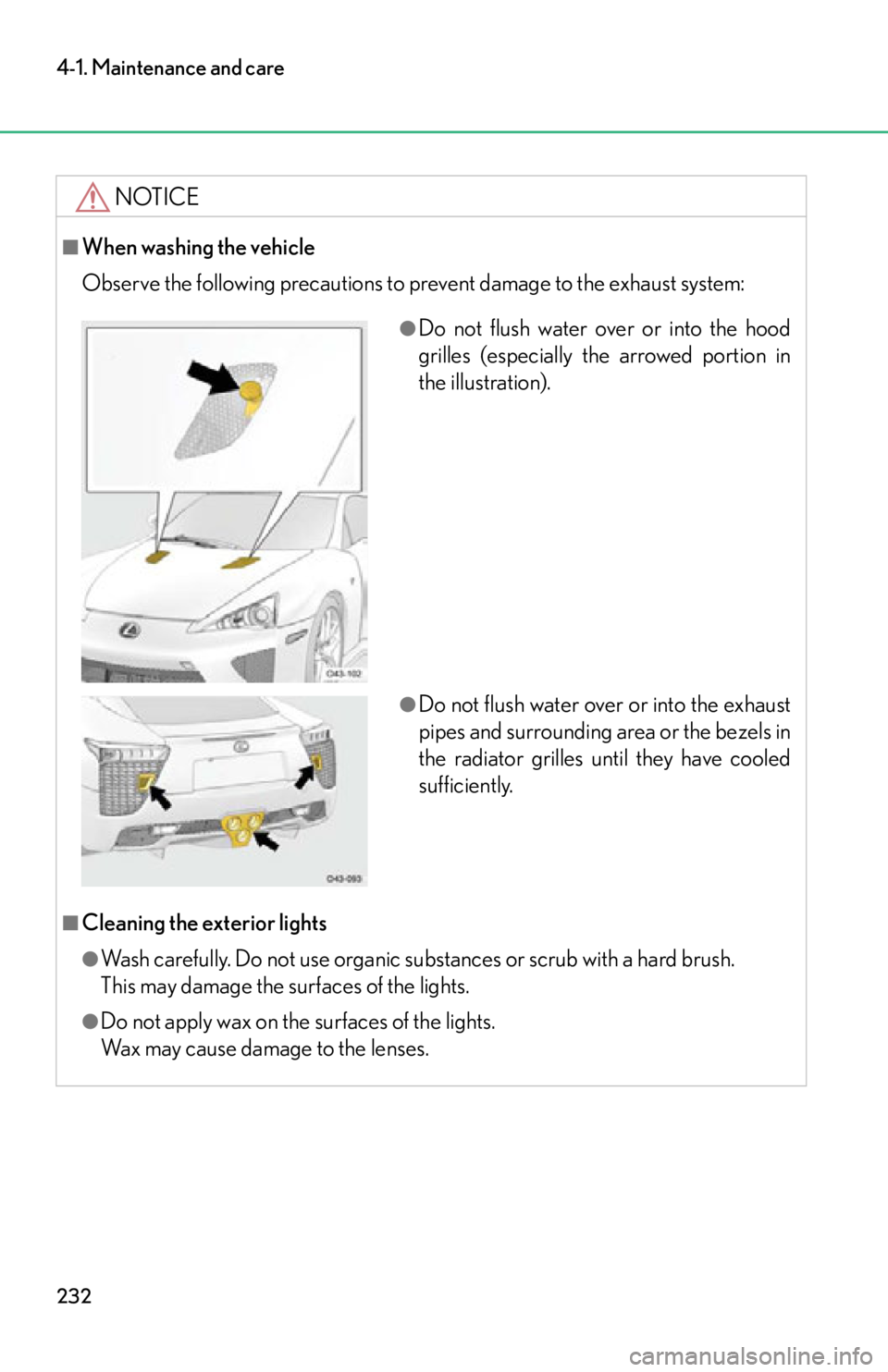
■When washing the vehicle
Observe the following precautions to prevent damage to the exhaust system:
■Cleaning the exterior lights
●Wash carefully. Do not use organic substances or scrub with a hard brush.
This may damage the surfaces of the lights.
●Do not apply wax on the surfaces of the lights.
Wax may cause damage to the lenses.
●Do not flush water over or into the hood
grilles (especially the arrowed portion in
the illustration).
●Do not flush water over or into the exhaust
pipes and surrounding area or the bezels in
the radiator grilles until they have cooled
sufficiently.
Page 245 of 420

243
4-2. Maintenance
4
Maintenance and care
Vehicle interior
ItemsCheck points
Accelerator pedal • The accelerator pedal should move
smoothly (without uneven pedal
effort or catching).
Brake pedal • Does the brake pedal move
smoothly?
• Does the brake pedal have appro- priate clearance from the floor?
( P. 3 6 4 )
• Does the brake pedal have the cor- rect amount of free play?
( P. 3 6 4 )
Brakes • The vehicle should not pull to one
side when the brakes are applied.
• The brakes should work effectively.
• The brake pedal should not feel
spongy.
• The brake pedal should not get too close to the floor when the brakes
are applied.
Indicators/buzzers • Do the indicators and buzzers
function properly?
Lights • Do all the lights come on?
Pa r k i n g b r a ke • When parked on a slope and the
parking brake is on, is the vehicle
securely stopped?
Seat belts • Do the seat belts operate
smoothly?
• The seat belts should not be dam- aged.