door lock LEXUS LS430 2006 Owners Manual
[x] Cancel search | Manufacturer: LEXUS, Model Year: 2006, Model line: LS430, Model: LEXUS LS430 2006Pages: 419, PDF Size: 11.19 MB
Page 1 of 419
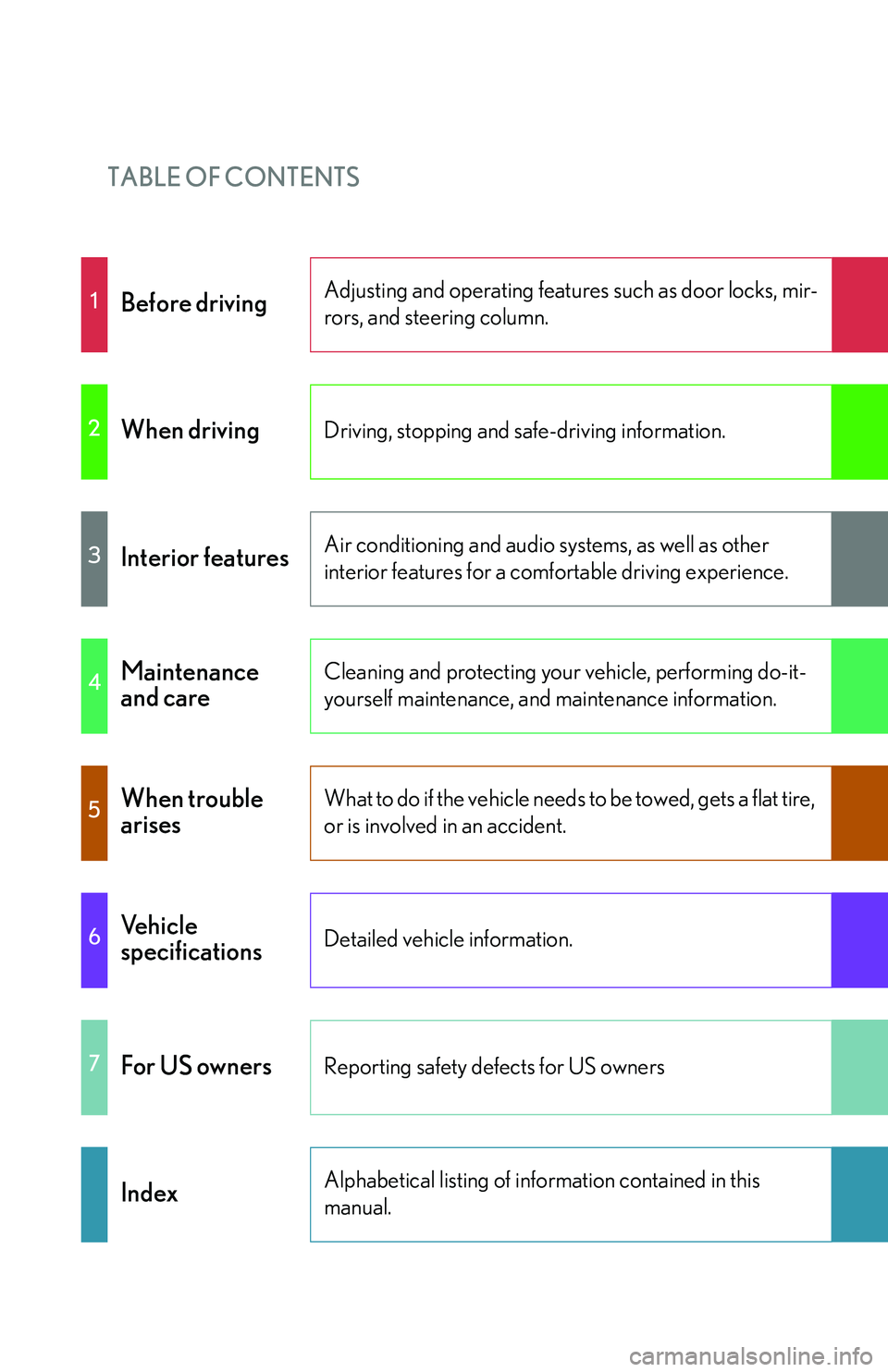
TABLE OF CONTENTS
1Before drivingAdjusting and operating features such as door locks, mir-
rors, and steering column.
2When drivingDriving, stopping and safe-driving information.
3Interior featuresAir conditioning and audio systems, as well as other
interior features for a comfortable driving experience.
4Maintenance
and careCleaning and protecting your vehicle, performing do-it-
yourself maintenance, and maintenance information.
5When trouble
arisesWhat to do if the vehicle needs to be towed, gets a flat tire,
or is involved in an accident.
6Vehicle
specificationsDetailed vehicle information.
7For US ownersReporting safety defects for US owners
IndexAlphabetical listing of information contained in this
manual.
Page 2 of 419
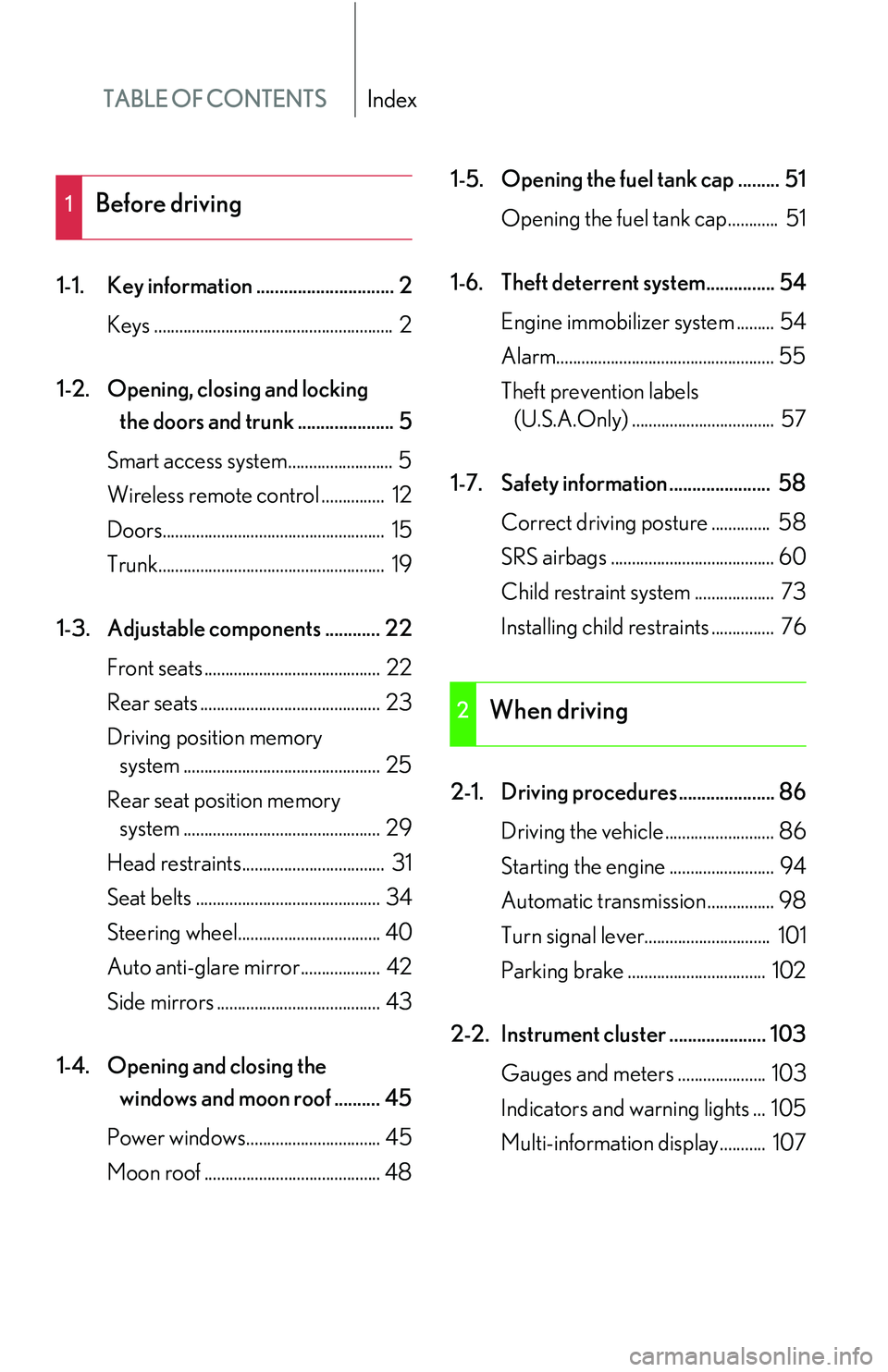
TABLE OF CONTENTSIndex
1-1. Key information .............................. 2Keys ......................................................... 2
1-2. Opening, closing and locking
the doors and trunk ..................... 5
Smart access system......................... 5
Wireless remote control ............... 12
Doors..................................................... 15
Trunk...................................................... 19
1-3. Adjustable components ............ 22 Front seats .......................................... 22
Rear seats ........................................... 23
Driving position memory
system ............................................... 25
Rear seat position memory
system ............................................... 29
Head restraints.................................. 31
Seat belts ............................................ 34
Steering wheel.................................. 40
Auto anti-glare mirror................... 42
Side mirrors ....................................... 43
1-4. Opening and closing the
windows and moon roof .......... 45
Power windows................................ 45
Moon roof .......................................... 48 1-5. Opening the fuel tank cap ......... 51
Opening the fuel tank cap............ 51
1-6. Theft deterrent system............... 54 Engine immobilizer system ......... 54
Alarm.................................................... 55
Theft prevention labels
(U.S.A.Only) .................................. 57
1-7. Safety information ...................... 58 Correct driving posture .............. 58
SRS airbags ....................................... 60
Child restraint system
................... 73
Installing child restraints ............... 76
2-1. Driving procedures..................... 86 Driving the vehicle .......................... 86
Starting the engine ......................... 94
Automatic transmission................ 98
Turn signal lever.............................. 101
Parking brake ................................. 102
2-2. Instrument cluster ..................... 103 Gauges and meters ..................... 103
Indicators and warning lights ... 105
Multi-information display........... 107
1Before driving
2When driving
Page 9 of 419
A
BC
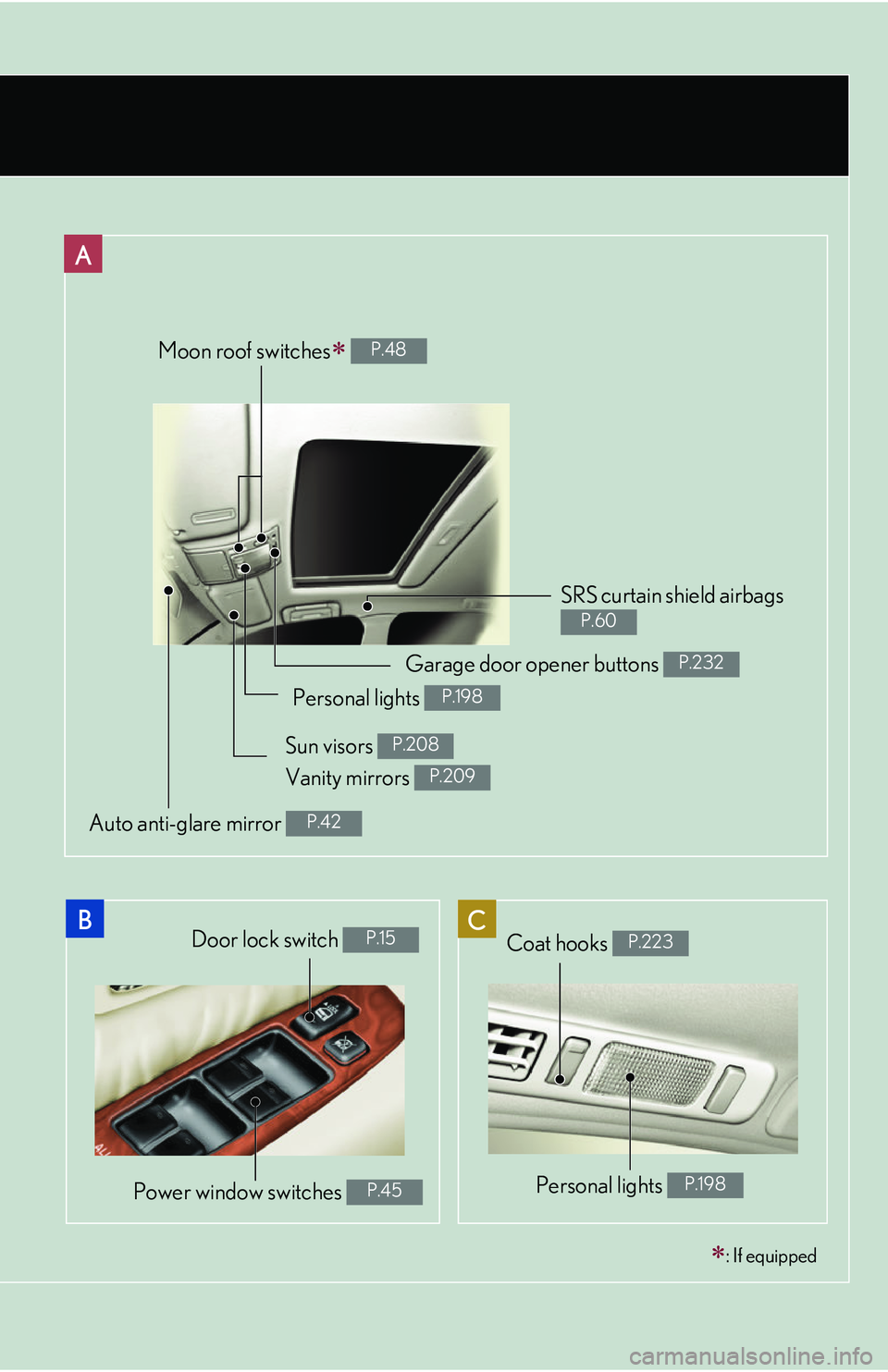
Moon roof switches P.48
SRS curtain shield airbags
P.60
Door lock switch P.15
Power window switches P.45
: If equipped
Garage door opener buttons P.232
Personal lights P.198
Sun visors P.208
Auto anti-glare mirror P.42
Coat hooks P.223
Personal lights P.198
Vanity mirrors P.209
Page 11 of 419
A
B
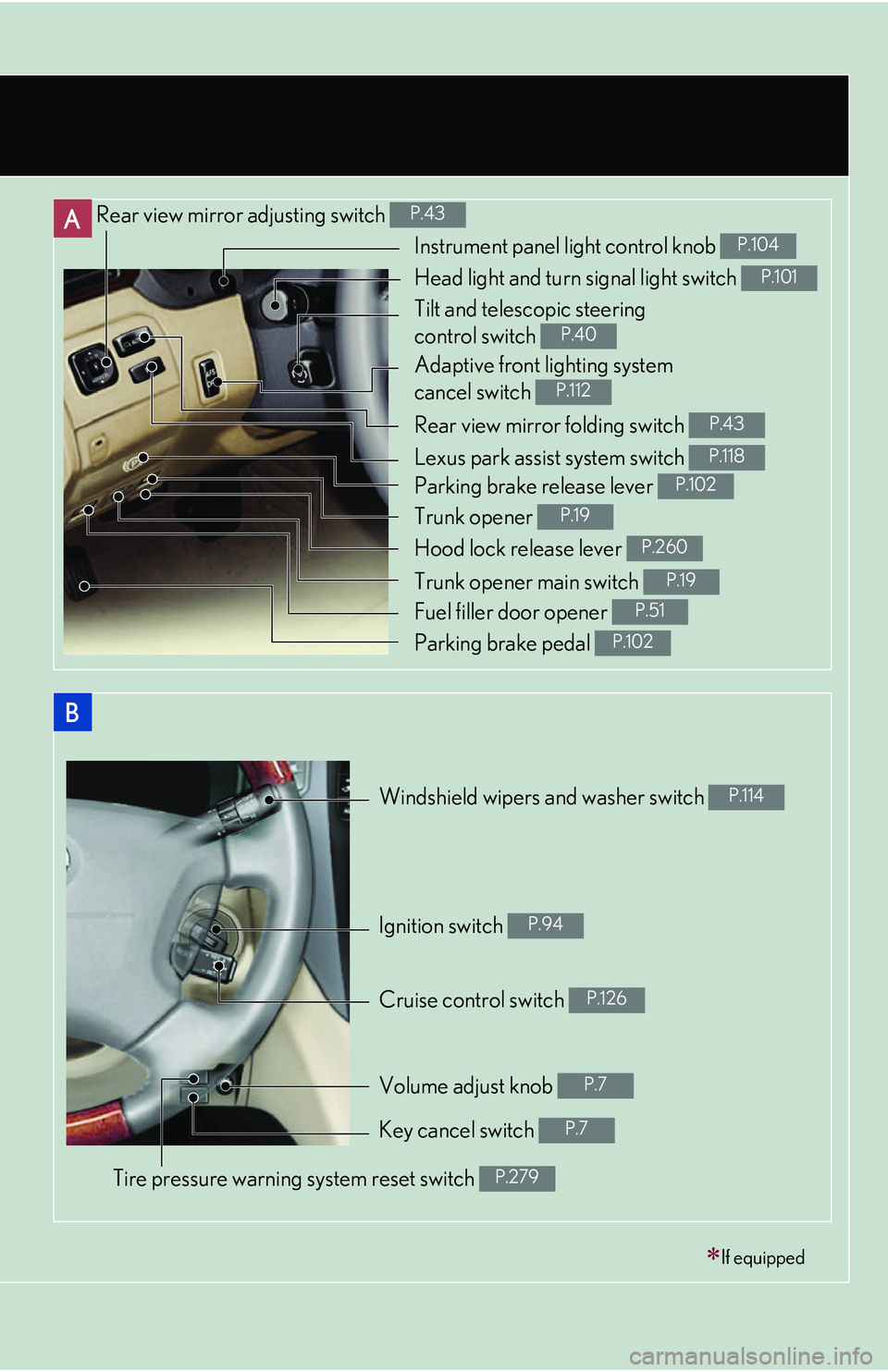
Rear view mirror adjusting switch P.43
Rear view mirror folding switch P.43
Windshield wipers and washer switch P.114
Cruise control switch P.126
If equipped
Instrument panel light control knob P.104
Head light and turn signal light switch P.101
Tilt and telescopic steering
control switch
P.40
Adaptive front lighting system
cancel switch
P.112
Lexus park assist system switch P.118
Parking brake release lever P.102
Trunk opener P.19
Hood lock release lever P.260
Trunk opener main switch P.19
Fuel filler door opener P.51
Parking brake pedal P.102
Ignition switch P.94
Volume adjust knob P.7
Key cancel switch P.7
Tire pressure warning system reset switch P.279
Page 17 of 419
1Before driving
1
1-1. Key information ........................... 2Keys ....................................................... 2
1-2. Opening, closing and locking
the doors and trunk .................. 5
Smart access system ..................... 5
Wireless remote control ............. 12
Doors .................................................. 15
Trunk.................................................... 19
1-3. Adjustable components ......... 22 Front seats....................................... 22
Rear seats........................................ 23
Driving position memory
system ............................................ 25
Rear seat position memory
system ............................................ 29
Head restraints ............................... 31
Seat belts ......................................... 34
Steering wheel .............................. 40
Auto anti-glare mirror ................ 42
Side mirrors.................................... 43 1-4. Opening and closing the
windows and moon roof
....... 45
Power windows.............................. 45
Moon roof....................................... 48
1-5. Opening the fuel tank cap .......51 Opening the fuel tank cap ......... 51
1-6. Theft deterrent system ........... 54 Engine immobilizer system ...... 54
Alarm................................................ 55
Theft prevention labels
(U.S.A.Only) ................................ 57
1-7. Safety information ................... 58 Correct driving posture............ 58
SRS airbags.................................... 60
Child restraint system ................. 73
Installing child r
estraints ............ 76
Page 21 of 419
5
1
Before driving
1-2. Opening, closing and locking the doors and trunk
Smart access system
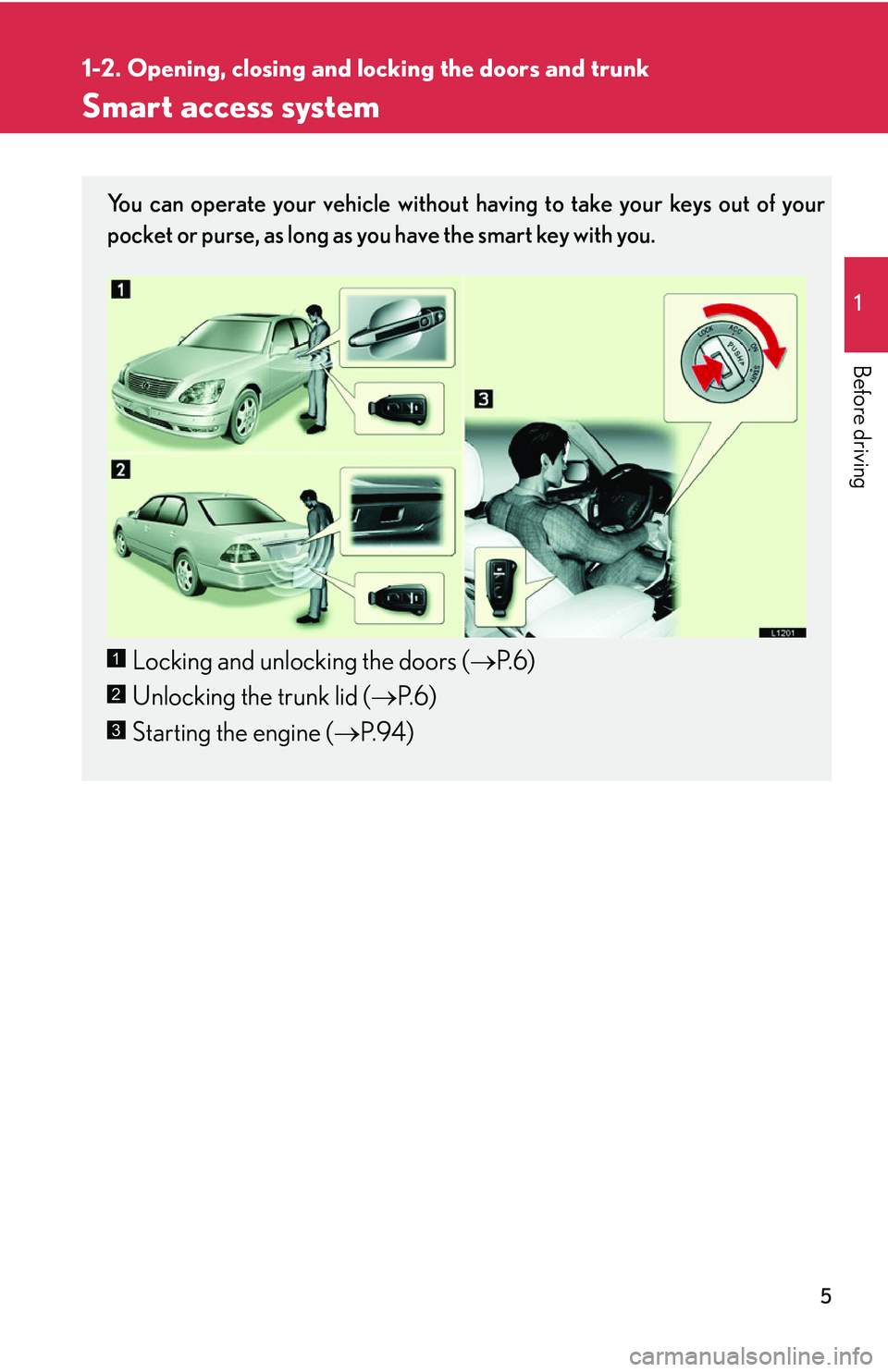
You can operate your vehicle without having to take your keys out of your
pocket or purse, as long as you have the smart key with you.
Locking and unlocking the doors ( P.6)
Unlocking the trunk lid ( P.6)
Starting the engine ( P.94 )1
2
3
Page 22 of 419
6
1-2. Opening, closing and locking the doors and trunk
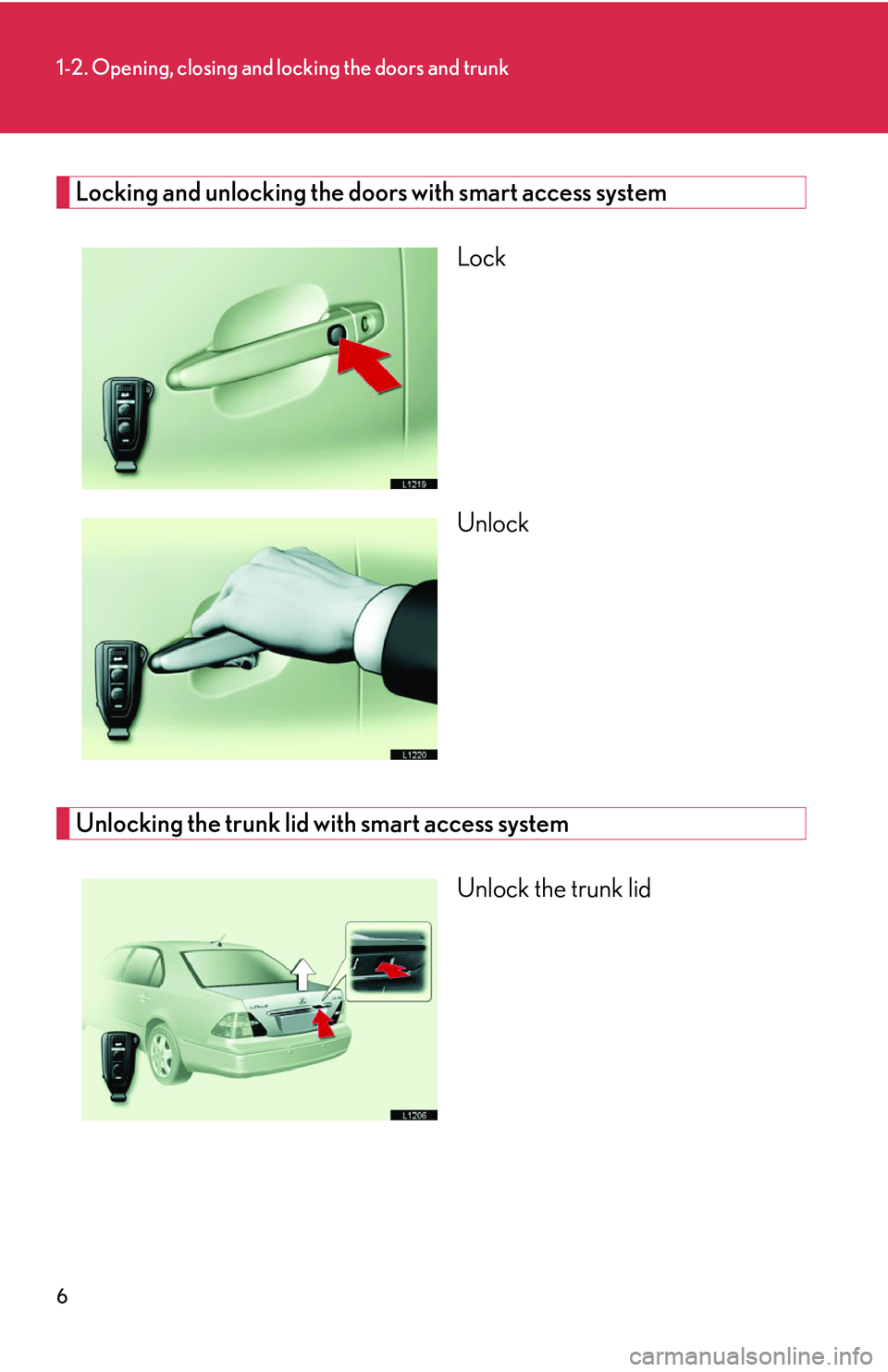
Locking and unlocking the doors with smart access system
Lock
Unlock
Unlocking the trunk lid with smart access system
Unlock the trunk lid
Page 23 of 419

7
1-2. Opening, closing and locking the doors and trunk
1
Before driving
Adjusting the volume of the operation and door lock buzzer
Turn the knob on the underside of the instrument cluster to adjust the vol-
ume of the operation and door lock buzzer.
Increase: Turn the knob counter-
clock
wise.
Decrease: Turn the knob clock -
wise.*
* The buzzer sounds is com -
pletely deactivated when you
turn the knob clockwise until
y
ou hear a click.
Deactivating the system
Smart access system on
Smart access system off1
2
Page 24 of 419
8
1-2. Opening, closing and locking the doors and trunk
■To secure the system operation
In the following cases, the smart access system or wireless remote control feature
ma
y not operate properly. (If this happens, use a mechanical key to lock or unlock
the doors and trunk lid and insert a master key to start the engine.)
• When facilities emitting strong elec tr
omagnetic waves such as TV towers,
electric power stations and broadcasting stations are nearby.
• When you are carrying a smart key together with a mobile communications sy
stem such as a two-way radio or cellular phone.
• When the smart key is in contact with or covered by a metallic object.
• When another person is operating a wi r
eless remote control function on
another vehicle near your vehicle.
If you do not drive your vehicle, store the smart key, keeping it at least 15 ft. (5 m)
a
way from the vehicle.
■If the key battery is discharged
Use the mechanical key to lock or unlock doors or trunk lid. To start the engine,
inse
rt the master key in the ignition switch. See page 295 for replacing the key bat -
tery.
Page 25 of 419
9
1-2. Opening, closing and locking the doors and trunk
1
Before driving
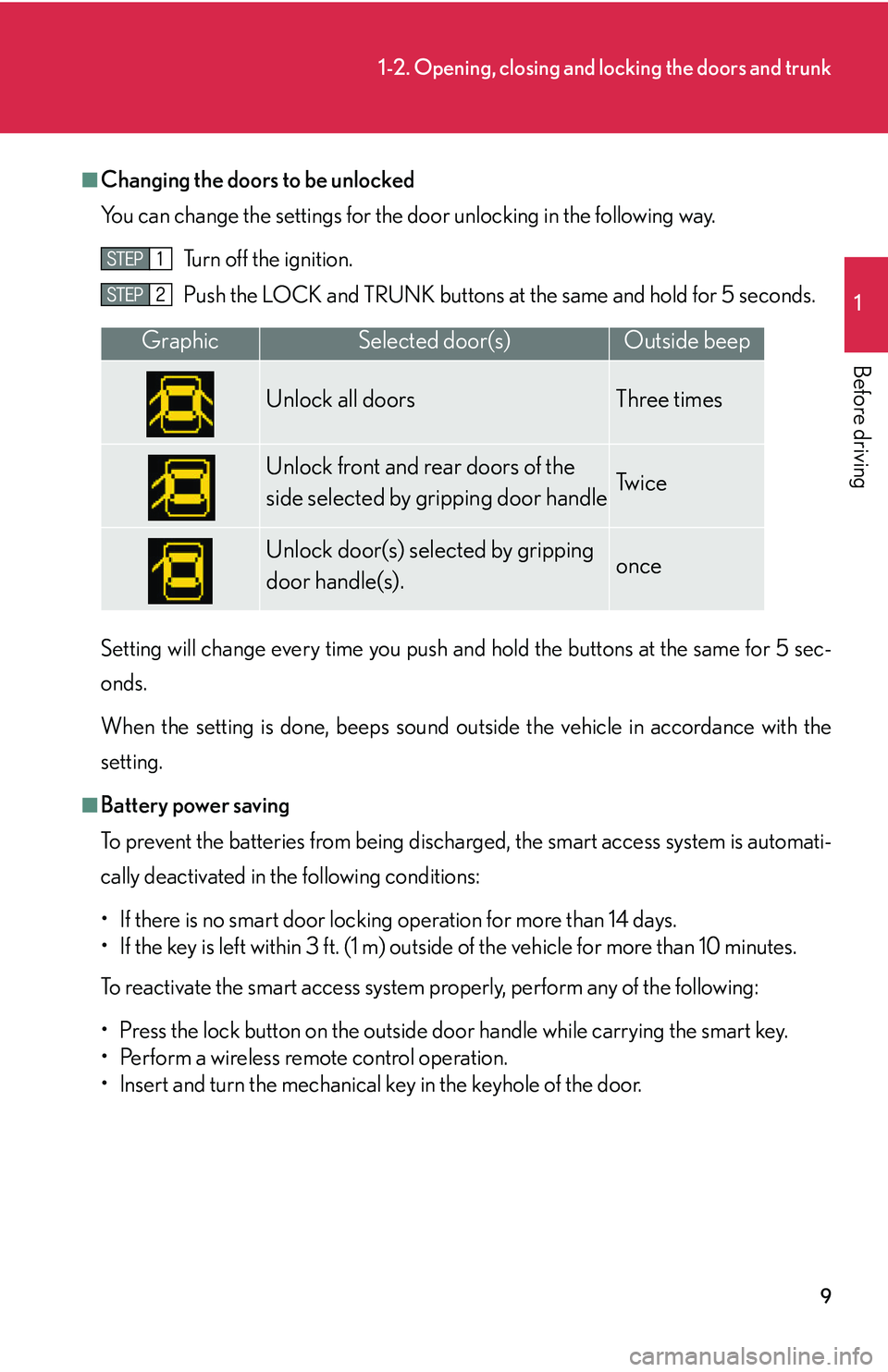
■Changing the doors to be unlocked
You can change the settings for the door unl
ocking in the following way.
Turn off the ignition.
Push the LOCK and TRUNK buttons at
the same and hold for 5 seconds.
Setting will change every time you push an d hold the bu
ttons at the same for 5 sec-
onds.
When the setting is done, beeps sound outside the vehicle in accordance with the
setting.
■Battery power saving
To prevent the batteries from being discharged, the smart access system is automati -
cally deactivated in the following conditions:
• If there is no smart door locking operation for more than 14 days.
• If the key is left within 3 ft. (1 m) outside of the vehicle for more than 10 minutes.
To reactivate the smart access system properly, perform any of the following:
• Press the lock button on the outside do o
r handle while carrying the smart key.
• Perform a wireless remote control operation.
• lnsert and turn the mechanical key in the keyhole of the door.
GraphicSelected door(s)Outside beep
Unlock all doors Three times
Unlock front and rear doors of the
side selected by gripping door handleTw i c e
Unlock door(s) selected by gripping
door handle(s).once