display LEXUS LS460L 2016 User Guide
[x] Cancel search | Manufacturer: LEXUS, Model Year: 2016, Model line: LS460L, Model: LEXUS LS460L 2016Pages: 708, PDF Size: 36.57 MB
Page 119 of 708
119
2Instrument cluster
LS460/LS460L_GE (OM50G06E)
2. Instrument cluster
Warning lights and
indicators..................................... 120
Gauges and meters ................... 125
Multi-information display .........129
Fuel consumption
information ................................. 138
Page 120 of 708
120
LS460/LS460L_GE (OM50G06E)
2. Instrument cluster
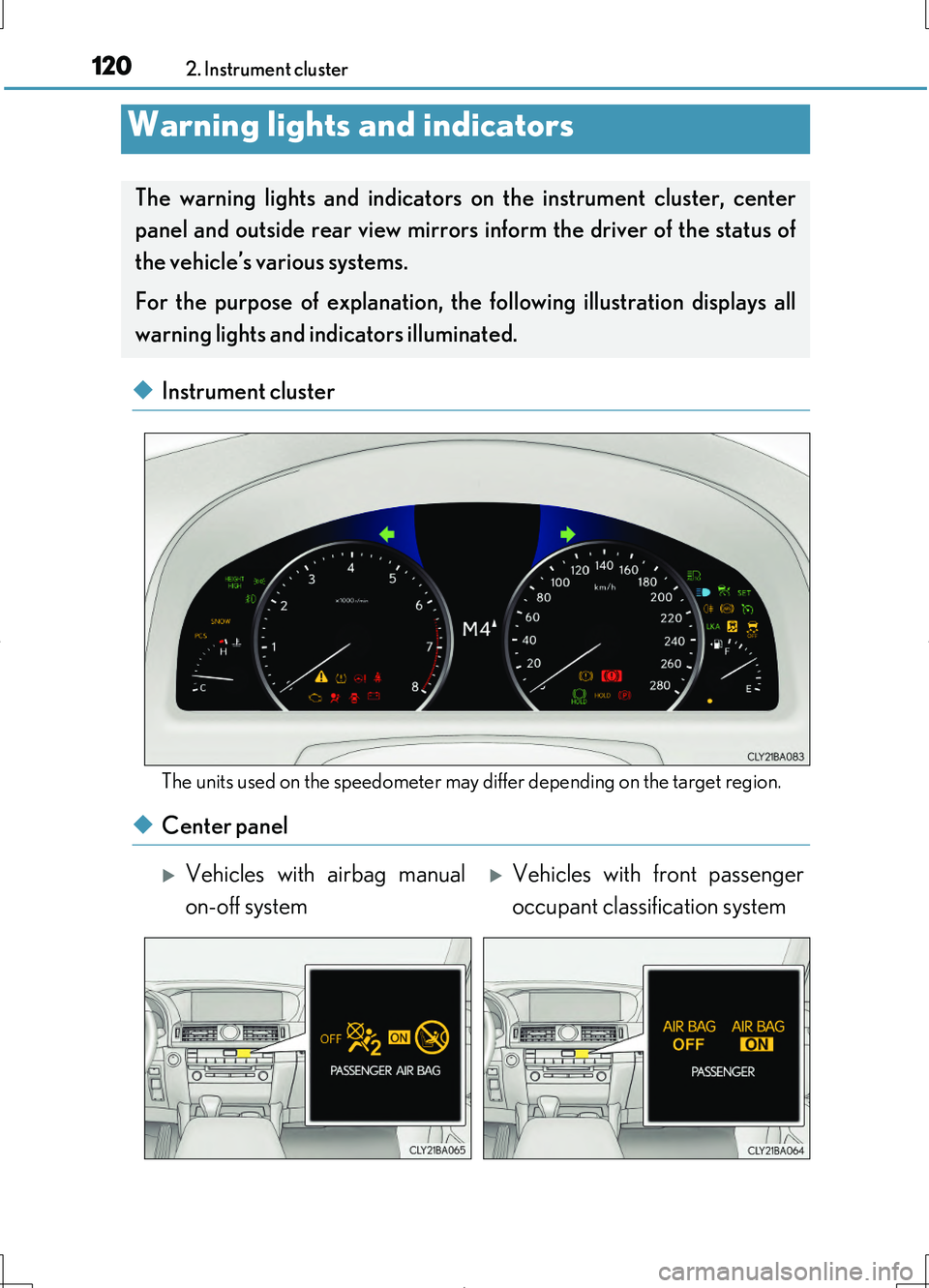
◆Instrument cluster
The units used on the speedometer may differ depending on the target region.
◆Center panel
Warning lights and indicators
The warning lights and indicators on the instrument cluster, center
panel and outside rear view mirrors inform the driver of the status of
the vehicle’s various systems.
For the purpose of explanation, the following illustration displays all
warning lights and indicators illuminated.
Vehicles with airbag manual
on-off system
Vehicles with front passenger
occupant classification system
Page 125 of 708
1252. Instrument cluster
2
Instrument cluster
LS460/LS460L_GE (OM50G06E)
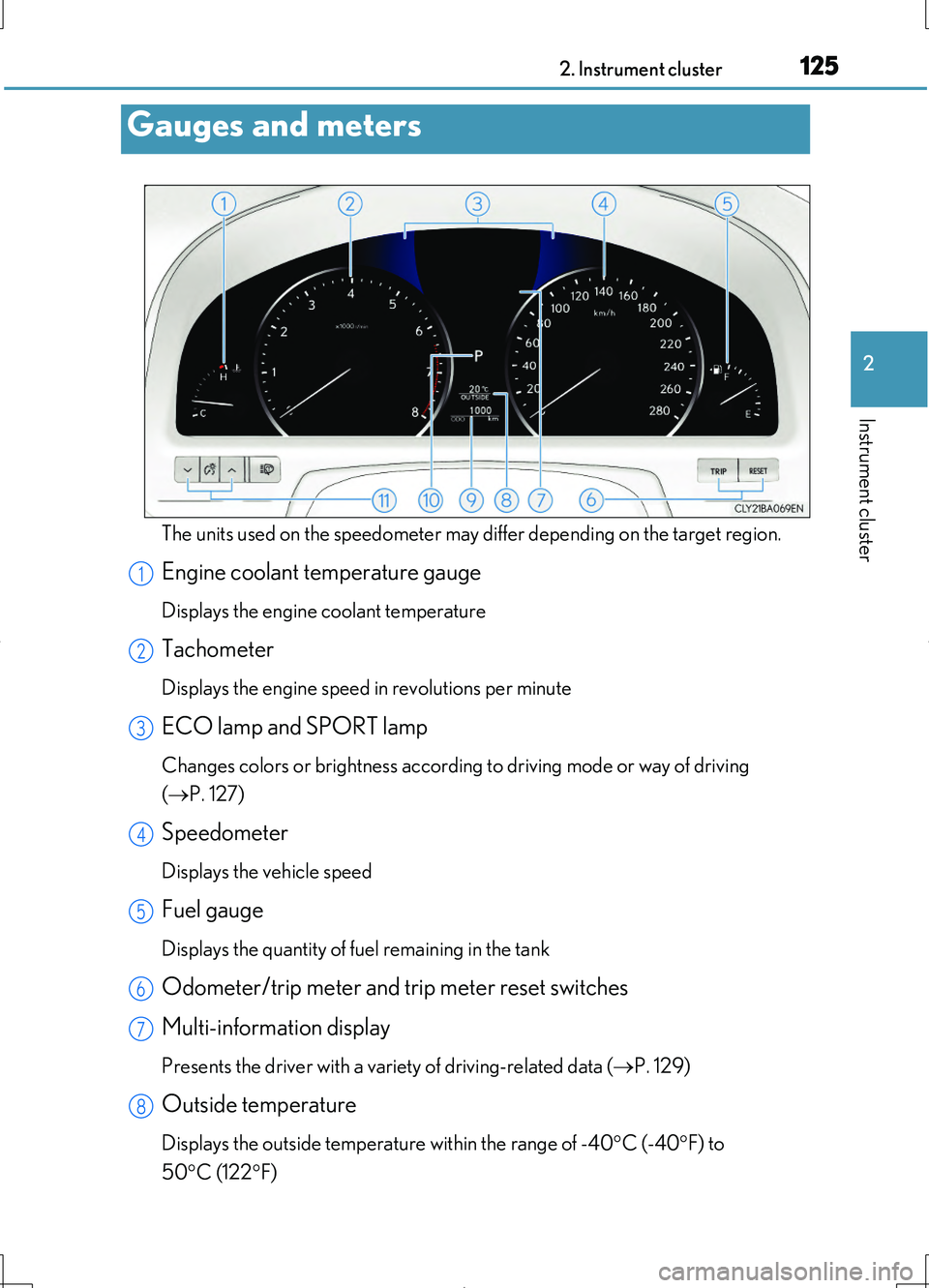
The units used on the speedometer may differ depending on the target region.
Engine coolant temperature gauge
Displays the engine coolant temperature
Tachometer
Displays the engine speed in revolutions per minute
ECO lamp and SPORT lamp
Changes colors or brightness according to driving mode or way of driving
( P. 127)
Speedometer
Displays the vehicle speed
Fuel gauge
Displays the quantity of fuel remaining in the tank
Odometer/trip meter and trip meter reset switches
Multi-information display
Presents the driver with a variety of driving-related data ( P. 129)
Outside temperature
Displays the outside temperature within the range of -40C (-40F) to
50 C (122F)
Gauges and meters
1
2
3
4
5
6
7
8
Page 126 of 708
1262. Instrument cluster
LS460/LS460L_GE (OM50G06E)
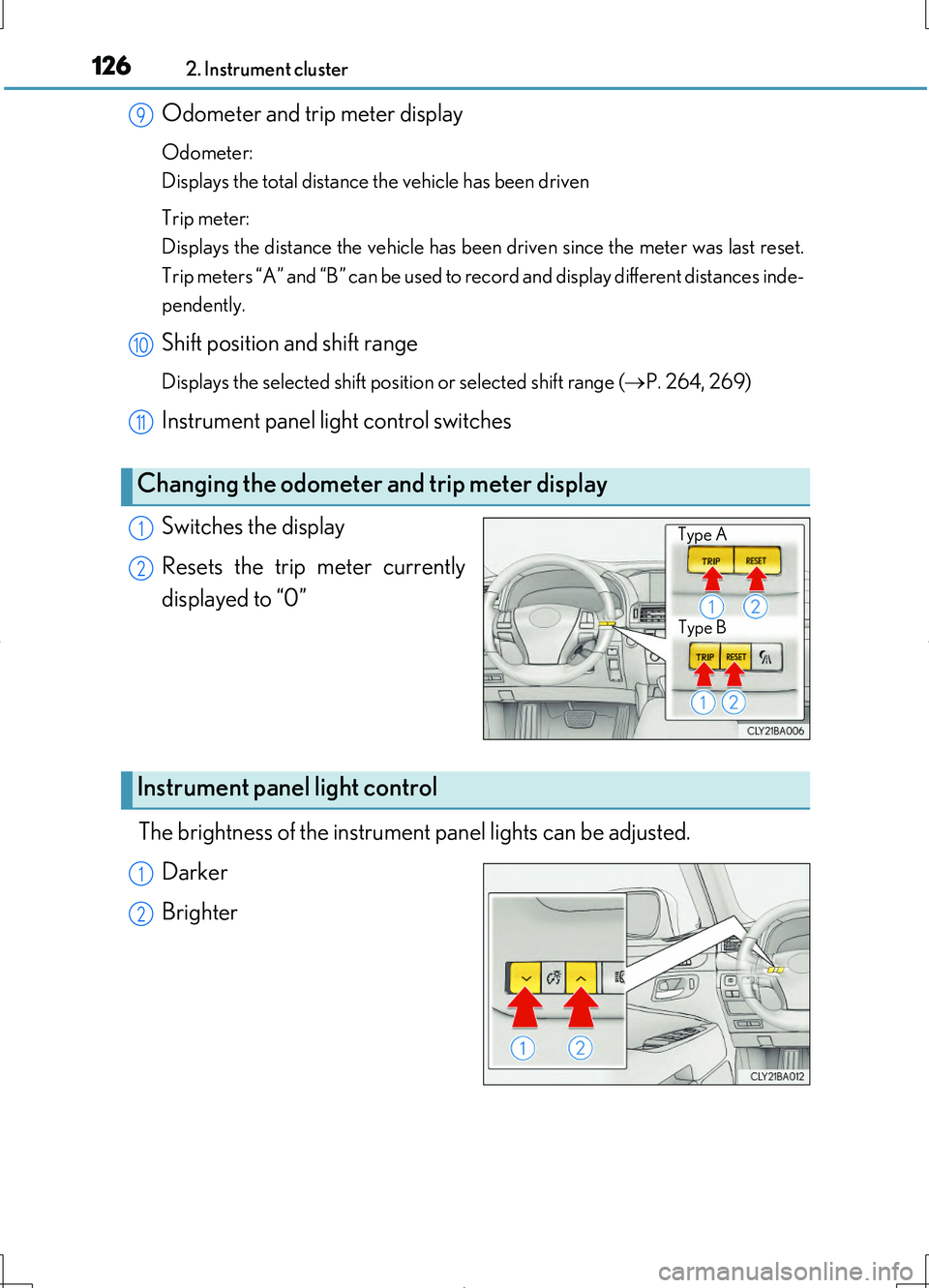
Odometer and trip meter display
Odometer:
Displays the total distance the vehicle has been driven
Trip meter:
Displays the distance the vehicle has been driven since the meter was last reset.
Trip meters “A” and “B” can be used to record and display different distances inde-
pendently.
Shift position and shift range
Displays the selected shift position or selected shift range ( P. 264, 269)
Instrument panel light control switches
Switches the display
Resets the trip meter currently
displayed to “0”
The brightness of the instrument panel lights can be adjusted.
Darker
Brighter
Changing the odometer and trip meter display
9
10
11
Type B
Type A1
2
Instrument panel light control
1
2
Page 127 of 708
1272. Instrument cluster
2
Instrument cluster
LS460/LS460L_GE (OM50G06E)
■The meters and display illuminate when
The engine switch is in IGNITION ON mode.
■Instrument panel brightness adjustment
●Meters:
The brightness level of the meters when the surroundings are bright (day mode)
and dark (night mode) can be adjusted individually. However, when in day mode,
adjusting the brightness level will also change the brightness level of night mode.
●Clock, air conditioning temperature display and switch lights:
The brightness level of the clock, air conditioning temperature display and switch
lights are linked with the brightness level of meter night mode.
■Light dimmer control (Changing to night mode)
The brightness level of the meter, clock and air conditioning temperature display
lights will change to night mode only wh en the surroundings are dark and the tail
lights are on.
■Automatic adjustment of the brightness level of the meters
The brightness level of the meters will be adjusted automatically according to the
brightness of the surroundings detected by the light sensor. However, the brightness
level of the meters will not be adjusted automatically in the following conditions.
●Day mode: When the brightness of the meter is adjusted to the brightest manually
●Night mode: When the brightness of the meter is adjusted to the brightest or dark-
est manually
■ECO lamp and SPORT lamp
●When all of the following conditions are satisfied and Eco-friendly driving is being
performed, ECO lamp (blue) will illuminate. (ECO lamp will become brighter the
more Eco-friendly your driving is. Also, while the vehicle is stopped or the acceler-
ation exceeds Zone of Eco driving, ECO lamp turns off. ( P. 132) However, when
Eco drive mode is selected, while the vehicle is stopped or the acceleration
exceeds Zone of Eco driving, ECO lamp does not turn off.):
• Driving with the shift lever in D.
• Vehicles with paddle shift switches: Paddle shift switch is not operated.
• Normal mode, comfort mode (if equipped) or Eco drive mode is selected, and
snow mode is not in use.
• The vehicle speed is approximately 130 km/h (80 mph) or below.
●When sport mode is selected, SPORT lamp (red) will illuminate.
Page 128 of 708
1282. Instrument cluster
LS460/LS460L_GE (OM50G06E)
■Outside temperature display
In the following situations, the correct outside temperature may not be displayed, or
the display may take longer than normal to change.
●When stopped, or driving at low speeds (less than 20 km/h [12 mph])
●When the outside temperature has changed suddenly (at the entrance/exit of a
garage, tunnel, etc.)
■Customization
Settings (e.g. on/off operation of ECO lamp) can be changed.
(Customizable features P. 668)
NOTICE
■To prevent damage to the engine and its components
●Do not let the indicator needle of the tachometer enter the red zone, which indi-
cates the maximum engine speed.
●The engine may be overheating if the engine coolant temperature gauge is in the
red zone (H). In this case, immediately stop the vehicle in a safe place, and check
the engine after it has cooled completely. ( P. 641)
Page 129 of 708
1292. Instrument cluster
2
Instrument cluster
LS460/LS460L_GE (OM50G06E)
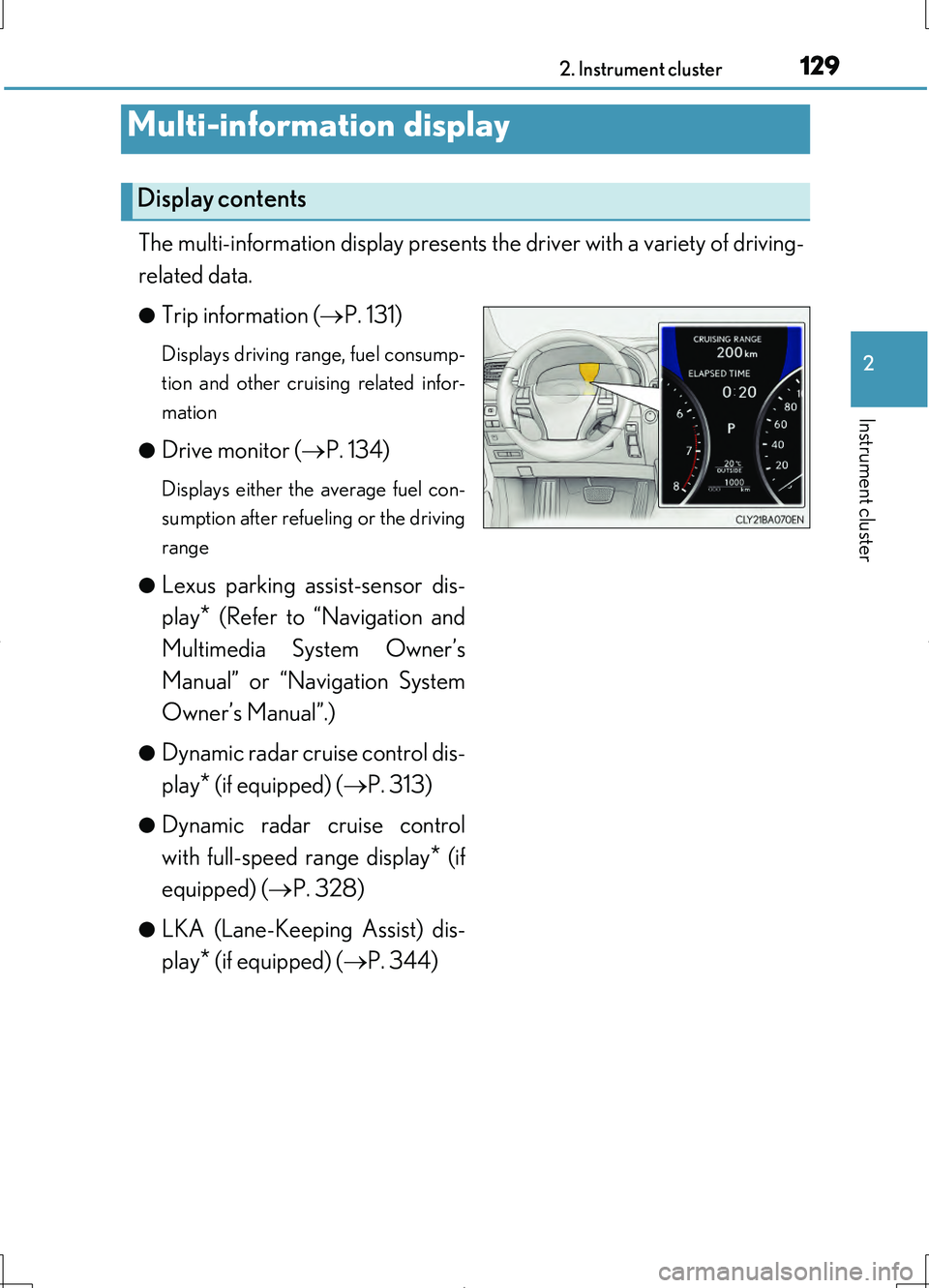
The multi-information display presents the driver with a variety of driving-
related data.
●Trip information ( P. 131)
Displays driving range, fuel consump-
tion and other cruising related infor-
mation
●Drive monitor ( P. 134)
Displays either the average fuel con-
sumption after refueling or the driving
range
●Lexus parking assist-sensor dis-
play* (Refer to “Navigation and
Multimedia System Owner’s
Manual” or “Navigation System
Owner’s Manual”.)
●Dynamic radar cruise control dis-
play* (if equipped) ( P. 313)
●Dynamic radar cruise control
with full-speed range display* (if
equipped) ( P. 328)
●LKA (Lane-Keeping Assist) dis-
play* (if equipped) ( P. 344)
Multi-information display
Display contents
Page 130 of 708
1302. Instrument cluster
LS460/LS460L_GE (OM50G06E)
●Warning messages ( P. 614)
Automatically displayed when a mal-
function occurs in one of the vehicle’s
systems. Display can be switched by
pressing the “DISP” button. ( P. 131)
*: Automatically displayed when the sys-
tem is used. Display can be switched
by pressing the “DISP” button.
( P. 131)
Page 131 of 708
1312. Instrument cluster
2
Instrument cluster
LS460/LS460L_GE (OM50G06E)
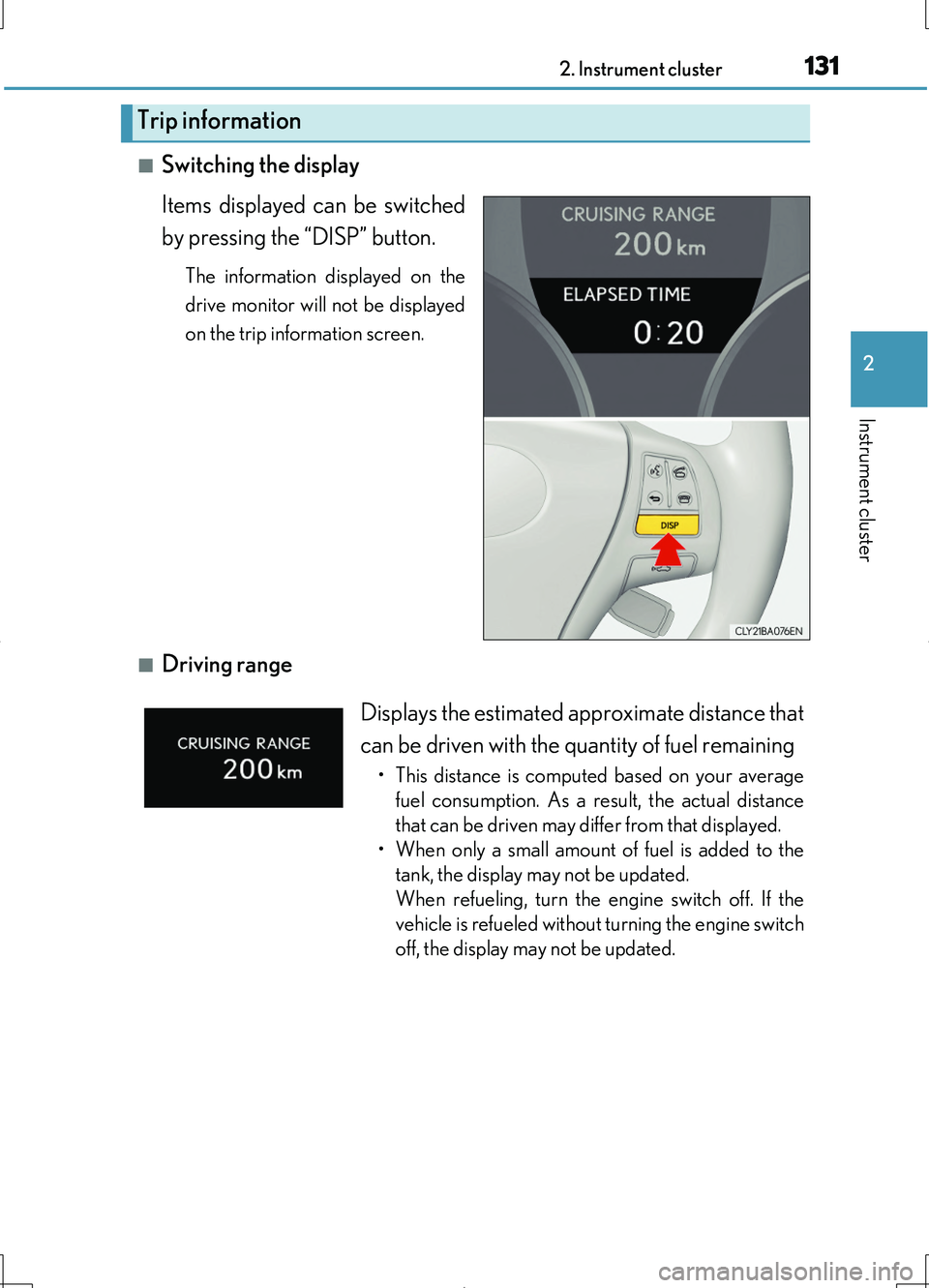
■Switching the display
Items displayed can be switched
by pressing the “DISP” button.
The information displayed on the
drive monitor will not be displayed
on the trip information screen.
■Driving range
Trip information
Displays the estimated approximate distance that
can be driven with the quantity of fuel remaining
• This distance is computed based on your average
fuel consumption. As a result, the actual distance
that can be driven may differ from that displayed.
• When only a small amount of fuel is added to the
tank, the display may not be updated.
When refueling, turn the engine switch off. If the
vehicle is refueled without turning the engine switch
off, the display may not be updated.
Page 132 of 708
1322. Instrument cluster
LS460/LS460L_GE (OM50G06E)
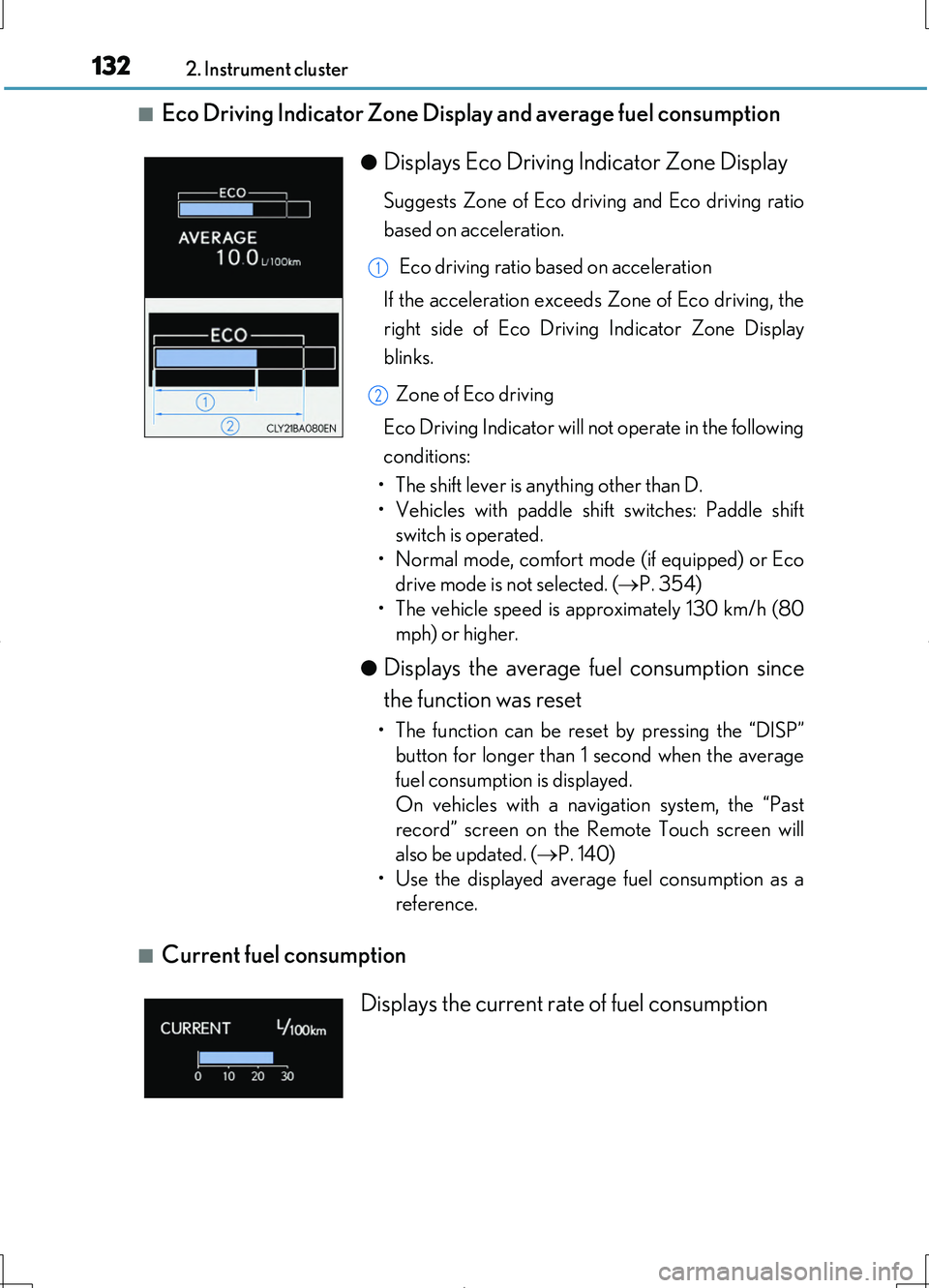
■Eco Driving Indicator Zone Display and average fuel consumption
■Current fuel consumption
●Displays Eco Driving Indicator Zone Display
Suggests Zone of Eco driving and Eco driving ratio
based on acceleration.
Eco driving ratio based on acceleration
If the acceleration exceeds Zone of Eco driving, the
right side of Eco Driving Indicator Zone Display
blinks.
Zone of Eco driving
Eco Driving Indicator will not operate in the following
conditions:
• The shift lever is anything other than D.
• Vehicles with paddle shift switches: Paddle shift
switch is operated.
• Normal mode, comfort mode (if equipped) or Eco
drive mode is not selected. ( P. 354)
• The vehicle speed is approximately 130 km/h (80
mph) or higher.
●Displays the average fuel consumption since
the function was reset
• The function can be reset by pressing the “DISP”
button for longer than 1 second when the average
fuel consumption is displayed.
On vehicles with a navigation system, the “Past
record” screen on the Remote Touch screen will
also be updated. ( P. 140)
• Use the displayed average fuel consumption as a
reference.
1
2
Displays the current rate of fuel consumption