tow LEXUS LS460L 2016 Owner's Manual
[x] Cancel search | Manufacturer: LEXUS, Model Year: 2016, Model line: LS460L, Model: LEXUS LS460L 2016Pages: 708, PDF Size: 36.57 MB
Page 258 of 708
2584-1. Before driving
LS460/LS460L_GE (OM50G06E)
Trailer towing
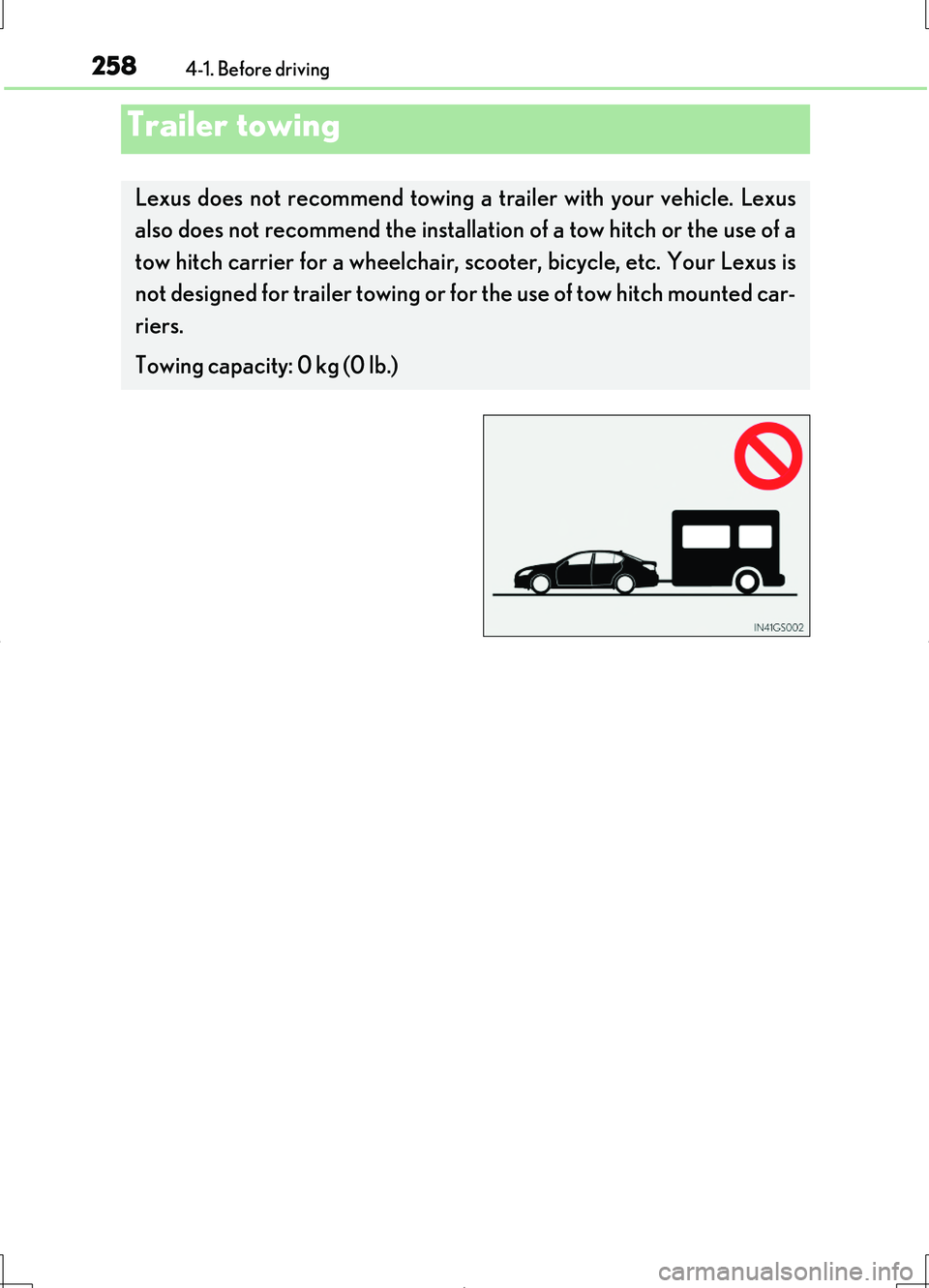
Lexus does not recommend towing a trailer with your vehicle. Lexus
also does not recommend the installati on of a tow hitch or the use of a
tow hitch carrier for a wheelchair, sc ooter, bicycle, etc. Your Lexus is
not designed for trailer towing or for the use of tow hitch mounted car-
riers.
Towing capacity: 0 kg (0 lb.)
Page 266 of 708
2664-2. Driving procedures
LS460/LS460L_GE (OM50G06E)
■Sport mode/Comfort mode/Eco drive mode
P. 354
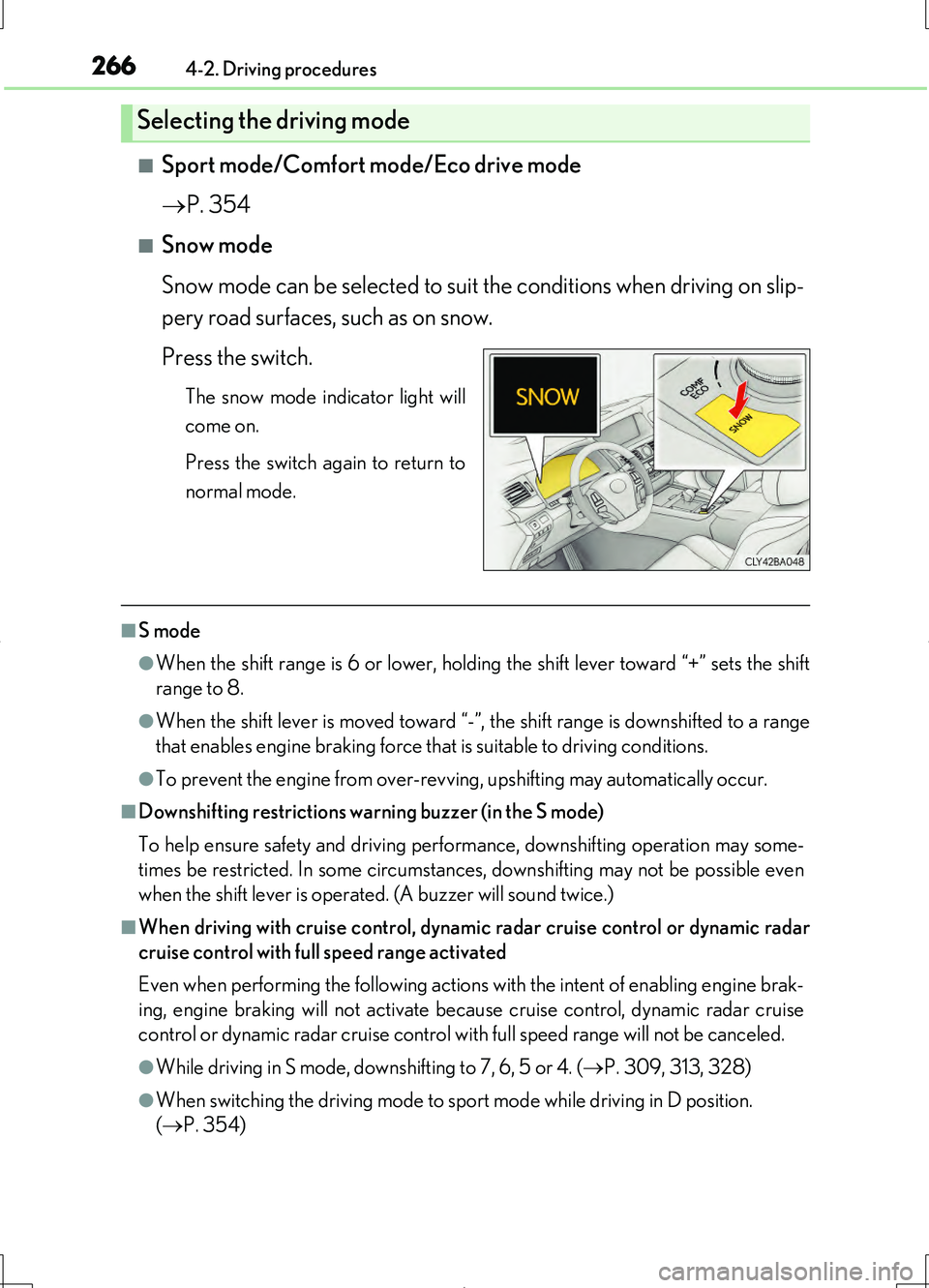
■Snow mode
Snow mode can be selected to suit the conditions when driving on slip-
pery road surfaces, such as on snow.
Press the switch.
The snow mode indicator light will
come on.
Press the switch again to return to
normal mode.
■S mode
●When the shift range is 6 or lower, holdin g the shift lever toward “+” sets the shift
range to 8.
●When the shift lever is moved toward “-”, the shift range is downshifted to a range
that enables engine braking force that is suitable to driving conditions.
●To prevent the engine from over-revving, upshifting may automatically occur.
■Downshifting restrictions warning buzzer (in the S mode)
To help ensure safety and driving performance, downshifting operation may some-
times be restricted. In some circumstances, downshifting may not be possible even
when the shift lever is operated. (A buzzer will sound twice.)
■When driving with cruise control, dynamic radar cruise control or dynamic radar
cruise control with full speed range activated
Even when performing the following actions with the intent of enabling engine brak-
ing, engine braking will not activate because cruise control, dynamic radar cruise
control or dynamic radar cruise control with full speed range will not be canceled.
●While driving in S mode, downshifting to 7, 6, 5 or 4. ( P. 309, 313, 328)
●When switching the driving mode to sport mode while driving in D position.
( P. 354)
Selecting the driving mode
Page 287 of 708
2874-3. Operating the lights and wipers
4
Driving
LS460/LS460L_GE (OM50G06E)
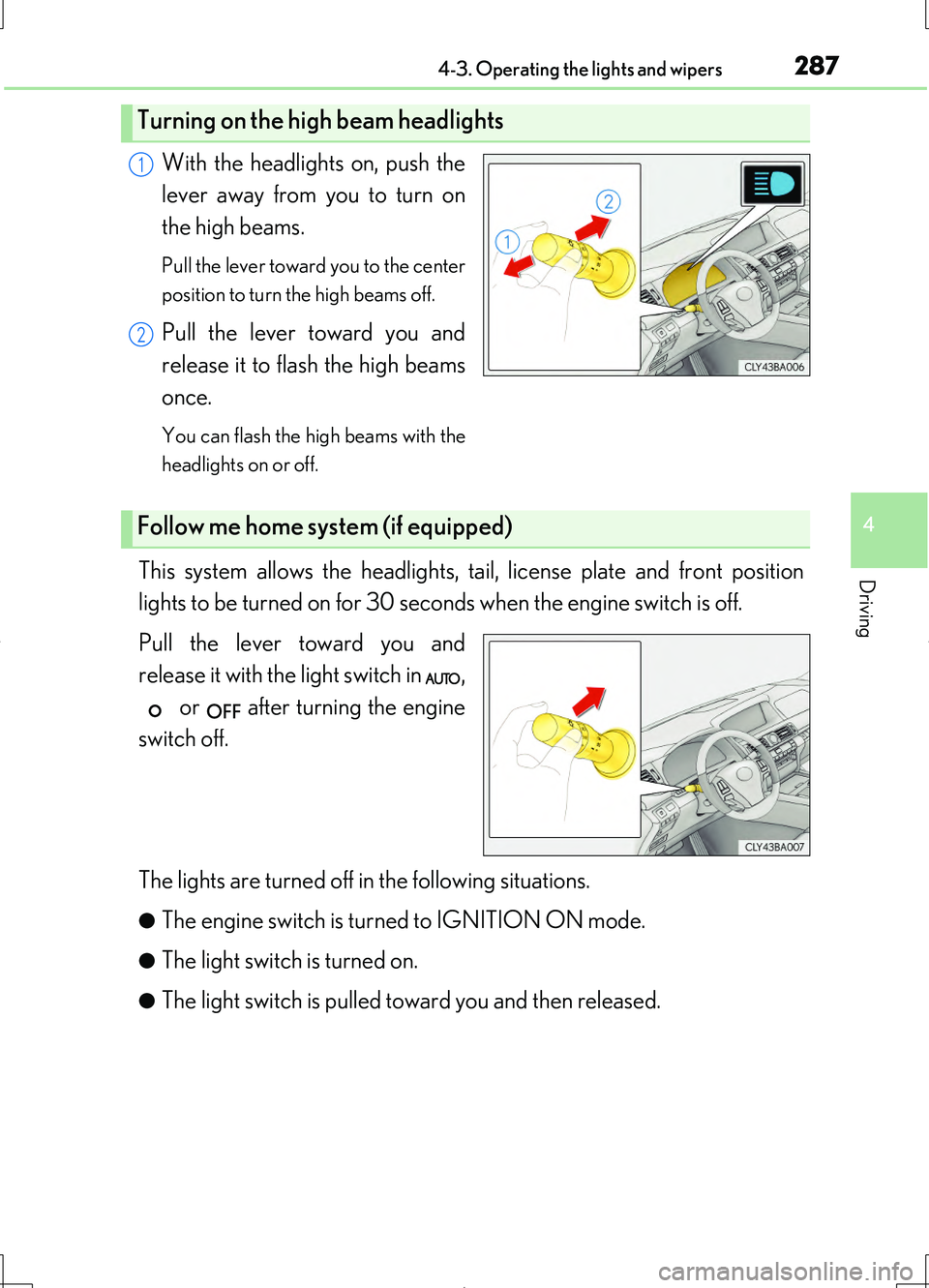
With the headlights on, push the
lever away from you to turn on
the high beams.
Pull the lever toward you to the center
position to turn the high beams off.
Pull the lever toward you and
release it to flash the high beams
once.
You can flash the high beams with the
headlights on or off.
This system allows the headlights, tail, license plate and front position
lights to be turned on for 30 seconds when the engine switch is off.
Pull the lever toward you and
release it with the light switch in ,
or after turning the engine
switch off.
The lights are turned off in the following situations.
●The engine switch is turn ed to IGNITION ON mode.
●The light switch is turned on.
●The light switch is pulled toward you and then released.
Turning on the high beam headlights
1
2
Follow me home system (if equipped)
Page 296 of 708
2964-3. Operating the lights and wipers
LS460/LS460L_GE (OM50G06E)
●In the situations below, the system may not be able to correctly detect the sur-
rounding brightness levels, and may flash or expose oncoming or preceding vehi-
cles to the high beam or may continue using the low beam. Therefore, in these
situations you should consider turning the high beams on or off manually rather
than relying on the Adaptive High-beam System.
• In bad weather (rain, snow, fog, sandstorms etc.)
• The windshield is obscured by fog, mist, ice, dirt etc.
• The windshield is cracked or damaged.
• The inside rear view mirror or camera sensor is deformed or dirty.
• The camera sensor temperature is extremely high.
• Surrounding brightness levels are equal to those of headlights, tail lights or fog
lights.
• Vehicles ahead have headlights that are either switched off, dirty, are changing
color, or have are not aimed properly.
• When driving through an area of intermittently changing brightness and dark-
ness.
• When frequently and repeatedly driving ascending/descending roads, or roads
with rough, bumpy or uneven surfaces (such as stone-paved roads, gravel tracks
etc.).
• When frequently and repeatedly taking curves or driving on a winding road.
• There is a highly reflective object ahead of the vehicle, such as a sign or a mirror.
• The back of a vehicle ahead is highly reflective, such as a container on a truck.
• The vehicle’s headlights are damaged or dirty.
• The vehicle is listing or tilting, due to a flat tire, a trailer being towed etc.
■Turning the high beam on during Adapt ive High-beam System (except vehicles
with both LED headlights and near-infrared ray transmitters)
When the vehicle is traveling at a high speed, the system will turn on the inner high
beam together with the outer high beam.
■Customization
The variable shade beam can be turned off. (Customizable features P. 667)
Page 303 of 708
3034-3. Operating the lights and wipers
4
Driving
LS460/LS460L_GE (OM50G06E)
CAUTION
■Caution regarding the use of windshield wipers in “AUTO” mode
The windshield wipers may operate unexpectedly if the sensor is touched or the
windshield is subject to vibration in “AUTO” mode. Take care that your fingers or
anything else do not become caught in the windshield wipers.
■Caution regarding the use of washer fluid
When it is cold, do not use the washer fluid until the windshield becomes warm.
The fluid may freeze on the windshield and cause low visibility. This may lead to an
accident, resulting in death or serious injury.
NOTICE
■When the windshield is dry
Do not use the wipers, as they may damage the windshield.
■When there is no washer fluid spray from the nozzle
Damage to the washer fluid pump may be caused if the lever is pulled toward you
and held continually.
■When a nozzle becomes blocked
In this case, contact your Lexus dealer.
Do not try to clear it with a pin or other object. The nozzle will be damaged.
Page 310 of 708
3104-5. Using the driving support systems
LS460/LS460L_GE (OM50G06E)
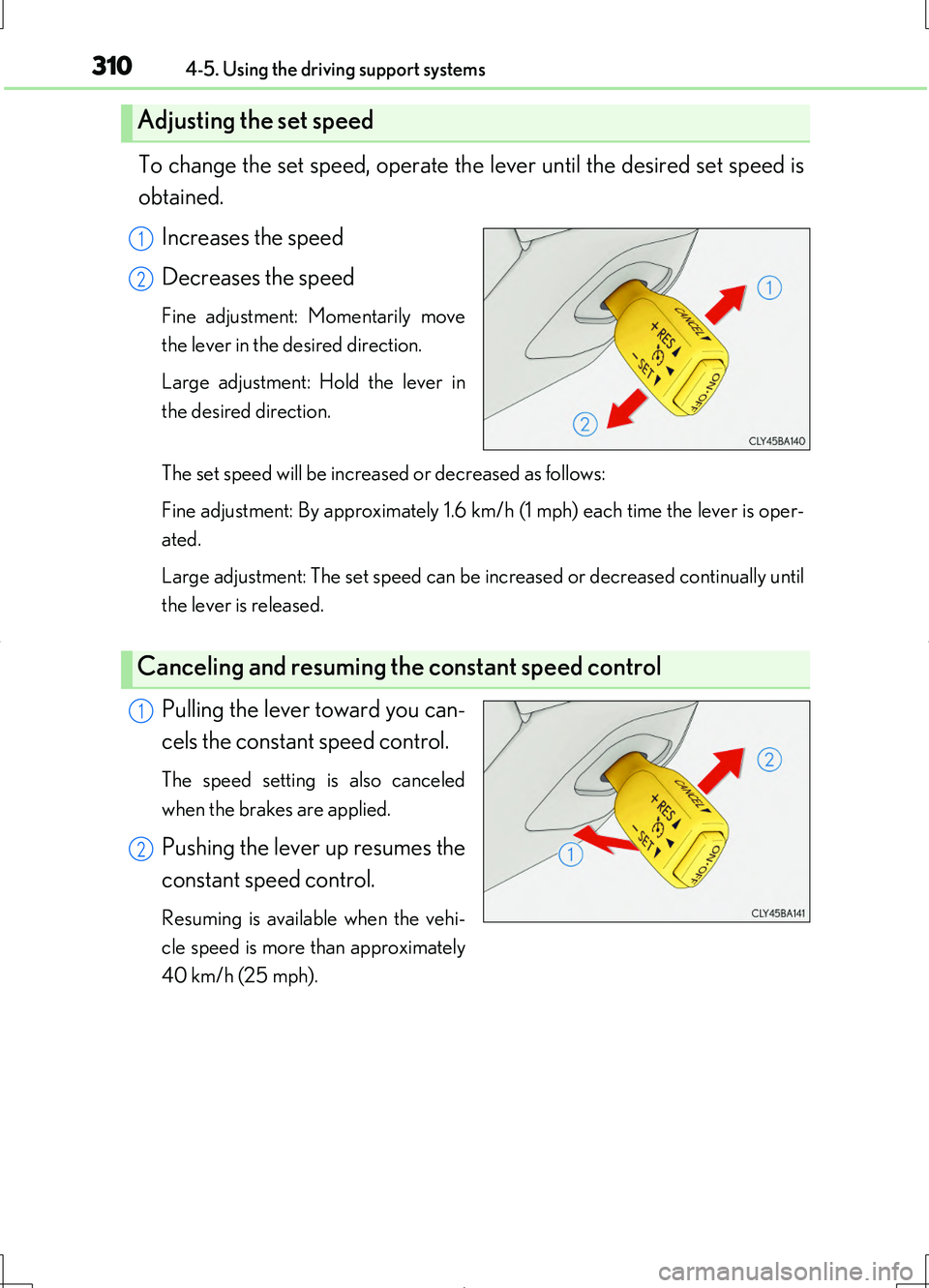
To change the set speed, operate the lever until the desired set speed is
obtained.
Increases the speed
Decreases the speed
Fine adjustment: Momentarily move
the lever in the desired direction.
Large adjustment: Hold the lever in
the desired direction.
The set speed will be increased or decreased as follows:
Fine adjustment: By approximately 1.6 km/h (1 mph) each time the lever is oper-
ated.
Large adjustment: The set speed can be increased or decreased continually until
the lever is released.
Pulling the lever toward you can-
cels the constant speed control.
The speed setting is also canceled
when the brakes are applied.
Pushing the lever up resumes the
constant speed control.
Resuming is available when the vehi-
cle speed is more than approximately
40 km/h (25 mph).
Adjusting the set speed
1
2
Canceling and resuming the constant speed control
1
2
Page 317 of 708
3174-5. Using the driving support systems
4
Driving
LS460/LS460L_GE (OM50G06E)
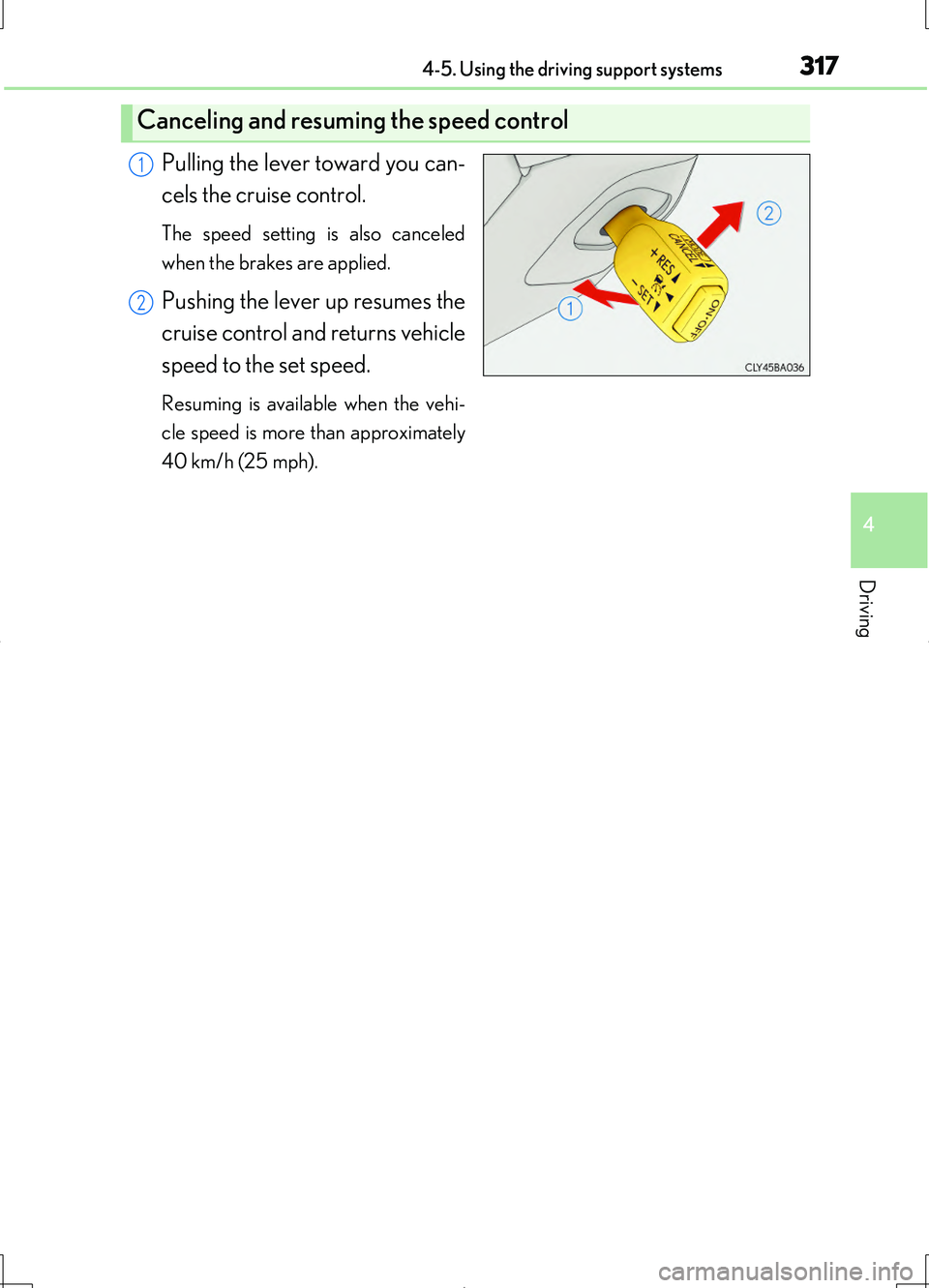
Pulling the lever toward you can-
cels the cruise control.
The speed setting is also canceled
when the brakes are applied.
Pushing the lever up resumes the
cruise control and returns vehicle
speed to the set speed.
Resuming is available when the vehi-
cle speed is more than approximately
40 km/h (25 mph).
Canceling and resuming the speed control
1
2
Page 333 of 708
3334-5. Using the driving support systems
4
Driving
LS460/LS460L_GE (OM50G06E)
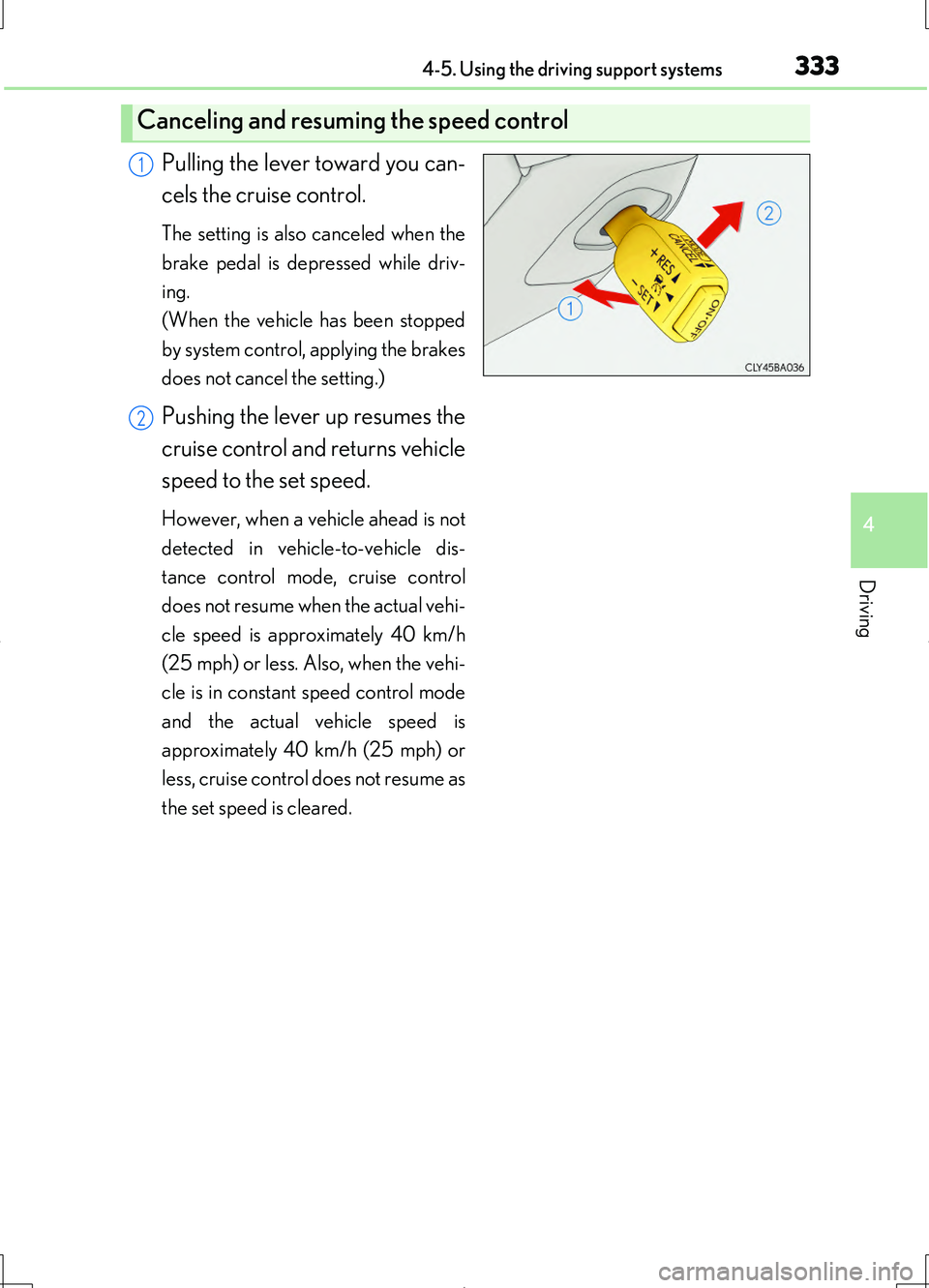
Pulling the lever toward you can-
cels the cruise control.
The setting is also canceled when the
brake pedal is depressed while driv-
ing.
(When the vehicle has been stopped
by system control, applying the brakes
does not cancel the setting.)
Pushing the lever up resumes the
cruise control and returns vehicle
speed to the set speed.
However, when a vehicle ahead is not
detected in vehicle-to-vehicle dis-
tance control mode, cruise control
does not resume when the actual vehi-
cle speed is approximately 40 km/h
(25 mph) or less. Also, when the vehi-
cle is in constant speed control mode
and the actual vehicle speed is
approximately 40 km/h (25 mph) or
less, cruise control does not resume as
the set speed is cleared.
Canceling and resuming the speed control
1
2
Page 359 of 708
3594-5. Using the driving support systems
4
Driving
LS460/LS460L_GE (OM50G06E)
CAUTION
■Be sure to stop the engine in the following situations in order to stop operation of
the electronically modulated air suspension:
●The vehicle is parked on a curb.
●Any of the wheels is stuck in a ditch.
●It is necessary to jack up the vehicle.
●It is necessary to tow the vehicle with part of it lifted.
If the engine switch remains in IGNITION ON mode, the vehicle height may
change, and you may catch part of your body in the vehicle, resulting in accidental
damage.
Page 382 of 708
3824-5. Using the driving support systems
LS460/LS460L_GE (OM50G06E)
■The outside rear view mirror indicators visibility
When under strong sunlight, the outside rear view mirror indicator may be difficult to
see.
■RCTA buzzer hearing
RCTA function may be difficult to hear over loud noises such as high audio volume.
■When there is a malfunction in the Blind Spot Monitor
If a system malfunction is detected due to any of the following reasons, warning mes-
sages will be displayed: ( P. 614)
●There is a malfunction with the sensors
●The sensors have become dirty
●The outside temperature is extremely high or low
●The sensor voltage has become abnormal
Outside rear view mirror indicators
Blind Spot Monitor function:
When a vehicle is detected in the blind spot, the outside rear view mirror indica-
tor comes on while the turn signal lever is not operated. If the turn signal lever is
operated toward the detected side, the outside rear view mirror indicator flashes.
RCTA function:
When a vehicle approaching from the right or left rear of the vehicle is detected,
the outside rear view mirror indicators flash.
RCTA buzzer (RCTA function only)
When a vehicle approaching from the right or left rear of the vehicle is detected,
a buzzer sounds from behind the rear seat.
2
3