trunk LEXUS LS460L 2016 Owner's Manual
[x] Cancel search | Manufacturer: LEXUS, Model Year: 2016, Model line: LS460L, Model: LEXUS LS460L 2016Pages: 708, PDF Size: 36.57 MB
Page 164 of 708
1643-2. Opening, closing and locking the doors
LS460/LS460L_GE (OM50G06E)
■Note for the entry function
●Even when the electronic key is within the effective range (detection areas), the
system may not operate properly in the following cases:
• The electronic key is too close to the window or outside door handle, near the
ground, or in a high place when the doors are locked or unlocked.
• The electronic key is near the ground or in a high place, or too close to the rear
bumper center when the trunk is opened.
• The electronic key is on the instrument panel, rear package tray or floor, or in the
door pockets or glove box when the engine is started or engine switch modes
are changed.
●Do not leave the electronic key on top of the instrument panel or near the door
pockets when exiting the vehicle. Depending on the radio wave reception condi-
tions, it may be detected by the antenna outside the cabin and the door will
become lockable from the outside, possibly trapping the electronic key inside the
vehicle.
●As long as the electronic key is within the effective range, the doors may be locked
or unlocked by anyone. However, only th e doors detecting the electronic key can
be used to unlock the vehicle.
●Even if the electronic key is not inside the vehicle, it may be possible to start the
engine if the electronic key is near the window.
●The doors may unlock if a large amount of water splashes on the door handle, such
as in the rain or in a car wash when the electronic key is within the effective range.
(The door will automatically be locked after approximately 30 seconds if the doors
are not opened and closed.)
●Gripping the door handle when wearing a glove may not unlock the door.
●If the wireless remote control is used to lock the doors when the electronic key is
near the vehicle, there is a possibility that the door may not be unlocked by the
entry function. (Use the wireless remote control to unlock the doors.)
●A sudden approach to the effective range or door handle may prevent the doors
from being unlocked. In this case, return the door handle to the original position
and check that the doors unlock before pulling the door handle again.
Page 165 of 708
1653-2. Opening, closing and locking the doors
3
Operation of each component
LS460/LS460L_GE (OM50G06E)
■When the vehicle is not driven for extended periods
To prevent theft of the vehicle, do not leave the electronic key within 2 m (6 ft.) of the
vehicle.
■Alarm
Using the smart entry & start system to lock the doors will set the alarm system.
( P. 112)
■To operate the system properly
●Make sure to carry the electronic key when operating the system. Do not get the
electronic key too close to the vehicle when operating the system from the outside
of the vehicle.
Depending on the position and holding condition of the electronic key, the key may
not be detected correctly and the system may not operate properly. (The alarm
may go off accidentally, or the door lock prevention function may not operate.)
●Do not leave the electronic key inside the trunk.
The key confinement prevention function may not operate, depending on the loca-
tion of the key (close to a spare tire, the inside edge of the trunk), conditions (inside
a metal bag, close to metallic objects) and the radio waves in the surrounding area.
( P. 193)
■If the smart entry & start system does not operate properly
●Locking and unlocking the doors and trunk: Use the mechanical key. (P. 631)
●Starting the engine: P. 634
Page 176 of 708
1763-2. Opening, closing and locking the doors
LS460/LS460L_GE (OM50G06E)
NOTICE
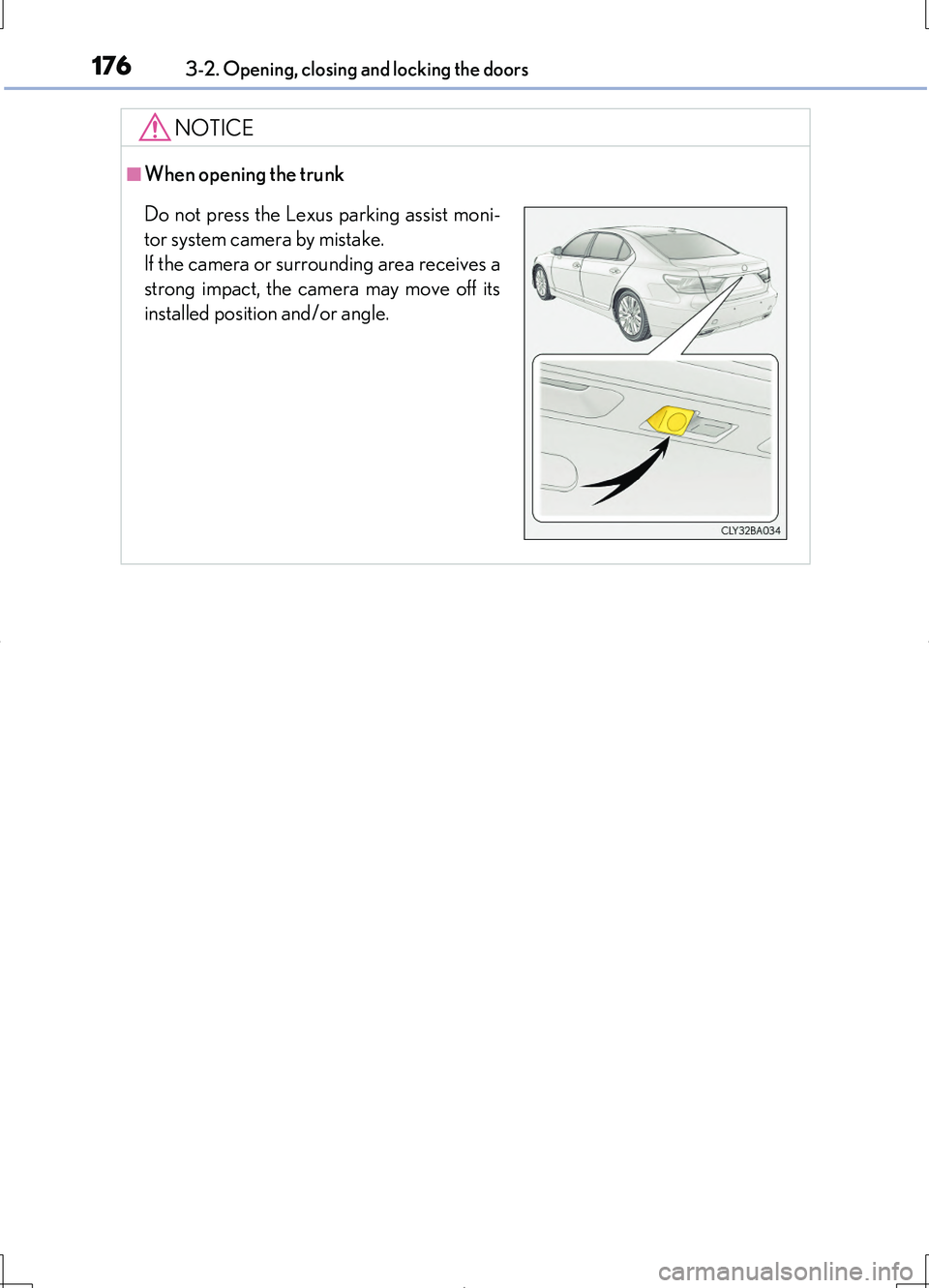
■When opening the trunk
Do not press the Lexus parking assist moni-
tor system camera by mistake.
If the camera or surrounding area receives a
strong impact, the camera may move off its
installed position and/or angle.
Page 177 of 708
1773-2. Opening, closing and locking the doors
3
Operation of each component
LS460/LS460L_GE (OM50G06E)
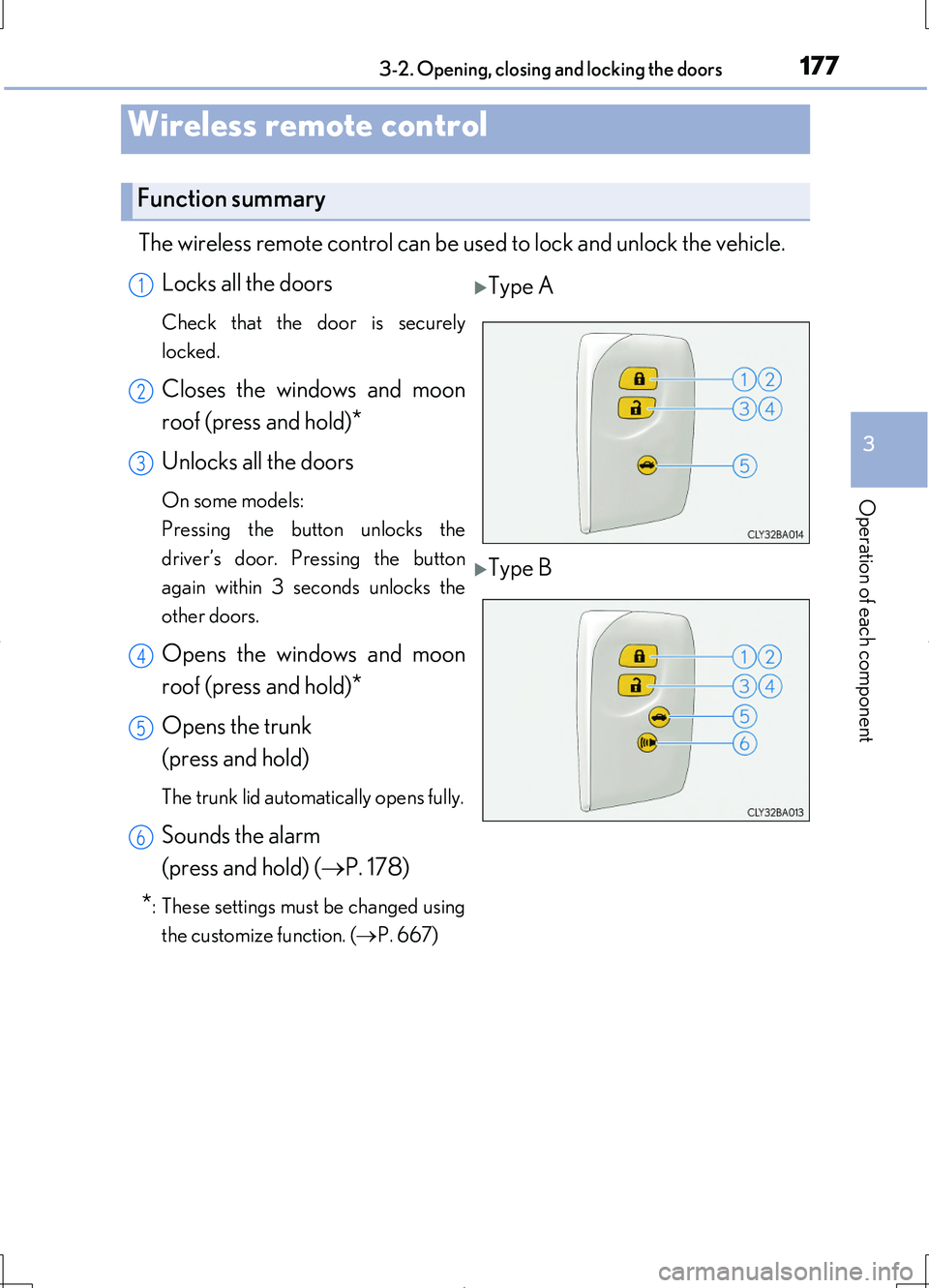
The wireless remote control can be used to lock and unlock the vehicle.
Locks all the doors
Check that the door is securely
locked.
Closes the windows and moon
roof (press and hold)*
Unlocks all the doors
On some models:
Pressing the button unlocks the
driver’s door. Pressing the button
again within 3 seconds unlocks the
other doors.
Opens the windows and moon
roof (press and hold)*
Opens the trunk
(press and hold)
The trunk lid automatically opens fully.
Sounds the alarm
(press and hold) ( P. 178)
*: These settings must be changed using
the customize function. ( P. 667)
Wireless remote control
Function summary
Type A
Type B
1
2
3
4
5
6
Page 178 of 708
1783-2. Opening, closing and locking the doors
LS460/LS460L_GE (OM50G06E)
■Operation signals
Doors:
The emergency flashers flash to indicate that the doors have been locked/unlocked.
(Locked: Once; Unlocked: Twice)
Windows and moon roof:
A buzzer sounds to indicate that th e windows and moon roof are operating.
Some models, the buzzer sounds from the doors and the trunk.
■Welcome light illumination control
P. 154
■Door lock buzzer
If an attempt to lock the doors is made when a door is not fully closed, a buzzer
sounds continuously for 5 seconds. Fully close the door to stop the buzzer, and lock
the vehicle once more.
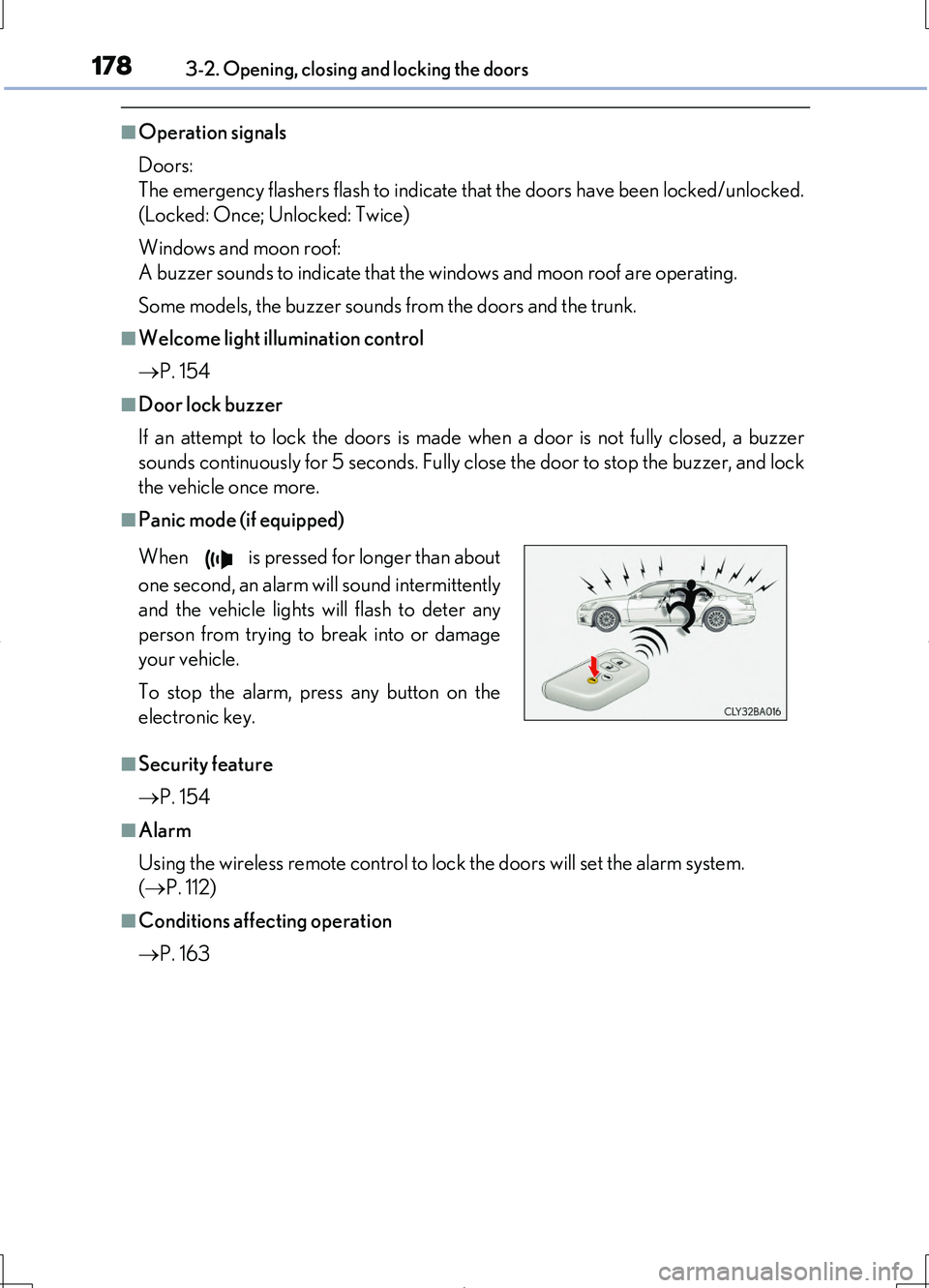
■Panic mode (if equipped)
■Security feature
P. 154
■Alarm
Using the wireless remote control to lock the doors will set the alarm system.
( P. 112)
■Conditions affecting operation
P. 163
When is pressed for longer than about
one second, an alarm will sound intermittently
and the vehicle lights will flash to deter any
person from trying to break into or damage
your vehicle.
To stop the alarm, press any button on the
electronic key.
Page 179 of 708
1793-2. Opening, closing and locking the doors
3
Operation of each component
LS460/LS460L_GE (OM50G06E)
■If the wireless remote control does not operate properly
Locking and unlocking the doors and trunk: Use the mechanical key. ( P. 631)
■Electronic key battery depletion
P. 166
■When the electronic key battery is fully depleted
P. 575
■Customization
Settings (e.g. wireless remote control system) can be changed.
(Customizable features P. 667)
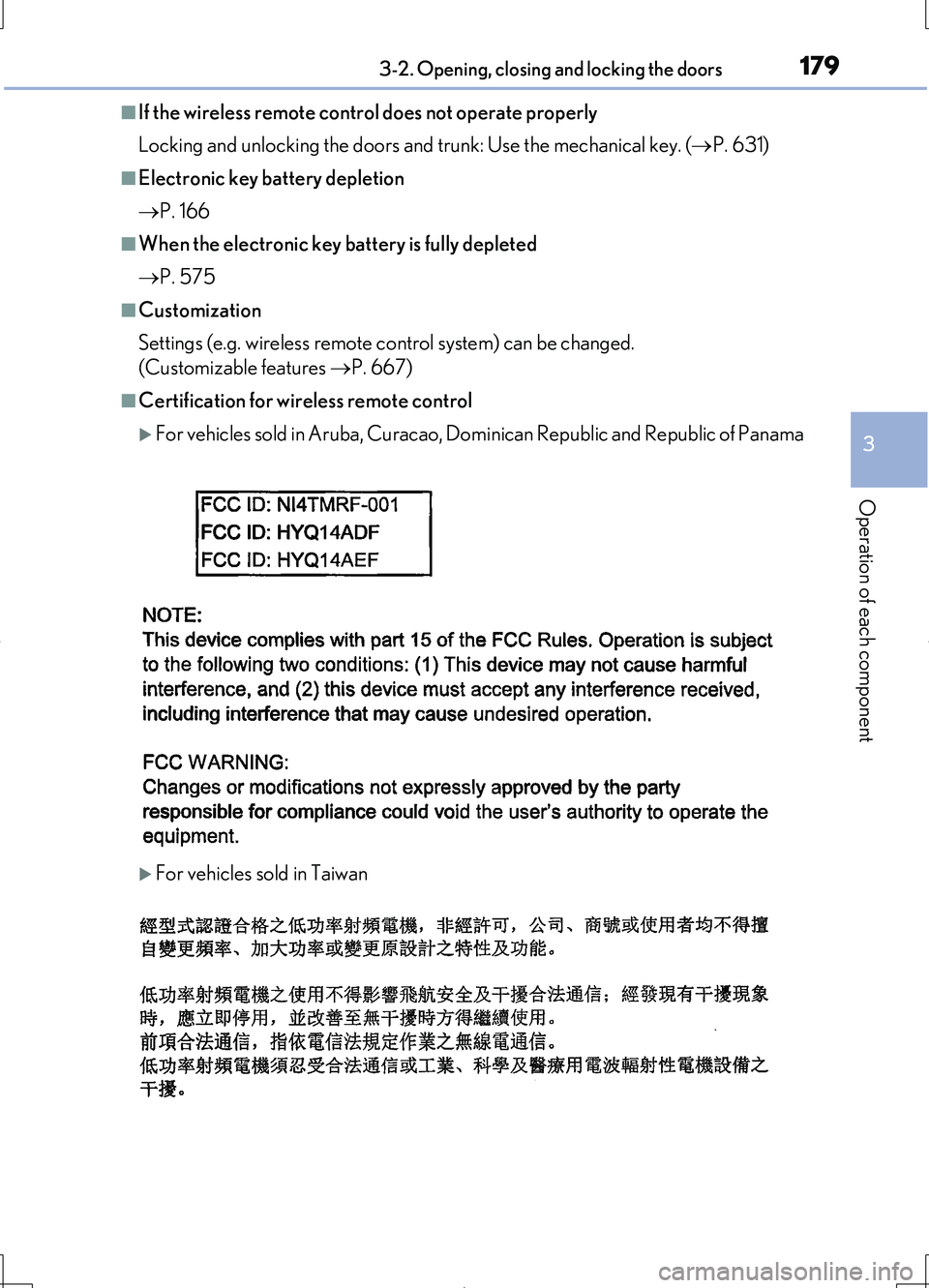
■Certification for wireless remote control
For vehicles sold in Aruba, Curacao, Dominican Republic and Republic of Panama
For vehicles sold in Taiwan
Page 191 of 708
1913-2. Opening, closing and locking the doors
3
Operation of each component
LS460/LS460L_GE (OM50G06E)
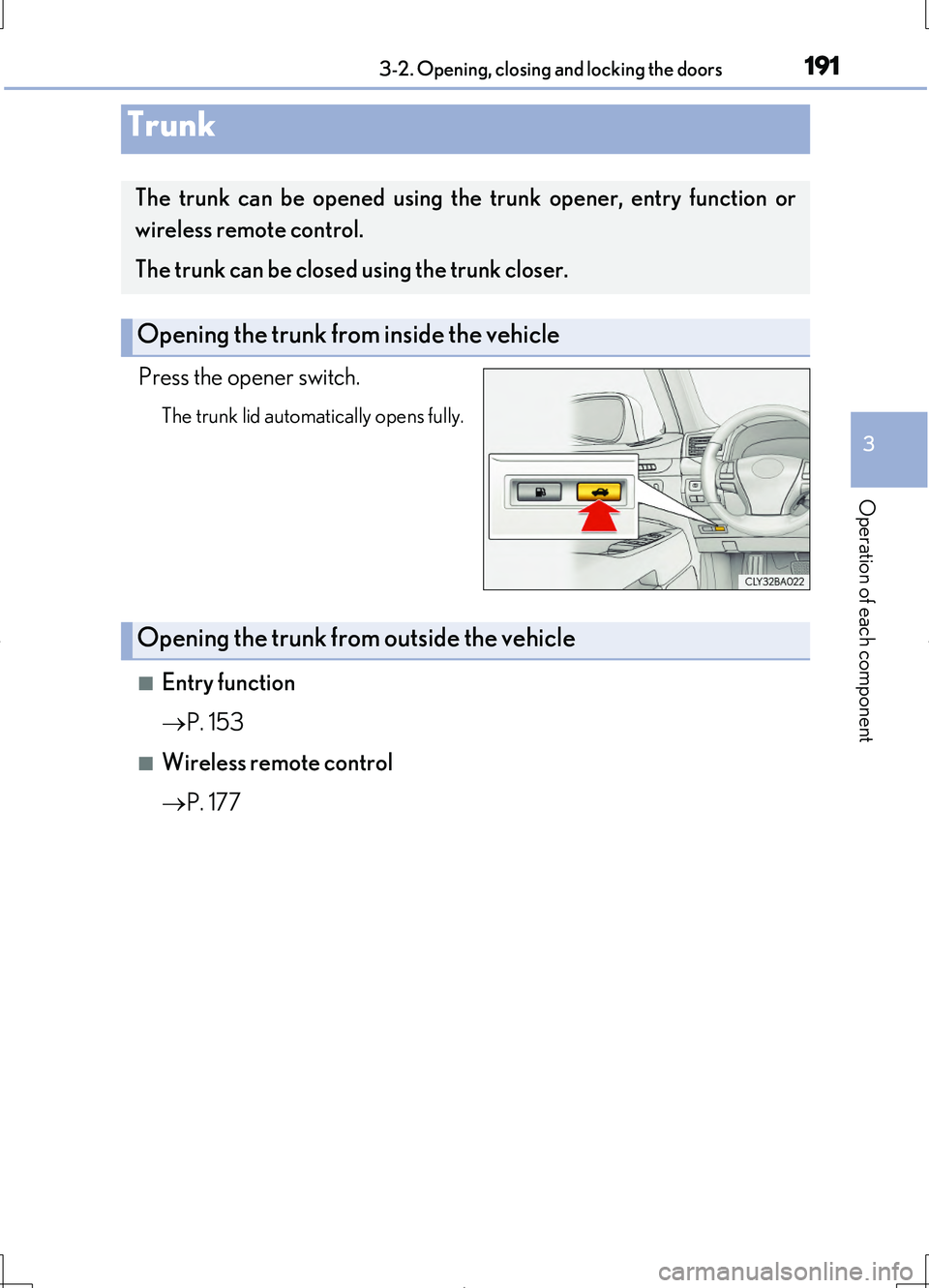
Press the opener switch.
The trunk lid automatically opens fully.
■Entry function
P. 153
■Wireless remote control
P. 177
Trunk
The trunk can be opened using the trunk opener, entry function or
wireless remote control.
The trunk can be closed using the trunk closer.
Opening the trunk from inside the vehicle
Opening the trunk from outside the vehicle
Page 192 of 708
1923-2. Opening, closing and locking the doors
LS460/LS460L_GE (OM50G06E)
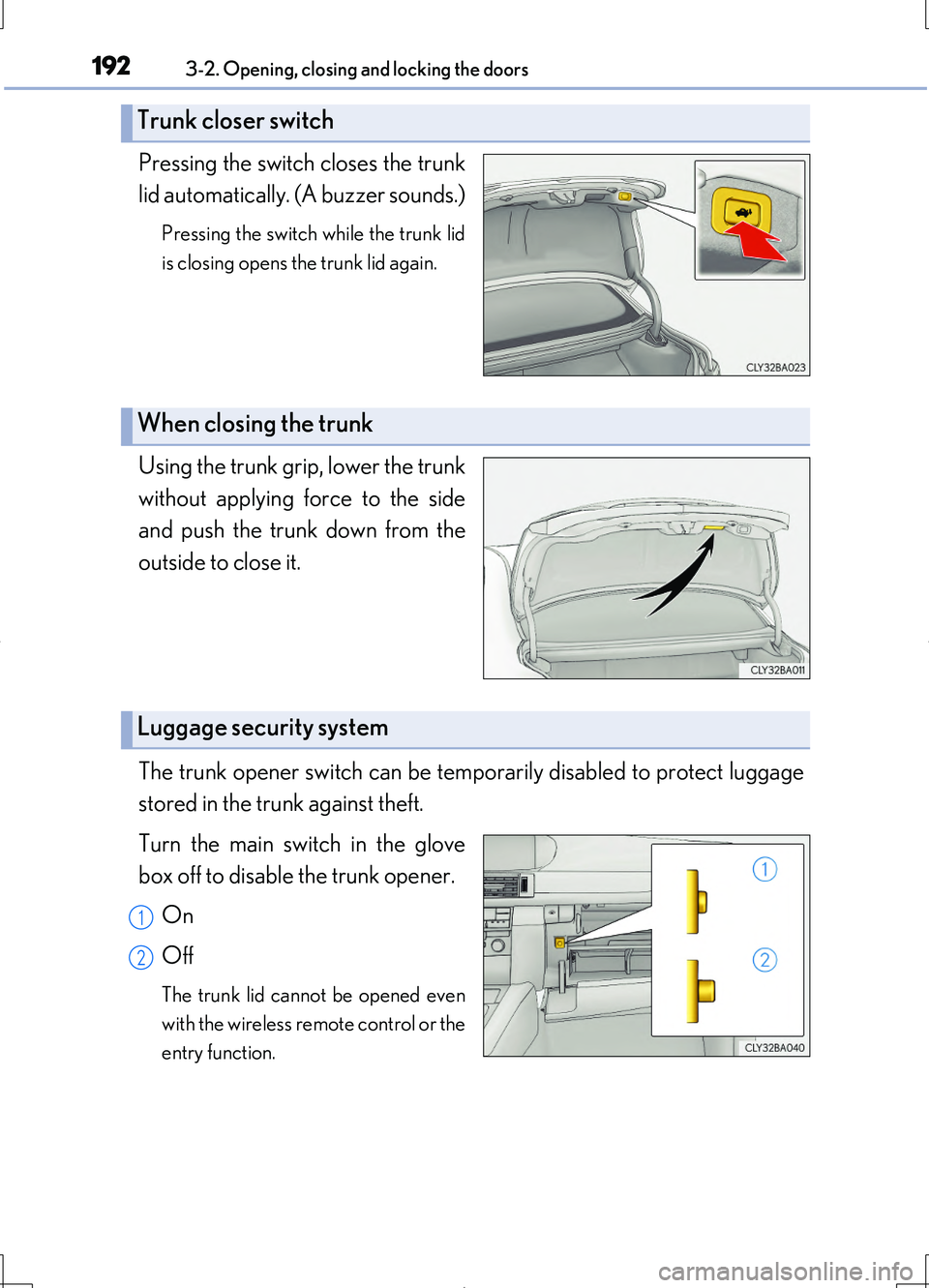
Pressing the switch closes the trunk
lid automatically. (A buzzer sounds.)
Pressing the switch while the trunk lid
is closing opens the trunk lid again.
Using the trunk grip, lower the trunk
without applying force to the side
and push the trunk down from the
outside to close it.
The trunk opener switch can be temporarily disabled to protect luggage
stored in the trunk against theft.
Turn the main switch in the glove
box off to disable the trunk opener.
On
Off
The trunk lid cannot be opened even
with the wireless remote control or the
entry function.
Trunk closer switch
When closing the trunk
Luggage security system
1
2
Page 193 of 708
1933-2. Opening, closing and locking the doors
3
Operation of each component
LS460/LS460L_GE (OM50G06E)
■Trunk lid light/trunk light
The trunk lid light/trunk light turns on when the trunk is opened.
■Trunk easy closer
In the event that the trunk lid is left slightly open, the trunk easy closer will automati-
cally close it to the fully closed position.
■Function to prevent the trunk being locked with the electronic key inside (when all
the doors are locked)
Closing the trunk lid with the electronic key left inside the trunk will sound an alarm.
In this case, the trunk lid can be opened by pressing the button on the trunk lid.
■Overload protection function
The trunk lid will not operate when excessive load is present on the top of the trunk
lid.
■Fall-down protection function
While the trunk lid is opening automatically, applying excessive force to it will stop
the opening operation to prevent the trunk lid from rapidly falling down.
■Jam protection function
While the trunk lid is closing automatically, the trunk lid will stop closing and open if
something gets caught.
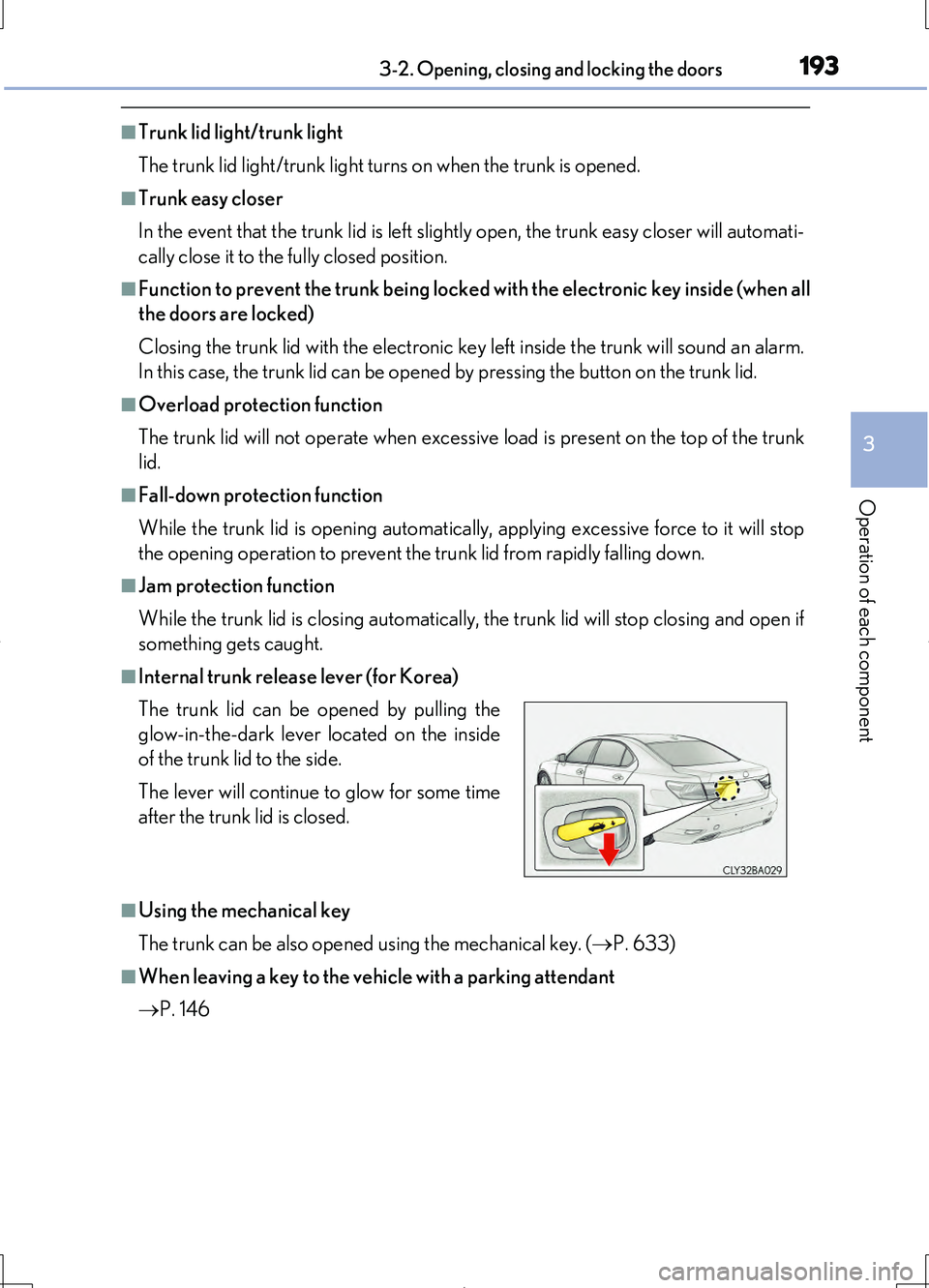
■Internal trunk release lever (for Korea)
■Using the mechanical key
The trunk can be also opened using the mechanical key. ( P. 633)
■When leaving a key to the vehicle with a parking attendant
P. 146
The trunk lid can be opened by pulling the
glow-in-the-dark lever located on the inside
of the trunk lid to the side.
The lever will continue to glow for some time
after the trunk lid is closed.
Page 194 of 708
1943-2. Opening, closing and locking the doors
LS460/LS460L_GE (OM50G06E)
CAUTION
Observe the following precautions.
Failure to do so may result in death or serious injury.
■Before driving
●Make sure that the trunk lid is fully closed. If the trunk lid is not fully closed, it may
open unexpectedly while driving and hit near-by objects or luggage in the trunk
may be thrown out, causing an accident.
●Do not allow children to play in the trunk.
If a child is accidentally locked in the tr unk, they could suffer from heat exhaus-
tion, suffocation or other injuries.
●Do not allow a child to open or close the trunk lid.
Doing so may cause the trunk lid to open unexpectedly, or cause the child’s
hands, head, or neck to be caught by the closing trunk lid.
■Important points while driving
Never let anyone sit in the trunk. In the event of sudden braking or a collision, they
are susceptible to death or serious injury.