power steering LEXUS LS500 2018 User Guide
[x] Cancel search | Manufacturer: LEXUS, Model Year: 2018, Model line: LS500, Model: LEXUS LS500 2018Pages: 514, PDF Size: 10.62 MB
Page 155 of 514
1554-1. Before driving
LS500_OM_OM50F54U_(U) 4
Driving WARNING●
Vehicles with Lexus Safety System+A:
If the electronically controlled brake
system does not operate, do not follow
other vehicles closely and avoid hills or
sharp turns that require braking.
In this case, braking is still possible, but
the brake pedal should be depressed
more firmly than usual. Also, the brak-
ing distance will increase. Have your
brakes fixed immediately.●
Vehicles without Lexus Safety Sys-
tem+A: Do not pump the brake pedal
if the engine stalls.
Each push on the brake pedal uses up
the reserve for the power-assisted
brakes.●
Vehicles without Lexus Safety Sys-
tem+A: The brake system consists of 2
individual hydraulic systems; if one of
the systems fails, the other will still
operate. In this case, the brake pedal
should be depressed more firmly than
usual and the braking distance will
increase. Have your brakes fixed
immediately.●
Vehicles with Lexus Safety System+A:
The brake system consists of 2 or more
individual hydraulic systems; if one of
the systems fails, the other(s) will still
operate. In this case, the brake pedal
should be depressed more firmly than
usual and the braking distance will
increase. Have your brakes fixed
immediately.
■
If the vehicle becomes stuck
Do not spin the wheels excessively when
a driven wheel is up in the air, or the vehi-
cle is stuck in sand, mud, etc. This may
damage the driveline components or
propel the vehicle forward or backward,
causing an accident. NOTICE■
When driving the vehicle ●
Do not depress the accelerator and
brake pedals at the same time during
driving, as this may restrain the engine
output. ●
Do not use the accelerator pedal or
depress the accelerator and brake
pedals at the same time to hold the
vehicle on a hill. ■
When parking the vehicle
Always set the parking brake, and shift
the shift position to P. Failure to do so
may cause the vehicle to move or the
vehicle may accelerate suddenly if the
accelerator pedal is accidentally
depressed. ■
Avoiding damage to vehicle parts ●
Do not turn the steering wheel fully in
either direction and hold it there for an
extended period of time.
Doing so may damage the power
steering motor. ●
When driving over bumps in the road,
drive as slowly as possible to avoid
damaging the wheels, underside of the
vehicle, etc.
●
Make sure to idle the engine immedi-
ately after high-load driving. Stop the
engine only after the turbocharger has
cooled down.
Failure to do so may cause damage to
the turbocharger.
■
If you get a flat tire while driving
A flat or damaged tire may cause the fol-
lowing situations. Hold the steering
wheel firmly and gradually depress the
brake pedal to slow down the vehicle.
●
It may be difficult to control your vehi-
cle.
●
The vehicle will make abnormal
sounds or vibrations.
●
The vehicle will lean abnormally.
Page 162 of 514
162 4-2. Driving procedures
LS500_OM_OM50F54U_(U) ■
Automatic P position selection function
→ P.166
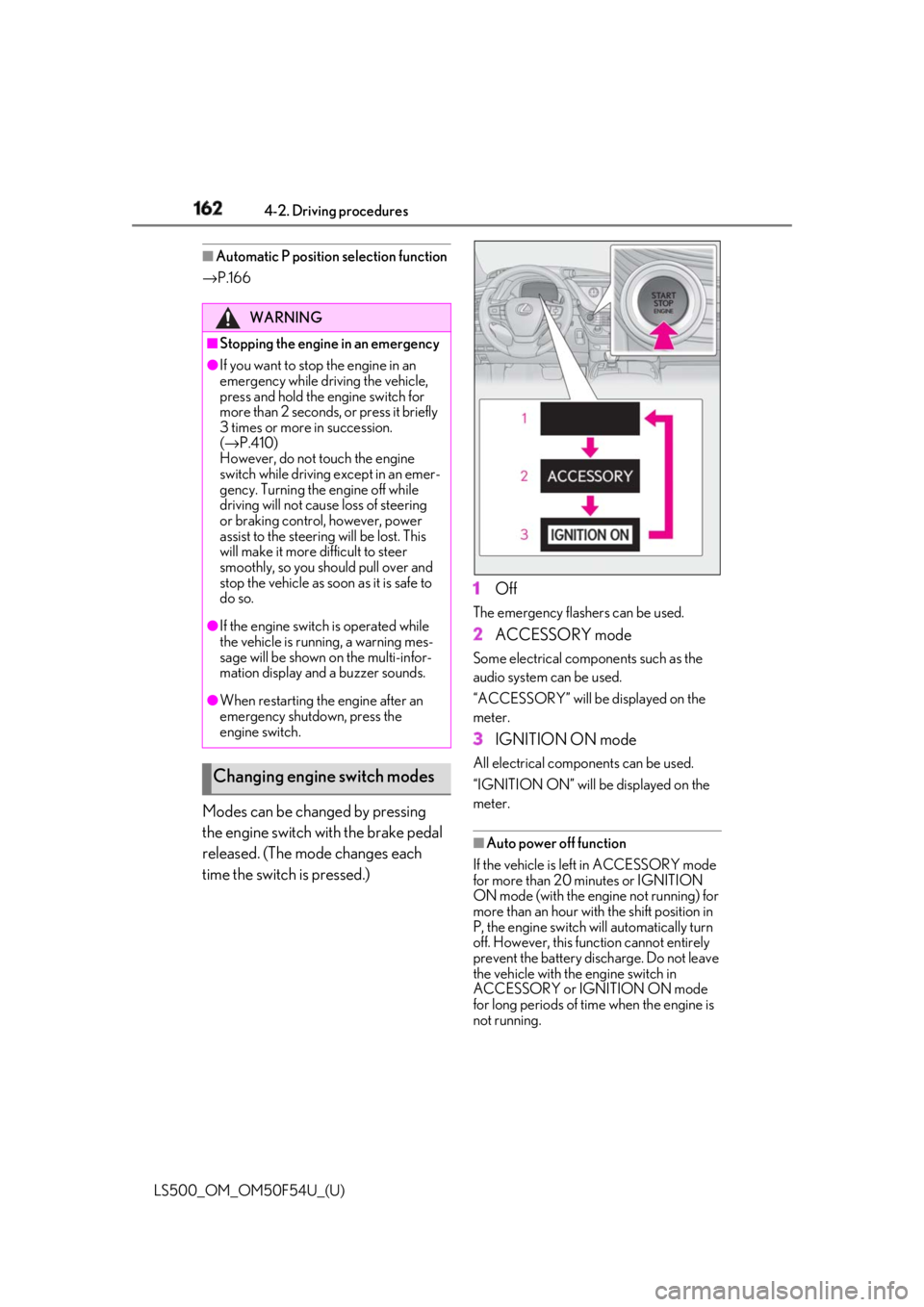
Modes can be changed by pressing
the engine switch with the brake pedal
released. (The mode changes each
time the switch is pressed.) 1 Off The emergency flashers can be used.
2 ACCESSORY mode Some electrical components such as the
audio system can be used.
“ACCESSORY” will be displayed on the
meter.
3 IGNITION ON mode All electrical components can be used.
“IGNITION ON” will be displayed on the
meter.
■
Auto power off function
If the vehicle is left in ACCESSORY mode
for more than 20 minutes or IGNITION
ON mode (with the engine not running) for
more than an hour with the shift position in
P, the engine switch will automatically turn
off. However, this function cannot entirely
prevent the battery discharge. Do not leave
the vehicle with the engine switch in
ACCESSORY or IGNITION ON mode
for long periods of time when the engine is
not running.WARNING■
Stopping the engine in an emergency●
If you want to stop the engine in an
emergency while driving the vehicle,
press and hold the engine switch for
more than 2 seconds, or press it briefly
3 times or more in succession.
( → P.410)
However, do not touch the engine
switch while driving except in an emer-
gency. Turning the engine off while
driving will not cause loss of steering
or braking control, however, power
assist to the steering will be lost. This
will make it more difficult to steer
smoothly, so you should pull over and
stop the vehicle as soon as it is safe to
do so.●
If the engine switch is operated while
the vehicle is running, a warning mes-
sage will be shown on the multi-infor-
mation display and a buzzer sounds.●
When restarting the engine after an
emergency shutdown, press the
engine switch.
Changing engine switch modes
Page 201 of 514

2014-5. Using the driving support systems
LS500_OM_OM50F54U_(U) 4
Driving ■
Active steering assist
If the system determines that the possi-
bility of a collision with an object, such
as a guardrail, or pedestrian is high,
even though the brakes are applied,
and that the collision may be avoidable
through steering control, the system
will steer the vehicle automatically to
help avoid the collision or help reduce
the impact of the collision. ■
Pre-collision seat belts (front seat
only)
If the system determines that the possi-
bility of a frontal collision is high, the
system will retract the seat belts. Addi-
tionally, the system may retract the seat
belts if the brakes are applied suddenly
or control of the vehicle is lost. ■
Pre-collision seatbacks (front pas-
senger’s seat / power rear seat [if
equipped])
If the system determines that the possi-
bility of a frontal collision is high, it may
move the seatbacks of the front pas-
senger’s seat and power rear seats to
the upright position automatically, if
reclined. If a seat is being ad justed, it may not be
moved by the pre-collision seat function.
■
Suspension control
When the system determines that the
possibility of a frontal collision is high,
the Adaptive Variable Suspension Sys-
tem ( → P.295) will control the damp-
ing force of the shock absorbers to
help maintain an appropriate vehicle
posture. ■
Steering control
When the system determines that the
possibility of a frontal collision is high
and the driver is op erating the steering
wheel, the LDH system ( → P.295) will
control the turning angle of the front
and rear wheels and effort necessary
to turn the steering wheel to help
enhance steering responsiveness. WARNING■
Limitations of the pre-collision system ●
The driver is solely responsible for safe
driving. Always drive safely, taking
care to observe your surroundings.
Do not use the pre-collision system
instead of normal braking operations
under any circumstances. This system
will not prevent collisions or lessen col-
lision damage or injury in every situa-
tion. Do not overly rely on this system.
Failure to do so may lead to an acci-
dent, resulting in death or serious
injury. ●
Although this system is designed to
help avoid a collision or help reduce
the impact of the collision, its effective-
ness may change according to various
conditions, therefore the system may
not always be able to achieve the same
level of performance.
Read the following conditions care-
fully. Do not overly rely on this system
and always drive carefully.
• Conditions under which the system
may operate even if there is no possi-
bility of a collision: → P.205
• Conditions under which the system
may not operate properly: → P.207
●
Do not attempt to test the operation of
the pre-collision system yourself, as the
system may not operate properly, pos-
sibly leading to an accident.
Page 211 of 514
2114-5. Using the driving support systems
LS500_OM_OM50F54U_(U) 4
Driving ■
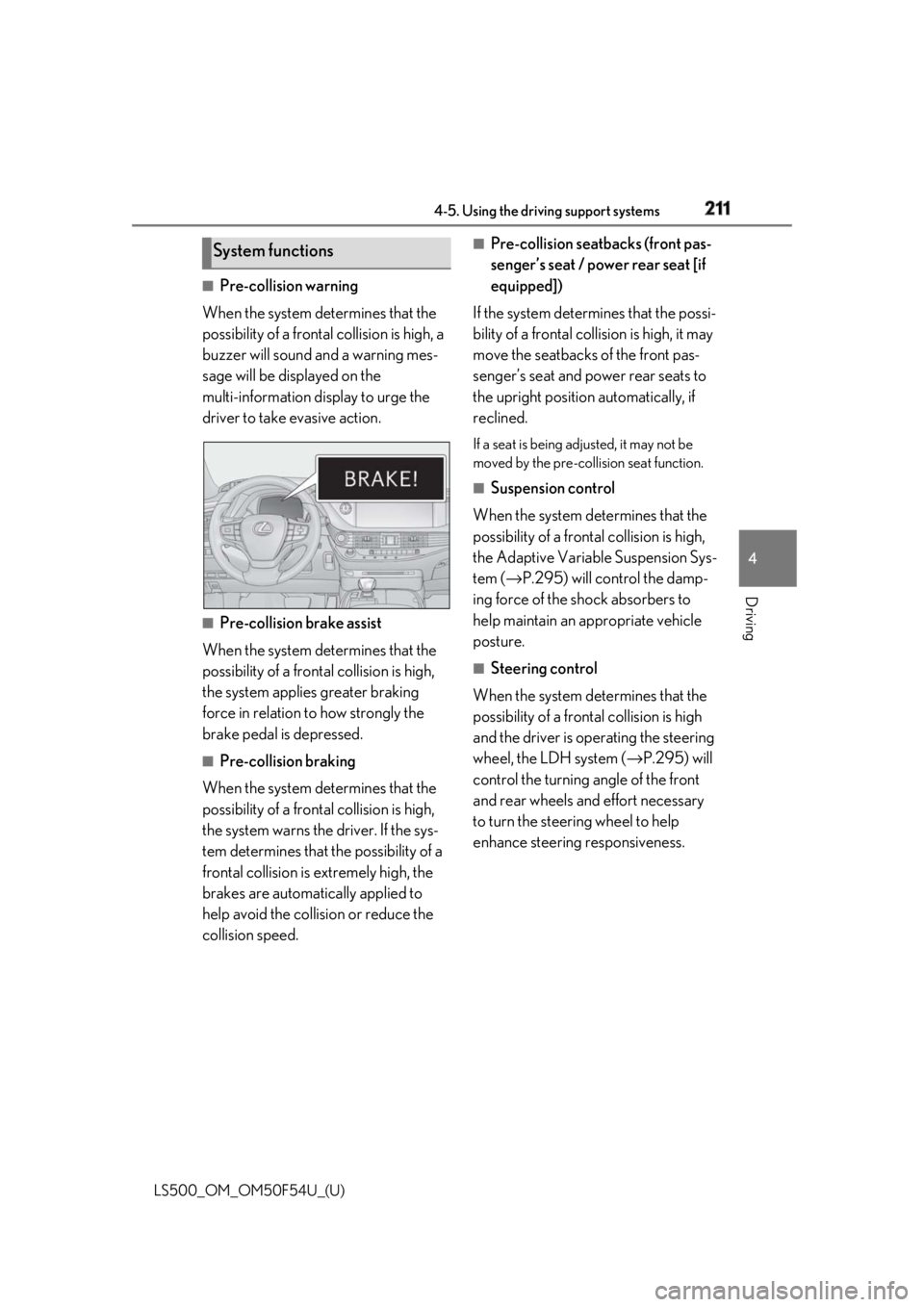
Pre-collision warning
When the system determines that the
possibility of a frontal collision is high, a
buzzer will sound and a warning mes-
sage will be displayed on the
multi-information display to urge the
driver to take evasive action.
■
Pre-collision brake assist
When the system determines that the
possibility of a frontal collision is high,
the system applies greater braking
force in relation to how strongly the
brake pedal is depressed. ■
Pre-collision braking
When the system determines that the
possibility of a frontal collision is high,
the system warns the driver. If the sys-
tem determines that the possibility of a
frontal collision is extremely high, the
brakes are automatically applied to
help avoid the collision or reduce the
collision speed. ■
Pre-collision seatbacks (front pas-
senger’s seat / power rear seat [if
equipped])
If the system determines that the possi-
bility of a frontal collision is high, it may
move the seatbacks of the front pas-
senger’s seat and power rear seats to
the upright position automatically, if
reclined. If a seat is being adjusted, it may not be
moved by the pre-collis ion seat function.■
Suspension control
When the system determines that the
possibility of a frontal collision is high,
the Adaptive Variable Suspension Sys-
tem ( → P.295) will control the damp-
ing force of the shock absorbers to
help maintain an appropriate vehicle
posture. ■
Steering control
When the system determines that the
possibility of a frontal collision is high
and the driver is op erating the steering
wheel, the LDH system ( → P.295) will
control the turning angle of the front
and rear wheels and effort necessary
to turn the steering wheel to help
enhance steering responsiveness.System functions
Page 289 of 514
2894-5. Using the driving support systems
LS500_OM_OM50F54U_(U) 4
Driving
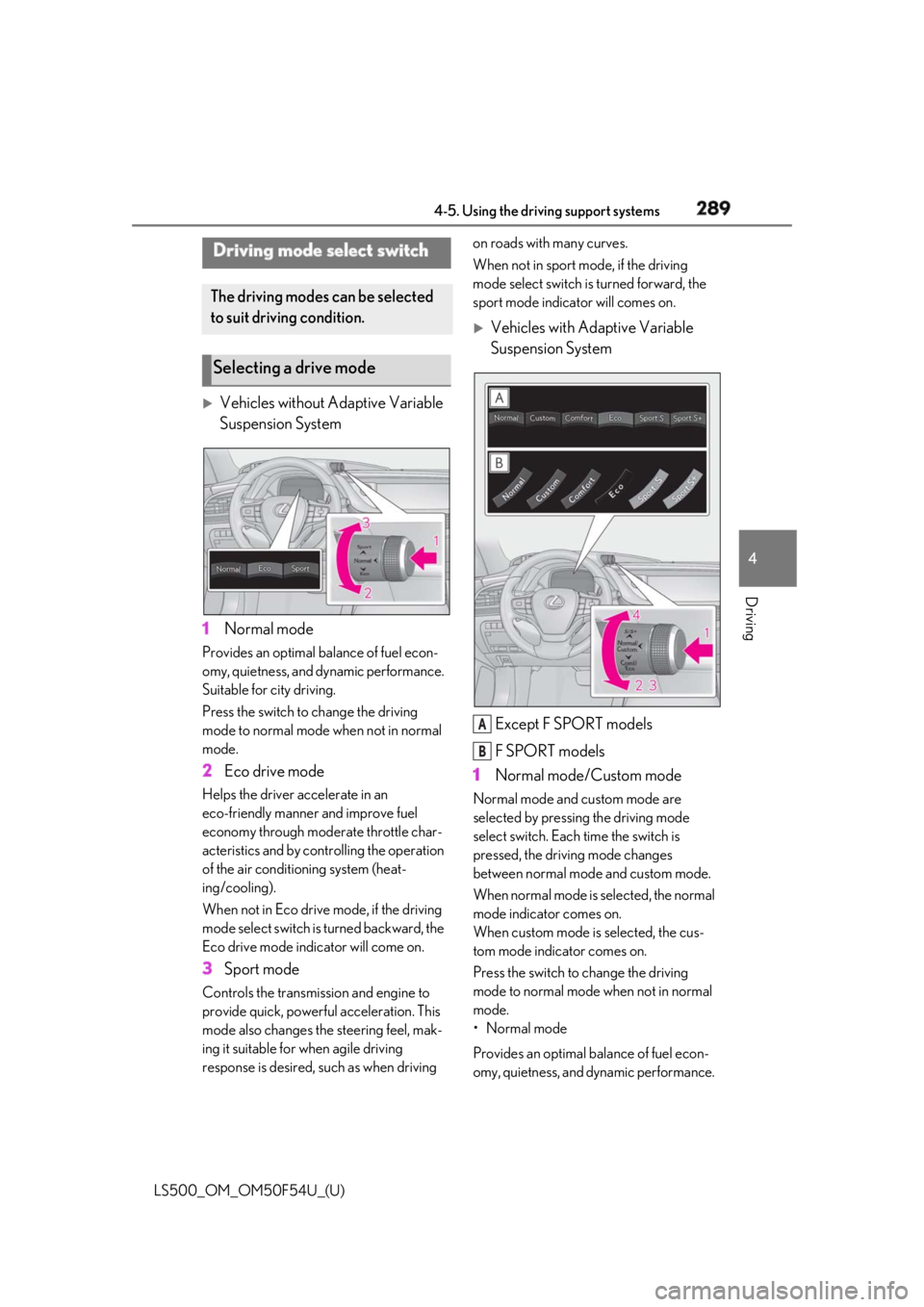
Vehicles without Adaptive Variable
Suspension System
1 Normal modeProvides an optimal ba lance of fuel econ-
omy, quietness, and dynamic performance.
Suitable for city driving.
Press the switch to change the driving
mode to normal mode when not in normal
mode.
2 Eco drive modeHelps the driver accelerate in an
eco-friendly manner and improve fuel
economy through modera te throttle char-
acteristics and by controlling the operation
of the air conditioning system (heat-
ing/cooling).
When not in Eco drive mode, if the driving
mode select switch is turned backward, the
Eco drive mode indicator will come on.
3 Sport modeControls the transmission and engine to
provide quick, powerful acceleration. This
mode also changes the steering feel, mak-
ing it suitable for when agile driving
response is desired, such as when driving on roads with many curves.
When not in sport mode, if the driving
mode select switch is turned forward, the
sport mode indicator will comes on.
Vehicles with Adaptive Variable
Suspension System
Except F SPORT models
F SPORT models
1 Normal mode/Custom mode Normal mode and custom mode are
selected by pressing the driving mode
select switch. Each time the switch is
pressed, the driving mode changes
between normal mode and custom mode.
When normal mode is selected, the normal
mode indicator comes on.
When custom mode is selected, the cus-
tom mode indicator comes on.
Press the switch to change the driving
mode to normal mode when not in normal
mode.
• Normal mode
Provides an optimal ba lance of fuel econ-
omy, quietness, and dynamic performance. Driving mode select switch The driving modes can be selected
to suit driving condition.
Selecting a drive mode
A
B
Page 290 of 514

290 4-5. Using the driving support systems
LS500_OM_OM50F54U_(U) Suitable for city driving.
When the shift position is in D, an appropri-
ate gear for sporty driving may automati-
cally be selected according to driver
performance and dr iving conditions.
•Custom mode
Allows you to drive with the powertrain,
chassis and air condit ioning system func-
tions set to your preferred settings. Cus-
tom mode settings can only be changed on
the drive mode customization display of
the Center Display. ( → P.306)
2 Comfort modeBy controlling the suspension, riding com-
fort is further enhanc ed. Suitable for city
driving.
When not in comfort mode and the driving
mode select switch is turned backward, the
comfort mode indicator comes on.
3 Eco drive modeHelps the driver accelerate in an
eco-friendly manner and improve fuel
economy through modera te throttle char-
acteristics and by controlling the operation
of the air conditioning system (heat-
ing/cooling).
When in comfort mode, if the driving mode
select switch is turned backward, the Eco
drive mode indicator comes on.
4 Sport mode•Sport S mode
Controls the transmission and engine to
provide quick, powerful acceleration. This
mode is suitable for when agile driving
response is desired, such as when driving
on roads with many curves.
When not in Sport S mode, if the driving
mode select switch is turned forward, the
Sport S mode indicator comes on.
•Sport S+ mode
Helps to ensure stee ring performance and
driving stability by simultaneously con- trolling the steering and suspension in
addition to the transmission and engine.
Suitable for sportier driving.
When in Sport S mode, if the driving mode
select switch is turned forward, the Sport
S+ mode indicator comes on. ■
If the driving mode select switch is oper-
ated while the opening screen is being
displayed
If the driving mode sele ct switch is operated
while the opening screen is being displayed,
the driving mode will be changed and the
meter display will chan ge accordingly after
the opening screen operation has com-
pleted. ■
Operation of the air conditioning sys-
tem in Eco drive mode
Eco drive mode controls the heating/cool-
ing operations and fan speed of the air con-
ditioning system to en hance fuel efficiency.
To improve air condit ioning performance,
perform the following operations: ●
Turn off eco air conditioning mode
( → P.317)●
Adjust the fan speed ( → P.313)●
Turn off Eco drive mode ■
Automatic deactivation of sport mode
and custom mode
If the engine switch is turned off after driv-
ing in sport mode or custom mode, the
drive mode will be changed to normal
mode.
■
Driving mode pop-up display
When the driving mode is changed, the
selected driving mode will be temporarily
displayed on the side display. ( → P.307)
Page 294 of 514
294 4-5. Using the driving support systems
LS500_OM_OM50F54U_(U) ■
ECB (Electronically Controlled
Brake System) (if equipped)
The electronically controlled system
generates braking force correspond-
ing to the brake operation ■
ABS (Anti-lock Brake System)
Helps to prevent wheel lock when the
brakes are applied suddenly, or if the
brakes are applied while driving on a
slippery road surface ■
Brake assist
Generates an increased level of brak-
ing force after the brake pedal is
depressed when the system detects a
panic stop situation ■
VSC (Vehicle Stability Control)
Helps the driver to control skidding
when swerving sudden ly or turning on
slippery road surfaces. ■
Secondary Collision Brake
When the airbag sensor detects a colli-
sion, the brakes and brake lights are
automatically controlled to reduce the vehicle speed and that helps reduce
the possibility of further damage due to
a secondary collision. ■
TRAC (Traction Control)
Helps to maintain drive power and pre-
vent the drive wheels from spinning
when starting the vehicle or accelerat-
ing on slippery roads ■
Hill-start assist control
Helps to reduce the backward move-
ment of the vehicle when starting on an
uphill ■
VGRS (Variable Gear Ratio Steer-
ing) (if equipped)
Adjusts the front wheel turning angle in
accordance with the vehicle speed and
steering wheel movement ■
DRS (Dynamic Rear Steering) (if
equipped)
Contributes to the turning characteris-
tics and responsiveness of the vehicle
by adjusting the rear wheel angle of the
vehicle in accordance with steering
wheel movement. ■
EPS (Electric Power Steering)
Employs an electric motor to reduce
the amount of effort needed to turn the
steering wheel. ■
Active stabilizer suspension sys-
tem (if equipped)
Reduces sway when cornering accord-
ing to steering wheel movement in
order to maintain a stable vehicle pos-
ture.Driving assist systems To keep driving safety and perfor-
mance, the following systems oper-
ate automatically in response to
various driving situations. Be aware,
however, that these systems are
supplementary and should not be
relied upon too heavily when oper-
ating the vehicle.
Summary of the driving assist
systems
Page 295 of 514
2954-5. Using the driving support systems
LS500_OM_OM50F54U_(U) 4
Driving ■
Adaptive Variable Suspension Sys-
tem (if equipped)
By independently controlling the
damping force of the shock absorbers
for each of the 4 wheels according to
the road and driving conditions, this
system helps riding comfort with supe-
rior vehicle stabilit y, and helps good
vehicle posture.
Also, the damping force changes
depending on the selected driving
mode. ( → P.289)■
LDH (Lexus Dynamic Handling
system) (if equipped)
Provides integrated control of the
VGRS, DRS and EPS. Contributes to
turning characteristics at low speeds,
responsiveness at medium speeds and
safety at high speeds by controlling the
steering angle of the front and rear
wheels in accordance with the steering
wheel operation and vehicle speed. ■
VDIM (Vehicle Dynamics Inte-
grated Management)
Provides integrated control of the
ABS, brake assist, TRAC, VSC,
hill-start assist control, EPS, VGRS (if
equipped), DRS (if equipped), active
stabilizer suspension system (if
equipped) and Adaptive Variable Sus-
pension System (if equipped)
Helps to maintain vehicle stability when
swerving on slippery road surfaces by
controlling the brakes, engine output,
steering assist, and steering ratio ■
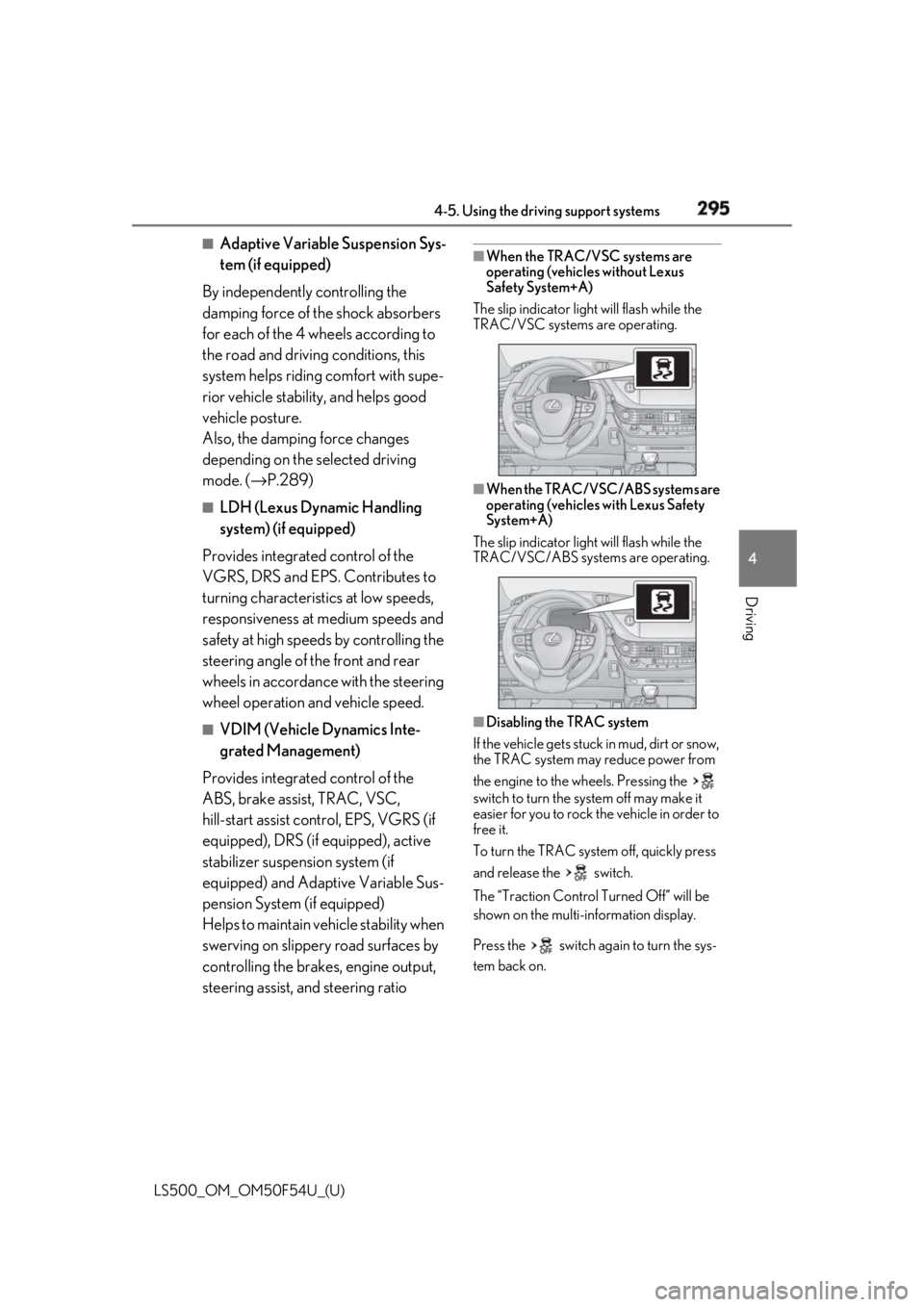
When the TRAC/VSC systems are
operating (vehicles without Lexus
Safety System+A)
The slip indicator light will flash while the
TRAC/VSC systems are operating.
■
When the TRAC/VSC/ABS systems are
operating (vehicles with Lexus Safety
System+A)
The slip indicator light will flash while the
TRAC/VSC/ABS systems are operating.
■
Disabling the TRAC system
If the vehicle gets stuck in mud, dirt or snow,
the TRAC system may reduce power from
the engine to the wheels. Pressing the
switch to turn the system off may make it
easier for you to rock the vehicle in order to
free it.
To turn the TRAC system off, quickly press
and release the switch.
The “Traction Co ntrol Turned Off” will be
shown on the multi-information display.
Press the switch ag ain to turn the sys-
tem back on.
Page 411 of 514
4117-1. Essential information
LS500_OM_OM50F54U_(U) 7
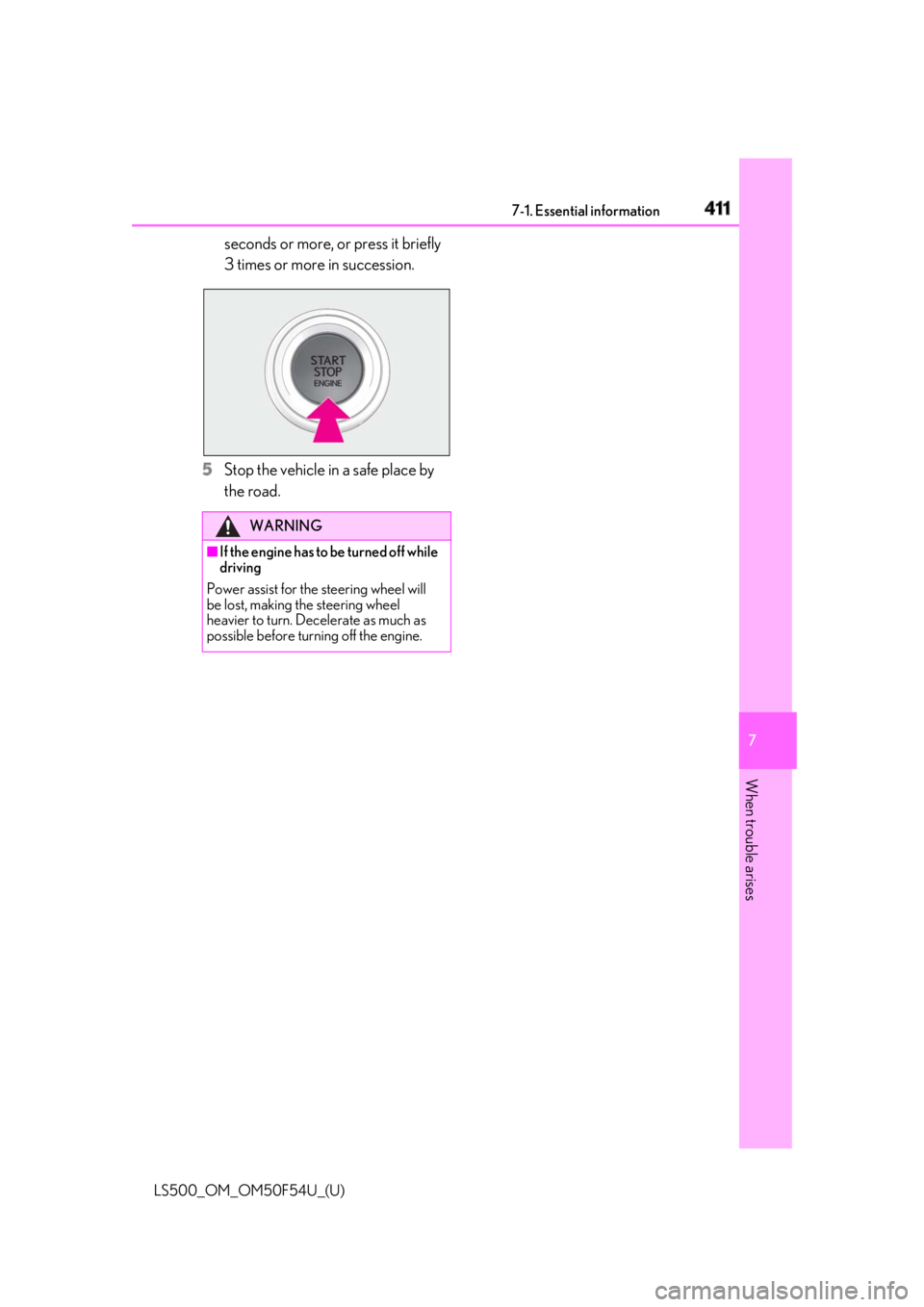
When trouble arises seconds or more, or press it briefly
3 times or more in succession.
5 Stop the vehicle in a safe place by
the road. WARNING■
If the engine has to be turned off while
driving
Power assist for the steering wheel will
be lost, making th e steering wheel
heavier to turn. Decelerate as much as
possible before turning off the engine.
Page 415 of 514
4157-2. Steps to take in an emergency
LS500_OM_OM50F54U_(U) 7
When trouble arises wheels, drive train, axles, steering and
brakes must be in good condition.
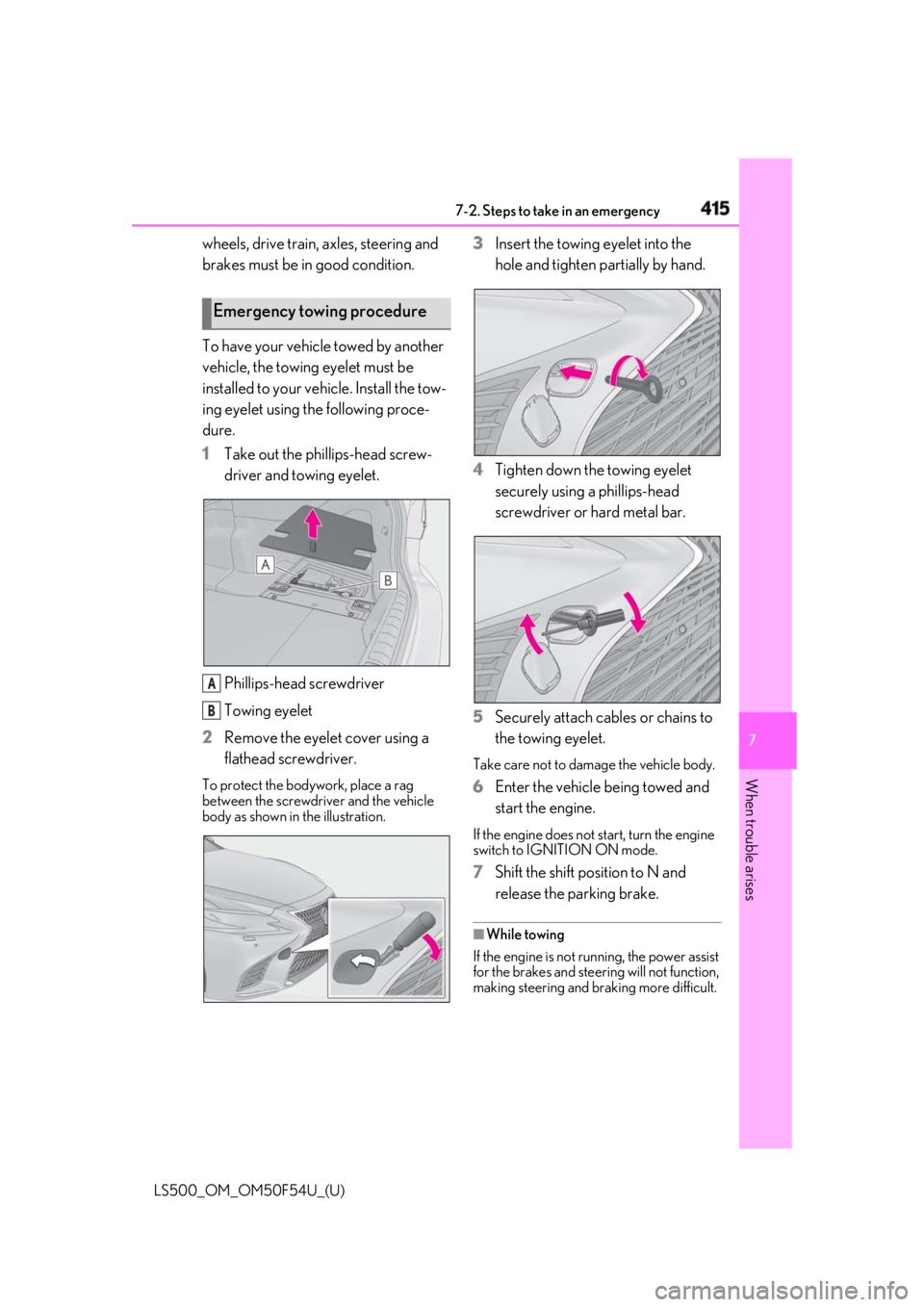
To have your vehicle towed by another
vehicle, the towing eyelet must be
installed to your vehicle. Install the tow-
ing eyelet using the following proce-
dure.
1 Take out the phillips-head screw-
driver and towing eyelet.
Phillips-head screwdriver
Towing eyelet
2 Remove the eyelet cover using a
flathead screwdriver.To protect the bodywork, place a rag
between the screwdriver and the vehicle
body as shown in the illustration. 3 Insert the towing eyelet into the
hole and tighten partially by hand.
4 Tighten down the towing eyelet
securely using a phillips-head
screwdriver or hard metal bar.
5 Securely attach cables or chains to
the towing eyelet. Take care not to damage the vehicle body.
6 Enter the vehicle being towed and
start the engine. If the engine does not start, turn the engine
switch to IGNITION ON mode.
7 Shift the shift position to N and
release the parking brake. ■
While towing
If the engine is not running, the power assist
for the brakes and steering will not function,
making steering and braking more difficult.Emergency towing procedure
A
B