warning light LEXUS LS500 2018 Manual PDF
[x] Cancel search | Manufacturer: LEXUS, Model Year: 2018, Model line: LS500, Model: LEXUS LS500 2018Pages: 514, PDF Size: 10.62 MB
Page 300 of 514
300 4-6. Driving tips
LS500_OM_OM50F54U_(U) Perform the following according to the
driving conditions:
Do not try to forcib ly open a window
or move a wiper that is frozen. Pour
warm water over the frozen area to
melt the ice. Wipe away the water
immediately to prevent it from
freezing.
To ensure proper operation of the
climate control system fan, remove
any snow that has accumulated on
the air inlet vents in front of the
windshield.
Check for and remove any excess
ice or snow that may have accumu-
lated on the exterior lights, vehicle’s
roof, chassis, around the tires or on
the brakes.
Remove any snow or mud from the
bottom of your shoes before getting
in the vehicle.
Accelerate the vehicle slowly, keep a
safe distance between you and the
vehicle ahead, and drive at a reduced
speed suitable to road conditions. Park the vehicle and shift the shift posi-
tion to P without setting the parking
brake. The parking brake may freeze
up, preventing it from being released. If
the vehicle is parked without setting
the parking brake, make sure to block
the wheels.
Failure to do so may be dangerous
because it may cause the vehicle to
move unexpectedly, possibly leading to
an accident.
Vehicles with front and rear tires of
the same size
Use the correct tire chain size when
mounting the tire chains.
Chain size is regulated for each tire
size.
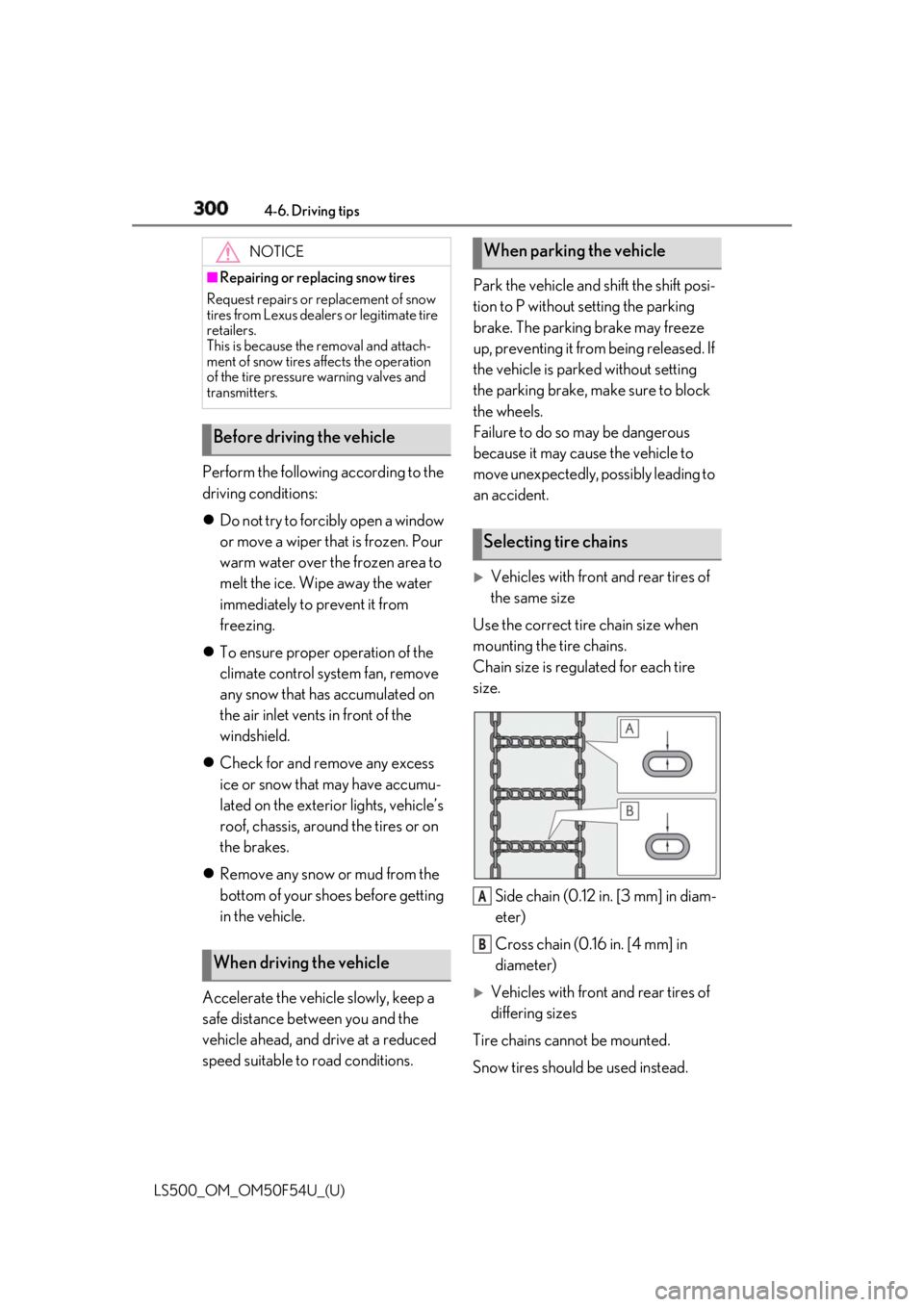
Side chain (0.12 in. [3 mm] in diam-
eter)
Cross chain (0.16 in. [4 mm] in
diameter)
Vehicles with front and rear tires of
differing sizes
Tire chains cannot be mounted.
Snow tires should be used instead.NOTICE■
Repairing or replacing snow tires
Request repairs or replacement of snow
tires from Lexus dealers or legitimate tire
retailers.
This is because the removal and attach-
ment of snow tires affects the operation
of the tire pressure warning valves and
transmitters.
Before driving the vehicle
When driving the vehicle When parking the vehicle
Selecting tire chains
A
B
Page 320 of 514
320 5-3. Using the air conditioning system and defogger
LS500_OM_OM50F54U_(U) switch to (recirculated air) mode.
Pollen is filtered even if the micro dust and
pollen filter is turned off.
1 Press the automatic mode switch or
select “AUTO” on the sub function
menu. ( → P.316)
2 Press the outside/recirculated air
mode switch to switch to automatic
air intake mode.The air conditioning system automatically
switches between outside air and recircu-
lated air modes.
3 Adjust the temperature setting.
4 To stop the operation, press the off
switch or select “OFF” on the sub
function menu. ( → P.316)If the fan speed settin g or air flow modes
are operated, the automatic mode indica-
tor goes off. However, automatic mode for
functions other than th at operated is main-
tained.
■
Using automatic mode
Fan speed is adjusted automatically accord-
ing to the temperature setting and the
ambient conditions.
Therefore, the fan may stop for a while until
warm or cool air is ready to flow immedi-
ately after the automatic mode switch is
pressed or “AUTO” is selected.
Cool air may blow around the upper body
even when the heater is on due to sunlight. ■
Automatic mode for air intake control
In automatic mode, the system detects
exhaust gas and other pollutants and auto-
matically switches between outside air and
recirculated air modes.
When the dehumidification function is off,
and the fan is operating, turning automatic
mode on will activate the dehumidification
function.
In S-FLOW mode, priority for the air-
flow is given to the front seats, reducing
the airflow and air co nditioning effect
on the rear seats.
The system determines whether or not
a front passenger is in the vehicle by
the opening and closing of the front
passenger’s door.
When a front passenger is determined
not to be in the vehicle, the tempera-
ture indicator and air flow indicator for
the front passenger side will turn off. In
this case, depending on the set tem-
perature and ambient temperature,
priority for the airf low will be given to
the driver’s seat only.
The following S-FLOW modes are
available:
Automatic S-FLOW mode
In this mode, the system determines
whether or not a rear passenger is in
the vehicle by the opening and closing
of a rear door. When a rear passenger
is determined to be in the vehicle,
S-FLOW mode will be automatically
disabled. The indicator will illuminate on the air con-
ditioning control screen when S-FLOW
mode is enabled.WARNING■
To prevent burns (vehicles with wind-
shield wiper de-icer)
Do not touch the glass at lower part of
the windshield or to the side of the front
pillars when the wind shield wiper de-icer
is on.
Using automatic mode S-FLOW mode
Page 335 of 514
3355-5. Using the storage features
LS500_OM_OM50F54U_(U) 5
Interior features
Vehicles with power rear seat
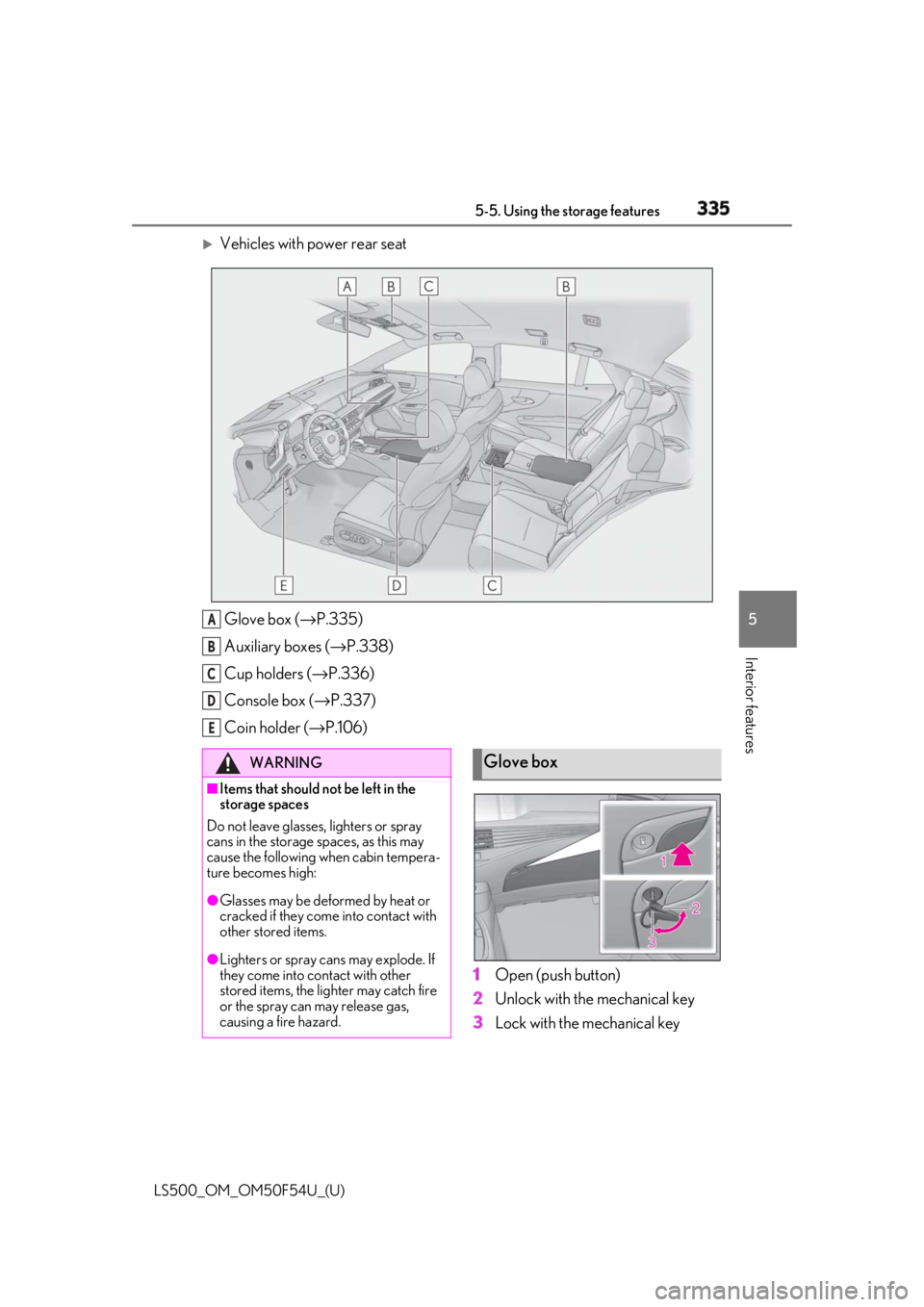
Glove box ( → P.335)
Auxiliary boxes ( → P.338)
Cup holders ( → P.336)
Console box ( → P.337)
Coin holder ( → P.106)
1 Open (push button)
2 Unlock with the mechanical key
3 Lock with the mechanical keyA
B
C
D
E
WARNING■
Items that should not be left in the
storage spaces
Do not leave glasses, lighters or spray
cans in the storage spaces, as this may
cause the following when cabin tempera-
ture becomes high:
●
Glasses may be deformed by heat or
cracked if they come into contact with
other stored items.
●
Lighters or spray cans may explode. If
they come into contact with other
stored items, the lighter may catch fire
or the spray can may release gas,
causing a fire hazard. Glove box
Page 336 of 514
336 5-5. Using the storage features
LS500_OM_OM50F54U_(U) ■
Glove box light
The glove box light turns on when the tail
lights are on. ■
Trunk opener main switch
The trunk opener main switch is located in
the glove box. ( → P.106)■
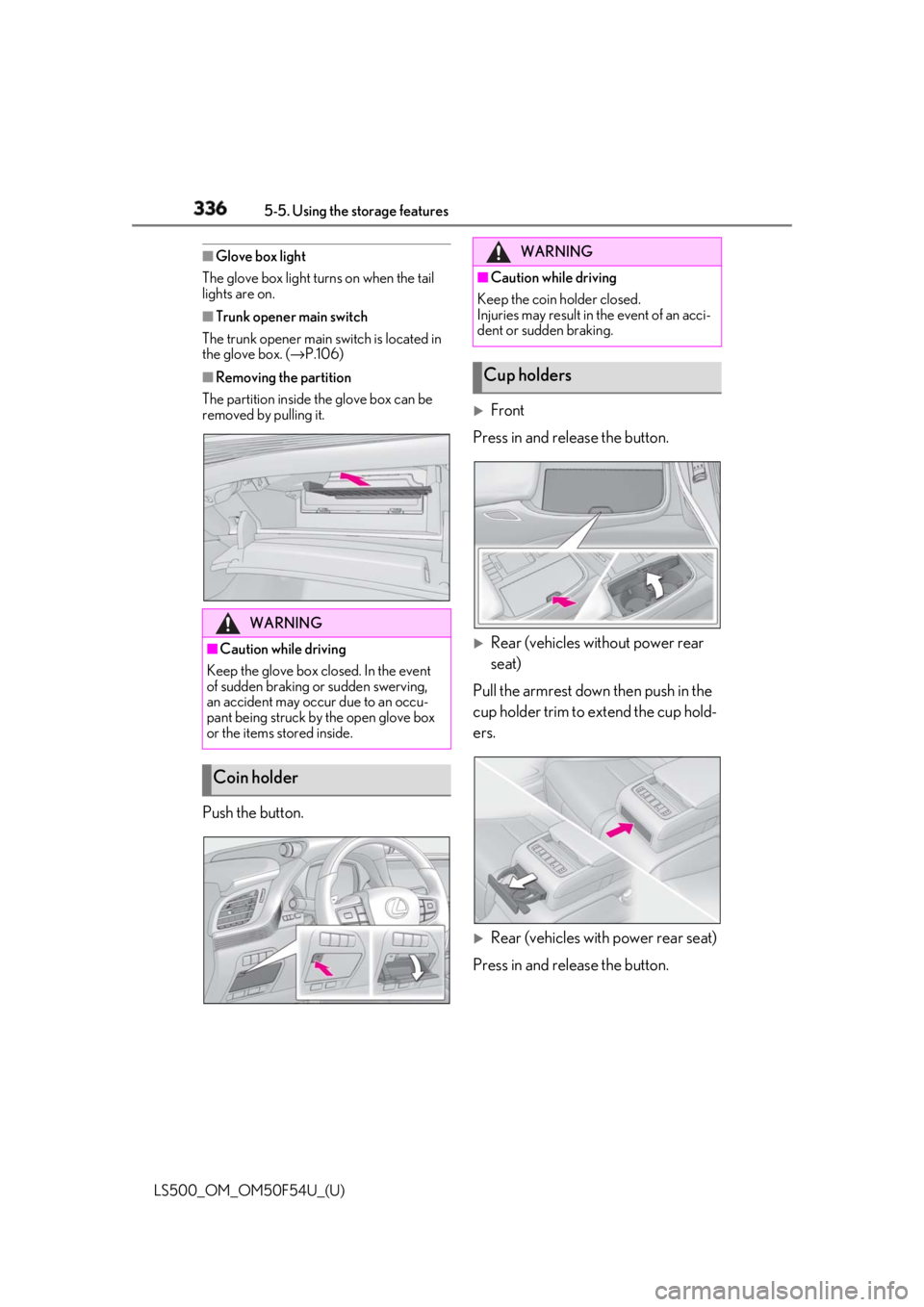
Removing the partition
The partition inside the glove box can be
removed by pulling it.
Push the button.
Front
Press in and release the button.
Rear (vehicles without power rear
seat)
Pull the armrest down then push in the
cup holder trim to extend the cup hold-
ers.
Rear (vehicles with power rear seat)
Press in and release the button.WARNING■
Caution while driving
Keep the glove box closed. In the event
of sudden braking or sudden swerving,
an accident may occur due to an occu-
pant being struck by the open glove box
or the items stored inside.
Coin holder WARNING■
Caution while driving
Keep the coin holder closed.
Injuries may result in the event of an acci-
dent or sudden braking.
Cup holders
Page 337 of 514
3375-5. Using the storage features
LS500_OM_OM50F54U_(U) 5
Interior features ■
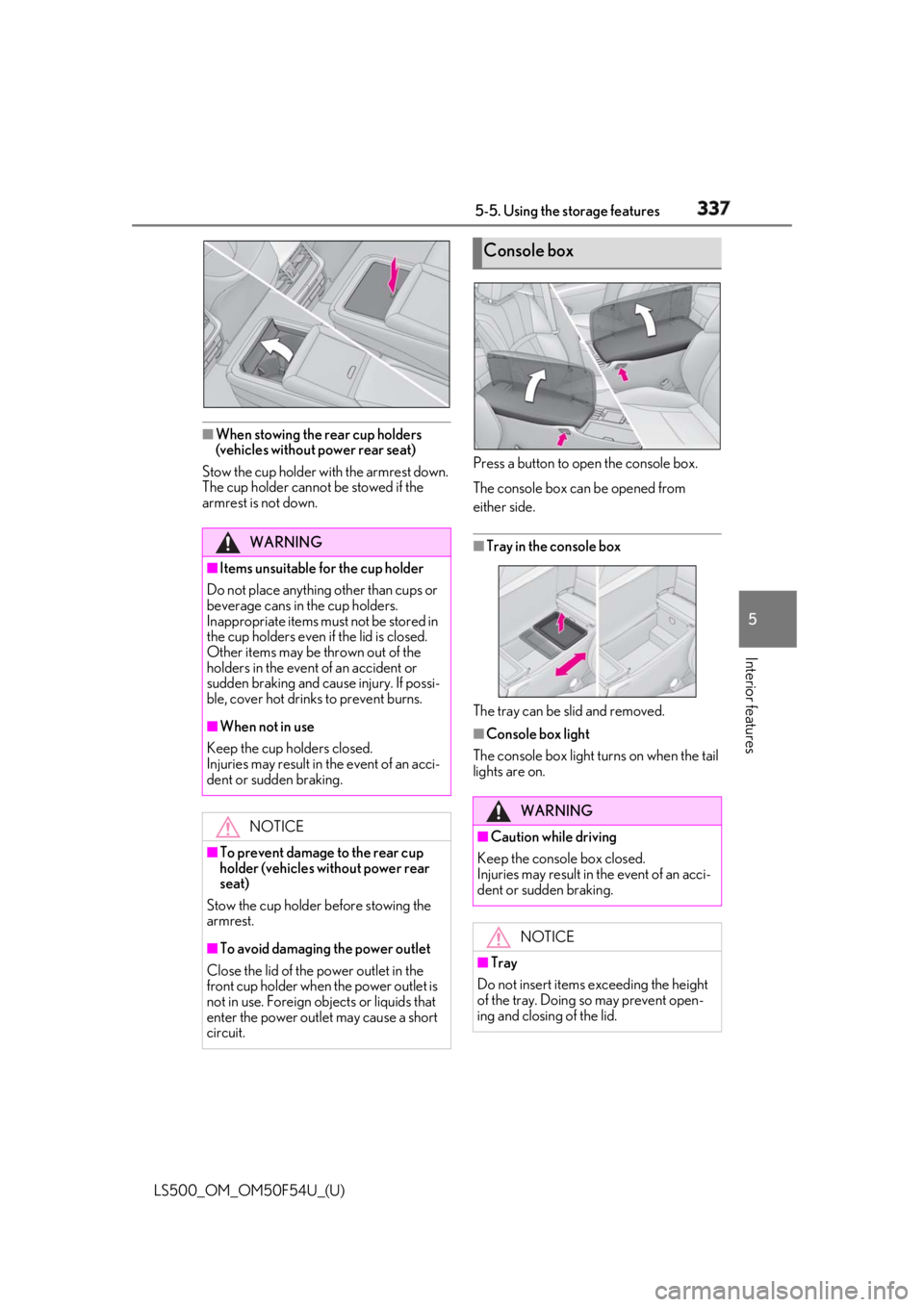
When stowing the rear cup holders
(vehicles without power rear seat)
Stow the cup holder with the armrest down.
The cup holder cannot be stowed if the
armrest is not down. Press a button to open the console box.
The console box can be opened from
either side.
■
Tray in the console box
The tray can be slid and removed. ■
Console box light
The console box light turns on when the tail
lights are on.WARNING■
Items unsuitable for the cup holder
Do not place anything other than cups or
beverage cans in the cup holders.
Inappropriate items must not be stored in
the cup holders even if the lid is closed.
Other items may be thrown out of the
holders in the event of an accident or
sudden braking and cause injury. If possi-
ble, cover hot drinks to prevent burns. ■
When not in use
Keep the cup holders closed.
Injuries may result in the event of an acci-
dent or sudden braking.
NOTICE
■
To prevent damage to the rear cup
holder (vehicles without power rear
seat)
Stow the cup holder before stowing the
armrest.
■
To avoid damaging the power outlet
Close the lid of the power outlet in the
front cup holder when the power outlet is
not in use. Foreign ob jects or liquids that
enter the power outlet may cause a short
circuit. Console box
WARNING
■
Caution while driving
Keep the console box closed.
Injuries may result in the event of an acci-
dent or sudden braking.
NOTICE
■
Tray
Do not insert items exceeding the height
of the tray. Doing so may prevent open-
ing and closing of the lid.
Page 347 of 514
3475-6. Using the other interior features
LS500_OM_OM50F54U_(U) 5
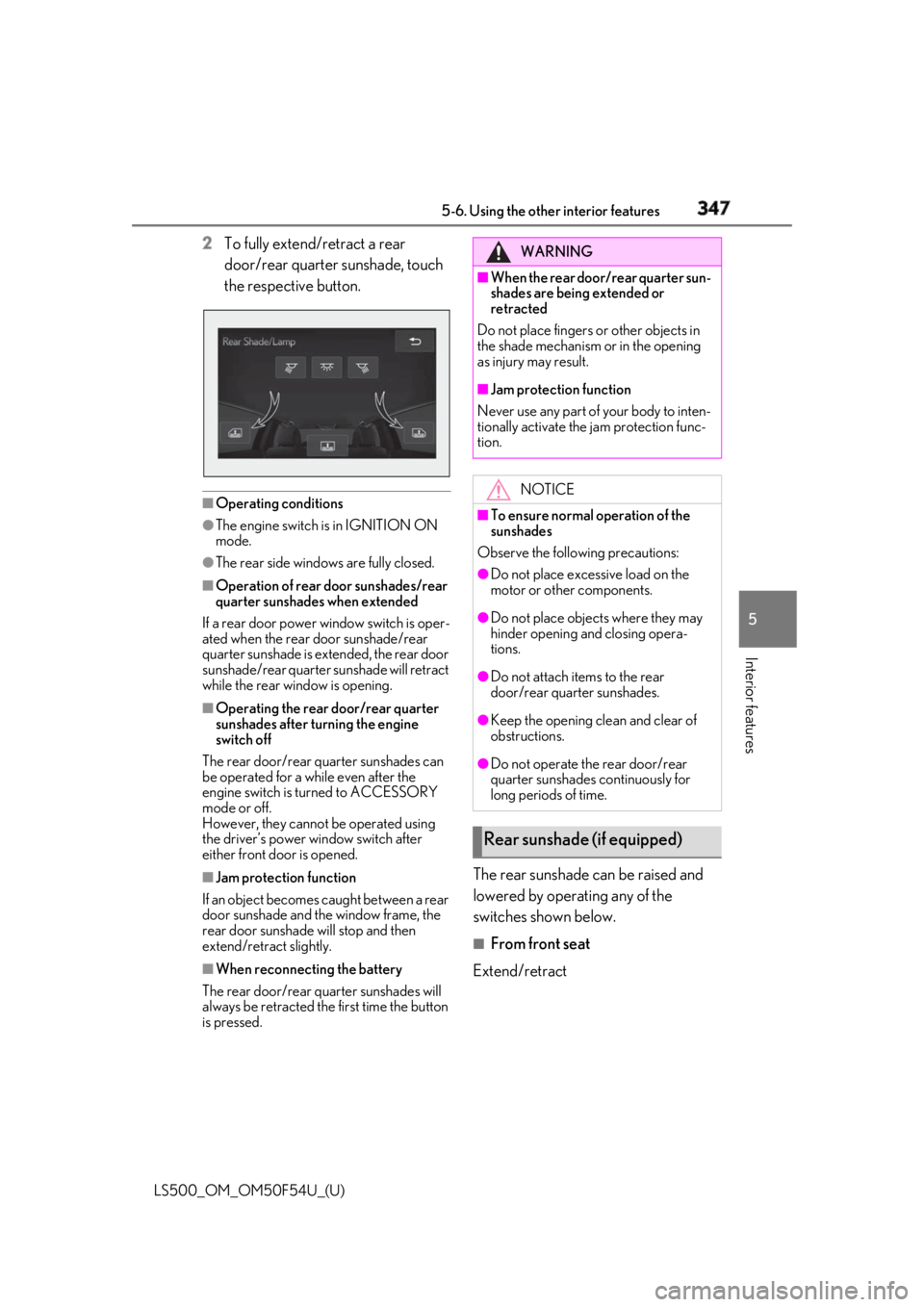
Interior features 2 To fully extend/retract a rear
door/rear quarter sunshade, touch
the respective button.
■
Operating conditions●
The engine switch is in IGNITION ON
mode.●
The rear side windows are fully closed.■
Operation of rear door sunshades/rear
quarter sunshades when extended
If a rear door power window switch is oper-
ated when the rear door sunshade/rear
quarter sunshade is extended, the rear door
sunshade/rear quarter sunshade will retract
while the rear window is opening. ■
Operating the rear door/rear quarter
sunshades after turning the engine
switch off
The rear door/rear quarter sunshades can
be operated for a while even after the
engine switch is turned to ACCESSORY
mode or off.
However, they cannot be operated using
the driver’s power window switch after
either front door is opened.
■
Jam protection function
If an object becomes caught between a rear
door sunshade and the window frame, the
rear door sunshade will stop and then
extend/retract slightly.
■
When reconnecting the battery
The rear door/rear quarter sunshades will
always be retracted the first time the button
is pressed. The rear sunshade can be raised and
lowered by operating any of the
switches shown below. ■
From front seat
Extend/retract WARNING■
When the rear door/rear quarter sun-
shades are being extended or
retracted
Do not place fingers or other objects in
the shade mechanism or in the opening
as injury may result. ■
Jam protection function
Never use any part of your body to inten-
tionally activate the jam protection func-
tion.
NOTICE■
To ensure normal operation of the
sunshades
Observe the following precautions: ●
Do not place excessive load on the
motor or other components. ●
Do not place objects where they may
hinder opening and closing opera-
tions. ●
Do not attach items to the rear
door/rear quarter sunshades. ●
Keep the opening clean and clear of
obstructions.
●
Do not operate the rear door/rear
quarter sunshades continuously for
long periods of time.
Rear sunshade (if equipped)
Page 351 of 514
3515-6. Using the other interior features
LS500_OM_OM50F54U_(U) 5
Interior features
■
Before programming HomeLink ®
During programming, it is possible
that garage doors, gates, or other
devices may operate. For this rea-
son, make sure that people and
objects are clear of the garage door
or other devices to prevent injury or
other potential harm.
It is recommended that a new bat-
tery be placed in the remote control
transmitter for more accurate pro-
gramming.
Garage door opener motors manu-
factured after 1995 may be
equipped with rolling code protec-
tion. If this is the case, you may need
a stepladder or other sturdy, safe
device to reach the “Learn” or
“Smart” button on the garage door
opener motor. ■
Programming HomeLink ®
Steps 1 through 3 must be performed
within 60 seconds, otherwise the indi-
cator light will stop flashing and pro-
gramming will not be able to be
completed.
1 Press and release the HomeLink ®
button you want to program and
check that the HomeLink ®
indica-
tor light flashes (orange).
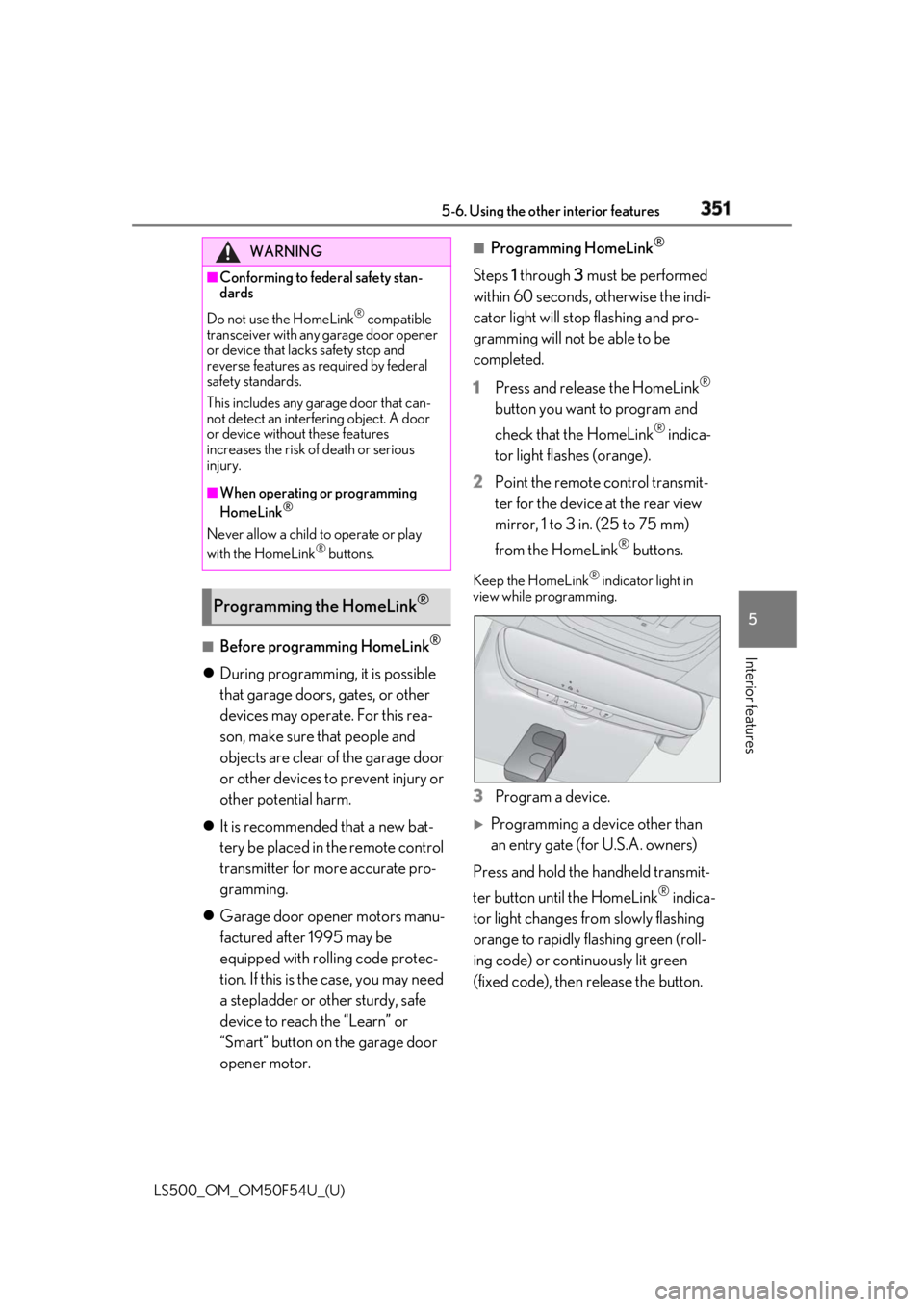
2 Point the remote control transmit-
ter for the device at the rear view
mirror, 1 to 3 in. (25 to 75 mm)
from the HomeLink ®
buttons.Keep the HomeLink ®
indicator light in
view while programming.
3 Program a device.
Programming a device other than
an entry gate (for U.S.A. owners)
Press and hold the handheld transmit-
ter button until the HomeLink ®
indica-
tor light changes from slowly flashing
orange to rapidly flashing green (roll-
ing code) or continuously lit green
(fixed code), then release the button.WARNING■
Conforming to federal safety stan-
dards
Do not use the HomeLink ®
compatible
transceiver with any garage door opener
or device that lacks safety stop and
reverse features as required by federal
safety standards.
This includes any garage door that can-
not detect an interfering object. A door
or device without these features
increases the risk of death or serious
injury. ■
When operating or programming
HomeLink ®
Never allow a child to operate or play
with the HomeLink ®
buttons.
Programming the HomeLink ®
Page 364 of 514
364 6-1. Maintenance and care
LS500_OM_OM50F54U_(U) WARNING■
Precaution regarding the front
bumper (vehicles with Lexus Safety
System+A)
If the paint of the fr ont bumper is chipped
or scratched, the Lexus Safety System+A
may not function correctly. If this occurs,
consult your Lexus dealer. ■
Precaution regarding the rear
bumper
If the paint of the rear bumper is chipped
or scratched, the fo llowing systems may
not function correctly. If this occurs, con-
sult your Lexus dealer. ●
Lexus Safety System+A (if equipped)●
BSM (if equipped)●
RCTA (if equipped)●
PKSB (if equipped)
NOTICE■
To prevent paint deterioration and
corrosion on the body and compo-
nents (aluminum wheels, etc.)●
Wash the vehicle immediately in the
following cases:
• After driving near the sea coast
• After driving on salted roads
• If coal tar or tree sap is present on the
paint surface
• If dead insects, in sect droppings or
bird droppings are present on the
paint surface
• After driving in an area contaminated
with soot, oily smoke, mine dust, iron
powder or chemical substances
• If the vehicle becomes heavily soiled
with dust or mud
• If liquids such as benzene and gasoline
are spilled on the paint surface ●
If the paint is chipped or scratched,
have it repaired immediately. ●
To prevent the wheels from corroding,
remove any dirt and store in a place
with low humidity when storing the
wheels. ■
Cleaning the exterior lights ●
Wash carefully. Do not use organic
substances or scrub with a hard brush.
This may damage the surfaces of the
lights. ●
Do not apply wax to the surfaces of the
lights.
Wax may cause damage to the lenses. ■
When using an automatic car wash
Set the wiper switch to the off position.
If the wiper switch is in “AUTO”, the wip-
ers may operate and the wiper blades
may be damaged. ■
When using a high pressure car wash ●
When washing the vehicle, do not
spray the camera or its surrounding
area directly with a high pressure
washer. Shock applied from high pres-
sure water may cause the device to not
operate normally. ●
Do not bring the nozzle tip close to
boots (rubber or re sin manufactured
cover), connectors or the following
parts. The parts may be damaged if
they come into contact with high-pres-
sure water.
• Traction related parts
•Steering parts
• Suspension parts
• Brake parts
Page 375 of 514
3756-3. Do-it-yourself maintenance
LS500_OM_OM50F54U_(U) 6
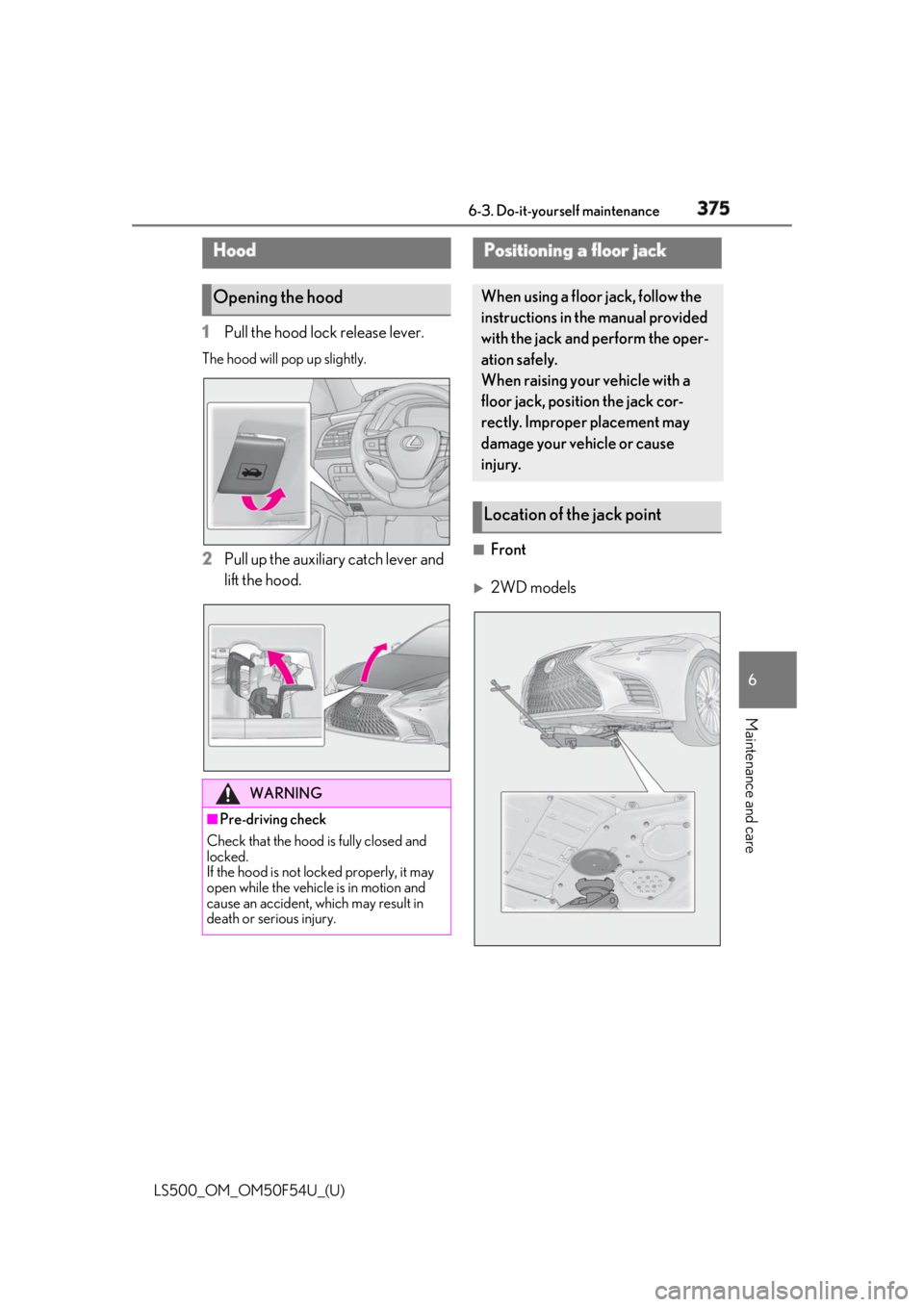
Maintenance and care 1 Pull the hood lock release lever.The hood will pop up slightly.
2 Pull up the auxiliary catch lever and
lift the hood. ■
Front
2WD modelsHood
Opening the hood
WARNING
■
Pre-driving check
Check that the hood is fully closed and
locked.
If the hood is not locked properly, it may
open while the vehicle is in motion and
cause an accident, which may result in
death or serious injury. Positioning a floor jack When using a floor jack, follow the
instructions in the manual provided
with the jack and perform the oper-
ation safely.
When raising your vehicle with a
floor jack, position the jack cor-
rectly. Improper placement may
damage your vehicle or cause
injury.
Location of the jack point
Page 383 of 514
3836-3. Do-it-yourself maintenance
LS500_OM_OM50F54U_(U) 6
Maintenance and care ■
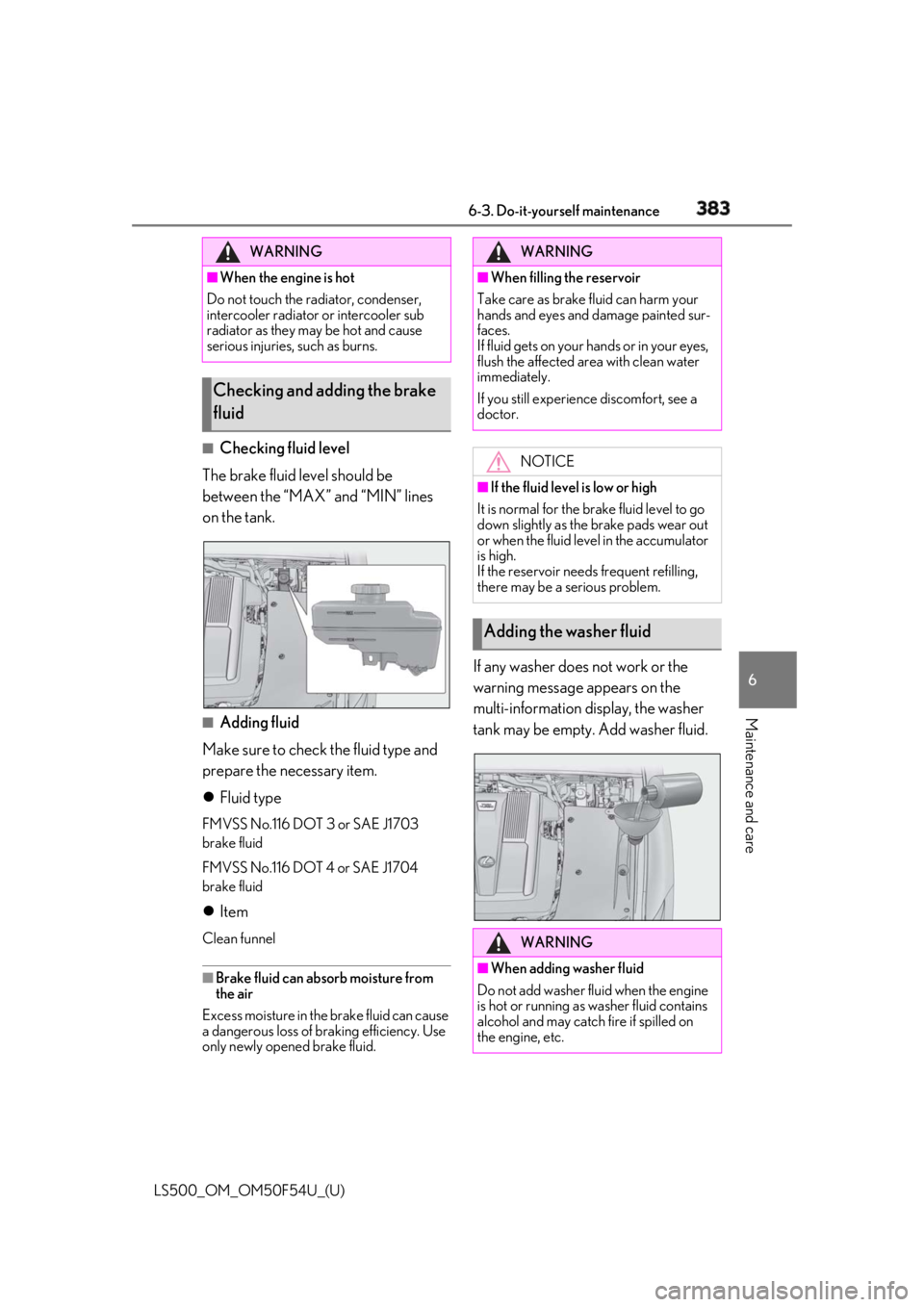
Checking fluid level
The brake fluid level should be
between the “MAX” and “MIN” lines
on the tank.
■
Adding fluid
Make sure to check the fluid type and
prepare the necessary item.
Fluid type FMVSS No.116 DOT 3 or SAE J1703
brake fluid
FMVSS No.116 DOT 4 or SAE J1704
brake fluid
Item Clean funnel
■
Brake fluid can absorb moisture from
the air
Excess moisture in the brake fluid can cause
a dangerous loss of braking efficiency. Use
only newly opened brake fluid. If any washer does not work or the
warning message appears on the
multi-information display, the washer
tank may be empty. Add washer fluid.WARNING■
When the engine is hot
Do not touch the radiator, condenser,
intercooler radiator or intercooler sub
radiator as they may be hot and cause
serious injuries, such as burns.
Checking and adding the brake
fluid WARNING■
When filling the reservoir
Take care as brake fluid can harm your
hands and eyes and damage painted sur-
faces.
If fluid gets on your hands or in your eyes,
flush the affected area with clean water
immediately.
If you still experience discomfort, see a
doctor.
NOTICE■
If the fluid level is low or high
It is normal for the brake fluid level to go
down slightly as the brake pads wear out
or when the fluid leve l in the accumulator
is high.
If the reservoir need s frequent refilling,
there may be a serious problem.
Adding the washer fluid
WARNING
■
When adding washer fluid
Do not add washer fluid when the engine
is hot or running as washer fluid contains
alcohol and may catch fire if spilled on
the engine, etc.