high LEXUS LS500 2019 User Guide
[x] Cancel search | Manufacturer: LEXUS, Model Year: 2019, Model line: LS500, Model: LEXUS LS500 2019Pages: 512, PDF Size: 9.71 MB
Page 71 of 512
712-1. Instrument cluster
LS500_OM_(U)_1810 2
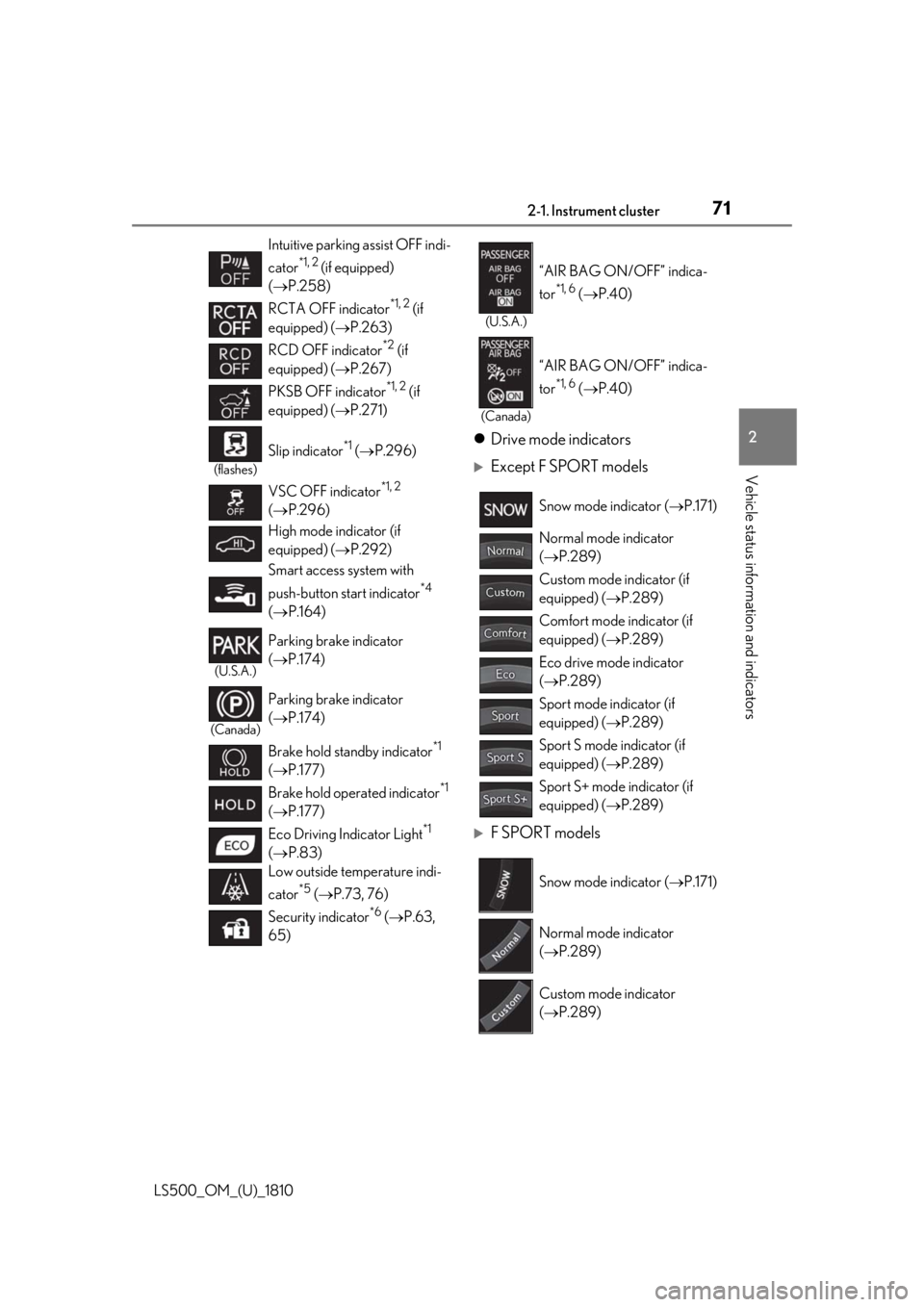
Vehicle status information and indicators Drive mode indicators
Except F SPORT models
F SPORT modelsIntuitive parking assist OFF indi-
cator *1, 2
(if equipped)
( P.258)
RCTA OFF indicator *1, 2
(if
equipped) ( P.263)
RCD OFF indicator *2
(if
equipped) ( P.267)
PKSB OFF indicator *1, 2
(if
equipped) ( P.271)(flashes)
Slip indicator *1
( P.296)
VSC OFF indicator *1, 2
( P.296)
High mode indicator (if
equipped) ( P.292)
Smart access system with
push-button start indicator *4
( P.164)(U.S.A.)
Parking brake indicator
( P.174)
(Canada)
Parking brake indicator
( P.174)
Brake hold standby indicator *1
( P.177)
Brake hold operated indicator *1
( P.177)
Eco Driving Indicator Light *1
( P.83)
Low outside temperature indi-
cator *5
( P.73, 76)
Security indicator *6
( P.63,
65) (U.S.A.)
“AIR BAG ON/OFF” indica-
tor *1, 6
( P.40)
(Canada)
“AIR BAG ON/OFF” indica-
tor *1, 6
( P.40)
Snow mode indicator ( P.171)
Normal mode indicator
( P.289)
Custom mode indicator (if
equipped) ( P.289)
Comfort mode indicator (if
equipped) ( P.289)
Eco drive mode indicator
( P.289)
Sport mode indicator (if
equipped) ( P.289)
Sport S mode indicator (if
equipped) ( P.289)
Sport S+ mode indicator (if
equipped) ( P.289)
Snow mode indicator ( P.171)
Normal mode indicator
( P.289)
Custom mode indicator
( P.289)
Page 78 of 512
78 2-1. Instrument cluster
LS500_OM_(U)_1810 Engine coolant temperature gaugeDisplays the engine coolant temperature
Multi-information displayPresents the driver with a variety of vehicle data ( P.80)
Displays warning messages if a malfunction occurs ( P.425)■
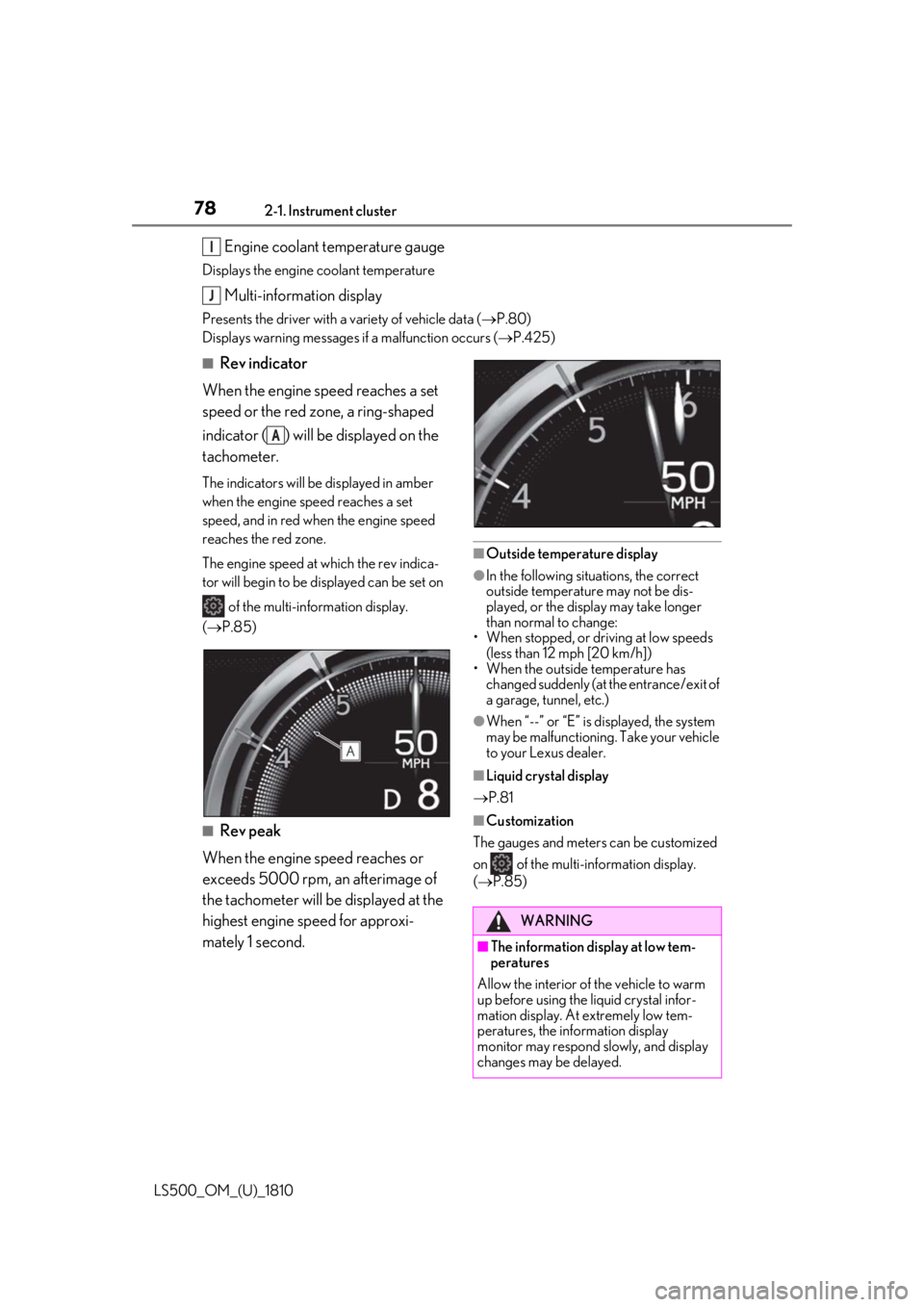
Rev indicator
When the engine speed reaches a set
speed or the red zone, a ring-shaped
indicator ( ) will be displayed on the
tachometer. The indicators will be displayed in amber
when the engine speed reaches a set
speed, and in red when the engine speed
reaches the red zone.
The engine speed at which the rev indica-
tor will begin to be displayed can be set on
of the multi-information display.
( P.85)
■
Rev peak
When the engine speed reaches or
exceeds 5000 rpm, an afterimage of
the tachometer will be displayed at the
highest engine speed for approxi-
mately 1 second. ■
Outside temperature display ●
In the following situations, the correct
outside temperature may not be dis-
played, or the display may take longer
than normal to change:
• When stopped, or driving at low speeds
(less than 12 mph [20 km/h])
• When the outside temperature has
changed suddenly (at the entrance/exit of
a garage, tunnel, etc.) ●
When “--” or “E” is displayed, the system
may be malfunctioning. Take your vehicle
to your Lexus dealer. ■
Liquid crystal display
P.81 ■
Customization
The gauges and meters can be customized
on of the multi-information display.
( P.85)I
J
A
WARNING
■
The information display at low tem-
peratures
Allow the interior of the vehicle to warm
up before using the liquid crystal infor-
mation display. At extremely low tem-
peratures, the information display
monitor may respond slowly, and display
changes may be delayed.
Page 84 of 512
84 2-1. Instrument cluster
LS500_OM_(U)_1810 surface condition, temperature and vehicle
speed, the display may not show the actual
condition of the vehicle. ■
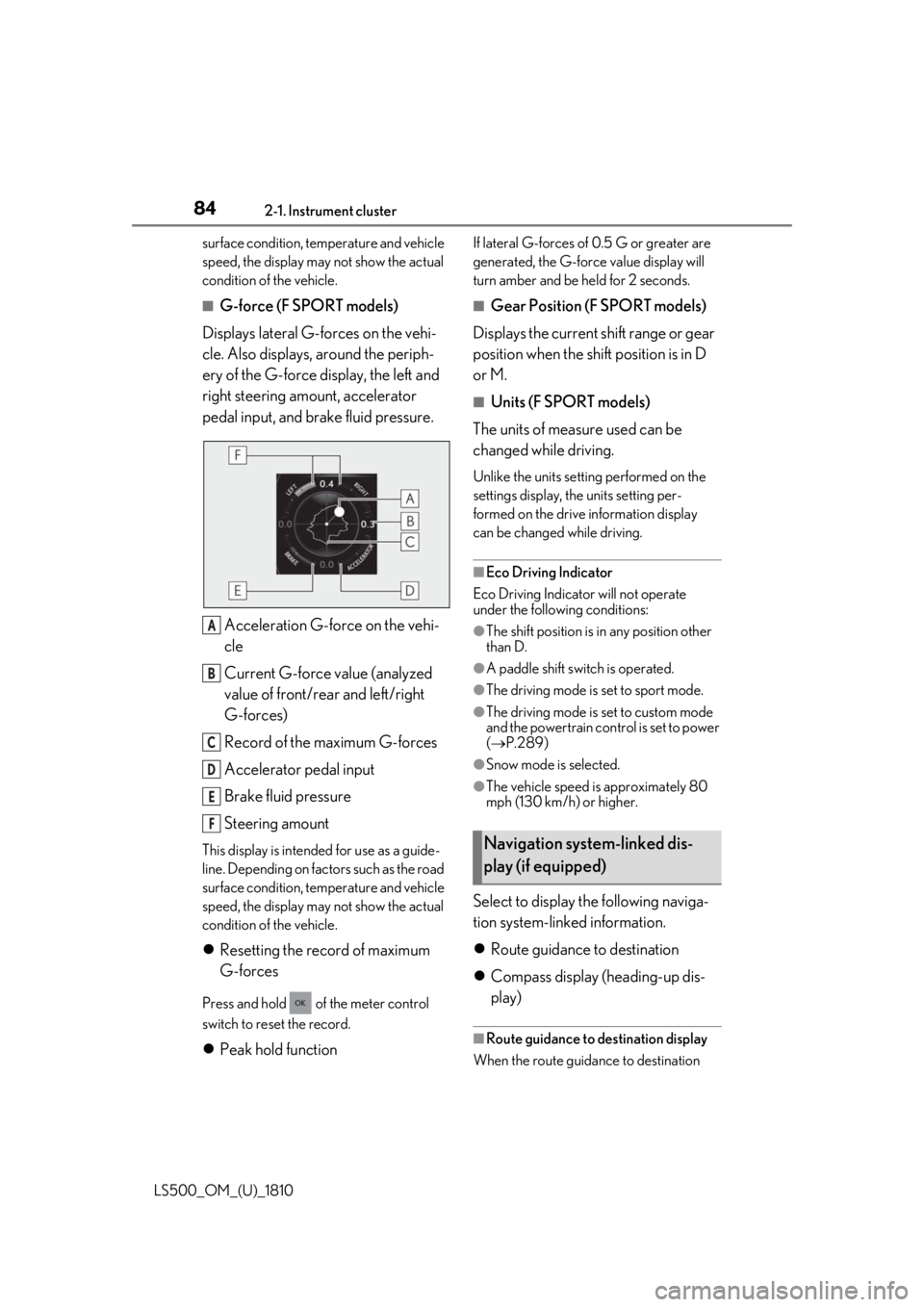
G-force (F SPORT models)
Displays lateral G-forces on the vehi-
cle. Also displays, around the periph-
ery of the G-force display, the left and
right steering amount, accelerator
pedal input, and brake fluid pressure.
Acceleration G-force on the vehi-
cle
Current G-force value (analyzed
value of front/rear and left/right
G-forces)
Record of the maximum G-forces
Accelerator pedal input
Brake fluid pressure
Steering amountThis display is intended for use as a guide-
line. Depending on factors such as the road
surface condition, temperature and vehicle
speed, the display may not show the actual
condition of the vehicle.
Resetting the record of maximum
G-forces
Press and hold of the meter control
switch to reset the record.
Peak hold function If lateral G-forces of 0.5 G or greater are
generated, the G-forc e value display will
turn amber and be held for 2 seconds. ■
Gear Position (F SPORT models)
Displays the current shift range or gear
position when the shift position is in D
or M. ■
Units (F SPORT models)
The units of measure used can be
changed while driving. Unlike the units sett ing performed on the
settings display, th e units setting per-
formed on the drive information display
can be changed while driving.
■
Eco Driving Indicator
Eco Driving Indicator will not operate
under the following conditions: ●
The shift position is in any position other
than D. ●
A paddle shift swit ch is operated.●
The driving mode is set to sport mode. ●
The driving mode is set to custom mode
and the powertrain control is set to power
( P.289)●
Snow mode is selected. ●
The vehicle speed is approximately 80
mph (130 km/h) or higher.
Select to display the following naviga-
tion system-linked information.
Route guidance to destination
Compass display (heading-up dis-
play) ■
Route guidance to destination display
When the route guidance to destination A
B
C
D
E
F
Navigation system-linked dis-
play (if equipped)
Page 88 of 512
88 2-1. Instrument cluster
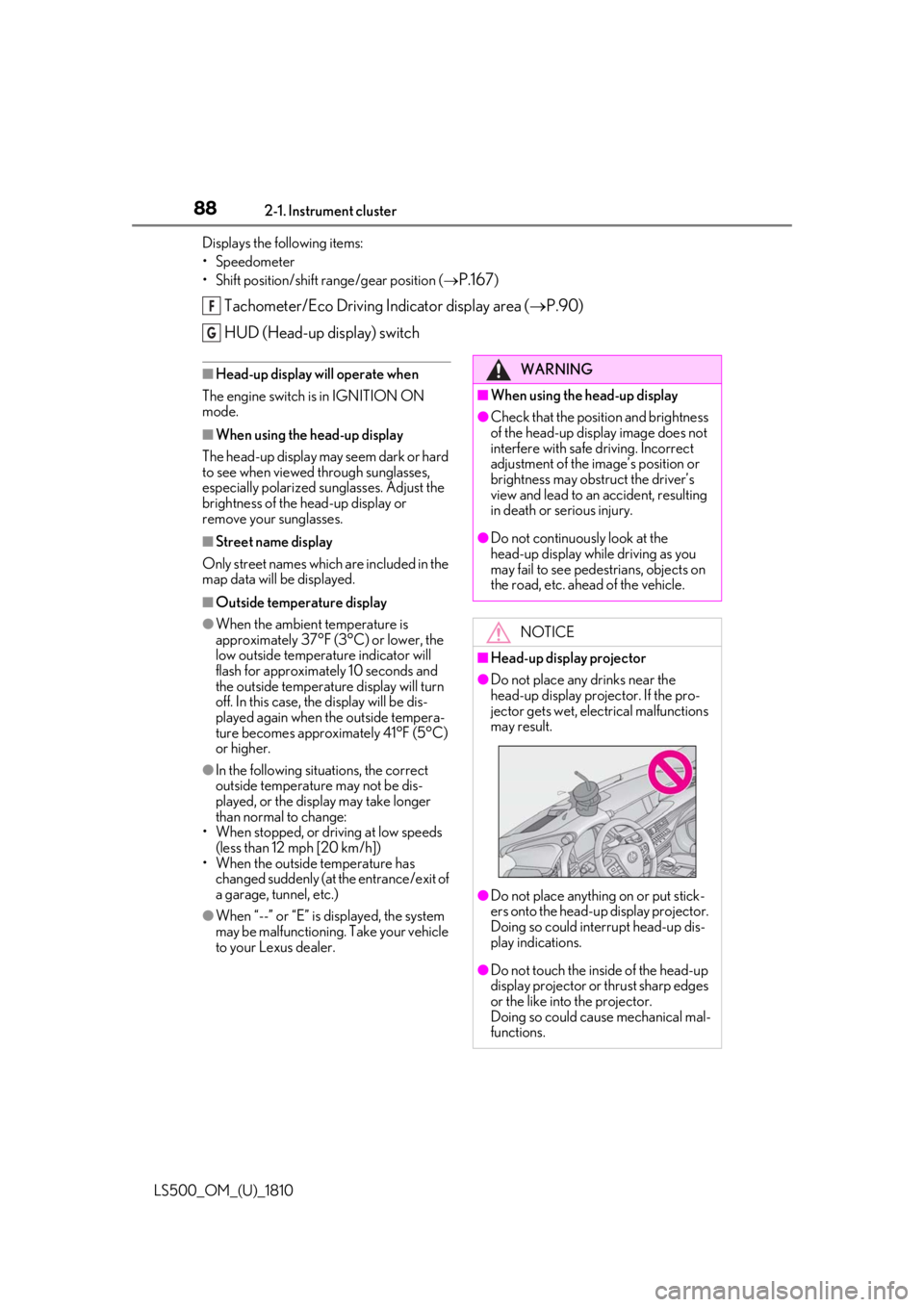
LS500_OM_(U)_1810 Displays the following items:
• Speedometer
• Shift position/shift range/gear position (
P.167 )
Tachometer/Eco Driving Indicator display area ( P.90)
HUD (Head-up display) switch ■
Head-up display will operate when
The engine switch is in IGNITION ON
mode. ■
When using the head-up display
The head-up display may seem dark or hard
to see when viewed through sunglasses,
especially polarized su nglasses. Adjust the
brightness of the head-up display or
remove your sunglasses. ■
Street name display
Only street names whic h are included in the
map data will be displayed. ■
Outside temperature display●
When the ambient temperature is
approximately 37°F (3°C) or lower, the
low outside temperature indicator will
flash for approximately 10 seconds and
the outside temperature display will turn
off. In this case, the display will be dis-
played again when the outside tempera-
ture becomes approximately 41°F (5°C)
or higher.●
In the following situations, the correct
outside temperature may not be dis-
played, or the display may take longer
than normal to change:
• When stopped, or driving at low speeds
(less than 12 mph [20 km/h])
• When the outside temperature has
changed suddenly (at the entrance/exit of
a garage, tunnel, etc.)
●
When “--” or “E” is displayed, the system
may be malfunctioning. Take your vehicle
to your Lexus dealer. F
G
WARNING■
When using the head-up display ●
Check that the position and brightness
of the head-up display image does not
interfere with safe driving. Incorrect
adjustment of the image’s position or
brightness may obstruct the driver’s
view and lead to an accident, resulting
in death or serious injury. ●
Do not continuously look at the
head-up display while driving as you
may fail to see pedestrians, objects on
the road, etc. ahead of the vehicle.
NOTICE■
Head-up display projector ●
Do not place any drinks near the
head-up display projector. If the pro-
jector gets wet, electrical malfunctions
may result.
●
Do not place anything on or put stick-
ers onto the head-up display projector.
Doing so could interrupt head-up dis-
play indications.
●
Do not touch the inside of the head-up
display projector or thrust sharp edges
or the like into the projector.
Doing so could cause mechanical mal-
functions.
Page 93 of 512
932-1. Instrument cluster
LS500_OM_(U)_1810 2
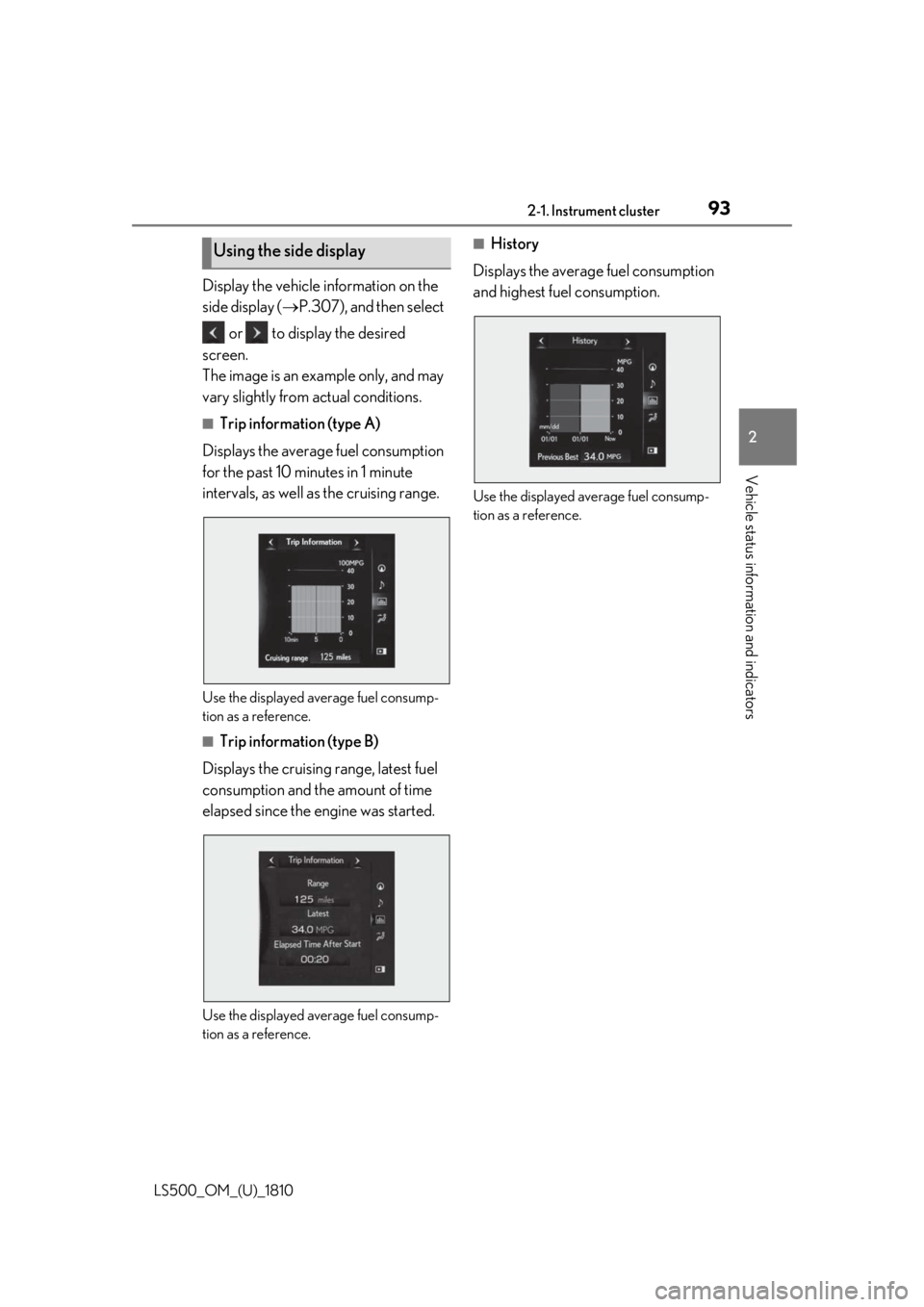
Vehicle status information and indicators Display the vehicle information on the
side display ( P.307), and then select
or to display the desired
screen.
The image is an example only, and may
vary slightly from actual conditions. ■
Trip information (type A)
Displays the average fuel consumption
for the past 10 minutes in 1 minute
intervals, as well as the cruising range.
Use the displayed average fuel consump-
tion as a reference. ■
Trip information (type B)
Displays the cruising range, latest fuel
consumption and the amount of time
elapsed since the engine was started.
Use the displayed average fuel consump-
tion as a reference. ■
History
Displays the average fuel consumption
and highest fuel consumption.
Use the displayed average fuel consump-
tion as a reference.Using the side display
Page 97 of 512
973-1. Key information
LS500_OM_(U)_1810 3
Before driving ●
To reduce key battery depletion when the
electronic key is to not be used for long
periods of time, set the electronic key to
the battery-saving mode. ( P.113)●
As the electronic ke y always receives
radio waves, the battery will become
depleted even if the electronic key is not
used. The following symptoms indicate
that the electronic key battery may be
depleted. Replace the battery when nec-
essary.
• The smart access system with push-but-
ton start or the wireless remote control
does not operate.
• The detection area becomes smaller.
•The LED indicator on the key surface
does not turn on.●
To avoid serious deterioration, do not
leave the electronic ke y within 3 ft. (1 m)
of the following electr ical appliances that
produce a magnetic field:
•TVs
• Personal computers
• Cellular phones, cordless phones and
battery chargers
• Recharging cellular phones or cordless
phones
• Table lamps
• Induction cookers ■
Replacing the battery
P.399■
Confirmation of the number of regis-
tered keys
The number of keys already registered to
the vehicle can be confirmed. Ask your
Lexus dealer for details.
■
If “A New Key has been Registered
Contact Your Dealer for Details” is
shown on the multi-information display
This message will be displayed each time
the driver’s door is opened when the doors
are unlocked from the outside for approxi-
mately 10 days after a new electronic key
has been registered.
If this message is disp layed but you have not
had a new electronic key registered, ask
your Lexus dealer to check if an unknown
electronic key (other than those in your
possession) has been registered. NOTICE■
To prevent key damage ●
Do not drop the keys, subject them to
strong shocks or bend them. ●
Do not expose the keys to high tem-
peratures for a long period of time. ●
Do not get the keys wet or wash them
in an ultrasonic washer etc. ●
Do not attach metallic or magnetic
materials to the keys or place the keys
close to such materials. ●
Do not disassemble the keys. ●
Do not attach a sticker or anything else
to the surface of the electronic key. ●
Do not place the keys near objects that
produce magnetic fields, such as TVs,
audio systems and induction cookers,
or medical electrical equipment, such
as low-frequency therapy equipment. ■
Carrying the electronic key on your
person
Carry the electronic key 3.9 in. (10 cm)
or more away from electric appliances
that are turned on. Radio waves emitted
from electric applianc es within 3.9 in. (10
cm) of the electronic key may interfere
with the key, causing the key to not func-
tion properly.
■
In case of a smart access system with
push-button start malfunction or
other key-rela ted problems
P.433
■
When an electronic key is lost
P.432
■
Handling the card key (if equipped)
●
Do not apply excess force when insert-
ing the mechanical key into the card
key. Doing so may damage the card
key.
Page 104 of 512
104 3-2. Opening, closing and locking the doors and trunk
LS500_OM_(U)_1810 1 Unlock
2 LockThese locks can be set to prevent children
from opening the rear doors. Push down
on each rear door switch to lock both rear
doors.
The following functions can be set or
canceled: For instructions on customizing, refer to
P.466.
Automatic door locking and
unlocking systems Function Operation
Speed linked
door locking
function All doors are automati-
cally locked when vehi-
cle speed is
approximately 12 mph
(20 km/h) or higher.
Shift position
linked door lock-
ing function All doors are automati-
cally locked when the
shift position is shifted
to a position other than
P.
Shift position
linked door
unlocking func-
tion All doors are automati-
cally unlocked when
the shift position is
shifted to P.
Driver’s door
linked door
unlocking func-
tion All doors are automati-
cally unlocked when
driver’s door is opened
within approximately
45 seconds after turn-
ing the engine switch
off. Trunk The trunk can be opened using the
trunk opener switch, entry function
or wireless remote control.
If the vehicle is equipped with a
power trunk opener and closer, the
trunk can be closed using the trunk
closer. WARNING
Observe the following precautions.
Failure to do so may result in death or
serious injury. ■
Before driving ●
Make sure that the trunk lid is fully
closed. If the trunk lid is not fully
closed, it may open unexpectedly
while driving and hit near-by objects or
luggage in the trunk may be thrown
out, causing an accident. ●
Do not allow children to play in the
trunk.
If a child is accident ally locked in the
trunk, they could suffer from heat
exhaustion, suffocation or other inju-
ries.
●
Do not allow a child to open or close
the trunk lid.
Doing so may cause the trunk lid to
open unexpectedly, or cause the
child’s hands, head, or neck to be
caught by the closing trunk lid.
■
Important points while driving
Never let anyone sit in the trunk. In the
event of sudden braking or a collision,
they are susceptible to death or serious
injury.
■
Using the trunk
Observe the following precautions.
Failure to do so may cause parts of the
body to be caught, resulting in serious
injury.
Page 113 of 512
1133-2. Opening, closing and locking the doors and trunk
LS500_OM_(U)_1810 3
Before driving take some time to unlock the doors.
• The electronic key has been left in an
area of approximately 6 ft. (2 m) of the
outside of the vehicle for 10 minutes or
longer.
• The smart access system with push-but-
ton start has not been used for 5 days or
longer.●
If the smart access system with push-but-
ton start has not been used for 14 days or
longer, the doors cannot be unlocked at
any doors except the driver’s door. In this
case, take hold of the driver’s door han-
dle, or use the wireless remote control or
the mechanical key, to unlock the doors.■
Turning an electronic key to bat-
tery-saving mode
When battery-saving mode is set, battery
depletion is minimized by stopping the elec-
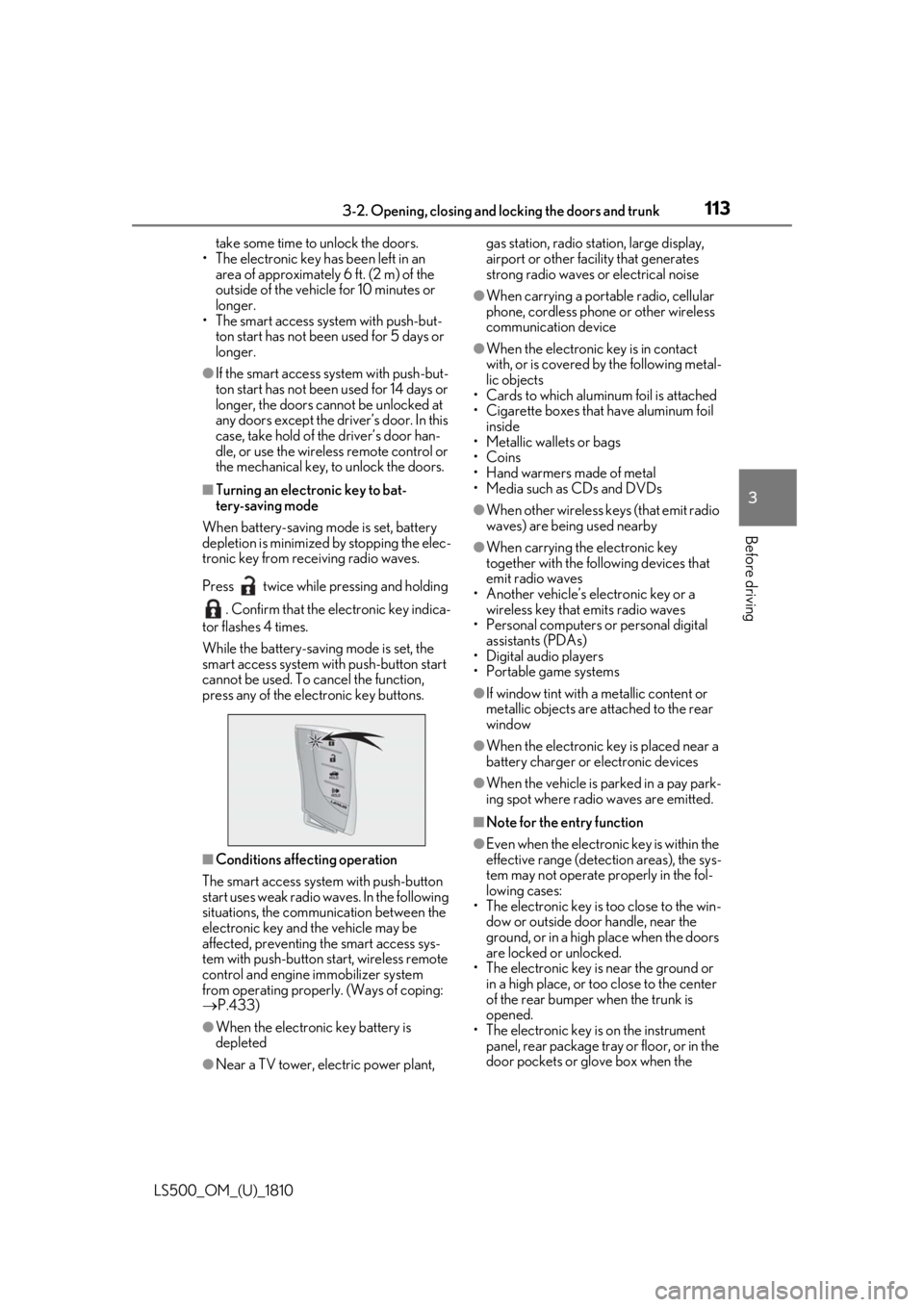
tronic key from re ceiving radio waves.
Press twice while pressing and holding
. Confirm that the electronic key indica-
tor flashes 4 times.
While the battery-saving mode is set, the
smart access system with push-button start
cannot be used. To cancel the function,
press any of the electronic key buttons.
■
Conditions affe cting operation
The smart access system with push-button
start uses weak radio waves. In the following
situations, the communication between the
electronic key and the vehicle may be
affected, preventing the smart access sys-
tem with push-button start, wireless remote
control and engine immobilizer system
from operating properly. (Ways of coping:
P.433)
●
When the electronic key battery is
depleted
●
Near a TV tower, electric power plant, gas station, radio stat ion, large display,
airport or other fac ility that generates
strong radio waves or electrical noise ●
When carrying a portable radio, cellular
phone, cordless phone or other wireless
communication device ●
When the electronic key is in contact
with, or is covered by the following metal-
lic objects
• Cards to which aluminum foil is attached
• Cigarette boxes that have aluminum foil
inside
• Metallic wallets or bags
•Coins
• Hand warmers made of metal
• Media such as CDs and DVDs ●
When other wireless keys (that emit radio
waves) are being used nearby ●
When carrying the electronic key
together with the following devices that
emit radio waves
• Another vehicle’s electronic key or a
wireless key that emits radio waves
• Personal computers or personal digital
assistants (PDAs)
• Digital audio players
• Portable game systems ●
If window tint with a metallic content or
metallic objects are attached to the rear
window ●
When the electronic key is placed near a
battery charger or electronic devices ●
When the vehicle is parked in a pay park-
ing spot where radio waves are emitted. ■
Note for the entry function ●
Even when the electronic key is within the
effective range (detection areas), the sys-
tem may not operate properly in the fol-
lowing cases:
• The electronic key is too close to the win-
dow or outside door handle, near the
ground, or in a high place when the doors
are locked or unlocked.
• The electronic key is near the ground or
in a high place, or too close to the center
of the rear bumper when the trunk is
opened.
• The electronic key is on the instrument
panel, rear package tray or floor, or in the
door pockets or glove box when the
Page 125 of 512
1253-3. Adjusting the seats
LS500_OM_(U)_1810 3
Before driving back
“Centrifugal” Applies pressure sequen tially from the top
of the seatback to the front of the seat
cushion
“Upper Body” Applies pressure sequentially from the bot-
tom to the top of the seatback
“Lower Body” Applies pressure sequentially from the
front to the back of the seat cushion
“Lumbar” Applies pressure sequentially from the bot-
tom to the top of the lumbar area of the
seatback
4 Select the desired intensity and
then confirm the setting.The intensity can be adjusted in 5 steps.
To stop the operation select “Stop”.
If a seat is not occupi ed, do not operate the
front seat refresh system for that seat.
■
Refresh system●
Operating conditions
• The engine switch is in IGNITION ON
mode.
• The temperature in the cabin is not
extremely high.
• For the front passenger’s seat: The weight
of an occupant is detected on the front
passenger’s seat or the front passenger’s
seat belt is fastened.
Once weight is detect ed on the seat, the
seat will be judged as occupied until the
front passenger’s door is opened then
closed or the engine switch is turned off.
●
Automatic stop function
• The operation will be canceled automati-
cally after approximately 15 minutes.
•If the power easy ac cess system begins
operating, the front seat refresh system
will stop. WARNING■
Important points while driving
Do not adjust the driver’s seat refresh
system while driving.
Using it may affect your ability to control
the vehicle, possibly leading to an acci-
dent resulting in death or serious injury. ■
Using the refresh system ●
Those who are pregnant, have recently
given birth, or suffer from ailments
requiring rest (heart disease etc.)
should consult a doctor before use. ●
Do not allow children to use the
refresh function. ●
Do not use immediately after consum-
ing a meal or alcohol, or for an
extended period of time. ●
If you feel sick while using the refresh
function, immediately discontinue use.
Page 130 of 512
130 3-3. Adjusting the seats
LS500_OM_(U)_1810 If a seat is not occupi ed, do not operate the
rear seat relaxation system for that seat. ■
Relaxation system●
Operating conditions
• The engine switch is in IGNITION ON
mode.
• The temperature in the cabin is not
extremely high.
• The weight of an occupant is detected on
the rear seat or the rear seat belt is fas-
tened.
Once weight is detect ed on the seat, the
seat will be judged as occupied until a rear
door is opened then closed or the engine
switch is turned off and the doors are
locked. ●
Automatic stop function
• The operation will be canceled automati-
cally after approximately 15 minutes.
• If the door for a seat that the relaxation
system is currently being used is opened,
the relaxation system will stop operating.
The seat and steering wheel are auto-
matically adjusted to allow the driver to
enter and exit the vehicle easily.
Driver’s seat
When all of the following have been
performed, the seat and steering
wheel are automatically adjusted to a
position that allows driver to enter and
exit the vehicle easily.
• The shift position has been shifted to
P.
• The engine switch has been turned
off.
• The driver’s seat belt has been
unfastened. When the driver’s seat adjustment
switches are in front passenger mode
( P.121), the seat and steering wheel will
not move.WARNING■
Using the relaxation system●
Those who are pregnant, have recently
given birth, or suffer from ailments
requiring rest (heart disease etc.)
should consult a doctor before use.
●
Do not allow children to use the relax-
ation function.
●
Do not use immediately after consum-
ing a meal or alcohol, or for an
extended period of time.
●
If you feel sick while using the relax-
ation function, immediately discon-
tinue use. Driving position memory This feature automatically adjusts
the positions of the front seats,
steering wheel, outside rear view
mirrors and head-up display (if
equipped) to make entering and
exiting the vehicle easier or to suit
your preferences.
Up to 3 different driving positions
can be recorded.
Each electronic key (including a
card key) can be registered to
recall your preferred driving posi-
tion.
Power easy access system