instrument LEXUS LS500 2019 Owner's Guide
[x] Cancel search | Manufacturer: LEXUS, Model Year: 2019, Model line: LS500, Model: LEXUS LS500 2019Pages: 512, PDF Size: 9.71 MB
Page 90 of 512
90 2-1. Instrument cluster
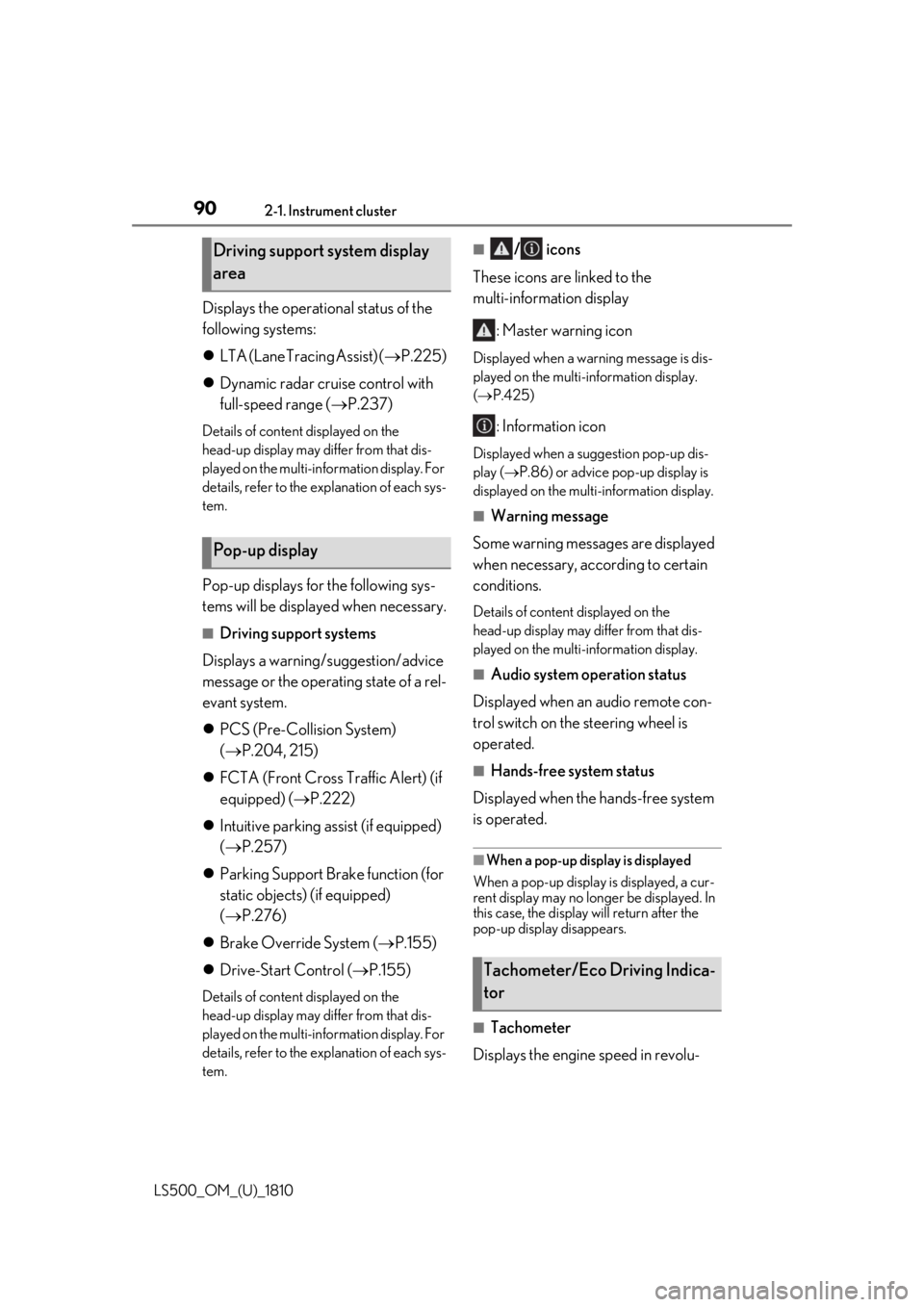
LS500_OM_(U)_1810 Displays the operational status of the
following systems:
LTA (Lane Tracing Assist) ( P.225)
Dynamic radar cruise control with
full-speed range ( P.237)Details of content displayed on the
head-up display may differ from that dis-
played on the multi-information display. For
details, refer to the explanation of each sys-
tem.
Pop-up displays for the following sys-
tems will be displayed when necessary. ■
Driving support systems
Displays a warning/suggestion/advice
message or the operating state of a rel-
evant system.
PCS (Pre-Collision System)
( P.204, 215)
FCTA (Front Cross Traffic Alert) (if
equipped) ( P.222)
Intuitive parking assist (if equipped)
( P.257)
Parking Support Brake function (for
static objects) (if equipped)
( P.276)
Brake Override System ( P.155)
Drive-Start Control ( P.155)Details of content displayed on the
head-up display may differ from that dis-
played on the multi-information display. For
details, refer to the explanation of each sys-
tem. ■
/ icons
These icons are linked to the
multi-information display
: Master warning icon Displayed when a warn ing message is dis-
played on the multi-information display.
( P.425)
: Information icon Displayed when a suggestion pop-up dis-
play ( P.86) or advice pop-up display is
displayed on the multi-information display. ■
Warning message
Some warning messages are displayed
when necessary, according to certain
conditions. Details of content displayed on the
head-up display may differ from that dis-
played on the multi-information display. ■
Audio system operation status
Displayed when an audio remote con-
trol switch on the steering wheel is
operated. ■
Hands-free system status
Displayed when the hands-free system
is operated. ■
When a pop-up display is displayed
When a pop-up display is displayed, a cur-
rent display may no long er be displayed. In
this case, the display will return after the
pop-up display disappears.
■
Tachometer
Displays the engine speed in revolu-Driving support system display
area
Pop-up display
Tachometer/Eco Driving Indica-
tor
Page 91 of 512
912-1. Instrument cluster
LS500_OM_(U)_1810 2
Vehicle status information and indicators tions per minute. ■
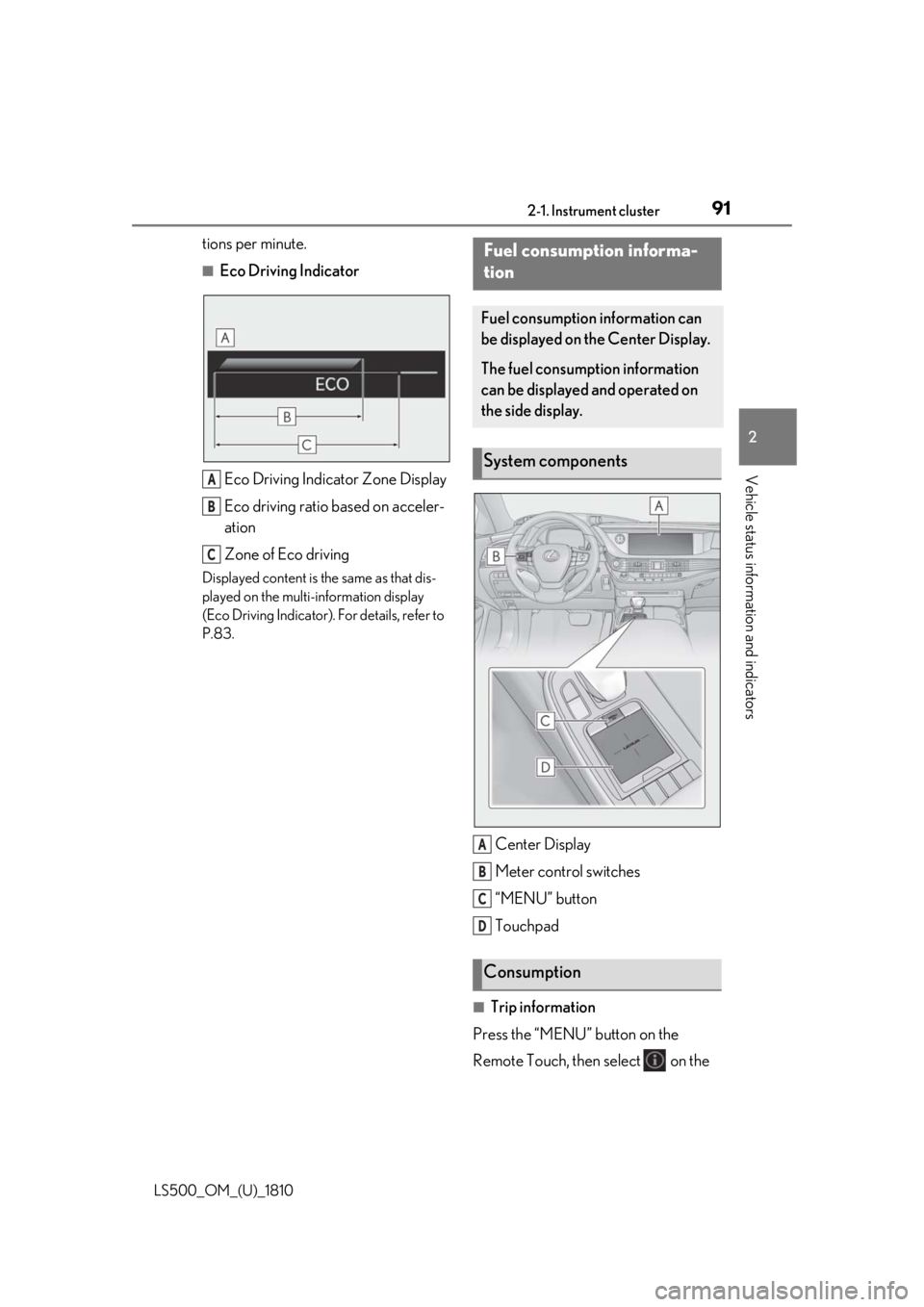
Eco Driving Indicator
Eco Driving Indicator Zone Display
Eco driving ratio based on acceler-
ation
Zone of Eco drivingDisplayed content is the same as that dis-
played on the multi-information display
(Eco Driving Indicator). For details, refer to
P.83.
Center Display
Meter control switches
“MENU” button
Touchpad
■
Trip information
Press the “MENU” button on the
Remote Touch, then select on the A
B
C Fuel consumption informa-
tion Fuel consumption information can
be displayed on the Center Display.
The fuel consumption information
can be displayed and operated on
the side display.
System components
Consumption A
B
C
D
Page 92 of 512
92 2-1. Instrument cluster
LS500_OM_(U)_1810 menu screen.
If a screen other than “Trip Information”
is displayed, select “Trip Information”.
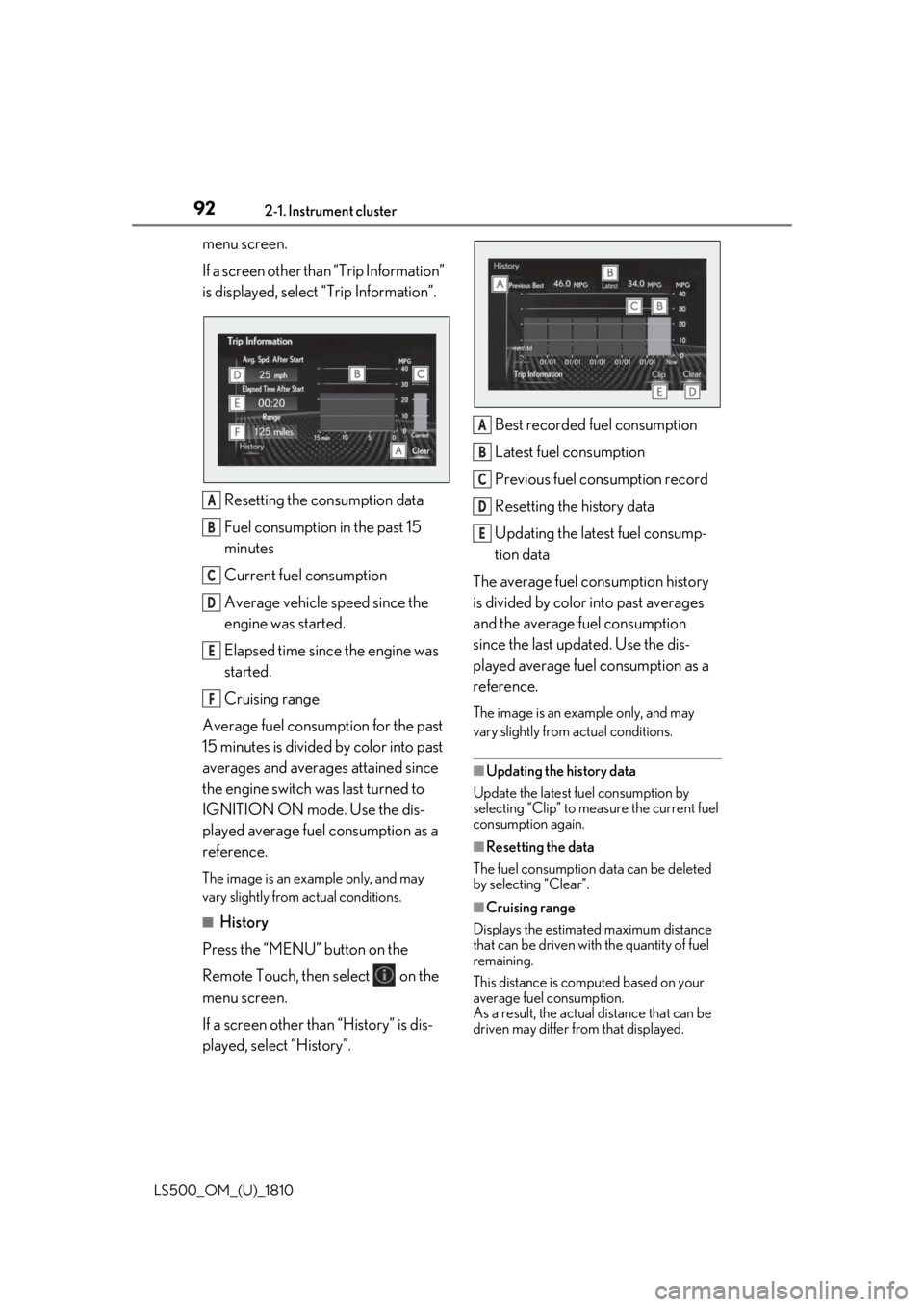
Resetting the consumption data
Fuel consumption in the past 15
minutes
Current fuel consumption
Average vehicle speed since the
engine was started.
Elapsed time since the engine was
started.
Cruising range
Average fuel consumption for the past
15 minutes is divided by color into past
averages and averages attained since
the engine switch was last turned to
IGNITION ON mode. Use the dis-
played average fuel consumption as a
reference. The image is an example only, and may
vary slightly from actual conditions.
■
History
Press the “MENU” button on the
Remote Touch, then select on the
menu screen.
If a screen other than “History” is dis-
played, select “History”. Best recorded fuel consumption
Latest fuel consumption
Previous fuel consumption record
Resetting the history data
Updating the latest fuel consump-
tion data
The average fuel consumption history
is divided by color into past averages
and the average fuel consumption
since the last updated. Use the dis-
played average fuel consumption as a
reference. The image is an example only, and may
vary slightly from actual conditions.
■
Updating the history data
Update the latest fuel consumption by
selecting “Clip” to meas ure the current fuel
consumption again.
■
Resetting the data
The fuel consumption data can be deleted
by selecting “Clear”.
■
Cruising range
Displays the estimated maximum distance
that can be driven with the quantity of fuel
remaining.
This distance is computed based on your
average fuel consumption.
As a result, the actual distance that can be
driven may differ from that displayed.A
B
C
D
E
F A
B
C
D
E
Page 93 of 512
932-1. Instrument cluster
LS500_OM_(U)_1810 2
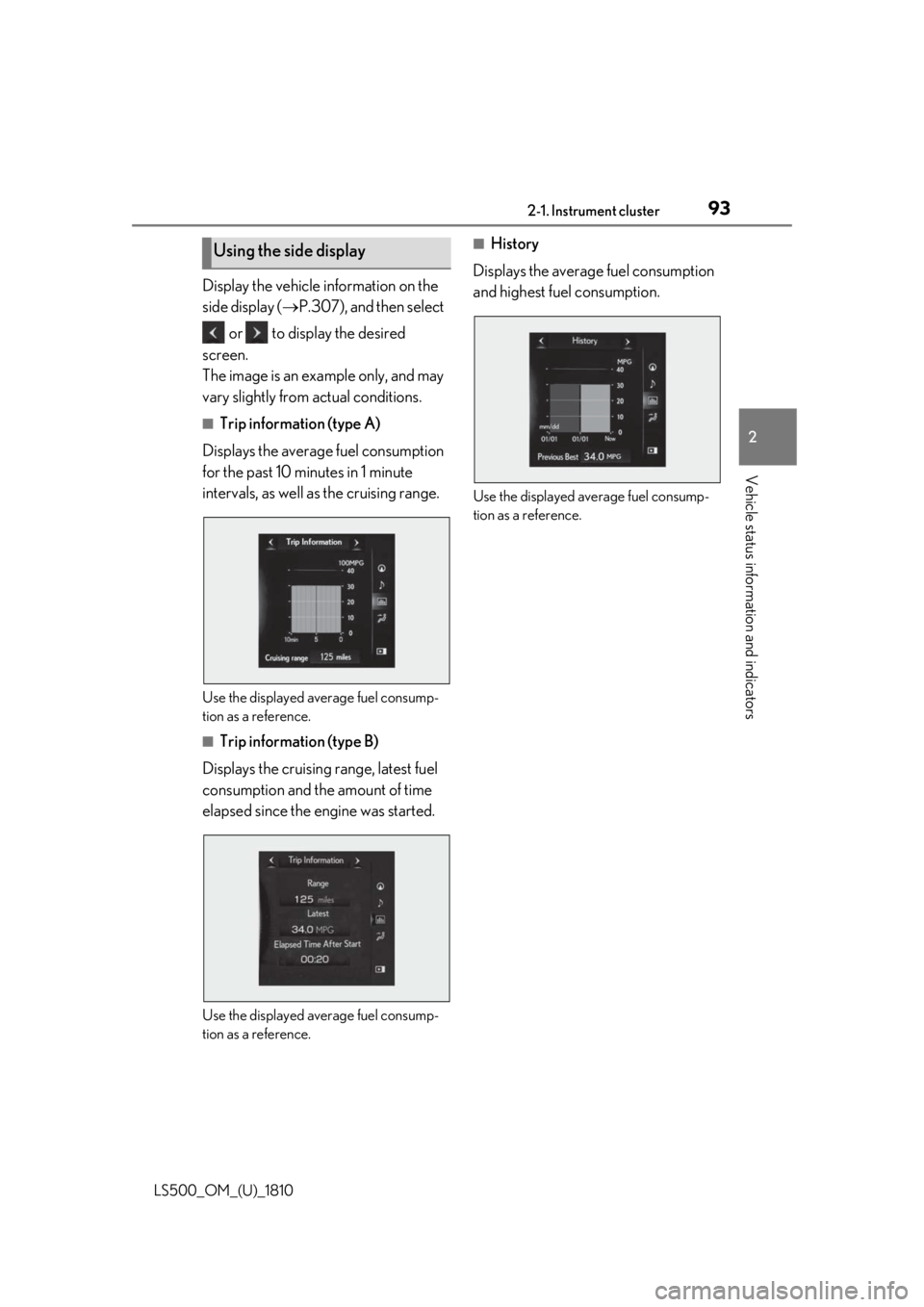
Vehicle status information and indicators Display the vehicle information on the
side display ( P.307), and then select
or to display the desired
screen.
The image is an example only, and may
vary slightly from actual conditions. ■
Trip information (type A)
Displays the average fuel consumption
for the past 10 minutes in 1 minute
intervals, as well as the cruising range.
Use the displayed average fuel consump-
tion as a reference. ■
Trip information (type B)
Displays the cruising range, latest fuel
consumption and the amount of time
elapsed since the engine was started.
Use the displayed average fuel consump-
tion as a reference. ■
History
Displays the average fuel consumption
and highest fuel consumption.
Use the displayed average fuel consump-
tion as a reference.Using the side display
Page 94 of 512

94 2-1. Instrument cluster
LS500_OM_(U)_1810
Page 113 of 512
1133-2. Opening, closing and locking the doors and trunk
LS500_OM_(U)_1810 3
Before driving take some time to unlock the doors.
• The electronic key has been left in an
area of approximately 6 ft. (2 m) of the
outside of the vehicle for 10 minutes or
longer.
• The smart access system with push-but-
ton start has not been used for 5 days or
longer.●
If the smart access system with push-but-
ton start has not been used for 14 days or
longer, the doors cannot be unlocked at
any doors except the driver’s door. In this
case, take hold of the driver’s door han-
dle, or use the wireless remote control or
the mechanical key, to unlock the doors.■
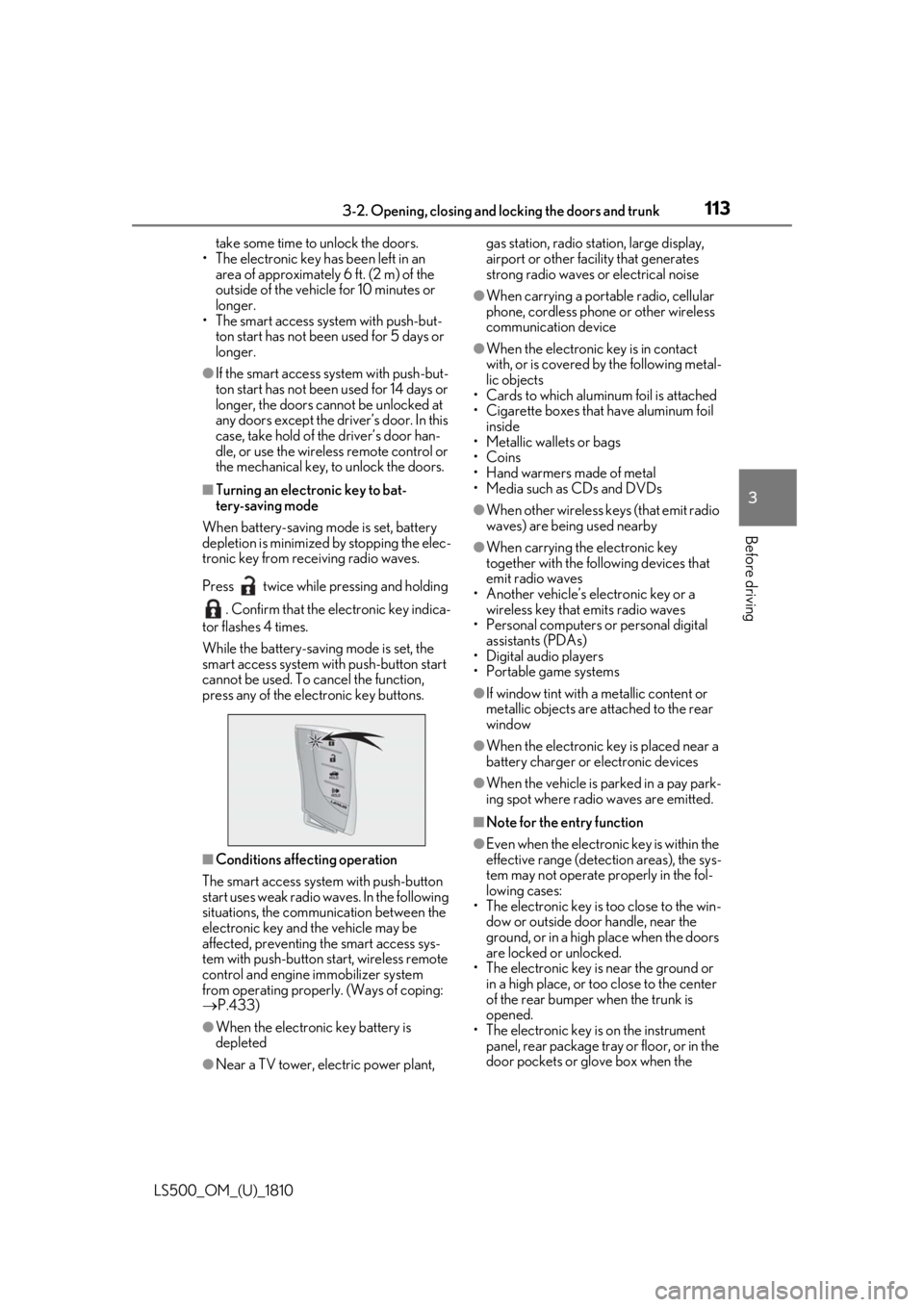
Turning an electronic key to bat-
tery-saving mode
When battery-saving mode is set, battery
depletion is minimized by stopping the elec-
tronic key from re ceiving radio waves.
Press twice while pressing and holding
. Confirm that the electronic key indica-
tor flashes 4 times.
While the battery-saving mode is set, the
smart access system with push-button start
cannot be used. To cancel the function,
press any of the electronic key buttons.
■
Conditions affe cting operation
The smart access system with push-button
start uses weak radio waves. In the following
situations, the communication between the
electronic key and the vehicle may be
affected, preventing the smart access sys-
tem with push-button start, wireless remote
control and engine immobilizer system
from operating properly. (Ways of coping:
P.433)
●
When the electronic key battery is
depleted
●
Near a TV tower, electric power plant, gas station, radio stat ion, large display,
airport or other fac ility that generates
strong radio waves or electrical noise ●
When carrying a portable radio, cellular
phone, cordless phone or other wireless
communication device ●
When the electronic key is in contact
with, or is covered by the following metal-
lic objects
• Cards to which aluminum foil is attached
• Cigarette boxes that have aluminum foil
inside
• Metallic wallets or bags
•Coins
• Hand warmers made of metal
• Media such as CDs and DVDs ●
When other wireless keys (that emit radio
waves) are being used nearby ●
When carrying the electronic key
together with the following devices that
emit radio waves
• Another vehicle’s electronic key or a
wireless key that emits radio waves
• Personal computers or personal digital
assistants (PDAs)
• Digital audio players
• Portable game systems ●
If window tint with a metallic content or
metallic objects are attached to the rear
window ●
When the electronic key is placed near a
battery charger or electronic devices ●
When the vehicle is parked in a pay park-
ing spot where radio waves are emitted. ■
Note for the entry function ●
Even when the electronic key is within the
effective range (detection areas), the sys-
tem may not operate properly in the fol-
lowing cases:
• The electronic key is too close to the win-
dow or outside door handle, near the
ground, or in a high place when the doors
are locked or unlocked.
• The electronic key is near the ground or
in a high place, or too close to the center
of the rear bumper when the trunk is
opened.
• The electronic key is on the instrument
panel, rear package tray or floor, or in the
door pockets or glove box when the
Page 114 of 512

114 3-2. Opening, closing and locking the doors and trunk
LS500_OM_(U)_1810 engine is started or engine switch modes
are changed.●
Do not leave the electronic key on top of
the instrument panel or near the door
pockets when exiting the vehicle.
Depending on the radio wave reception
conditions, it may be detected by the
antenna outside the cabin and the doors
will become lockable from the outside,
possibly trapping the electronic key
inside the vehicle.●
As long as the electron ic key is within the
effective range, the doors may be locked
or unlocked by anyone. However, only
the doors detecting the electronic key
can be used to unlock the vehicle.●
Even if the electronic key is not inside the
vehicle, it may be possible to start the
engine if the electronic key is near the
window.●
The doors may unlock or lock if a large
amount of water spla shes on the door
handle, such as in the rain or in a car
wash, when the electronic key is within
the effective range. (The doors will auto-
matically be locked after approximately
60 seconds if the d oors are not opened
and closed.)●
If the wireless remote control is used to
lock the doors when the electronic key is
near the vehicle, there is a possibility that
the door may not be unlocked by the
entry function. (Use the wireless remote
control to unlock the doors.)●
Touching the door lock sensor while
wearing gloves may delay or prevent lock
operation.●
When the lock operation is performed
using the lock sensor, recognition signals
will be shown up to two consecutive
times. After this, no recognition signals
will be given.
●
If the door handle becomes wet while the
electronic key is within the effective
range, the door may lock and unlock
repeatedly. In this case, follow the follow-
ing correction procedures to wash the
vehicle:
• Place the electronic key in a location 6 ft.
(2 m) or more away from the vehicle.
(Take care to ensure that the key is not stolen.)
• Set the electronic key to battery-saving
mode to disable the smart access system
with push-button start. ( P.113)●
If the electronic key is inside the vehicle
and a door handle becomes wet during a
car wash, a message may be shown on
the multi-information display and a
buzzer will sound outside the vehicle. To
turn off the alarm, lock all the doors. ●
The lock sensor may not work properly if
it comes into contact with ice, snow, mud,
etc. Clean the lock sensor and attempt to
operate it again. ●
A sudden approach to the effective
range or door handle may prevent the
doors from being unlocked. In this case,
return the door handle to the original
position and check that the doors unlock
before pulling the door handle again. ●
If there is another electronic key in the
detection area, it may take slightly longer
to unlock the doors after the door handle
is gripped. ■
When the vehicle is not driven for
extended periods ●
To prevent theft of the vehicle, do not
leave the electronic key within 6 ft. (2 m)
of the vehicle. ●
The smart access system with push-but-
ton start can be deactivated in advance. ●
Setting the electronic key to battery-sav-
ing mode helps to reduce key battery
depletion. ( P.113)■
To operate the system properly ●
Make sure to carry the electronic key
when operating the system. Do not get
the electronic key too close to the vehicle
when operating the system from the out-
side of the vehicle.
Depending on the position and holding
condition of the electr onic key, the key may
not be detected correctly and the system
may not operate properly. (The alarm may
go off accidentally, or the door lock pre-
vention function may not operate.)
●
Do not leave the electr onic key inside the
trunk.
Page 119 of 512

1193-3. Adjusting the seats
LS500_OM_(U)_1810 3
Before driving 3-3.Adjusting the seats
■
Seat adjustment switches
Seat position adjustment switch
Seatback angle adjustment switch
Seat cushion (front) angle adjust-
ment switch
Vertical height adjustment switchFront seats WARNING■
When adjusting the seat position●
Take care when ad justing the seat
position to ensure that other passen-
gers are not injured by the moving
seat.●
Do not put your hands under the seat
or near the moving parts to avoid
injury.
Fingers or hands may become
jammed in the se at mechanism.●
Make sure to leave enough space
around the feet so they do not get
stuck.■
Seat adjustment
To reduce the risk of sliding under the lap
belt during a collision, do not recline the
seat more than necessary.
If the seat is too reclined, the lap belt may
slide past the hips and apply restraint
forces directly to the abdomen, or your
neck may contact the shoulder belt,
increasing the risk of death or serious
injury in the event of an accident.
Adjustments should not be made while
driving as the seat may unexpectedly
move and cause the driver to lose control
of the vehicle.
■
Operating the front passenger’s seat
from the driver’s seat or rear seat
Do not operate the front passenger’s seat
when a passenger is seated in it. In addi-
tion, do not let anyone sit down in the
front passenger’s seat while the seat is
being operated or when the head
restraint is being folded. The front pas-
senger may catch their legs between the
instrument panel and seat, or the head
restraint may interfer e with their head,
resulting in injury. ■
When the front passenger’s seat is
folded forward
If the outside rear view mirror is difficult
to see, due to the position of the front
passenger’s seat, mo ve the front passen-
ger’s seat to an appropriate position.
Doing so may lead to mishandling of the
vehicle and cause an accident, resulting
in death or serious injury.
NOTICE■
Operating the front passenger’s seat
from the driver’s seat or rear seat
Before operating the front passenger’s
seat, make sure that there is no luggage
or any other objects on the seat or in the
footwell that could prevent its operation.
Such items may result in excess force
being applied, causing damage to the
seat and/or the luggage.
Adjustment procedure
A
B
C
D
Page 120 of 512
120 3-3. Adjusting the seats
LS500_OM_(U)_1810 Lumbar support adjustment switch
Seat cushion length adjustment
switch (if equipped) ■
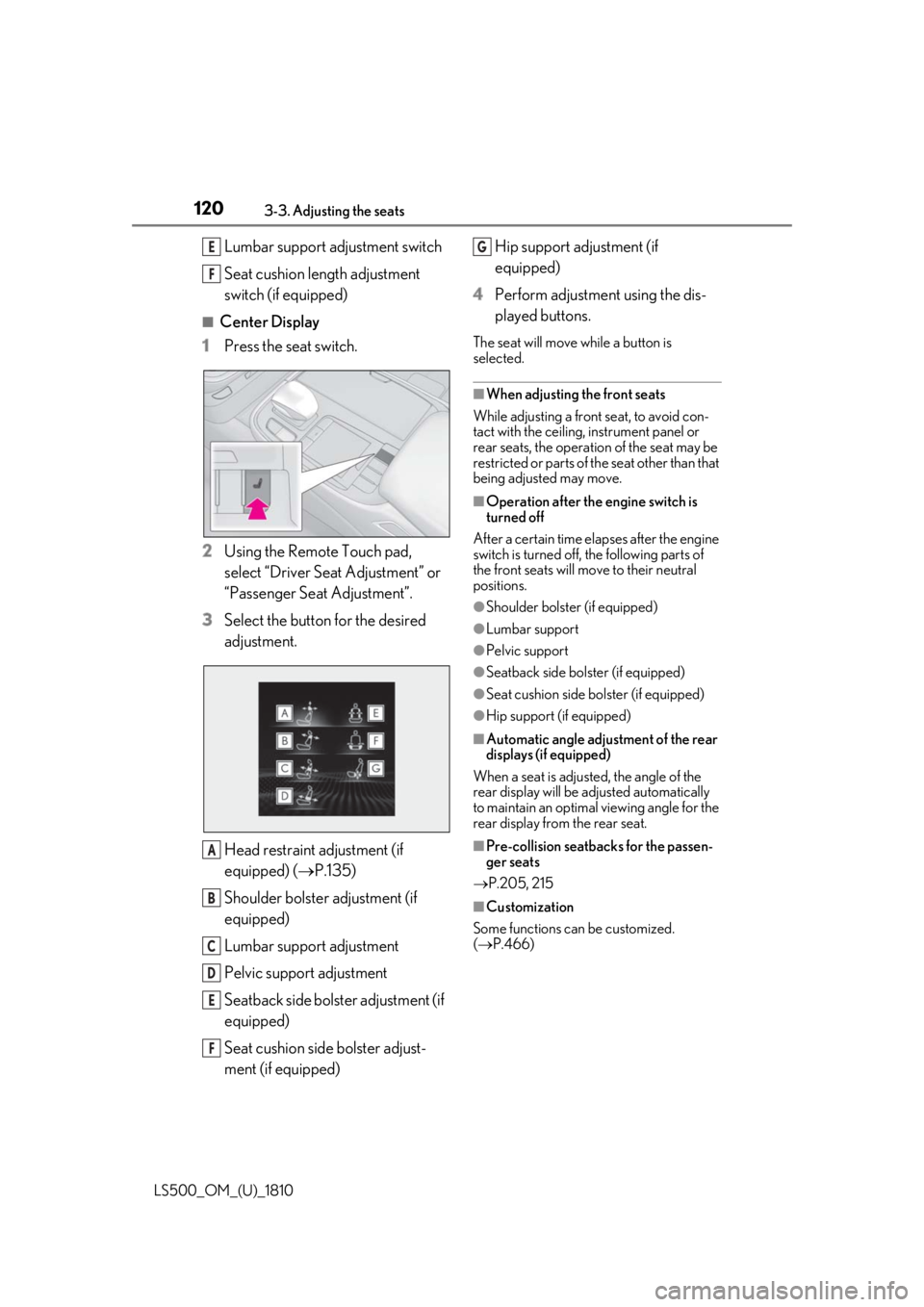
Center Display
1 Press the seat switch.
2 Using the Remote Touch pad,
select “Driver Seat Adjustment” or
“Passenger Seat Adjustment”.
3 Select the button for the desired
adjustment.
Head restraint adjustment (if
equipped) ( P.135)
Shoulder bolster adjustment (if
equipped)
Lumbar support adjustment
Pelvic support adjustment
Seatback side bolster adjustment (if
equipped)
Seat cushion side bolster adjust-
ment (if equipped) Hip support adjustment (if
equipped)
4 Perform adjustment using the dis-
played buttons. The seat will move while a button is
selected. ■
When adjusting the front seats
While adjusting a front seat, to avoid con-
tact with the ceiling, instrument panel or
rear seats, the operation of the seat may be
restricted or parts of th e seat other than that
being adjusted may move. ■
Operation after the engine switch is
turned off
After a certain time elapses after the engine
switch is turned off, the following parts of
the front seats will move to their neutral
positions. ●
Shoulder bolster (if equipped) ●
Lumbar support ●
Pelvic support ●
Seatback side bolster (if equipped) ●
Seat cushion side bolster (if equipped) ●
Hip support (if equipped) ■
Automatic angle adjustment of the rear
displays (if equipped)
When a seat is adjusted, the angle of the
rear display will be adjusted automatically
to maintain an optimal viewing angle for the
rear display from the rear seat.
■
Pre-collision seatback s for the passen-
ger seats
P.205, 215
■
Customization
Some functions can be customized.
( P.466)E
F
A
B
C
D
E
F G
Page 143 of 512
1433-5. Opening, closing the windows and moon roof
LS500_OM_(U)_1810 3
Before driving 5 Release the power window switch for a
moment, resume push ing the switch in
the one-touch opening direction, and
hold it there for approximately 4 sec-
onds or more.
6 Pull and hold the power window switch
in the one-touch closing direction
again. After the side window is com-
pletely closed, continue holding the
switch for a further 1 second or more.
If you release the switch while the window is
moving, start again from the beginning.
If the window reverses and cannot be fully
closed or opened, have the vehicle
inspected by your Lexus dealer. ■
Door lock linked window operation●
The power windows can be opened and
closed using the mechanical key. *
( P.434)●
The power windows can be opened using
the wireless remote control. *
( P.100)*
: These settings must be customized at
your Lexus dealer.■
Power windows open warning buzzer
A buzzer sounds and a message is shown
on the multi-information display in the
instrument cluster when the engine switch
is turned off and the driver’s door is opened
with the power windows open. ■
Customization
Some functions can be customized.
( P.466)
WARNING
Observe the following precautions.
Failure to do so may result in death or
serious injury. ■
Closing the windows ●
The driver is responsible for all the
power window operations, including
the operation for the passengers. In
order to prevent accidental operation,
especially by a child, do not let a child
operate the power windows. It is possi-
ble for children and other passengers
to have body parts caught in the power
window. Also, when riding with a child,
it is recommended to use the window
lock switch. ( P.144)●
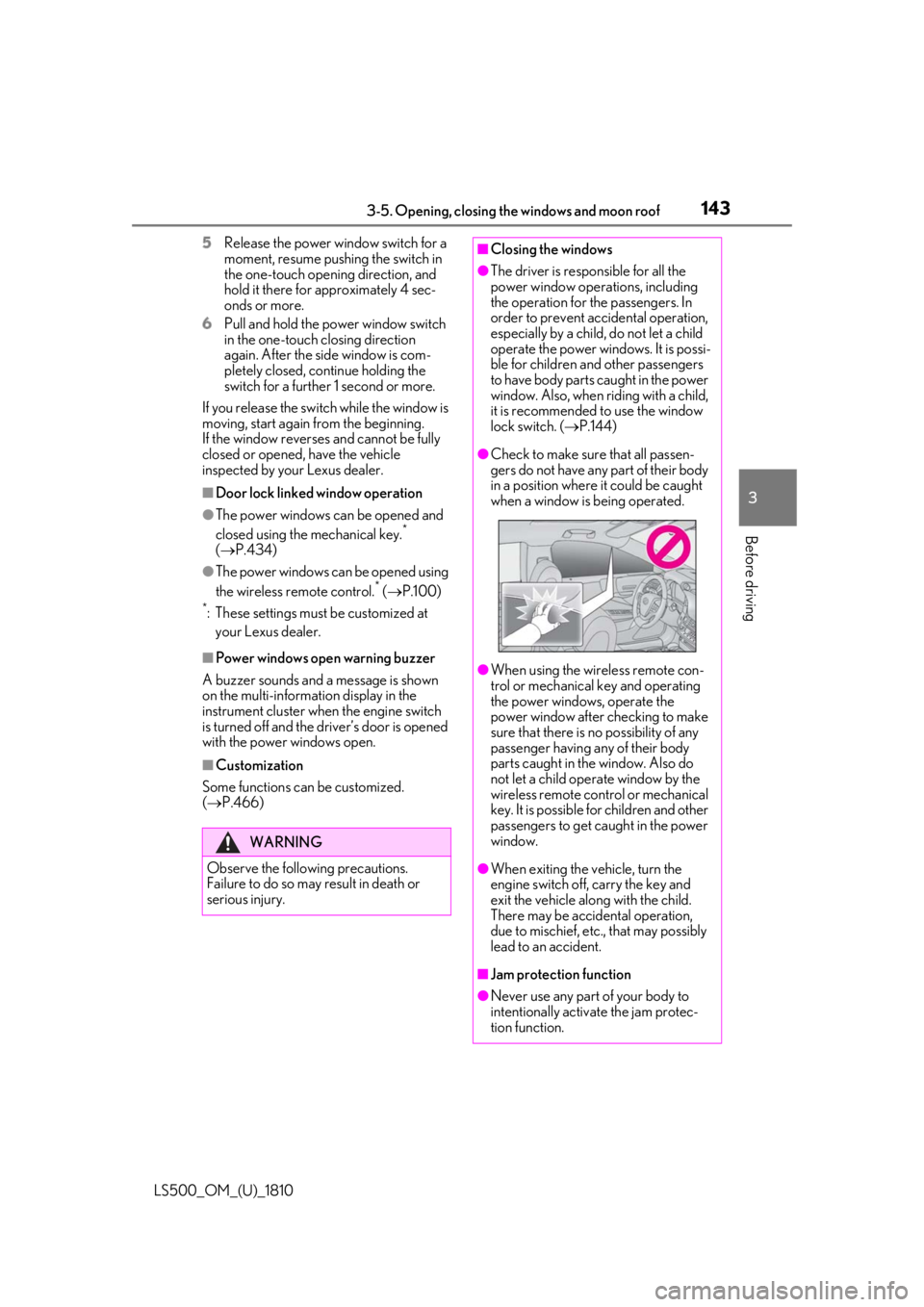
Check to make sure that all passen-
gers do not have any part of their body
in a position where it could be caught
when a window is being operated.
●
When using the wireless remote con-
trol or mechanical key and operating
the power windows, operate the
power window after checking to make
sure that there is no possibility of any
passenger having any of their body
parts caught in the window. Also do
not let a child operate window by the
wireless remote control or mechanical
key. It is possible for children and other
passengers to get caught in the power
window.
●
When exiting the vehicle, turn the
engine switch off, carry the key and
exit the vehicle along with the child.
There may be accidental operation,
due to mischief, etc., that may possibly
lead to an accident.
■
Jam protection function
●
Never use any part of your body to
intentionally activa te the jam protec-
tion function.