brake sensor LEXUS LS500 2020 Owner's Manual
[x] Cancel search | Manufacturer: LEXUS, Model Year: 2020, Model line: LS500, Model: LEXUS LS500 2020Pages: 516, PDF Size: 10.38 MB
Page 286 of 516
2864-5. Using the driving support systems
■The Parking Support Brake function
(rear-crossing vehicles) will operate
when
The function will operate when the PKSB
OFF indicator is not illuminated or flashing
( P.69, 70) and all of the following condi-
tions are met:
●Engine output restriction control
• The Parking Support Brake is enabled.
• The vehicle speed is 9 mph (15 km/h) or less.
• Vehicles which are approaching from the right or left at the rear of the vehicle at a
traveling speed of less than approxi-
mately 5 mph (8 km/h)
• The shift position is in R.
• The Parking Support Brake determines
that a stronger than normal brake opera-
tion is necessary to avoid a collision with
an approaching vehicle.
●Brake control
• Engine output restriction control is oper- ating.
• The Parking Support Brake determines
that an emergency brake operation is
necessary to avoid a collision with an
approaching vehicle.
■The Parking Support Brake function
(rear-crossing vehicles) will stop operat-
ing when
The function will stop operating if any of the
following conditions are met:
●Engine output restriction control
• The Parking Support Brake is disabled.
• The collision becomes avoidable with normal brake operation.
• A vehicle is no longer approaching from the right or left at the rear of the vehicle.
●Brake control
• The Parking Support Brake is disabled.
• Approximately 2 seconds have elapsed
since the vehicle was stopped by brake control.
• The brake pedal is depressed after the vehicle is stopped by brake control.
• A vehicle is no longer approaching from the right or left at the rear of the vehicle.
■Re-enabling the Parking Support Brake
function (rear-crossing vehicles)
P.277
■Detection area of the Parking Support
Brake function (rear-crossing vehicles)
The detection area of the Parking Support
Brake function (rear-crossing vehicles) dif-
fers from the detection area of the RCTA
function ( P.268). Therefore, even if the
RCTA function detects a vehicle and pro-
vides an alert, the Parking Support Brake
function (rear-crossing vehicles) may not
start operating.
■Conditions under which the Parking
Support Brake function (rear-crossing
vehicles) will not detect a vehicle
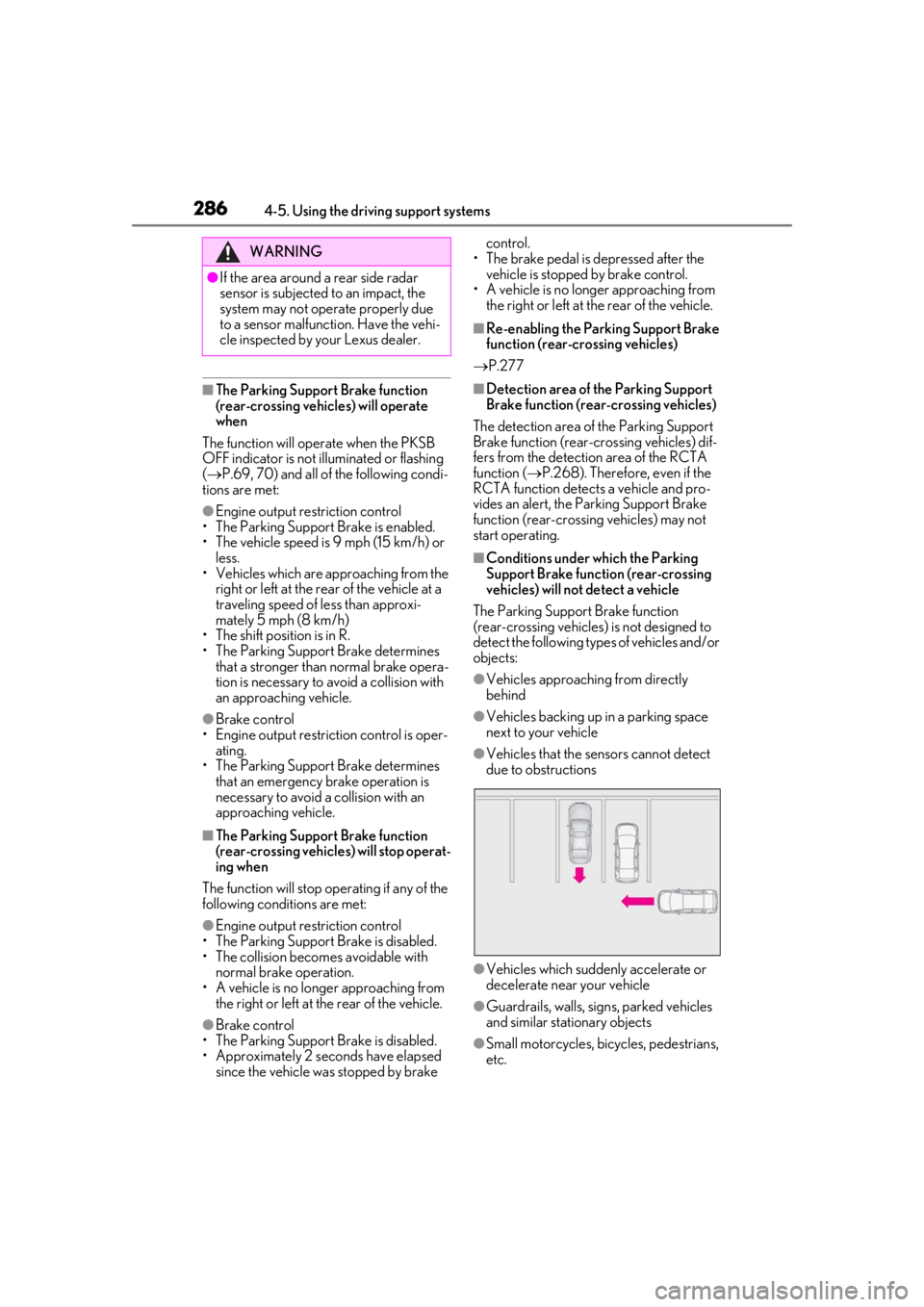
The Parking Support Brake function
(rear-crossing vehicles) is not designed to
detect the following types of vehicles and/or
objects:
●Vehicles approaching from directly
behind
●Vehicles backing up in a parking space
next to your vehicle
●Vehicles that the sensors cannot detect
due to obstructions
●Vehicles which suddenly accelerate or
decelerate near your vehicle
●Guardrails, walls, signs, parked vehicles
and similar stationary objects
●Small motorcycles, bicycles, pedestrians,
etc.
WARNING
●If the area around a rear side radar
sensor is subjected to an impact, the
system may not operate properly due
to a sensor malfunct ion. Have the vehi-
cle inspected by your Lexus dealer.
Page 287 of 516
2874-5. Using the driving support systems
4
Driving
●Vehicles moving away from your vehicle
●Vehicles approaching from the parking
spaces next to your vehicle
●Objects which are extremely close to a
radar sensor
●Vehicles which are approaching from the
right or left at the rear of the vehicle at a
traveling speed of less than approxi-
mately 5 mph (8 km/h)
●Vehicles which are approaching from the
right or left at the re ar of the vehicle at a
traveling speed of more than approxi-
mately 15 mph (24 km/h)
■PKSB buzzer
If the Parking Support Brake is enabled and
brake control is performed, a buzzer will
sound to notify the driver.
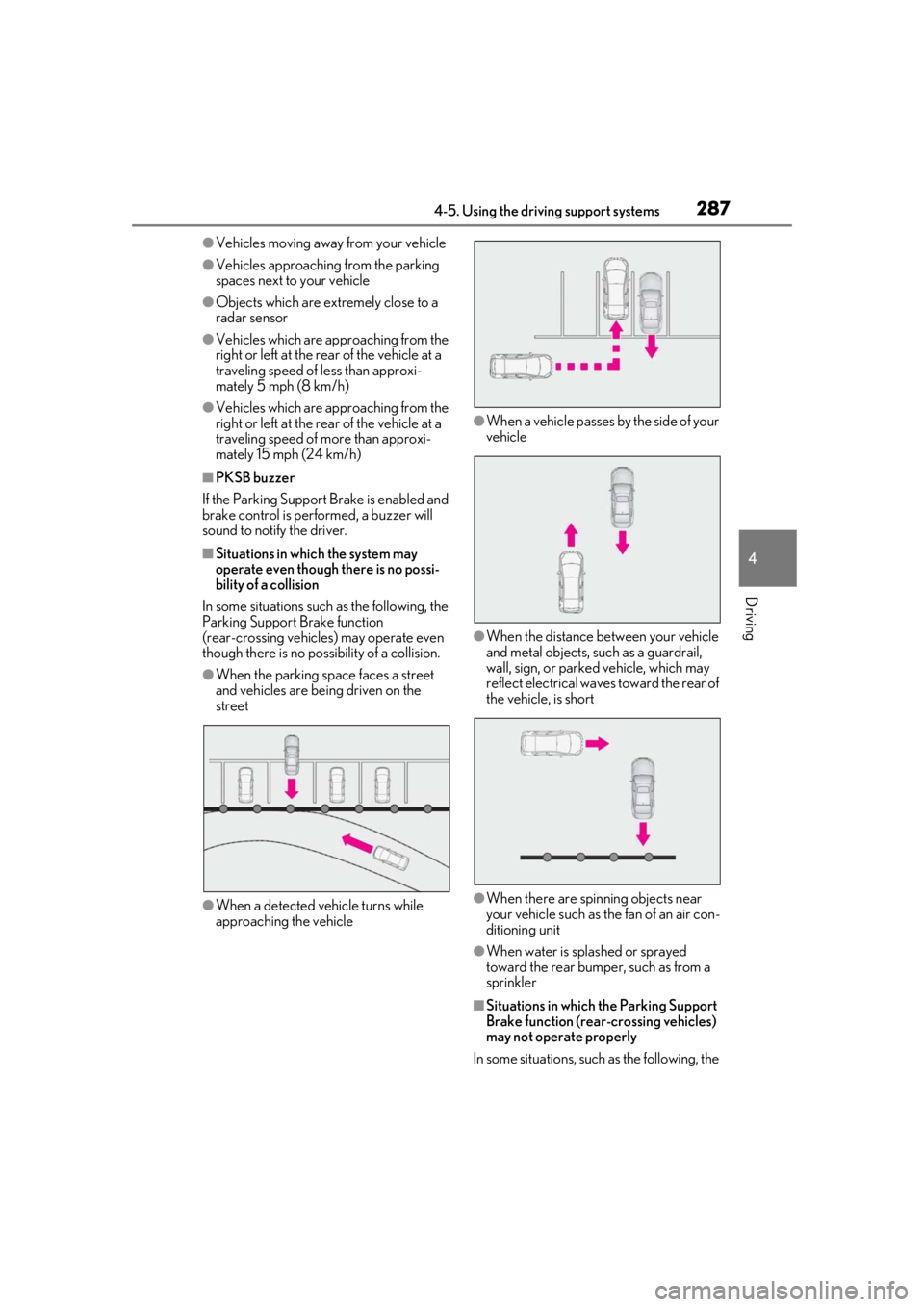
■Situations in which the system may
operate even though there is no possi-
bility of a collision
In some situations such as the following, the
Parking Support Brake function
(rear-crossing vehicles) may operate even
though there is no possibility of a collision.
●When the parking space faces a street
and vehicles are being driven on the
street
●When a detected vehicle turns while
approaching the vehicle
●When a vehicle passes by the side of your
vehicle
●When the distance between your vehicle
and metal objects, such as a guardrail,
wall, sign, or parked vehicle, which may
reflect electrical waves toward the rear of
the vehicle, is short
●When there are spinning objects near
your vehicle such as the fan of an air con-
ditioning unit
●When water is spla shed or sprayed
toward the rear bumper, such as from a
sprinkler
■Situations in which the Parking Support
Brake function (rear-crossing vehicles)
may not operate properly
In some situations, such as the following, the
Page 289 of 516
2894-5. Using the driving support systems
4
Driving
*:If equipped
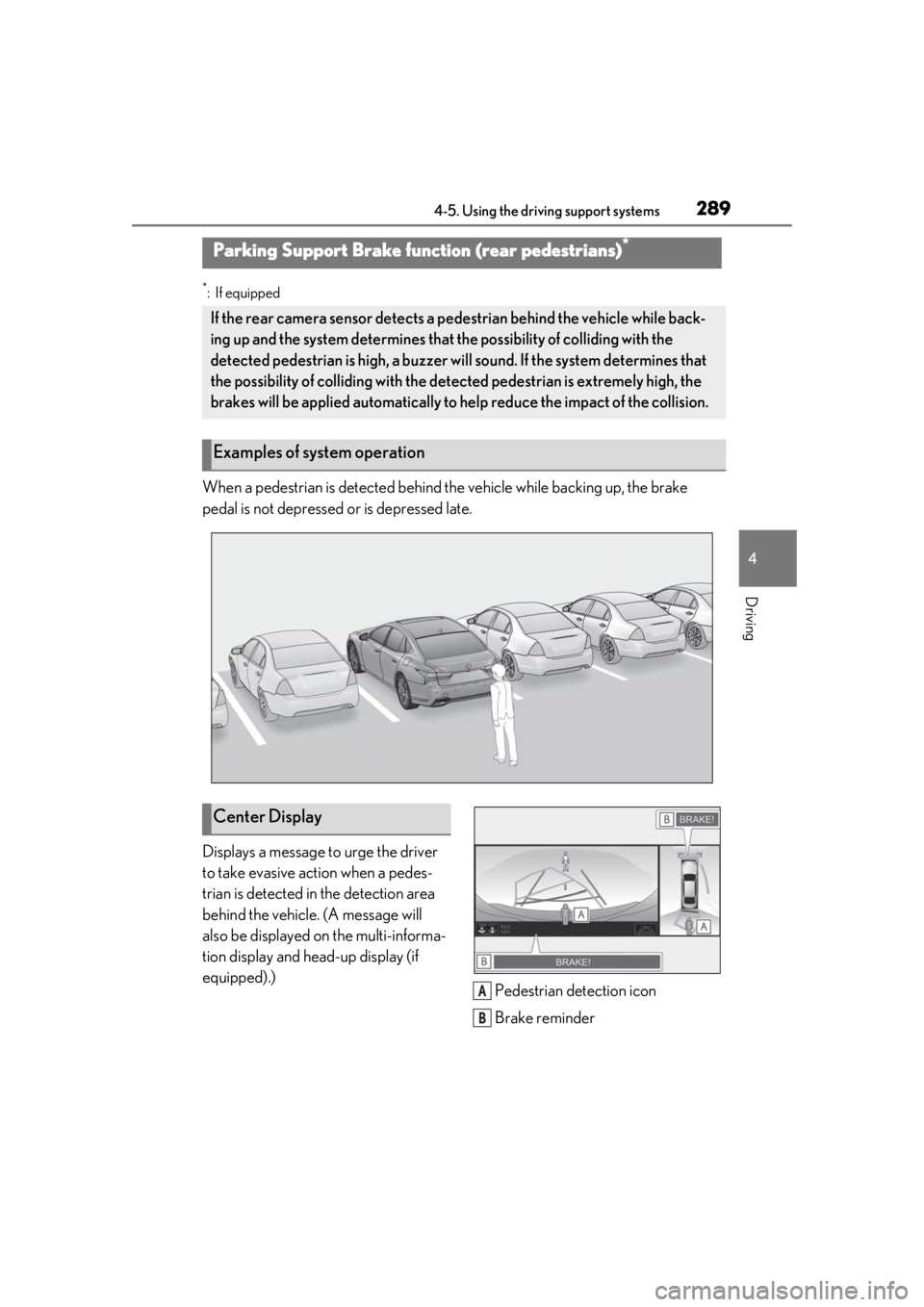
When a pedestrian is detected behind the vehicle while backing up, the brake
pedal is not depressed or is depressed late.
Displays a message to urge the driver
to take evasive action when a pedes-
trian is detected in the detection area
behind the vehicle. (A message will
also be displayed on the multi-informa-
tion display and head-up display (if
equipped).)Pedestrian detection icon
Brake reminder
Parking Support Brake function (rear pedestrians)*
If the rear camera sensor detects a pedestrian behind the vehicle while back-
ing up and the system determines that the possibility of colliding with the
detected pedestrian is high, a buzzer will sound. If the system determines that
the possibility of colliding with the dete cted pedestrian is extremely high, the
brakes will be applied automatically to he lp reduce the impact of the collision.
Examples of system operation
Center Display
A
B
Page 290 of 516
2904-5. Using the driving support systems
■Parking Support Brake function (rear
pedestrians) will operate when
The function will operate when the PKSB
OFF indicator is not illuminated or flashing
( P.69, 70) and all of the following condi-
tions are met:
●Engine output restriction control
• The Parking Support Brake is enabled.
• The vehicle speed is 9 mph (15 km/h) or less.
• The shift position is in R.
• The rear camera sensor detects a pedes- trian behind the vehicle while backing up
and the system determines that the possi-
bility of colliding with the detected
pedestrian is high.
●Brake control
• Engine output restriction control is oper- ating. • The Parking Support Brake determines
that an emergency brake operation is
necessary to avoid a collision with a
pedestrians.
■The Parking Support Brake function
(rear pedestrians) will stop operating
when
The function will stop operating if any of the
following conditions are met:
●Engine output restriction control
• The Parking Support Brake is disabled.
• The collision becomes avoidable with
normal brake operation.
• The pedestrian is no longer detected
behind your vehicle.
●Brake control
• The Parking Support Brake is disabled.
• Approximately 2 seconds have elapsed since the vehicle was stopped by brake
control.
• The brake pedal is depressed after the vehicle is stopped by brake control.
• The pedestrian is no longer detected behind your vehicle.
■Re-enabling the Parking Support Brake
function (rear pedestrians)
P.277
■Detection area of the Parking Support
Brake function (rear pedestrians)
The detection area of the Parking Support
Brake function (rear pedestrians) differs
from the detection area of the RCD func-
tion ( P.271). Therefore, even if the RCD
function detects a pedestrian and provides
an alert, the Parking Support Brake function
(rear pedestrians) may not start operating.
■Situations in which the system may not
operate properly
●Some pedestrians, such as the following,
may not be detected by the Parking Sup-
port Brake function (rear pedestrians),
preventing the function from operating
properly:
• Pedestrians who are bending forward or
squatting
• Pedestrians who are lying down
• Pedestrians who are running
• Pedestrians who suddenly enter the detection area
• People riding a bicycle, skateboard, or
WARNING
■If the Parking Support Brake function
(rear pedestrians) operates unneces-
sarily
Depress the brake pedal immediately
after the Parking Support Brake function
(rear pedestrians) operates. (Operation
of the function is canceled by depressing
the brake pedal.)
■Correct use of the Parking Support
Brake function (rear pedestrians)
Do not overly rely on the Parking Sup-
port Brake function (rear pedestrians).
Depending on the road conditions, vehi-
cle conditions and weather, this function
may not operate correctly. As the detec-
tion performance of the rear camera is
limited, always drive safely, taking care to
observe your surroundings.
Additionally, if the PKSB OFF indictor is
flashing or a warning message is dis-
played on the center display indicating
that the Parking Support Brake function
(rear pedestrians) is unavailable, the
function cannot be used. Even if these
warnings are not output, the driver is
always responsible for paying attention
to the vehicle’s surro undings and driving
safely.
Page 297 of 516
2974-5. Using the driving support systems
4
Driving
■When the vehicle height has been
increased by a control of access mode
Press the vehicle height adjustment switch
with the engine switch in any mode to return
the vehicle to its previous vehicle height.
■Access mode operation
●Access mode will not operate if the vehi-
cle is not parked on a level road surface.
●When the P shift position is selected, if
the doors are not locked and any door is
opened from the outside, exit control will
operate.
●If the doors are locked and unlocked
repeatedly, the system may not operate
temporarily.
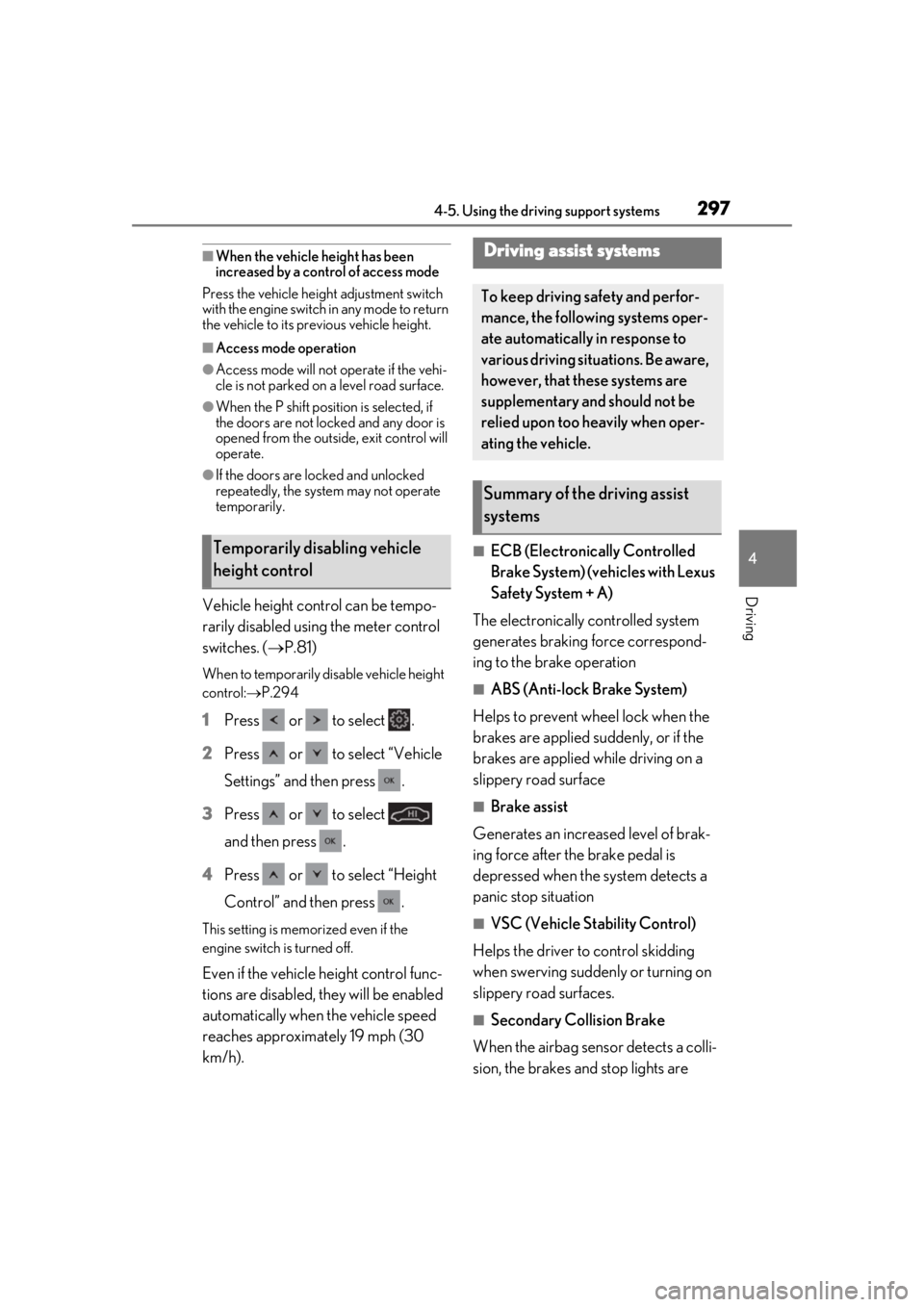
Vehicle height control can be tempo-
rarily disabled using the meter control
switches. ( P.81)
When to temporarily disable vehicle height
control: P.294
1 Press or to select .
2 Press or to select “Vehicle
Settings” and then press .
3 Press or to select
and then press .
4 Press or to select “Height
Control” and then press .
This setting is memorized even if the
engine switch is turned off.
Even if the vehicle height control func-
tions are disabled, they will be enabled
automatically when the vehicle speed
reaches approximately 19 mph (30
km/h).
■ECB (Electronically Controlled
Brake System) (vehicles with Lexus
Safety System + A)
The electronically controlled system
generates braking force correspond-
ing to the brake operation
■ABS (Anti-lock Brake System)
Helps to prevent wheel lock when the
brakes are applied suddenly, or if the
brakes are applied while driving on a
slippery road surface
■Brake assist
Generates an increased level of brak-
ing force after the brake pedal is
depressed when the system detects a
panic stop situation
■VSC (Vehicle Stability Control)
Helps the driver to control skidding
when swerving sudden ly or turning on
slippery road surfaces.
■Secondary Collision Brake
When the airbag sensor detects a colli-
sion, the brakes and stop lights are
Temporarily disabling vehicle
height control
Driving assist systems
To keep driving safety and perfor-
mance, the following systems oper-
ate automatically in response to
various driving situations. Be aware,
however, that these systems are
supplementary and should not be
relied upon too heavily when oper-
ating the vehicle.
Summary of the driving assist
systems
Page 301 of 516
3014-5. Using the driving support systems
4
Driving
(10 km/h) or more and the airbag sensor
detects a collision. (The Secondary Colli-
sion Brake will not operate when the vehicle
speed is below approximately 6 mph [10
km/h].)
■Secondary Collision Brake automatic
cancellation
The Secondary Collision Brake is automati-
cally canceled in the following situations:
●The vehicle speed drops below approxi-
mately 6 mph (10 km/h)
●A certain amount of time elapses during
operation
●The accelerator pedal is depressed a
large amount
■When “Check VGRS System” or
“CHECK DRS” is displayed on the
multi-information display
The VGRS or DRS may not operate prop-
erly. Have the vehicle inspected by your
Lexus dealer.
WARNING
■The ABS does not operate effectively
when
●The limits of tire gripping performance
have been exceeded (such as exces-
sively worn tires on a snow covered
road).
●The vehicle hydroplanes while driving
at high speed on wet or slick roads.
■Stopping distance when the ABS is
operating may exceed that of normal
conditions
The ABS is not designed to shorten the
vehicle’s stopping di stance. Always main-
tain a safe distance from the vehicle in
front of you, especially in the following
situations:
●When driving on dirt, gravel or
snow-covered roads
●When driving with tire chains
●When driving over bumps in the road
●When driving over roads with potholes
or uneven surfaces
■TRAC/VSC may not operate effec-
tively when
Directional control and power may not
be achievable while driving on slippery
road surfaces, even if the TRAC/VSC
system is operating. Drive the vehicle
carefully in conditions where stability and
power may be lost.
■Hill-start assist control does not oper-
ate effectively when
●Do not overly rely on hill-start assist
control. Hill-start assist control may
not operate effectively on steep
inclines and roads covered with ice.
●Unlike the parking brake, hill-start
assist control is not intended to hold
the vehicle stationary for an extended
period of time. Do not attempt to use
hill-start assist control to hold the vehi-
cle on an incline, as doing so may lead
to an accident.
■When the TRAC/VSC is activated
(vehicles without Lexus Safety Sys-
tem + A)
The slip indicator light flashes. Always
drive carefully. Reckless driving may
cause an accident. Exercise particular
care when the indicator light flashes.
■When the TRAC/ABS/VSC is acti-
vated (vehicles with Lexus Safety Sys-
tem + A)
The slip indicator light flashes. Always
drive carefully. Reckless driving may
cause an accident. Exercise particular
care when the indicator light flashes.
■When the TRAC/VSC systems are
turned off
Be especially careful and drive at a speed
appropriate to the road conditions. As
these are the systems to help ensure
vehicle stability and driving force, do not
turn the TRAC/VSC systems off unless
necessary.
Page 363 of 516
3636-1. Maintenance and care
6
Maintenance and care
●Do not use detergent on the brake cali-
pers when they are hot.
●Wash detergent off immediately after
use.
■Bumpers and side moldings
Do not scrub with abrasive cleaners.
■Front side windows water-repellent
coating (if equipped)
●The following precautions can extend the
effectiveness of the water-repellent coat-
ing.
• Remove any dirt, etc. from the front side windows regularly.
• Do not allow dirt and dust to accumulate
on the windows for a long period.
Clean the windows with a soft, damp
cloth as soon as possible.
• Do not use wax or glass cleaners that contain abrasives when cleaning the win-
dows.
• Do not use any metallic objects to remove condensation build up.
●When the water-repellent performance
has become insufficie nt, the coating can
be repaired. Contact your Lexus dealer.
■Plated portions
If dirt cannot be removed, clean the parts as
follows:
●Use a soft cloth dampened with an
approximately 5% solution of neutral
detergent and water to clean the dirt off.
●Wipe the surface with a dry, soft cloth to
remove any remaining moisture.
●To remove oily deposits, use alcohol wet
wipes or a similar product.
WARNING
■When washing the vehicle
Do not apply water to the inside of the
engine compartment. Doing so may
cause the electrical components, etc. to
catch fire.
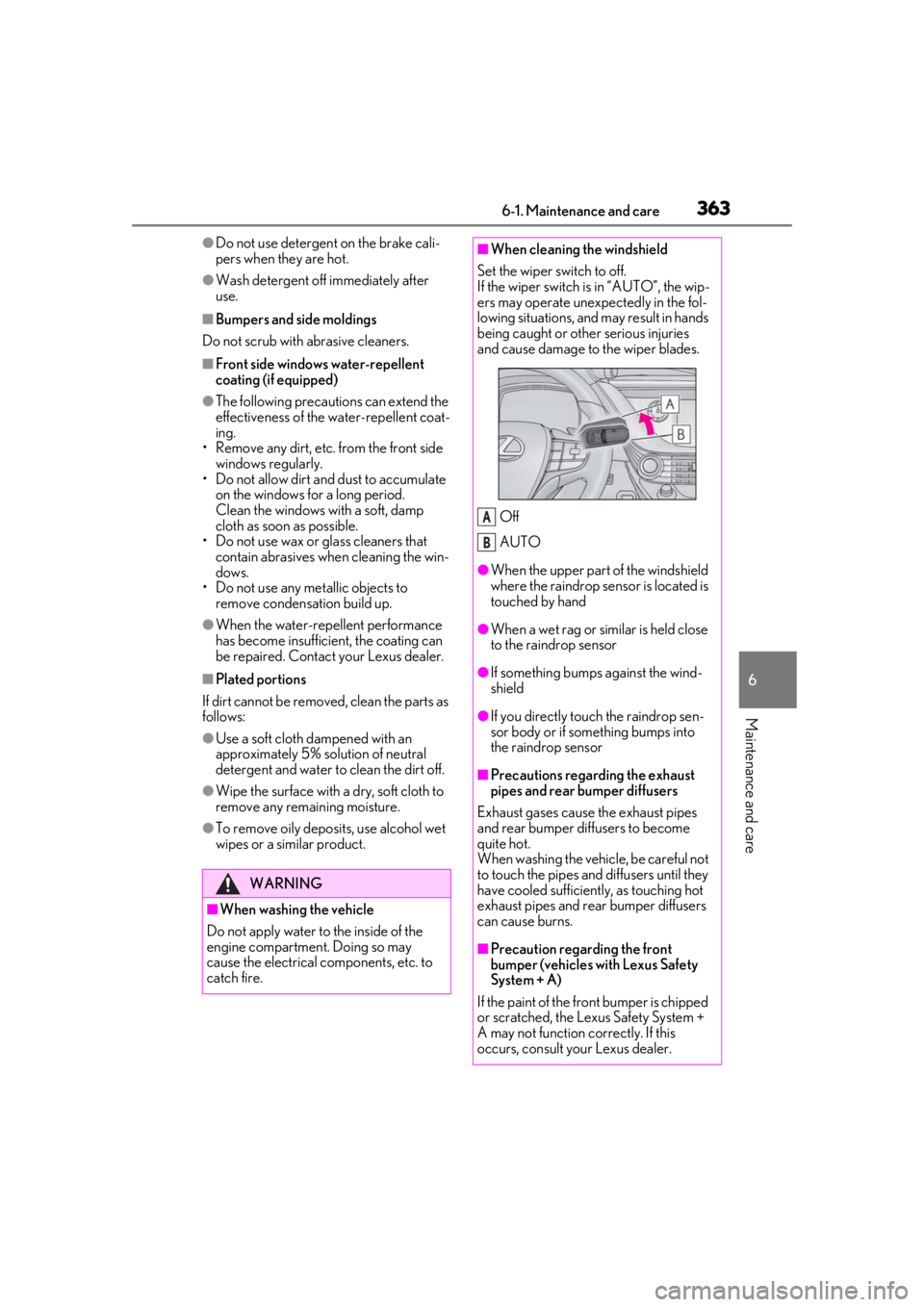
■When cleaning the windshield
Set the wiper switch to off.
If the wiper switch is in “AUTO”, the wip-
ers may operate unexpectedly in the fol-
lowing situations, and may result in hands
being caught or other serious injuries
and cause damage to the wiper blades.
Off
AUTO
●When the upper part of the windshield
where the raindrop sensor is located is
touched by hand
●When a wet rag or similar is held close
to the raindrop sensor
●If something bumps against the wind-
shield
●If you directly touch the raindrop sen-
sor body or if something bumps into
the raindrop sensor
■Precautions regarding the exhaust
pipes and rear bumper diffusers
Exhaust gases cause the exhaust pipes
and rear bumper diffusers to become
quite hot.
When washing the vehicle, be careful not
to touch the pipes and diffusers until they
have cooled sufficiently, as touching hot
exhaust pipes and rear bumper diffusers
can cause burns.
■Precaution regarding the front
bumper (vehicles with Lexus Safety
System + A)
If the paint of the front bumper is chipped
or scratched, the Le xus Safety System +
A may not function correctly. If this
occurs, consult your Lexus dealer.
A
B
Page 426 of 516
4247-2. Steps to take in an emergency
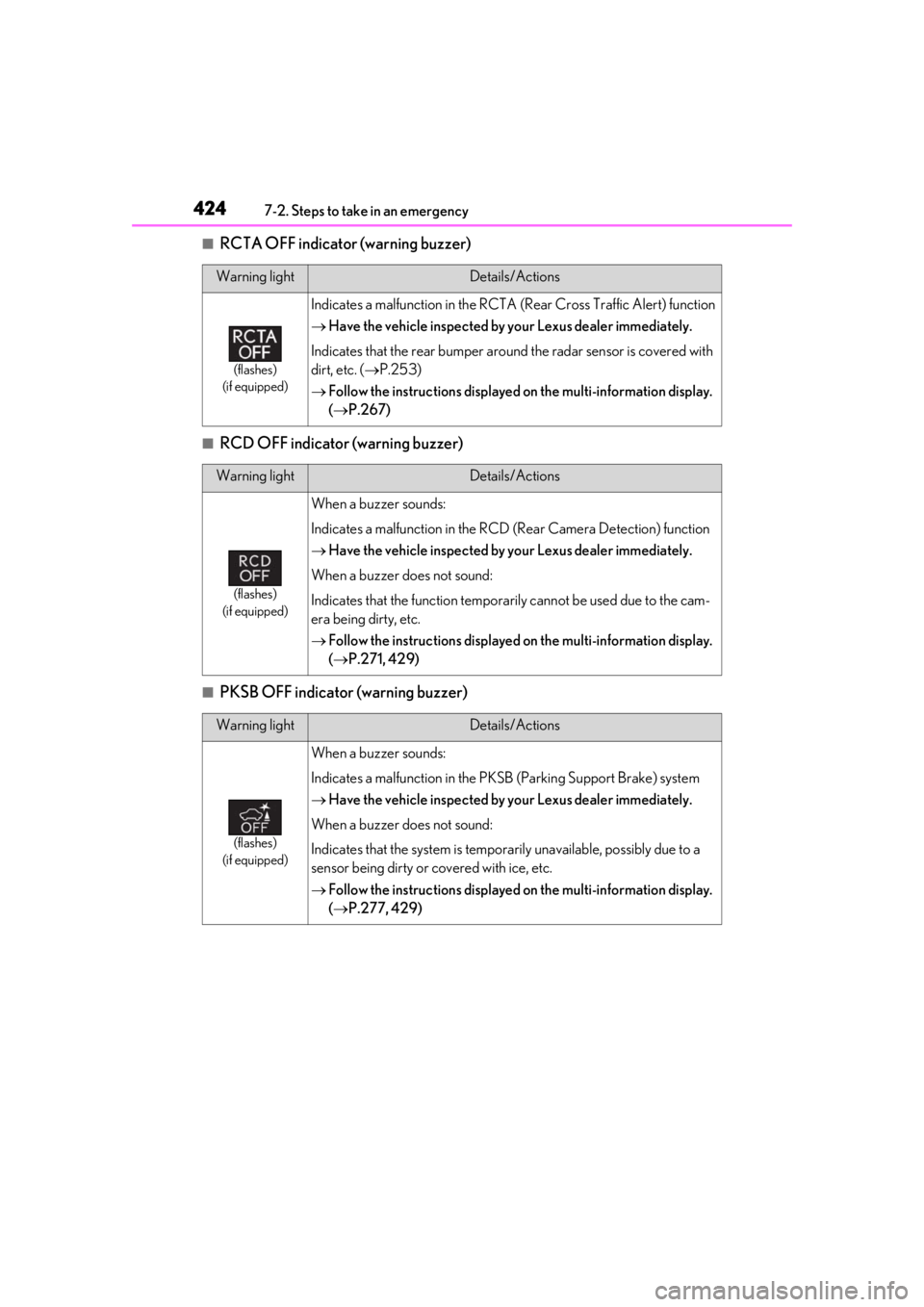
■RCTA OFF indicator (warning buzzer)
■RCD OFF indicator (warning buzzer)
■PKSB OFF indicator (warning buzzer)
Warning lightDetails/Actions
(flashes)
(if equipped)
Indicates a malfunction in the RCTA (Rear Cross Traffic Alert) function
Have the vehicle inspected by your Lexus dealer immediately.
Indicates that the rear bumper around the radar sensor is covered with
dirt, etc. ( P.253)
Follow the instructions displayed on the multi-information display.
( P.267)
Warning lightDetails/Actions
(flashes)
(if equipped)
When a buzzer sounds:
Indicates a malfunction in the RCD (Rear Camera Detection) function
Have the vehicle inspected by your Lexus dealer immediately.
When a buzzer does not sound:
Indicates that the function temporarily cannot be used due to the cam-
era being dirty, etc.
Follow the instructions displayed on the multi-information display.
( P.271, 429)
Warning lightDetails/Actions
(flashes)
(if equipped)
When a buzzer sounds:
Indicates a malfunction in the PK SB (Parking Support Brake) system
Have the vehicle inspected by your Lexus dealer immediately.
When a buzzer does not sound:
Indicates that the system is temporarily unavailable, possibly due to a
sensor being dirty or covered with ice, etc.
Follow the instructions displayed on the multi-information display.
( P.277, 429)
Page 428 of 516

4267-2. Steps to take in an emergency
■Brake hold operated indicator (warning buzzer)
■Master warning light (warning buzzer)
■Warning buzzer
In some cases, the bu zzer may not be heard
due to being in a noisy location or audio
sound.
■Front passenger detection sensor, seat
belt reminder and warning buzzer
●If luggage is placed on the front passen-
ger seat, the front passenger detection
sensor may cause th e warning light to
flash and the warning buzzer to sound
even if a passenger is not sitting in the
seat.
●If a cushion is placed on the seat, the sen-
sor may not detect a passenger, and the
warning light may not operate properly.
■SRS warning light
This warning light system monitors the air-
bag sensor assembly, Pop Up Hood com-
puter assembly, front impact sensors, side
impact sensors (front door), side impact
sensors (front), side impact sensors (rear),
driver’s seat position sensor, driver’s seat
belt buckle switch, front passenger occu-
pant classification system (ECU and sen-
sors), rear seat belt buckle switches (if
equipped), “AIR BAG ON” indicator light,
“AIR BAG OFF” indicator light, front pas-
senger’s seat belt buc kle switch, seat belt
pretensioners, airbags, interconnecting wir-
ing and power sources. ( P.29)
■If the malfunction indicator lamp comes
on while driving
First check the following:
●Is the fuel tank empty?
If it is, fill the fuel tank immediately.
●Is the fuel tank cap loose?
If it is, tighten it securely.
The light will go off after several driving
trips.
If the light does not go off even after several
trips, contact your Lexus dealer as soon as
possible.
■Electric power steering system warning
light (warning buzzer)
When the battery charge becomes insuffi-
cient or the voltage temporarily drops, the
electric power steering system warning
light may come on and the warning buzzer
may sound.
■When the tire pressure warning light
comes on
Inspect the tires to check if a tire is punc-
tured.
If a tire is punctured: P.433
If none of the tires are punctured:
Turn the engine switch off then turn it to
IGNITION ON mode. Check if the tire
pressure warning light comes on or blinks.
If the tire pressure warning light blinks for
approximately 1 minute then stays on
There may be a malfunction in the tire
Warning lightDetails/Actions
(flashes)
Indicates a malfunction in the brake hold system
Have the vehicle inspected by your Lexus dealer immediately.
Warning lightDetails/Actions
A buzzer sounds and the warning light comes on and flashes to indicate
that the master warning system has detected a malfunction.
P.429
Page 499 of 516

497What to do if... (Troubleshooting)
In this case, the engine can be started in a
temporary way. (P.438)
Is the battery discharged?
( P.439)
It is locked automatically to prevent
theft of the vehicle. ( P.165)
Is the window lock switch pressed?
The power window except for the one at
the driver’s seat cannot be operated if the
window lock switch is pressed. ( P.145)
The auto power off function will be
operated if the vehicle is left in
ACCESSORY mode for a period of
time. ( P.168)
The seat belt reminder light is flash-
ing
Are the driver and the front passenger
wearing the seat belts? ( P.422)
The parking brake indicator is on
Is the parking brake released? ( P.176)
Depending on the situation, other
types of warning buzzer may also sound. (
P.419, 429)
Did anyone inside the vehicle open
a door during setting the alarm?
The sensor detects it and the alarm sounds.
( P.65)
Do one of the following to deactivate
or stop the alarms:
Unlock the doors.
Turn the engine switch to ACCES-
SORY or IGNITION ON mode, or
start the engine. (The alarm will be
deactivated or stopped after a few
seconds.)
Is the message displayed on the
multi-information display?
Check the message on the multi-informa-
tion display. ( P.429)
When a warning light turns on or a
warning message is displayed, refer
to P.419, 429.
The steering wheel cannot be
turned after the engine is
stopped
The windows do not open or
close by operating the power
window switches
The engine switch is turned off
automatically
A warning buzzer sounds during
driving
An alarm is activated and the
horn sounds
A warning buzzer sounds when
leaving the vehicle
A warning light turns on or a
warning message is displayed
When a problem has occurred
If you have a flat tire