battery LEXUS LS500 2021 Owner's Manual
[x] Cancel search | Manufacturer: LEXUS, Model Year: 2021, Model line: LS500, Model: LEXUS LS500 2021Pages: 520, PDF Size: 9.81 MB
Page 181 of 520
1814-2. Driving procedures
4
Driving
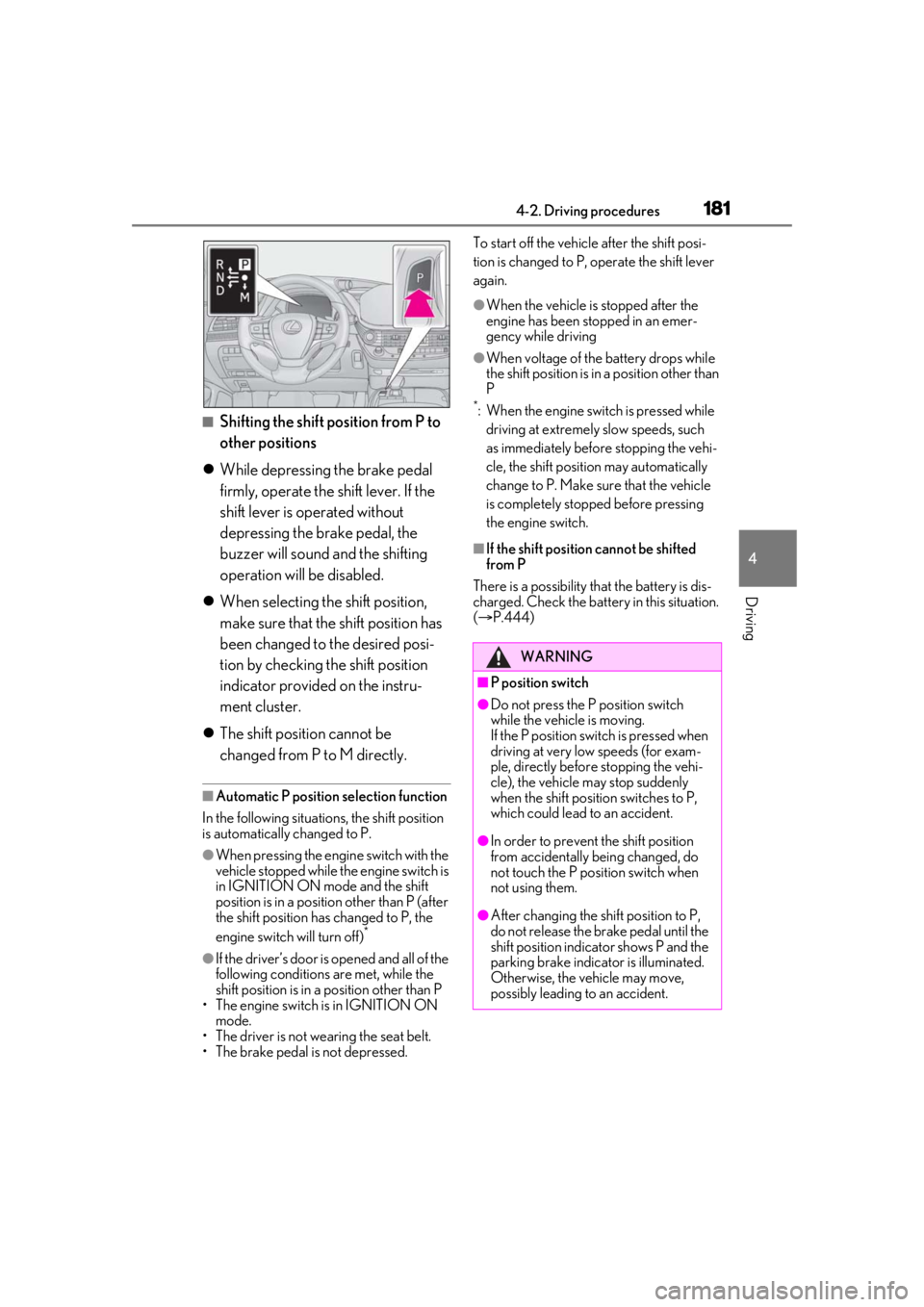
■Shifting the shift position from P to
other positions
While depressing the brake pedal
firmly, operate the shift lever. If the
shift lever is operated without
depressing the brake pedal, the
buzzer will sound and the shifting
operation will be disabled.
When selecting the shift position,
make sure that the shift position has
been changed to the desired posi-
tion by checking the shift position
indicator provided on the instru-
ment cluster.
The shift position cannot be
changed from P to M directly.
■Automatic P position selection function
In the following situations, the shift position
is automatically changed to P.
●When pressing the engine switch with the
vehicle stopped while the engine switch is
in IGNITION ON mode and the shift
position is in a position other than P (after
the shift position has changed to P, the
engine switch will turn off)
*
●If the driver’s door is opened and all of the
following conditions are met, while the
shift position is in a position other than P
• The engine switch is in IGNITION ON mode.
• The driver is not wearing the seat belt.
• The brake pedal is not depressed. To start off the vehicle after the shift posi-
tion is changed to P, operate the shift lever
again.
●When the vehicle is stopped after the
engine has been stopped in an emer-
gency while driving
●When voltage of the battery drops while
the shift position is in a position other than
P
*: When the engine switch is pressed while
driving at extremely slow speeds, such
as immediately before stopping the vehi-
cle, the shift position may automatically
change to P. Make su re that the vehicle
is completely stopped before pressing
the engine switch.
■If the shift position cannot be shifted
from P
There is a possibility th at the battery is dis-
charged. Check the batter y in this situation.
( P.444)
WARNING
■P position switch
●Do not press the P position switch
while the vehicle is moving.
If the P position switch is pressed when
driving at very low speeds (for exam-
ple, directly before stopping the vehi-
cle), the vehicle may stop suddenly
when the shift position switches to P,
which could lead to an accident.
●In order to prevent the shift position
from accidentally being changed, do
not touch the P position switch when
not using them.
●After changing the shift position to P,
do not release the brake pedal until the
shift position indicator shows P and the
parking brake indicator is illuminated.
Otherwise, the vehicle may move,
possibly leading to an accident.
Page 191 of 520
1914-3. Operating the lights and wipers
4
Driving
and illuminate brighter than the parking
lights.
●To make your vehicle more visible to
other drivers during daytime driving, the
daytime running lights turn on automati-
cally when all of the following conditions
are met. (The daytime running lights are
not designed for use at night.)
• The engine is running
• The parking brake is released
• The headlight switch is in the or
* position
*: When the surroundings are bright
The daytime running lights remain on after
they illuminate, even if the parking brake is
set again.
●For the U.S.A.: Dayt ime running lights
can be turned off by operating the switch.
●Compared to turning on the headlights,
the daytime running light system offers
greater durability and consumes less
electricity, so it can help improve fuel
economy.
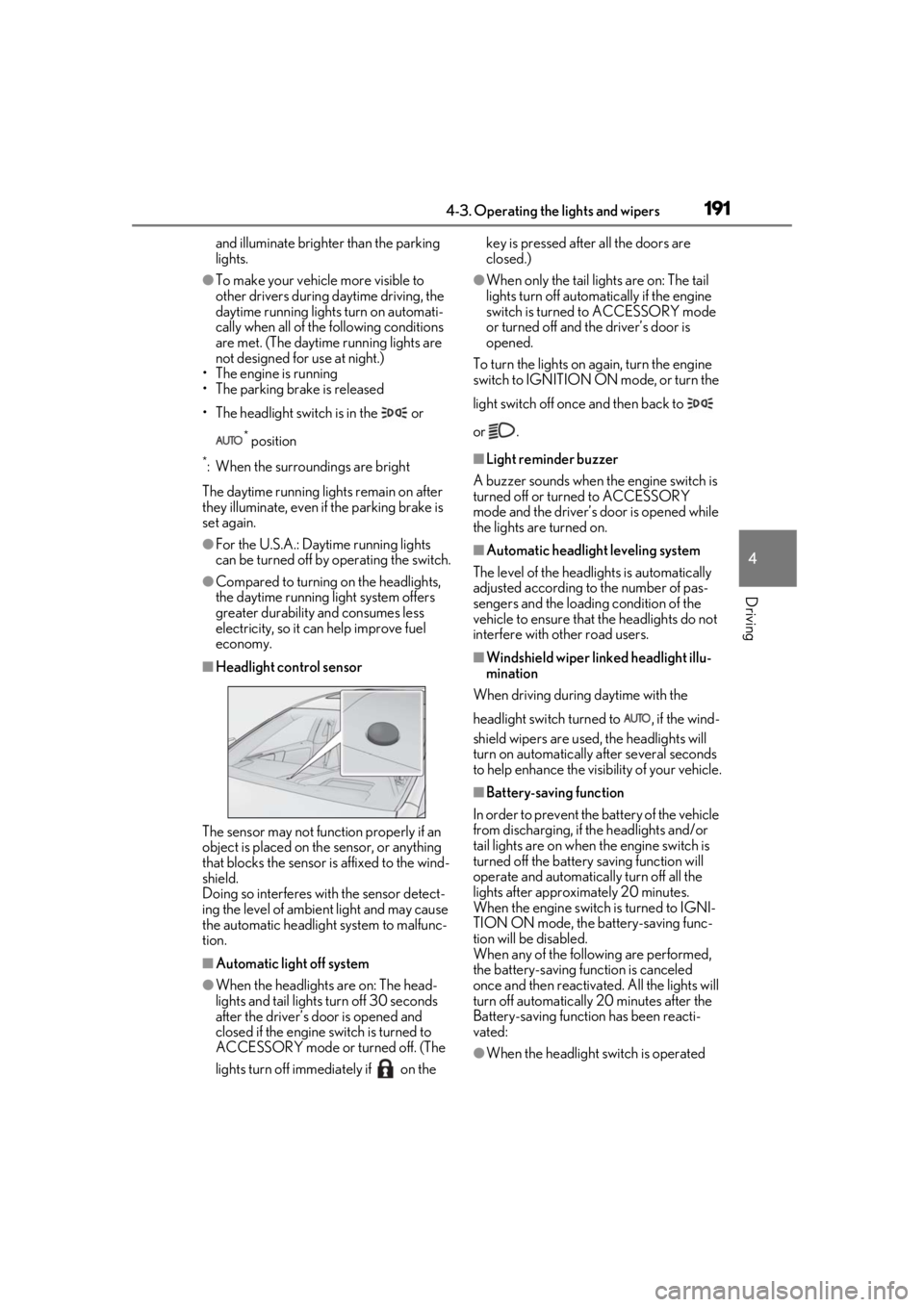
■Headlight control sensor
The sensor may not function properly if an
object is placed on th e sensor, or anything
that blocks the sensor is affixed to the wind-
shield.
Doing so interferes with the sensor detect-
ing the level of ambient light and may cause
the automatic headlight system to malfunc-
tion.
■Automatic light off system
●When the headlights are on: The head-
lights and tail lights turn off 30 seconds
after the driver’s door is opened and
closed if the engine switch is turned to
ACCESSORY mode or turned off. (The
lights turn off immediately if on the key is pressed after all the doors are
closed.)
●When only the tail lights are on: The tail
lights turn off automatically if the engine
switch is turned to ACCESSORY mode
or turned off and the driver’s door is
opened.
To turn the lights on again, turn the engine
switch to IGNITION ON mode, or turn the
light switch off once and then back to
or .
■Light reminder buzzer
A buzzer sounds when the engine switch is
turned off or turned to ACCESSORY
mode and the driver’s door is opened while
the lights are turned on.
■Automatic headlight leveling system
The level of the headlights is automatically
adjusted according to the number of pas-
sengers and the loadin g condition of the
vehicle to ensure that the headlights do not
interfere with other road users.
■Windshield wiper linked headlight illu-
mination
When driving during daytime with the
headlight switch turned to , if the wind-
shield wipers are used, the headlights will
turn on automatically after several seconds
to help enhance the visibility of your vehicle.
■Battery-saving function
In order to prevent the battery of the vehicle
from discharging, if the headlights and/or
tail lights are on when the engine switch is
turned off the battery saving function will
operate and automatically turn off all the
lights after approximately 20 minutes.
When the engine switch is turned to IGNI-
TION ON mode, the battery-saving func-
tion will be disabled.
When any of the following are performed,
the battery-saving function is canceled
once and then reactivated. All the lights will
turn off automatically 20 minutes after the
Battery-saving function has been reacti-
vated:
●When the headlight switch is operated
Page 192 of 520
1924-3. Operating the lights and wipers
●When a door or the trunk is opened or
closed
■Welcome light illumination control
The parking lights and tail lights automati-
cally turn on at night when the doors are
unlocked using the entry function or wire-
less remote control if the light switch is in
the position.
■Customization
Some functions can be customized.
( P.476)
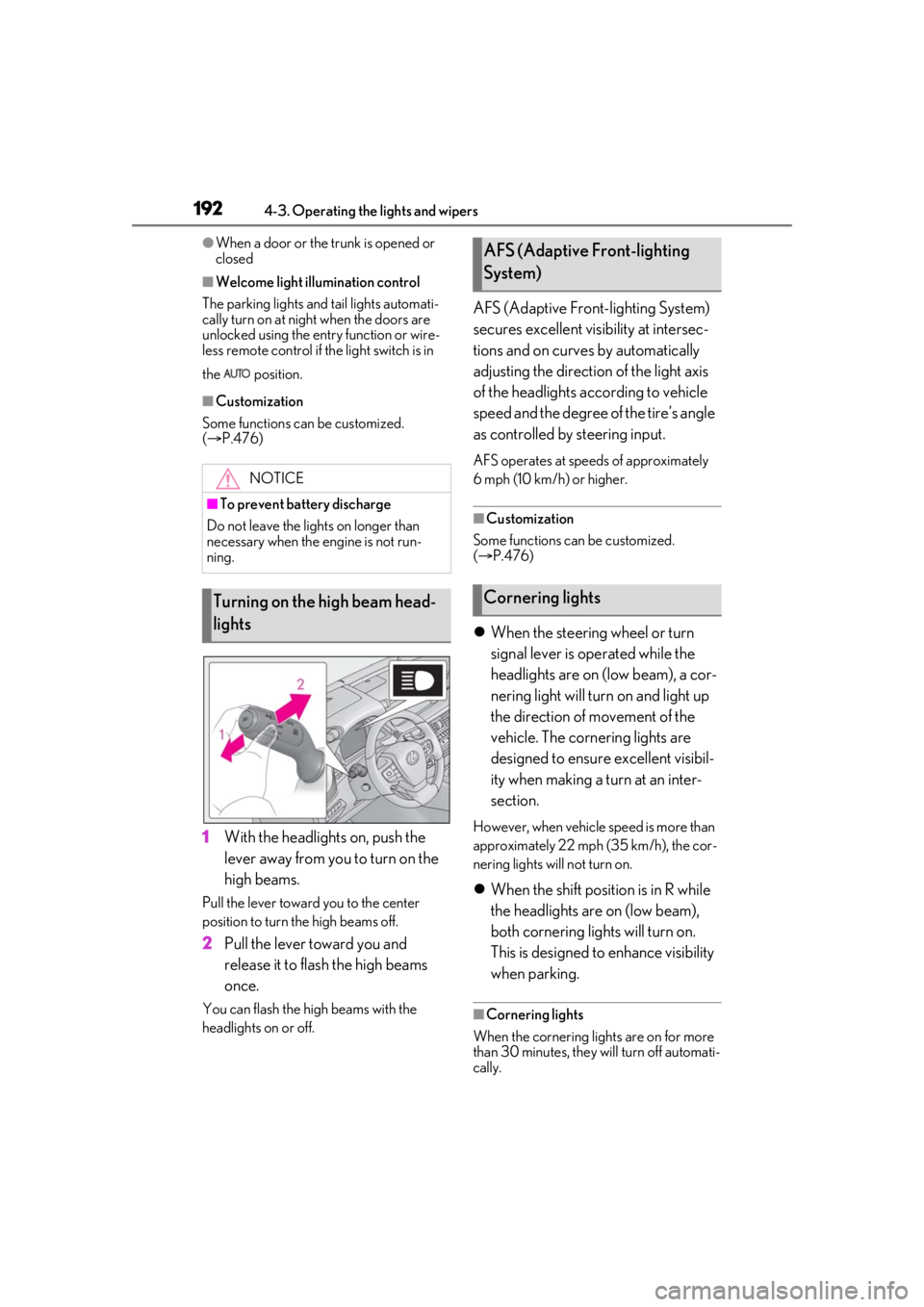
1 With the headlights on, push the
lever away from you to turn on the
high beams.
Pull the lever toward you to the center
position to turn the high beams off.
2Pull the lever toward you and
release it to flash the high beams
once.
You can flash the high beams with the
headlights on or off.
AFS (Adaptive Front-lighting System)
secures excellent visibility at intersec-
tions and on curves by automatically
adjusting the direction of the light axis
of the headlights according to vehicle
speed and the degree of the tire’s angle
as controlled by steering input.
AFS operates at speeds of approximately
6 mph (10 km/h) or higher.
■Customization
Some functions can be customized.
( P.476)
When the steering wheel or turn
signal lever is operated while the
headlights are on (low beam), a cor-
nering light will turn on and light up
the direction of movement of the
vehicle. The cornering lights are
designed to ensure excellent visibil-
ity when making a turn at an inter-
section.
However, when vehicle speed is more than
approximately 22 mph (35 km/h), the cor-
nering lights will not turn on.
When the shift position is in R while
the headlights are on (low beam),
both cornering lights will turn on.
This is designed to enhance visibility
when parking.
■Cornering lights
When the cornering lights are on for more
than 30 minutes, they will turn off automati-
cally.
NOTICE
■To prevent battery discharge
Do not leave the lights on longer than
necessary when the engine is not run-
ning.
Turning on the high beam head-
lights
AFS (Adaptive Front-lighting
System)
Cornering lights
Page 221 of 520
2214-5. Using the driving support systems
4
Driving
●Intersection right/left turn assistance (pre-collision braking)
When the turn signal lights are not flashing, support for turning left or right at an intersec-
tion which targets oncoming vehicles does not work.
The system may not operate in the following situations:
●If a battery terminal has been disconnected and reconnected and then the vehicle has not
been driven for a certain amount of time
●If the shift position is in R
●When the VSC OFF indicator is illuminated (only the pedest rian alert and pre-collision
warning function will be operational)
●When there is insufficient safe or unobstructed space for the vehicle to be steered into
●When an object is approaching the area the vehicle is to be steered into
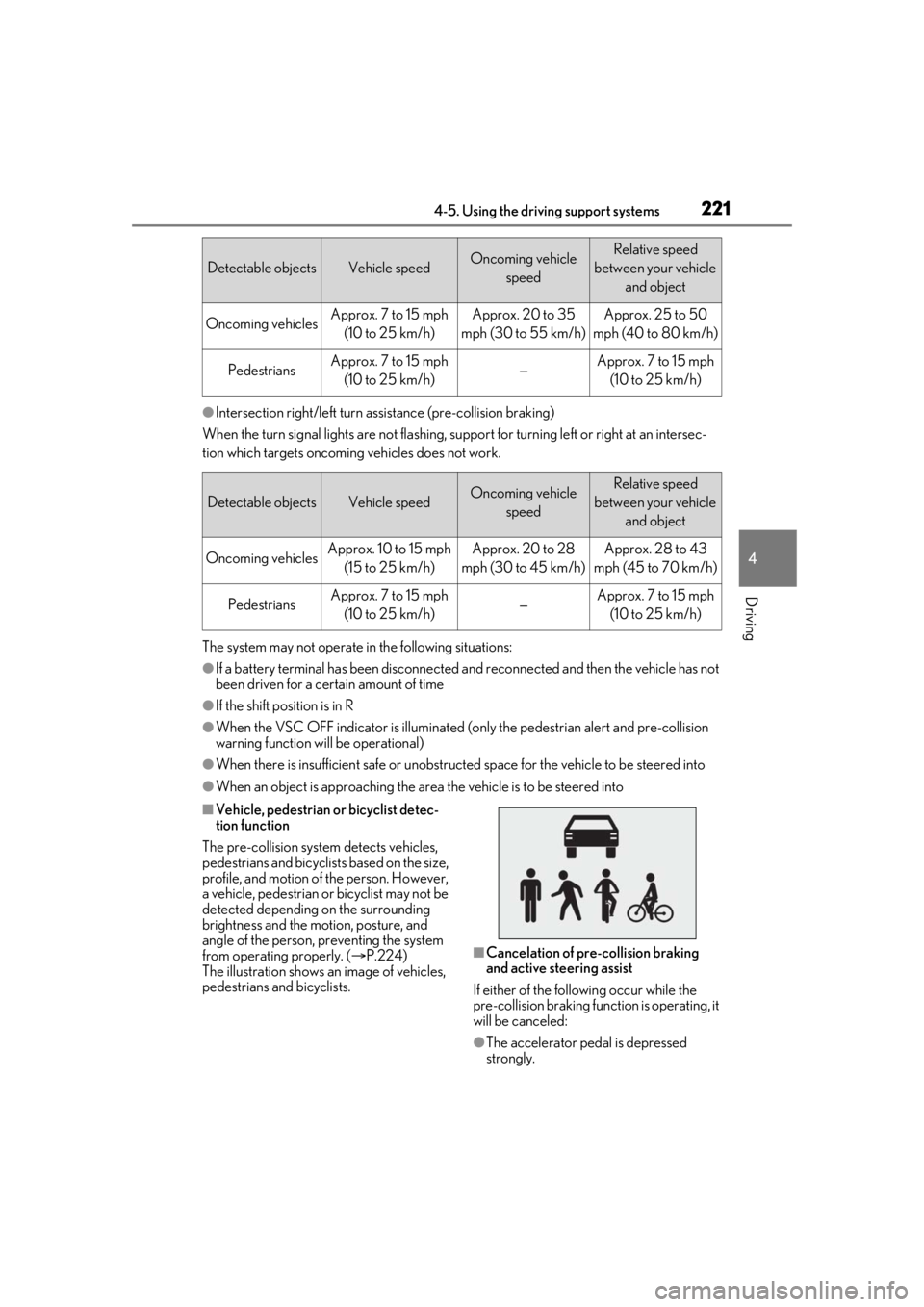
■Vehicle, pedestrian or bicyclist detec-
tion function
The pre-collision system detects vehicles,
pedestrians and bicyclists based on the size,
profile, and motion of the person. However,
a vehicle, pedestrian or bicyclist may not be
detected depending on the surrounding
brightness and the motion, posture, and
angle of the person, preventing the system
from operating properly. ( P.224)
The illustration shows an image of vehicles,
pedestrians and bicyclists.
■Cancelation of pre-collision braking
and active steering assist
If either of the following occur while the
pre-collision braking function is operating, it
will be canceled:
●The accelerator pedal is depressed
strongly.
Detectable objectsVehicle speedOncoming vehicle speedRelative speed
between your vehicle and object
Oncoming vehiclesApprox. 7 to 15 mph (10 to 25 km/h)Approx. 20 to 35
mph (30 to 55 km/h)Approx. 25 to 50
mph (40 to 80 km/h)
PedestriansApprox. 7 to 15 mph (10 to 25 km/h)—Approx. 7 to 15 mph (10 to 25 km/h)
Detectable objectsVehicle speedOncoming vehicle speedRelative speed
between your vehicle and object
Oncoming vehiclesApprox. 10 to 15 mph (15 to 25 km/h)Approx. 20 to 28
mph (30 to 45 km/h)Approx. 28 to 43
mph (45 to 70 km/h)
PedestriansApprox. 7 to 15 mph (10 to 25 km/h)—Approx. 7 to 15 mph (10 to 25 km/h)
Page 231 of 520
2314-5. Using the driving support systems
4
Driving
●Pre-collision brake assist
●Pre-collision braking
The system may not operate in the following situations:
●If a battery terminal has been disconnected and reconnected and then the vehicle has not
been driven for a certain amount of time
●If the shift position is in R
●When the VSC OFF indicator is illuminated (only the pre-collision warning function will
be operational)
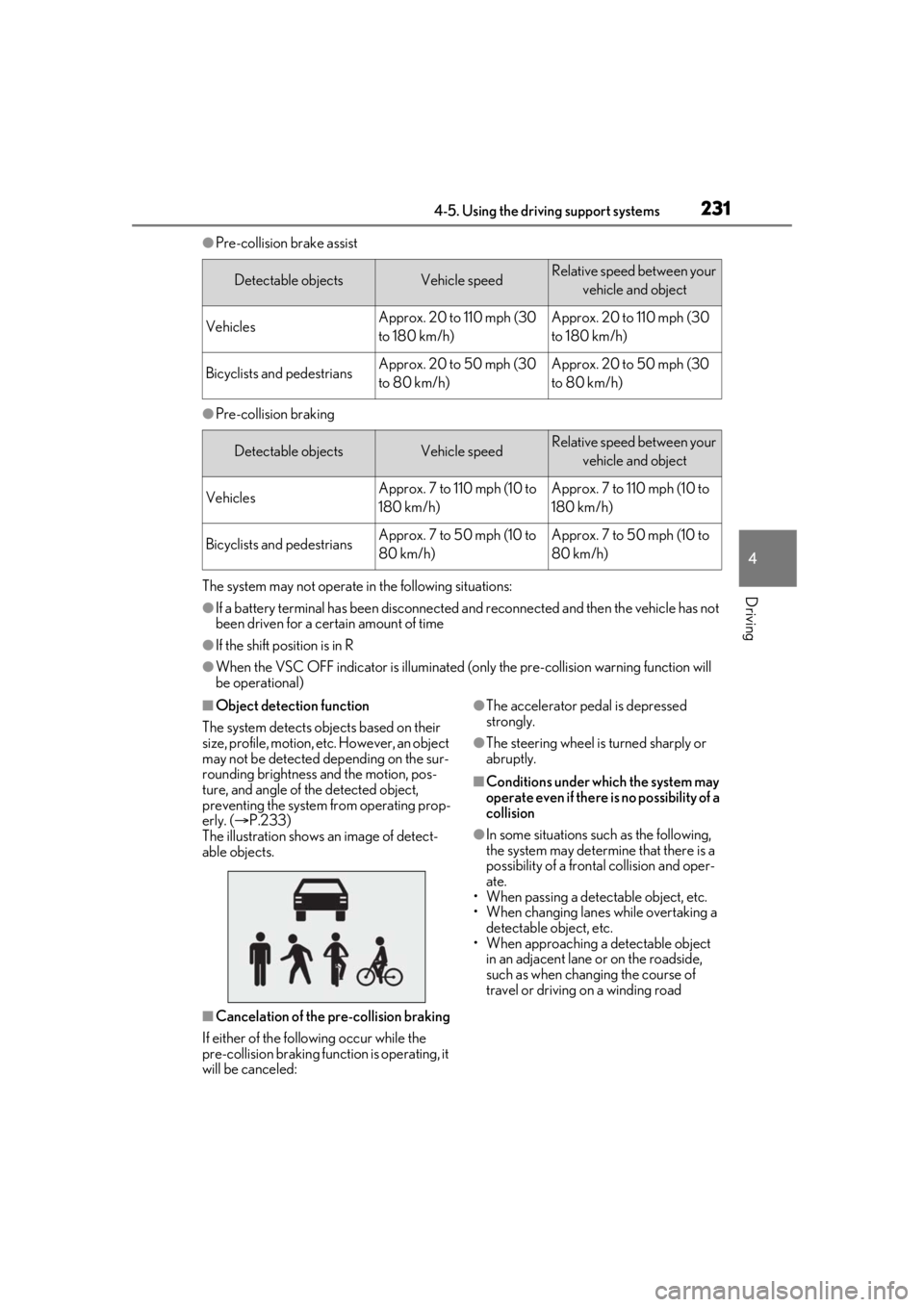
■Object detection function
The system detects ob jects based on their
size, profile, motion, etc. However, an object
may not be detected depending on the sur-
rounding brightness and the motion, pos-
ture, and angle of the detected object,
preventing the system from operating prop-
erly. ( P.233)
The illustration shows an image of detect-
able objects.
■Cancelation of the pre-collision braking
If either of the following occur while the
pre-collision braking function is operating, it
will be canceled:
●The accelerator pedal is depressed
strongly.
●The steering wheel is turned sharply or
abruptly.
■Conditions under which the system may
operate even if there is no possibility of a
collision
●In some situations su ch as the following,
the system may determine that there is a
possibility of a frontal collision and oper-
ate.
• When passing a detectable object, etc.
• When changing lanes while overtaking a detectable object, etc.
• When approaching a detectable object in an adjacent lane or on the roadside,
such as when changing the course of
travel or driving on a winding road
Detectable objectsVehicle speedRelative speed between your
vehicle and object
VehiclesApprox. 20 to 110 mph (30
to 180 km/h)Approx. 20 to 110 mph (30
to 180 km/h)
Bicyclists and pedestriansApprox. 20 to 50 mph (30
to 80 km/h)Approx. 20 to 50 mph (30
to 80 km/h)
Detectable objectsVehicle speedRelative speed between your vehicle and object
VehiclesApprox. 7 to 110 mph (10 to
180 km/h)Approx. 7 to 110 mph (10 to
180 km/h)
Bicyclists and pedestriansApprox. 7 to 50 mph (10 to
80 km/h)Approx. 7 to 50 mph (10 to
80 km/h)
Page 275 of 520

2754-5. Using the driving support systems
4
Driving
■If a battery terminal has been discon-
nected and reconnected
The system needs to be initialized. To initial-
ize the system, drive the vehicle straight
ahead for 5 seconds or more at a speed of
approximately 22 mph (35 km/h) or more.
Additionally, for vehicles with the Parking
Support Brake function, turn the steering
wheel fully to the left and right with the vehi-
cle stopped.
■Sensor detectio n information
●The following situations may occur
during use.
• The sensors may be able to only detect
objects near the front and rear bumpers.
• Depending on the shape of the object and other factors, the detection distance
may shorten, or detection may be impos-
sible.
• There will be a short delay between
object detection and display. Even at low
speeds, there is a possibility that the
object will come within the sensor’s
detection areas before the display is
shown and the warning beep sounds.
• It might be difficult to hear the buzzer due
to the volume of the audio system or air
flow noise of the air conditioning system.
• It may be difficult to hear the buzzer if
buzzers for other systems are sounding.
■Conditions under which the function
may not function correctly
Certain vehicle conditions and the sur-
rounding environment may affect the ability
of a sensor to correctly detect objects. Par-
ticular instances where this may occur are
listed below.
●There is dirt, snow, water drops or ice on
a sensor. (Cleaning the sensors will
resolve this problem.)
●A sensor is frozen. (Thawing the area will
resolve this problem.)
In especially cold weather, if a sensor is
frozen the sensor display may be dis-
played abnormally, or objects, such as a
wall, may not be detected.
●A sensor is covered in any way.
●When a sensor or the area around a sen-
sor is extremely hot or cold.
●On an extremely bumpy road, on an incline, on gravel, or on grass.
●The vicinity of the vehicle is noisy due to
vehicle horns, motorcycle engines, air
brakes of large vehicles, or other loud
noises producing ultrasonic waves.
●There is another vehicle equipped with
parking assist sensors in the vicinity.
●A sensor is coated with a sheet of spray
or heavy rain.
●If a sensor is hit by a large amount of
water, such as when driving on a flooded
road.
●If the vehicle is significantly tilted.
●The vehicle is approaching a tall or
curved curb.
●If objects draw too close to the sensor.
■Objects which may not be properly
detected
The shape of the object may prevent the
sensor from detectin g it. Pay particular
attention to the following objects:
●Wires, fences, ropes, etc.
●Cotton, snow and other materials that
absorb sound waves
●Sharply-angled objects
●Low objects
●Tall objects with upper sections project-
ing outwards in the direction of your vehi-
cle
People may not be de tected if they are
wearing certain types of clothing.
Page 287 of 520
2874-5. Using the driving support systems
4
Driving
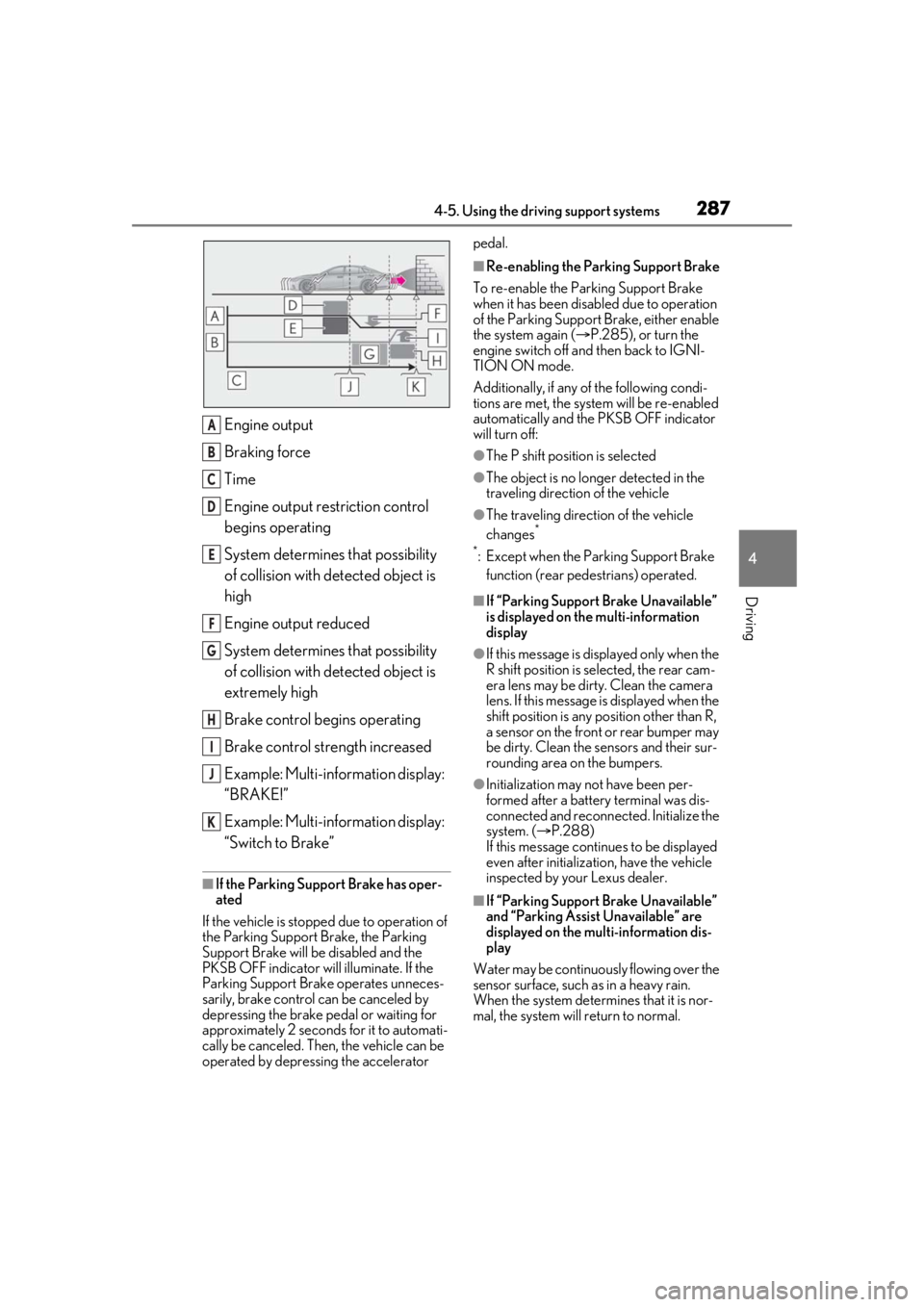
Engine output
Braking force
Time
Engine output restriction control
begins operating
System determines that possibility
of collision with detected object is
high
Engine output reduced
System determines that possibility
of collision with detected object is
extremely high
Brake control begins operating
Brake control strength increased
Example: Multi-information display:
“BRAKE!”
Example: Multi-information display:
“Switch to Brake”
■If the Parking Support Brake has oper-
ated
If the vehicle is stopped due to operation of
the Parking Support Brake, the Parking
Support Brake will be disabled and the
PKSB OFF indicator will illuminate. If the
Parking Support Brake operates unneces-
sarily, brake control can be canceled by
depressing the brake pedal or waiting for
approximately 2 seconds for it to automati-
cally be canceled. Then, the vehicle can be
operated by depressing the accelerator pedal.
■Re-enabling the Parking Support Brake
To re-enable the Parking Support Brake
when it has been disabled due to operation
of the Parking Support Brake, either enable
the system again ( P.285), or turn the
engine switch off and then back to IGNI-
TION ON mode.
Additionally, if any of the following condi-
tions are met, the system will be re-enabled
automatically and the PKSB OFF indicator
will turn off:
●The P shift position is selected
●The object is no longer detected in the
traveling direction of the vehicle
●The traveling direction of the vehicle
changes*
*
: Except when the Parking Support Brake function (rear pedestrians) operated.
■If “Parking Support Brake Unavailable”
is displayed on th e multi-information
display
●If this message is di splayed only when the
R shift position is selected, the rear cam-
era lens may be dirty. Clean the camera
lens. If this message is displayed when the
shift position is any position other than R,
a sensor on the front or rear bumper may
be dirty. Clean the sensors and their sur-
rounding area on the bumpers.
●Initialization may not have been per-
formed after a battery terminal was dis-
connected and reconnected. Initialize the
system. ( P.288)
If this message continues to be displayed
even after initializati on, have the vehicle
inspected by your Lexus dealer.
■If “Parking Support Brake Unavailable”
and “Parking Assist Unavailable” are
displayed on the multi-information dis-
play
Water may be continuous ly flowing over the
sensor surface, such as in a heavy rain.
When the system determines that it is nor-
mal, the system will return to normal.
A
B
C
D
E
F
G
H
I
J
K
Page 288 of 520
2884-5. Using the driving support systems
■If “Parking Support Brake Unavailable”
and “Clean Parking Assist Sensor” are
displayed on the multi-information dis-
play
●A sensor may be covered with water
drops, ice, snow, dirt, etc. Remove the
water drops, ice, snow , dirt, etc., from the
sensor to return the system to normal. If
this message continue s to be displayed
even after cleaning the sensor, or is dis-
played even though the sensor is clean,
have the vehicle inspected by your Lexus
dealer.
●A sensor may be frozen. Once the ice
melts, the system will return to normal.
■If a battery terminal has been discon-
nected and reconnected
The system needs to be initialized. To initial-
ize the system, drive the vehicle straight
ahead for 5 seconds or more at a speed of
approximately 22 mph (35 km/h) or more.
Additionally, for vehicles with the Parking
Support Brake function, turn the steering
wheel fully to the left and right with the vehi-
cle stopped.
*: If equipped
This function will operate in situations
such as the following if an object is
detected in the traveling direction of
the vehicle.
When traveling at a low speed and
the brake pedal is not depressed, or
is depressed late
Parking Support Brake func-
tion (static objects)*
If the sensors detect a static object,
such as a wall, in the travelling
direction of the vehicle and the sys-
tem determines that a collision may
occur due to the vehicle suddenly
moving forward due to an acciden-
tal accelerator pedal operation, the
vehicle moving the unintended
direction due to the wrong shift
position being selected, or while
parking or traveling at low speeds,
the system will operate to lessen
the impact with the detected static
object and reduce the resulting
damage.
Examples of function operation
Page 306 of 520
3064-5. Using the driving support systems
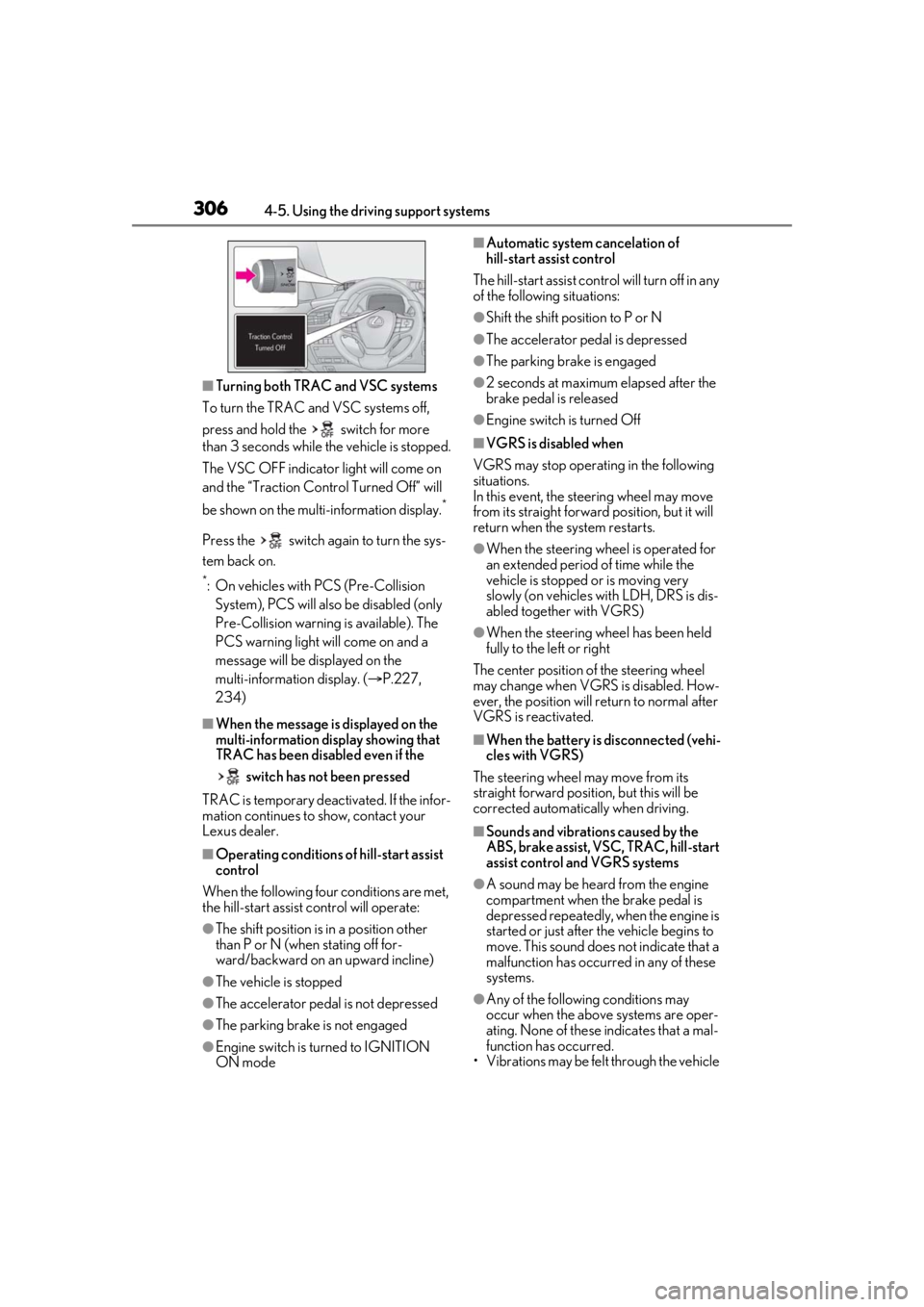
■Turning both TRAC and VSC systems
To turn the TRAC and VSC systems off,
press and hold the switch for more
than 3 seconds while the vehicle is stopped.
The VSC OFF indicator light will come on
and the “Traction Cont rol Turned Off” will
be shown on the mult i-information display.
*
Press the switch again to turn the sys-
tem back on.
*: On vehicles with PCS (Pre-Collision
System), PCS will also be disabled (only
Pre-Collision warning is available). The
PCS warning light will come on and a
message will be displayed on the
multi-information display. ( P.227,
234)
■When the message is displayed on the
multi-information display showing that
TRAC has been disabled even if the
switch has not been pressed
TRAC is temporary deactivated. If the infor-
mation continues to show, contact your
Lexus dealer.
■Operating conditions of hill-start assist
control
When the following four conditions are met,
the hill-start assist control will operate:
●The shift position is in a position other
than P or N (when stating off for-
ward/backward on an upward incline)
●The vehicle is stopped
●The accelerator pedal is not depressed
●The parking brake is not engaged
●Engine switch is turned to IGNITION
ON mode
■Automatic system cancelation of
hill-start assist control
The hill-start assist control will turn off in any
of the following situations:
●Shift the shift position to P or N
●The accelerator pedal is depressed
●The parking brake is engaged
●2 seconds at maximum elapsed after the
brake pedal is released
●Engine switch is turned Off
■VGRS is disabled when
VGRS may stop operat ing in the following
situations.
In this event, the steering wheel may move
from its straight forward position, but it will
return when the system restarts.
●When the steering wheel is operated for
an extended period of time while the
vehicle is stopped or is moving very
slowly (on vehicles with LDH, DRS is dis-
abled together with VGRS)
●When the steering wheel has been held
fully to the left or right
The center position of the steering wheel
may change when VGRS is disabled. How-
ever, the position will return to normal after
VGRS is reactivated.
■When the battery is disconnected (vehi-
cles with VGRS)
The steering wheel may move from its
straight forward position, but this will be
corrected automatically when driving.
■Sounds and vibrations caused by the
ABS, brake assist, VSC, TRAC, hill-start
assist control and VGRS systems
●A sound may be heard from the engine
compartment when the brake pedal is
depressed repeatedly, when the engine is
started or just after the vehicle begins to
move. This sound does not indicate that a
malfunction has occurred in any of these
systems.
●Any of the following conditions may
occur when the above systems are oper-
ating. None of these indicates that a mal-
function has occurred.
• Vibrations may be felt through the vehicle
Page 309 of 520
3094-6. Driving tips
4
Driving
4-6.Driving tips
Use fluids that are appropriate to
the prevailing outside temperatures.
•Engine oil
• Engine coolant
•Washer fluid
Have a service technician inspect
the condition of the battery.
Have the vehicle fitted with four
snow tires or purchase a set of tire
chains for the rear tires.
*
Ensure that all tires are the specified size
and brand, and that chains match the size
of the tires.
*: Tire chains cannot be mounted on vehi-
cles with front and rear tires of differing
sizes.
Winter driving tips
Carry out the necessary prepara-
tions and inspections before driving
the vehicle in winter. Always drive
the vehicle in a manner appropriate
to the prevailing weather condi-
tions.
Preparation for winter
WARNING
■Driving with snow tires
Observe the following precautions to
reduce the risk of accidents.
Failure to do so may result in a loss of
vehicle control and cause death or seri-
ous injury.
●Use tires of the specified size.
●Maintain the recommended level of air
pressure.
●Do not drive in excess of 75 mph (120
km/h), regardless of the type of snow
tires being used.
●Use snow tires on all, not just some
wheels.
■When installing tire chains
Before installing tire chains, make sure to
disable all functions of the vehicle height
control of the electronically modulated
air suspension. Otherwise, the vehicle
height may change while installing the
tire chains and part or your body may be
caught under the vehicle, possibly caus-
ing injury. ( P.303)
■Driving with tire chains
Observe the following precautions to
reduce the risk of accidents.
Failure to do so may result in the vehicle
being unable to be driven safely, and may
cause death or serious injury.
●Do not drive in excess of the speed
limit specified for the tire chains being
used, or 30 mph (50 km/h), which-
ever is lower.
●Avoid driving on bumpy road surfaces
or over potholes.
●Avoid sudden acceleration, abrupt
steering, sudden br aking and shifting
operations that cause sudden engine
braking.
●Slow down sufficiently before entering
a curve to ensure that vehicle control is
maintained.
●Do not use LTA (Lane Tracing Assist)
system.