stop start LEXUS LS500 2021 Owner's Manual
[x] Cancel search | Manufacturer: LEXUS, Model Year: 2021, Model line: LS500, Model: LEXUS LS500 2021Pages: 520, PDF Size: 9.81 MB
Page 175 of 520
1754-2. Driving procedures
4
Driving
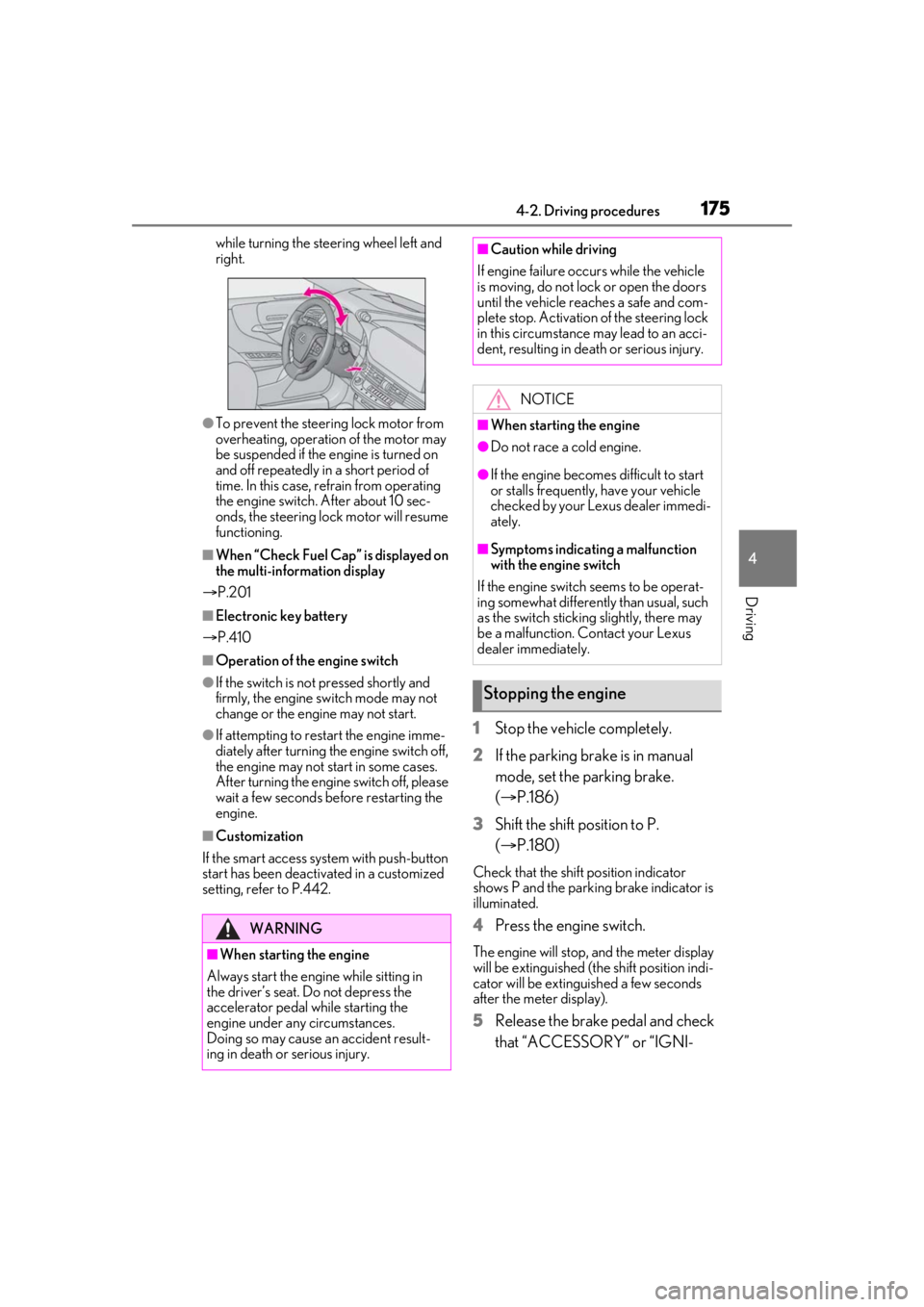
while turning the steering wheel left and
right.
●To prevent the steering lock motor from
overheating, operation of the motor may
be suspended if the engine is turned on
and off repeatedly in a short period of
time. In this case, refrain from operating
the engine switch. After about 10 sec-
onds, the steering lock motor will resume
functioning.
■When “Check Fuel Cap” is displayed on
the multi-inform ation display
P.201
■Electronic key battery
P.410
■Operation of the engine switch
●If the switch is not pressed shortly and
firmly, the engine switch mode may not
change or the engine may not start.
●If attempting to restart the engine imme-
diately after turning the engine switch off,
the engine may not start in some cases.
After turning the engine switch off, please
wait a few seconds before restarting the
engine.
■Customization
If the smart access sy stem with push-button
start has been deactivated in a customized
setting, refer to P.442.
1 Stop the vehicle completely.
2 If the parking brake is in manual
mode, set the parking brake.
(P.186)
3 Shift the shift position to P.
(P.180)
Check that the shift position indicator
shows P and the parking brake indicator is
illuminated.
4 Press the engine switch.
The engine will stop, and the meter display
will be extinguished (the shift position indi-
cator will be extinguished a few seconds
after the meter display).
5Release the brake pedal and check
that “ACCESSORY” or “IGNI-
WARNING
■When starting the engine
Always start the engine while sitting in
the driver’s seat. Do not depress the
accelerator pedal while starting the
engine under any circumstances.
Doing so may cause an accident result-
ing in death or serious injury.
■Caution while driving
If engine failure occurs while the vehicle
is moving, do not lock or open the doors
until the vehicle reaches a safe and com-
plete stop. Activation of the steering lock
in this circumstance may lead to an acci-
dent, resulting in death or serious injury.
NOTICE
■When starting the engine
●Do not race a cold engine.
●If the engine becomes difficult to start
or stalls frequently, have your vehicle
checked by your Lexus dealer immedi-
ately.
■Symptoms indicating a malfunction
with the engine switch
If the engine switch seems to be operat-
ing somewhat differently than usual, such
as the switch sticking slightly, there may
be a malfunction. Contact your Lexus
dealer immediately.
Stopping the engine
Page 176 of 520
1764-2. Driving procedures
TION ON” is not shown on the
meter.
■Automatic engine shut off feature
●The vehicle is equipped with a feature
that automatically shuts off the engine
when the shift position is in P with the
engine running for an extended period.
●The engine will automatically shut off
after approximately 1 hour if it has been
left running while the shift position is in P.
●The timer for the automatic engine shut
off feature will reset if the brake pedal is
depressed or if the shift position is in a
position other than P.
●After the vehicle is parked, if the door is
locked with the door lock switch
( P.104) from the insi de or the mechani-
cal key from the outside, the automatic
engine shut off feature will be disabled.
The timer for the automatic engine shut
off feature will be re-enabled if the
driver’s door is opened.
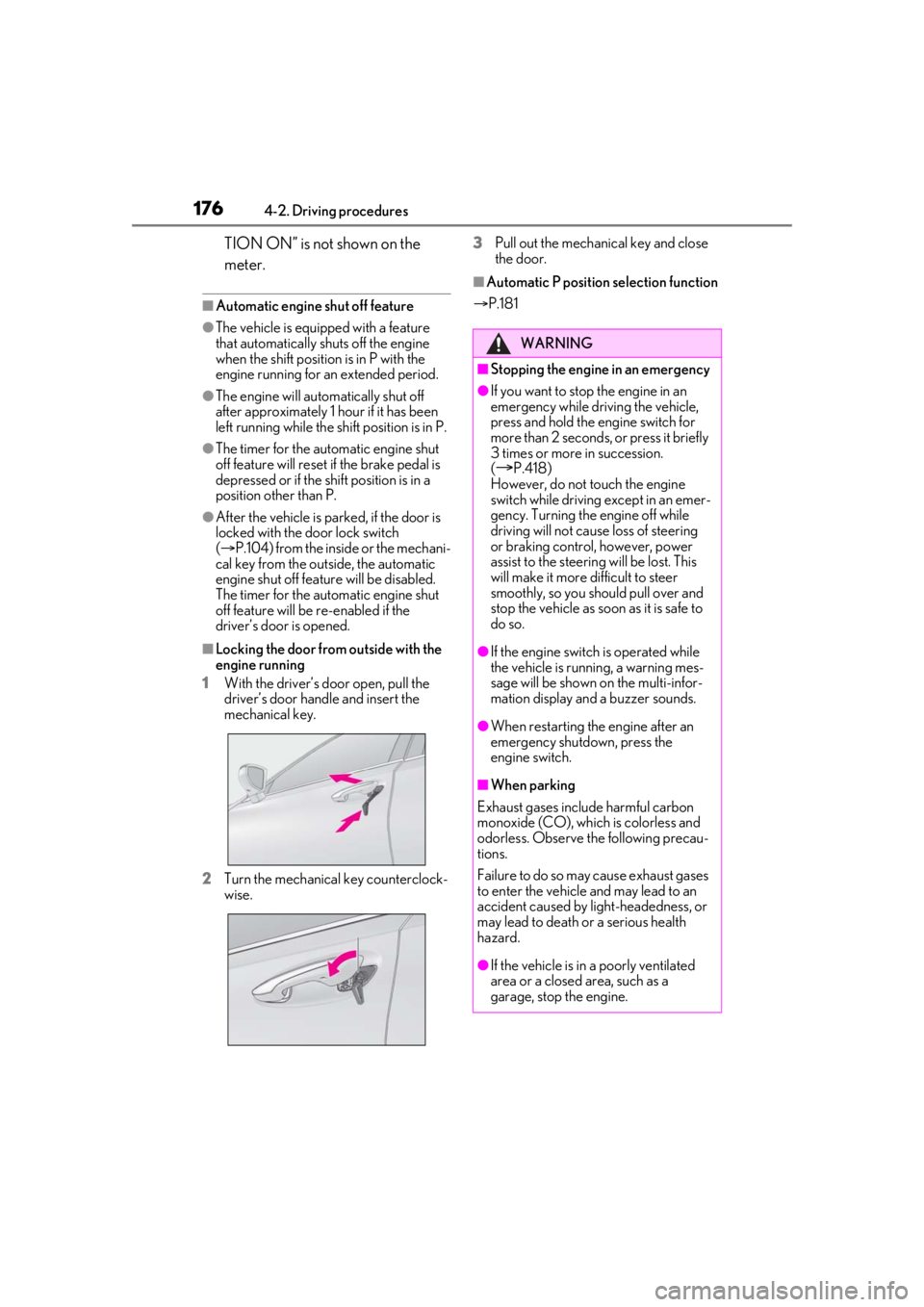
■Locking the door from outside with the
engine running
1 With the driver’s door open, pull the
driver’s door handle and insert the
mechanical key.
2 Turn the mechanical key counterclock-
wise. 3
Pull out the mechanical key and close
the door.
■Automatic P position selection function
P.181
WARNING
■Stopping the engine in an emergency
●If you want to stop the engine in an
emergency while driving the vehicle,
press and hold the engine switch for
more than 2 seconds, or press it briefly
3 times or more in succession.
(
P.418)
However, do not touch the engine
switch while driving except in an emer-
gency. Turning the engine off while
driving will not cause loss of steering
or braking control, however, power
assist to the steering will be lost. This
will make it more difficult to steer
smoothly, so you should pull over and
stop the vehicle as soon as it is safe to
do so.
●If the engine switch is operated while
the vehicle is running, a warning mes-
sage will be shown on the multi-infor-
mation display and a buzzer sounds.
●When restarting the engine after an
emergency shutdown, press the
engine switch.
■When parking
Exhaust gases include harmful carbon
monoxide (CO), which is colorless and
odorless. Observe the following precau-
tions.
Failure to do so may cause exhaust gases
to enter the vehicle and may lead to an
accident caused by light-headedness, or
may lead to death or a serious health
hazard.
●If the vehicle is in a poorly ventilated
area or a closed area, such as a
garage, stop the engine.
Page 178 of 520
1784-2. Driving procedures
*1: To improve fuel efficiency and reduce noise, set the shift position in D for nor-
mal driving. You can choose gear range
suitable for your driving situation by
operating the paddle shift switches.
*2: Any gear range can be fixed when driv-
ing in M mode.
■For the shift positions
●When the engine switch is off or in
ACCESSORY mode, the shift position
cannot be changed.
●When the engine swit ch is in IGNITION
ON mode, the shift position can only be
changed to N.
●When the engine is running, the shift
position can be changed from P to D, N
or R.
●The shift position can only be changed to
M directly from D.
In addition, if an atte mpt is made to change the shift position by mo
ving the shift lever or
by pressing the P position switch in any of
the following situations, the buzzer will
sound and the shifting operation will be dis-
abled or the shift posi tion will automatically
change to N. When this happens, select an
appropriate shift position.
●Situations where the shifting operation
will be disabled:
• When an attempt is made to change the shift position from P to another position
by moving the shift lever without depress-
ing the brake pedal.
• When an attempt is made to change the
shift position from P or N to M by moving
the shift lever.
• When the P position switch is pressed
while the vehicle is running.
*1
• When the shift lever is moved to attempt to change the shift position from P or N
with the accelerator pedal depressed and
the vehicle stopped
●Situations where the shift position will
automatically change to N:
• When an attempt is made to select the R position by moving the shift lever when
the vehicle is moving forward.
*2
• When an attempt is made to select the D
position by moving the shift lever when
the vehicle is moving in reverse.
*3
• When the shift position is changed from R to M
●If N is selected while driving at a certain
speed, even if the shift lever is not held in
the N position, the shift position changes
to N. In this situation, the buzzer sounds
and a confirmation message is displayed
on the multi-information display to inform
the driver that the shift position has
changed to N.
*1: Shift position may be changed to P
when driving at extremely low speeds.
*2: Shift position may be changed to R
when driving at low speeds.
*3: Shift position may be changed to D when driving at low speeds.
■Reverse warning buzzer
When shifting into R, a buzzer will sound to
inform the driver that the shift position is in
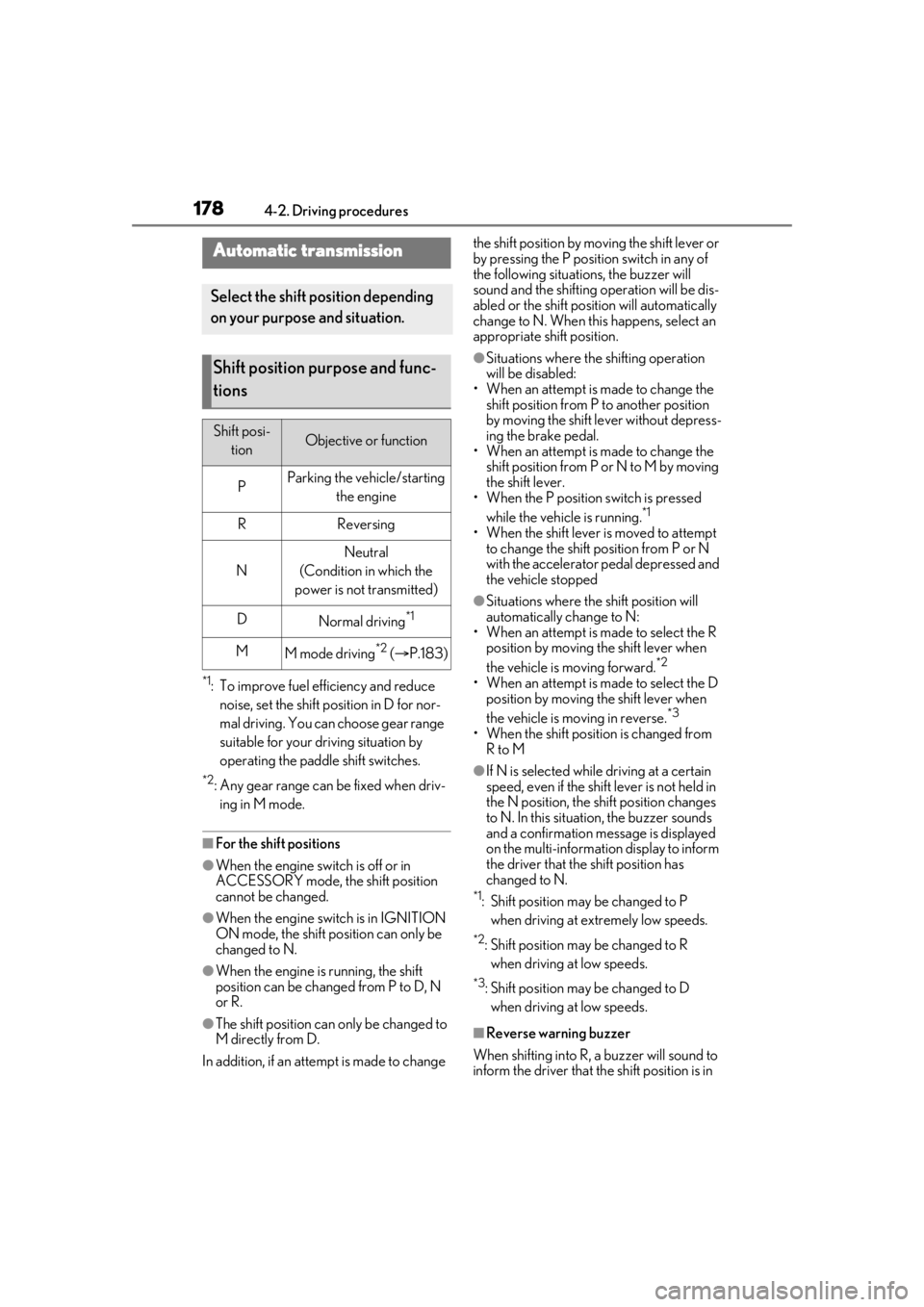
Automatic transmission
Select the shift position depending
on your purpose and situation.
Shift position purpose and func-
tions
Shift posi- tionObjective or function
PParking the vehicle/starting the engine
RReversing
N
Neutral
(Condition in which the
power is not transmitted)
DNormal driving*1
MM mode driving*2 ( P.183)
Page 179 of 520
1794-2. Driving procedures
4
Driving
R.
■To protect the automatic transmission
If the automatic transmission fluid tempera-
ture is high, “Transmission Fluid Temp High
See Owner’s Manual” will be displayed on
the multi-information display and the vehi-
cle will go into transmission protection
mode automatically. Have the vehicle
inspected by your Lexus dealer.
■When driving with dynamic radar cruise
control with full-speed range activated
Even when performing the following
actions with the intent of enabling engine
braking, engine braking will not be acti-
vated because dynamic radar cruise con-
trol with full-speed range will not be
canceled.
●While driving in the D position, down-
shifting to 9, 8, 7, 6, 5 or 4.
●When switching the driving mode to
sport mode while driving in the D position
( P.299)
■Sudden start restraint control
(Drive-Start Control [DSC])
P.170
■AI-SHIFT
The AI-SHIFT automatica lly selects the suit-
able gear according to driver performance
and driving conditions.
The AI-SHIFT automatically operates when
the shift position is in D. (Shifting the shift
position to the M position cancels the func-
tion.)
■If a message about a shift operation is
shown
To prevent the shift position from being
selected incorrectly or the vehicle from
moving unexpectedly, the shift position may
be changed automatically or operating the
shift lever may be required. In this case,
change the shift positi on following the mes-
sages on the multi-information display.
■After recharging/reconnecting the bat-
tery
P.391
■Customization
Some functions can be customized. (
P.476)
WARNING
■When driving on slippery road sur-
faces
Do not accelerate or shift the shift posi-
tion suddenly.
Sudden changes in engine braking may
cause the vehicle to sp in or skid, resulting
in an accident.
NOTICE
■Situations where sh ift control system
malfunctions are possible
If any of the following situations occurs,
shift control system malfunctions are
possible.
Immediately stop the vehicle in a safe
place on level ground, apply the parking
brake, and then contact your Lexus
dealer.
●When the warning message indicating
the shift control system appears on the
multi-information display. ( P.436)
●The display indicates that no shift posi-
tion is selected for more than a few
seconds.
Page 181 of 520
1814-2. Driving procedures
4
Driving
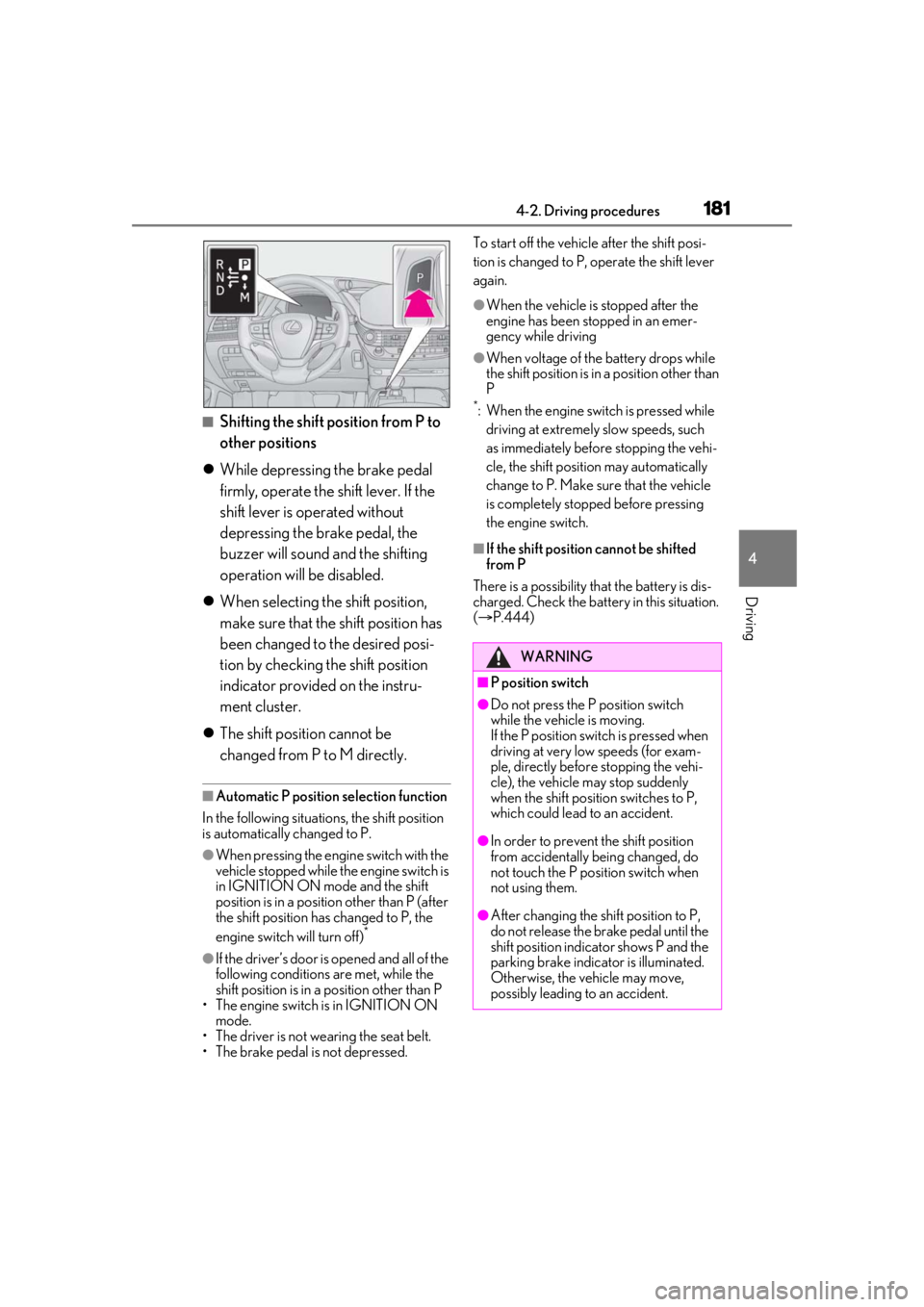
■Shifting the shift position from P to
other positions
While depressing the brake pedal
firmly, operate the shift lever. If the
shift lever is operated without
depressing the brake pedal, the
buzzer will sound and the shifting
operation will be disabled.
When selecting the shift position,
make sure that the shift position has
been changed to the desired posi-
tion by checking the shift position
indicator provided on the instru-
ment cluster.
The shift position cannot be
changed from P to M directly.
■Automatic P position selection function
In the following situations, the shift position
is automatically changed to P.
●When pressing the engine switch with the
vehicle stopped while the engine switch is
in IGNITION ON mode and the shift
position is in a position other than P (after
the shift position has changed to P, the
engine switch will turn off)
*
●If the driver’s door is opened and all of the
following conditions are met, while the
shift position is in a position other than P
• The engine switch is in IGNITION ON mode.
• The driver is not wearing the seat belt.
• The brake pedal is not depressed. To start off the vehicle after the shift posi-
tion is changed to P, operate the shift lever
again.
●When the vehicle is stopped after the
engine has been stopped in an emer-
gency while driving
●When voltage of the battery drops while
the shift position is in a position other than
P
*: When the engine switch is pressed while
driving at extremely slow speeds, such
as immediately before stopping the vehi-
cle, the shift position may automatically
change to P. Make su re that the vehicle
is completely stopped before pressing
the engine switch.
■If the shift position cannot be shifted
from P
There is a possibility th at the battery is dis-
charged. Check the batter y in this situation.
( P.444)
WARNING
■P position switch
●Do not press the P position switch
while the vehicle is moving.
If the P position switch is pressed when
driving at very low speeds (for exam-
ple, directly before stopping the vehi-
cle), the vehicle may stop suddenly
when the shift position switches to P,
which could lead to an accident.
●In order to prevent the shift position
from accidentally being changed, do
not touch the P position switch when
not using them.
●After changing the shift position to P,
do not release the brake pedal until the
shift position indicator shows P and the
parking brake indicator is illuminated.
Otherwise, the vehicle may move,
possibly leading to an accident.
Page 188 of 520
1884-2. Driving procedures
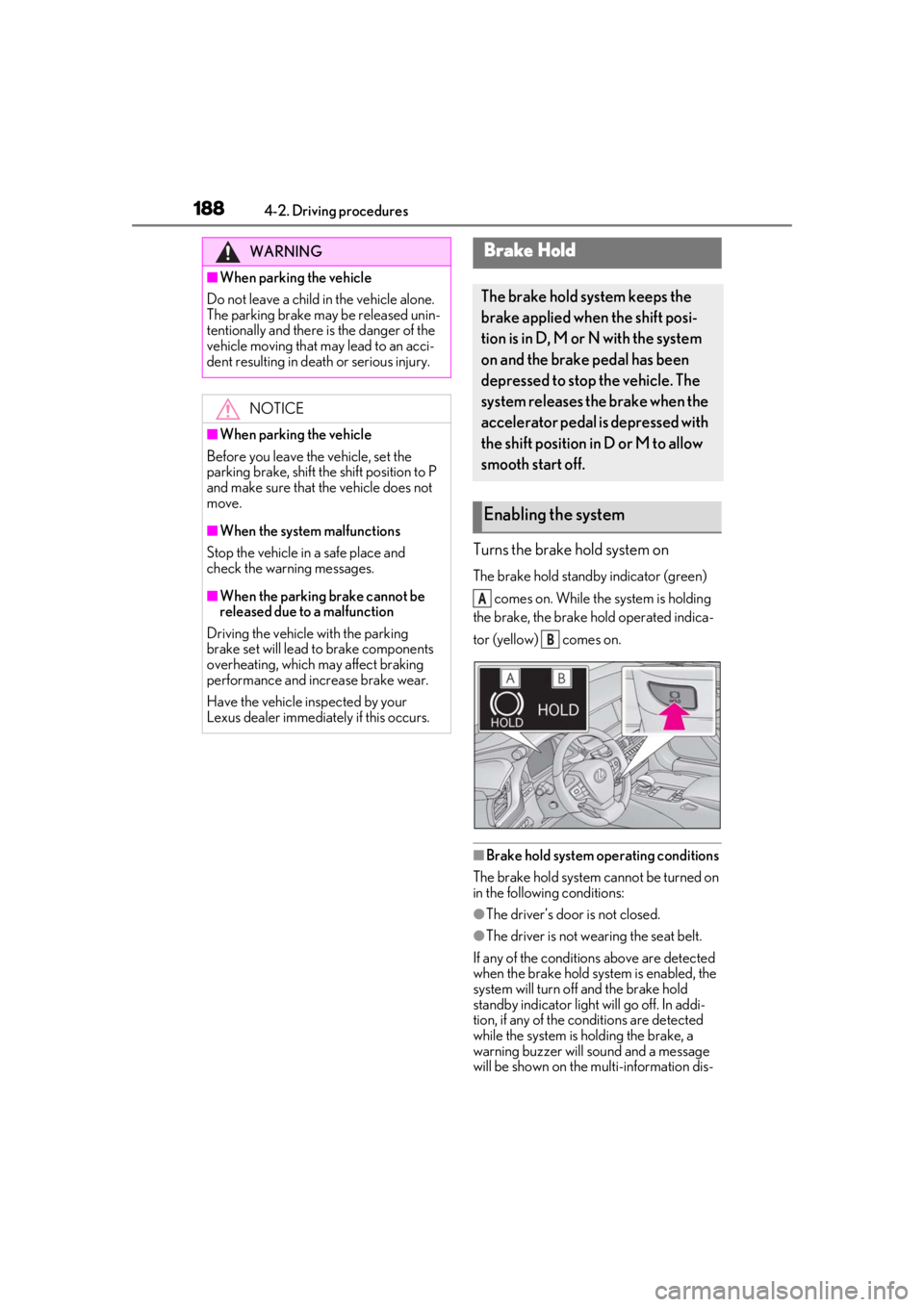
Turns the brake hold system on
The brake hold standby indicator (green) comes on. While the system is holding
the brake, the brake hold operated indica-
tor (yellow) comes on.
■Brake hold system operating conditions
The brake hold system cannot be turned on
in the following conditions:
●The driver’s door is not closed.
●The driver is not wearing the seat belt.
If any of the conditions above are detected
when the brake hold system is enabled, the
system will turn off and the brake hold
standby indicator light will go off. In addi-
tion, if any of the conditions are detected
while the system is holding the brake, a
warning buzzer will sound and a message
will be shown on the multi-information dis-
WARNING
■When parking the vehicle
Do not leave a child in the vehicle alone.
The parking brake may be released unin-
tentionally and there is the danger of the
vehicle moving that may lead to an acci-
dent resulting in death or serious injury.
NOTICE
■When parking the vehicle
Before you leave the vehicle, set the
parking brake, shift the shift position to P
and make sure that the vehicle does not
move.
■When the system malfunctions
Stop the vehicle in a safe place and
check the warning messages.
■When the parking brake cannot be
released due to a malfunction
Driving the vehicle with the parking
brake set will lead to brake components
overheating, which may affect braking
performance and increase brake wear.
Have the vehicle inspected by your
Lexus dealer immediately if this occurs.
Brake Hold
The brake hold system keeps the
brake applied when the shift posi-
tion is in D, M or N with the system
on and the brake pedal has been
depressed to stop the vehicle. The
system releases the brake when the
accelerator pedal is depressed with
the shift position in D or M to allow
smooth start off.
Enabling the system
A
B
Page 189 of 520
1894-2. Driving procedures
4
Driving
play. The parking brake will then be set
automatically.
■Brake hold function
●If the brake pedal is left released for a
period of about 3 minutes after the sys-
tem has started holding the brake, the
parking brake will be set automatically. In
this case, a warning buzzer sounds and a
message is shown on the multi-informa-
tion display.
●To turn the system off while the system is
holding the brake, firmly depress the
brake pedal and press the button again.
●The brake hold function may not hold the
vehicle when the vehicle is on a steep
incline. In this situation, it may be neces-
sary for the driver to apply the brakes. A
warning buzzer will sound and the
multi-information display will inform the
driver of this situation. If a warning mes-
sage is shown on the multi-information
display, read the message and follow the
instructions.
■When the parking brake is set automati-
cally while the system is holding the
brakes
Perform any of the follo wing operations to
release the parking brake.
●Depress the accelerator pedal. (The
parking brake will not be released auto-
matically if the seat belt is not fastened.)
●Operate the parking brake switch with
the brake pedal depressed.
Make sure that the pa rking brake indicator
light goes off. ( P.186)
■When an inspection at your Lexus
dealer is necessary
When the brake hold standby indicator
(green) does not illuminate even when the
brake hold switch is pressed with the brake
hold system operating conditions met, the
system may be malfun ctioning. Have the
vehicle inspected at your Lexus dealer.
■If “Brake Hold Malfunction Press Brake
to Deactivate Visit Your Dealer” or
“Brake Hold Malfunction Visit Your
Dealer” is displayed on the multi-infor-
mation display
The system may be ma lfunctioning. Have
the vehicle inspected by your Lexus dealer.
■Warning messages and buzzers
Warning messages and buzzers are used to
indicate a system malfunction or to inform
the driver of the need for caution. If a warn-
ing message is shown on the multi-informa-
tion display, read the message and follow
the instructions.
■If the brake hold operated indicator
flashes
P.433
WARNING
■When the vehicle is on a steep incline
When using the brake hold system on a
steep incline exercise caution. The brake
hold function may not hold the vehicle in
such a situation.
■When stopped on a slippery road
The system cannot stop the vehicle when
the gripping ability of the tires has been
exceeded. Do not use the system when
stopped on a slippery road.
NOTICE
■When parking the vehicle
The brake hold system is not designed
for use when parking the vehicle for a
long period of time. Turning the engine
switch off while the system is holding the
brake may release the brake, which
would cause the vehicle to move. When
operating the engine switch, depress the
brake pedal, shift the shift position to P
and set the parking brake.
Page 237 of 520
2374-5. Using the driving support systems
4
Driving
or right in front of your vehicle makes a
left/right turn immediately in front of your
vehicle
●When a pedestrian is approaching your
vehicle
●When an oncoming vehicle makes a
left/right turn
●When your vehicle enters an intersection
before a vehicle approaching from the
left or right in front of your vehicle
●When stopped at traffic light and a vehi-
cle approaches from the left or right in
front of your vehicle
●When driving in a lo cation where there
are objects which reflect radar, such as
vehicles, guardrails, walls, traffic signs,
etc.
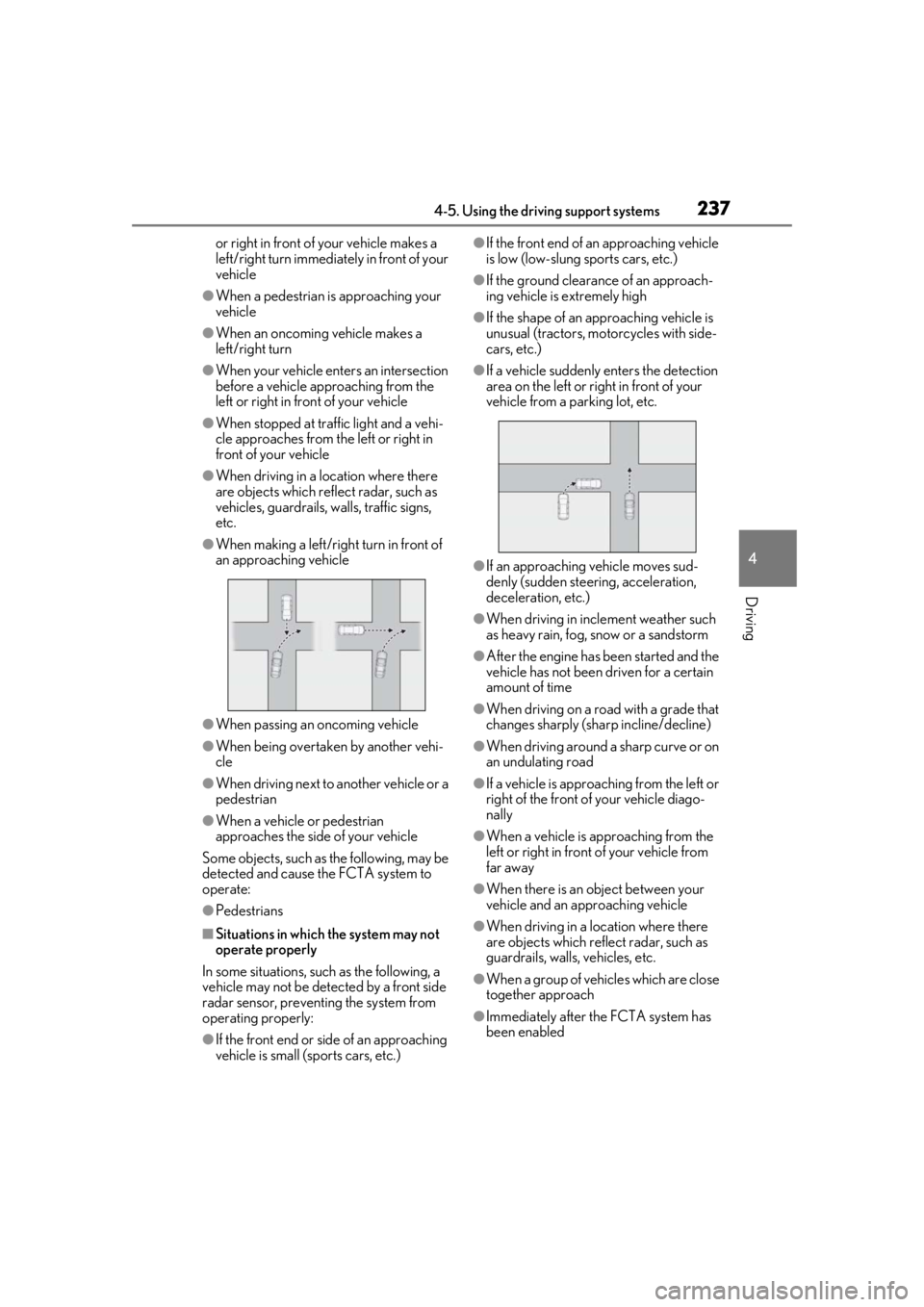
●When making a left/rig ht turn in front of
an approaching vehicle
●When passing an oncoming vehicle
●When being overtaken by another vehi-
cle
●When driving next to another vehicle or a
pedestrian
●When a vehicle or pedestrian
approaches the side of your vehicle
Some objects, such as the following, may be
detected and cause the FCTA system to
operate:
●Pedestrians
■Situations in which the system may not
operate properly
In some situations, such as the following, a
vehicle may not be detected by a front side
radar sensor, preventing the system from
operating properly:
●If the front end or si de of an approaching
vehicle is small (sports cars, etc.)
●If the front end of an approaching vehicle
is low (low-slung sports cars, etc.)
●If the ground clearance of an approach-
ing vehicle is extremely high
●If the shape of an approaching vehicle is
unusual (tractors, motorcycles with side-
cars, etc.)
●If a vehicle suddenly enters the detection
area on the left or right in front of your
vehicle from a parking lot, etc.
●If an approaching vehicle moves sud-
denly (sudden steering, acceleration,
deceleration, etc.)
●When driving in inclement weather such
as heavy rain, fog, snow or a sandstorm
●After the engine has been started and the
vehicle has not been driven for a certain
amount of time
●When driving on a road with a grade that
changes sharply (sha rp incline/decline)
●When driving around a sharp curve or on
an undulating road
●If a vehicle is approach ing from the left or
right of the front of your vehicle diago-
nally
●When a vehicle is approaching from the
left or right in front of your vehicle from
far away
●When there is an object between your
vehicle and an approaching vehicle
●When driving in a location where there
are objects which reflect radar, such as
guardrails, walls, vehicles, etc.
●When a group of vehicles which are close
together approach
●Immediately after the FCTA system has
been enabled
Page 257 of 520
2574-5. Using the driving support systems
4
Driving
Example of deceleration cruising and follow-up cruising
When a preceding vehicle driving slower than the set speed appears
When a vehicle is detected running ahead of you, the system automatically decelerates
your vehicle. When a greater reduction in vehicle speed is necessary, the system applies
the brakes (the stop lights will come on at this time). The system will respond to changes in
the speed of the vehicle ahead in order to maintain the vehicle-to-vehicle distance set by
the driver. Approach warning warns you when th e system cannot decelerate sufficiently to
prevent your vehicle from closing in on the vehicle ahead.
When the vehicle ahead of you stops, your vehi cle will also stop (vehicle is stopped by sys-
tem control). After the vehicle ahead starts off, pressing the “+RES” switch or depressing
the accelerator pedal (start-off operation) will resume follow-up cruising. If the start-off
operation is not performed, system contro l continues to keep your vehicle stopped.
When the turn signal lever is operated and yo ur vehicle moves to an overtaking lane while
driving at 50 mph (80 km/h) or more, the vehicle will accelerate to help to overtake a
passing vehicle.
The system’s identification of what is an over taking lane may be determined solely based on
the location of the steering wheel in the vehicl e (left side driver position versus right side
driver position.) If the vehicle is driven to a re gion where the overtaking lane is on a different
side from where the vehicle is normally driven, the vehicle may accelerate when the turn
signal lever is operated in the opposite direction to the overtaking lane (e.g., if the driver
normally operates the vehicle in a region where the overtaking lane is to the right but then
drives to a region where the overtaking lane is to the left, the vehicle may accelerate when
the right turn signal is activated).
Example of acceleration
When there are no longer any preceding vehicles driving slower than the set
speed
The system accelerates until the set speed is re ached. The system then returns to constant
speed cruising.
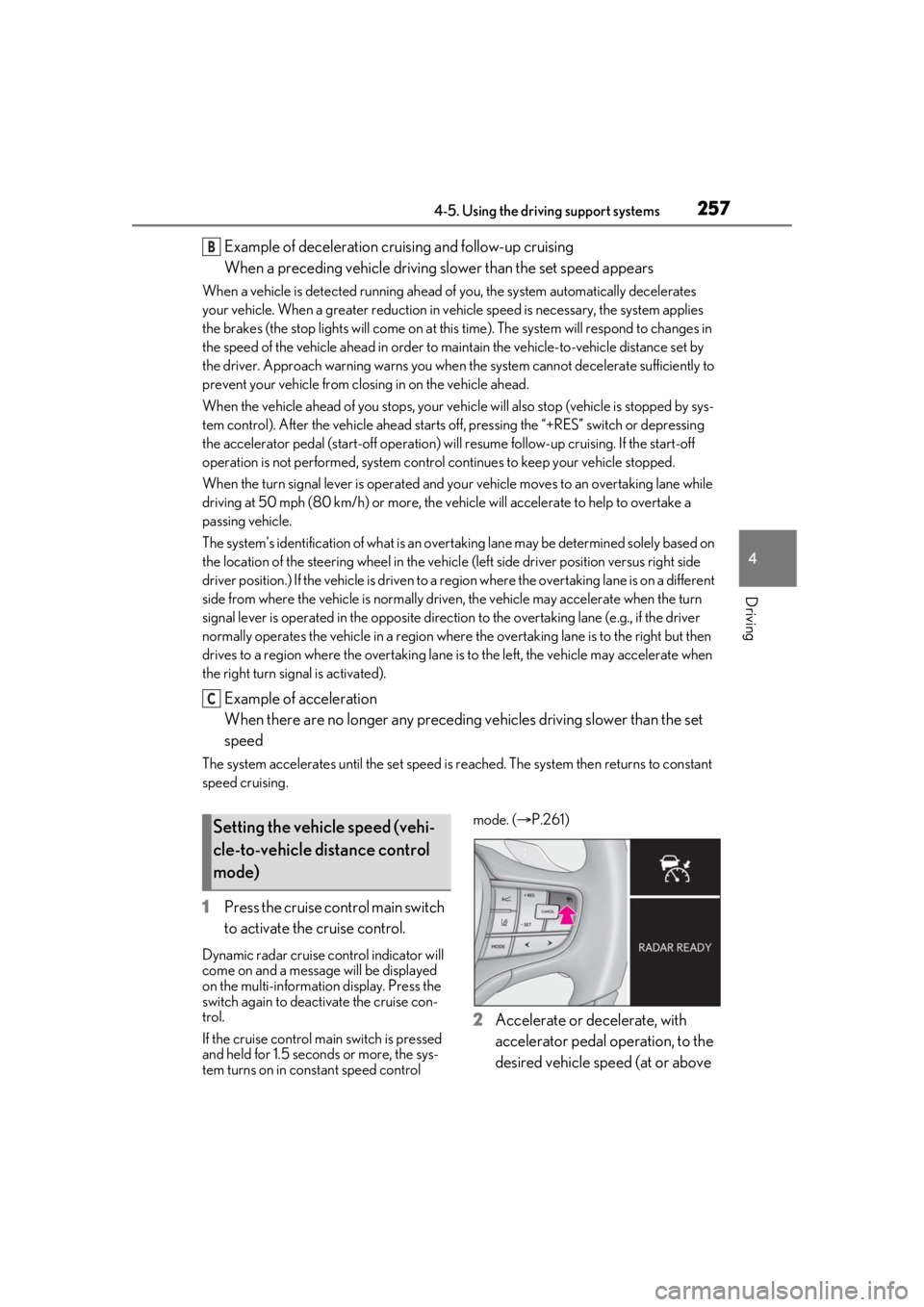
1 Press the cruise control main switch
to activate the cruise control.
Dynamic radar cruise control indicator will
come on and a message will be displayed
on the multi-information display. Press the
switch again to deactivate the cruise con-
trol.
If the cruise control ma in switch is pressed
and held for 1.5 seconds or more, the sys-
tem turns on in constant speed control mode. (
P.261)
2 Accelerate or decelerate, with
accelerator pedal operation, to the
desired vehicle speed (at or above
B
C
Setting the vehicle speed (vehi-
cle-to-vehicle distance control
mode)
Page 259 of 520
2594-5. Using the driving support systems
4
Driving
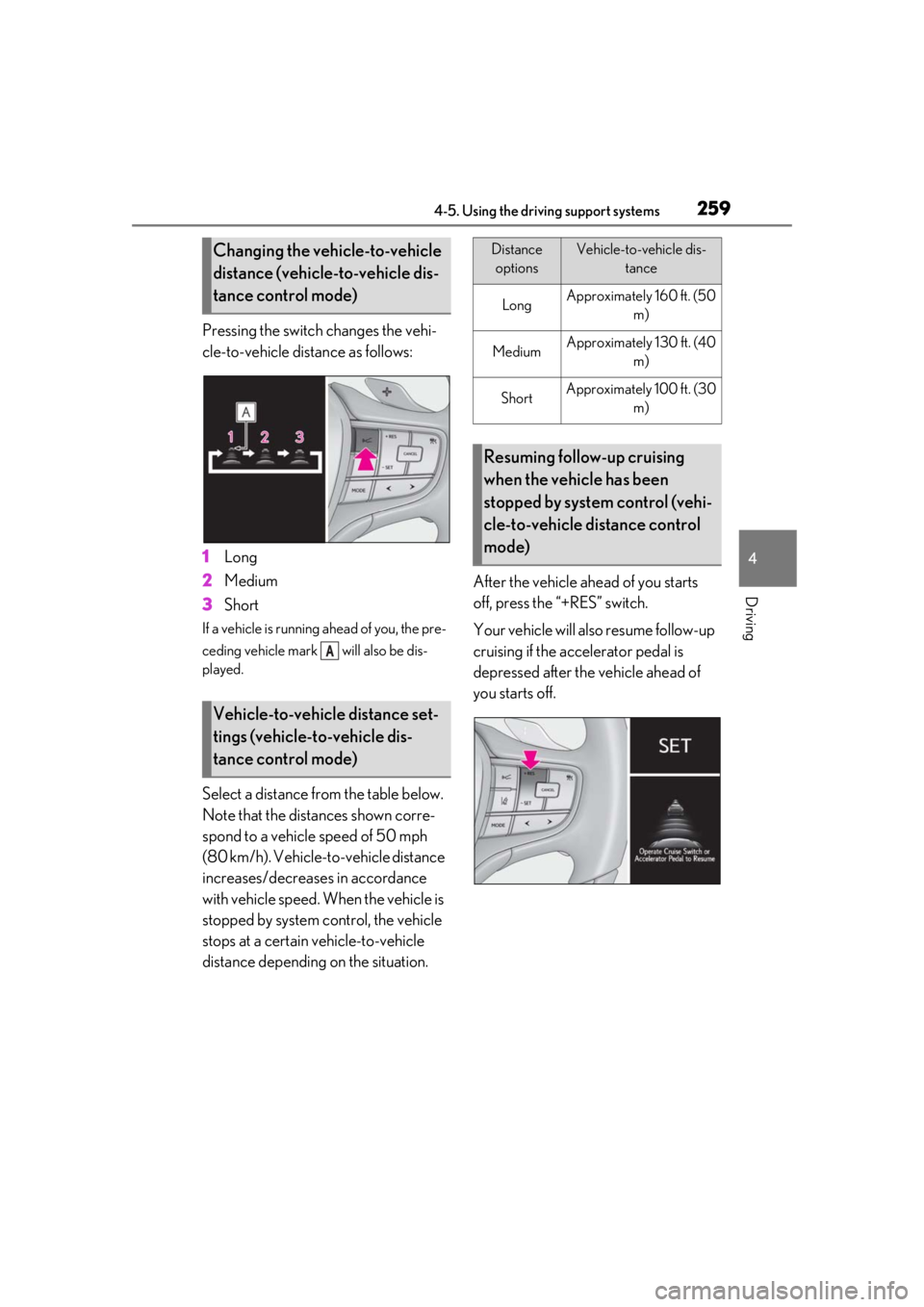
Pressing the switch changes the vehi-
cle-to-vehicle distance as follows:
1Long
2 Medium
3 Short
If a vehicle is running ahead of you, the pre-
ceding vehicle mark will also be dis-
played.
Select a distance from the table below.
Note that the distances shown corre-
spond to a vehicle speed of 50 mph
(80 km/h). Vehicle-to-vehicle distance
increases/decreases in accordance
with vehicle speed. When the vehicle is
stopped by system control, the vehicle
stops at a certain vehicle-to-vehicle
distance depending on the situation. After the vehicle ahead of you starts
off, press the “+RES” switch.
Your vehicle will also resume follow-up
cruising if the accelerator pedal is
depressed after the vehicle ahead of
you starts off.
Changing the vehicle-to-vehicle
distance (vehicle-to-vehicle dis-
tance control mode)
Vehicle-to-vehicle distance set-
tings (vehicle-to-vehicle dis-
tance control mode)
A
Distance
optionsVehicle-to-vehicle dis- tance
LongApproximately 160 ft. (50 m)
MediumApproximately 130 ft. (40 m)
ShortApproximately 100 ft. (30 m)
Resuming follow-up cruising
when the vehicle has been
stopped by system control (vehi-
cle-to-vehicle distance control
mode)