USB port LEXUS LS500 2022 Owners Manual
[x] Cancel search | Manufacturer: LEXUS, Model Year: 2022, Model line: LS500, Model: LEXUS LS500 2022Pages: 104, PDF Size: 16.15 MB
Page 3 of 104
2
LS500_QG_U
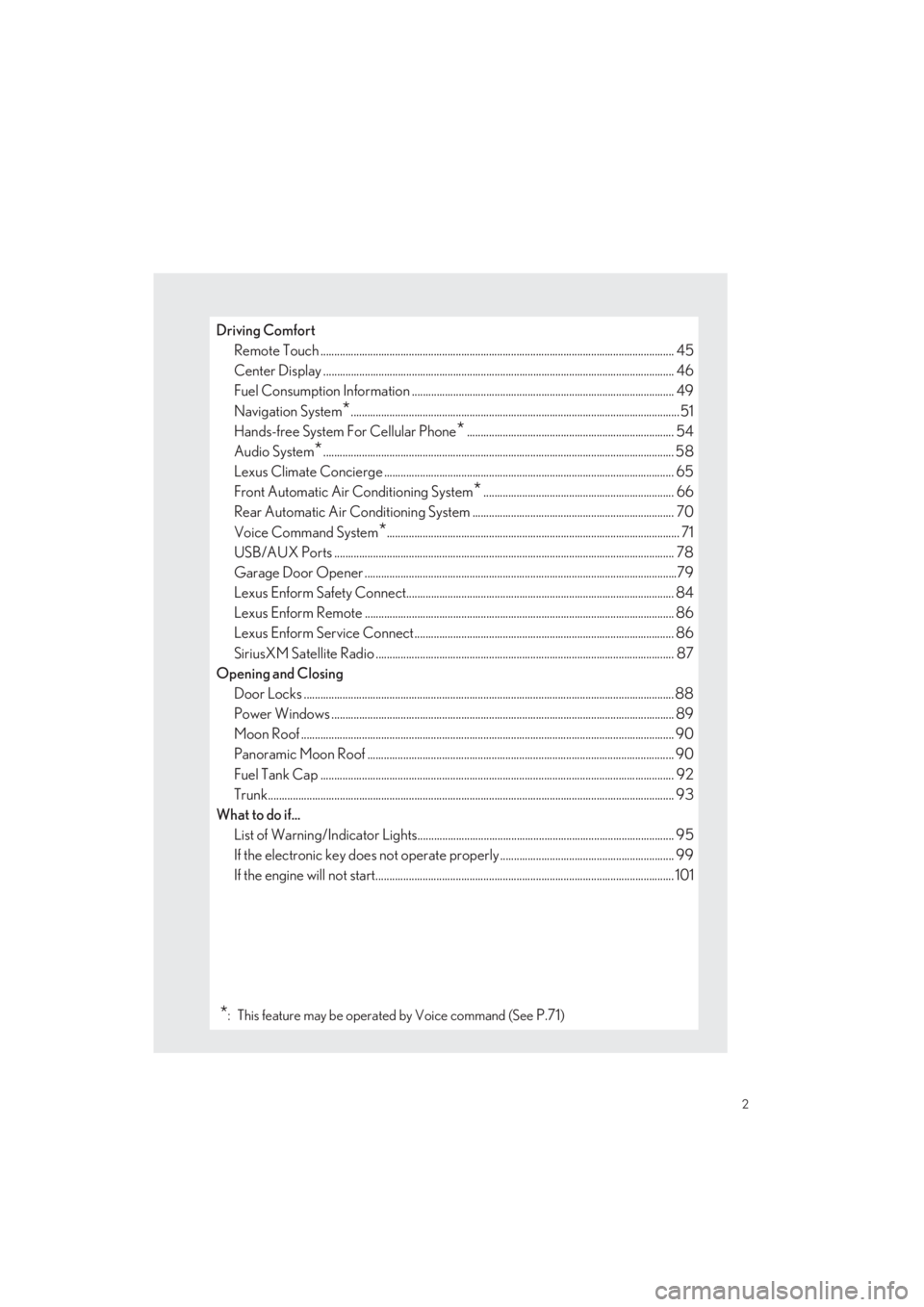
Driving Comfort
Remote Touch ................................................................................................................... ............. 45
Center Display ................................................................................................................. .............. 46
Fuel Consumption Information ............................. .................................................................. 49
Navigation System*.......................................................................................................................51
Hands-free System For Cellular Phone*........................................................................... 54
Audio System*............................................................................................................................... 58
Lexus Climate Concierge ........................................................................................................ .65
Front Automatic Air Conditioning System*..................................................................... 66
Rear Automatic Air Conditioning System .......... ............................................................... 70
Voice Command System*.......................................................................................................... 71
USB/AUX Ports .................................................................................................................. ......... 78
Garage Door Opener ............................................................................................................. ....79
Lexus Enform Safety Connect................................................................................................. 84
Lexus Enform Remote ............................................................................................................ .... 86
Lexus Enform Service Connect.............................................................................................. 86
SiriusXM Satellite Radio ....................................................................................................... ..... 87
Opening and Closing
Door Locks ..................................................................................................................... ................. 88
Power Windows .................................................................................................................. .......... 89
Moon Roof ...................................................................................................................... ................. 90
Panoramic Moon Roof ............................................................................................................ ... 90
Fuel Tank Cap .................................................................................................................. .............. 92
Trunk.......................................................................................................................... ......................... 93
What to do if...
List of Warning/Indicator Lights............................................................................................. 95
If the electronic key does not operate proper ly ............................................................... 99
If the engine will not start.... ........................................................................................................ 101
*: This feature may be operated by Voice command (See P.71)
Page 77 of 104
76
LS500_QG_U
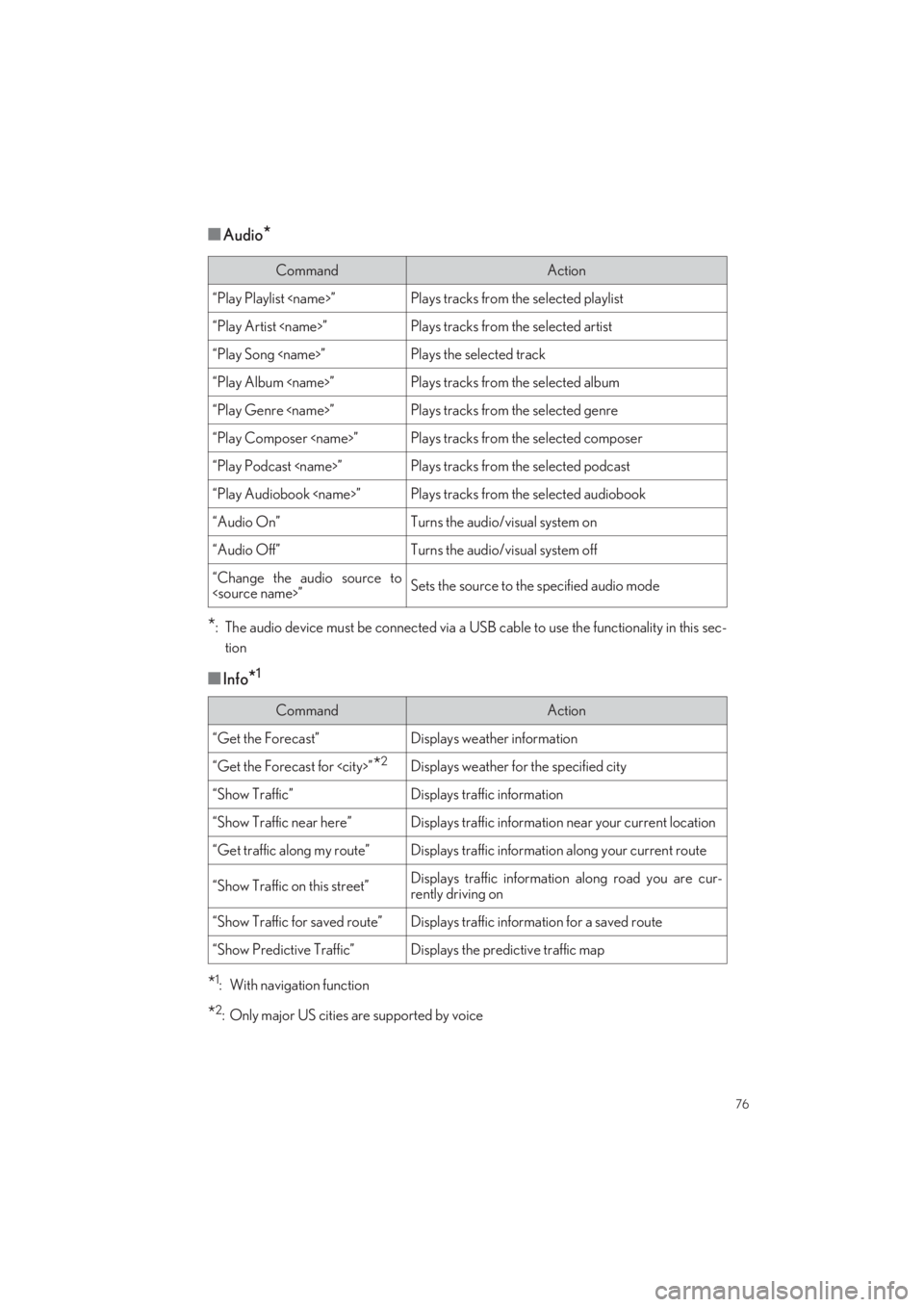
■Audio*
*: The audio device must be connected via a USB cable to use the functionality in this sec-
tion
■Info*1
*1: With navigation function
*2: Only major US cities are supported by voice
CommandAction
“Play Playlist
“Play Artist
“Play Song
“Play Album
“Play Genre
“Play Composer
“Play Podcast
“Play Audiobook
“Audio On”Turns the audio/visual system on
“Audio Off”Turns the audio/visual system off
“Change the audio source to
CommandAction
“Get the Forecast”Displays weather information
“Get the Forecast for
“Show Traffic”Displays traffic information
“Show Traffic near here”Displays traffic information near your current location
“Get traffic along my route”Displays traffic information along your current route
“Show Traffic on this street”Displays traffic information along road you are cur-
rently driving on
“Show Traffic for saved route”Displays traffic inform ation for a saved route
“Show Predictive Traffic”Displays the predictive traffic map
Page 79 of 104
78
LS500_QG_U
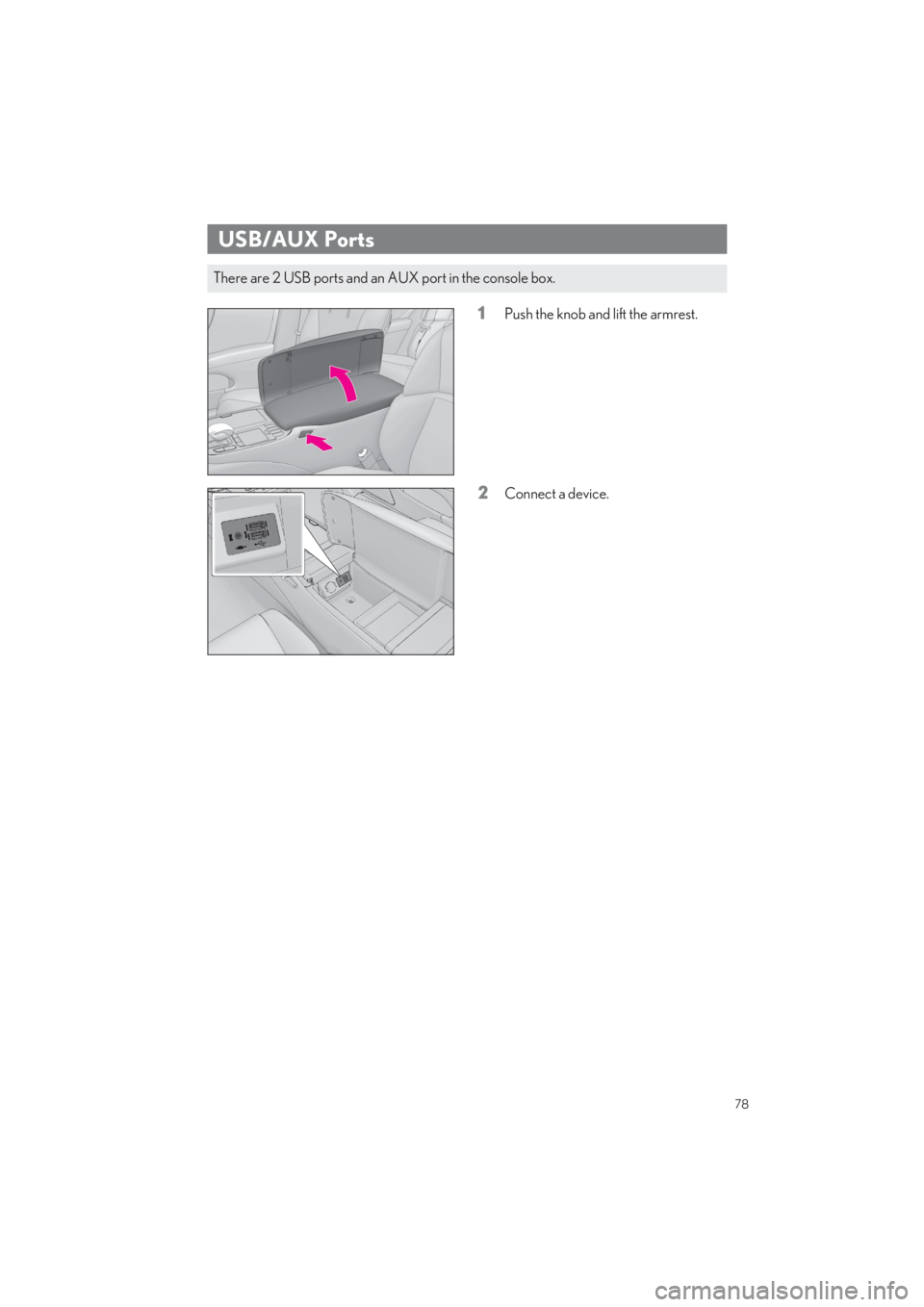
1Push the knob and lift the armrest.
2Connect a device.
USB/AUX Ports
There are 2 USB ports and an AUX port in the console box.